It seems like every team is trying to squeeze more out of their day, and plugging AI assistants into tools like Slack is a popular way to do it. The goal is simple: get quick answers and automate boring tasks right where you’re already working. It's a solid way to get more productive without having to learn yet another app.
Not long ago, an open-source AI assistant called Moltbot went viral, collecting over 60,000 stars on GitHub in just a couple of weeks. You might also know it by its original name, Clawd Bot, which was rebranded to Moltbot after a trademark request from Anthropic.
This blog is a straightforward guide to the Moltbot Slack integration. We’ll cover how it works, what it’s good for, the setup process, and the limitations and security risks to understand before you consider using it for your business.
What is the Moltbot (Clawd Bot) Slack integration?
So, what exactly is Moltbot? You can think of it as a self-hosted AI brain that you run on your own hardware, like a Mac Mini or a cloud server. It acts as a go-between, connecting your messaging apps (like Slack) to a large language model (LLM).
The Clawd Bot Slack integration lets you talk to this self-hosted AI right from your Slack workspace. But this isn't something you just download from an app store. It's a custom integration that requires a fair bit of technical skill to get working.
Clawdbot is going wild on X. I tried it, but it’s hard for consumers to set up and use.

It’s really designed for developers and tech-savvy folks who want an AI that can get its hands dirty on their local machine. We're talking about accessing the filesystem, running shell commands, and pretty much having full control. It's incredibly powerful for personal automation and coding tasks.
One more thing to be clear about: while the Moltbot software is free (it has an MIT license), it can't do anything by itself. You have to bring your own LLM, which means you need a separate subscription or API key for a model like Anthropic's Claude or OpenAI's GPT](https://medium.com/@gwrx2005/clawdbot-moltybot-a-self-hosted-personal-ai-assistant-and-its-viral-rise-520427c6ef4f).
How the Clawd Bot Slack integration works: A technical overview
To really get what Moltbot is about, you need to look under the hood. Its architecture explains both its raw power and its steep learning curve. It’s not just a simple bot; it’s an entire system you have to build and look after.
Here’s a look at the different parts, which can be visualized in the diagram below:
- The Gateway: This is the core of the whole setup. It's a central process (a daemon, if you're a techie) that runs 24/7 on your server. It’s the traffic cop that handles connections from apps like Slack, WhatsApp, and Telegram, keeps track of conversations, and passes messages to and from the agent.
- The Agent: This is the LLM you connect. It’s the part that does the actual "thinking," processing your requests and figuring out how to get stuff done by running commands or using other tools.
- Skills: Think of these as plugins that give the agent special abilities. Moltbot is built on an open standard called "AgentSkills", and it comes with 49 skills out of the box. These skills let it do things like interact with the GitHub CLI, check your Google Calendar, or even manage your smart home devices.
- Persistent Memory: This is how the agent remembers you and your past conversations. It uses a simple system of local Markdown files ("SOUL.md", "USER.md", "MEMORY.md") to store its personality, info about you, and a log of previous chats.
The main thing to remember here is that you're responsible for this entire system. You set it up on your own hardware, which gives you complete control but also means you are responsible for managing its setup and maintenance.
Key features and use cases for the Clawd Bot Slack integration
The real appeal of the Moltbot Slack integration is what it allows developers and other technical users to do. It’s less about answering common HR questions and more about getting hands-on with code and servers.
Here are a few things people are using it for:
- Code Execution and Debugging: Imagine being in Slack and telling your bot, "Hey, run that test script," or "A customer is having an issue; can you pull the production logs for any errors?" Moltbot can do that because it can run commands on the server.
- Infrastructure Management: For DevOps and data engineers, this is a big deal. You can check on server health, manage cloud resources, or restart a service with a quick message, all from your chat window.
- Local File System Access: The agent can look through, read, and even modify files on the computer it's running on. If you need to find a specific financial report from last quarter, you can ask Moltbot to locate it and upload it for you.
- Custom Automation with Skills: This is where it gets really interesting for tinkerers. You can write your own skills to automate personal tasks. A community repository has already appeared with over 565 skills for everything from resizing images to posting on social media.
- Proactive Tasks: You can set up cron jobs to have the agent do things on a schedule. For instance, you could have it send you a daily summary of server performance or automatically run a backup script every night.
While these are powerful features, they all depend on giving an AI direct access to your computer's command line and files, which is a significant security consideration. And while many tutorials show it working with WhatsApp, a lot of professionals prefer Slack for its audit trails and security controls, which are vital when you’re running commands that could affect live systems.
Setup, security risks, and limitations of a Clawd Bot Slack integration
Using the Moltbot Slack integration offers a lot of power, but also comes with trade-offs to consider, especially in a business setting. We’ll go through the setup process before getting into the security warnings.
The technical setup process
This is not a simple one-click install. Getting Moltbot running means you need to be pretty comfortable with the command line. Here’s a quick overview of what's involved:
- Server Provisioning: First, you need a server. This could be a Mac Mini in your office or a virtual private server (VPS) from a cloud provider. It has to be running Node.js 22 or higher, and if you’re on Windows, you’ll need to set up the Windows Subsystem for Linux (WSL2).
- Installation and Configuration: You'll run an installer script from your terminal, which starts a command-line wizard. You’ll have to provide API tokens for your LLM and for Slack to get everything connected.
- Daemon Management: Finally, you need to make sure the Moltbot gateway runs all the time in the background and restarts automatically if the server reboots. This means setting up services like "launchd" or "systemd".
Understanding limitations and security risks
The setup process is technical and is just the first step. For businesses, it's important to evaluate the practical limits and security aspects of a self-hosted solution.
- High Technical Barrier: The tool is designed primarily for technical users, such as developers.
- Significant Security Vulnerabilities: A key consideration is security. Because the tool is self-hosted, you are responsible for securing it.
- Public Gateway Exposure: Security researchers have already found hundreds of Moltbot instances left exposed to the public internet. A server misconfiguration can lead to a "Localhost Fallacy" that bypasses the tool's authentication.
- Plaintext Credential Storage: Moltbot stores sensitive API keys and session tokens in unencrypted text files. This makes it a target for infostealer malware, which is designed to scan computers for exactly this kind of data. This could lead to compromised credentials and unexpected costs from your LLM provider.
- Prompt Injection: Because the agent has shell access and can read data from the internet (like from an email it's processing), it is vulnerable to prompt injection attacks. A malicious prompt could potentially cause the agent to leak sensitive files or run unauthorized commands.
- Maintenance Overhead: You are the support team. When something goes wrong, a new security patch comes out, or an update is released, it's up to you to fix it.
- Lack of Business-Ready Features: Moltbot is a personal assistant. It doesn't have essentials like user roles, detailed audit logs for compliance, or a safe way to test the AI before you turn it on.
An alternative for internal knowledge: eesel AI
Moltbot is a powerful project for technical users. For businesses looking for a solution that provides quick answers in Slack with a focus on security and ease of use, a managed platform like eesel AI’s Internal Chat offers an alternative approach. eesel is designed for business teams and functions as a managed service, which removes the need to build, secure, and maintain the infrastructure yourself.
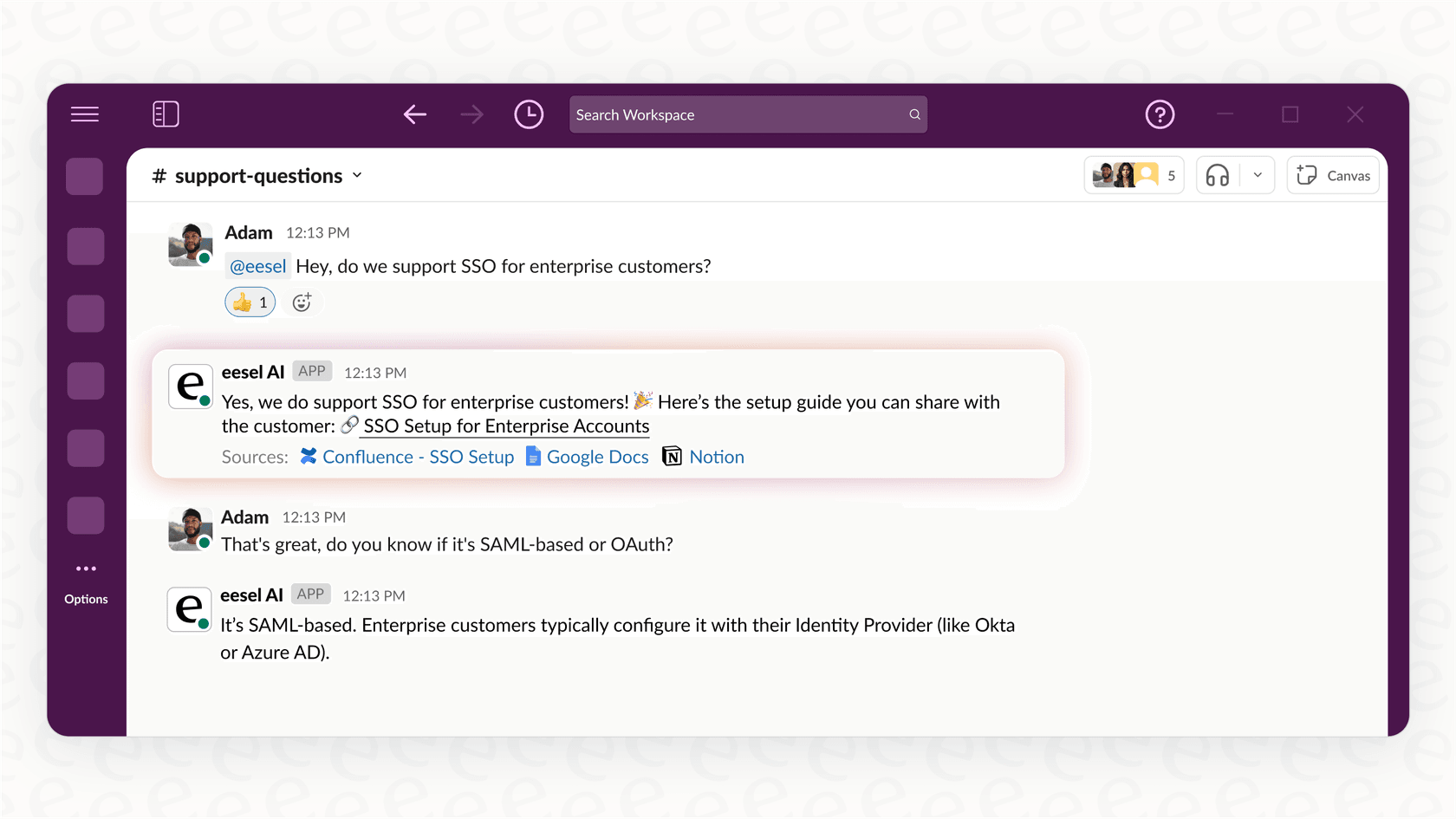
Here’s how it's different:
- Setup: With eesel, you connect to your knowledge sources like Confluence, Notion, or Google Docs. It takes minutes, not days.
- Security: Your data is encrypted end-to-end, and our partners are SOC 2 Type II certified. We never use your data to train other models, and you don't have to expose your internal systems to the internet.
- Maintenance: As a fully managed platform, eesel handles all the updates, uptime, and support, so you can focus on your actual job.
- Business-Ready: eesel is designed for team use. Every answer it gives includes a citation linking back to the source document, so you can trust where the information comes from. You can also run simulations to test its performance on past questions before you even let it into a public channel.
Understanding the costs of a Clawd Bot Slack integration
While the Moltbot software is free and open-source, it's important to consider the total cost of ownership. Running it has real costs, both obvious and hidden.
Let's look at the total cost of ownership:
- LLM API Costs: You have to pay for the AI's brain. An API subscription for a model like Claude can cost anywhere from $10 to over $150 per month, depending on your usage.
- Hosting Costs: Unless you're running it on a machine you already own that's always on, you'll need to pay for a cloud server. Even "free tier" options can result in surprise bills if you're not watching your usage closely.
I'm concerned about AWS free tier having a catch associated with it. Meaning of Clawdbot installs stuff that goes over free limits, you won't know about it until you get a bill; I heard AWS is pretty unforgiving.
- Time and Maintenance Costs: This is a significant hidden expense. The hours your most technical employee spends setting up, securing, patching, and fixing Moltbot is time they aren't spending on your core product. That cost adds up quickly.
Pro tip
Some guides suggest using your personal Claude Pro subscription token to cut costs. This approach violates Anthropic's Terms of Service and can lead to account suspension.
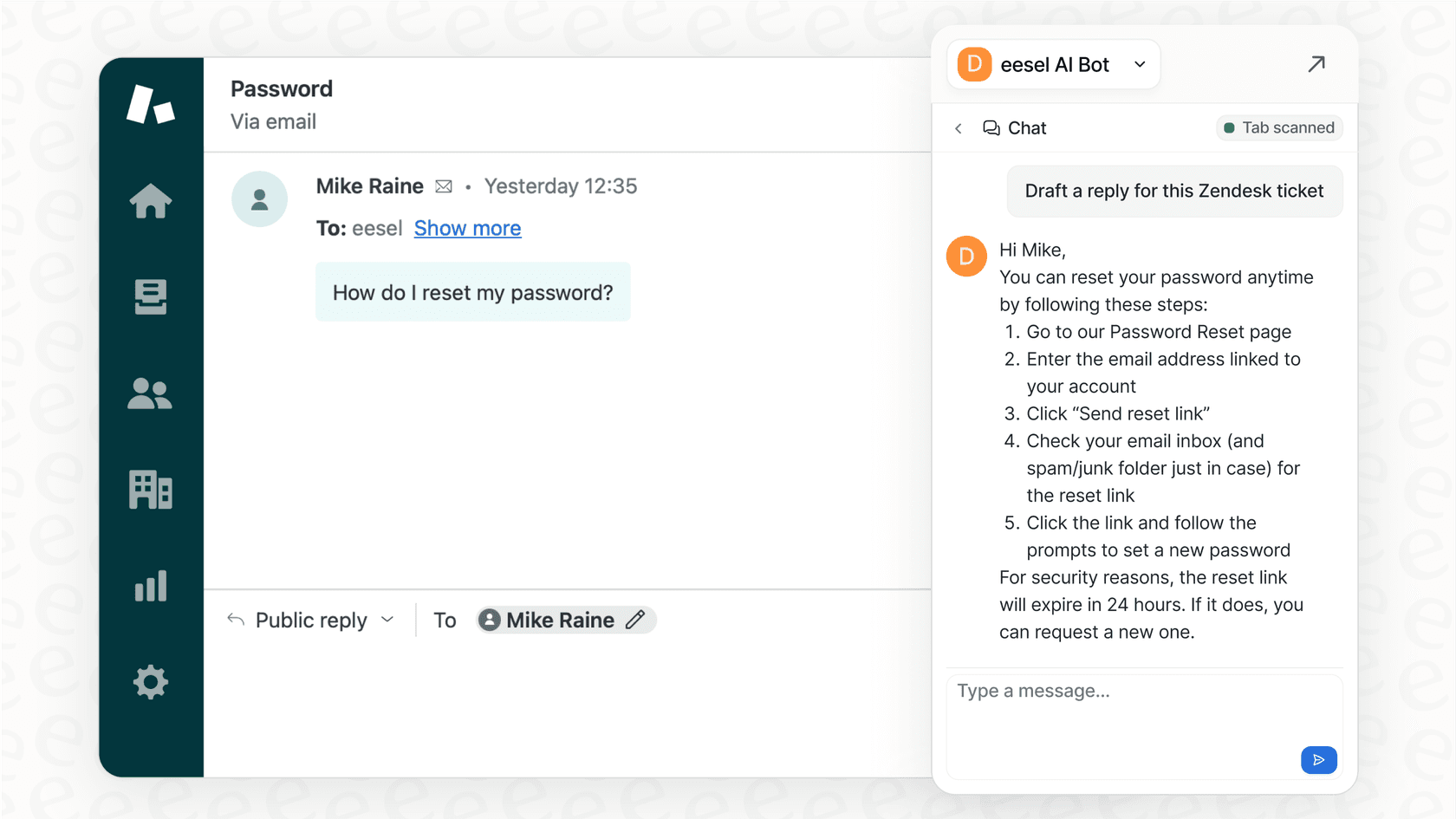
In contrast, eesel AI has predictable, all-inclusive pricing. You know exactly what you’re paying for, with no hidden fees or unexpected API bills.
| Plan | Monthly | Annual | Bots | Interactions/mo | Key Features |
|---|---|---|---|---|---|
| Team | $299 | $239/mo | Up to 3 | 1,000 | Train on website/docs, AI Copilot, Slack, reports |
| Business | $799 | $639/mo | Unlimited | 3,000 | + Past tickets, MS Teams, AI Actions, bulk simulation, EU data residency |
| Custom | Contact us | Custom | Unlimited | Unlimited | + Multi-agent orchestration, custom integrations, advanced security |
For those interested in a visual walkthrough, the video below provides a detailed guide on how to install and configure Moltbot, giving you a clear idea of the technical steps involved.
Is the Clawd Bot Slack integration right for you?
The Moltbot Slack integration is a powerful tool for developers and technical users who want deep control over a personal AI assistant. Its system-level access allows for extensive automation.
However, this flexibility comes with a complex setup, ongoing maintenance, and security considerations that businesses should carefully evaluate. For companies looking for a secure, reliable, and easy-to-use AI assistant for Slack, a managed solution like eesel AI offers an alternative that provides similar productivity benefits without the associated engineering overhead and security management responsibilities.
CTA: Ready to give your team instant answers without the engineering overhead? Invite eesel AI to your Slack workspace and see how it works.


Frequently Asked Questions
Share this article

Article by
Stevia Putri
Stevia Putri is a marketing generalist at eesel AI, where she helps turn powerful AI tools into stories that resonate. She’s driven by curiosity, clarity, and the human side of technology.