


The Spiceworks ticketing system is not dead. Cloud Help Desk shipped a release on 27 July 2026, and the free Core plan really is still free, that part hasn't changed. What has changed is the shape of "free": since May 2025 it is capped at 5 admin or technician seats, and the sixth one doesn't get a nag screen. It gets a lockout.
Pricing past the cap is $5 per seat per month billed annually. Here's the catch though, every seat becomes billable, not just the extra one, so your sixth tech costs $360 a year, not $60. Still cheap, honestly. What costs you is everything the product doesn't do: no AI of any kind, basic reporting only, two roles, ads in the ticket view, and ticket data that is not encrypted at rest.
My honest read, after going through every 2026 release note and a lot of angry forum threads: Spiceworks is still the right answer for a 1 to 5 person IT team with no budget. Anyone growing past that, it starts working against you. If your queue is the problem and not your tool, the cheaper fix is usually to leave the desk alone and put an AI agent in front of it instead. I work on the support side at eesel, where we do exactly that, and an internal IT desk we work with is deflecting 15% of its Jira tickets on the way to a 55% target, no platform change needed.
What the Spiceworks ticketing system actually is
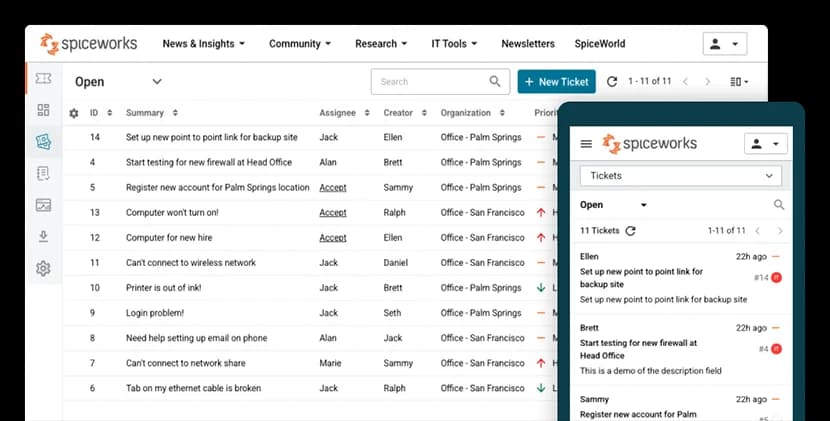
Spiceworks Cloud Help Desk is a hosted ticketing tool for internal IT teams, and it's been around since 2006. Employees email a support address or use a web portal, those messages become tickets, and your techs work them from a queue. If you want the general mechanics first, we wrote up how a help desk ticket moves from intake to close, plus a wider look at cloud-based ticketing systems.

The thing that made it famous was never the feature list. It was the price. For most of two decades this was the free tool a one-person IT department could stand up on a Tuesday afternoon without asking finance for anything, and that's why it still shows up in every thread about a free ticketing system for small business.
Worth clearing up the confusion that sends people here in the first place: there were two Spiceworks products. The legacy on-premise Spiceworks Desktop is dead, development ended in 2018, and old tickets can be exported to the cloud edition. The Cloud Help Desk is a separate, living product, and when someone tells you Spiceworks shut down, they're remembering the first one.
The 5-seat wall, and what happens when you hit it
This is the part that matters most, and the one the pricing page stays quietest about.
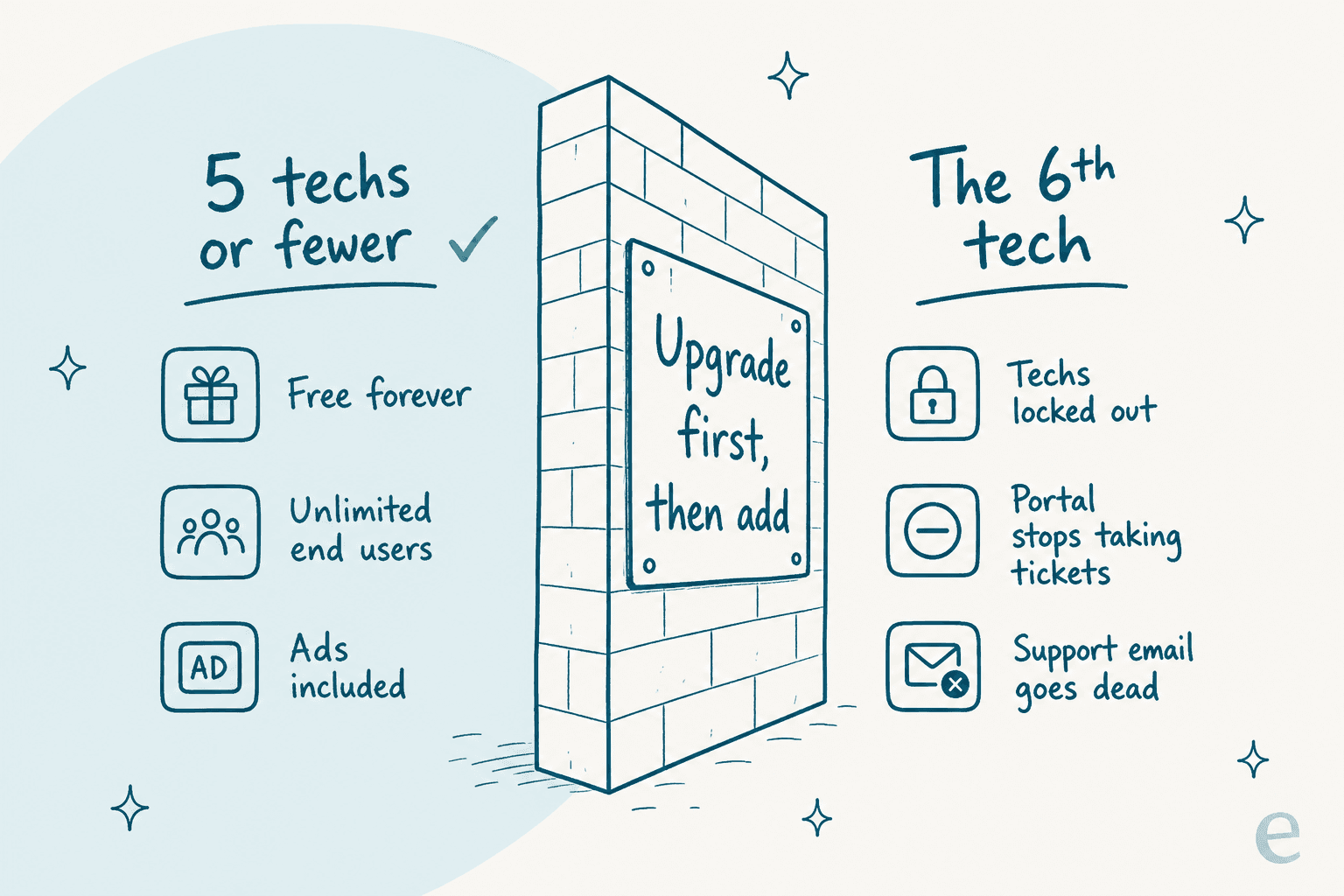
Per the Premium plan FAQ, an account that goes to six or more active employee seats without upgrading doesn't get a warning banner. It gets this instead:
- Owners and admins can reach the Billing and Employee Administration pages, and nothing else.
- Tech and Manager roles lose access to the account entirely.
- End users can no longer submit tickets through the portal or by email.
- The support email address goes inactive.
Read that fourth one again. Your intake channel stops accepting tickets, and for most IT teams that's the same thing as the help desk being down. There's also a sequencing quirk that catches people out, you can't add the sixth person and get billed afterwards. Spiceworks staff put it plainly in a July 2026 thread: lift the cap first, then add the person.
If you do downgrade later, your data stays intact and you just lose the Premium features. Fair enough.
Spiceworks pricing in 2026, in full
Two plans. Here's everything that separates them, straight from the plan comparison.
| Core plan | Premium plan | |
|---|---|---|
| Price | Free | $5 per seat/month billed annually, $6 billed monthly |
| Admin / technician seats | 1 to 5 (hard cap) | Unlimited |
| End users | Unlimited | Unlimited |
| Ticketing and incident tracking | Yes | Yes |
| End user portal | Yes | Yes |
| Alerts | Yes | Yes |
| Reporting | Yes | Yes |
| Custom attributes | Yes | Yes |
| TOTP-based MFA | Yes | Yes |
| Ad-free | No | Yes |
| Tasklists (checklist workflows) | No | Yes |
| Bulk actions | No | Yes |
| Live chat support, 24/5 | No | Yes |
| AI features | None | None |
The footnote is where the money actually is. The pricing page states that "pricing is based on the total number of active employees", not on seats beyond the free limit. Staff confirmed that the billable roles are owner, admin, tech and manager, with end users free, so the moment you cross the line, all of your seats start counting.
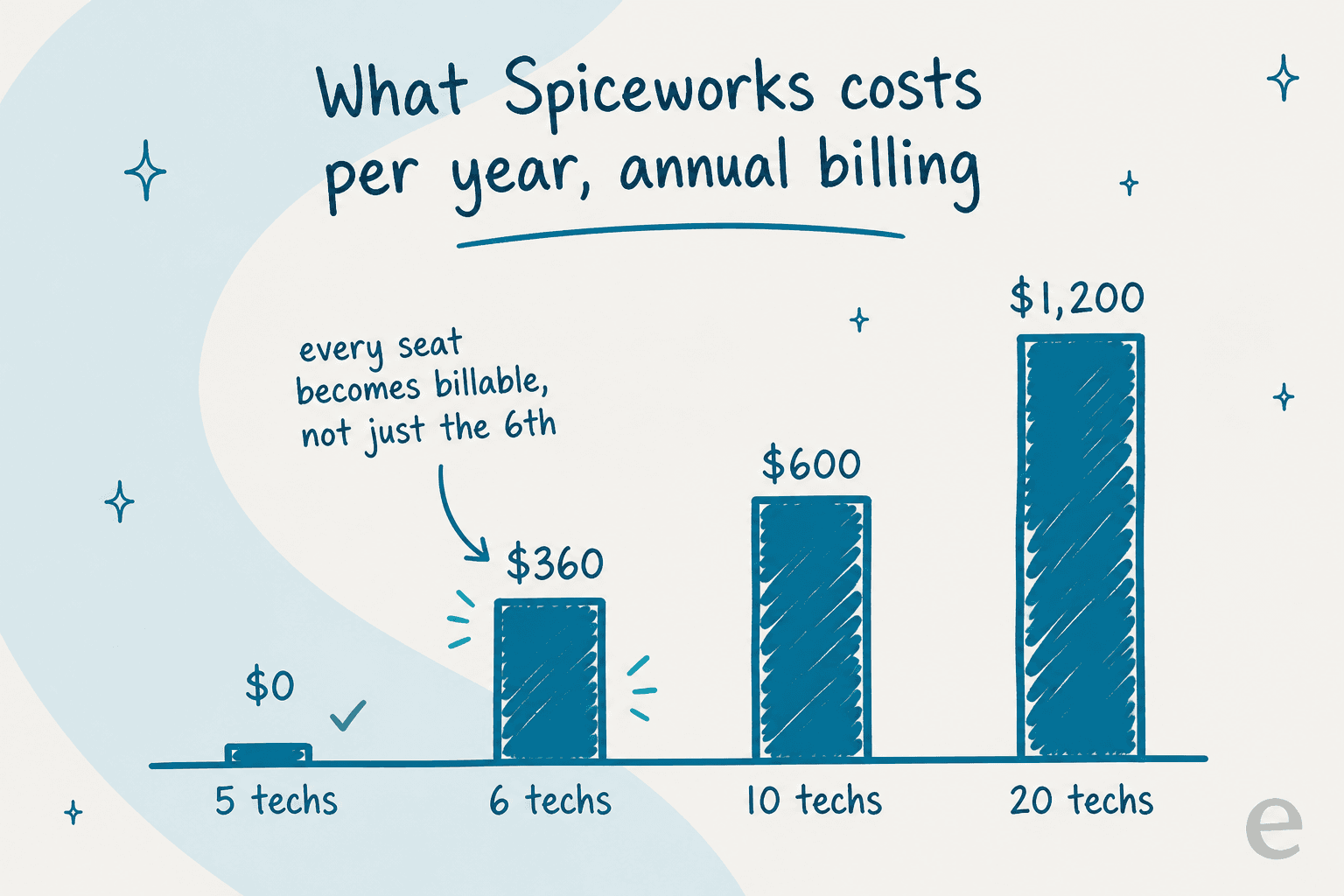
Here's the same math, as something you can actually poke at. Pick a team size and see what the year looks like.
What Spiceworks costs your team
Pick a team size. Billable seats are admins, techs and managers. End users are always free.
Comfortably inside the free tier. You pay with ad space in the ticket view, and you get no live chat support.
Exactly at the cap. Hiring one more tech is not a $5 decision, it flips the whole account to paid, so plan the upgrade before the start date.
Six billable seats at $5 each. Monthly billing is $432. The sixth tech effectively costs $360, because the first five stop being free.
$720 on monthly billing. Still cheap next to most ITSM tools, but now you are comparing paid to paid, and the feature gaps start to matter.
At this size the missing pieces (SLA reporting, granular roles, any automation beyond keyword rules) usually cost more in staff hours than the licence saves.
For context on how good that price is when it fits: the old marketing card for the desktop product promised unlimited everything at $0.00.

That card is the reason the 2025 announcement landed so badly. People had been told "unlimited agents, free" for years.
What it does well
Being fair to the product here, for a free tool the ticketing basics are complete and a few touches are smart.
Intake is easy. Every account gets an @your-org.on.spiceworks.com address, and any local part works, so help@ and support@ both land in the same queue. Using your own domain means setting up forwarding, that's the one extra step. There's also a customizable end user portal, and end users get auto-created on their first ticket, so there's no provisioning chore.
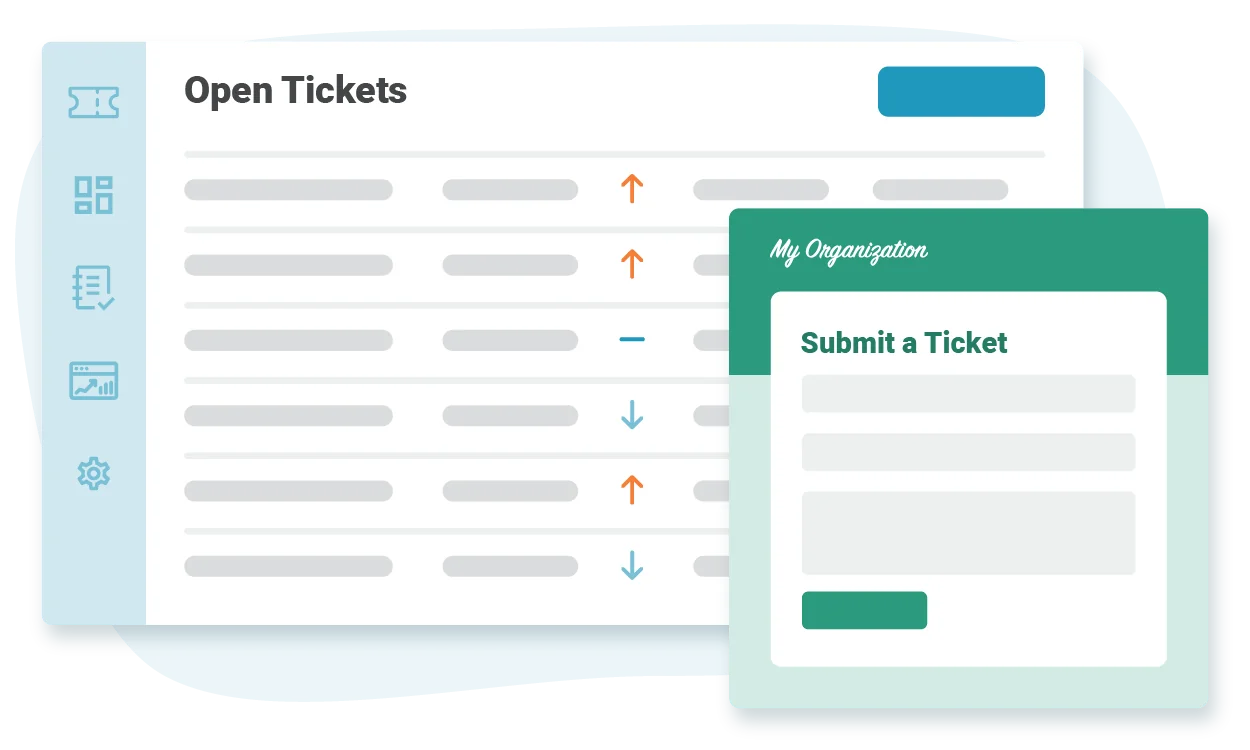
Ticket rules do the simple sorting. Condition to action rules set assignee, category, due date and priority, and 2026 added regex support plus canned responses fired from rules. That's real support ticket automation, the keyword-matching generation of it. AI ticket classification is the newer generation, and a different thing entirely.
Tickets Anywhere is underrated. You can act on a ticket just by replying to the notification email, and the reply body posts as a comment. Combine that with keyboard shortcuts for next and previous ticket, and a tech can clear a morning queue without much clicking at all.
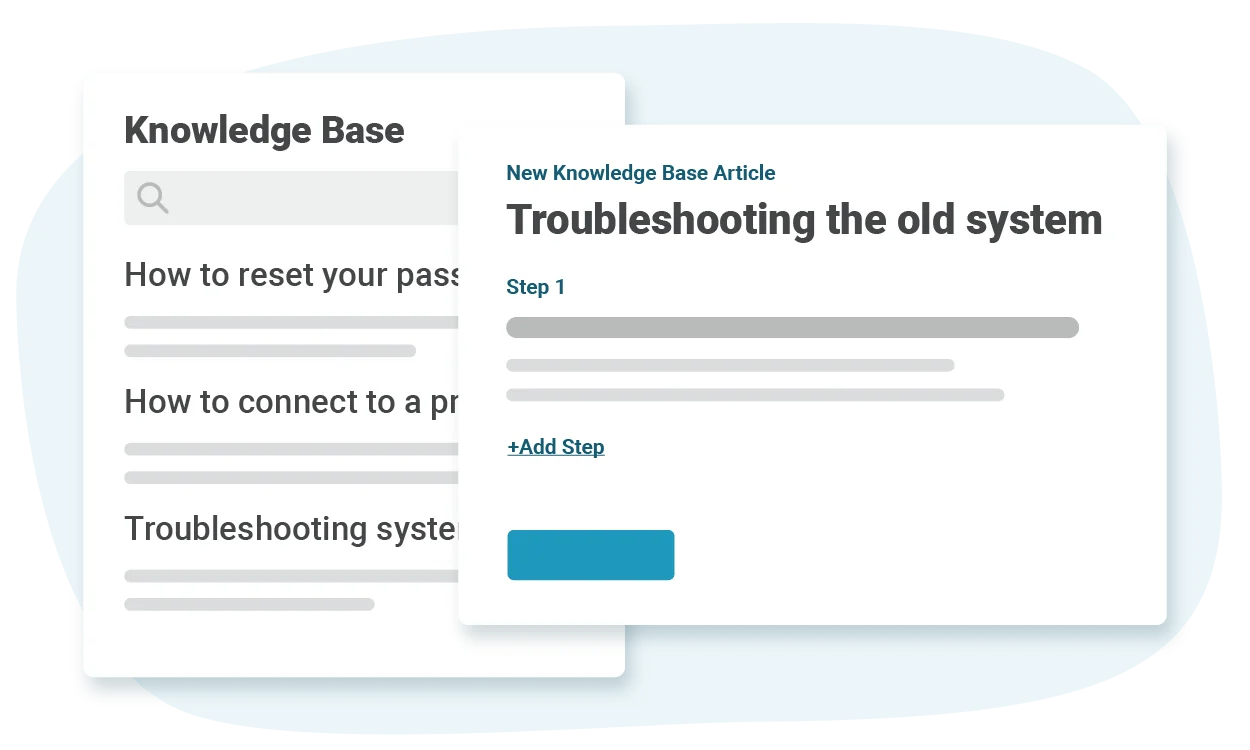
There is a knowledge base. You can write private team articles or adapt community how-tos. It's basic. But a knowledge base that actually exists beats one you keep meaning to build, and it's the raw material any self-service effort runs on later.
The mobile apps are real. Native apps on iOS and Android, with Android 15 compatibility shipped this cycle. One caveat worth knowing, MFA is account-wide only, and per the support docs it's not enforced on the mobile apps or the Power BI connector.
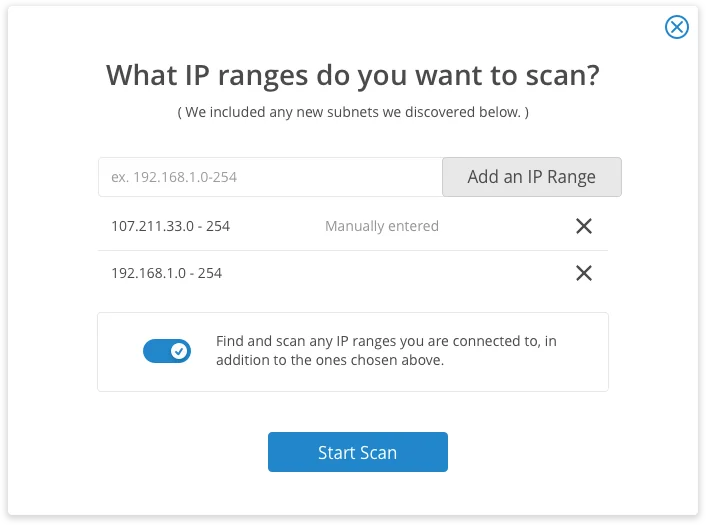
Asset discovery, by the way, isn't inside the help desk at all. That's Inventory Online, a separate free tool that does subnet scanning for hardware specs, serials, installed software and last logged-in user.
Where it falls short
Now the honest part. None of this is a secret, most of it Spiceworks documents itself.
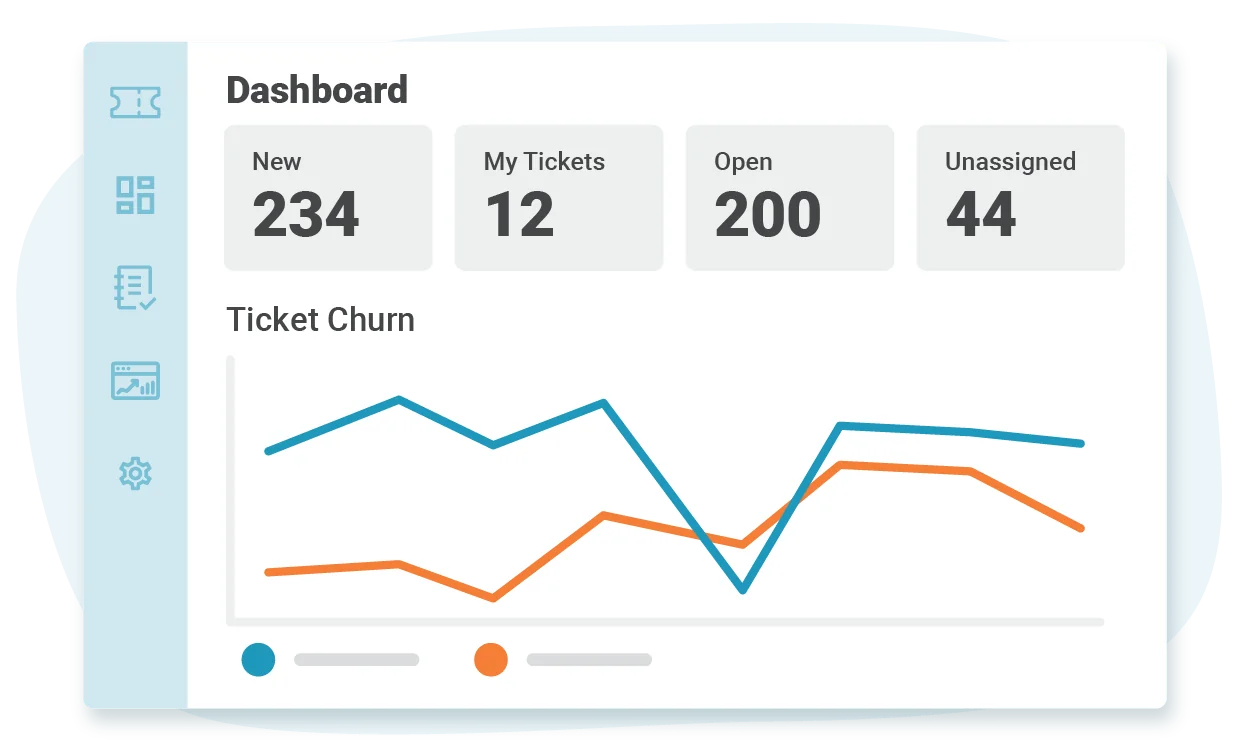
Reporting stops early. The vendor docs describe the in-app Reports tab as "some basic controls to filter, view, and even export a list of tickets". Dashboards cover ticket churn and response time, and anything deeper needs the Power BI Desktop connector, which means owning and knowing Power BI. There is no SLA reporting, no CSAT surveying, and no report builder on either plan. That's a real gap if you're ever asked to prove service levels.
Two roles, and that's it. Admins see whole-desk activity, reporting and settings. Techs see their own tickets and their own stats. Nothing in between. Spiceworks calls more granular roles one of the "more popular requests", which is really just a polite way of saying it's not built yet.
The security posture rules out some teams outright. Ticket data is not encrypted at rest, and the vendor says so directly, along with a recommendation not to store financial, HIPAA or personally identifying information in the tool. There is no HIPAA business associate agreement, full stop. For a school or a small business, that's fine. For a clinic, it ends the conversation.
Ads are the business model, and they touch the product. The Core plan is ad-supported by design, and ad removal is the first listed reason to upgrade. In a May 2026 thread on the vendor's own forum, one member described a Dell popup they had to close repeatedly just to do anything at all. Another measured the cost:
"Just to demonstrate - I turned off the blocker for this page: … I've seen it go up to 4-5 GB of memory usage in the past. It's just too much to allow."
There's a delicious irony buried in that thread. The top-voted reply, 21 likes, is someone saying they never even realised Spiceworks had ads, because uBlock eats them. The audience being monetised is the single audience most likely to be running an ad blocker, and that makes "pay $5 to remove ads" a strange sell.
Reliability has wobbled. A multi-day email and portal outage ran through early January 2026, and knock-on email failures were still being reported three weeks later. One customer's workaround during it was pure gallows humour:
"My solution has been to tell users to only email in their requests, as their messages and attached files make it through to the CHD fine. … Its a lot of ctrl+c/ctrl+v, but everything is being tracked and ultimately the userbase is feeling informed. I'm sure we'll all be wearing "I survived the CHD outage of '26 and all I got was this t-shirt" shirts before you know it. Hang in there!"
It happened again on 22 July 2026, and the vendor's own release note, five days later, confirms it: "Performance: Identified and resolved a cause of the recent performance issues."
The AI gap is total, and that is the real 2026 story
I went looking for AI in this product and found none. Not "limited AI", none.
The plan comparison sheet compares fourteen features across Core and Premium, and not one of them mentions AI, machine learning, suggested replies, summarization, or a chatbot. The entire 2026 release run, January through 27 July, covers regex in ticket rules, canned responses via rules, advanced search, a default ticket view, ticket history filtering, bulk internal-note updates, faster XLSX export, Android 15 support, a chat icon that moved, and bug fixes. Users are still asking for plain rule-based automation. Never mind AI.
Meanwhile Spiceworks the media business publishes GenAI features about mainframe migration. The magazine covers AI. The help desk doesn't have any.
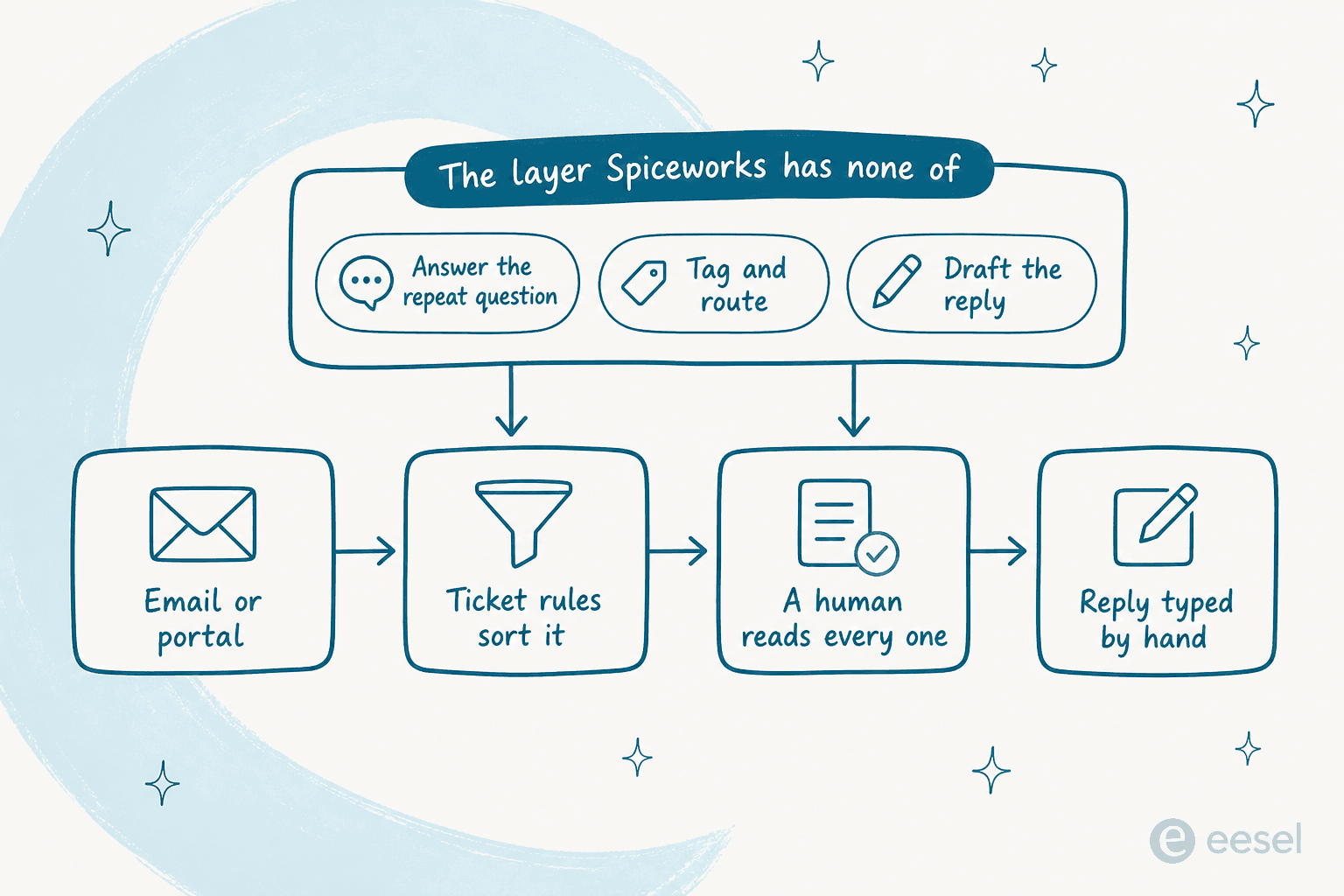
This matters more than the seat cap, and here's why. On a five-person desk running free software, the licence was never your biggest cost. Your biggest cost is the same three questions arriving forty times a week, password resets, VPN, and access requests. That's the volume an AI ticketing system removes, whether through deflection at the portal, routing on the way in, or drafted replies your tech approves.
Spiceworks does none of it, so every one of those tickets still gets read by a human. It's the gap that runs across the whole category in our IT helpdesk AI roundup, and the reason automated IT ticketing is what most small desks add before they change platforms at all. Our deflection guide walks through the portal side of it.
What IT teams actually say about it
Ratings look great on the surface. Spiceworks Cloud Help Desk sits at 4.4 out of 5 across 586 reviews on Capterra, and around 4.3 on G2. Worth flagging though, those scores are carrying twenty years of reviews of a free, uncapped product. The 2025 and 2026 material reads differently.
Here's the best primary source on how the change landed: the May 2025 announcement thread.
"We originally joined Spiceworks as it was free, with the promise of free for ever since it has been packed with ads since day 1, 6 dollars per month per person for no support or any additional capabilities is insane. We also had what less than 2 months notice for this change, no one is giving props, no one is saying thanks. This is a horrible transition and I can see many people moving away from this platform as you have ticked off many customers."
A public sector admin in the same thread laid out why the price was not the blocker, the billing terms were:
"In our instance, we're government so you made premium for us impossible with your billing options – invoicing and annual billing. And we really don't trust you guys to change things up on us without much notice. So we have to migrate away from Spiceworks after 15 or so years."
For balance, plenty of people think $5 is a bargain, and they said so:
"I find it reasonable that the Spiceworks Premium platform is $6/tech user/month. I switched immediately from the free CHD. It is easy to justify the minimal cost. … I don't think there is a better product on the market for less."
And it's still actively recommended by small teams, which is the clearest evidence the product works at its size. In an r/k12sysadmin thread about Freshdesk ending its free tier, one admin listed Spiceworks first, free up to 5 techs, alongside self-hosted options. Another in the same subreddit was blunter: "We've been using Spiceworks Free for a ticket system, and it's total garbage."
The sharpest line came from a Capterra reviewer on the price change:
"I'm still bitter about the charge for SpiceWorks Cloud Helpdesk. They used the drug dealer's approach... Get us addicted, then jack up the price!"

Named destinations from people who did leave, all from that same announcement thread: JitBit and REI3 self-hosted, plus Genuity at $40 a month for unlimited users annually.
So who should still use it?
Stay on Spiceworks if you're one to five techs, budget is zero, your tickets are ordinary IT requests with no regulated data in them, and nobody's asking you for SLA reports. That's a large number of schools, non-profits and small businesses, and for them this is still one of the best deals in ticketing system software.
Look elsewhere if any of these are true: you're about to hire a sixth tech, you handle health or financial data, you need approval workflows or change management, you need to report on service levels, or your queue volume is the actual problem. On process needs, an ITSM ticketing system like Freshservice or Jira Service Management is the honest upgrade path.
Our Spiceworks alternatives roundup goes through the rest of the shortlist, with Freshservice pricing broken down separately.
Here's the comparison I'd actually run, though, the one most teams skip:
| If your problem is | The usual move | What I would try first |
|---|---|---|
| A sixth technician | Upgrade to Premium, $360/year | Fine, upgrade. It is cheap. |
| Too many repeat tickets | Hire, or buy a bigger platform | Add AI to your desk |
| No SLA or CSAT reporting | Migrate to an ITSM platform | Migrate, this one is real |
| Regulated data | Anything but Spiceworks | Migrate immediately |
| Ads in the ticket view | Pay to remove them | Pay, or accept them |
The middle row is where I see teams waste the most money. A platform migration is weeks of work and a permanent per-seat bill, and the shortlist of top helpdesk software will happily eat a whole quarter.
An AI layer on the queue you already run is an afternoon of work, and it goes after the volume, not the tooling. That's ticket reduction, not tool replacement. Worth reading our take on clearing a ticket backlog before you commit to a migration you might not need.
Try eesel for the tickets Spiceworks makes you read
I work on eesel's support side, so let me be straight about what we are and aren't. eesel is not a replacement for your ticketing system, it's the AI layer that sits on top of it. It trains on your own past tickets and help docs, then handles the repeat questions, tags and routes what's left, and drafts replies for your techs to approve.

The proof I'd point a Spiceworks admin at is InDebted, whose internal IT desk runs on Jira Service Management and is deflecting 15% of tickets on its way to a 55% target, no platform change involved. Pricing is one fixed monthly price by volume, from $299 a month for 500 credits (1 credit per ticket) with no per-seat fee, which is a different shape from every per-tech plan on this page: your bill tracks ticket volume, not people you hired.
The catch, honestly stated: eesel connects to helpdesks like Zendesk and Freshdesk, plus Jira Service Management and Slack. Spiceworks Cloud Help Desk isn't one of them. So if you're staying on Spiceworks, this is a "when you migrate" option, not a "this afternoon" one.
If you're already moving, pick your new desk first and put the AI on it from day one instead of a year later. Every rollout gets simulated against historical tickets before it answers anyone. I've watched confident bots give wrong answers, and that's not a thing you want to discover in production. If your new desk is Jira, our Jira Service Management AI guide is the place to start.