How Freshdesk's ticketing system works: a 2026 guide

Rama Adi

Katelin Teen
Last edited October 14, 2026
What Freshdesk's ticketing system actually looks like

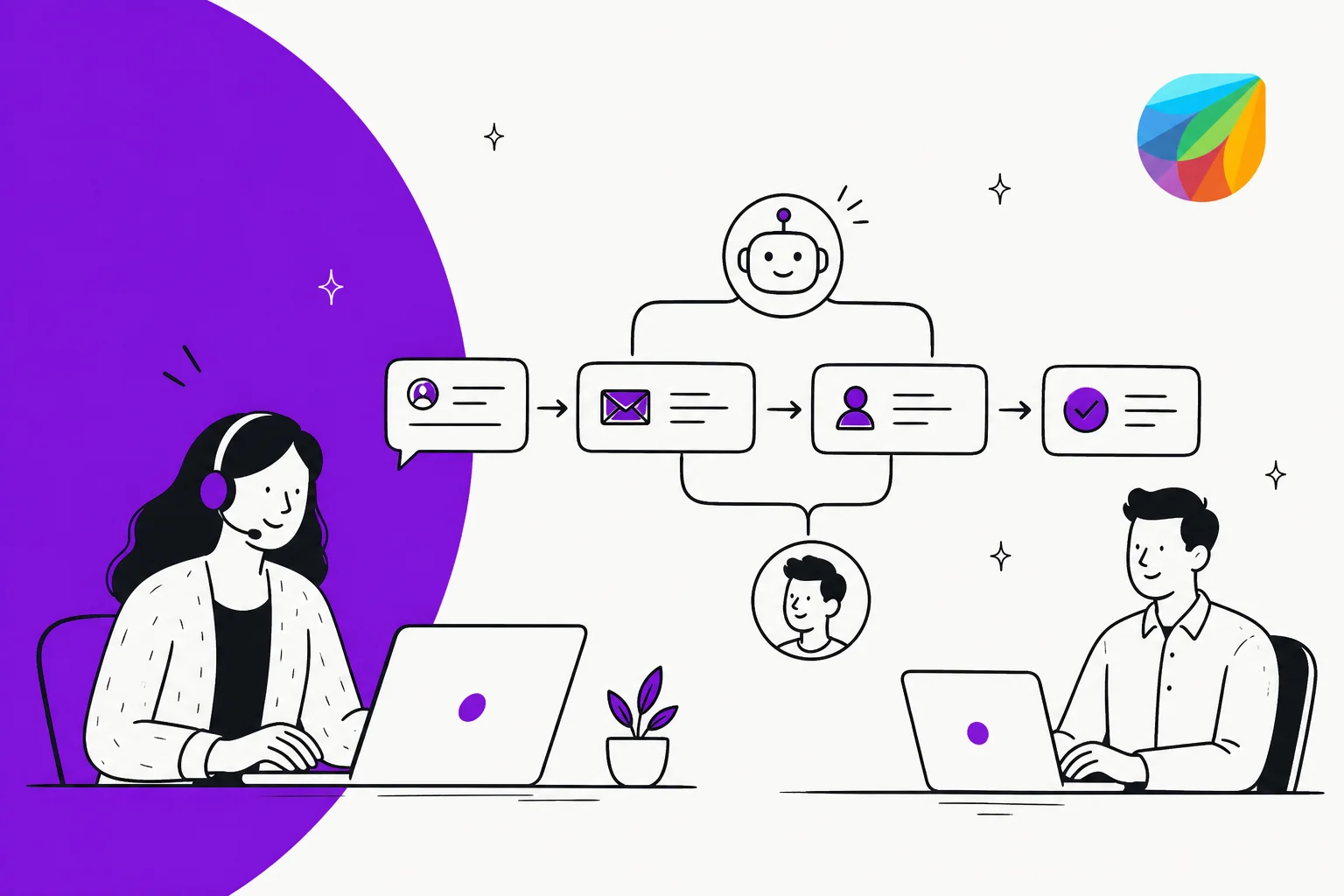
At its core, Freshdesk (see our full Freshdesk review for the wider verdict) is a shared inbox: email, Facebook, website chat, and support-portal conversations all land in one dashboard instead of separate inboxes. Freshdesk's own ticketing comparison page describes it as centralizing "all conversations in one inbox," with internal notes for collaboration, auto-assignment, and duplicate avoidance.
A handful of features do most of the heavy lifting once tickets land:
- Custom ticket fields - capture business-specific data (plan tier, product line, operating system) that conditions and reports can key off later.
- Merge tickets - combine duplicate reports of the same issue into one primary ticket.
- Agent collision detection - flags when another agent is already viewing or replying to a ticket, so two people don't send conflicting replies.
- Canned responses - reusable reply templates with dynamic placeholders, insertable by keyboard shortcut.
- Threads and parent-child tickets - keep internal discussion separate from the customer-facing thread, and link related tickets together.
- Time tracking - for teams billing by the hour, logged directly against the ticket.
None of that is unusual for a helpdesk. What actually determines how a Freshdesk instance behaves day-to-day is what happens before a human ever opens the ticket - the automation layer.
How tickets get routed: the three automation rule types
Freshdesk's automation engine is built from three rule types, each on its own tab under Admin > Workflows > Automation Rules. Freshdesk renamed the legacy names (Dispatch'r, Supervisor, Observer) years ago, but the old terms still show up in older docs and forum threads, so it's worth knowing both:
| Current name | Legacy name | When it fires | Typical use |
|---|---|---|---|
| Ticket Creation | Dispatch'r | Immediately, when a ticket is created | Triage new tickets, set priority, route to a group, mark spam |
| Ticket Updates | Observer | Real-time, on a specified event | Reopen on customer reply, notify on bad CSAT, fire a webhook |
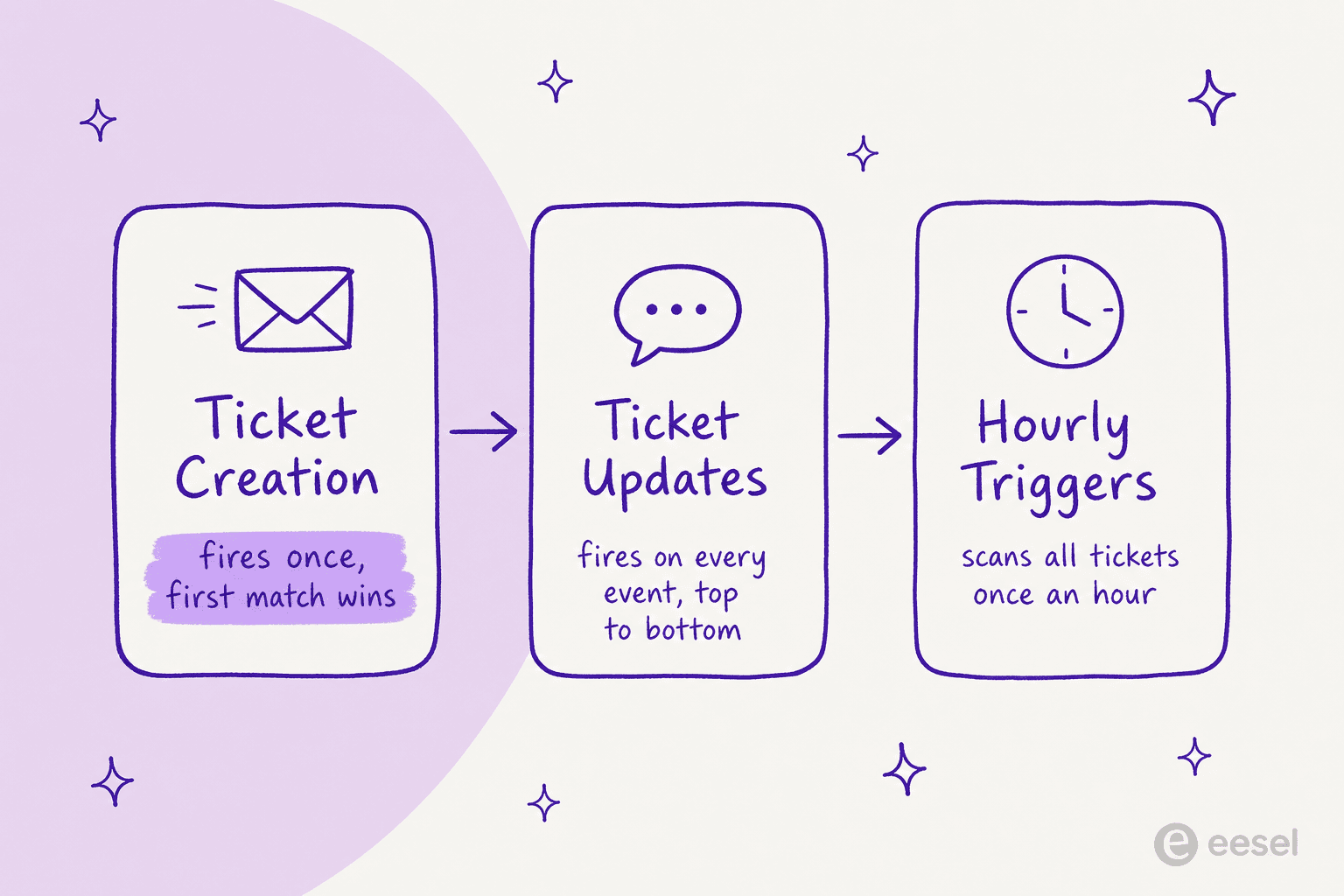
| Hourly Triggers | Supervisor / Time Triggers | Once per hour, scanning all tickets | Escalate aging tickets, auto-close stale resolved ones |
The gotcha: "first matching rule" on Ticket Creation
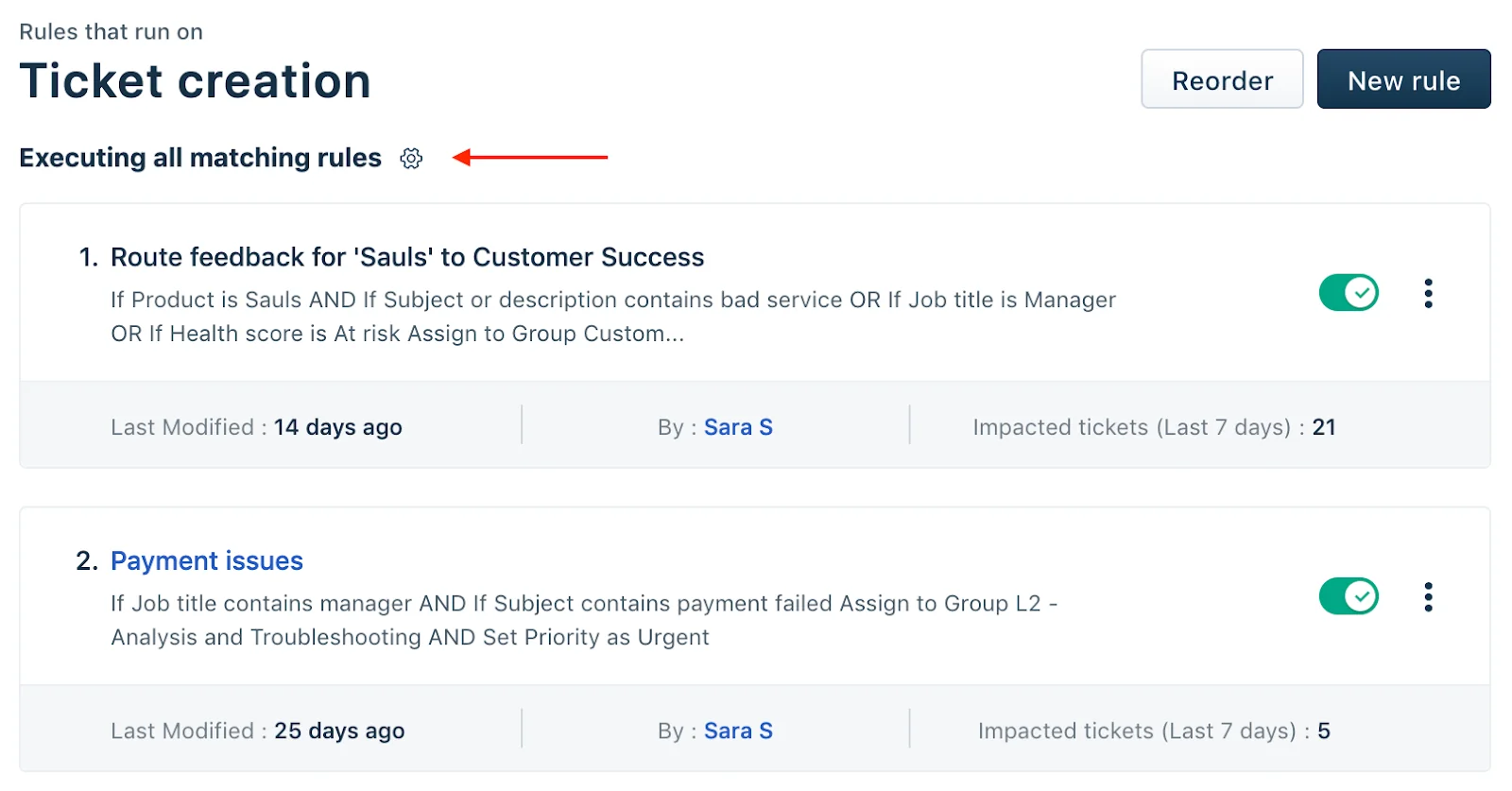
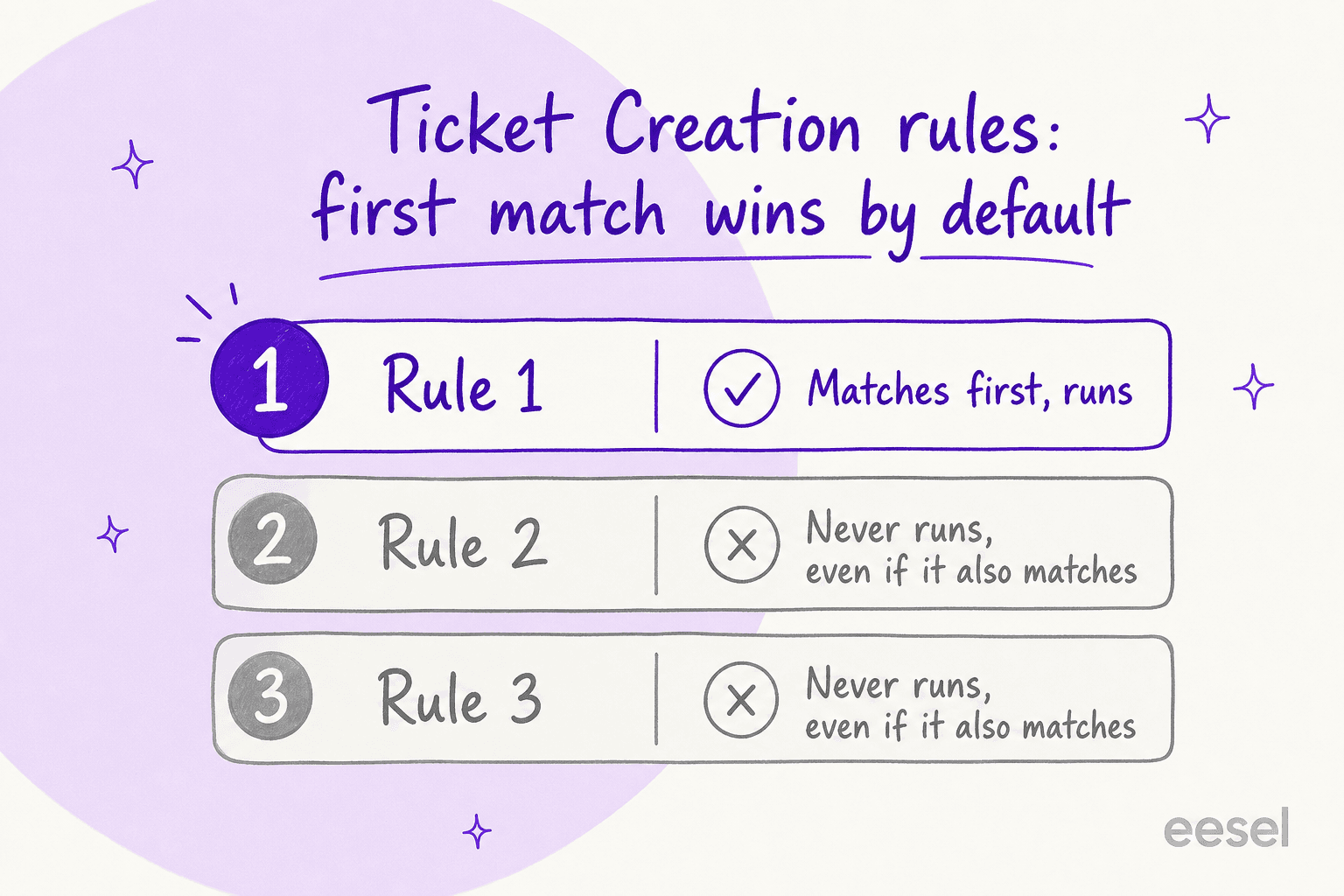
Ticket Creation rules run on either "first matching rule" (the default) or "all matching rules," toggled from a small gear icon above the rule list. With the default setting, Freshdesk's own help docs are direct about the risk: "the order of the rules is very important because only the first matching rule will be executed." Everything below the first match is silently skipped, even if it also matches.
This isn't a hypothetical. In our own sales pipeline, a Freshdesk customer (anonymized here) couldn't get an eesel automation rule to coexist with their existing Freshdesk rules - reordering the eesel rule to the top fixed the immediate conflict, but broke the ordering they needed for their other rules to fire correctly first. On top of that, they hit Freshdesk API throttling, and every time they asked Freshdesk support for help, they were steered toward buying Freddy AI instead of getting the rule conflict resolved. It cost us a $15-30k deal, and it's the exact failure mode this section is warning you about: rule order is load-bearing, and it gets more fragile every time someone adds a new rule without checking what sits above it.
Ticket Updates and Hourly Triggers don't have this trap - Freshdesk's own docs confirm "all matching rules are executed from top to bottom" for both. Hourly Triggers carry their own limits worth knowing: they only match tickets updated in the last 30 days, run on ticket properties only (not contact or company fields), and any time threshold you set has to be at least one hour, since the check itself only runs hourly.
Scenario automations: the manual macro layer
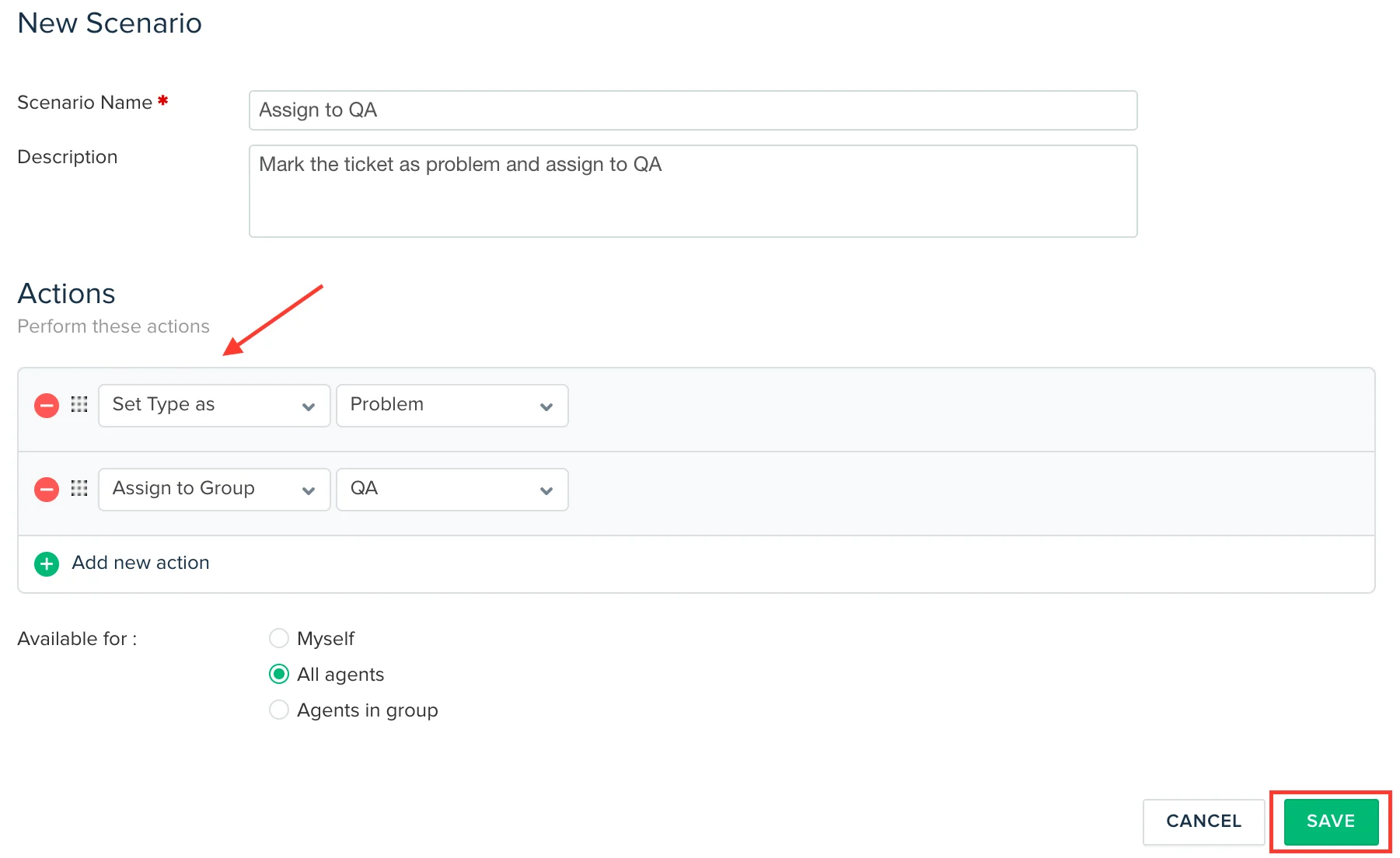
Sitting alongside the automatic rule engine, Scenario automations are agent-triggered macros - one click bundles several actions (set priority, assign to group, add a tag, prefill a reply) instead of doing each by hand. They're not available on the Free Program, and the "Set Reply" action only works from the full Ticket Details page, not the ticket list. Scenarios can also be bulk-executed across multiple selected tickets, which is the closest thing Freshdesk's native tooling has to a batch-cleanup tool.
SLA management and business hours
Freshdesk's SLA layer assigns every incoming ticket an SLA based on customer type, product, or whatever criteria you define, then tracks it automatically:
| SLA capability | What it does |
|---|---|
| Monitoring and tracking | Tracks elapsed time against reply and resolution SLA; pauses the counter while waiting on the customer |
| Prioritization | Surfaces tickets closest to breaching SLA, beyond simple first-in-first-out order |
| SLA-based reminders | Emails the team automatically when a breach is imminent |
| Escalation management | Auto-escalates breaches to leads and managers for follow-up |
| SLA reporting | Breach trend reports, including client-specific SLA reports |
One setting worth flagging: switching SLAs from Calendar Hours to Business Hours only pauses the timer - the SLA guide is upfront that a customer waiting overnight or over a weekend still experiences the full wait, even though the clock isn't counting against you internally. It's a reporting convenience, not a customer-experience fix.
Ticket assignment: how Omniroute decides who gets what
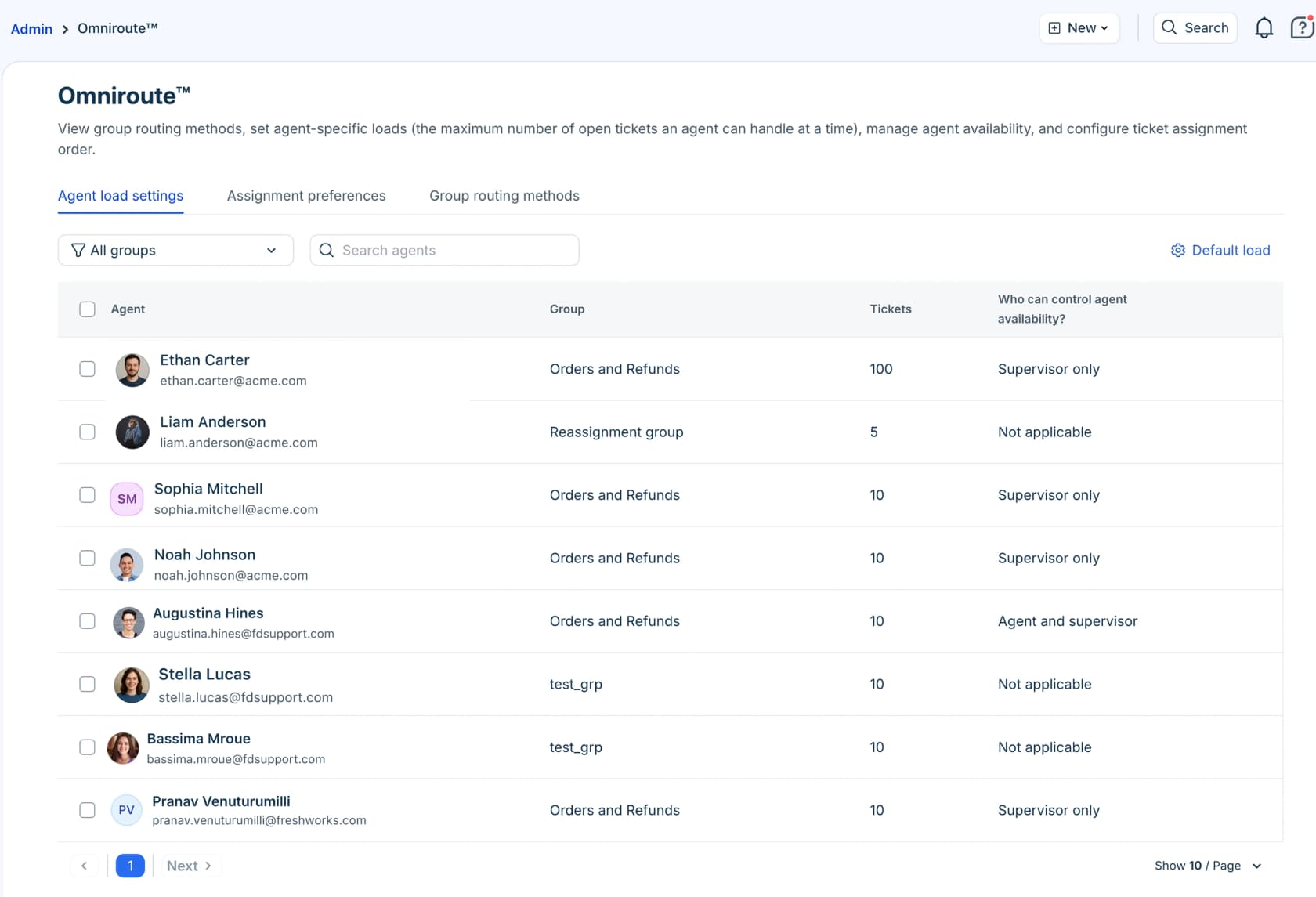
Automatic assignment runs through Omniroute, configured at the group level once Advanced Automatic Routing is switched on. Three routing methods are available:
| Method | How it assigns | Best for |
|---|---|---|
| Round-robin | Circular order across available agents, factoring capacity | Small teams, simple transactional queries |
| Load-based | By each agent's remaining capacity | Larger teams needing faster resolution at volume |
| Skill-based | To agents with matching skills and capacity | Multilingual support, specialist or technical escalations |
All three require the agent to be online, and Omniroute checks availability, capacity, and assignment preference (ticket age or SLA priority) before picking the "most suitable" agent. The gating matters for planning: Advanced Automatic Routing is Pro and Enterprise only - on the Free and Growth tiers, ticket assignment is manual or covered only by the simpler dispatch rules above.
Where Freddy AI fits in, and what it actually costs
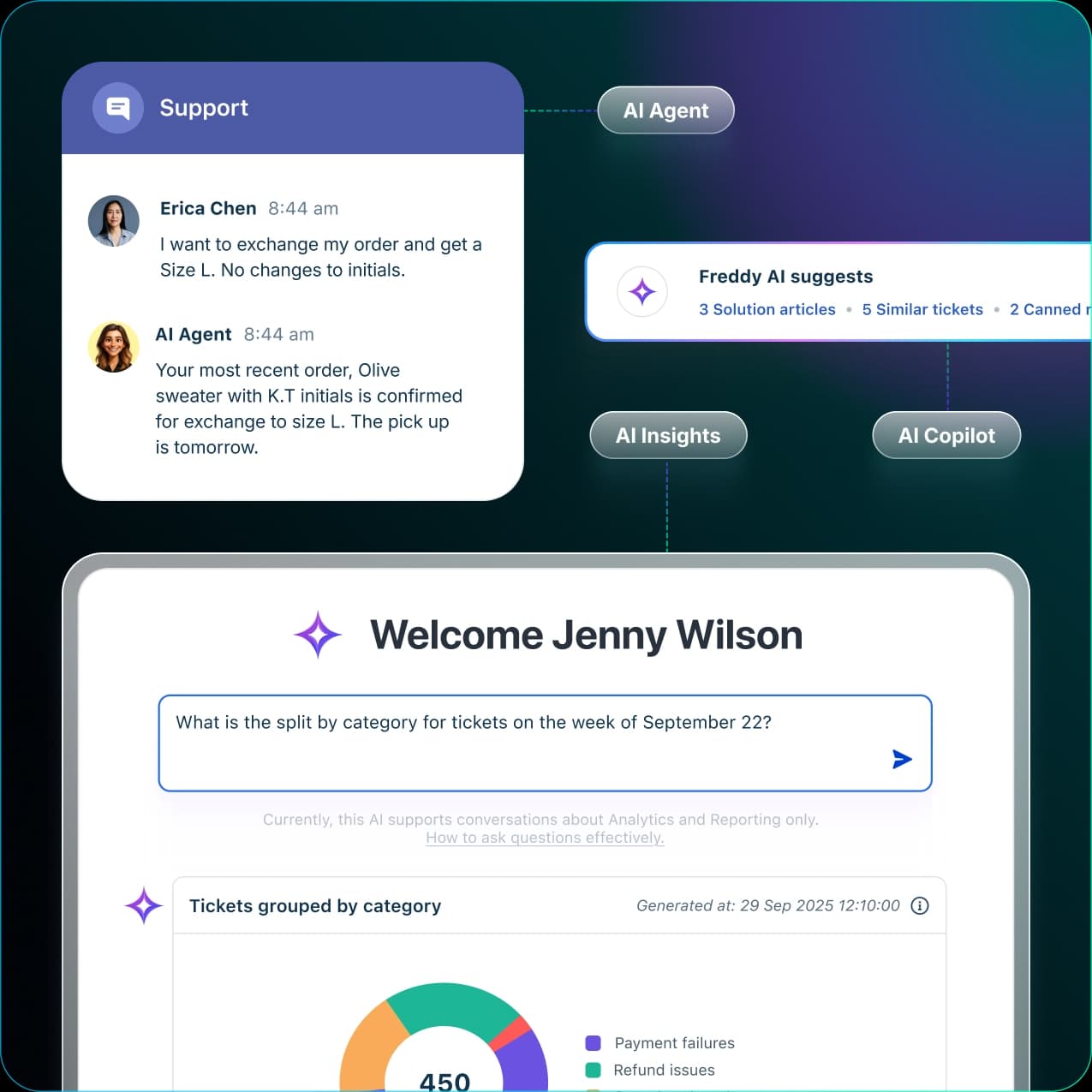
Freddy AI is Freshdesk's own AI layer, split into three named surfaces: AI Agent (customer-facing self-service), AI Copilot (sentiment analysis, ticket prioritization, and knowledge-base suggestions for agents), and AI Insights (natural-language analytics for leaders). None of it is included in a base Freshdesk plan - it's billed separately, and the unit it's billed in is genuinely confusing.
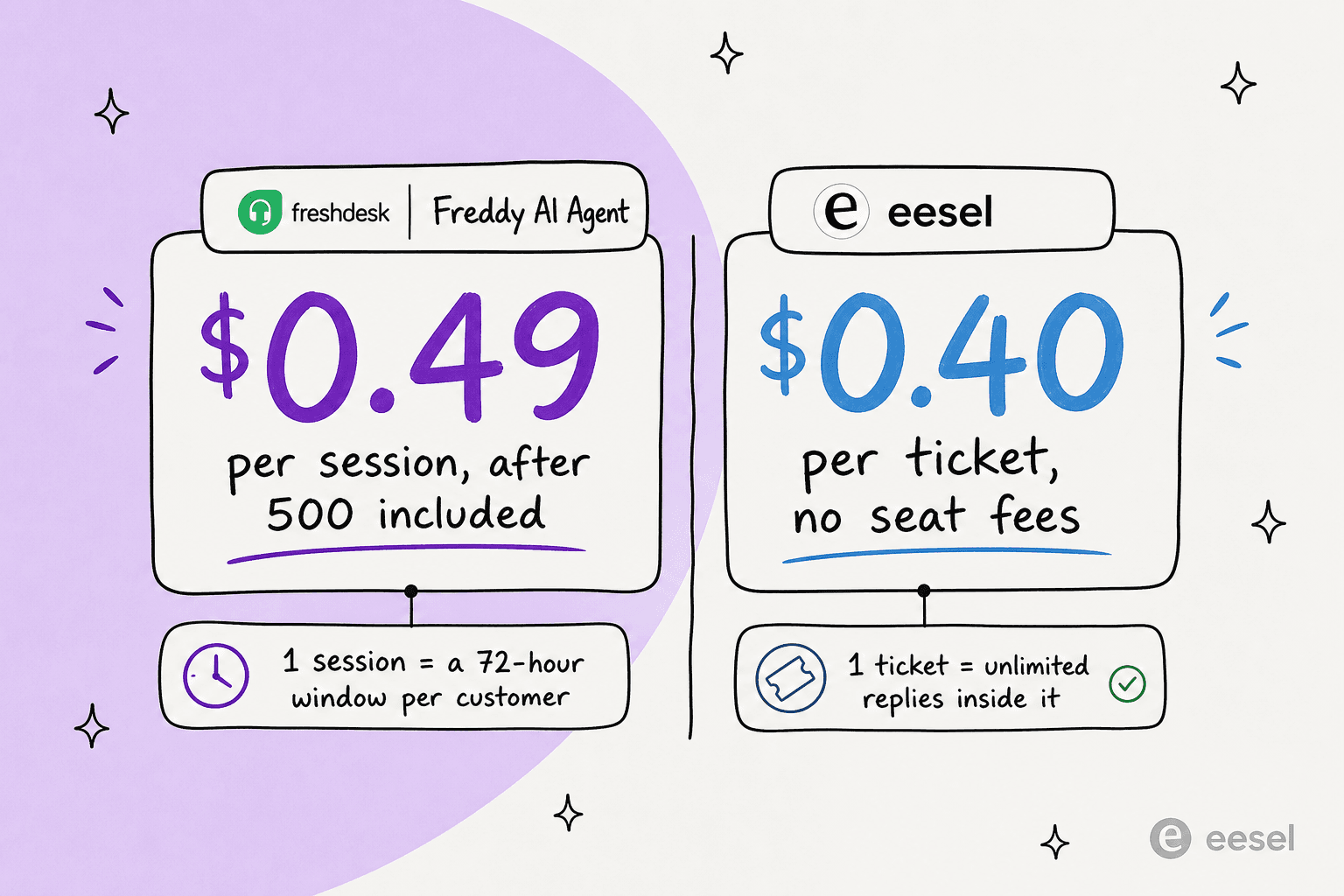
According to Freshdesk's own pricing page, Growth, Pro and Enterprise plans include 500 free Freddy AI Agent sessions (once per account), and beyond that it's $49 per 100 sessions - $0.49 a session. A "session" is defined as a 72-hour window from a customer's first message; every AI reply inside that window counts as one session, no matter how many messages pass. Freddy AI Copilot is a separate per-agent add-on at $29 per agent per month billed annually, on Pro and Enterprise. Community pricing breakdowns land on different numbers depending on when they were captured - some cite $0.10-0.12 per session, others the same $49/100 figure - which is itself a sign of how often this pricing has moved and how easy it is to misquote.
Community sentiment on Freddy's actual resolution quality is mixed. On Reddit, one person running AI inside a helpdesk described the exact pattern I hear about constantly:
"We tested an ai integration in freshdesk and had almost the exact same experience. it worked for very simple tickets but anything slightly complex got misclassified. agents ended up spending more time fixing errors than before, so we had to rethink our approach."

Someone else in a support-ops role summed up the more forgiving read:
"Freshdesk Freddy: for early stage teams that want something simple, it covers the basics - auto assignment, suggested replies, FAQ deflection. It's reliable and affordable, nothing crazy."
That "fine for the basics, breaks on anything complex" pattern is also what we've seen directly. A Freshdesk customer of ours - an Italy-based email-security company handling around 5,000 tickets a year, scaling toward 20,000 after a merger - tested Freddy AI Agent side by side with eesel and told our team eesel was simply more precise on their actual ticket mix. Their purchase decision stalled only because of the merger timeline, not the product comparison.
Pros and cons of Freshdesk's native ticketing system
For the full plan-by-plan breakdown, see our Freshdesk pricing guide - the short version below is enough to weigh the ticketing system on its own merits.
| Strengths | Limitations |
|---|---|
| Genuinely broad feature set - SLAs, Omniroute, scenarios, custom fields, all included below Freddy AI | Automation logic is manual: you build, order, and maintain every rule yourself |
| Free Program covers up to 2 agents for 6 months with no credit card | "First matching rule" default on Ticket Creation is a silent trap that breaks quietly as rules accumulate |
| Advanced routing (Omniroute) is powerful once unlocked | Omniroute and scenario automations are gated to Pro/Enterprise ($55-89/agent/month) |
| Granular SLA policies with real escalation and reporting | Freddy AI is a separate, session-metered cost on top of the seat price, not part of ticketing |
| Deep security controls (SSO, audit logs, IP whitelisting) at the top tier | AI resolution quality is reported as solid on simple tickets, weaker on anything nuanced |
eesel for Freshdesk tickets
Everything above is Freshdesk's own automation stack: powerful, but something you configure, order, and debug by hand - and the thing that actually breaks deals, in my own experience running this integration, is rule ordering fighting itself. eesel AI's Freshdesk integration joins as a native AI Agent inside Freshdesk instead of a bolt-on rules layer: it reads tickets, drafts and sends replies, adds private notes, updates fields, and routes to groups, exactly like a human agent would. The setup difference is the point - you tell it which tickets to handle and when to escalate in plain language, "no settings pages, no rules engine," rather than building a dispatch rule and hoping it doesn't collide with the next one.
It connects to Freshdesk in under 30 minutes, imports past tickets, solution articles, and canned responses automatically, and - because we've watched AI give confident wrong answers before - it's designed to be tested against a workspace's own historical tickets before it ever touches a live customer. Teams on Freshdesk are already running it at real volume: Design.com handles 50,000+ tickets a month on Freshdesk with a multi-agent eesel setup, and CartonCloud uses it to clear common questions automatically so their support team can focus on the complex ones.
If your Freshdesk automation rules have started fighting each other, or Freddy AI's session pricing is getting hard to predict month to month, eesel AI for Freshdesk is worth a look - there's a free plan with 100 credits, no credit card required.