If you're in IT support, you're probably feeling the squeeze. Ticket queues are getting longer, everyone wants an answer yesterday, and budgets aren't exactly growing. The old way of handling everything manually just isn't cutting it anymore, which leads to slow fixes, annoyed employees, and a tired IT team.
This is where an AI service desk can make a real difference. These tools help by automating the easy stuff, giving instant answers to common questions, and freeing up your team to work smarter.
In this guide, we’ll walk you through the top 9 AI service desk tools for 2026. We'll look at what they do, how much they cost, and what makes each one different, so you can figure out which is the right one for you.
What is an AI service desk?
At its core, an AI service desk is an IT support hub that uses artificial intelligence to help manage and solve employee questions. Think of it as your regular service desk, but with a brain that can automate workflows, offer smart self-service, and give human agents a hand with trickier problems.
These tools handle things like password resets, requests for software access, and sending tickets to the right person automatically. They're also what's behind the chatbots and virtual agents that can answer questions around the clock.
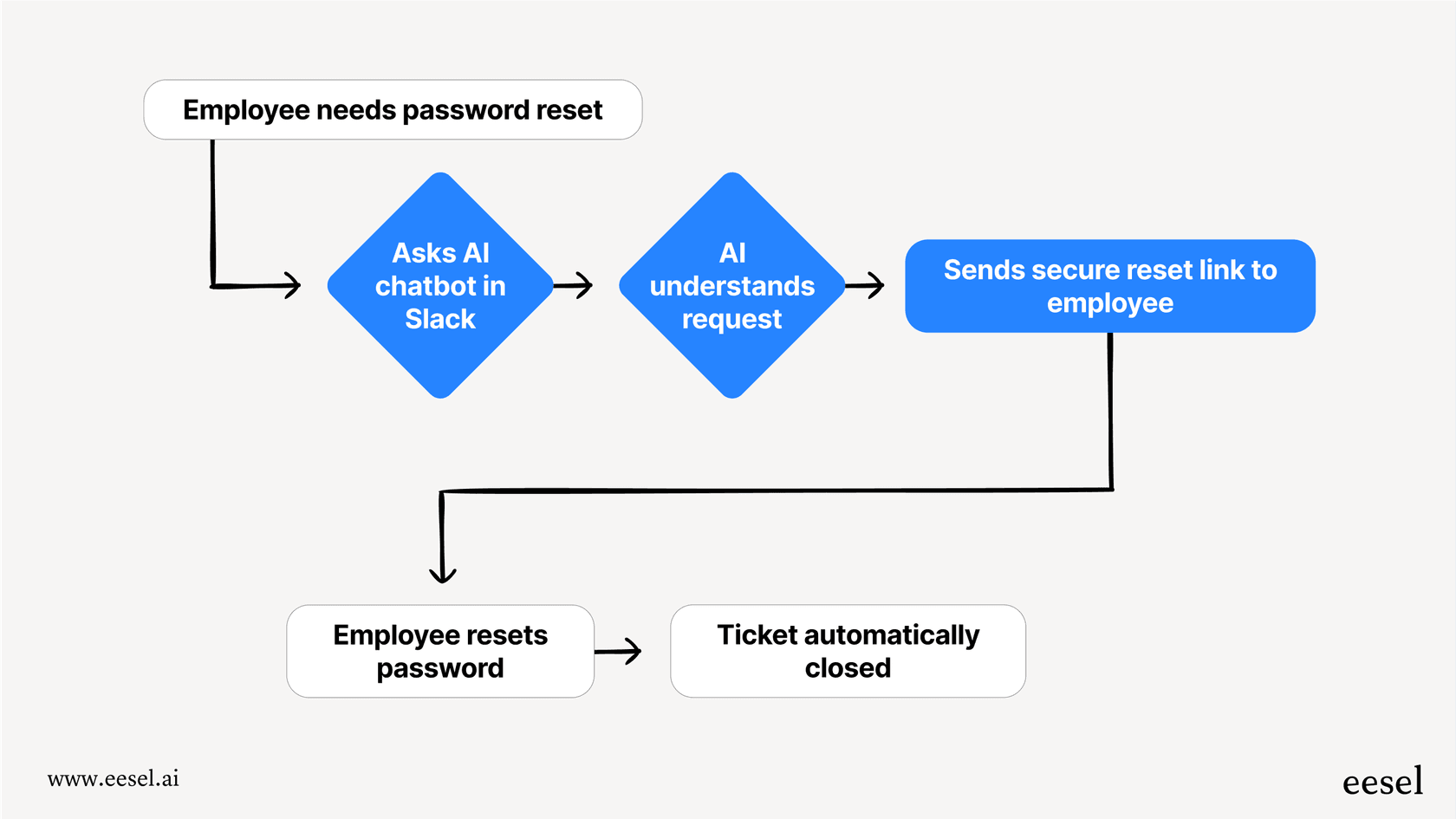
You'll find AI service desk tools generally come in two flavors. The first is the all-in-one platform, which means you have to move your whole IT support setup over to their system. This can be a big project, both in terms of cost and time, and it can tie you to one company. The other option is an AI layer that just plugs into the tools you're already using. For instance, something like eesel AI works on top of your current service desk, whether that's Jira Service Management or Zendesk, so you don't have to go through a massive migration.
Key benefits of using an AI service desk
Bringing AI into your service desk does more than just speed things up. It can change the way your team works for the better. Here are the main upsides:
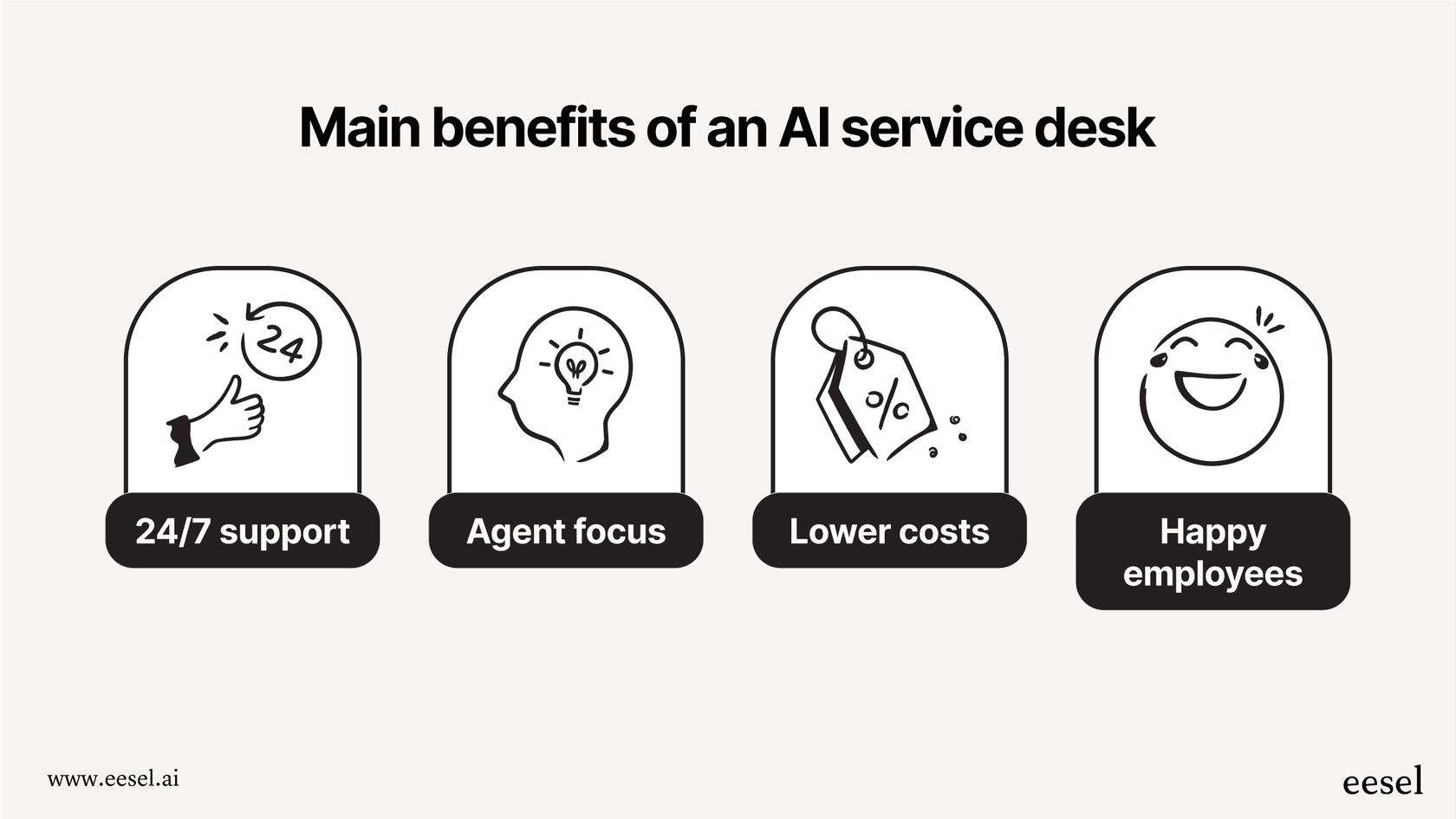
- Give your team round-the-clock support. AI chatbots can handle a lot of the basic Level 1 tickets right away, at any hour, no human required.
- Let your agents focus on what matters. When AI handles the repetitive stuff and summarizes ticket details, your team can put their energy into the bigger problems that actually need their expertise.
- Lower your support costs. Getting answers out faster and letting employees solve more issues themselves means you spend less time and money on each ticket.
- Keep employees happy and productive. Quick, correct answers to IT problems mean less waiting around and less frustration for your colleagues.
How we chose the top AI service desk tools
To put this list together, we looked at a few key things that matter to modern IT teams. Our focus was on:
- Core ITSM features: Can it handle the basics like ticketing, managing incidents, and reporting?
- AI capabilities: How good is the AI? Can it learn from your documents and actually automate things?
- Integrations: Does it play well with other tools you use every day, like Slack, Microsoft Teams, or knowledge bases such as Confluence?
- Setup time: How long does it take to get it up and running and actually see it working?
Comparison of the top 9 AI service desk tools for 2026
| Tool | Best For | Starting Price (per month) | Key AI Feature | Integration Model |
|---|---|---|---|---|
| eesel AI | Adding AI to your existing service desk | $0.40 per ticket | Learns from past tickets, docs, & apps | Add-on Layer |
| Zendesk | All-in-one customer & employee support | $55/agent | Unified agent workspace with AI tools | Standalone Platform |
| Freshservice | ITIL-focused automation | $19/agent | Freddy AI virtual agent | Standalone Platform |
| Jira Service Management | Teams in the Atlassian ecosystem | $21/agent | AI-powered virtual agent & summaries | Standalone Platform |
| Moveworks | Large companies wanting conversational AI | Custom | Agentic AI for employee self-service | Standalone Platform |
| Aisera | Automating IT and HR workflows | Custom | Agentic AI copilot | Standalone Platform |
| Workativ | Self-service in Slack & MS Teams | Custom | GenAI chatbot builder | Add-on Layer |
| Invgate | Combining service and asset management | $10/agent (on-prem) | Generative AI for creating responses | Standalone Platform |
| TOPdesk | User-friendly, ITIL-based support | Custom | AI for ticket and asset management | Standalone Platform |
Top 9 AI service desk tools for 2026 reviewed
Here's a closer look at each of the top AI service desk tools.
1. eesel AI
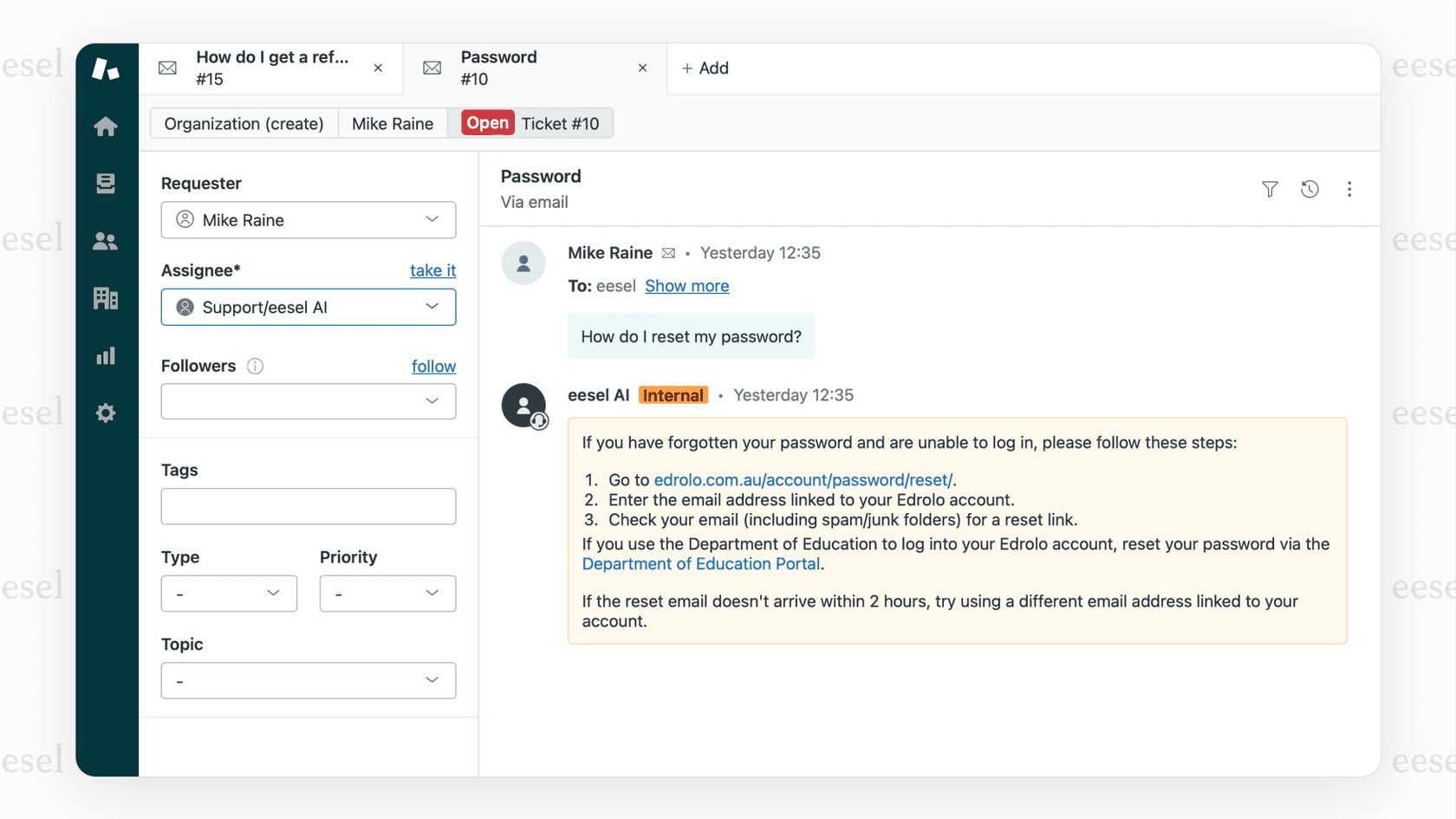
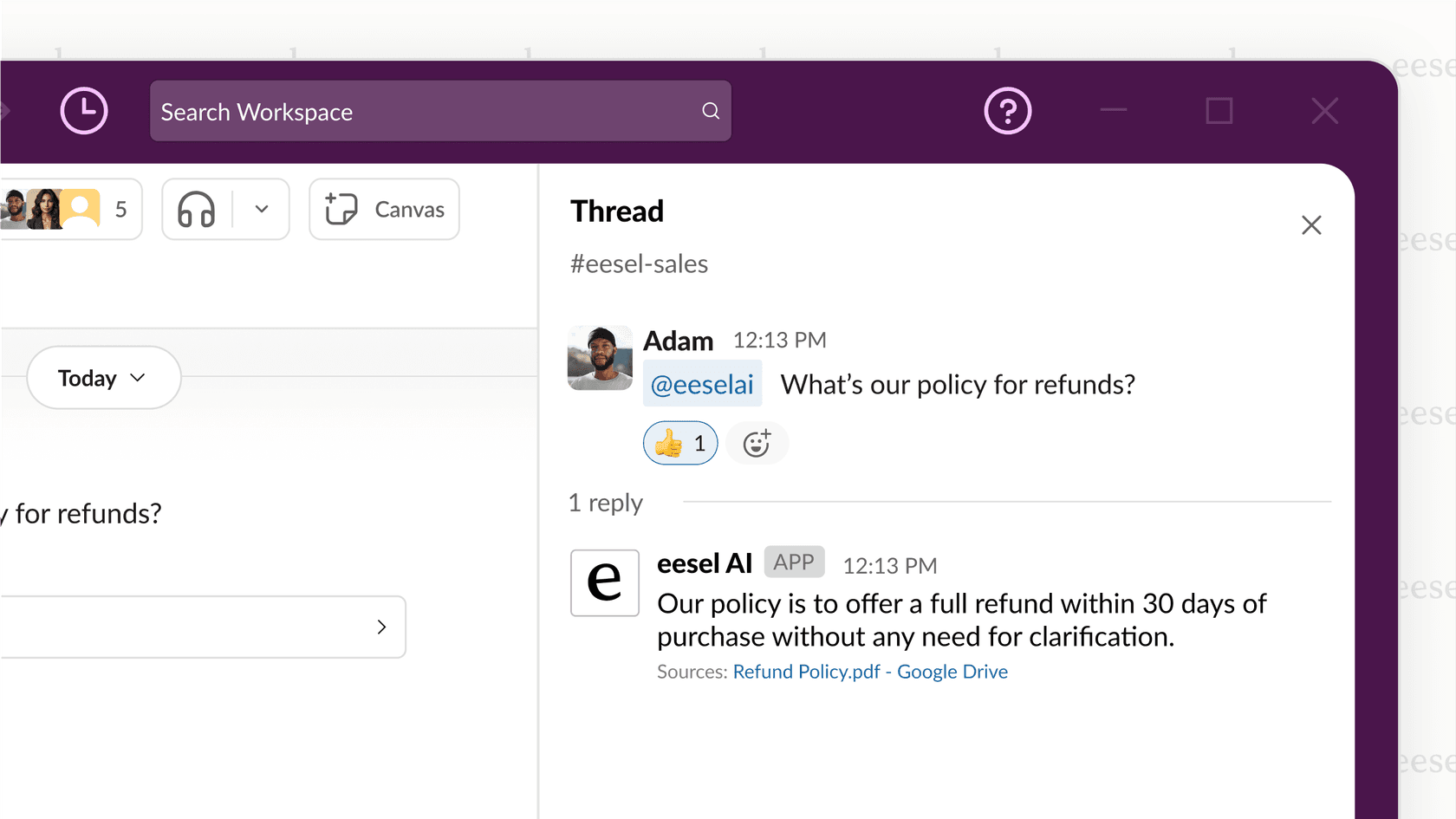
eesel AI is an AI layer that connects to your current help desk, chat tools, and document storage. The idea is to add AI to what you have, not make you switch to a whole new system. It works with tools like Zendesk, Jira, and Slack.
Why we picked it: We like its "don't rip anything out" philosophy. The cool thing about eesel AI is that it learns from all the information you already have, no matter where it is. It can read old tickets, help articles, Confluence pages, and Google Docs to give answers that are actually relevant. It also has a simulation feature, so you can test it on your past tickets to see how well it would have worked, which gives you a good idea of its value before you even turn it on.
- Pros: Quick to set up, connects with over 100 tools, lets you see potential results upfront, and you don't have to switch platforms.
- Cons: It isn't a complete ITSM platform by itself, so you need to have a service desk already in place.
- Pricing: The Team plan is $239/month (paid yearly) and covers up to 1,000 AI interactions per month. The Business plan at $639/month adds the ability to learn from past tickets and use more advanced AI actions.
2. Zendesk
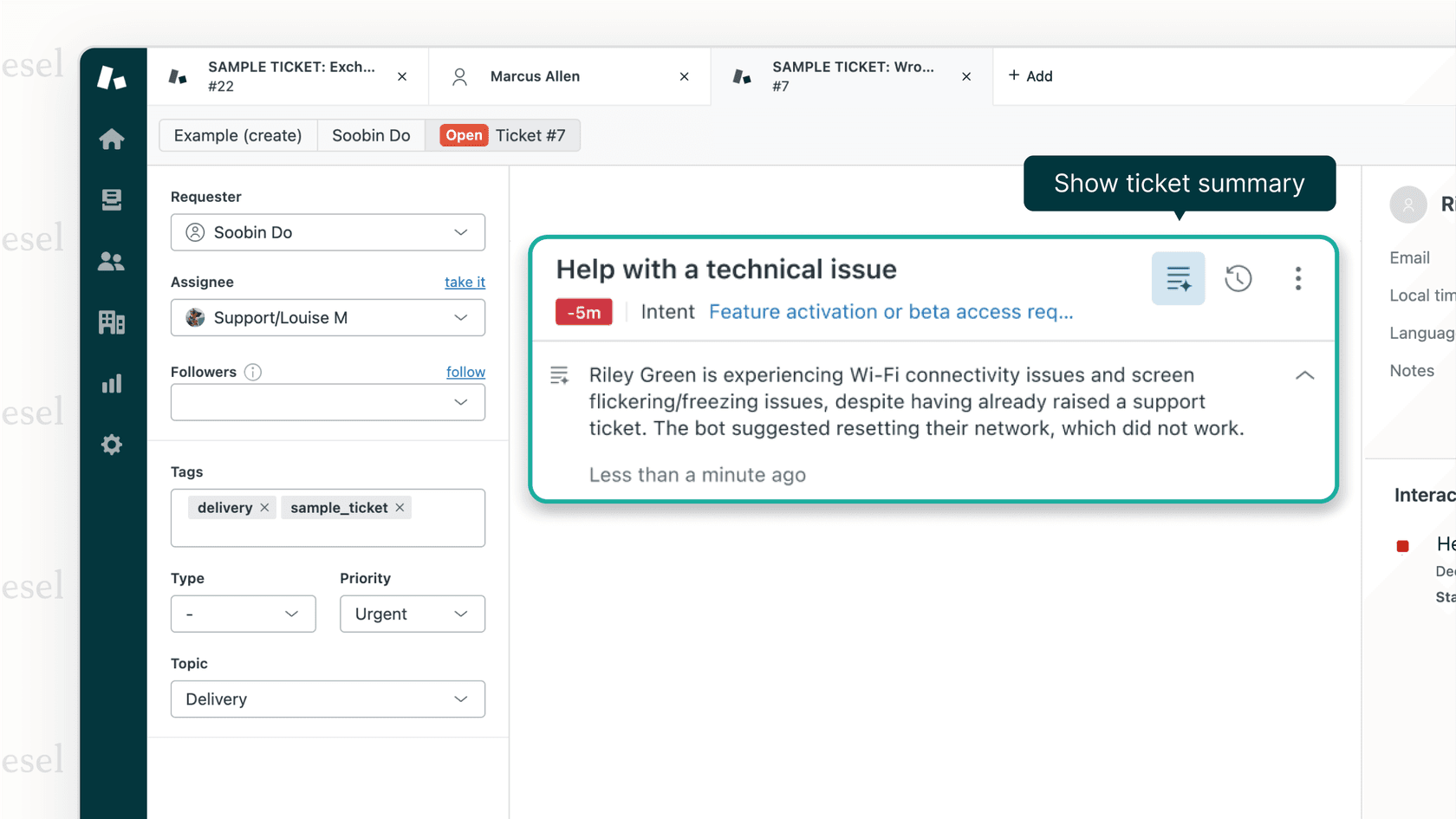
Zendesk is a mature and industry leading platform that offers a powerful suite of tools for both customer service and internal IT support. Its AI service desk features are a core part of its comprehensive agent dashboard and include intelligent ticket routing, sophisticated chatbots, and generative AI assistance designed to empower agents.
Why we picked it: Zendesk is a world class, all-in-one option with a vast ecosystem of integrations and reliable, enterprise-grade reporting. It is an excellent choice for teams that want a centralized, robust platform for all their support conversations.
- Pros: Offers a comprehensive feature set that scales seamlessly as you grow, backed by a massive marketplace and proven reliability.
- Cons: As a full-featured platform, it offers deep functionality that rewards dedicated setup. Zendesk provides tiered plans to match different team sizes and requirements.
- Pricing: The Suite Team plan starts at competitive rates (paid yearly), with various options to add advanced AI capabilities as your needs evolve.
3. Freshservice
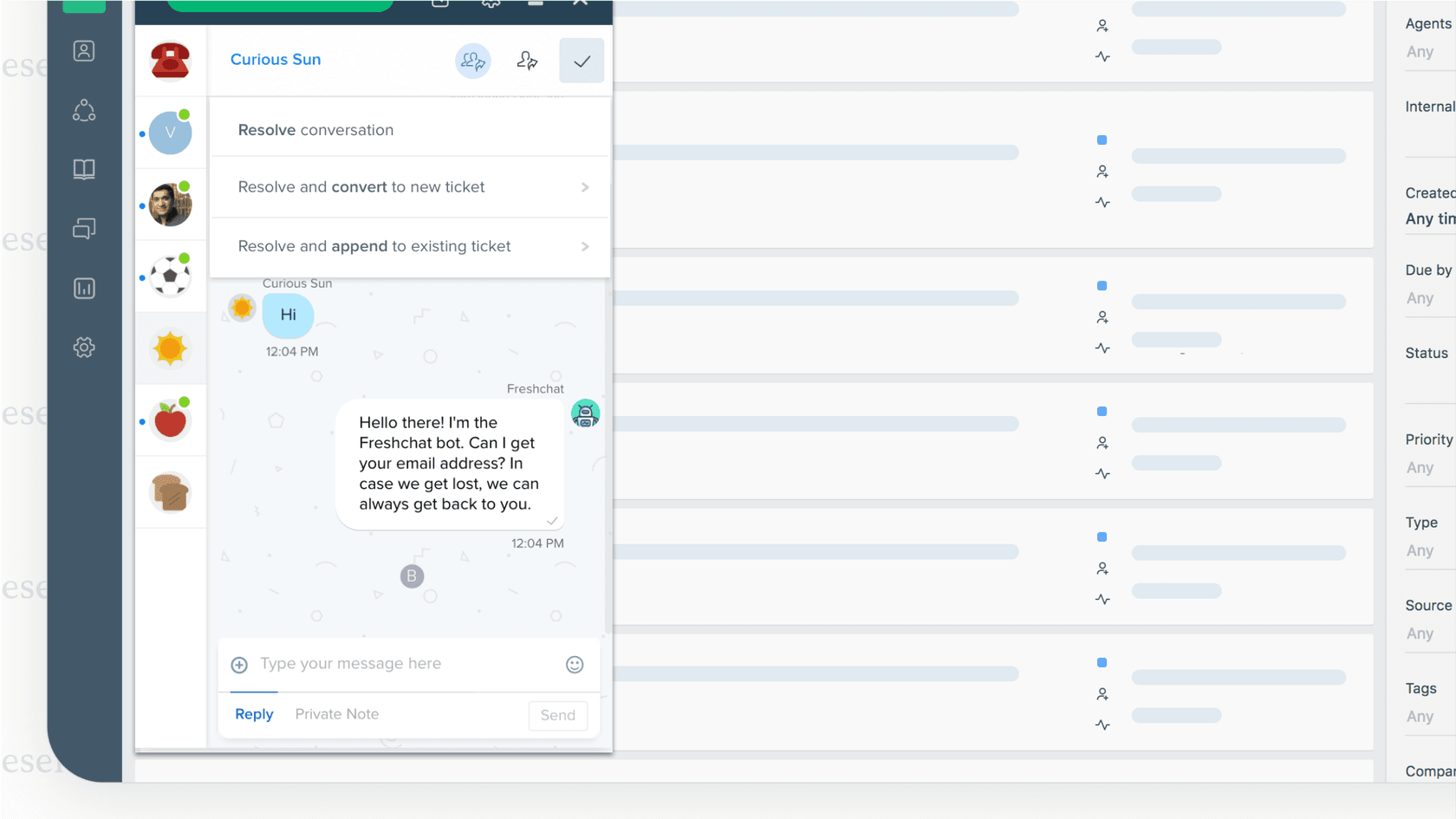
Freshservice is the IT service management (ITSM) tool from Freshworks. It's built on ITIL guidelines and includes "Freddy AI," a virtual agent that helps resolve tickets, assist human agents, and run self-service portals.
Why we picked it: Freshservice is strong on the formal ITSM side of things, with good features for managing incidents, problems, and changes. Its workflow automation is also quite good for mapping out detailed IT processes.
- Pros: Follows ITIL standards closely, has a clean interface, and offers solid workflow automation.
- Cons: You are primarily within the Freshworks ecosystem. While Freddy AI provides helpful support, it performs best when working with information specifically formatted for its system.
- Pricing: Starts at $19/agent/month (paid yearly) for the Starter plan.
4. Jira Service Management
From Atlassian, Jira Service Management is the natural choice for any team already using Jira for their work. It connects IT support directly with development teams and uses Atlassian Intelligence for its virtual agent, ticket summaries, and finding similar incidents.
Why we picked it: Its connection to Jira Software is seamless, which is great for teams practicing DevOps because it puts development and IT operations on the same page. As the industry standard for agile teams, Jira provides a reliable and highly scalable foundation for service management.
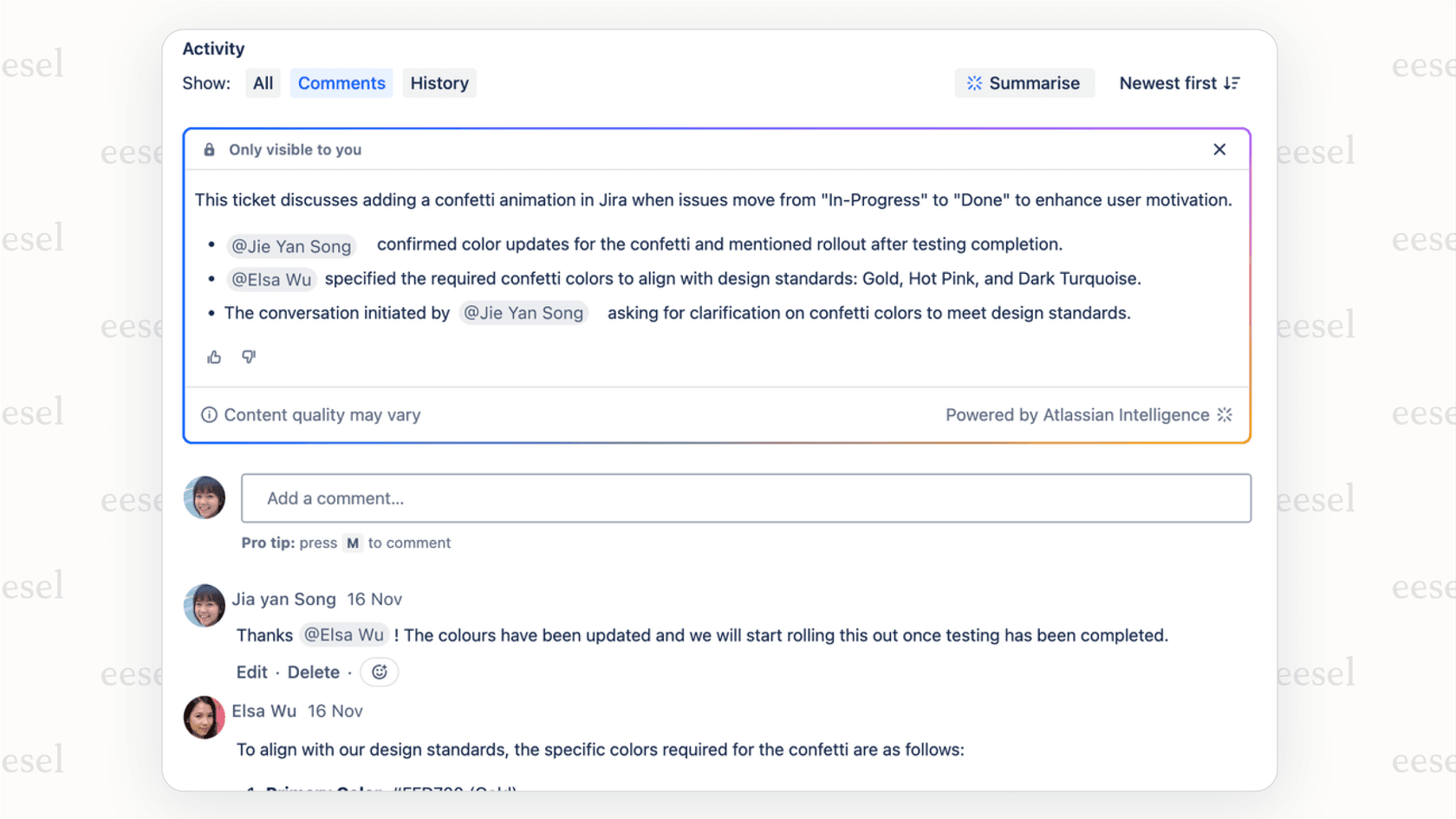
- Pros: A perfect fit for Jira users, great for connecting IT tickets to development work, and works well with Confluence for knowledge management. It offers a mature marketplace with thousands of apps.
- Cons: As a robust and powerful platform, initial configuration allows for a deeply customized experience. Its AI is purposefully optimized for the Atlassian ecosystem, making it exceptionally effective when using your data stored within their suite.
- Pricing: The Standard plan is $22.05/agent/month. There's also a free plan for teams with up to 3 agents.
5. Moveworks
Moveworks is a conversational AI platform aimed at large companies. It's designed to automate support for IT, HR, and other internal teams by understanding what employees are asking for and resolving their issues right within chat tools like Slack and Microsoft Teams.
Why we picked it: Moveworks is very good at understanding normal, everyday language and can handle requests that have multiple steps without needing a human to step in. This makes it an interesting option for big companies that want to automate as much as possible.
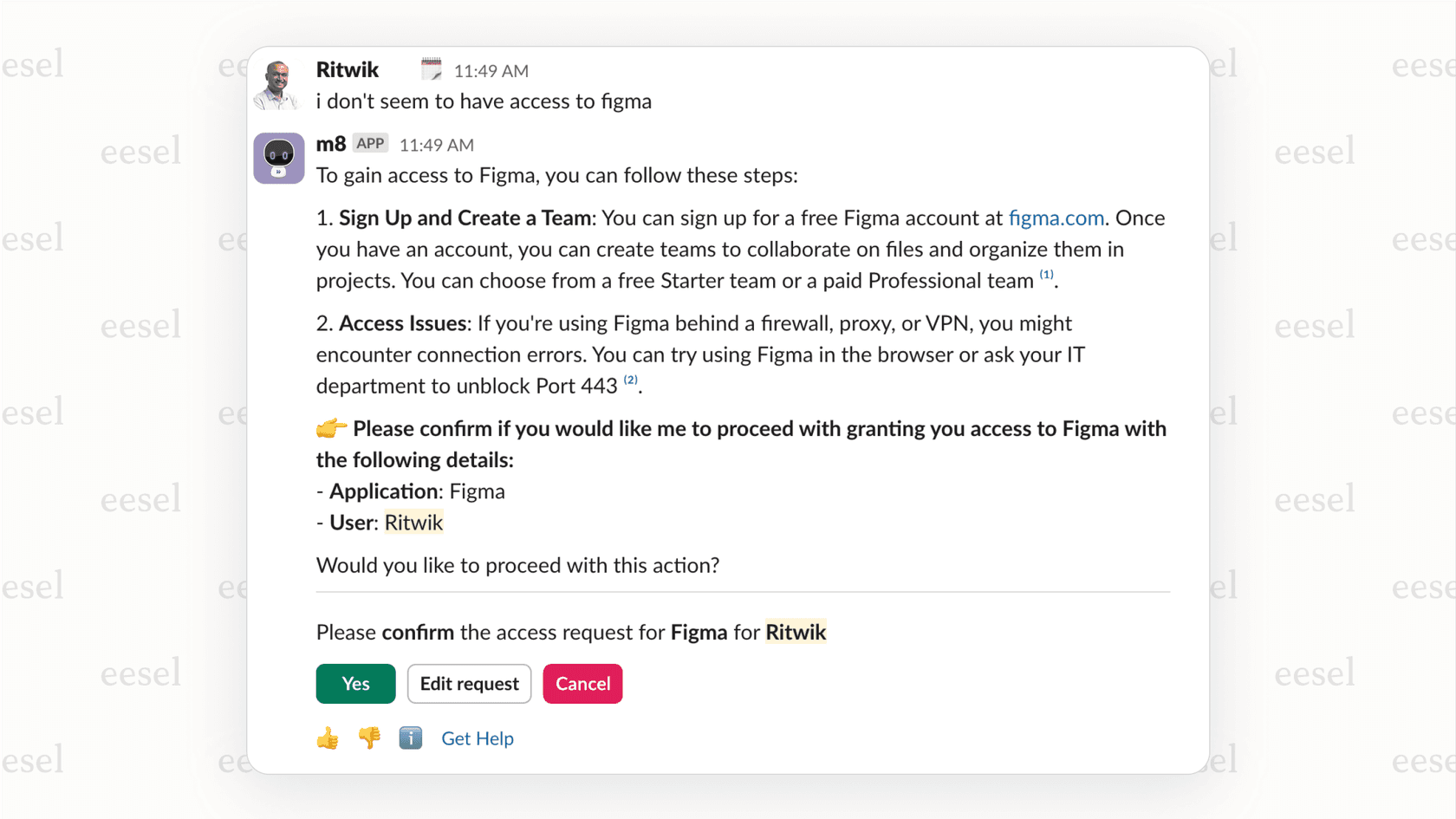
- Pros: Advanced conversational AI, can manage complex workflows, and has a strong focus on the employee experience.
- Cons: It is tailored for large enterprises, which means the implementation process is a significant undertaking. Pricing is available upon request.
- Pricing: Custom pricing is available if you contact them.
6. Aisera
Aisera provides what it calls an "agentic AI copilot" for service desks. It's built to automate workflows and enable self-service. It uses generative AI to create summaries, find insights, and give automated answers to both employees and agents.
Why we picked it: Aisera's focus on its "agentic AI" makes it a good option for automating a range of tasks, from simple questions to more involved things like hardware troubleshooting or setting up new software.
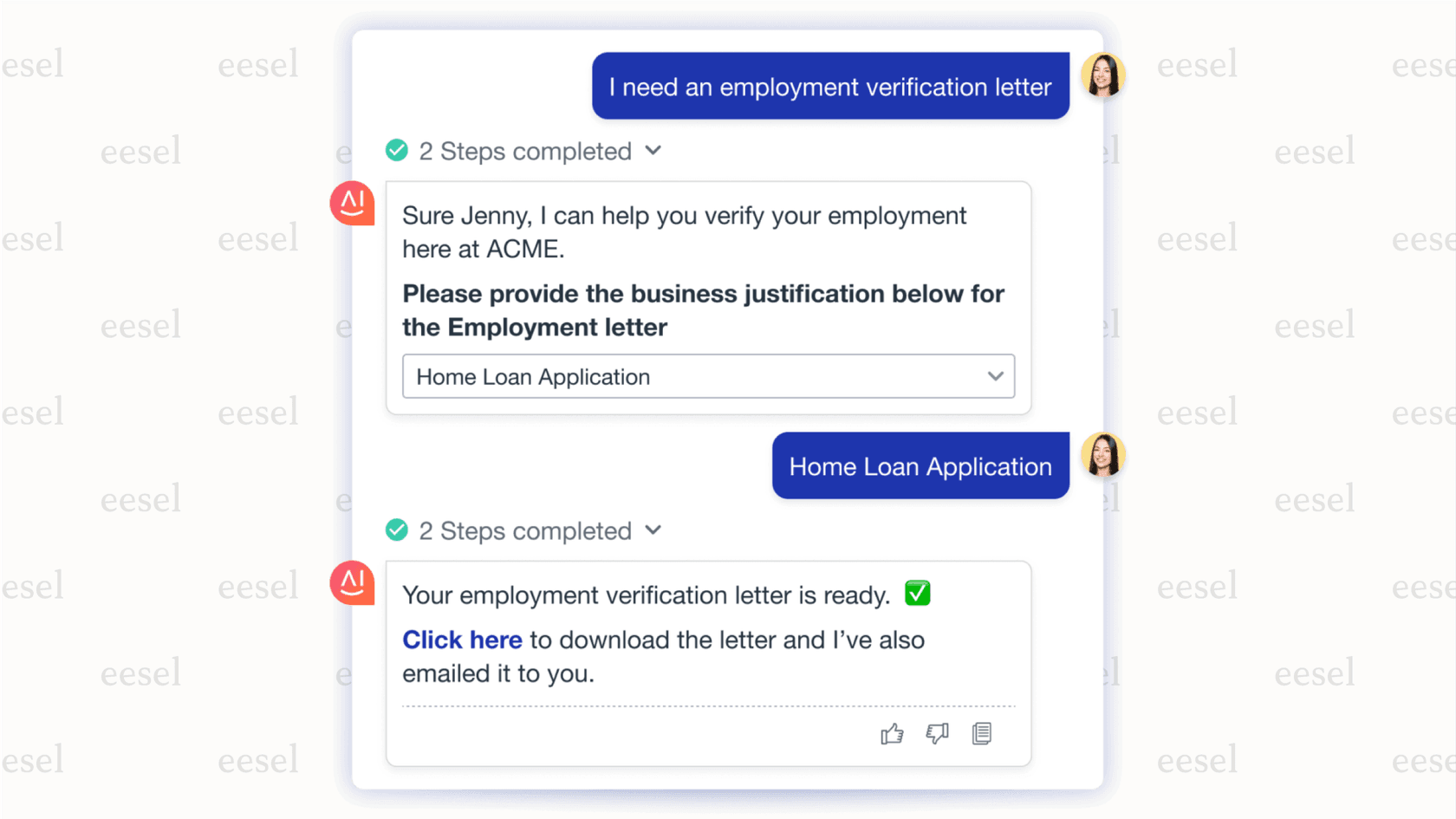
- Pros: Strong self-service features, offers proactive AI insights, and can automate many different tasks.
- Cons: The setup process is thorough and requires a commitment to a longer implementation cycle, typically suited for larger organizations.
- Pricing: Custom pricing is available if you contact them.
7. Workativ
Workativ offers a GenAI chatbot and workflow automation platform that works inside collaboration tools like MS Teams and Slack. It effectively turns your chat app into a self-service center for IT support.
Why we picked it: Workativ is a solid choice for teams who want to handle most of their support through chat and are looking for a no-code tool to build and launch automated workflows quickly.
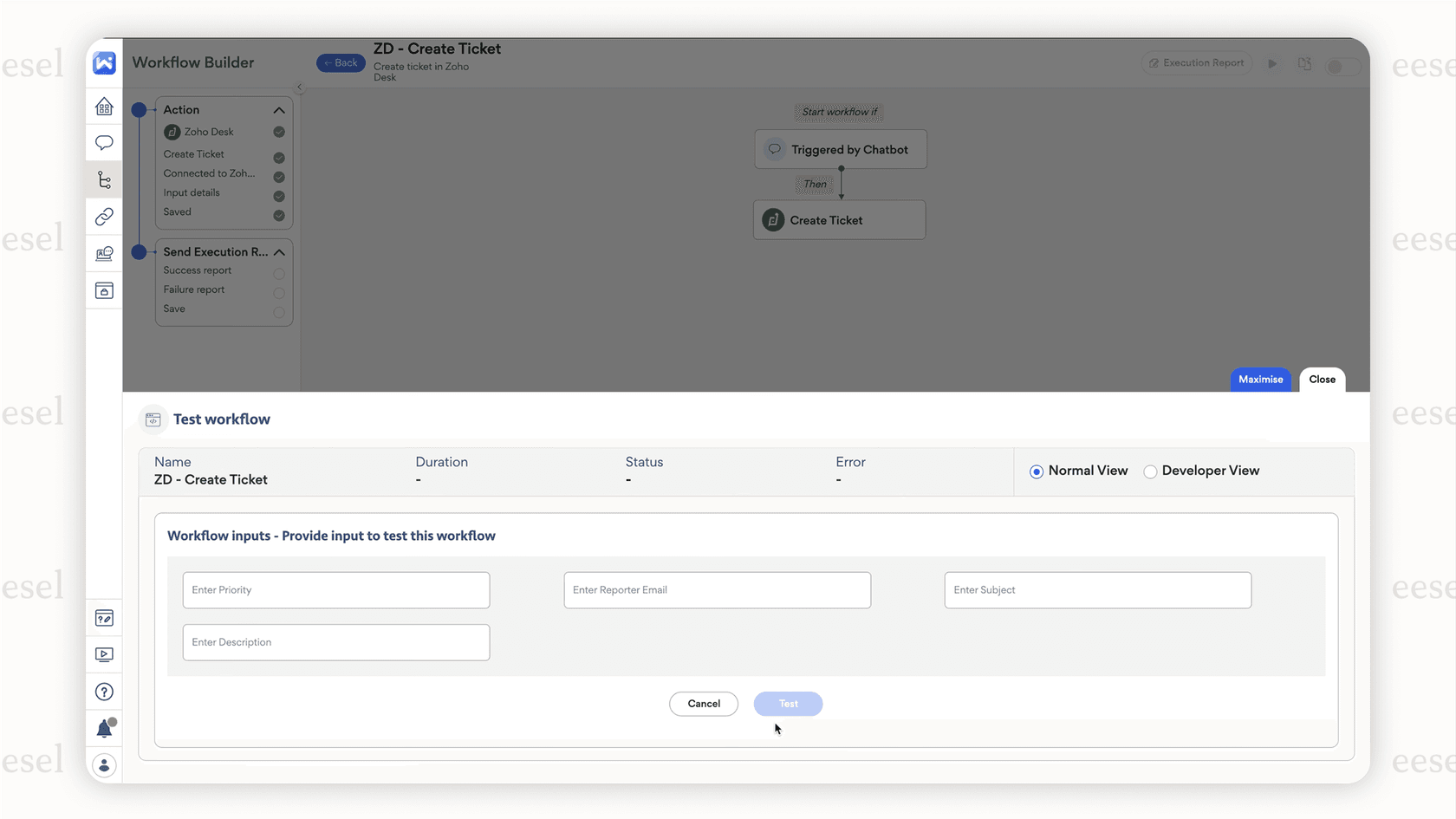
- Pros: Focused on Slack and Microsoft Teams, has a marketplace of pre-built workflows, and a no-code builder for automation.
- Cons: It is specialized as a chatbot and automation layer, so you will still need a primary ticketing system to manage the full agent experience.
- Pricing: Custom pricing is available if you contact them.
8. Invgate
Invgate gives you a single platform for both ITSM and IT Asset Management (ITAM). Its AI features include generative AI for drafting responses, one-click ticket summaries, and smarter ticket organization.
Why we picked it: Having service and asset management in one place gives you a complete picture of your IT environment. This is a big help when dealing with issues related to hardware and software.
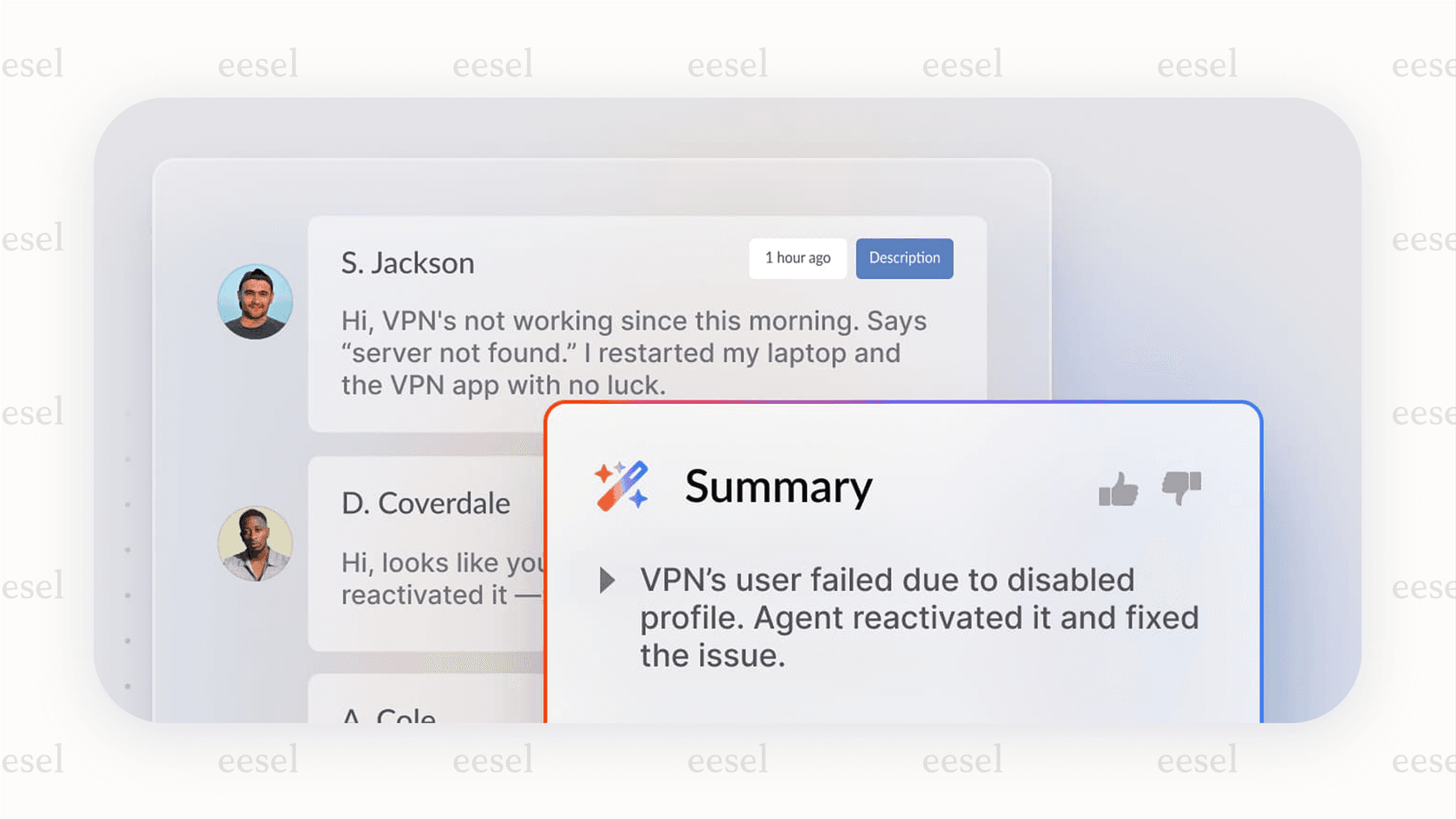
- Pros: Combines ITSM and ITAM, good for managing tickets and SLAs, and has helpful AI-powered summaries for agents.
- Cons: The user interface follows a more traditional design. While functional, its AI capabilities are evolving to match the depth of AI-first platforms.
- Pricing: Invgate Service Desk starts at $10/agent/month for the on-premise version. You have to ask for cloud pricing.
9. TOPdesk
TOPdesk is a straightforward service management tool that uses ITIL ideas for all kinds of support processes. Its AI features are geared toward improving how incidents, problems, and assets are managed, and it can also create tickets automatically from emails.
Why we picked it: TOPdesk is known for being easy to use and having good customer support, making it a decent choice for mid-sized companies that want a simple, ITIL-based ITSM tool without too many bells and whistles.
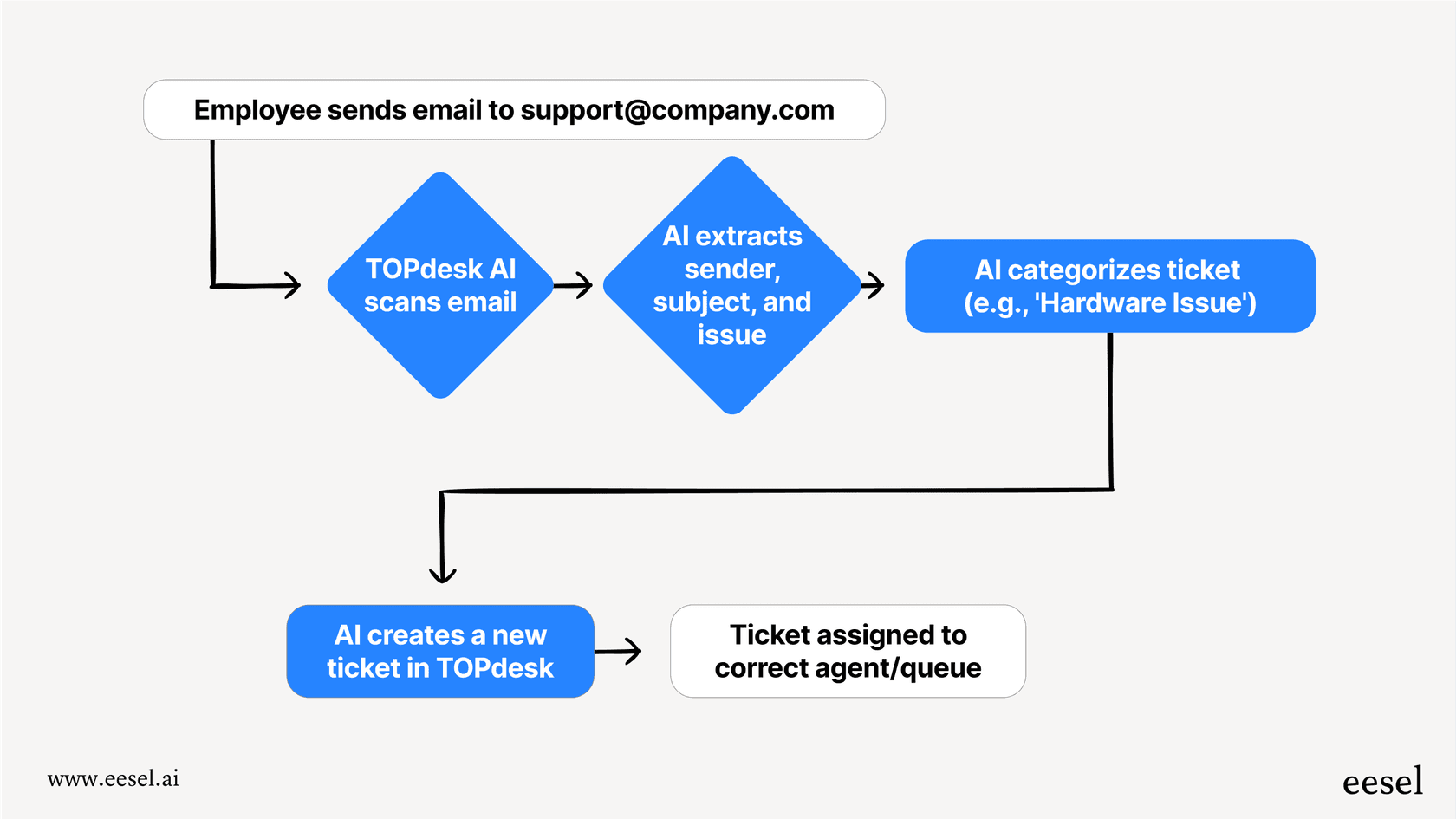
- Pros: User-friendly, built on a solid ITIL foundation, and offers good support across different channels.
- Cons: It maintains a more traditional approach to ITSM, with AI features being integrated into the existing framework rather than serving as the foundational core.
- Pricing: Custom pricing is available if you contact them.
How to choose the right AI service desk for your team
Picking the right tool really comes down to what your team needs. Here are a few things to think about:
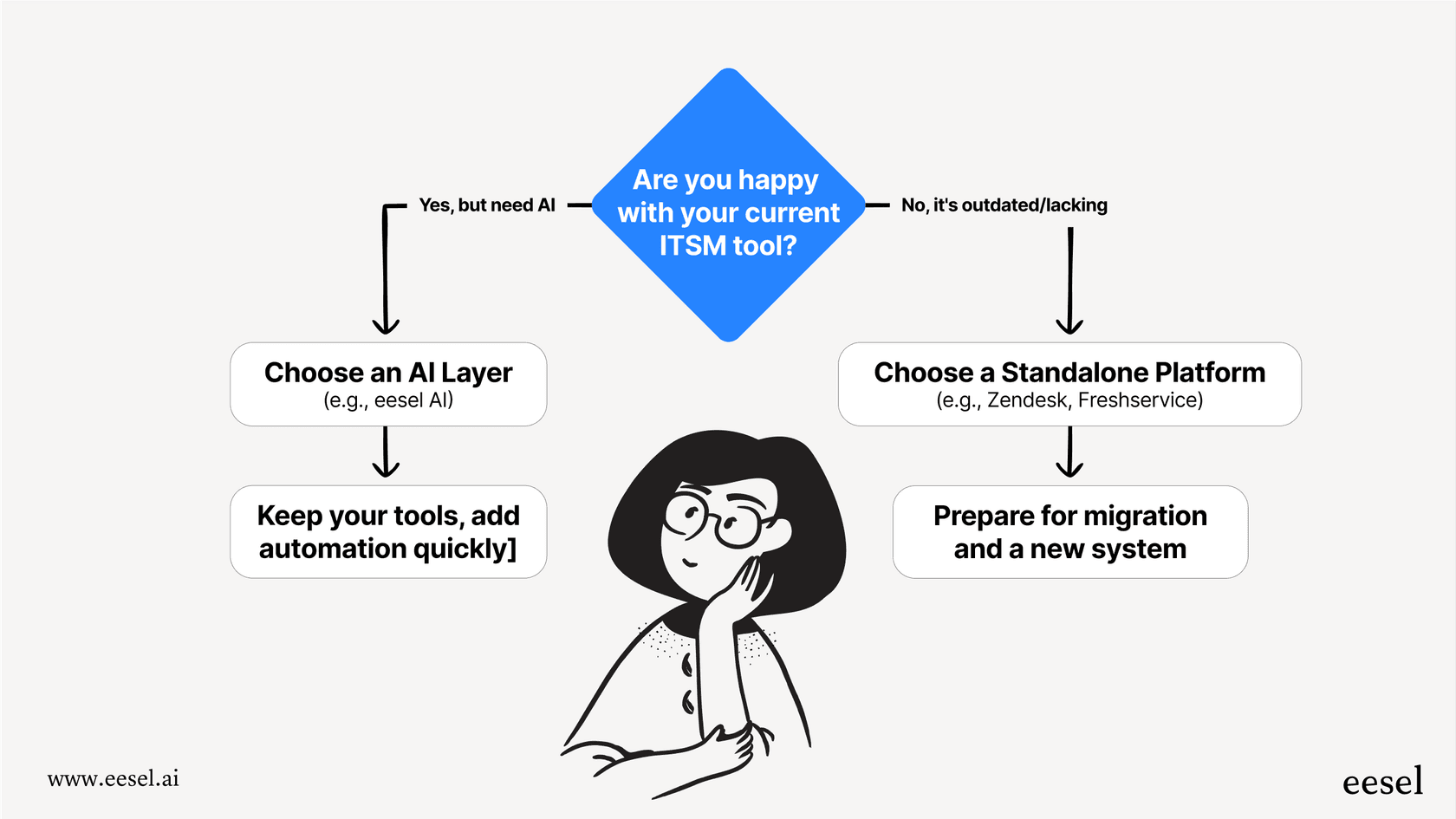
- Enhance or replace? First, figure out if you want to replace your entire service desk or just make your current one better. If you're generally happy with your ITSM tool but need more automation, an AI layer like eesel AI is a fast, low-risk way to get it. If you are looking for a world class, industry leading foundation, platforms like Jira Service Management or Zendesk offer incredibly robust environments that scale with your growth.
- Where is your knowledge? An AI is only as good as the information it can learn from. Make sure whatever tool you pick can connect to all of your knowledge sources, whether that's a formal knowledge base, an internal wiki like Confluence, shared drives, or even old support tickets. An AI that can access all that information will be much more effective.
- What's your main goal? Are you trying to reduce the number of simple tickets? Help your agents work faster? Or automatically sort incoming requests? Different tools are good at different things. Figure out your biggest headache first, and let that guide your decision.
- Check the security details. Always look into a vendor's security practices. Check for things like data encryption, access controls based on roles, and where your data will be stored to make sure it all lines up with your company's rules.
Streamline your IT support with the right AI service desk
An AI service desk isn't just a nice-to-have anymore; it's a key part of any modern IT support plan. By automating routine work and letting employees help themselves, these tools help you provide faster support and give your team more time to focus on bigger projects.
The main choice you have is whether to invest in a comprehensive, market leading platform or to add an AI layer to the system you already use. Established platforms like Jira and Zendesk provide a secure and scalable environment for enterprise support.
If you want to get the benefits of AI while maintaining your current workflow, a solution like eesel AI can add powerful automation to your existing service desk in just a few hours. It connects to all your information sources to deliver accurate, automated support right where your team already works.
Ready to see how you can automate over 50% of your IT support tickets? Book a demo of eesel AI today.
Frequently asked questions
I'm a bit worried about this. Is the main goal of an ai service desk to eventually replace our human IT agents?
Not at all. The goal is to augment your team by handling high-volume, repetitive questions, which frees up your agents to focus on complex issues that require their expertise. Think of it as a powerful assistant that makes your human team more efficient and strategic.
We're already swamped. How much work is it really to get an ai service desk up and running?
This depends on the type of tool you choose. A full platform replacement can take months of migration and training, but an AI layer that plugs into your existing tools can often be set up in a few hours, showing value almost immediately.
We handle sensitive employee data. How can we be sure that using a cloud-based ai service desk is secure?
Reputable vendors prioritize enterprise-grade security, including SOC 2 compliance, data encryption, and strict access controls. Always review a provider's security documentation to ensure their practices meet your company's standards before committing.
This sounds expensive. What kind of ROI can we realistically expect from implementing an ai service desk?
The return on investment comes from reduced resolution times, lower cost-per-ticket, and increased productivity for both IT staff and other employees. You can measure this by tracking metrics like ticket deflection rates and improvements in employee satisfaction scores.
How smart is this thing, really? What happens if the ai service desk gives a wrong answer?
Modern systems are trained on your specific documentation to be highly accurate, but they aren't perfect. When the AI is unsure or gets it wrong, it should seamlessly escalate the ticket to a human agent with the full conversation history for a fast takeover.
Our team lives in Slack and Jira. Do we have to leave those tools behind, or can an ai service desk work with our current setup?
You shouldn't have to change your workflow. The best solutions, especially AI layers, are designed to integrate directly into tools like Slack and Jira. This allows employees to get help and agents to manage tickets right where they already work.