


So, you're looking for a better way to handle customer support. You need something that’s flexible, won’t break the bank, and doesn’t trap you in a pricey, rigid contract just to answer some customer questions. If that sounds about right, you’ve probably started poking around the world of open source ticketing systems. It’s a common road for teams wanting more say over their tools and data.
This post is my honest breakdown of the top five open-source options out there for 2026. I’ll get into what they do well, where they stumble, and talk about the real costs that hide behind "free" software. I’ll also look at a more modern approach that gives you the smarts and automation you need, without the setup nightmares.
Open source ticketing systems like osTicket, Zammad, FreeScout, UVdesk, and Faveo are free to download, but never free to run. The real bill shows up later as developer setup time, server hosting, constant security patching, and AI that is either missing or billed on top (Zammad charges €0.03 per AI call).
If you want the control without signing up for years of maintenance, the faster move is an AI layer that sits on top of the helpdesk you already use. As Karel at GENERAL BYTES put it when he chose to buy instead of build, "we wanted something that we would not have to maintain." That’s exactly what eesel AI does: it plugs into your existing helpdesk, goes live in minutes, not months, and lets you simulate it on thousands of your real past tickets before it ever replies to a customer.
What is an open source ticketing system?
Let’s get on the same page first. A "ticketing system" is just a fancy name for a tool that organizes all your customer questions (or "tickets") in one place. It takes emails, form submissions, and other messages and turns them into neat, trackable conversations so nothing slips through the cracks.
The "open source" part simply means the code that runs the software is out there for anyone to see, use, and even change. This is the opposite of most software you pay for, where the code is a locked black box. Most of these systems are also "self-hosted," meaning you run them on your own servers. This gives you the keys to the kingdom and complete control over how everything is set up. (If you want the trackable-conversation part without the servers, that’s what an AI ticketing system handles for you.)
Why businesses look for an open source ticketing system
Okay, so why go through the trouble? It usually boils down to a few core desires for freedom and control.
- You can’t beat free software. The biggest pull is ditching the per-agent monthly fees that can really sting as your team grows. For startups and teams watching their budgets, this is a massive deal, and it’s the same instinct behind shopping for the cheapest AI apps.
- You can customize it endlessly. Since you have the source code, you can tinker with it to your heart's content. If you have a unique workflow or need a feature that no off-the-shelf tool offers, you have the power to just build it.
- You own your data, period. When you self-host, all your customer information sits on your servers. For companies in industries with strict data compliance rules, this isn't just a nice-to-have; it's a must-have.
- You’re not locked in. You’re not stuck with one company’s decisions on pricing, features, or what they decide to get rid of next quarter. You have the freedom to change the system or move on without a vendor making it painful.
The hidden challenges of a "free" open source ticketing system
But let's be real, "free" is rarely ever truly free. The promise of total control has a flip side, and it’s where a lot of teams get tripped up. These hidden challenges can quickly erase all the benefits you were excited about.
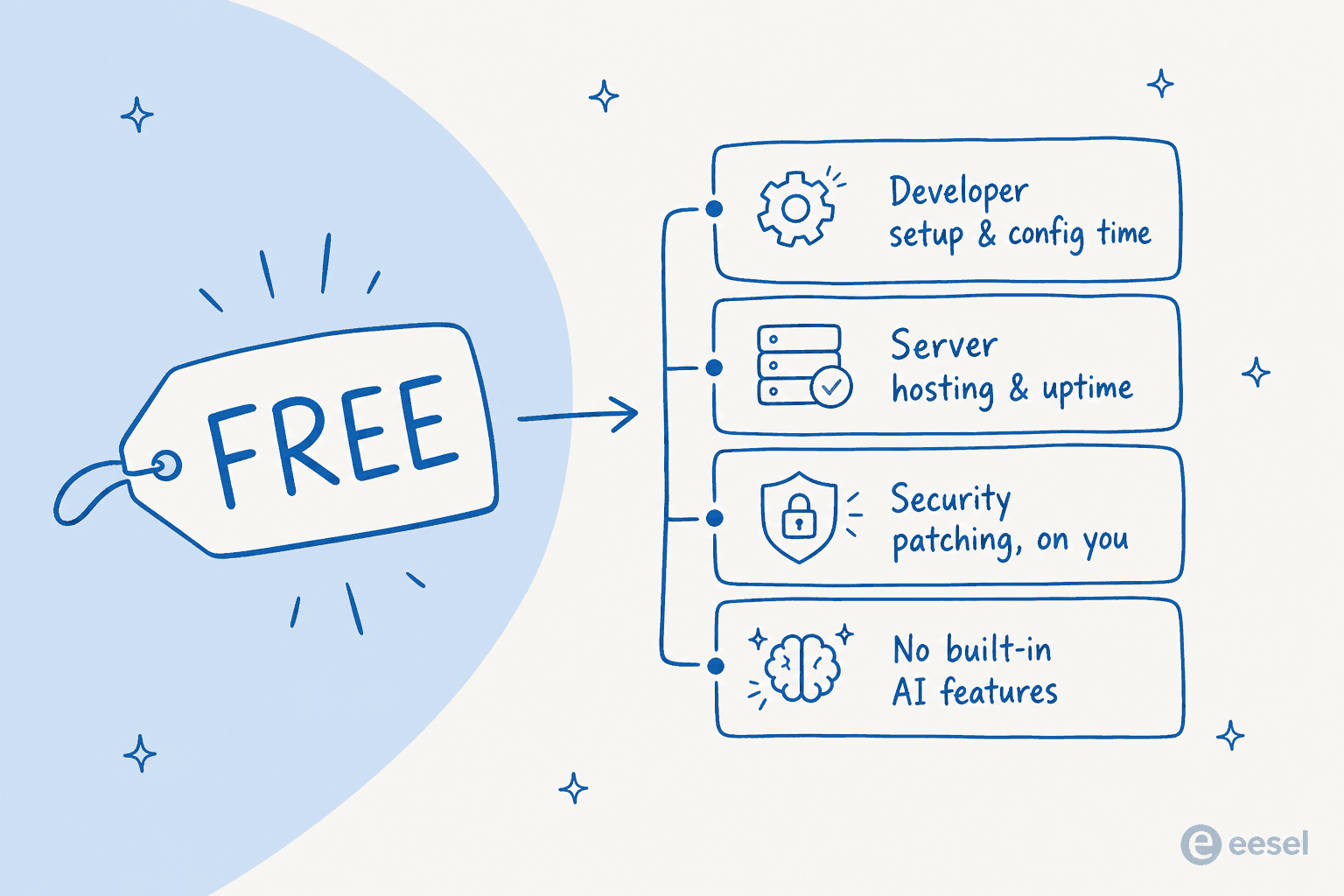
- The setup isn't a walk in the park. These aren't plug-and-play tools. You'll need someone with real technical chops to get them installed, configured, and running smoothly. That often means pulling your developers off other projects, which has its own cost. Updates and troubleshooting? That’s all on you, too.
- You're the support team. When things break at 2 AM, and they will, there’s no emergency hotline to call. You’re relying on community forums and your own team's troubleshooting skills, which can mean stressful downtime when you can least afford it.
- You miss out on modern features. The basics are usually covered, but the cool stuff like AI-powered answers, intelligent ticket routing, and easy integrations with your knowledge sources? Often missing or sold as an add-on (Zammad bills €0.03 per AI call). You’d have to build that yourself, if it’s even possible, or look to tools that automate customer support instead.
- Security is all on you. Having full control of your data means you're also fully responsible for protecting it. One missed security patch or misconfiguration could put all of your customer data at risk. It’s a heavy responsibility.
How we chose the best open source ticketing system platforms
To make sure this list was actually useful, I set a few ground rules for any platform to be included. I wasn't just looking for any open source project; I was looking for tools a real team could actually use without pulling all their hair out.
- Does it do the basics well? First and foremost, it has to be good at managing tickets.
- Is there help when you need it? An active community and decent documentation are critical.
- Can a normal person use it? The interface has to be modern enough that your agents don't need a month of training.
- Can you add to it? It needs to be extensible with plugins or modules so it can grow with you.
Comparison of the top open source ticketing system platforms
| Feature | Best For | Key Strength | Technical Skill | Pricing Model |
|---|---|---|---|---|
| osTicket | Simplicity & reliability | Auto email-to-ticket conversion | Low-Medium | Free (paid cloud/support) |
| Zammad | Modern UI & omnichannel | Multi-channel support | Medium | Free (hosted from €7/agent/mo) |
| FreeScout | Small teams needing a lightweight tool | Gmail-like interface | Low-Medium | Free (paid modules) |
| UVdesk | E-commerce integrations | Shopify/Magento plugins | Medium | Free (paid plans) |
| Faveo Helpdesk | Enterprise-grade features | SLA & workflow automation | Medium-High | Free Community Edition |
The top 5 open source ticketing system platforms in 2026
Alright, let's dive into the five platforms that made the cut. Each one has its own personality and is built for different kinds of teams.
1. osTicket
Think of osTicket as the tried-and-true veteran of the group. It’s been around for ages, and for one simple reason: it just works. Its main job is to turn emails into tickets and help you manage them, and it does that job reliably. If you just need a solid, no-frills system, this is probably where you should start.
Pros:
- It's incredibly stable. Thanks to years of development and a huge user base, it’s a tool you can count on.
- Useful features like agent collision avoidance (so two people don't answer the same ticket) are built right in from the start.
Cons:
- The user interface looks pretty dated. Compared to modern tools, it feels like a step back in time.
- Reporting is basic today: the dashboard is a ticket counter. The osTicket team has announced osTicket 2.0, a rebuild with a redesigned interface and an analytics dashboard, but it hasn't launched yet.
Pricing: The self-hosted software is totally free. osTicket also offers a managed cloud-hosted version (SupportSystem, from $12 per agent per month) if you’d rather not run and maintain your own servers.
2. Zammad
Zammad feels like a breath of fresh air in the open source space. It has a clean, modern interface and was designed from the ground up to handle support from multiple channels. It can pull in conversations from email, phone, and social media, giving your agents one unified place to see everything.
Pros:
- The modern UI is a huge plus. It’s easy for agents to pick up and start using without much fuss.
- It's perfect for teams that have to juggle customer questions coming in from all over the place.
Cons:
- It's a more powerful application, which means it can be a bit heavy on server resources and trickier to set up.
- The library of integrations isn't as big as what you'd get with the major commercial players.
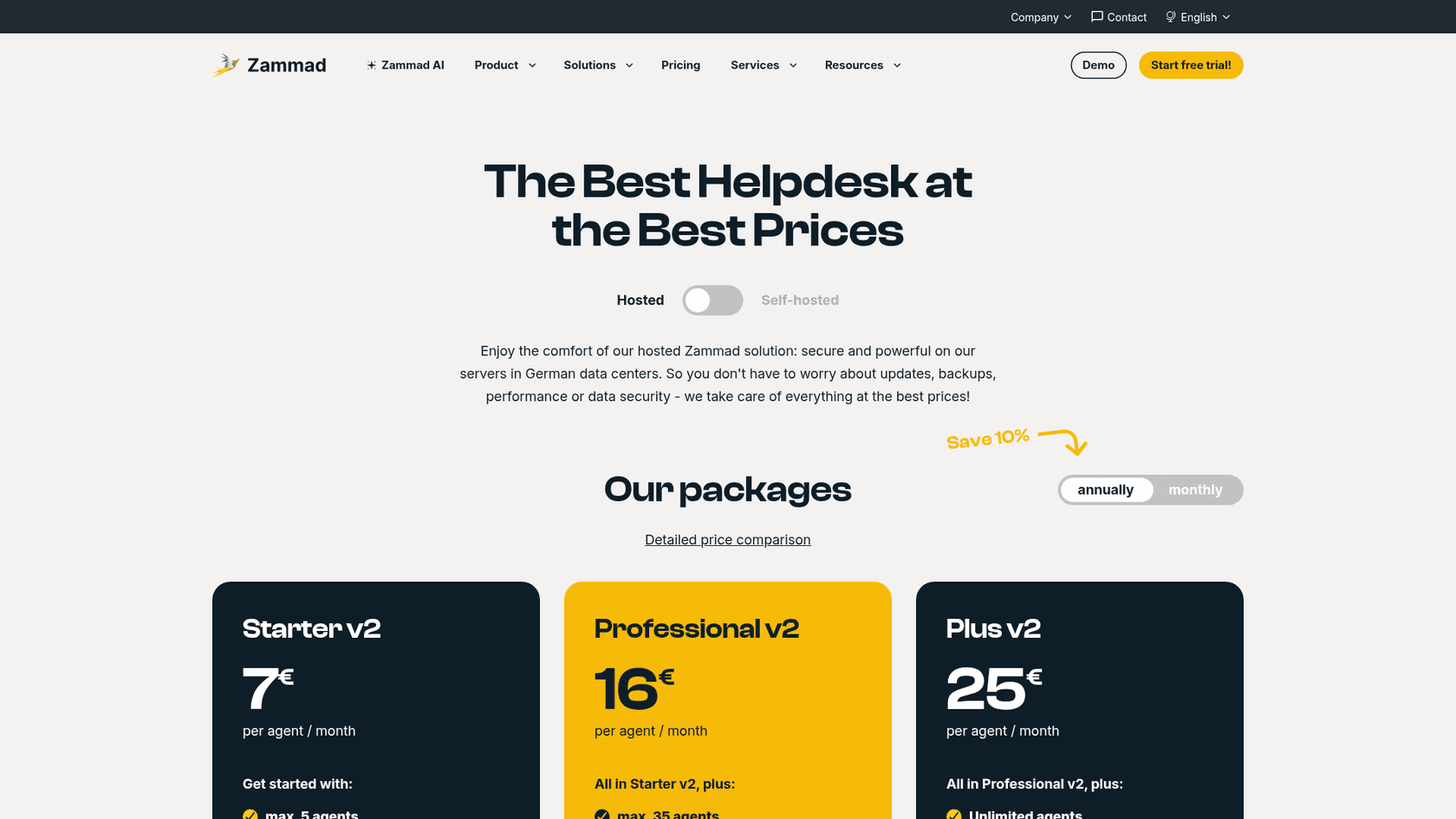
Pricing: Zammad is free to self-host. Their hosted plans run from €7 to €25 per agent per month, and AI features are billed separately at €0.03 per AI call. Self-hosted support contracts start at €2,999 per year.
3. FreeScout
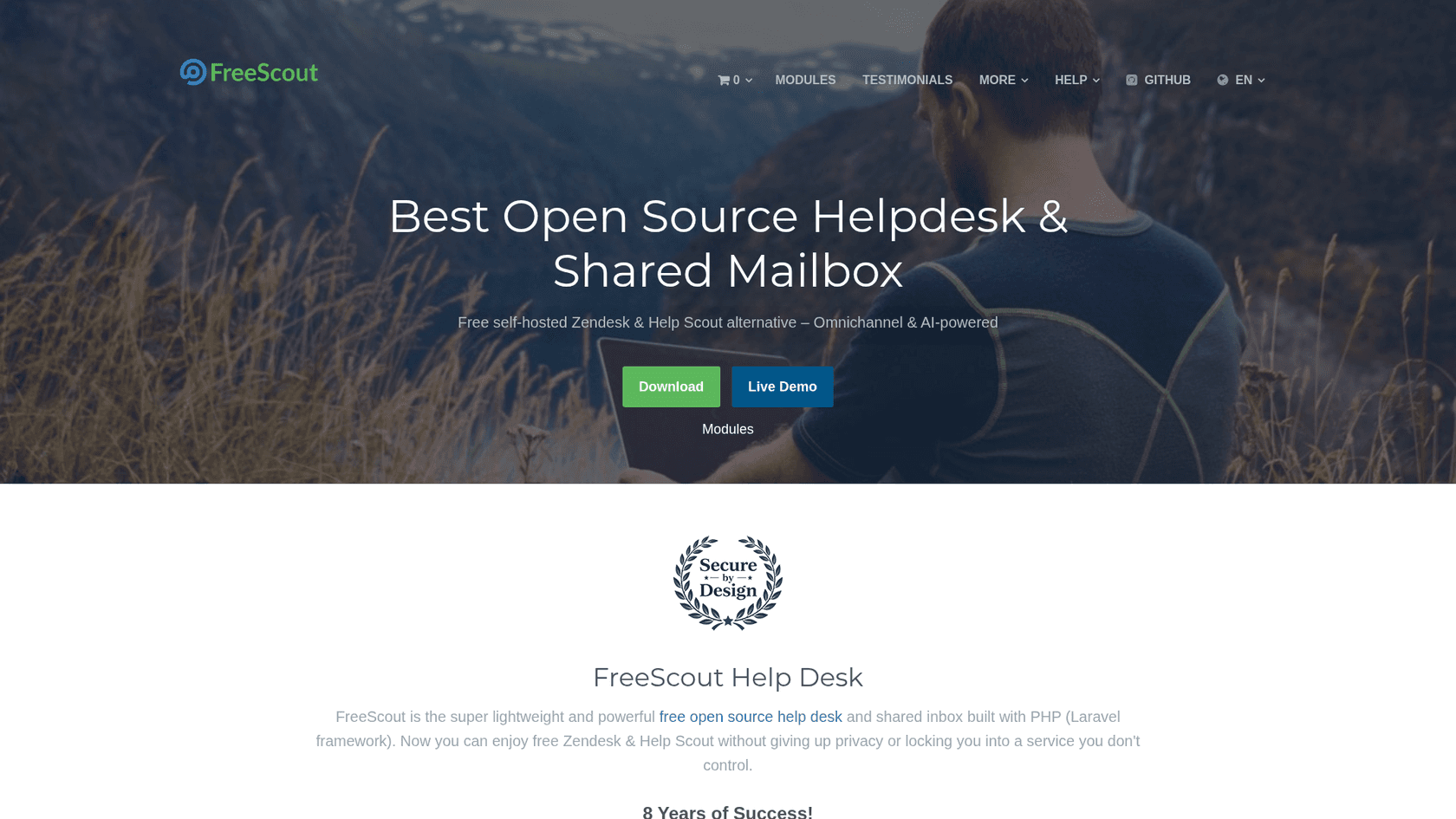
FreeScout was built to be a free, open source version of popular helpdesks like Zendesk and Help Scout. It's lightweight, and its interface feels a lot like Gmail, so most people find it instantly familiar.
Pros:
- It’s so light that it can run on cheap shared hosting, making it one of the easiest and most affordable options to get started with.
- The system is modular, so you only add the features you need (often as paid add-ons). This keeps the main tool lean and fast.
Cons:
- The free version is pretty bare-bones. Things you might consider standard, like a knowledge base or API access, will cost you extra.
- The customer portal works, but it isn't a great self-service experience compared to other platforms.
Pricing: The main FreeScout software is free. Modules are sold as one-time purchases, usually for a pretty reasonable price. The Knowledge Base module is $12 and API & Webhooks is $12.99, for example.
4. UVdesk
UVdesk is a helpdesk that’s packed with features, but it really shines with its e-commerce integrations. It has ready-to-go connections for platforms like Shopify, Magento, and WooCommerce, which let your support agents see customer order details right inside the support ticket.
Pros:
- An amazing pick for e-commerce shops. Tying support tickets directly to orders and customer history is a huge time-saver, the same edge you get from a dedicated ecommerce helpdesk.
- It comes with handy tools like workflow automation and a built-in knowledge base to help customers find their own answers.
Cons:
- Getting it set up initially can be a little complicated if you’re not super comfortable with server configuration.
- The design is functional, but it doesn't have the polished, premium feel of top-tier SaaS tools.
Pricing: The open source version of UVdesk is free. They also offer paid plans that come with more features and dedicated support.
5. Faveo Helpdesk
Faveo is a serious system aimed at businesses that need more than just the basics. It offers advanced features like detailed SLA management and workflows that require approvals, making it a good fit for more complex support operations. The free Community Edition is a solid place to start.
Pros:
- Its paid versions are built for enterprise-level needs, including ITIL processes for managing problems and changes.
- The workflows are really flexible, which is great for managing processes that involve multiple departments.
Cons:
- The free Community Edition doesn't get updated as often as the paid versions, so you might fall behind on new features and security fixes.
- With so many settings and options, the interface can feel a bit cluttered and overwhelming when you're just getting started.
Pricing: The Community Edition is free. Faveo also sells paid editions, both perpetual one-time licenses and cloud subscriptions, that add support and more features.
A better way: Why an AI layer is the modern alternative
After digging into all these tools, you start to notice a trend. You can get a "free" system, but you end up paying for it with developer hours, constant upkeep, and a nagging feeling that you're missing out on the smarter, AI-driven tools everyone else is using.
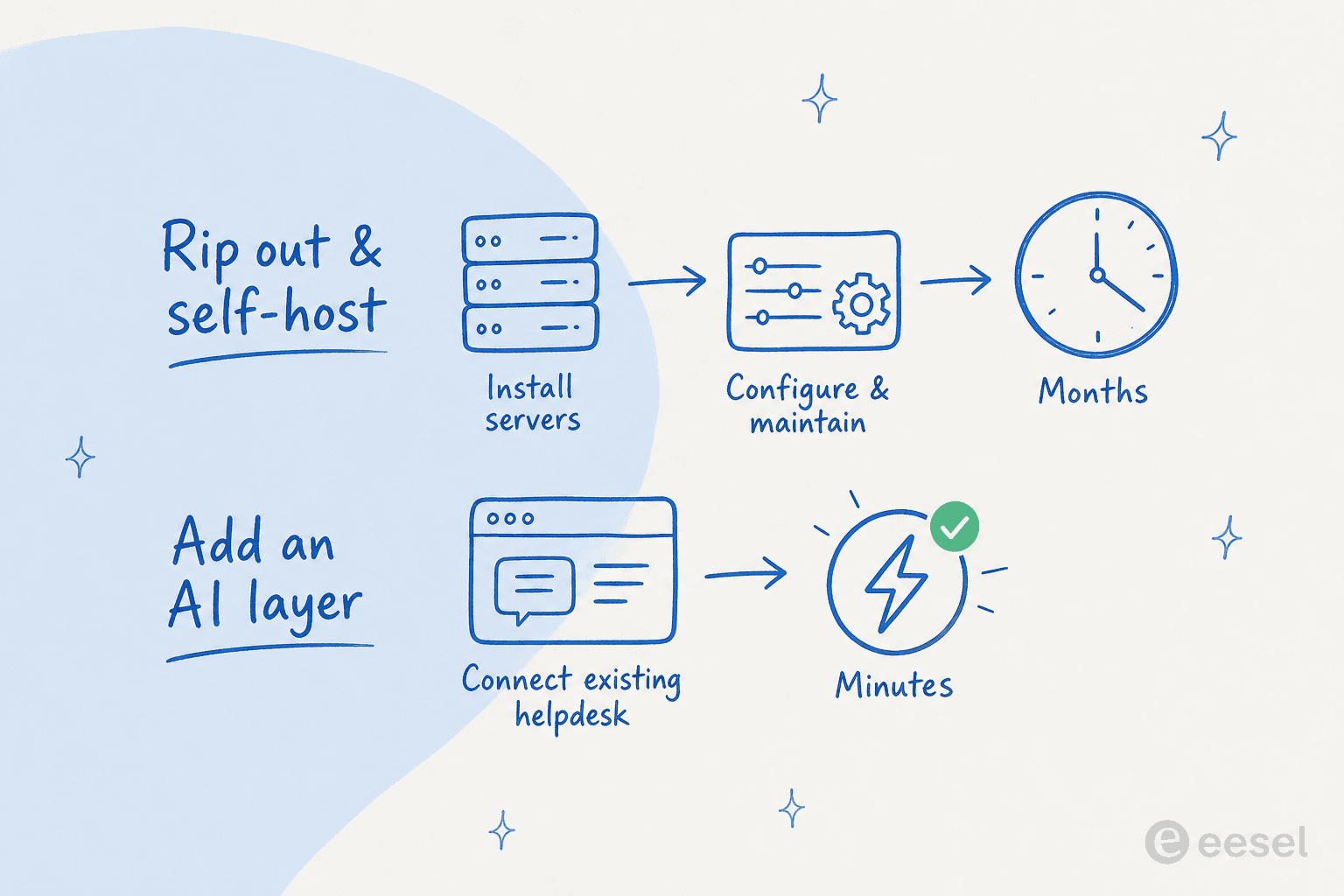
So, what if there was another way? Instead of ripping out your current setup or building a new one from scratch, what if you could just add a layer of intelligence on top of what you already have? In minutes?
That’s the idea behind eesel AI. It isn't another ticketing system to manage. It's an AI platform that connects to your existing helpdesk (like Zendesk or Freshdesk), knowledge bases, and other tools to automate support without the headaches. It’s the same build-vs-buy call Karel at GENERAL BYTES made: "We could try to write our own LLM application but we didn't want to invest our time into that. We wanted something that we would not have to maintain."

- Go live in minutes, not months. Forget about complicated server setups. eesel AI uses one-click integrations and is built to be self-serve. You can get it running right now without having to talk to a salesperson, the opposite of standing up a self-hosted helpdesk software stack.
- Bring all your knowledge together. A ticketing system only knows about tickets. eesel AI connects to everything else, your past tickets, your Confluence site, those random Google Docs with important info, and more. This lets it give complete, accurate answers that a simple system never could, and it’s how teams reduce support tickets instead of just routing them.
- Test it out with zero risk. With an open source tool, you set it up and cross your fingers. eesel AI has a simulation mode that tests the AI on thousands of your real past tickets. It shows you exactly how much work it can automate before you ever turn it on for customers, so your deflection rate isn't a guess. No more crossed fingers.
What is the best open source ticketing system for you?
Open source ticketing systems promise control and low costs, but that promise comes with a price tag of its own: your time, your team's technical effort, and a lack of modern features. For a lot of support teams today, the initial appeal wears off once they're stuck with constant maintenance and a tool that just can't keep up.

For teams that care about speed, efficiency, and smart automation, the better move isn't just a free tool, but a solution that gives you an immediate return. An AI helpdesk agent like eesel AI offers the benefits of a deeply customized and intelligent support system, without any of the traditional baggage. It’s the best of both worlds, and it slots in next to the rest of your customer support tools.
Ready to see what AI can actually do for your support team? Start a free trial with eesel AI or book a demo and you can have your frontline support automated in minutes, no servers to maintain.
Frequently asked questions
What is the best free open source ticketing system?
There's no single winner; it depends on what you need. osTicket is the most reliable email-to-ticket workhorse, Zammad has the most modern UI, and FreeScout is the lightest to host. If you want modern automation without running servers, an AI ticketing system layered on your existing helpdesk usually beats any free open source ticketing system on time-to-value.
Aside from being free, what are the other costs I should budget for with an open source ticketing system?
You should primarily budget for the cost of technical expertise, whether that's your developers' time for setup and maintenance or hiring a freelancer. Also factor in server hosting costs and any paid modules or plugins you need to add essential features, the kind of work you'd avoid with a hosted helpdesk software option.
Do I really need a full-time developer just to manage an open source ticketing system?
Not necessarily for day-to-day management, but you'll definitely need someone with technical skills for the initial setup, configuration, and ongoing updates. When something breaks, having a developer on-call is crucial to avoid extended downtime, which is one reason teams move to a managed AI helpdesk agent instead.
How can I make sure our chosen open source ticketing system is secure if we're responsible for everything?
Security is a major responsibility when self-hosting. You'll need to stay on top of all security patches, configure your server securely, manage user permissions strictly, and potentially run regular audits to protect your customer data. Compare that with vendors who carry certifications and handle this for you, like the platforms in my customer support tools roundup.
Will a basic open source ticketing system be able to scale with my company as we grow?
It depends on the platform and your technical resources. Many can handle a growing volume of tickets, but scaling often requires more powerful server infrastructure and technical work to maintain performance. For high growth, a tool that lets you reduce support tickets with AI scales further than raw server muscle.
Is it possible to add modern features like AI to an open source ticketing system, or am I stuck with the basics?
Zammad sells AI features as an add-on at €0.03 per AI call; elsewhere it's possible through custom development or third-party integrations, but it's generally difficult and expensive to add advanced AI features yourself. This is why I suggest using an AI agent layer on top of your existing tools for a faster, more effective solution.
How much does an open source ticketing system really cost in 2026?
The software license is usually free, but the total cost in 2026 includes hosting, developer time, security upkeep, and paid add-ons. Some vendors also sell hosted tiers (Zammad's hosted plans run from €7 per agent per month, for example). For a clearer view of paid options, see my cheapest AI apps comparison.