

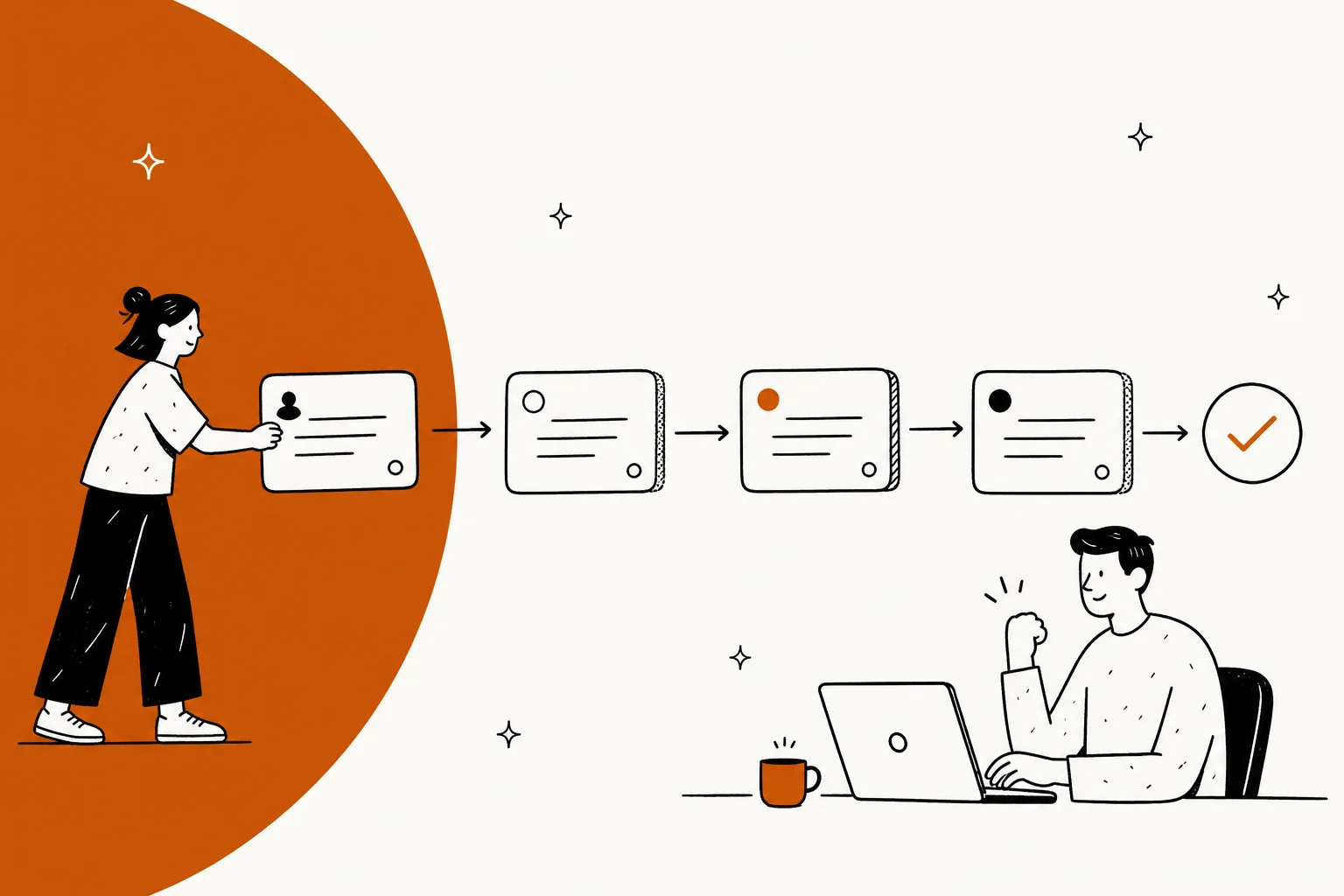
Every ticketing system software vendor sells the same feature list, so the list is not where the decision lives. Two things actually decide the outcome: what a "ticket" is inside that system, and what the AI layer meters. Zendesk gives you six statuses where New is a one-way door and only an automation can close a ticket. Freshdesk gives you four, where Resolved is the agent's opinion and Closed is the customer's. Jira Service Management splits the question in two, with status for where the work is and resolution for how it ended. HubSpot has no status field at all, just a pipeline stage on a CRM record.
On price, entry seats run $7 to $25 per agent per month, and the plan where custom reporting actually switches on runs as high as $115. The AI meter is then a second price list that nobody reads. Freshdesk bills a 24-hour session at $0.49 whether or not it worked. Gorgias bills $0.85 to $1.00 per automated interaction, depending on the plan. Help Scout bills $0.75, but only for a resolution where the customer never escalated. eesel uses 1 credit per ticket handled with no seat fee, so a 1,000-ticket month is one $499 plan rather than a seat count.
My picks: Zendesk if you need every channel and can fund Suite Professional, Freshdesk for the same shape at half the price, Zoho Desk if budget is the binding constraint, Jira Service Management when the requesters are employees, Gorgias for Shopify stores, and eesel when the desk is fine and the queue is the problem. In the real-traffic trials I have run, the honest number sits around 93% triage accuracy with a 7% factual error rate on drafts, which is exactly why I simulate every rollout against historical tickets before it touches a customer.
The split nobody names in these roundups
Most "best ticketing system software" lists put Zendesk and Jira Service Management in the same table and let you sort by price. That comparison is broken before it starts, because the two products model different work. My separate roundup of AI ticketing systems splits them the same way.
A customer ticketing system models a conversation with someone outside the company. It cares about channels, sentiment, response time and CSAT, and its ticket is really a thread. An IT ticketing system models a work item against a service catalogue. It cares about approvals, change windows, assets and who signs off, and its ticket is really a task with a workflow bolted to it. Atlassian's own writeup on help desk versus service desk notes that 41% of desks are called something else entirely, which tells you how loose the vocabulary has become.
The expensive mistake is buying across that line. I have watched teams put an internal IT queue into a customer-support desk because the seat price was lower, then spend six months rebuilding approvals out of tags. The reverse happens too, and it is worse: customer conversations inside a work-item tool lose the thread, and every reply becomes a comment on a task nobody outside the company can see.
| Customer ticketing system | IT / internal ticketing system | |
|---|---|---|
| Who files it | A customer outside the company | An employee inside it |
| The record is | A conversation thread | A work item on a workflow |
| Optimised for | Channels, response time, CSAT | Approvals, change windows, assets |
| Closure decided by | The customer, usually | The resolver, against a service target |
| Typical tools here | Zendesk, Freshdesk, Gorgias, Help Scout | Jira Service Management, Zoho Desk |
So the first question is not which tool. It is which side of the split you are on, and whether one desk has to cover both.
How I picked these ten, and what I checked
I have spent the last three years putting AI agents on live support queues, which means I read pricing pages the way other people read menus. For this roundup I went back to primary sources only: each vendor's own pricing page, their docs on ticket fields and statuses, and their published AI rate cards. Everything with a number in it is linked to the page it came from, checked in late July 2026.
Four things got checked on every tool:
- The ticket data model. How many statuses, which fields are one-way doors, who is allowed to close a ticket, and what happens when a customer replies after closure.
- The real entry price and the real ceiling. List price at annual billing, plus the plan where custom reporting switches on, because that is usually the step nobody budgets for.
- The AI meter. Not the marketing claim, the unit. A "resolution" and a "session" and an "interaction" are three different billable events, and the gap between them is most of your invoice.
- The gotchas that only show up in the docs. Data residency you cannot change after signup, exports that are off by default, a report builder that does not exist at any price.
| What I checked | Where the answer actually lives |
|---|---|
| The ticket data model | The vendor's ticket-fields and status docs, not the feature page |
| The real entry price | The plan row where custom reporting switches on |
| The AI meter | The unit definition in the docs, not the rate on the pricing page |
| The gotchas | Residency, export and uptime pages, which are never linked from pricing |
I did not test all ten in production for a year, and I am not going to pretend otherwise. What I did do is read every one of these products' docs closely and run eesel's AI on top of several of them for real customers, which is where the sharper opinions below come from.
Ticketing system software compared at a glance
| Tool | Best for | Who files tickets | What a ticket is | Entry price (annual) | Top public plan | AI meter and rate | Free tier | Custom reports gate | Residency choice |
|---|---|---|---|---|---|---|---|---|---|
| eesel AI | Fixing the queue without switching desks | Either | Whatever your existing desk says | From $299/mo (500 credits) | $1,899/mo (5,000 credits) | Ticket handled, 1 credit | 100 free credits | Built in | EU or US, $500/mo add-on |
| Zendesk | Full multi-channel at scale | Customers | 6 statuses, automation closes | $19/agent (Support Team) | Enterprise, quote only | Verified resolution, rate unpublished | No | Suite Professional $115 | 5 regions, add-on |
| Freshdesk | Same shape at half the price | Customers | 4 fixed statuses, 72h auto-close | $19/agent (Growth) | $89/agent (Enterprise) | 24-hour session, $0.49 | No | Pro $55 | 5 regions, signup only |
| Zoho Desk | Tight budgets, full feature depth | Customers | Status plus department scoping | $7/user (Express) | $40/user (Enterprise) | Bundled Zia, no public rate | 3 agents, email only | Standard $14 | 8 regions, signup only |
| Jira Service Management | Employees, approvals, change | Employees | Request type on work type on workflow | $25/agent (Standard) | Enterprise, quote only | Assisted conversation from $0.30 | 3 agents | Standard | Atlassian regions |
| Gorgias | Shopify and ecommerce | Customers | Ticket, and tickets are the unit | $77/mo (Basic, 300 tickets) | $1,227/mo (Advanced) | Automated interaction, $0.85 to $1.00 | No | All plans | GCP, no SKU |
| Help Scout | Small teams who hate admin | Customers | Conversation in a shared inbox | $25/user (Standard) | $75/user (Pro) | Resolution, $0.75 | 5 users, 100 contacts | No builder at any price | US only |
| Front | Inbox-shaped support and accounts | Customers | Conversation with assignment | $25/seat (Starter) | $105/seat (Enterprise) | Outcome tier, from $0.05 | No | Enterprise $105 | US or EEA, by request |
| HubSpot Service Hub | Tickets living inside the CRM | Customers | Pipeline stage on a CRM record | $7/seat (Starter, commit) | $150/seat (Enterprise) | 50 credits per resolved chat | 2 users | Professional $90 | HubSpot regions |
| Kustomer | Enterprise CX with a real SLA | Customers | Timeline-first conversation | No public price | Ultimate, quote only | Engaged conversation, $0.60 | No | Quote only | Quote only |
If you want the wider field rather than the ten here, my list of top helpdesk software covers more of it. Two columns in that table are the ones I would actually sort on. "What a ticket is" decides whether your reporting will ever be trustworthy. "AI meter and rate" decides whether the number at the bottom of the invoice matches the number on the pricing page.
Which kind of ticketing system are you actually buying?
Pick the row that matches your situation and the panel underneath tells you where I would start, what the ticket model will do to you, and which meter to price out first.
Start from your situation, not the feature list
Eight common shapes. Pick one.
What a ticket actually is, and why it decides your reporting
Here is the part that never makes it into a feature comparison. The word "ticket" means four different things across these products, and the differences are load-bearing.
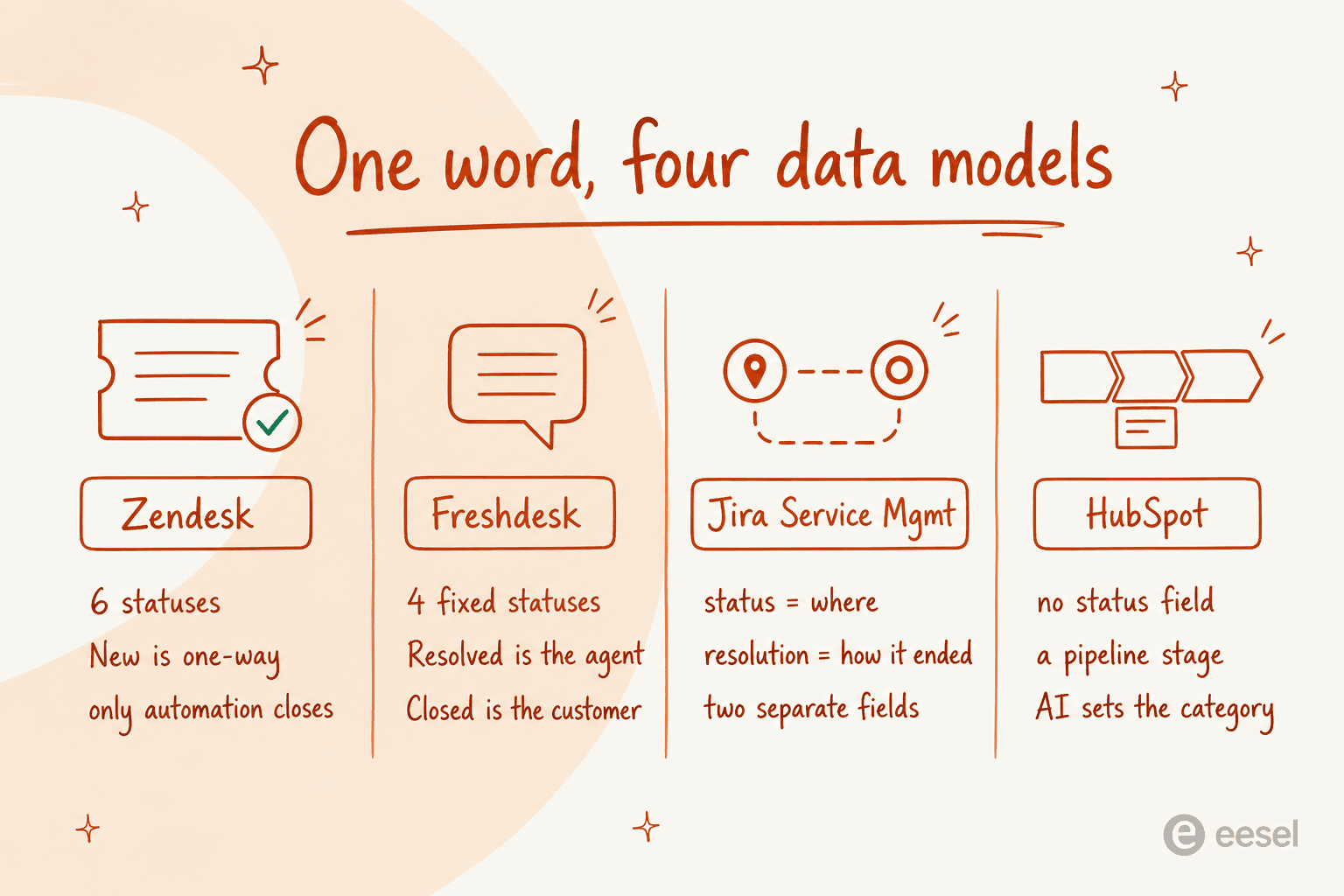
Zendesk ships six standard statuses and documents that New is permanent once you leave it: "After changing the status from New to another status, you can't change the status back to New," per the ticket fields docs. You also cannot close a ticket by hand. The ticket lifecycle docs state plainly that "Tickets can't manually be set to Closed," and the default automation closes four days after solve. Turn those automations off and the hard ceiling is 28 days, which "can't be changed and any business rules created to close tickets longer than 28 days won't be honored."
Freshdesk uses four statuses that cannot be deleted, and it splits Resolved from Closed on whose opinion counts. Its ticket fields guide defines Resolved as "the ticket is completed according to the agent" and Closed as "completed according to the customer," with a 72-hour auto-close as standard practice. Priority is hard-coded because it drives SLA policies. There is also a real data-loss footgun in there: change or delete a dropdown choice already in use and "the value of that field will be changed to null."
Jira Service Management does something structurally different. Status answers where the work is, resolution answers how it ended, and they are separate fields. A JSM record is three objects stacked, with a request type sitting on a work type sitting on a workflow, and the request type docs warn that skipping the layer costs you: "If you create a work item without a request type, your requests won't have access to all Jira Service Management features."
HubSpot has no ticket status field in the sense the others mean it. Its pipeline docs say that "for tickets, pipeline stages are called statuses by default, but they are the same as other object stages." Close date is bidirectional too, so moving a ticket back to an open stage silently clears it.
Why this matters more than the feature grid: your reporting inherits the model. If your system cannot distinguish "we finished it" from "the customer agreed we finished it," your resolution rate is not measuring what you think. And the queue lies in a specific, predictable direction:
"I was going through our queue today and found 90 tickets where we responded, asked for more information from the customer but then never heard back from them. They just sit there inflating our numbers and that honestly doesn't look good for management. We have been called before for unresolved open tickets so this is a big deal."

Ninety of two hundred "open" tickets were waiting on a silent customer. The open count was never the backlog. Fixing that is a status-model problem before it is an AI problem, which is also why automatic ticket assignment and sane auto-close rules usually beat buying anything.
The AI meter is a second price list
Every tool in this roundup now bills AI separately from seats, and the unit varies more than the rate does.
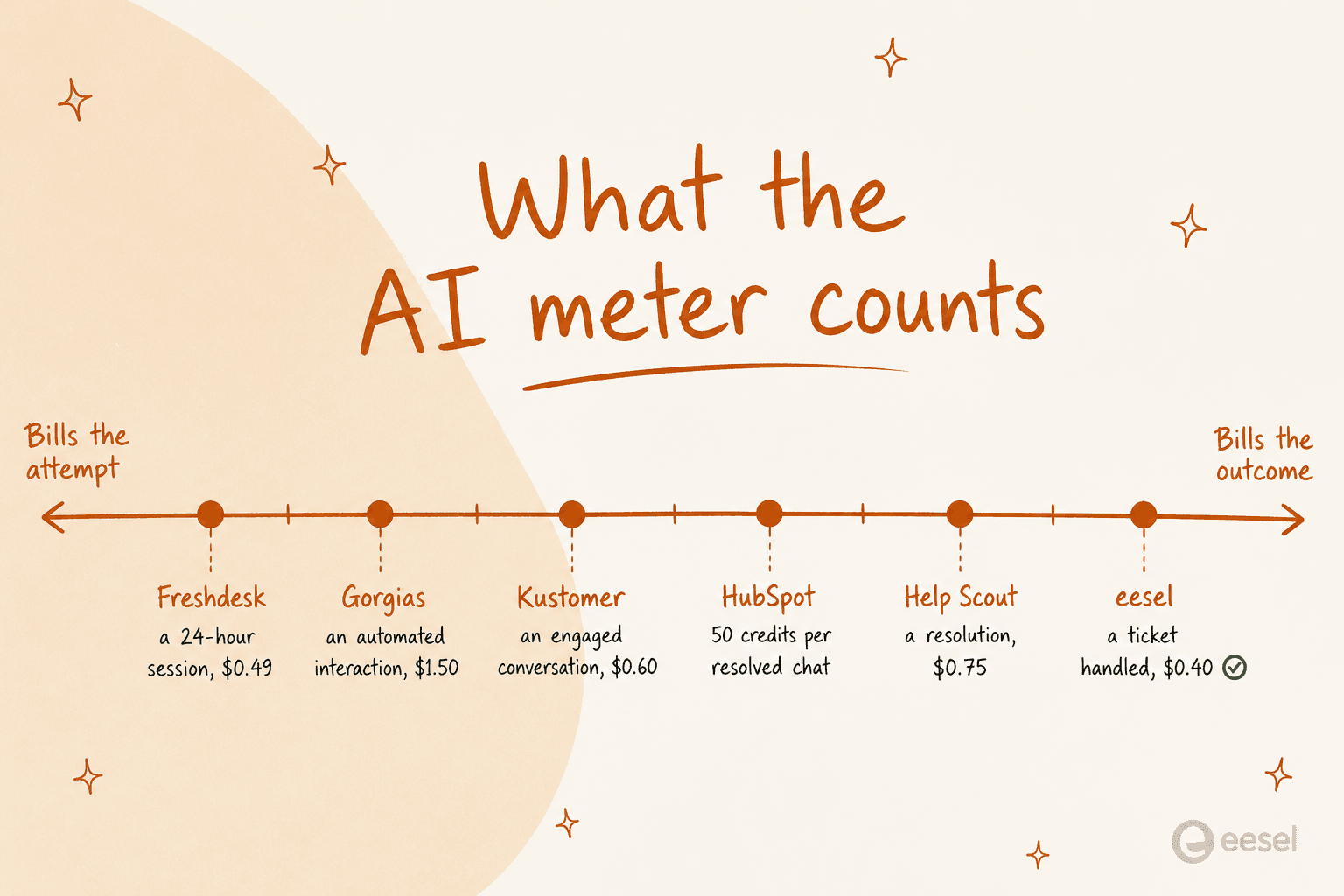
At the attempt end sits Freshdesk, whose unit is a session covering all interactions in a 24-hour window, billed whether or not the bot helped. Gorgias bills $0.85 to $1.00 per automated interaction, depending on the plan. Jira Service Management's virtual agent counts "any conversation that was matched to an intent, regardless of whether the virtual service agent resolves the issue or escalates it," so an escalated ticket still bills.
At the outcome end, Help Scout charges $0.75 per resolution and its resolutions doc is unusually strict about what does not count: not if the customer escalates, searches the knowledge base, asks more questions, or clicks "I still need help." Zendesk changed its own definition on 18 May 2026, splitting outcomes into three resolution tiers where only a verified resolution bills. It still publishes no dollar figure per resolution anywhere public.
The grievance you find in the wild is almost never about the rate. It is about the definition:
"Complete trash lol, stuff I used to get free now counts as an AR. Most of the ARs are abandoned chats. There's no dispute resolution process. Complete scam. I used to like Zendesk but since trying the new bot and now this I have little good will left"
So when you price this out, model the meter, not the sticker. My deeper breakdowns of AI ticket deflection and AI resolution rate walk through the arithmetic at different volumes.
1. eesel AI: best for fixing the queue without changing desks
Best for: teams whose ticketing system is fine and whose backlog is not.

What a ticket is here: whatever your existing desk already says it is. eesel does not impose a status model, it reads yours.
Pricing: 1 credit per ticket handled, one fixed monthly price with no platform fee and no per-seat fee. A free plan gives 100 credits with no card. Paid plans are sized to volume:
| Tickets per month | Plan |
|---|---|
| 500 | $299/mo |
| 1,000 | $499/mo |
| 2,500 | $999/mo |
| 5,000 | $1,899/mo |
Add-ons include SSO and MFA from $199/mo and EU or US data residency at $500/mo. Partial rollout still counts: route 200 of your 1,000 monthly tickets and only those 200 use credits, so the 500-credit plan covers it.
Pros: it plugs into Zendesk, Freshdesk, Gorgias and the rest without a migration, trains on past tickets and your help centre, and simulates against historical volume before it answers a live customer. The billing unit is the same unit your desk already counts, which makes forecasting boring in the good way.
Cons: it is a layer, not a desk. If you do not have a ticketing system yet, this is not your first purchase. And the honest ceiling is real: trial data from a German online jewelry retailer running about 1,000 tickets a month on Zendesk and Shopify came back at 93% triage accuracy and 100% spam detection, but only 12% of drafts went out unedited and 7% carried a factual error. I publish that second half because it is the part that decides how you roll out.
I also lost a deal once for the right reason. A CX lead at a supplements brand handling roughly 7,000 tickets a month put it like this: "The AI will never be able to answer 100% of the questions, but if it tries and just answers 'sorry I don't know this,' I cannot go and check all my 7,000 tickets... I need an AI who is only handling the tickets that it's confident to handle and all the other ones, leave them alone." That is the correct thing to demand, and it is why confidence-based routing is the first thing I would test in any trial.
The scars are why I work this way. I have watched a customer's bot fabricate answers when its knowledge base had no match, including a Danish solar-energy provider whose bot invented subscription claims and sent them to real customers. Nothing goes live now without a simulation pass against past tickets first.
My take: if you already run a desk, this is the simplest path to a smaller queue, and the pricing survives contact with a spreadsheet: one fixed monthly number. Gridwise reported resolving 73% of tier-1 requests in the first month after a seven-day trial. If you have no desk at all, pick one below first.
2. Zendesk: best full multi-channel ticketing system software
Best for: support orgs that need every channel and can fund the plan where reporting actually works.

What a ticket is here: six standard statuses, a required 255-character subject, a one-way Type field, and closure handled by automation. Custom statuses are available on every Suite plan, capped at 100 per account, though the picker only shows the first 10 active ones.
Pricing: Support Team $19 per agent per month paid yearly, Suite Team $55, Suite Professional $115, Enterprise quote-only. The Copilot add-on is another $50 per agent per month, so Suite Professional with Copilot is $165 per agent. Full numbers in my Zendesk pricing breakdown.
Pros: the deepest channel coverage here, a mature Zendesk API, and a status model documented in more detail than anyone else's. SLA tracking and triage are genuinely strong once configured.
Cons: the pricing page hides the real entry point. Custom report building starts at Suite Professional, so the honest floor is $115, not $55. UI data export is off by default and "the account owner must contact Zendesk Customer Support to enable data exports," per the export docs. And the reporting layer defeats people who are good at reporting:
"I have never found anything as complex as Zendesk explore.
I've worked with ThoughtSpot building dashboards, reports and exports but omg Zendesk, you are taking so much of my time!!!!!!!!"
My take: still the default for a reason, and still the one where the quoted price and the working price are furthest apart. Budget Suite Professional from day one, and get the per-resolution AI rate in writing. If you like the desk but not the AI bill, the Zendesk AI alternatives route is worth pricing.
3. Freshdesk: best value multi-channel desk
Best for: teams who want Zendesk's shape without Zendesk's invoice.

What a ticket is here: four undeletable statuses, 11 default fields, and a Source field with 13 fixed choices. Custom status choices need Growth or higher. My guides to Freshdesk ticket fields and ticket status codes go field by field.
Pricing: Growth $19 per agent per month billed annually, Pro $55, Enterprise $89. Freddy AI Agent includes 500 sessions on every paid plan, then $49 per 100 sessions. Freddy Copilot is $29 per agent per month and only on Pro and Enterprise.
Pros: the 500 included sessions are the most generous starting allowance in this roundup, and the per-plan pricing is legible. Automation is solid, as in tagging tickets by intent and auto-assigning tickets.
Cons: the session meter bills the attempt, not the outcome, which flatters the deflection number and inflates the invoice at the same time. There is no live dashboard on any plan, and custom reports start at Pro. That combination is why teams end up here:
"The reports and automations can be somewhat difficult to navigate. We ended up just exporting all of our tickets every month and creating our own reports through Power query in Excel."

My take: the best price-to-capability ratio among the traditional desks, provided you price Freddy on attempted sessions rather than resolved ones. Pair it with AI automation for Freshdesk if the bundled agent is not converting.
4. Zoho Desk: best ticketing system software on a tight budget
Best for: teams who need real depth and cannot spend $50 a seat to get it.
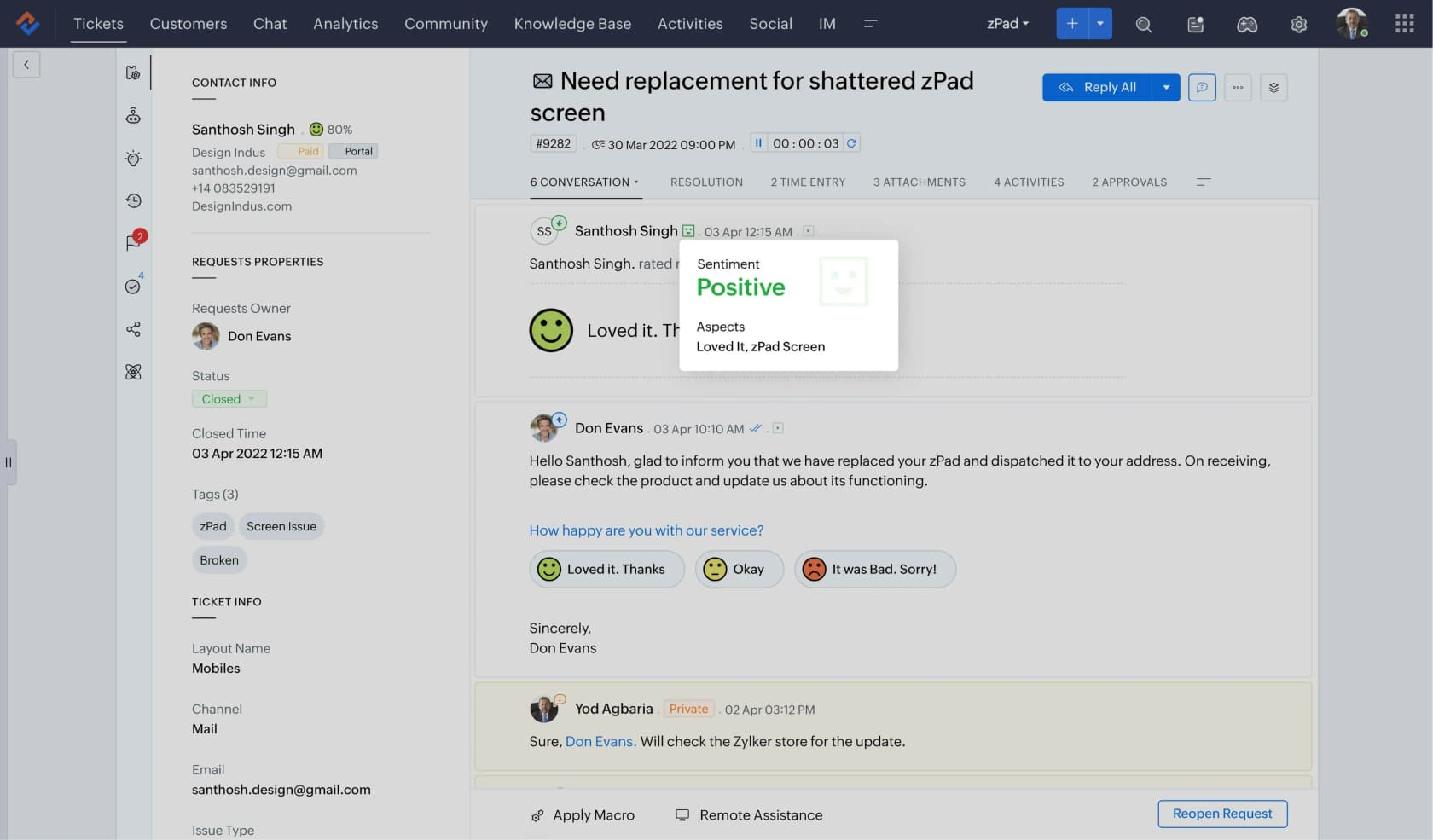
What a ticket is here: a standard status model scoped by department, which is the useful bit. Multi-department reporting is the feature you will grow into.
Pricing: Free Edition $0 forever for 3 user licenses on email ticketing only, Express $7 per user per month annually, Standard $14, Professional $23, Enterprise $40.
Pros: nothing else here gives you this much for $14. Custom reports switch on at Standard, capped at 50 reports and 10 dashboards, and Professional removes both caps. Response and resolution-time dashboards start at Standard too, which is cheaper than any competitor's reporting gate.
Cons: the gates stack in awkward places. SLA dashboards do not appear until Professional, so on Standard you can set SLAs and cannot report on whether you hit them. Scheduled reports are Enterprise-only. Export is capped at 1,000 records per batch on Free and Express. Region is assigned at signup and migration is a manual email-ticketed process. My Zoho Desk AI review covers where Zia lands.
My take: the value pick, and genuinely underrated for internal desks with a simple catalogue. Just start at Standard, not Express, unless you truly never need a report.
5. Jira Service Management: best when the requesters are employees
Best for: IT, HR and facilities queues in a company whose engineers already live in Jira.
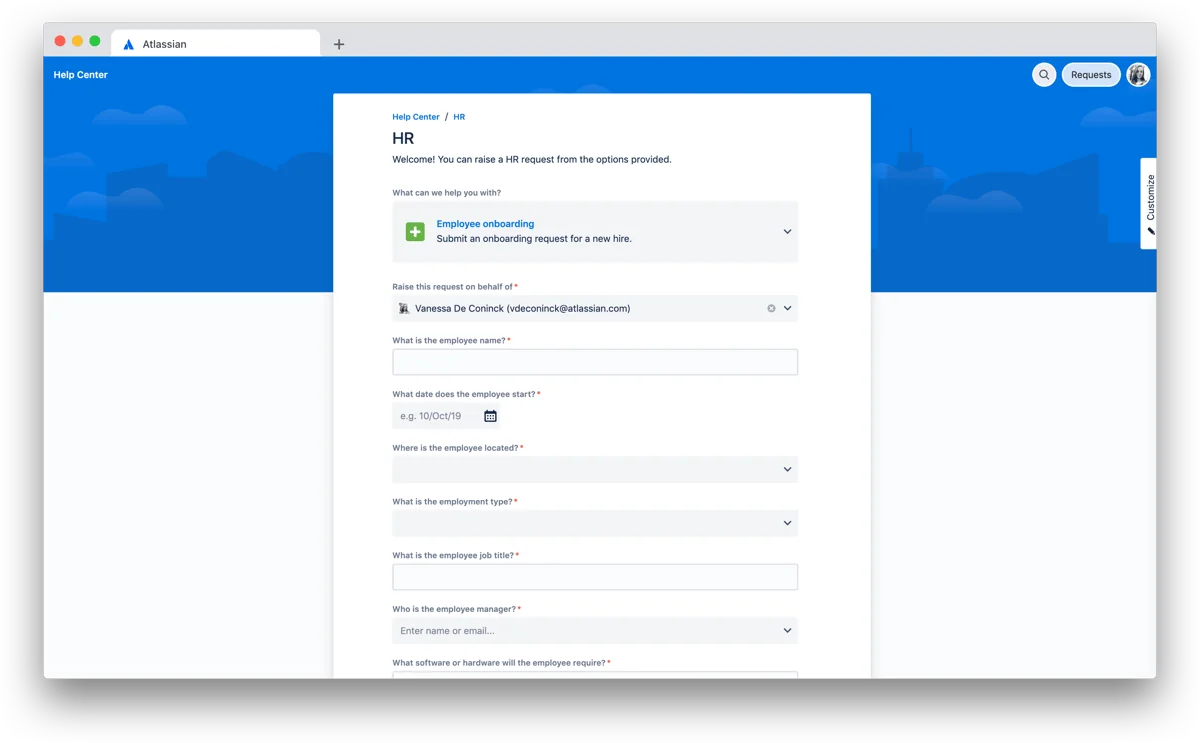
What a ticket is here: a request type on a work type on a workflow, with status and resolution as separate fields. A new space ships five work types (IT Help, Purchase, Change, Fault, Access) and two request types out of the box.
Pricing: it is no longer sold standalone. Atlassian's Service Collection licensing states the bundle "is sold as a single offering, including Jira Service Management, Customer Service Management, Assets, and Rovo. The apps cannot be purchased separately." Free covers 1 to 3 agents. Standard is USD 25 per agent per month in the 1 to 15 band, Premium USD 57.30, Enterprise annual-only.
Read the pricing page carefully: the "$20 / $51.42 per agent" it renders is a blended rate for its default 75 agents under progressive volume pricing, not a list rate. At 1 to 15 agents you pay 25, not 20.
Pros: the cleanest model for approvals, change management and assets, and the only tool here that separates "where the work is" from "how it ended." Three AI meters are documented, including Rovo Customer Service at a flat $1 per resolution. More in my writeups on Jira Service Management AI and Zendesk versus JSM.
Cons: the virtual service agent bills from $0.30 per assisted conversation and counts matched intents even when it escalates, so the meter rewards matching rather than resolving. And it is the wrong shape for customer conversations, whatever the Customer Service Management bundle implies.
My take: the default for internal ticketing, full stop, if you are already an Atlassian shop. Price it at the 1 to 15 band rate and treat the bundle as non-negotiable, because it is.
6. Gorgias: best ticketing system software for Shopify stores
Best for: ecommerce teams whose tickets are order questions.
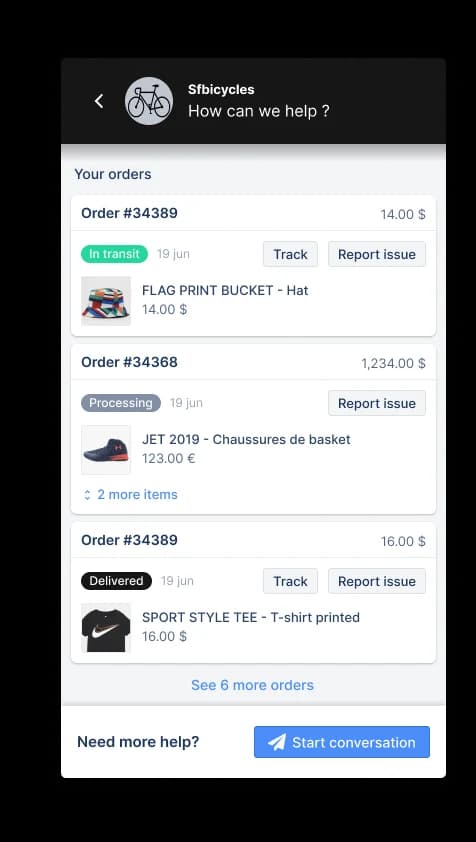
What a ticket is here: the billing unit. Gorgias is the only tool in this list where the ticket count is what you buy, and its pricing page is blunt about it: "Helpdesk scales from 50 to 5,000 tickets a month, never priced per agent."
Pricing: Starter $40 per month monthly-only, Basic $77 per month annually ($924 a year), Pro $471 ($5,652), Advanced $1,227 ($14,724). Included tickets are 50, 300, 2,000 and 5,000. Overage is $0.40 per ticket on Starter and Basic, $0.36 on Pro and Advanced. Seats are free: 3 on Starter, 500 on the rest.
Pros: order data sits inside the ticket, which is the whole point, and it is the only vendor here where dashboards, custom dashboards, SLA and CSAT reports and CSV export are available on every plan. That is a real differentiator against Zendesk's $115 reporting gate.
Cons: each AI Agent automated interaction is $1.00 on Starter, $0.90 on Basic and Pro, and $0.85 on Advanced, so the rate barely falls as you move up the four published plans. What does change is the bundled floor: $30, $27, $171 and $477 a month covering 30, 30, 190 and 530 included interactions, so the bundled AI component works out at about $1.00 per included interaction on Starter and about $0.90 on the other three plans. The Revenue report needs Pro or above plus a connected Shopify store, which is a six-fold jump from Basic. My Gorgias AI pricing calculator models it, and Gorgias alternatives covers the exits.
My take: the right desk for a Shopify store and the most expensive AI meter in this roundup. Buy the desk, then price the AI layer separately rather than assuming the bundled agent is the cheapest option.
7. Help Scout: best for small teams who hate admin
Best for: five to fifteen people who want a shared inbox that behaves like a ticketing system.
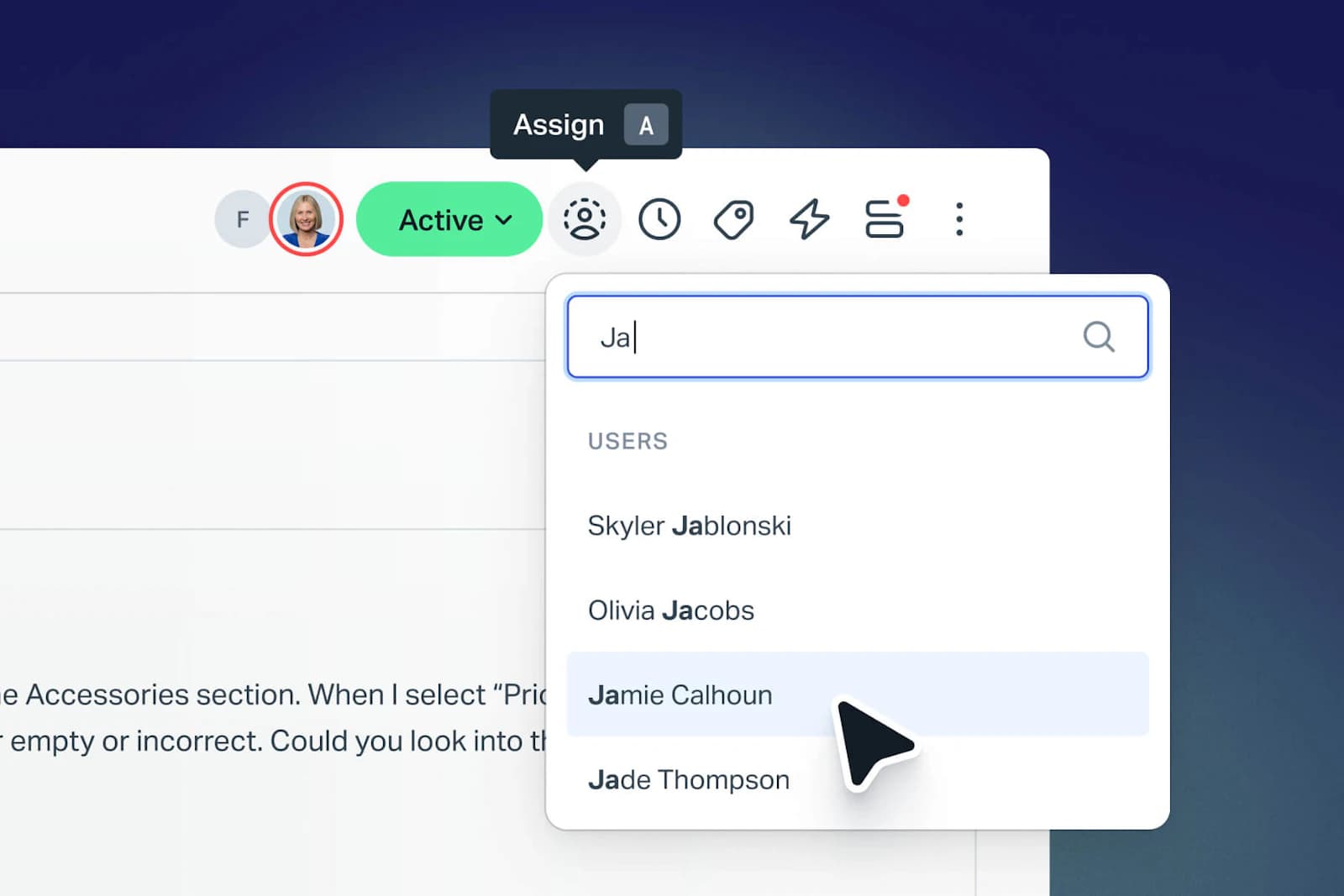
What a ticket is here: a conversation. The model is deliberately thin, which is the appeal and the ceiling.
Pricing: Free $0 for up to 5 users and 100 contacts a month, Standard $25 per user per month, Plus $45, Pro $75 with a 10-seat minimum and demo-only signup. Extra inboxes are $10 a month, extra Docs sites $20.
Pros: fastest time to live here by a distance, and the AI billing is the most honest in the roundup: $0.75 per resolution, same rate on every plan, with a monthly spend cap that auto-disables AI Answers when you hit it, plus three months of free unlimited resolutions from account creation.
Cons: there is no report builder at any price. Asked directly, the reports doc answers "Not in the app. While we offer lots of filters, there isn't a way to customize how calculations are performed nor is there an option to build custom reports based on custom data sets." Reporting history is 30 days on Free and 2 years on Standard. Hosting is US-only, and there is no contractual uptime SLA. See Help Scout alternatives if that list is disqualifying.
My take: the tool I would hand a small team that has never run a desk, on the condition that nobody upstairs needs custom reports. The spend cap on AI is a feature more vendors should copy.
8. Front: best when support looks like an inbox with owners
Best for: teams doing account-shaped support where the same humans handle the same customers.
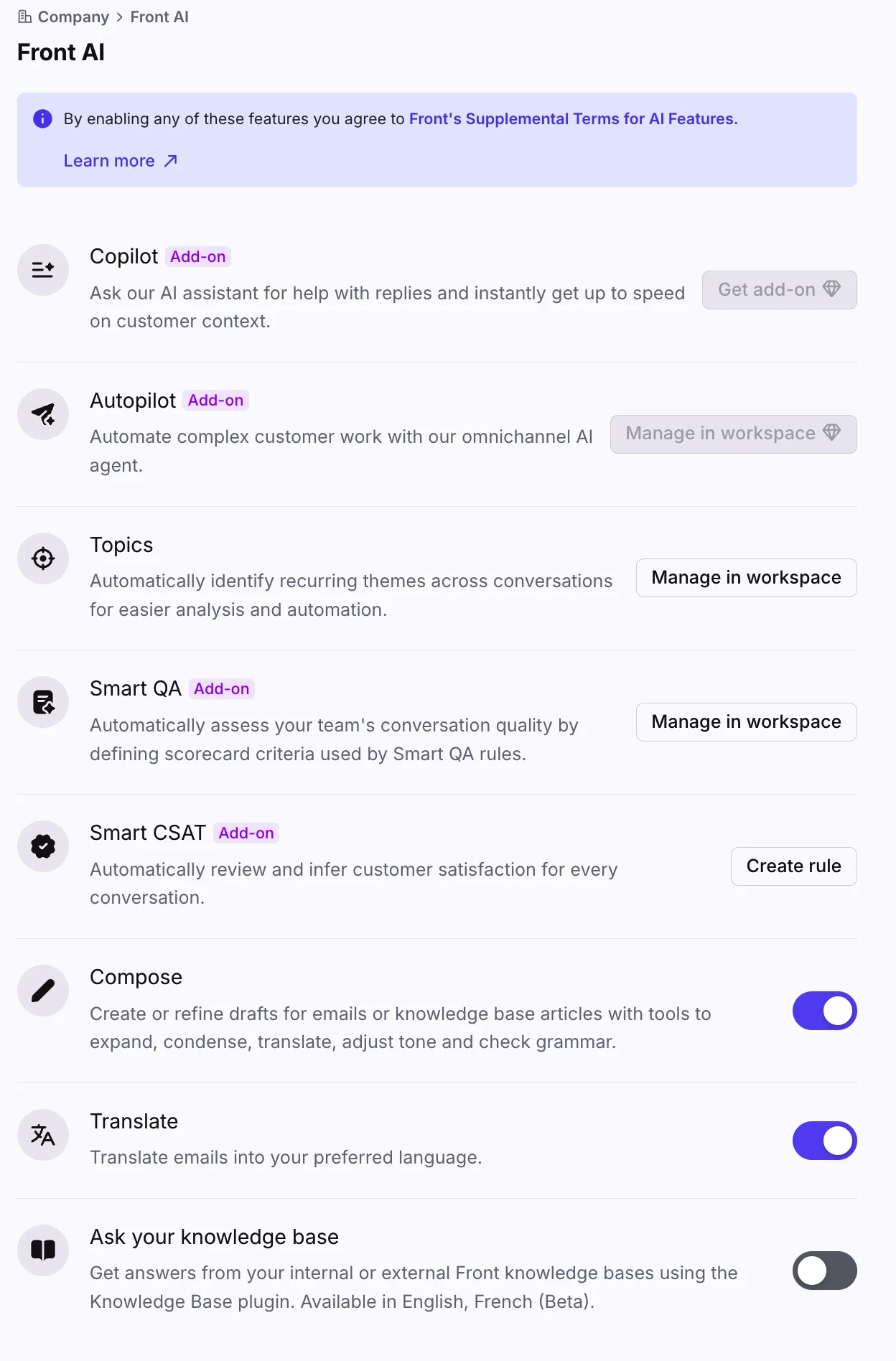
What a ticket is here: a conversation with an assignee, comments and internal discussion attached. It reads as email and reports as a desk, mostly, which puts it close to the email help desk category.
Pricing: Starter $25 per seat per month annually for up to 10 seats, Professional $65 for up to 50, Enterprise $105 annual-only with no seat cap. Wire and ACH payment only apply above $12K contract value, and contracts over $25k require a paid onboarding package.
Pros: the collaboration model is the best here for teams who reply as a group, and the included AI comes with generous per-teammate daily quotas: up to 200 Compose actions, 200 Translate requests and 200 manual Summarize calls.
Cons: the reporting ladder is steep. Custom reports are Enterprise-only at $105 a seat, and the CSAT report, scheduled reports and live dashboard all require Professional at $65, not Starter. Autopilot is the only Front AI product with no plan that includes it, billed by outcome at $0.05 for triage, $0.39 for a handoff and $0.89 for a resolution. Region choice is not self-serve, and Front's own policy says that even after choosing, "Customer Data may be hosted outside of the chosen region." My guide to adding AI to Front covers the layer approach.
My take: brilliant at collaboration, expensive at analytics. If your reporting need is real, price Enterprise from the start rather than discovering the gate at renewal.
9. HubSpot Service Hub: best when the CRM is the system of record
Best for: teams already on HubSpot who want support context next to the deal record.
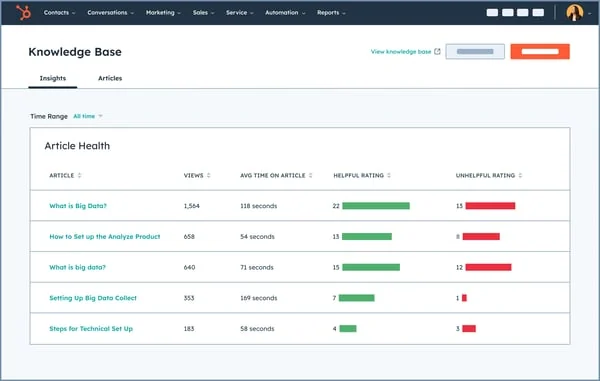
What a ticket is here: a CRM object on a pipeline. The default Support Pipeline has four statuses (New, Waiting on contact, Waiting on us, Closed), and Category is set by AI from the first message, learning from manual corrections.
Pricing: Free for up to 2 users, Starter $7 per seat per month on a monthly commitment (or $20 pay-as-you-go), Professional $90 committed annually ($100 monthly), Enterprise $150. Onboarding is a required one-off: $1,500 on Professional, $3,500 on Enterprise.
Pros: unbeatable customer context, since the ticket sits on the same record as the deal and the email history. The AI ownership field is a nice touch, tracking whether a Human rep, Customer Agent or Rule-based bot handled each stage.
Cons: credits. AI runs on HubSpot Credits at $9 per 1,000 annually, and Customer Agent costs 50 credits per resolved conversation. Professional's included 3,000 credits a month is about 60 AI resolutions, which is a rounding error at any real volume. Custom reports are Professional and up, refresh roughly every two hours, and a Reporting Limit Increase is $200 a month per pack. My deeper look at Service Hub ticket deflection has the arithmetic.
My take: buy it for the CRM context, not the AI economics. If you are already paying for HubSpot elsewhere it is an easy yes, and the AI layer is worth pricing against an outside option.
10. Kustomer: best enterprise CX desk with a real uptime SLA
Best for: larger CX orgs that need a contracted availability number and a named CSM.
What a ticket is here: a timeline-first conversation attached to a customer, rather than a standalone ticket record. It is the most customer-centric model in this list.
Pricing: no public plan price. Kustomer's pricing page says "Every CX team's setup is different, so we don't post one-size-fits-all pricing," with current plans named Enterprise and Ultimate. What it does publish are usage rates: AI Agents for Customers at $0.60 per engaged conversation, AI Agents for Reps at $40 per user per month, HIPAA compliance at $25 per user per month, voice from $0.02 a minute and storage at $50 per GB per month.
Pros: it is one of very few vendors here that publish a 99.9% uptime SLA with service credits and include a Customer Success Manager, at a time when Freshdesk, Help Scout, Front and Gorgias publish no uptime percentage at all. Zendesk's own 99.9% only applies to Premier Support customers.
Cons: the billing unit is the engaged conversation, not the resolution, so an AI that engages and hands off still bills. Storage at $50 per GB per month is a line item that grows quietly. And a quote-only price makes budgeting a negotiation.
My take: the enterprise pick when the contract matters more than the sticker, especially in regulated verticals. Everyone else should read the meter definition twice before signing.
The escalation ladder is what justifies the whole purchase
The reason any of this matters is not software elegance. It is that every escalation stacks cost on the last one, which is why escalation handling is worth more attention than most buyers give it.
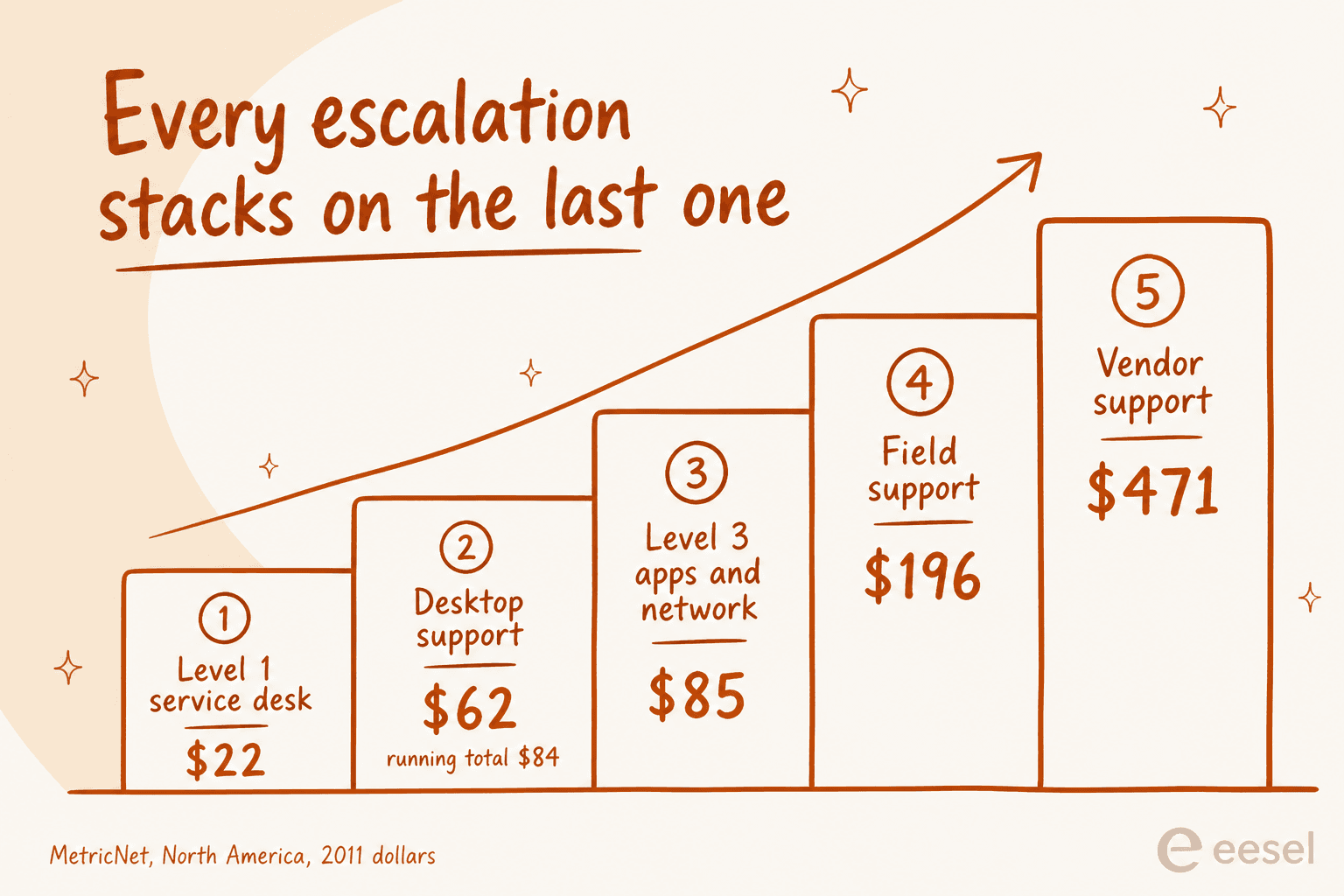
MetricNet's first level resolution research puts average cost per ticket at $22 for a level 1 service desk, $62 for desktop support, $85 at level 3, $196 for field support and $471 for vendor support, in 2011 dollars. Crucially the ladder is cumulative: "If a ticket is logged at level 1 and then escalated to level 2 (desktop support) for resolution, the average cost of resolution is not just $62, but $62 plus $22, for a total of $84."
Newer channel numbers tell the same story from a different angle. HDI's 2021 cost per ticket figures put the average walk-up ticket at $37.52, voice at $17.19, chat at $15.72 and self-help at $2.37. Once each channel's minimum and maximum are included, the authors describe the range as varying "by more than two orders of magnitude (100X) from the lowest cost self-help ticket to the highest cost walk-up ticket", which is $0.74 against $104.68.
That is the frame for the AI layer. At an effective $0.38 to $0.60 (eesel) or $0.75 (Help Scout) per handled request, the meter is cheap relative to a $17 voice ticket, and the question stops being whether to automate and becomes which band to automate. Do check the honest ceiling though. MetricNet's own AI benchmarks put the leaders at automating "up to 50% of customer interactions," while Zendesk's service page advertises up to 80%. Plan against the lower number.
Self-service is the sharper reality check. MetricNet's benchmarking database puts the average self-service completion rate at 10.4%, ranging from zero to 55%. If your knowledge base has never been measured, assume you are near the bottom of that range, because the failure mode is universal:
"I run a small team, and we have an internal wiki for processes, FAQs, and troubleshooting. The problem? No one updates it. People keep asking the same questions in Slack instead of checking the wiki."
What I would check before signing anything
Six checks, in the order I would run them.
- Ask what one billable AI unit is, in writing. Not the rate, the unit, and price it against your own triage volume. Session, interaction, engaged conversation, verified resolution and ticket handled are five different things. Published rates here span $0.05 to $1.00, two vendors publish no rate at all, and a cheap rate on a unit that bills failed attempts loses to a dearer rate on one that only bills outcomes.
- Find the plan where custom reporting switches on. That is your real entry price. Zendesk $115, Freshdesk $55, Front $105, HubSpot $90, Zoho Desk $14, Help Scout never.
- Test what happens when a customer replies after closure. In Zendesk a reply to a Solved ticket reopens it and reassigns to the original agent, while a reply to a Closed ticket spawns a follow-up. Whatever your tool does, your reopen rate depends on it.
- Ask where the data lives and whether you can change it later. Freshdesk and Zoho assign the region at signup. Zendesk can move accounts between regions without notice unless the Data Center Location add-on is activated, and it is "included but not automatically activated."
- Read the uptime commitment, not the marketing number. Freshdesk, Help Scout, Front and Gorgias publish no uptime percentage anywhere public. Zendesk's 99.9% is Premier Support only, covering five products.
- Export a month of tickets before you commit. This is the one people skip and regret:
"I have exported my historical tickets to XML but not going to work. First my tickets are a mess. They are not properly organized, tagged, or anything. Lot of the info chatGPT would need to understand is in custom fields which are not labeled in any export."
Unlabelled custom fields in an export are also why AI training on past tickets stalls. Fix the field hygiene before you migrate or automate, not after. My guide to tagging tickets with AI covers the cleanup, and ticket routing covers where it pays off.
Try eesel on the ticketing system you already run
If the desk is fine and the queue is the problem, changing ticketing system software is the expensive way to solve it.

eesel connects to Zendesk, Freshdesk, Gorgias, Jira and the rest, learns from your past tickets and help centre, and answers the repetitive tier-1 band inside the tool your team already has open. It uses 1 credit per ticket handled, with no seats, on plans from $299/month for 500 credits, so a partial rollout uses a partial amount: route 200 of 1,000 monthly tickets and the 500-credit plan covers it. Before it touches a live customer it runs a simulation against your historical volume, so you see the resolution rate on your own tickets rather than on a vendor slide. The free plan includes 100 credits, no card.