

Most lists of customer service software examples put ten logos in a row as if they're interchangeable. They aren't. They're five different product shapes with five different meters: shared inboxes and ticketing suites bill per seat, ecommerce helpdesks bill per ticket, chat widgets bill per conversation, and AI layers bill per resolution.
The cheapest real desk here is Zoho Desk Express at $7 per agent per month. The most expensive is Salesforce Agentforce 1 Service at $550 per user per month. That 78x gap is not a quality gap, it's a category gap, and picking across categories is how teams end up paying enterprise money for a shared inbox.
The part almost nobody prices correctly is the AI. One customer email with four replies costs 1 credit on a per-ticket credit meter, $0.75 on a per-resolution meter, and up to $1.00 per automated interaction on Gorgias. I build AI agents at eesel, and the single most common surprise on a pricing call is a team discovering the unit, not the rate, is what set their bill.
The five shapes of customer service software
Before the examples, the taxonomy, because it's what makes the examples make sense.
"Customer service software" is a bucket that holds five different products. They look similar in a screenshot (a list of conversations on the left, a reply box in the middle) and they behave nothing alike once you have volume.
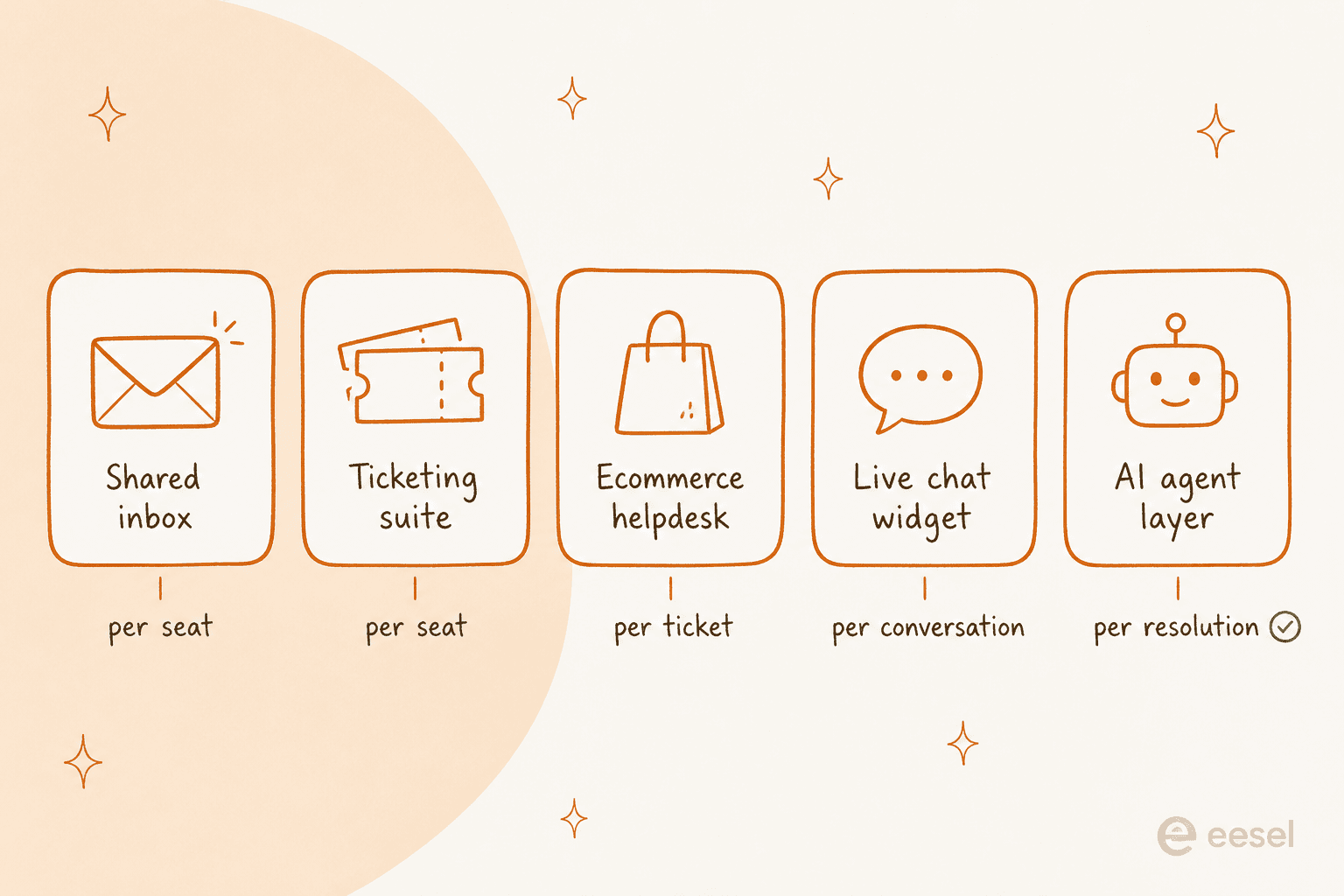
A shared inbox (Help Scout, Front) is email with assignment and collision detection bolted on. It's fast to adopt because it feels like Gmail. It gets thin when you need SLAs, portals or serious routing.
A ticketing suite (Zendesk, Freshdesk, Zoho Desk, Salesforce Service Cloud, HubSpot Service Hub) is a system of record. Every conversation becomes a ticket with a status, a queue and an audit trail. That's what you want when compliance or headcount planning depends on the data, and it's also why these tools take weeks rather than hours to set up.
An ecommerce helpdesk (Gorgias) is a ticketing suite that has swallowed your store. Order data, refunds and subscription actions live inside the ticket. Worth it if most of your volume is "where is my order", overkill otherwise.
A live chat widget (Crisp) starts from the website, not the inbox. It's built for presales conversion as much as support, and its meter is usually the conversation.
An AI agent layer (eesel, and the AI add-ons the suites sell) doesn't own the inbox at all. It reads your knowledge, drafts or resolves, and hands the rest to a human. It only makes sense on top of one of the four above.
- Examples: Help Scout ($25/user/mo), Front ($25/seat/mo)
- Watch out for: no custom report builder on Help Scout at any price
- Examples: Zoho Desk ($7-$40), Freshdesk ($19-$89), Zendesk ($19-$115+)
- Watch out for: custom reports start at $55 on Freshdesk and $115 on Zendesk
- Examples: Gorgias ($40-$1,430/mo), Zendesk plus a Shopify app
- Watch out for: $0.85 to $1.00 per automated interaction, and each bot reply counts
- Examples: Crisp ($45-$295/mo per workspace)
- Watch out for: whether AI replies are billed on top of the plan price
- Examples: eesel (from $299/mo for 500 credits), the AI add-ons your desk already sells
- Watch out for: whether it can be simulated on past tickets before going live
The 10 examples at a glance
Prices are annual list, per agent per month, pulled from each vendor's live pricing page on 29 July 2026 (HubSpot rechecked on 26 October 2026).
| Example | Shape | Entry price | Top published plan | AI meter | Free tier | Custom reports from | Self-host |
|---|---|---|---|---|---|---|---|
| eesel | AI agent layer | From $299/mo (500 credits) | $1,899/mo (5,000 credits) | 1 credit per ticket or chat | 100 free credits, no card | n/a (sits on your desk) | No |
| Zendesk | Ticketing suite | $19 Support Team | Talk to sales | Unpublished AR rate | No | $115 Suite Professional | No |
| Freshdesk | Ticketing suite | $19 Growth | $89 Enterprise | $0.49/session over 500 | No | $55 Pro | No |
| Zoho Desk | Ticketing suite | $7 Express | $40 Enterprise | Bundled, no add-on SKU | Yes | $14 Standard | No |
| Help Scout | Shared inbox | $25 Standard | $75 Pro | $0.75/resolution | Yes, 5 users | Never | No |
| Front | Shared inbox | $25 Starter | $105 Enterprise | Add-on, quoted | No | $105 Enterprise | No |
| Gorgias | Ecommerce helpdesk | $40/mo Starter | $1,430/mo Advanced | $0.85-$1.00/automated interaction | No | Every plan | No |
| HubSpot Service Hub | CRM-native suite | $20 Starter (shown at $7) | $150 Enterprise | $0.50/resolution, Pro and up | Yes, 2 users | $90 Professional | No |
| Chatwoot | Open-source suite | $19 Startups | $99 Enterprise | 1 credit/message | Yes, 2 agents | Business | Yes |
| Salesforce | CRM-native suite | $25 Starter Suite | $550 Agentforce 1 | $2.00/conversation | No | $175 Enterprise | No |
Two columns in that table decide more than the price column does. Custom reports from is where your first upgrade will come from, and AI meter is what your invoice will look like in month six.
1. eesel
Best for: teams who already run Zendesk, Freshdesk, Gorgias or Front and want autonomous resolution without a migration.
Full disclosure, this is the one I work on, so read the rest with that in mind. It's in the list because it's the clearest example of the fifth shape, and that shape is the one most roundups leave out.

eesel doesn't give you an inbox. It connects to the desk you already run, reads your help center, past tickets, Confluence, Google Docs and Slack, and then drafts or resolves inside your existing workflow.
Features. An AI agent that answers autonomously, a copilot that drafts for humans, and a simulation mode that replays the agent against your historical tickets so you see a resolution rate before a customer sees a reply. Actions can look up orders and file tickets rather than just quoting the knowledge base.
Pros. Setup is an afternoon rather than a migration. The scope is controllable, so you can start on refund requests only and widen from there. Pricing has no seat fee.
Cons. It is not a helpdesk. If you don't already have somewhere for tickets to live, this is not your first purchase. There's no Crisp integration, though a native Zoho Desk integration was added in September 2026.
Pricing. One fixed monthly price sized to volume, starting at $299/month for 500 credits. 1 credit covers one ticket or chat, no matter how many replies it takes. No per-seat fee and no platform fee, with SSO and MFA available as an add-on from $199/month. A free plan with 100 credits needs no card.
Verdict: the right pick when the desk is fine and the queue isn't. Skip it if you're shopping for the desk itself.
2. Zendesk
Best for: support orgs past about 20 agents that need a real system of record and can staff an admin.

Zendesk is the archetype. When people picture customer service software, they're usually picturing this: a ticket list, a macro library, triggers and automations, and Explore sitting behind it all.
Features. Omnichannel ticketing, a mature trigger and automation engine, SLA policies, a help center, and a deep API. Copilot drafts replies for agents at $50 per agent per month.
Pros. Nothing else here scales as far. The app marketplace is the largest in the category, and the routing model handles multi-brand setups other tools can't.
Cons. Reporting is where the complaints cluster, and they are not gentle.
"I have never found anything as complex as Zendesk explore.
I've worked with ThoughtSpot building dashboards, reports and exports but omg Zendesk, you are taking so much of my time!!!!!!!!"

Also worth knowing before you sign: Zendesk no longer publishes a dollar rate for an Automated Resolution, and the standalone Advanced AI add-on is gone. If a comparison post quotes you a per-resolution Zendesk price, it's working from stale data.
Pricing. Support Team $19, Suite Team $55, Suite Professional $115, and an Enterprise tier that's now talk-to-sales. Custom reports start at $115.
Verdict: buy it for the ceiling, not the starting price. Small teams almost always overbuy here, and Zendesk alternatives exist for a reason.
3. Freshdesk
Best for: mid-market teams that want most of Zendesk's model at roughly two-thirds the price.

Freshdesk has spent years as the value pick, and the 2026 line-up mostly holds that. The big change is that the free plan is gone.
Features. Ticketing with automations, a knowledge base, chat support, and Freddy AI split into two products: an Agent that deflects and a Copilot that drafts.
Pros. The most generous AI trial in the category. Freddy AI Agent includes the first 500 sessions on every plan, including $19 Growth, which is unusual honesty about letting you find out whether the AI works before paying for it.
Cons. Real-time dashboards don't exist on any plan, and the CSAT report is blocked on Growth. The paywall pattern is a recurring theme in reviews.
"Basic reports are fine, but if you want more detailed insights you sometimes have to spend time configuring things. Also, some useful features are locked behind higher pricing plans, which can be a bit limiting for smaller teams."

Pricing. Growth $19, Pro $55, Enterprise $89. Freddy Copilot is $29 per agent and needs Pro or above. Freddy Agent overage runs $49 per 100 sessions, so $0.49 a session.
Verdict: the best-value ticketing suite on this list if your reporting needs stop at scheduled exports. If they don't, budget for $55 Pro from day one.
4. Zoho Desk
Best for: cost-sensitive teams, especially ones already inside Zoho One.
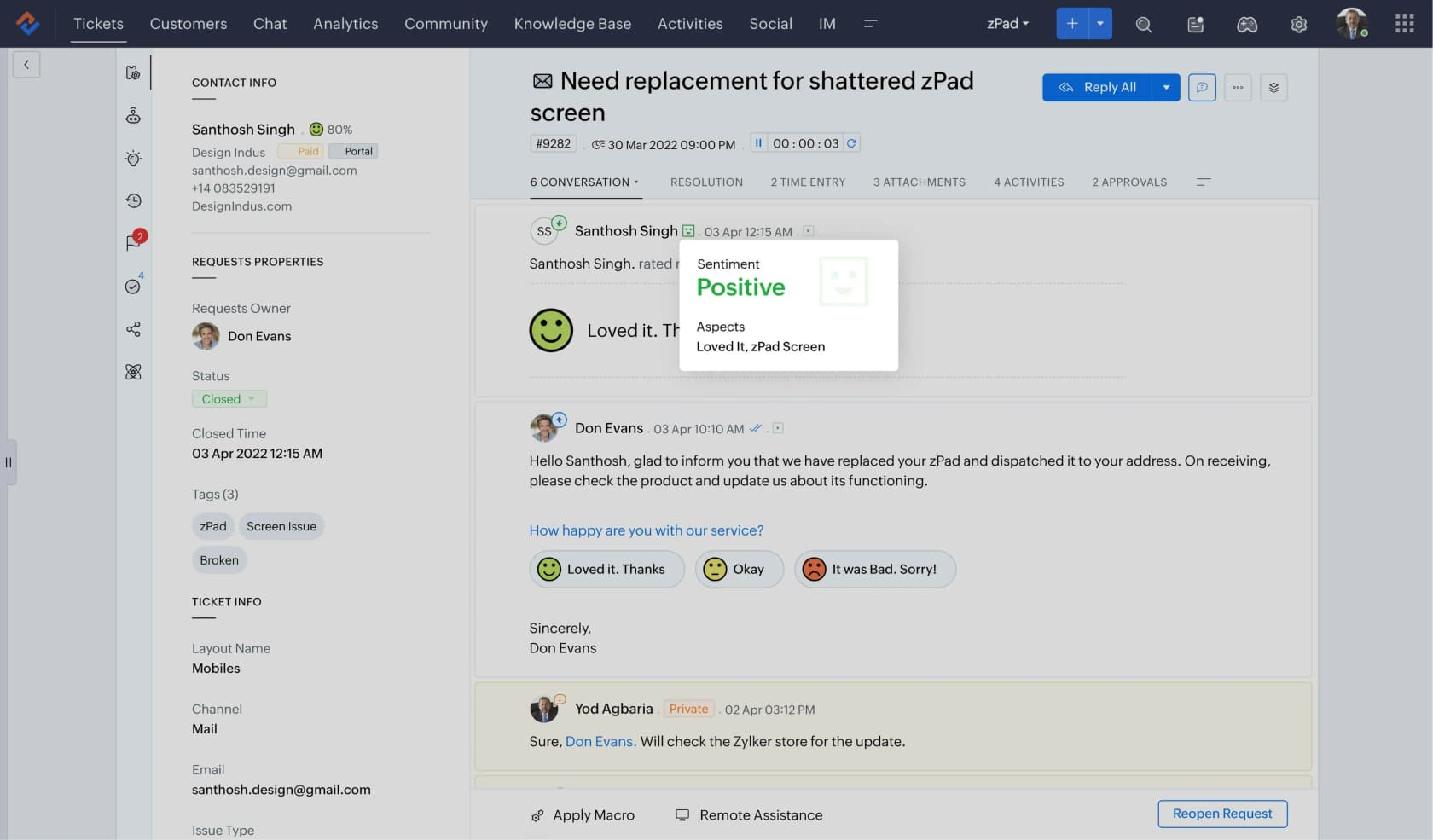
Zoho Desk is the cheapest serious desk here by a distance, and the 2026 pricing quietly got better rather than worse.
Features. Multichannel ticketing, blueprints for process enforcement, a customer portal, and Zia, which covers sentiment, reply suggestions and an answer bot.
Pros. $7 a seat buys real ticketing. Zia moved down from Enterprise to the $23 Professional plan, and the answer bot now starts at $14 Standard, which used to be an Enterprise conversation. Custom reports also start at $14, the earliest on this list.
Cons. The report builder caps at 50 reports on Standard, SLA dashboards stay at $23 even though you can set SLAs at $14, and the UI carries a lot of Zoho's density. eesel connects to Zoho Desk (added in September 2026), so an AI layer can work the desk directly instead of sitting in front of it.
Pricing. Free, Express $7, Standard $14, Professional $23, Enterprise $40. Express includes 30 million free AI tokens a month, and there is no separate Zia add-on SKU to buy.
Verdict: the correct answer for a small team that needs a real desk on a real budget, as long as nobody on the team has to love the interface.
5. Help Scout
Best for: teams under about 15 people who want email support to feel like email.
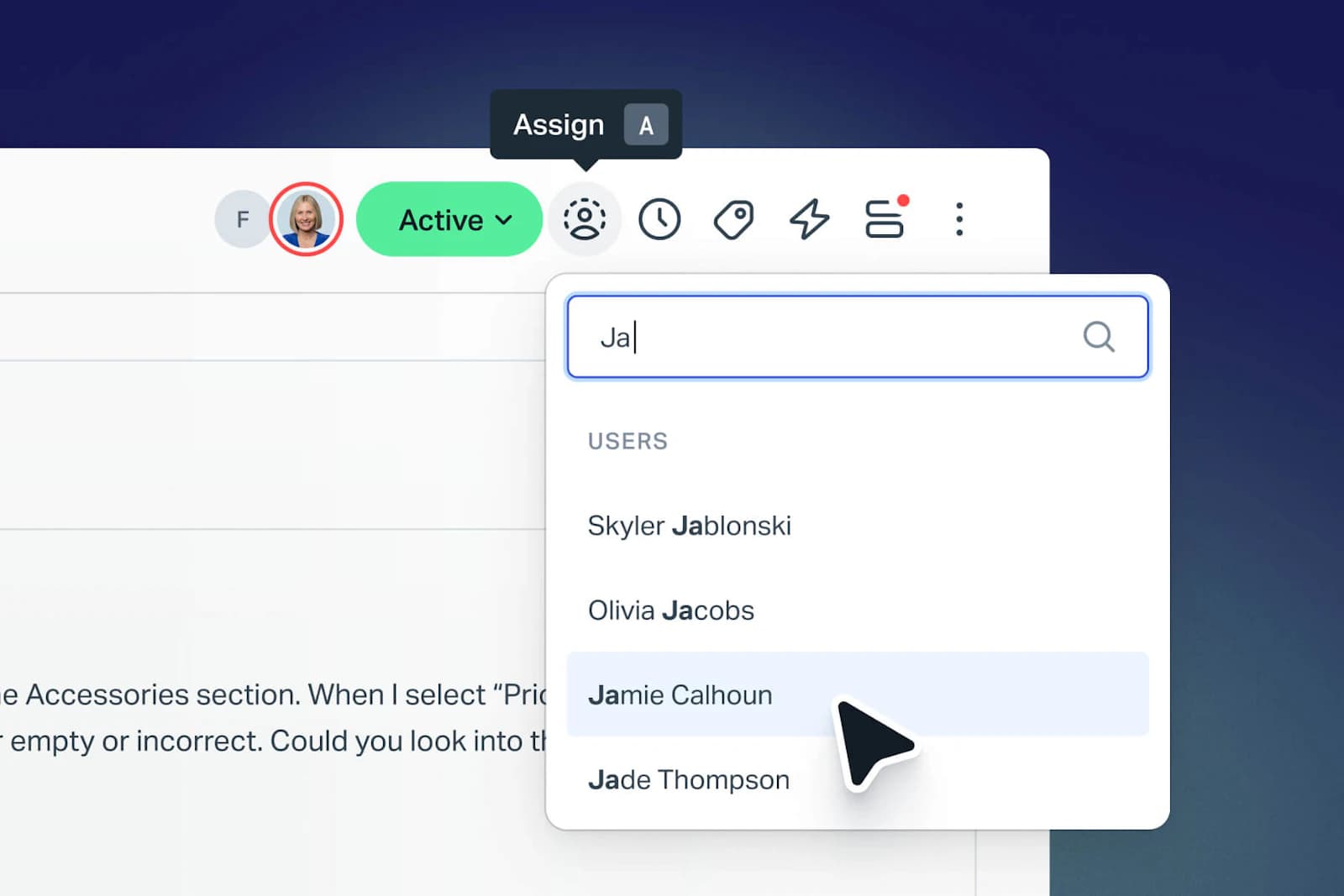
Help Scout is the friendliest tool in this list and the easiest to get a team using in a morning. Replies land in the customer's inbox looking like a person wrote them, with no ticket number in the subject line.
Features. Shared inbox, Docs knowledge base, saved replies, a live chat Beacon, and AI Answers for autonomous resolution.
Pros. The onboarding curve is close to zero. The AI meter is also the clearest one here: $0.75 per resolution, and you can read that number off the page without a call.
Cons. There is no custom report builder at any price, and Help Scout's own docs say so. That's not a paywall, it's an absence, and it's the single most common reason teams outgrow it. The reporting API also needs Plus at $45.
Pricing. Free up to 5 users and 100 contacts a month, Standard $25, Plus $45, Pro $75. AI Answers is $0.75 per resolution on top.
Verdict: delightful until the day your manager asks for a report nobody has built before. If that day is far away, buy it; if it's next quarter, look at Help Scout alternatives instead.
6. Front
Best for: account-based teams where support, success and sales all touch the same customer thread.
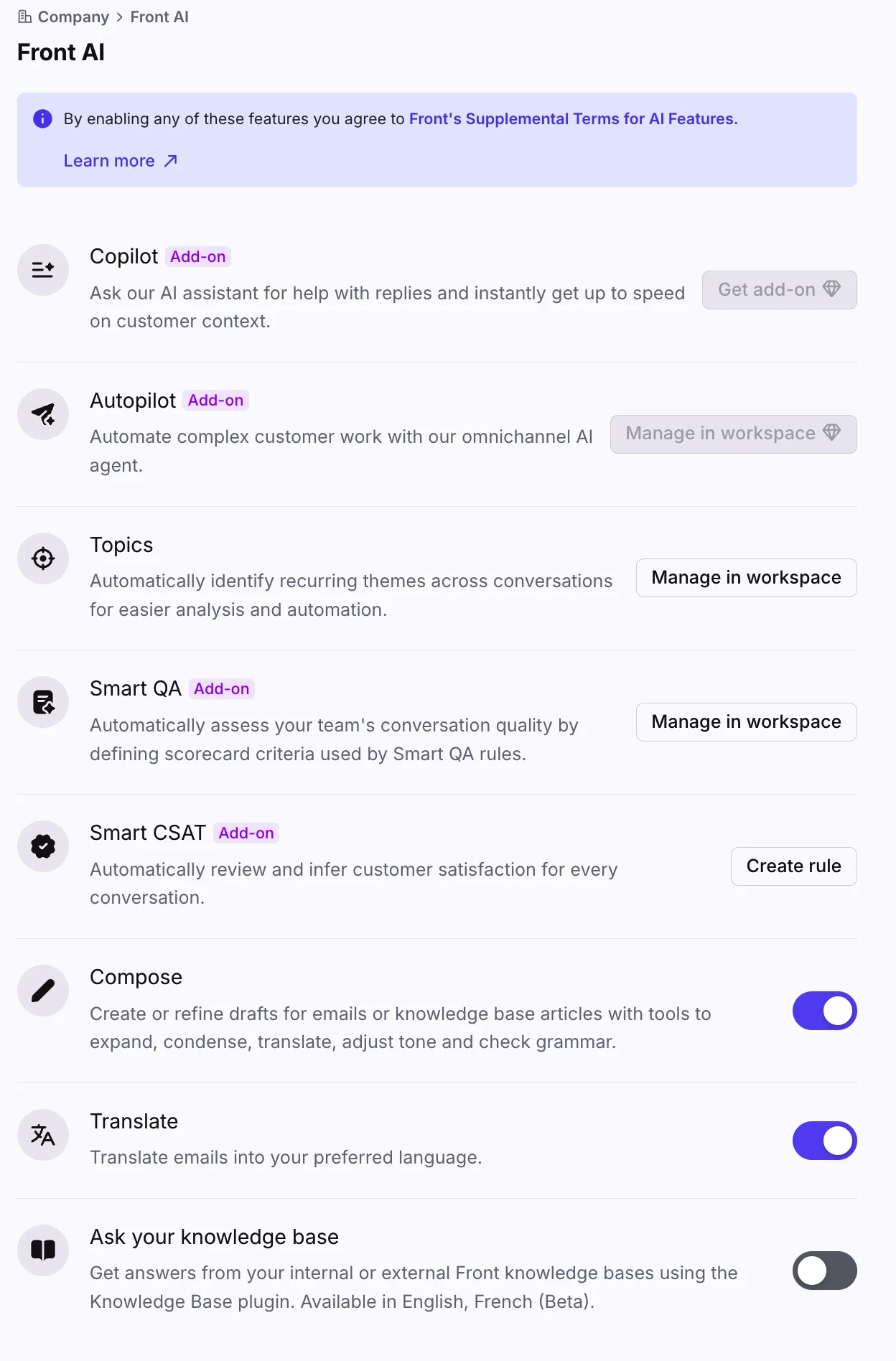
Front is a shared inbox that took the collaboration part seriously. Internal comments sit next to the customer thread rather than in a separate tool, which is why logistics, freight and B2B services teams cluster here.
Features. Omnichannel inbox, rules, analytics, a knowledge base, and an AI stack split across Copilot for drafting, Autopilot for autonomous resolution, plus Smart QA and Smart CSAT.
Pros. The best tool here for conversations that need three internal people before the customer gets an answer. Enterprise bundles Copilot, Smart QA and Smart CSAT rather than metering them one by one.
Cons. Almost everything interesting lives at $105 Enterprise, including custom reports and smart rules. Reports also lag about two hours and cap history at 6 to 24 months depending on plan. Starter is single-channel, so "email or chat or SMS", not all three.
Pricing. Starter $25 annual and up to 10 seats, Professional $65 annual and up to 50 seats, Enterprise $105 annual with no cap and annual billing only.
Verdict: worth the premium if your support is really account management wearing a support hat. Otherwise the jump to $105 is hard to justify, and adding AI to Front is the cheaper way to get resolution without the tier change.
7. Gorgias
Best for: Shopify and BigCommerce stores where most tickets are about an order.
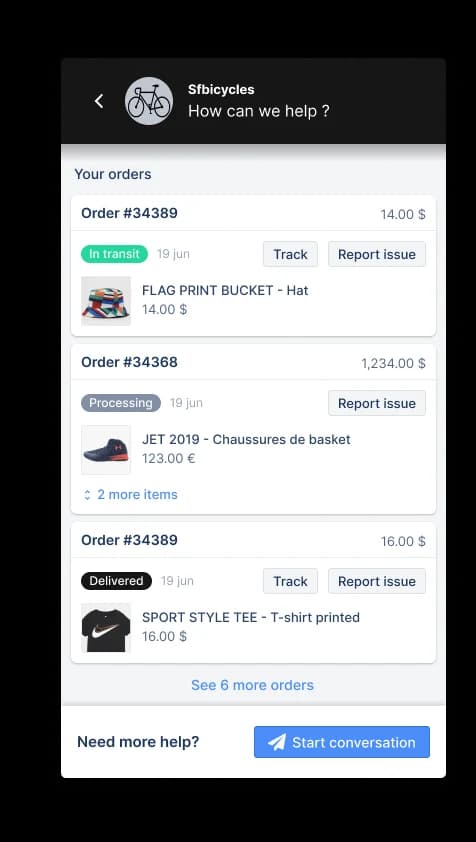
Gorgias is the clearest example of a vertical helpdesk. It knows what an order is, so refunds, cancellations and subscription changes happen inside the ticket rather than in a second browser tab.
Features. Deep Shopify integration, automation rules, revenue attribution per ticket, and an AI Agent that can take order actions rather than just answering questions.
Pros. For a store doing high WISMO volume, the order actions alone pay for it. One multi-brand ecommerce operator I spoke with was handling 500-plus tickets a day, and refunds, unsubscribes and order tracking were nearly the whole shape of it. That's exactly the profile Gorgias is built for.
Cons. The pricing is where care is needed. Gorgias bills by ticket, and AI Agent is billed at $0.85 to $1.00 per automated interaction depending on the plan. The headline says you pay when it resolves; the metered unit printed on the invoice is the automated interaction, and those aren't the same thing.
Pricing. Starter $40/mo, Basic $90/mo ($77 annual), Pro $550/mo ($471 annual), Advanced $1,430/mo ($1,227 annual). Ticket overage is $0.40 on smaller plans and $0.36 on larger ones.
Verdict: the best ecommerce desk, and the one where you should model the AI bill before you switch it on. See is Gorgias AI worth it for the maths.
8. HubSpot Service Hub
Best for: teams whose sales and marketing already run on HubSpot and want support on the same customer record.
HubSpot Service Hub is customer service software built into a CRM, the same idea as Service Cloud below at a much lower starting price. Every ticket sits on the contact and company record, so agents and the AI both see the customer's sales history.
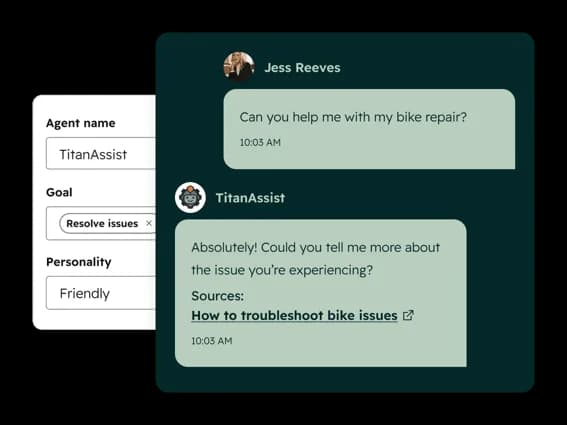
Features. Ticketing, a knowledge base, and the Breeze Customer Agent, which answers on chat, email, forms, WhatsApp and Facebook Messenger, with inbound voice calls in beta. It learns from your knowledge base, website, CRM data and past conversations, and hands off to a human with the full thread when it can't answer. Professional adds a Help Desk Workspace with automated routing and SLA tracking.
Pros. If your company already lives in HubSpot, there is one record per customer across sales, marketing and support. The AI meter is easy to read: $0.50 per resolved conversation, printed on the product page. The free plan covers 2 users with no card.
Cons. The Customer Agent needs Professional or Enterprise, and both carry a one-time onboarding fee. It runs on HubSpot Credits that every other HubSpot AI feature also draws from, and they reset monthly with no rollover. A conversation counts as resolved when it isn't handed to a human within 72 hours, so a chat the customer simply abandons can still count. Custom reports also start at Professional.
Pricing. Free for up to 2 users. Starter lists at $20 per seat (HubSpot was showing a discounted $7 in October 2026) and has no Customer Agent. Professional is $90 per seat billed annually plus $1,500 onboarding, with 3,000 credits a month, and Enterprise is $150 plus $3,500 onboarding, with 5,000. The Customer Agent uses 50 credits, or $0.50, per resolution, and extra credits are $10 per 1,000.
Verdict: the obvious pick if HubSpot is already your CRM, and an expensive way to get AI if it isn't. Professional's 3,000 credits cover about 60 resolutions a month if nothing else uses them, so price the extra credits before you switch the agent on.
9. Chatwoot
Best for: engineering-led teams with a data residency requirement and someone who enjoys running things.
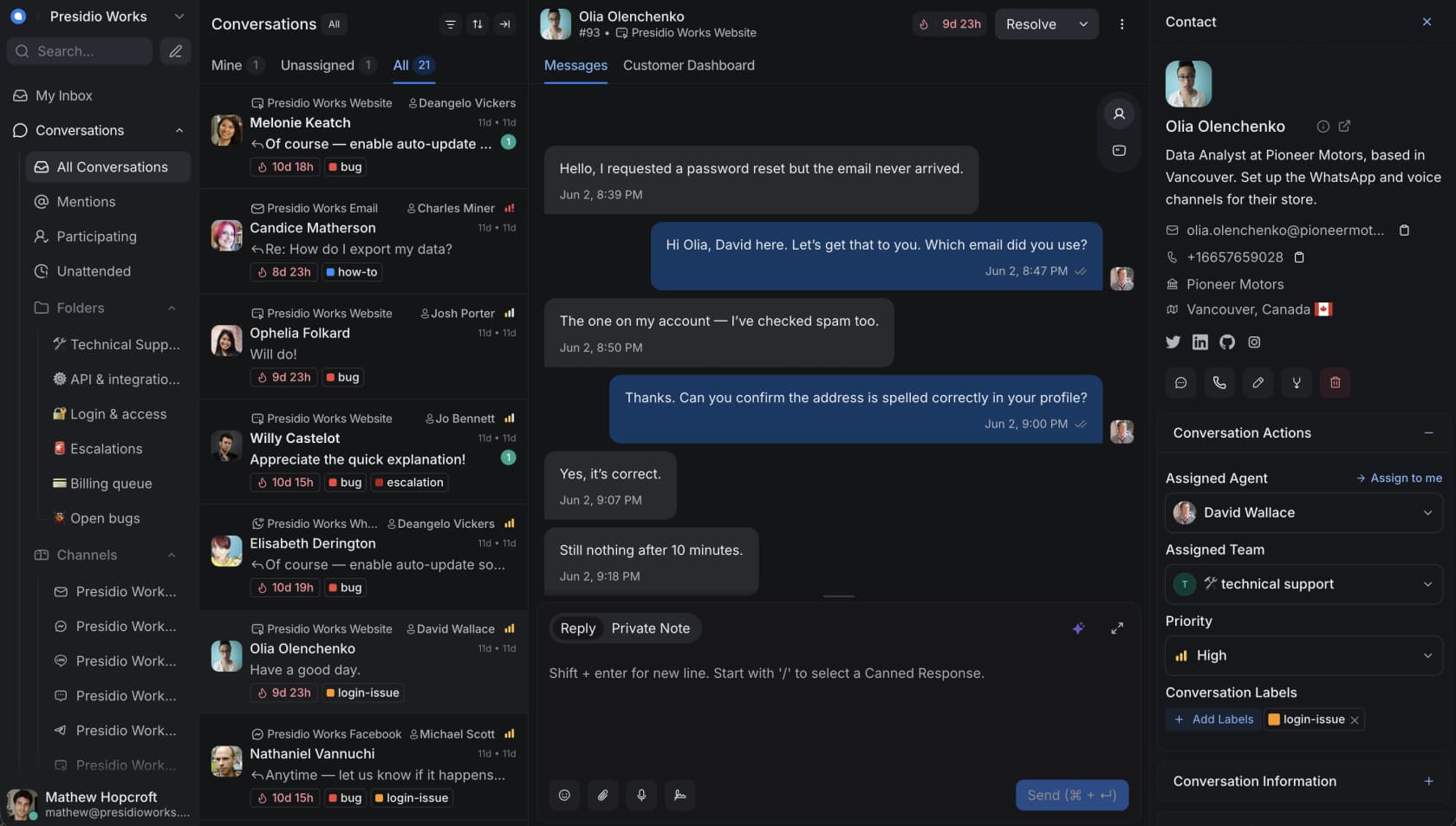
Chatwoot is the open-source example, and the only tool here you can run on your own hardware. That matters if a compliance review has told you customer data can't leave your infrastructure.
Features. Omnichannel inbox, canned responses, a help center, an API-first architecture, and Captain, the AI assistant.
Pros. Self-hosting is real and the Community edition really is free. The Cloud Hacker tier gives two agents and 500 conversations at no cost, which is a fair way to try it.
Cons. The thing to know before you plan around it: the free self-hosted Community edition excludes Captain AI, along with voice, SSO, custom roles and SLAs. "Free self-hosted with AI" is not a configuration that exists. Captain also burns one credit per message rather than per conversation, so a chatty resolution costs several credits.
Pricing. Cloud: Hacker $0 (2 agents, 500 conversations), Startups $19, Business $39, Enterprise $99 per agent per month annual. Self-hosted runs a separate ladder: Community $0, Premium Support $19, Enterprise Edition $99. Captain includes 300 to 800 credits by tier, with overage at $20 per 1,000 credits.
Verdict: the right call when residency is non-negotiable. Everyone else pays for the flexibility in engineering hours.
10. Salesforce Service Cloud
Best for: companies already running Salesforce, where the CRM is the reason rather than the desk.
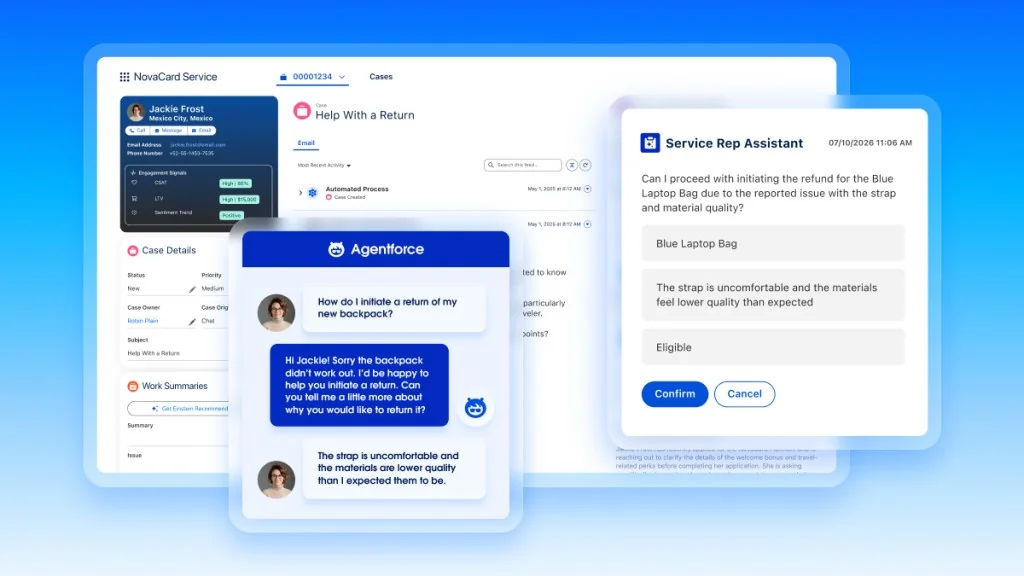
Service Cloud is customer service software as a CRM module. The case object sits next to the account, the opportunity and the contract, which is both powerful and expensive.
Features. Case management, omnichannel routing, knowledge, Einstein features, and Agentforce for autonomous resolution.
Pros. If your revenue data already lives in Salesforce, no other desk can see the customer as completely. The escalation and routing model is as deep as anything in enterprise software.
Cons. Price, and the meter. Agentforce bills $2.00 per conversation, or you buy Flex Credits at $500 per 100,000 with a standard action costing 20 credits, so about $0.10. Flex Credits do not roll over, which turns a usage forecast into a real budgeting exercise. Custom reports need $175 Enterprise.
Pricing. Starter Suite $25, Pro Suite $100, Enterprise $175, Unlimited $350, Agentforce 1 Service $550, all per user per month. The Agentforce User License is $5 per user and still requires credits, with a $125 per user add-on above that.
Verdict: buy it because of Salesforce, never instead of Salesforce. At $175 a seat plus $2 a conversation, the AI economics only work if the CRM is already load-bearing.
What the pricing pages don't tell you
Here's the part I'd want a friend to know before they sign anything.
Take one ordinary support email that needs four replies to resolve. Same customer, same problem, same outcome. Now run it through each of the meters above.
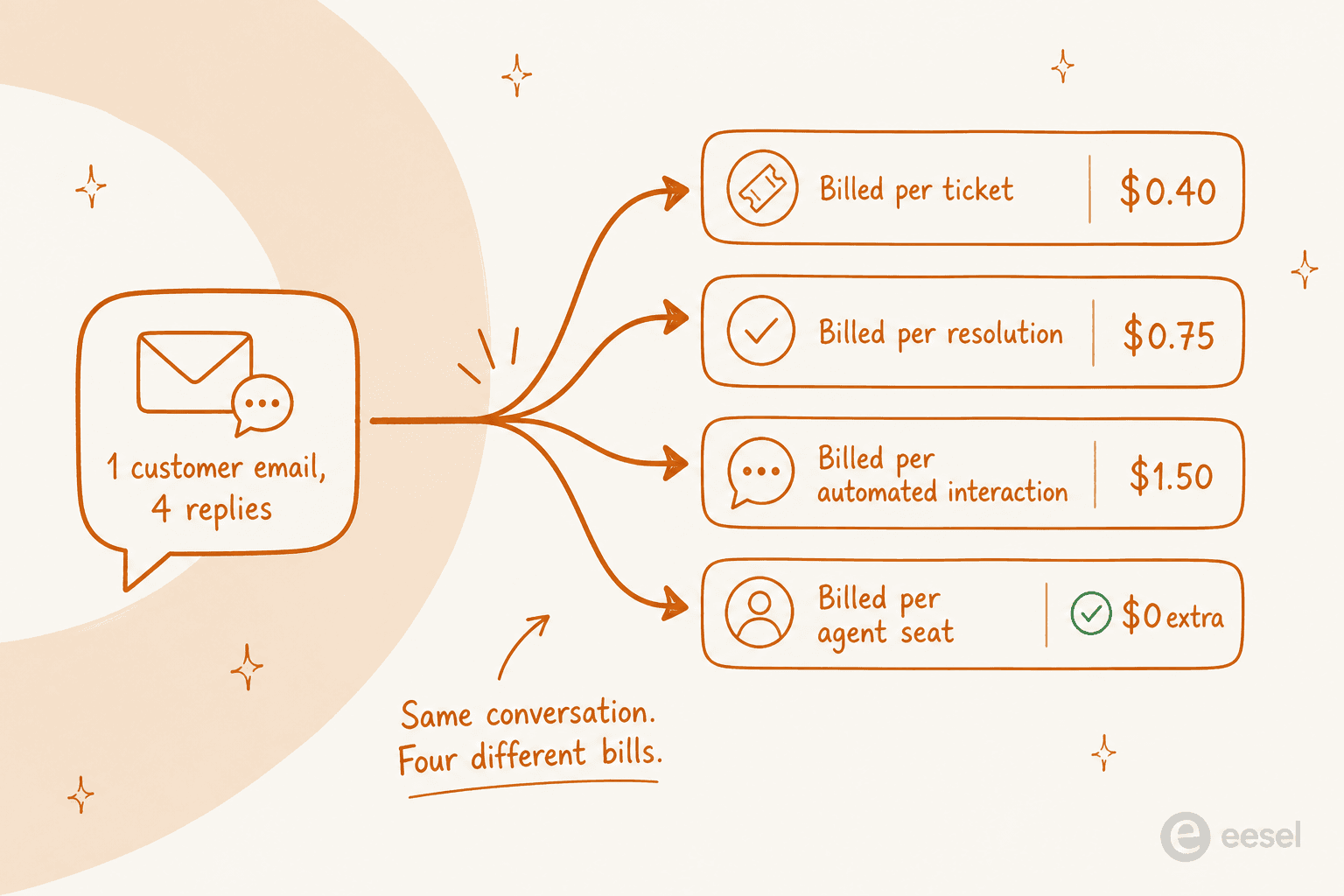
On a per-ticket meter it's one credit, once. On a per-resolution meter it's $0.75, once. On a per-automated-interaction meter it can be $0.85 to $1.00 for each of those replies. On a pure seat model it's zero marginal cost and a much higher fixed one.
That spread is not theoretical. A very-high-volume operator on one of our pricing calls did the arithmetic mid-conversation and landed on roughly $30,000 a month at scale, and the confusion that produced the number was interaction-versus-ticket, not the rate itself. Two vendors can print similar-looking cents-per-something and bill you four times apart.
Three habits that save real money:
- Ask what counts as one billable event, then ask what happens on a four-reply thread. The answer is usually not on the pricing page.
- Check whether credits expire. Salesforce Flex Credits don't roll over. HubSpot's credit pool funds every other AI action too, not just support.
- Check whether the free allowance is monthly or one-off. HubSpot's unlimited Customer Agent use lasts 14 days after you buy a Professional or Enterprise seat, then every resolution draws on credits. Freshdesk's 500 Freddy sessions are the generous one.
The feature nobody uses, and the one everybody does
The other thing worth knowing before you buy on a feature grid: the grid is a poor predictor of what your team touches.
One operator, who does disclose he builds a support tool of his own, put together the most honest usage ranking I've seen on Reddit:
"Used every single day: Shared inbox / ticket assignment; this is table stakes, nobody switches without it. Canned responses / templates; huge time saver for that 60-70% repetitive stuff. SLA tracking; even small teams want to know if they're slipping on response times."
His "80% nobody touches" list is the one to read twice: most workflow automation beyond basic assignment rules, advanced analytics dashboards, multi-brand setups, and most integrations past the core two or three.
Which lines up with what support leaders say about the reporting they were sold:
"I did this manually at Loom for years. I'll never get all those spreadsheet hours back 😬"

The practical read: buy for the shared inbox, the macros and the SLA tracking, then treat everything above that as a maybe. Paying a tier upgrade for dashboards your team opens twice a quarter is the most common overspend in this category, and tracking software is a separate decision worth making on its own merits.
How to actually pick one
Work backwards from two questions, in this order.
First: do you already have a desk? If yes, you are not shopping for examples 2 through 10. You're shopping for the fifth shape, and the honest comparison is your desk's own AI add-on against an independent layer. If no, pick the shape first (inbox, suite, ecommerce, chat) and only then compare tools inside that shape.
Second: what is the smallest thing you could automate this month? Not "AI for support", but "refund status emails" or "password resets". Every tool on this list can be evaluated against one narrow intent in a week. None of them can be honestly evaluated as a whole platform in a week.
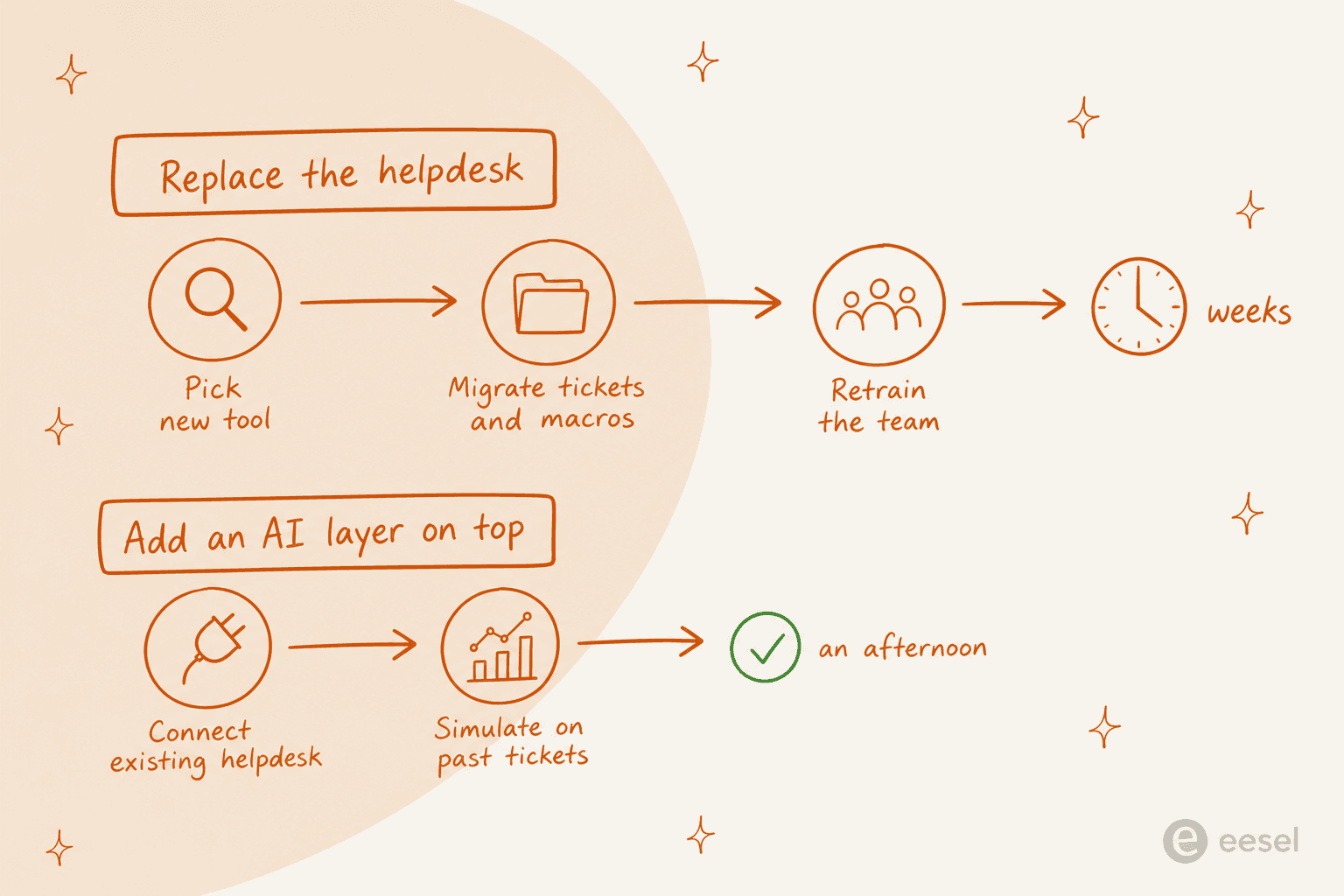
The switching cost asymmetry matters more than most comparison posts admit. Replacing a desk means migrating tickets and macros, rebuilding views and retraining everyone, and it's a multi-week project with a real chance of a bad quarter. Adding a layer on top means connecting the desk you have and testing against history. One of those decisions is reversible on a Friday afternoon and the other isn't.
That's also the reason so many teams end up unhappy: they solved a queue problem with a migration, and the queue was still there afterwards.
Try eesel
If your desk is fine and the backlog isn't, that's the exact gap eesel was built for. It plugs into Zendesk in a few minutes, trains itself on your help center and past tickets, and answers the repetitive tier-one volume from $299/month for 500 credits (1 credit per ticket) with no seat fees.
The same connector list covers Freshdesk, Gorgias, Front and a dozen more, so whichever example above you landed on, the desk stays where it is.

The part I'd push you to use before anything else is simulation: replay the agent over your last few thousand tickets and read the resolution rate off real history rather than a vendor's benchmark. We built it because we've watched confident-sounding bots answer wrong, and reading the transcript afterwards is a bad time to find out. Try eesel free, no card required.