

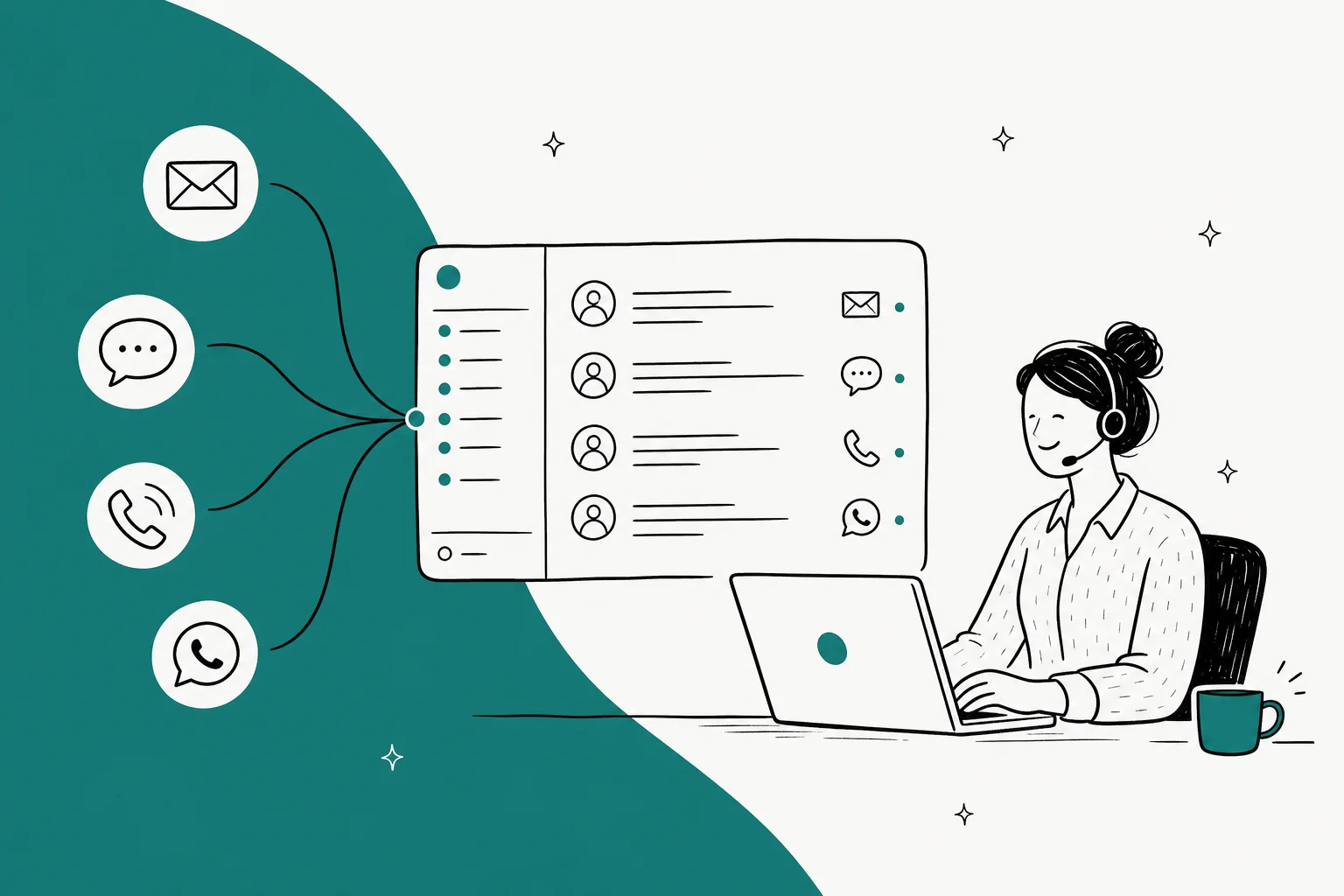
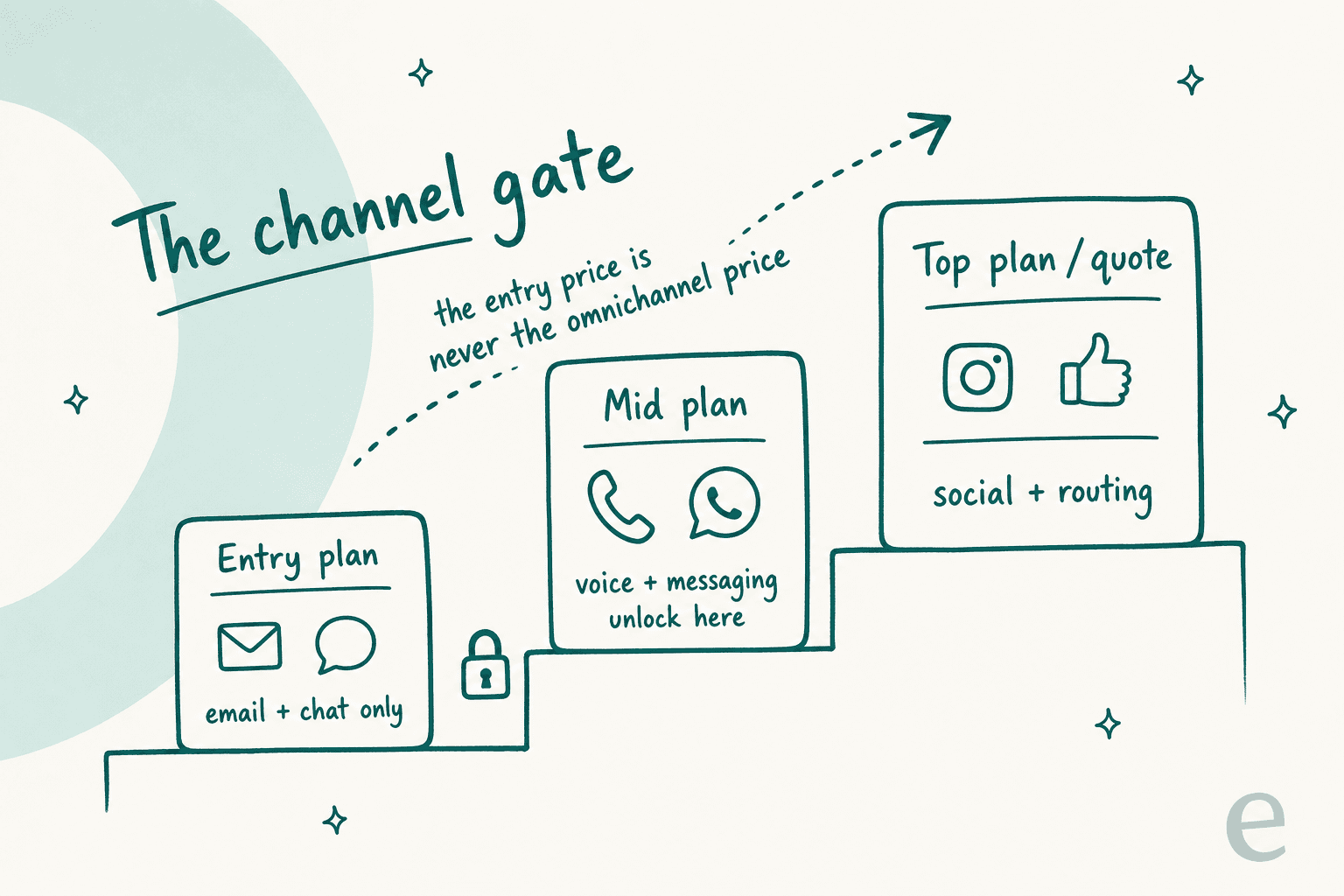
I build the integrations at eesel. Which means my week is mostly other vendors' channel docs, and watching what breaks when a WhatsApp thread and an email thread belong to the same person. The single biggest thing I have learned is that "omnichannel" almost never describes the entry plan you are looking at. Zendesk's $19 Support Team tier is email and ticketing; omnichannel routing, messaging and telephony start at $55. Front's $25 Starter plan is literally single-channel, and you pick one of email, chat or SMS. HubSpot's $7 Starter is real, and so is the $1,500 one-time onboarding fee attached to the Professional tier above it.
Second thing. Omnichannel bills on two clocks: there is the seat price, and then there is a usage meter sitting underneath it, per-minute telephony and Meta's per-conversation WhatsApp fees and the per-resolution AI charges. Help Scout's AI Answers is $0.75 per resolution. Gorgias charges $0.85 to $1.00 per automated interaction. None of that shows up in the plan comparison you screenshot for your CFO.
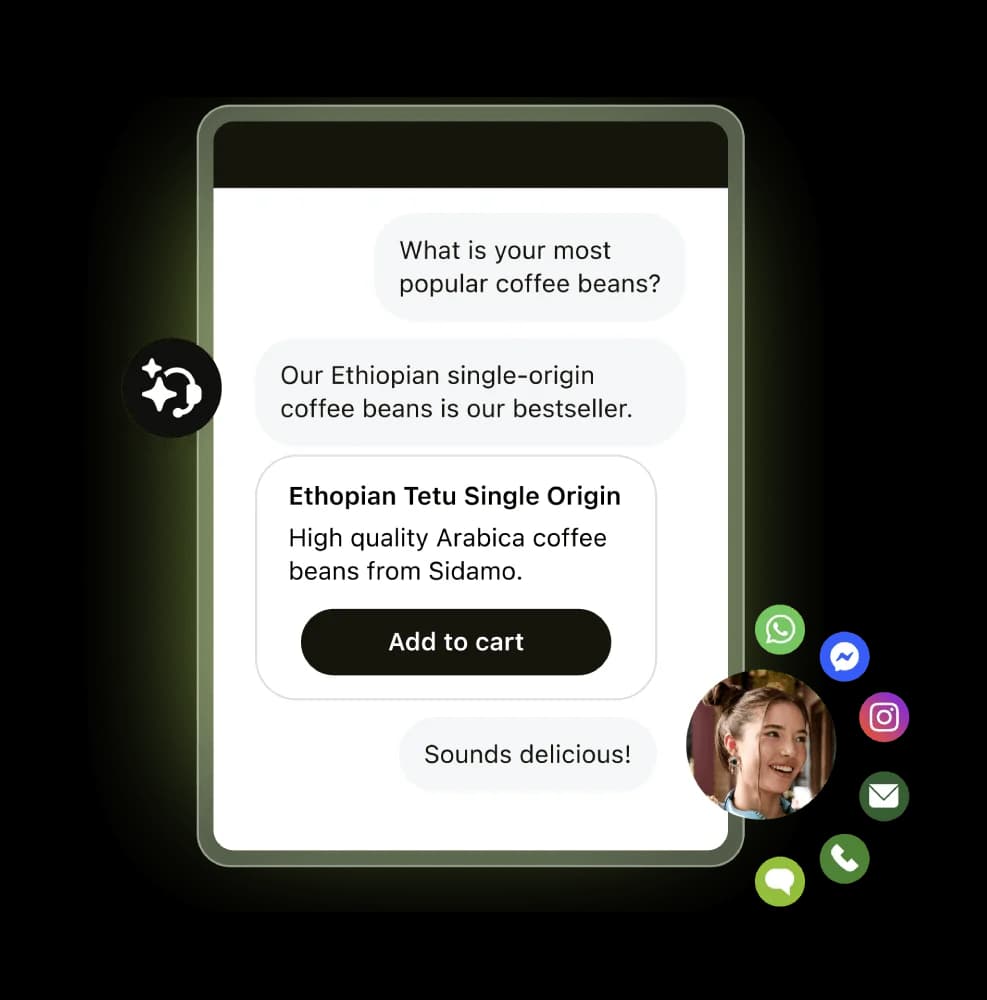
If you want the short version of my picks: Gorgias if you are on Shopify, Front if your team lives in a shared inbox, Zendesk if you need every channel under one roof and can afford it, Zoho Desk if budget is the hard constraint. And if the actual problem is that your AI only answers on one channel while humans cover the rest, that is a layer problem, not a helpdesk problem. eesel plugs into the helpdesk you already run and answers on email, chat, WhatsApp and social DMs from one brain on a fixed monthly plan from $299 for 500 credits, with no seats to buy.
What omnichannel actually means, and why the word is doing a lot of work
The pitch is always the same picture. Five channels, one inbox, one happy agent. The real distinction, and the one worth arguing about internally, is between multichannel and omnichannel. Multichannel means you support many channels. Omnichannel means those channels share one customer record, so the agent who picks up an Instagram DM can see that the same person emailed on Tuesday and called on Wednesday. We wrote the longer version of that split in omnichannel vs multichannel, and it is the test I apply to every tool below.
In practice it gets messy, and here is where. Most vendors pass the customer-record test and fail a quieter one: the automation is not omnichannel even when the inbox is. The AI agent ships on email and web chat, because those are the easiest surfaces to train and the safest to get wrong. Voice, WhatsApp and social DMs arrive later, or arrive as a different product with a different config screen. So you buy the omnichannel suite, unify your inbox, and then find out that your customer service chatbot is answering a third of your volume and staring blankly at the rest.
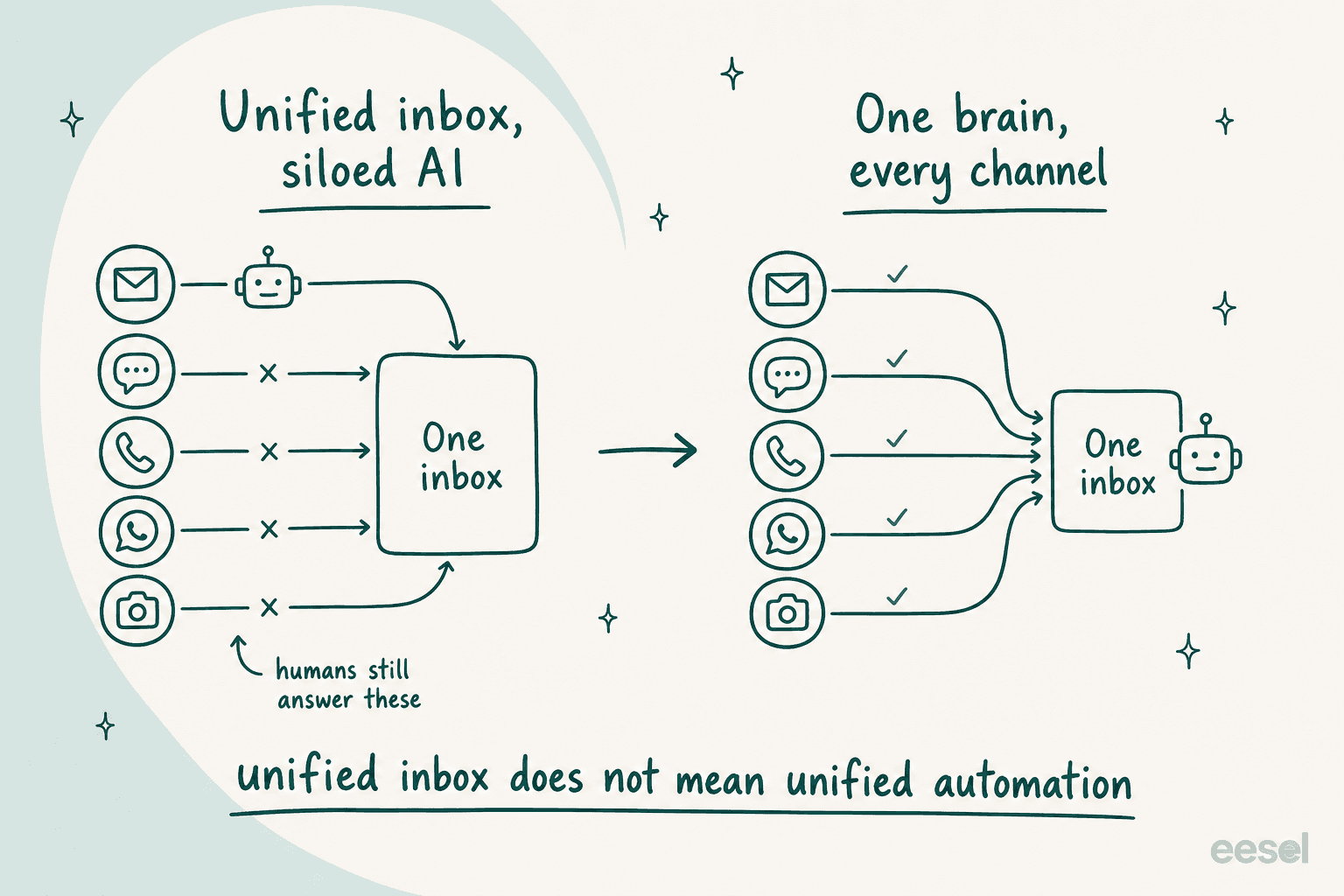
I have watched this one play out on live rollouts for a few years now. A team turns on AI, sees a strong number on email, adds WhatsApp two months later, and the number quietly halves because nobody re-trained anything for a channel where messages are four words long and arrive at 2am. That is not a vendor lying to you. It is a real difference between the channels, which the marketing page just flattens out.
How I compared these ten tools
I am an engineer, so the comparison here is deliberately unromantic. For each tool I pulled the live pricing page on 27 July 2026, read the channel documentation, and answered four questions:
- Which channels are native, which are paid add-ons, and which are integration-only? A channel you reach through a third-party connector is not the same as a channel the vendor owns.
- What is the lowest tier where the full channel set unlocks? This is the number that matters, not the headline price.
- What is the second meter? Per-minute voice, per-conversation messaging fees, per-resolution AI.
- Does the AI work on every channel, or just the easy ones?
Prices below are annual, paid-yearly rates unless I say otherwise. That is what the vendors actually render server-side, and I would rather quote a verified number than derive one. Where a vendor has gone quote-only, I say so plainly instead of guessing.
One thing I did not do was rank on G2 star ratings. Every tool here sits between 4.2 and 4.6, which tells you nothing useful about whether Instagram DMs land in your queue.
The comparison table
Read the "full channels at" column first. That is the real price of omnichannel for each vendor.
| Tool | Best for | Entry price | Full channels at | Billing unit | Native voice | Social DMs | AI meter | Free tier | |
|---|---|---|---|---|---|---|---|---|---|
| eesel AI | Adding one AI across channels you already have | Free plan, then $299/mo | Same plan, no tiers | Credits (1 per ticket / chat) | No (layer, not phone system) | Yes, direct channel | Yes, Instagram + Messenger | From $299/mo (500 credits) | 100 free credits |
| Zendesk | Every channel under one roof | $19 / agent | $55 / agent (Suite Team) | Per agent | Yes, Talk + Contact Center add-on $83 | Yes | Yes | Automated Resolutions, unpublished rate | No |
| Freshdesk | Mid-market teams wanting AI included | $19 / agent | $55 / agent (Pro) | Per agent | Via Freshcaller | Yes | Yes | 500 Freddy sessions included, then per session | No, trial only |
| Gorgias | Shopify and ecommerce brands | $40 / mo | $550 / mo (Pro) | Per ticket, no seats | Yes | Yes | Yes, strongest on IG + FB | $0.85 to $1.00 per automated interaction | No |
| Front | Teams who live in a shared inbox | $25 / seat | $65 / seat (Professional) | Per seat | Yes, on Professional | Yes, on Professional | Yes, on Professional | Bundled at Enterprise | No, 14-day trial |
| HubSpot Service Hub | Teams already on HubSpot CRM | $7 / seat | $90 / seat (Professional) | Per seat + credits | Yes | Yes | Yes | Breeze credits, 3,000 on Pro | Yes, 2 users |
| Zoho Desk | Tight budgets | $7 / user | $40 / user (Enterprise) | Per user | Separate Zoho product | Via partner apps | Yes | Zia, tier-gated | Yes, 3 users |
| Help Scout | Email-first teams who dislike suites | $25 / user | Not applicable, email + chat only | Per user | No | No | No | $0.75 per AI resolution | Yes, 5 users |
| Kustomer | Enterprise CRM-style support | Quote only | Quote only | Quote only | Yes | Yes, 5 accounts | Yes, 50 IG + 50 FB | Bundled, unpublished | No |
| Gladly | Retail brands with high-LTV customers | Quote only | Quote only | Quote only | Yes, native | Yes | Yes | Sidekick, unpublished | No |
Which channel is the one you cannot live without?
Most buying decisions collapse into a single non-negotiable channel. Pick yours and see who actually clears the bar at a sane price.
Start from the channel that decides the deal
Every tool here does email. The differences show up the moment you add a second lane.
Email is table stakes, so the question becomes what the cheapest competent option is.
- Zoho Desk Free gives 3 users email ticketing at $0.
- Help Scout Free gives 5 users and 100 contacts a month.
- Zendesk Support Team at $19 is email and ticketing only, which is fine if you stop there.
Chat is where AI deflection pays for itself fastest, because the customer expects an instant answer anyway.
- Help Scout at $25 covers email and chat with AI Answers billed at $0.75 per resolution.
- Front Starter at $25 makes you pick one of email, chat or SMS. Read that twice.
- Gorgias bundles chat into every plan with no per-seat charge.
Voice is the channel that most changes the shape of the invoice, because it adds per-minute cost on top of per-seat cost.
- Zendesk puts telephony in Suite Team at $55, with a full Contact Center add-on at $83 per agent.
- Gladly is voice-native and treats a call as part of one continuing conversation.
- Zoho Desk pushes you to Zoho Voice, a separate product with a separate bill.
- Help Scout does not do voice at all.
WhatsApp has a cost layer nobody controls: Meta charges per conversation, and your helpdesk passes that straight through.
- Front unlocks WhatsApp at Professional, $65 a seat.
- Kustomer caps you at 5 WhatsApp accounts even on its top package.
- eesel connects a WhatsApp Business number directly as a channel, no helpdesk tier required.
Instagram and Facebook DMs, plus ad comments, are a different job from ticketing, and most helpdesks treat them as second-class.
- Gorgias is the strongest here, pulling IG and FB DMs and ad comments into the same queue.
- Kustomer supports 50 Instagram and 50 Facebook accounts, which is a genuinely enterprise number.
- Zendesk covers social but gates the routing you will want behind Suite Professional at $115.
1. eesel AI
Best for: teams who already have a helpdesk and want one AI answering across every channel without re-platforming.
I work on this one, so treat the enthusiasm accordingly and hold me to the specifics. eesel is not a helpdesk and does not try to be. It is the AI layer that sits on top of whatever you already run, plus a set of direct channel connections for the places a helpdesk does not reach cleanly.

Channel coverage. On the integrations index, WhatsApp, Instagram DMs, Facebook Messenger and SMS sit in the Channels category, alongside the chat bubble, inline embed and public chat link. Helpdesks like Zendesk, Freshdesk, Front, Help Scout and Kustomer sit in a separate category, because eesel connects to them rather than replacing them. There is no native telephony, and I would rather say that plainly than fudge it.
What it does well. One knowledge base, one set of instructions, one brain, and it answers on whichever channels you point it at. The WhatsApp integration connects a WhatsApp Business number in under five minutes with no developer, and the page claims 80%+ of messages answered automatically across 2,000+ teams and 80+ languages. The chat bubble is one script tag, which also means teams drop it on internal portals and intranets, not just marketing sites. Wesley Wang, CTO at the sleep brand Ecosa, put the multi-source angle better than our own copy does:
"We chose eesel AI because it offers multi-channel data input options... By linking our CSVs, Zendesk, and Google Docs as sources, we can make the most of our vast documentation, even if it's scattered."
Wesley Wang, CTO, Ecosa
Where it falls short. If you do not have a helpdesk yet, eesel is the wrong first purchase, and one of the suites below is the right one. There is no native phone system. And if your organisation wants a single vendor for ticketing, routing, workforce management and reporting, a layer will always feel like one more login.
Pricing. One fixed monthly price sized to volume, where 1 credit covers one ticket or chat session regardless of how many messages it takes. No per-seat fee, no platform fee. The free plan gives you 100 credits with no card. Paid batches: 500 credits $299/mo, 1,000 $499/mo, 2,500 $999/mo, 5,000 $1,899/mo. If you run out, agents pause until credits reset, or you can turn on overage with a monthly cap you set at $0.80 per extra credit. SSO and MFA are add-ons from $199/mo. Full detail lives on the pricing page.
My take: pick eesel when the pain is "our AI only works on one channel", not "we need a new helpdesk". At 1,000 tickets a month you are looking at $499 for a 1,000-credit plan, and only tickets the AI actually works on use credits, which makes a partial rollout cheap enough to test properly. Skip it if you need phone lines or a greenfield ticketing system.
2. Zendesk
Best for: teams who want every channel under one roof and have the budget to unlock them.
Zendesk is the default answer to this category and mostly deserves it. The channel breadth is real, the routing is mature, and the ecosystem means someone has already built the connector you need.
Channel coverage. Support Team at $19 an agent is email and ticketing, prebuilt dashboards, triggers and automations, with no AI-tagged features at all. Omnichannel routing, messaging, live chat and telephony start at Suite Team, $55 an agent paid yearly. Suite Professional at $115 adds skills-based routing and an IVR phone tree. The top tier is now branded Suite Enterprise + Copilot and is quote-gated, which is where Intelligent Triage, Auto Assist and generative AI for voice live. A full Contact Center add-on runs $83 per agent per month on top.
What it does well. Nothing else on this list covers as many surfaces with as much configurability. If you need social inbox handling, SLA policies per channel and ticket routing that respects business hours across four regions, Zendesk will do it. The API is very good, which matters more than it sounds when you are the one wiring things together.
Where it falls short. The add-on model is the recurring complaint, and it is not a small one:
"Their pricing isn't transparent at all. Even if you spend a million dollars a year, they will still nickel and dime the shit out of you because it's their model... Want automation? That costs more. Want their latest AI feature? Cost more."

The AI billing unit is the other sore spot. Zendesk charges per Automated Resolution, and reviewers dispute what counts as one, including cases where an abandoned chat gets billed as a resolution. Teams comparing options should read our Zendesk AI alternatives roundup before signing an annual deal.
Pricing. Support Team $19, Suite Team $55, Suite Professional $115, Suite Enterprise + Copilot by quote, all per agent per month paid yearly. Copilot add-on $50 an agent, Workforce Engagement $50, Contact Center $83. Our Zendesk pricing breakdown has the full grid.
My take: buy Zendesk when channel breadth and governance really matter and you have the budget to sit at Suite Professional. Skip it if you are under 10 agents, because you will pay suite prices for a feature set you use a quarter of. Worth comparing against Help Scout and HubSpot before you commit.
3. Freshdesk
Best for: mid-market teams who want AI included rather than bolted on.
Freshworks has been the value play against Zendesk for years, and the current lineup keeps that shape while quietly getting stricter about what "free" means.

Channel coverage. Growth at $19 an agent is positioned as "launch AI-powered service over email". Pro at $55 is "scale AI-powered service across your business", which is where the channel set broadens. Voice runs through Freshcaller. There is an important wrinkle: Freshworks sells a separate Freshdesk Omni SKU on its own pricing page at different numbers, so if a rep quotes you "Freshdesk pricing", confirm which product they mean before you compare anything.
What it does well. Freddy AI Agent is included with 500 sessions on every plan, Growth included, which is a more honest starting position than most. Sessions are the billing unit, not resolutions, so an unhelpful bot conversation costs you the same as a helpful one, which cuts both ways but at least it is predictable. The automation rules are approachable, and the Shopify apps ecosystem is decent for a non-ecommerce-native tool.
Where it falls short. As of the 27 July 2026 capture, no Free plan appears on the Freshdesk pricing page at all, only a 14-day trial. That is a meaningful change if you were planning to start free and grow. And the two-SKU split between Freshdesk and Freshdesk Omni makes apples-to-apples comparison harder than it should be. If chat is your priority, our Freshchat pricing breakdown covers the messaging side separately.
Pricing. Growth $19, Pro $55, Enterprise $89, all per agent per month billed annually. First 500 Freddy AI Agent sessions included once per account on every tier, then billed per session. Compare against HubSpot if you are also weighing a CRM-led option.
My take: Freshdesk is the sensible middle. Pick it at Pro if you want a real channel set plus bundled AI sessions without Zendesk's add-on tax. Skip it if you need a free tier to start on, because that door has closed.
4. Gorgias
Best for: Shopify brands where support and revenue are the same conversation.
Gorgias is the most opinionated tool here and the one I would pick fastest if the answer to "what platform are you on" is Shopify.
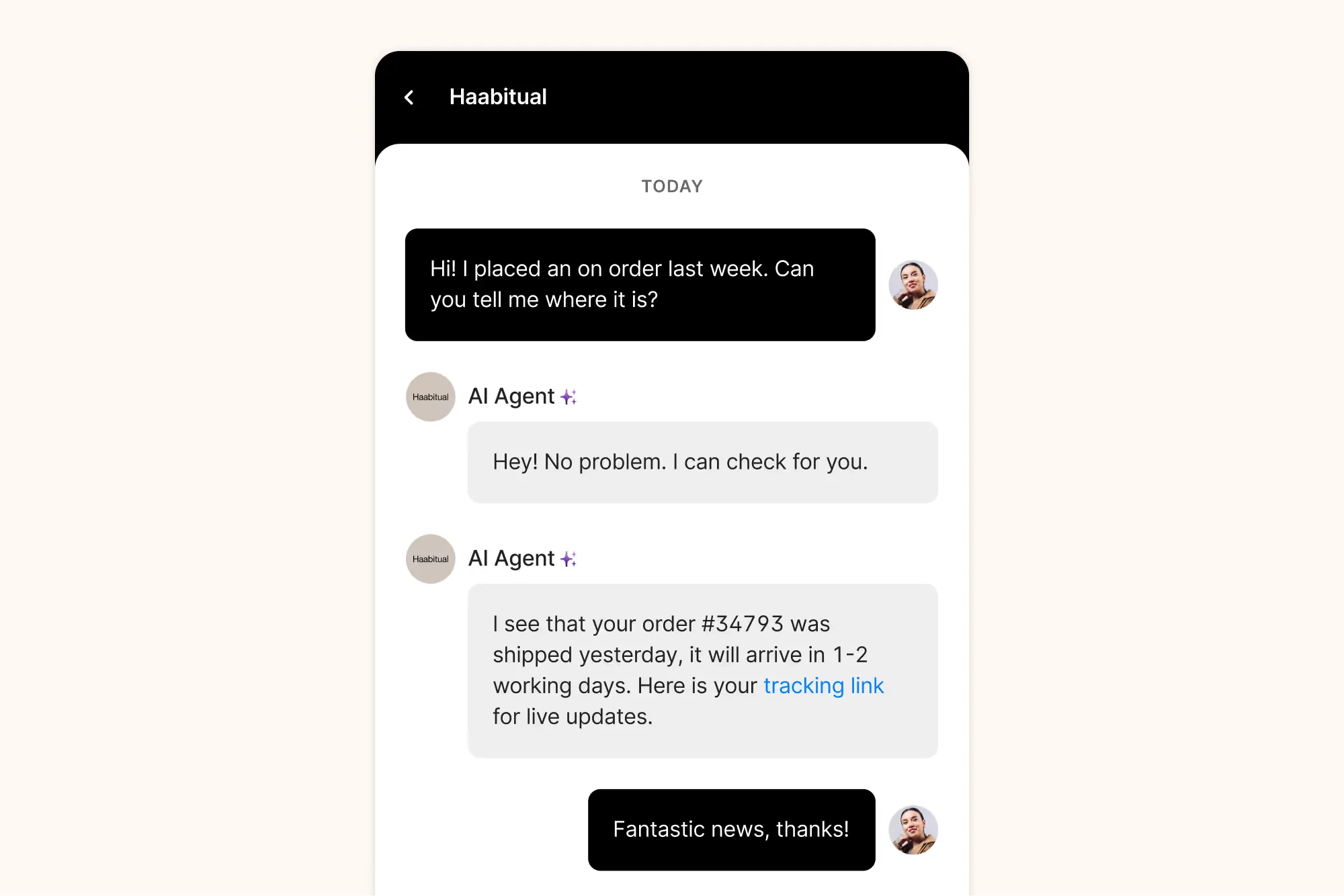
Channel coverage. Email, web chat, voice, WhatsApp, SMS, Instagram and Facebook, and the ad comments on those platforms, which most helpdesks ignore entirely. This is the one tool on the list where social is a first-class channel rather than a checkbox. A real operator described the practical result:
"We're using Gorgias... I like the Shopify integrations, tags and the automations / saved replies... I'm very happy to have email, form, chat, phone, WhatsApp and overall I would say we are nailing customer support / sales as a result."
What it does well. No per-seat pricing at all. Every plan is a monthly ticket allowance plus an automated-interaction allowance, so adding a seasonal temp does not change your bill. Order data, refunds and cancellations happen inside the ticket, which is the actual reason ecommerce teams pay the premium. The AI agent handles WISMO well because it has the order context sitting right there.
Where it falls short. The volume-based model punishes you exactly when you grow. Starter is $40 a month for 50 tickets and 30 automated interactions. Pro is $550 a month for 2,000 tickets and 190 automated interactions. Ticket overage runs $0.36 to $0.40, and each automated interaction is billed at $0.85 to $1.00 depending on plan, which adds up fast if a chunk of your volume is repetitive. Reddit is consistent on this: Gorgias is great value until it is not, and the inflection comes faster than people expect. Our Gorgias pricing calculator piece runs the scenarios.
Pricing. Starter $40/mo (50 tickets, monthly billing only), Basic $90/mo or $77/mo annual (300 tickets), Pro $550/mo or $471/mo annual (2,000 tickets), Advanced $1,430/mo or $1,227/mo annual (5,000 tickets), Enterprise by quote. Ticket overage $0.36 to $0.40, automated interactions $1.00 on Starter, $0.90 on Basic and Pro, $0.85 on Advanced.
My take: on Shopify with meaningful DM volume, Gorgias is the correct answer and the seat-free model is a relief. Off Shopify, most of the premium evaporates and you should look at Gorgias alternatives or a Zoho Desk comparison instead.
5. Front
Best for: teams whose actual product is a shared inbox with real humans in it.
Front approaches omnichannel from the opposite direction to Zendesk. Instead of a ticketing system that grew channels, it is an email client that grew ticketing, and that heritage shows in how the product feels.
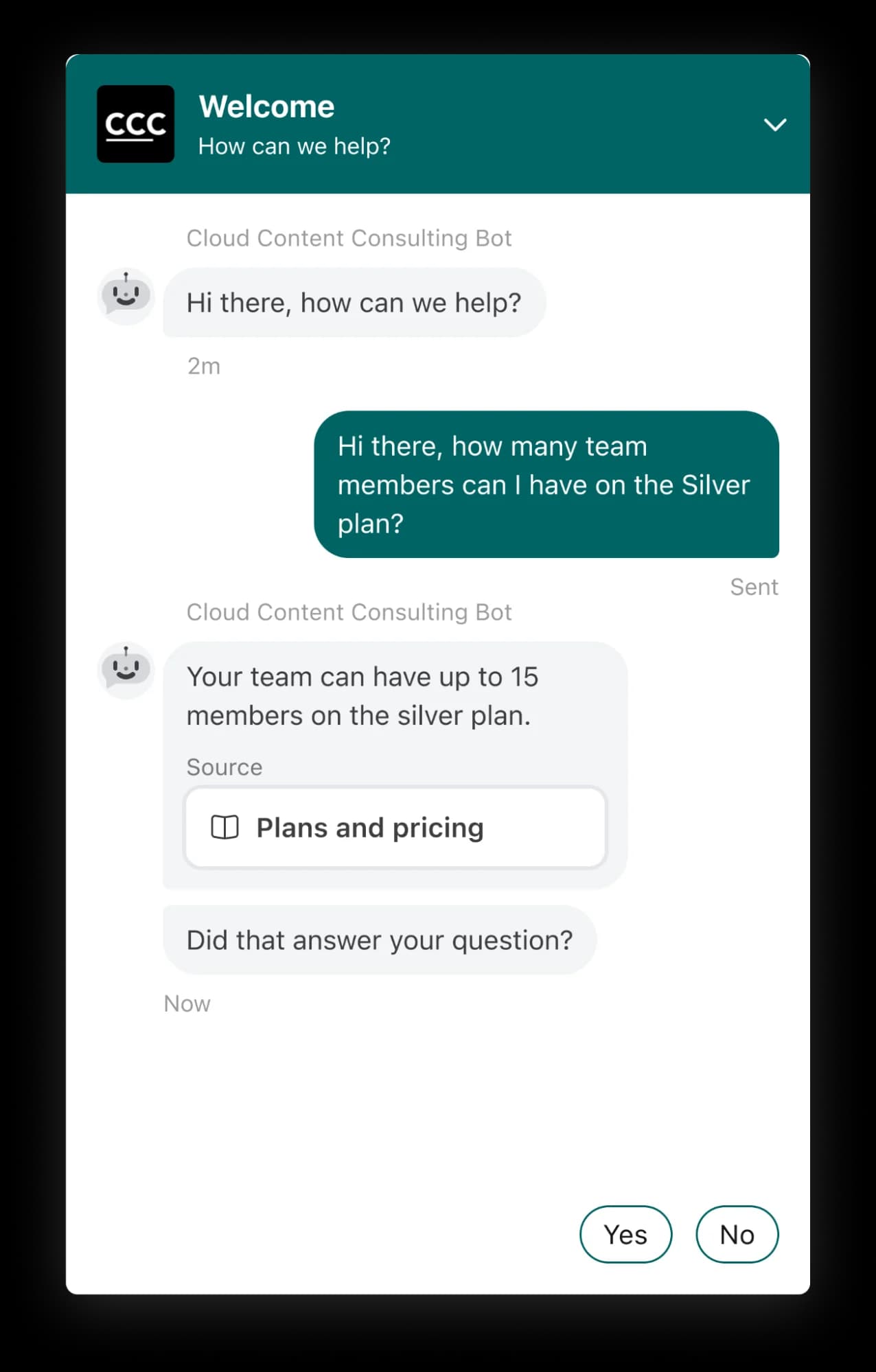
Channel coverage. This is the sharpest tier gate on the list. Starter at $25 a seat is explicitly single-channel: you choose email, or Front Chat, or SMS. Professional at $65 is where omnichannel actually happens, covering email, SMS, social, WhatsApp and voice. Enterprise at $105 removes the seat cap and bundles Copilot, Smart QA and Smart CSAT. There is a second gate people miss: channel counts scale with licenses, at 10 per license on Starter, 30 on Professional and 50 on Enterprise, so five Professional users means a 150-channel ceiling.
What it does well. Collaboration is the differentiator, not the channel grid. Comments, assignments and drafts happen inline where the conversation is, which is why agencies and operations teams pick it over a classic helpdesk. The AI features cite their knowledge source in the reply, which is a small detail that does a lot for trust.
Where it falls short. Seat caps are strict: Starter tops out at 10 seats, Professional at 50, and plans are assigned org-wide so you cannot mix. Enterprise cannot be bought monthly at all. Annual contracts over $12K require wire or ACH, and an onboarding package is required above a threshold. None of that is unusual, but it does mean Front is less self-serve than the $25 headline suggests. See our Front vs Hiver comparison if collaboration is the deciding factor.
Pricing. Starter $25 a seat annual or $35 monthly, up to 10 seats, single channel. Professional $65 annual or $85 monthly, up to 50 seats, omnichannel. Enterprise $105 annual only, no seat cap. Annual saves 24%. 14-day trial at Professional level, no card required.
My take: Front is the best product on this list for teams who really do collaborate on messages rather than closing tickets solo. Budget for Professional from day one, because Starter is a single-channel product and calling it an omnichannel option would be misleading.
6. HubSpot Service Hub
Best for: teams already living inside HubSpot CRM.
If your sales and marketing data is already in HubSpot, Service Hub's pitch writes itself: same contact record, same reporting, no integration to maintain. The catch is the credit system underneath the AI.
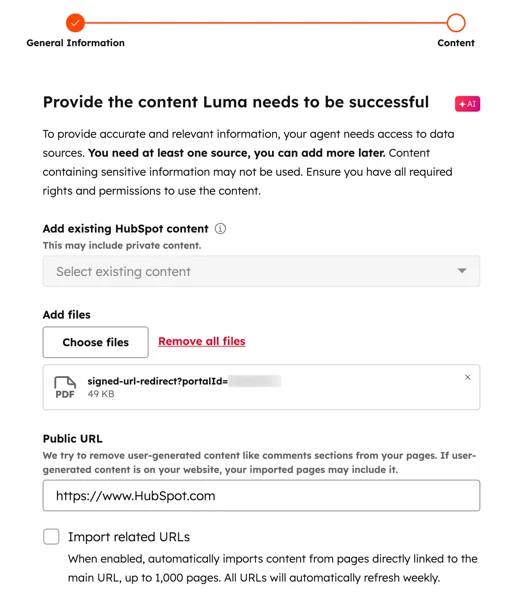
Channel coverage. Email, live chat, voice, WhatsApp and social all appear, with the shared inbox as the hub. The gating is by tier rather than by channel, so the question is less "does it support WhatsApp" and more "which tier do the routing rules I need live in".
What it does well. The CRM context is the real feature. An agent sees deal stage, lifecycle and marketing history without leaving the ticket, which no standalone helpdesk can match. Breeze handles summarisation and drafting well, and the chatbot builder is approachable for non-technical admins. The free tier for 2 users is genuinely usable for a very small team.
Where it falls short. Two things. First, the onboarding fees are mandatory and large: $1,500 one-time for Professional and $3,500 for Enterprise, stated as required on HubSpot's own pricing page. Second, the credit economics. Professional includes 3,000 HubSpot Credits a month, and once you map credits to what an AI resolution actually consumes, that works out to roughly 60 AI resolutions a month. For a team fielding thousands of tickets, that is a rounding error, and the overage is where the real cost lands. Our HubSpot AI agent pricing piece works through the arithmetic.
Pricing. Free for up to 2 users. Starter $7 a seat annual or $20 monthly, 500 credits. Professional $90 a seat annual or $100 monthly, 3,000 credits, plus $1,500 required onboarding. Enterprise $150 a seat, 5,000 credits, plus $3,500 required onboarding.
My take: if you are already on HubSpot, Service Hub is the path of least resistance and the CRM context is worth real money. If you are not, the onboarding fee plus credit ceiling makes it an expensive way to buy an omnichannel inbox.
7. Zoho Desk
Best for: teams where the budget is the constraint and everything else is negotiable.
Zoho Desk is the cheapest serious tool on this list by a wide margin, and the reason is that Zoho unbundles aggressively.
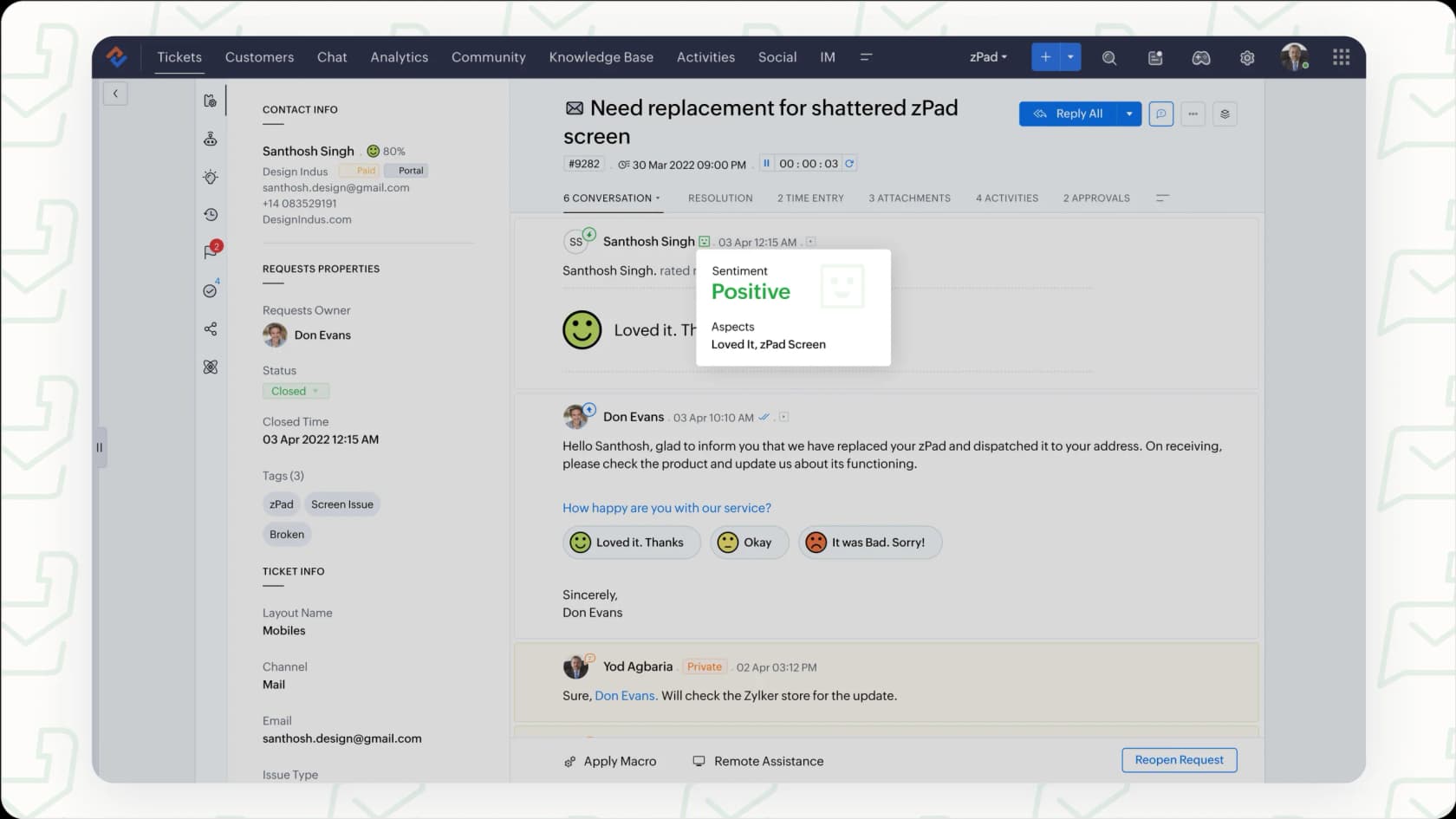
Channel coverage. Here is the thing that trips people up: several channels are not Zoho Desk, they are other Zoho products. Live chat runs through Zoho SalesIQ. Telephony runs through Zoho Voice. WhatsApp typically arrives via partner apps in the marketplace. Zoho Desk itself is a strong ticketing core with social and email built in, and the omnichannel story is really "Zoho the suite" rather than "Zoho Desk the product".
What it does well. The price. Express at $7 a user, Standard at $14, Professional at $23, Enterprise at $40, all per user per month billed annually, plus a free tier for 3 users with email ticketing. Blueprint, the process-enforcement feature, gets consistent praise from G2 reviewers for teams with structured workflows. The Zia AI capabilities are tier-gated but real.
Where it falls short. Complexity is the recurring theme in reviews, and the multi-product sprawl is a big part of why. A G2 reviewer put it directly:
"What I dislike about Zoho Desk is that, while it's feature-rich, there are a [lot of menus that overlap with other Zoho products]."

The pricing page's monthly rates render client-side and are not in the page source, so I will not quote monthly numbers I could not verify. Also worth knowing: eesel connects to Zoho Desk, so the AI layer can sit inside the helpdesk rather than in front of it as a chatbot. Our Zoho Desk AI integrations roundup covers what else connects.
Pricing. Free Edition $0 for 3 users, Express $7, Standard $14, Professional $23, Enterprise $40, per user per month billed annually. Local taxes added on top.
My take: at $23 a user, Professional is the best raw value in this category, full stop. Just go in knowing that "omnichannel" means buying two or three Zoho products, and budget your admin's time accordingly.
8. Help Scout
Best for: email-first teams who have decided omnichannel is not their problem.
Help Scout is on this list precisely because it refuses the premise, and that refusal is worth taking seriously.
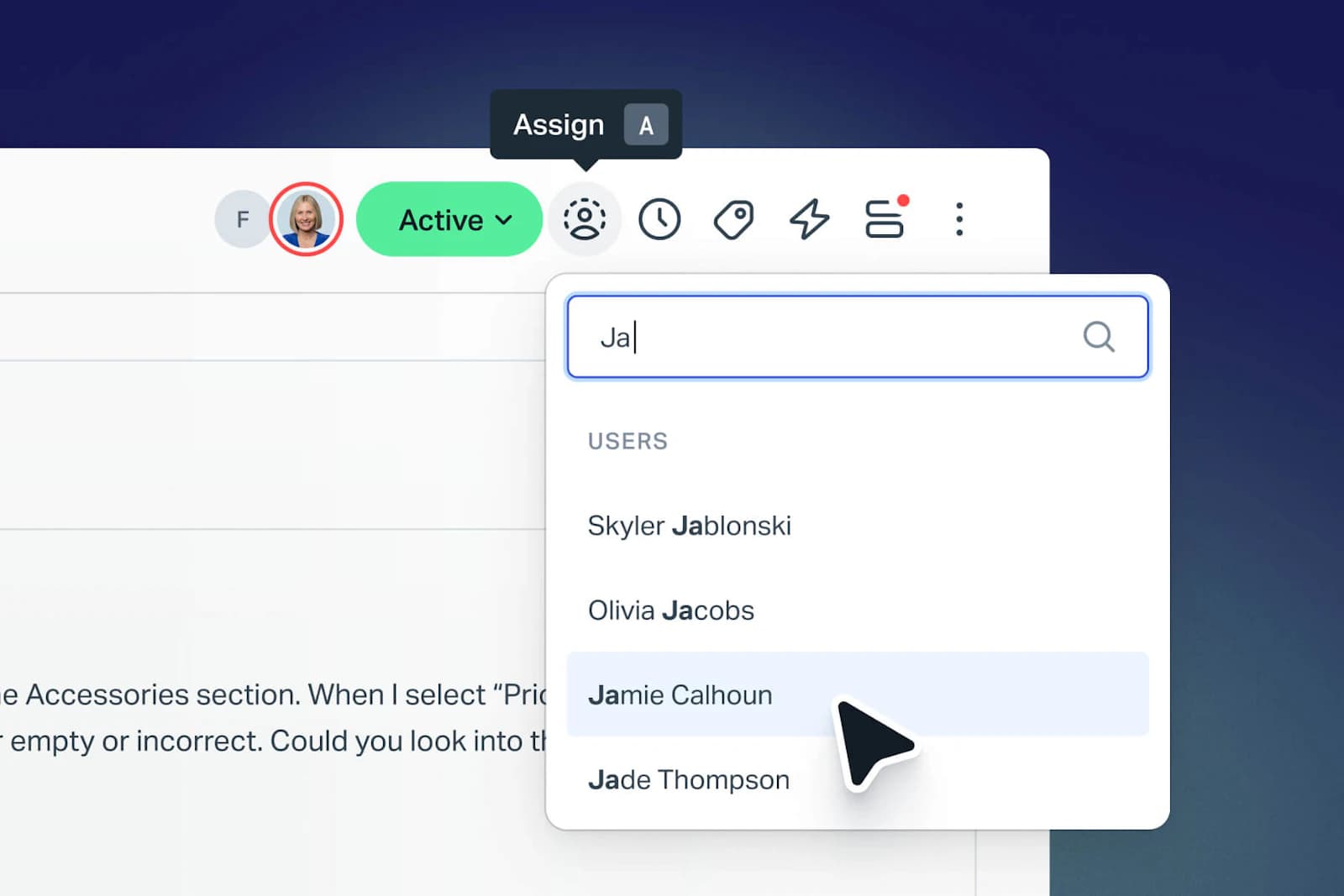
Channel coverage. Email, live chat, and a docs site. No voice. No WhatsApp. No Instagram DMs. If your channel list is longer than that, stop reading this section.
What it does well. Everything it does, it does without ceremony. Setup is same-day, the interface does not need training, and AI Answers works on the two channels it covers. There is a detail I find admirable: Help Scout tried per-customer-interaction pricing in April 2025 and reverted to seats in November 2025. Vendors rarely walk pricing back once they have shipped it.
Where it falls short. It is not an omnichannel tool and it does not pretend to be. Pro at $75 also carries a 10-seat minimum and is demo-only, no self-serve path. Extra inboxes are $10 a month annual, extra docs sites $20. If you are running an ecommerce brand, our Help Scout alternatives piece covers the tools that add the channels it lacks, and the API docs matter if you plan to bridge channels yourself.
Pricing. Free for up to 5 users and 100 contacts a month. Standard $25 a user, up to 25 users. Plus $45 a user, up to 50. Pro $75 a user, 10-seat minimum, demo only. AI Answers billed separately at $0.75 per resolution.
My take: if 90% of your volume is email and the rest is chat, Help Scout at $25 will make your team happier than any suite on this list. The moment WhatsApp or phone becomes non-optional, you have outgrown it, and that is a fine outcome rather than a failure.
9. Kustomer
Best for: enterprise teams who want a CRM-shaped support platform and can run a procurement cycle.
Kustomer's model is genuinely different: it is built around the customer timeline rather than the ticket, so every interaction across every channel threads onto one record.
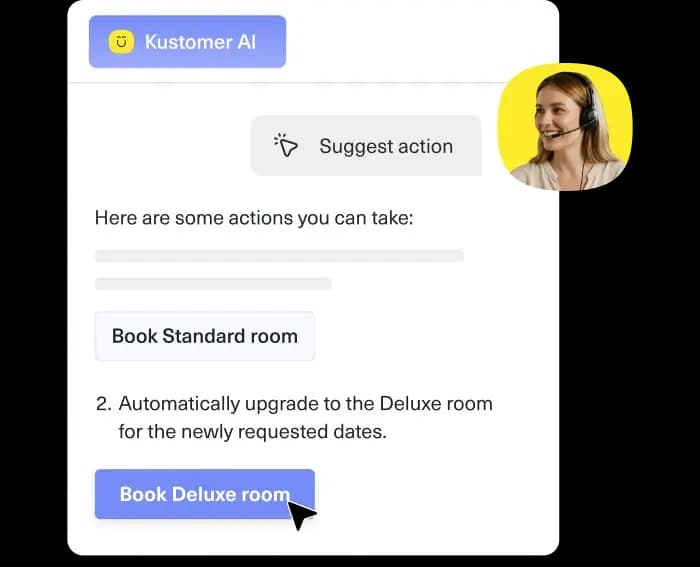
Channel coverage. The published limits tell you more than the marketing does. Kustomer's package feature list includes 50 Facebook pages, 50 Instagram accounts, 5 WhatsApp accounts, 300 brands and all languages. The 5-account WhatsApp cap is the one to check against your own setup, because it is low relative to the Facebook and Instagram numbers and it bites multi-brand operators specifically.
What it does well. The data model. If you run multiple brands or need deep custom objects, Kustomer handles a shape that ticket-first tools fight you on. The AI auto-reply capabilities are solid, and the timeline view makes context-switching between channels feel natural rather than bolted together.
Where it falls short. Pricing has gone fully dark. As of the 27 July 2026 check, the pricing page publishes zero dollar figures and zero plan names, replaced by a two-step ROI-estimator lead form. The vendor's own copy says "Every CX team's setup is different, so we don't post one-size-fits-all pricing." The only page carrying a price table is the comprehensive-pricing-details page, last updated 19 December 2025, and even that no longer lists a per-user rate for current plans. You cannot budget from public information, which for many teams is a disqualifier on its own.
Pricing. Quote only. No published per-user rate, no published minimums.
My take: worth a conversation if you are enterprise with a complex data model and a real procurement process. Skip it entirely if you need to price the thing this week, because you cannot.
10. Gladly
Best for: retail and travel brands where a customer's lifetime value justifies a person-centred model.
Gladly has always been the most philosophically distinct tool in this category, and 2026 brought a visible change: gladly.com now redirects to gladly.ai, and the pricing page is gone.
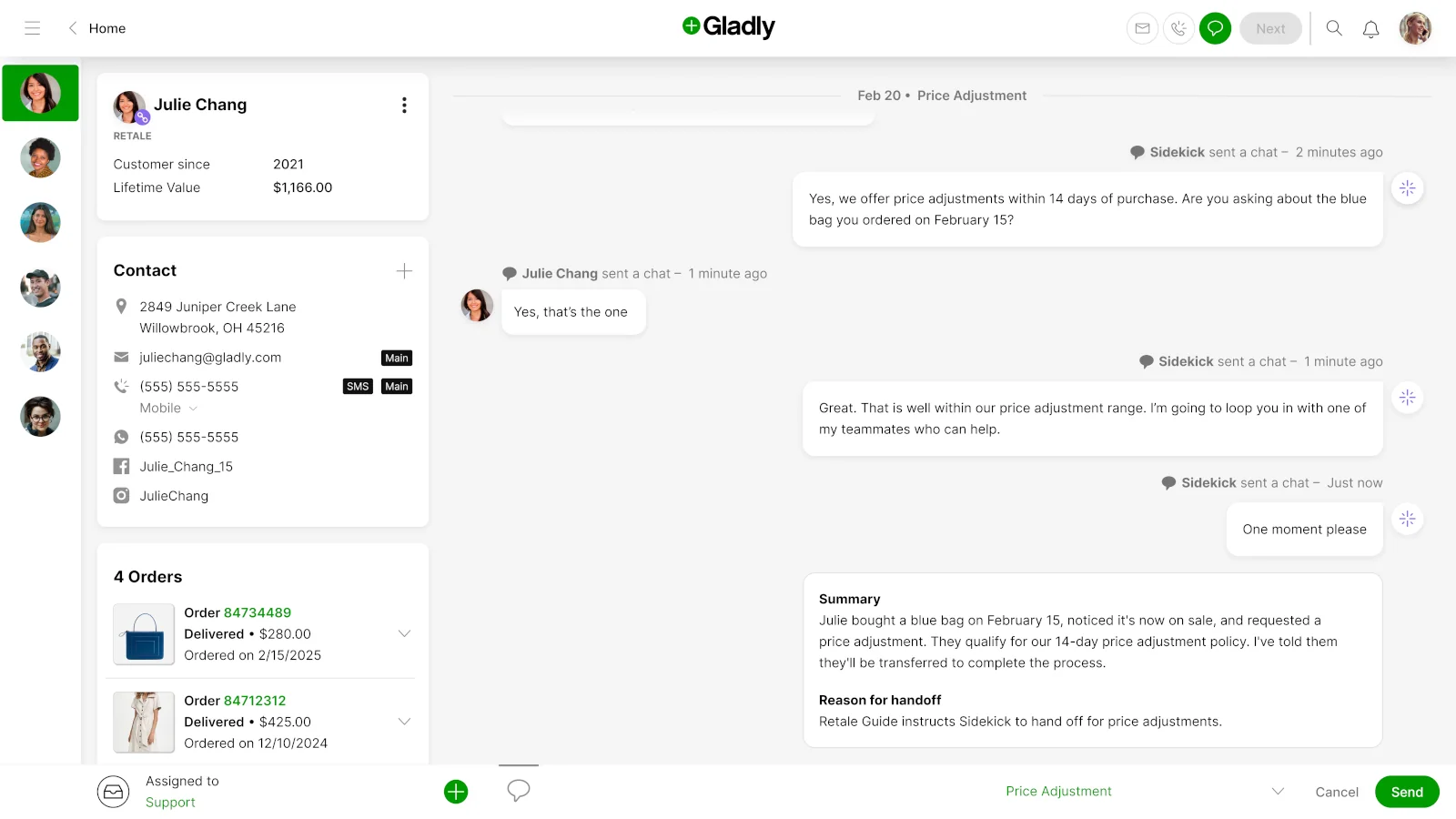
Channel coverage. This screenshot is the best single illustration of omnichannel done properly that I found while researching this piece. One contact card carries email, a phone number flagged for SMS, a WhatsApp number, a Facebook handle and an Instagram handle, with four orders below it and one continuous conversation to the right. There are no tickets. There is a person, and everything they have ever said to you.
What it does well. The people-not-tickets model is not marketing, it changes how agents work. Voice is native rather than bolted on. Sidekick, the AI layer, hands off with a written summary and a stated reason, which is exactly the pattern we recommend in our AI handoff guide. The claimed results on the current site are 76% of conversations fully resolved by AI, a 3x increase in first-30-day resolution rate, 2.2x revenue per conversation and a 65% CSAT lift. Treat those as vendor-reported, because they are.
Where it falls short. The repositioning to "the only AI built for LTV" has taken the pricing page with it, so like Kustomer this is now a quote-only product. Gladly has always been priced for larger retail brands, and community sentiment consistently flags it as the pricier conversation-first option. Our Gladly deflection piece covers the AI side in more depth.
Pricing. Quote only as of 27 July 2026. The former pricing URL now resolves to the homepage.
My take: if you sell to repeat customers with real lifetime value and phone is a serious channel, Gladly's model is the most coherent on this list. Everyone else should read the rebrand and the vanished pricing page as a signal about who they are selling to now.
What omnichannel actually costs: two worked examples
Plan grids hide the total. So, two scenarios I would actually put in a spreadsheet.
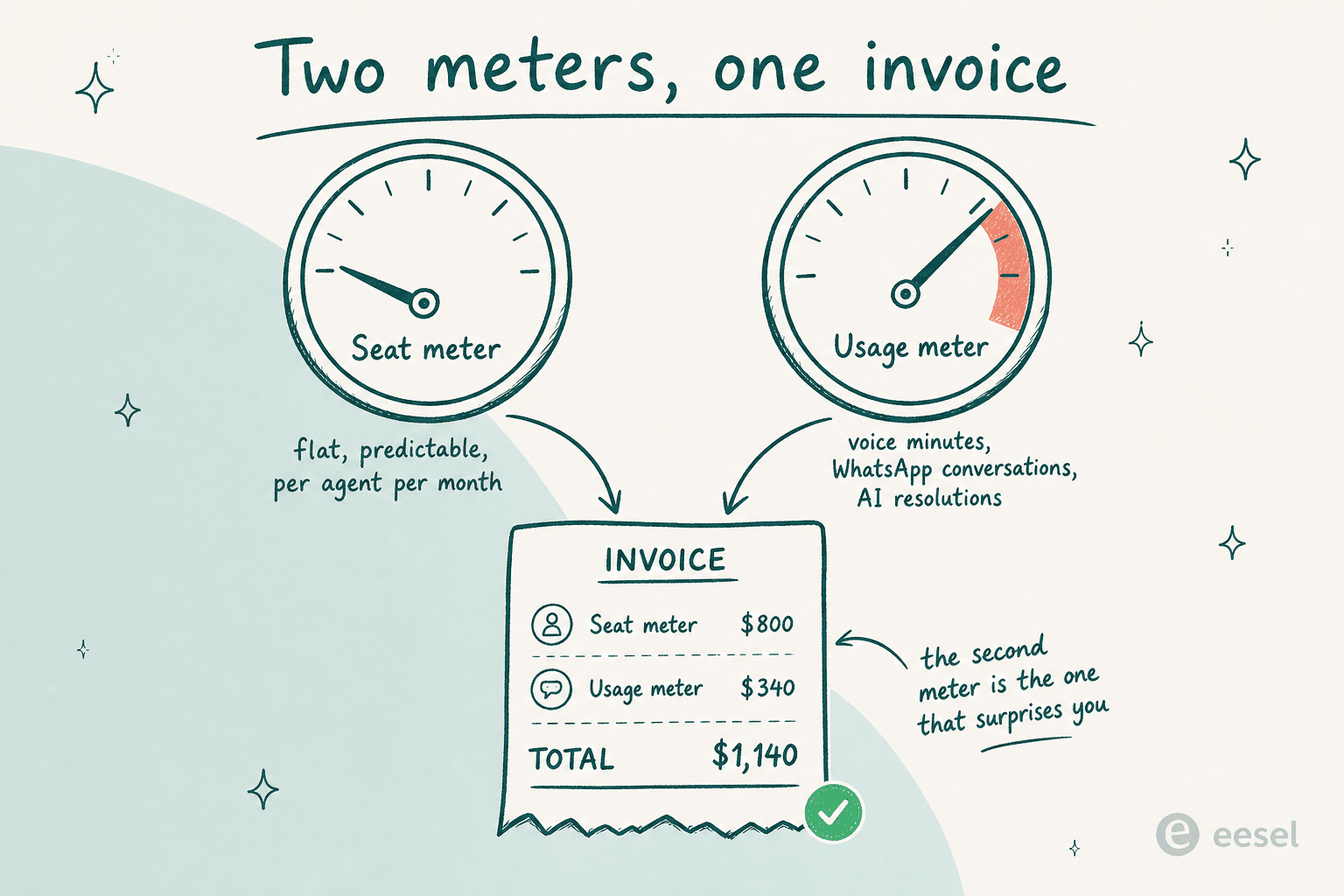
Scenario A: 8-agent DTC brand, 2,000 tickets a month, heavy Instagram DMs.
| Option | Seat cost | Usage cost | Monthly total |
|---|---|---|---|
| Gorgias Pro (annual) | $0, no seats | $471 covers 2,000 tickets + 190 automated interactions | $471 |
| Zendesk Suite Team | 8 × $55 = $440 | Automated Resolutions on top, rate unpublished | $440+ |
| Front Professional | 8 × $65 = $520 | WhatsApp conversation fees on top | $520+ |
| Existing helpdesk + eesel | unchanged | 1,000 routed tickets = 1,000 credits at $499; all 2,000 = 2,500 credits at $999 | variable |
Gorgias wins this one cleanly, and the seat-free model means the eighth agent is free. Note that the eesel line only makes sense if you route a portion of tickets, not all of them, since you are not replacing the helpdesk.
Scenario B: 25-agent B2B SaaS team, 4,000 tickets a month, email plus chat plus a phone line.
| Option | Seat cost | Setup / usage | Monthly total |
|---|---|---|---|
| Zendesk Suite Professional | 25 × $115 = $2,875 | Contact Center $83 × 25 = $2,075 | $4,950 |
| HubSpot Service Hub Pro | 25 × $90 = $2,250 | $1,500 one-time onboarding, credits cap at ~60 AI resolutions | $2,250 + overage |
| Freshdesk Pro | 25 × $55 = $1,375 | 500 Freddy sessions included, then per session | $1,375+ |
| Help Scout Plus + eesel | 25 × $45 = $1,125 | 1,000 AI-routed tickets = 1,000 credits at $499 | $1,624 |
The spread between the cheapest and most expensive credible option here is over $3,400 a month for the same job. And the gap is almost all channel gating plus AI meter design, not feature quality.
The mistake I see teams make most
Buying the channel grid instead of the volume shape.
The typical evaluation goes like this. List every channel we might ever need, find the tool supporting all of them, pick the tier that unlocks them, sign. Six months later, 78% of volume is still email, WhatsApp gets nine messages a week, and you are paying a per-seat premium across the whole team for a lane nobody watches.
The better sequence is a boring one. Pull your last quarter's volume by channel. Sort descending. Draw a line where the tail starts. Buy properly for everything above the line and find a cheap path for everything below it, which is usually a chat bubble, a forwarding rule, or an AI layer priced on volume rather than per seat.
The second mistake is assuming AI quality is uniform across channels. It is not, and the reason for it is structural. Email hands the model a paragraph of context and a signature; a DM hands it four words and an emoji. If a vendor tells you their AI works everywhere, ask them to show you the resolution rate split by channel. The good ones have that number sitting right there. The rest of them change the subject. This is the same discipline that keeps hallucinations out of your queue, and it is why we simulate every rollout against historical tickets before a single customer sees an AI reply.
For a broader view of the category beyond omnichannel specifically, our roundups of customer support tools and AI tools for support go wider, and AI-powered customer service covers the underlying shift.
Try eesel across every channel you already run
If you got this far and your problem is not "we need a new helpdesk" but "our AI only works where the vendor decided to ship it first", that is the gap eesel was built for.

eesel connects to the helpdesk you already pay for, whether that is Zendesk, Freshdesk, Front, Help Scout or Kustomer, and it also runs as a direct channel on WhatsApp, Instagram DMs, Facebook Messenger, SMS and the web chat bubble. One knowledge base, one set of instructions, one behaviour across all of them. It trains on your help center and your past tickets, and you can simulate it against historical conversations before it ever replies to a real customer. Pricing is a fixed monthly plan from $299 for 500 credits (1 credit per ticket or chat session) with no seats and no platform fee, so routing 200 of your 1,000 monthly tickets fits comfortably in the smallest plan rather than forcing a plan upgrade for the whole team. The free plan includes 100 credits, no card required.
Start on whichever channel is hurting most, prove the number, then widen out. That is the sequence that has worked for the teams I have watched roll this out. Try eesel or book a demo if you want to walk through your own channel mix first.