


Every tool in this roundup runs in the cloud. So the word has stopped being a feature. What separates them now is what each vendor will put in writing. Zendesk hosts your data in five regions and charges nothing extra for it on Suite Professional and up, though the 99.9% availability SLA only arrives bundled with paid Premier Support. Freshdesk? You pick a region at signup and never again, and no availability percentage is published anywhere. Zoho Desk does publish 99.9%, with no service credits behind it. Front and Help Scout commit to no uptime figure at all.
Then the second change. The AI layer is metered separately from seats now, and the units do not match each other. Gorgias bills $0.85 to $1.00 per automated interaction. Help Scout charges $0.75 per resolution, Agentforce $2.00 per conversation, and eesel 1 credit per ticket no matter how many replies it takes, on plans from $299 a month for 500 credits. Shopping purely on the AI? My roundup of AI helpdesk software attacks it from that side instead.
One more thing, if you already run one of these platforms. The fastest upgrade is rarely a migration. I build integrations at eesel, and weekly I watch the same pattern: a team wants better AI, and assumes that means a new helpdesk. What it usually needs is an AI layer that plugs into the helpdesk already in place, keeps EU residency, and prices on a fixed monthly credit plan instead of per seat.
Cloud stopped being the question in 2026
Picking a helpdesk used to mean picking a delivery model too. That argument is over. Ask Zendesk about self-hosting and the answer opens with one word: "No. To ensure platform security and integrity, Zendesk only provides products directly through Zendesk servers." No plan to change that policy either, the same article adds. Freshdesk, Front, Help Scout and Gorgias are multi-tenant SaaS as well, none of them with an on-premise edition.
So the buying question moved somewhere else. Instead of cloud or not, there are three much sharper questions, and vendor marketing pages tend to skip all of them:
- Where does the data physically sit, and can you choose? Some vendors let you pick a region for free. Others charge for it, one will not offer it at all, and several reserve the right to move you if you never asked.
- Is the uptime number contractual? A percentage sitting on a marketing page is not a commitment. A credit schedule inside an agreement is.
- Where does the AI layer send everything? Your helpdesk might sit in Frankfurt while the model answering your tickets runs out of Virginia.
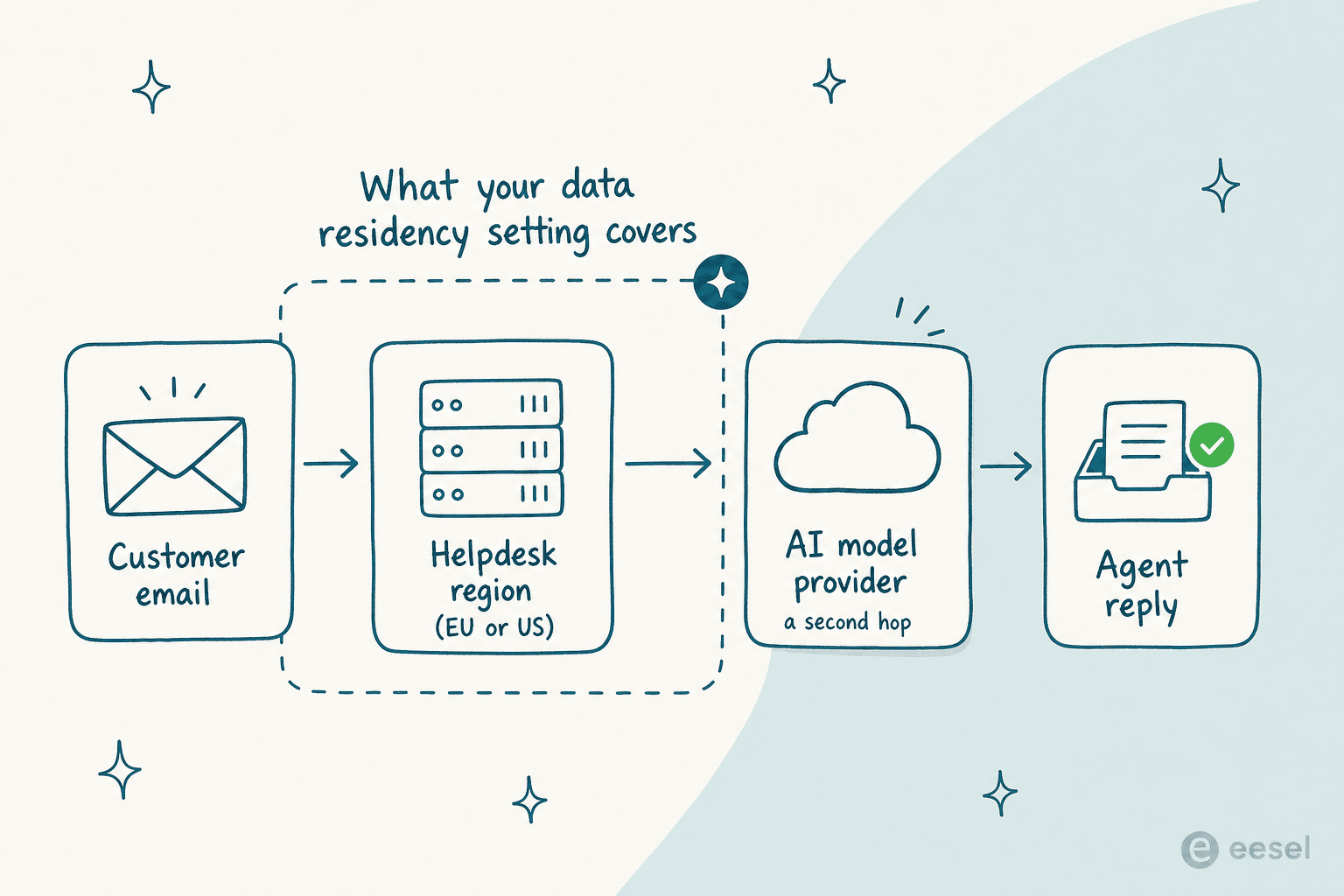
That third question is new, and it catches people out. Help Scout's sub-processor list puts 18 of its 20 sub-processors in the USA, and that includes both AI vendors, OpenAI and Anthropic. Fine, of course, provided you knew before the security review rather than during it.
How I picked these nine
I run the integration side of eesel, which means my days are spent inside these platforms' APIs, admin panels and trust centres. Every claim here was re-checked against the vendor's own pages on 27 July 2026. Pricing pages, hosting docs, status pages, and the actual customer agreements, not the summary blog posts that repeat them.
Three rules I held to. First: no number goes in unless the vendor published it, which is why a few cells below read "not published" instead of a guess. Second, uptime only counts when it shows up in an agreement with a remedy attached to it. And third, I ignored the "SLA" feature bullet on pricing pages. On Freshdesk and Help Scout that bullet means ticket-response policies you configure yourself, not availability the vendor owes you.
The shortlist is the usual suspects, and for a reason: these are the platforms teams actually end up on. Want the wider field instead of the cloud lens? My general list of top helpdesk software covers more names, while the customer service automation platform roundup goes deeper on workflow features.
Cloud customer service software compared at a glance
Read the uptime column before the price column. It is the column that tells you what happens on a bad day.
| Tool | Entry price | Hosting | Regions you can choose | Uptime commitment | AI billing unit | Published AI rate | Best for |
|---|---|---|---|---|---|---|---|
| eesel AI | From $299/mo (500 credits), no seat fee | Cloud, layered on your helpdesk | EU or US residency available (add-on) | Not published | Credit (1 per ticket handled) | 500 credits for $299 | Adding AI without migrating |
| Zendesk | $19 (Support Team) | AWS pods and shards | US, EEA, UK, Japan, Australia | 99.9% via paid Premier Support | Automated resolution | Not published | Large multi-channel operations |
| Freshdesk | $19 (Growth) | AWS, multi-tenant | US, EU, UAE, India, Australia (signup only) | None published | Freddy AI Agent session | $0.49 after 500 free | Most AI included per dollar |
| Zoho Desk | $7 (Express) | Zoho-operated data centres | 8 region pairs, set at signup | 99.9%, no service credits | Bundled with plan | Not published | Cheapest real ticketing |
| Help Scout | $25 (Standard) | AWS, United States only | None, US only | None published | AI Answers resolution | $0.75 | Small teams that want email feel |
| Front | $25 (Starter) | AWS, multi-tenant | US or EEA, via sales | None published | Autopilot conversation | From $0.05 | Cross-team operations work |
| Gorgias | $40/mo flat (Starter) | Google Cloud | Not published | Not published | Automated interaction | $0.85 to $1.00 | Shopify order operations |
| HubSpot Service Hub | $7 (Starter) | Cloud, multi-tenant | Not published | Not published | Breeze credit | $0.009 per credit | Teams already in HubSpot |
| Salesforce Service Cloud | $25 (Starter Suite) | Salesforce cloud | Contract-dependent | Contract-dependent | Agentforce conversation | $2.00 | Enterprises on Salesforce |
Seat prices are per user, per month, on annual billing. Gorgias sells whole plans instead of seats.
The uptime number is marketing until it is in the contract
This is the part that surprised me most on the re-check. Zendesk's public Customer Agreement contains no availability percentage at all. The service is provided "as is", and SLAs apply only if you purchase them. That 99.9% credit-backed availability SLA lives instead in Zendesk Premier, the paid support tier, where it covers five products rather than the whole suite. Meanwhile the marketing has claimed 99.99% historical availability, ten times tighter than anything Zendesk will actually contract to.
Zoho puts a 99.9% monthly figure in its help articles. Read the Zoho Terms of Service end to end, though, and no service-credit schedule turns up, with liability capped at $1,000 or twelve months of fees. Freshworks pulls the same trick from the other direction: its Terms of Service offer a limited performance warranty whose sole remedy is a refund of unused prepaid fees.
Front and Help Scout skip the subject completely. The word SLA never appears in Front's May 2026 SaaS agreement. Help Scout, for its part, states plainly in its terms that it does not warrant the service will be uninterrupted.
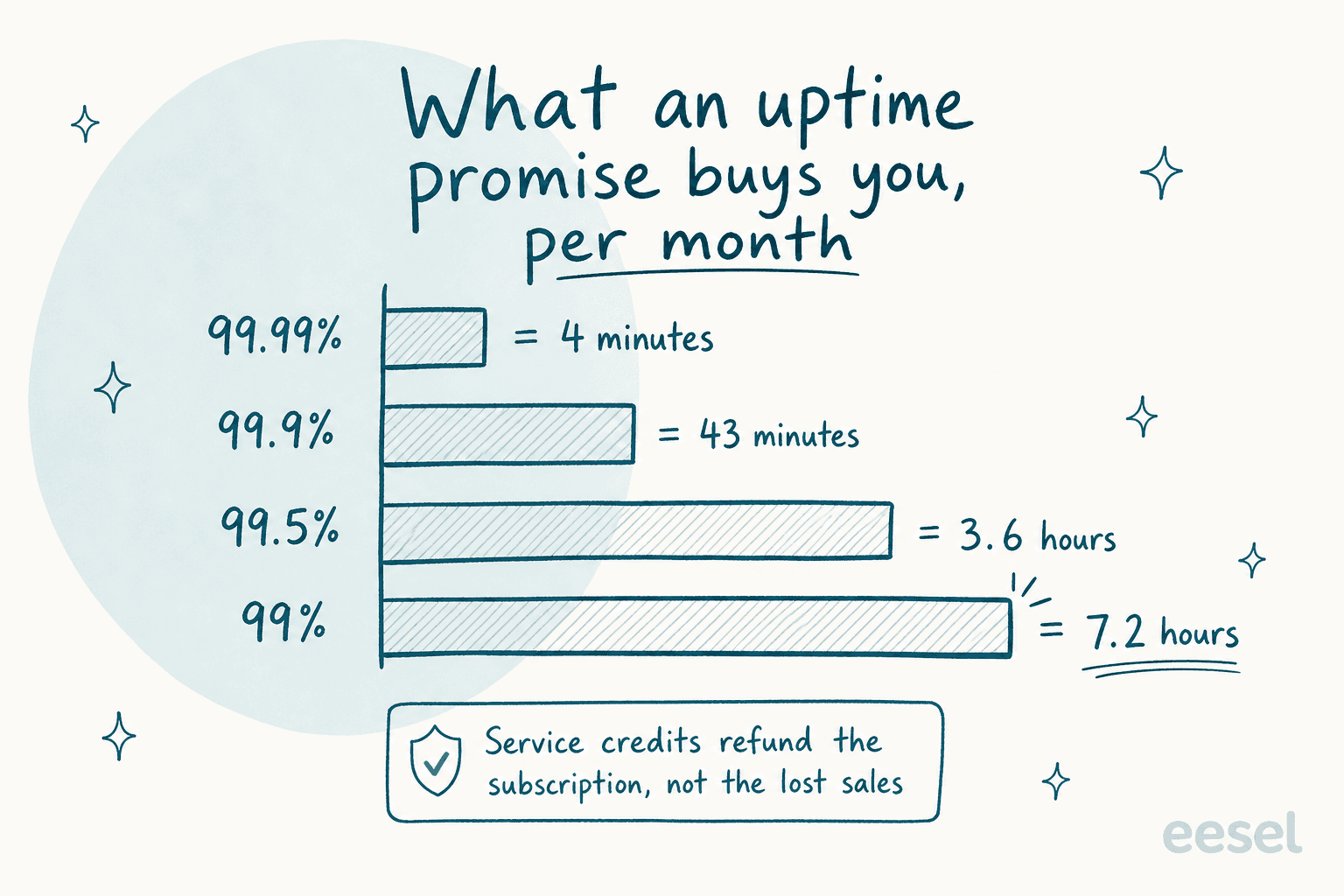
Two things share a name here and are worth separating. Platform availability is what the vendor owes you. The response-time targets you set for your own customers are a separate machine inside the product, and getting those right is its own discipline, which my guide to SLA management covers.
None of this makes the platforms unreliable. When I checked, Help Scout's status page showed 100% ninety-day uptime on eleven of twelve components, and Zendesk showed no incidents across fourteen services. My point is narrower: you are relying on engineering culture rather than a contract, and those two are different things when a Tuesday goes sideways. Zoho's own reliability doc records an April 2025 incident that took CRM, Desk, Mail, and Books down for 1 hour 24 minutes 57 seconds. More than double the monthly budget a 99.9% promise allows.
Customers feel it long before the credit arrives, which is the part contracts price badly:
"They also seem to have regular outages, which is a pain. When there's an outage, we often can't contact our users, and it's detrimental to their trust in our business."

Plug your own numbers in below. The interesting output is the gap between what the outage costs you and what the credit gives back, more than the downtime figure itself.
Where your data lives, and where the AI sends it
Data residency is the one cloud question that can kill a deal outright, and I watch it happen. In eesel's own sales calls, a Nordic HR-compliance software company would not proceed without GDPR compliance and EU data residency on a Confluence and Slack setup. A US healthcare platform running around 500 Zendesk tickets a month hard-blocked on HIPAA and a signed BAA during the demo itself. A Danish telematics buyer needed written assurance that ticket content holding card numbers and passwords stayed inside their environment before security would even approve a trial. None of those were soft preferences. Each one was a gate. Healthcare buyers especially tend to arrive with the questionnaire already written, which is why I keep a separate note on what HIPAA compliance actually requires from an AI vendor.
Each vendor handles it differently:
- Zendesk gives you five selectable regions, and charges nothing for the Data Center Location add-on on Suite Professional and above. The catch: it is not on by default. Without it, the Regional Data Hosting Policy states that "Zendesk makes no commitments on the Hosting location of Customer's Service Data." Carve-outs exist as well. Talk text data stays in the US, and Zendesk QA and WFM still run on Google Cloud instead of AWS.
- Freshdesk runs five AWS regions, one of them a UAE region serving 72 countries across the Middle East and Africa, with production and backups kept in the same region. The choice happens once, at signup. Changing it later means emailing support for a manual migration.
- Zoho Desk has the widest map here: eight region pairs, running from Amsterdam and Dublin to Riyadh and Jeddah, all documented on Know Your Datacenter. Your region gets picked from your IP at signup, sits at the Zoho account level, and is never replicated elsewhere. Switching therefore means a migration ticket, plus a fourteen-day deletion clock on the old account.
- Front offers US or EEA hosting. The data hosting policy makes clear there is no in-product picker though, and if you never ask, Front makes no commitment about location.
- Help Scout is United States only. Its docs answer the server-location question with "Help Scout is hosted on AWS servers in the United States," and the company will not sign custom DPAs. On paper it is GDPR-compliant through the Data Privacy Framework and standard contractual clauses. That is a legal answer, not a geographic one.
Then comes the second hop. Your helpdesk region governs the helpdesk, and that is all it governs. The model reading your tickets is not automatically covered, which is why the sub-processor list matters more than the marketing page does. A sysadmin sizing up the same problem for a new EU office put the gap well:
"The part melting my brain is how little the paperwork matches reality once you follow the data. A tool sells itself as EU-hosted then quietly replicates to a US region for redundancy."

A few teams follow that logic to the end and jump off the cloud entirely:
"13 years on helpscout... Moving to Free scout. Google it. Lots of setup work on our own server but at least we own the data then as well. The cheap modules you can buy make it almost the same. Plus the ability to custom integrate as needed."
A minority move, clearly, and self-hosting only trades one set of problems for another. It does tell you what the frustration is really about though: predictability and ownership, rather than servers.
1. eesel AI
Best for: adding AI to the cloud helpdesk you already run, without a migration.

I work on eesel, so take the enthusiasm with the appropriate pinch of salt and judge the mechanics instead. eesel is not a helpdesk. It is an AI layer that connects to the one you already have, reads your past tickets, your help centre and your macros, then drafts or sends replies inside that same tool. Connectors cover Zendesk and Freshdesk, along with Front, Help Scout, Gorgias, HubSpot and Jira Service Management, and Slack, Confluence, Notion and Google Docs come in as knowledge sources.
Cloud posture: EU or US data residency is available as a $500 per month add-on. DPAs get signed on request, and connected content is never used to train models. There is no Enterprise tier; SSO and MFA are add-ons from $199 per month, and HIPAA is a talk-to-us conversation.
Pricing: the Teammate plan is one fixed monthly price sized to volume: 500 credits for $299, 1,000 for $499, 2,500 for $999 and 5,000 for $1,899, plus a free plan of 100 credits. No seat fees and no platform fee. One ticket or chat is one credit however many replies it takes, which is the part that matters once you compare it against per-interaction billing.
Setup is the part people underestimate in the good direction. There is no labelling step at all, since it reads what you already wrote. My notes on training AI on a knowledge base go through the mechanics.
Pros: live in an afternoon instead of a quarter, simulation against your historical tickets before anything reaches a customer, no seat maths to do. Cons: it is a layer rather than a system of record, so a helpdesk still has to sit underneath. Teams shopping for one product to replace everything will not find it here.
Verdict: pick eesel when the helpdesk is fine and its AI is not. Skip it if you are replacing the helpdesk itself this quarter, because that decision comes first.
2. Zendesk
Best for: large, multi-channel operations that need real regional control.
Zendesk is the reference implementation of a cloud helpdesk, and its technical architecture doc is unusually honest about what that means. Data centres contain pods, pods contain database clusters, clusters contain shards, and "each shard supports a certain number of customers." Big accounts can pay for a dedicated shard. Everyone else shares. Normal enough, and still worth knowing.
Cloud posture: five selectable regions across nine AWS regions, free on Suite Professional and up, though not automatically switched on. Availability is 99.9% only if you buy Premier Support. Credits there are non-cash, expire after a year, and must be claimed within 60 days. Pod moves also happen periodically and can break IP allowlists, the kind of detail your network team will want in advance.
Pricing: Support Team $19, Suite Team $55, Suite Professional $115, plus an Enterprise tier that now bundles Copilot and is sales-quoted. The Copilot add-on runs $50 per agent. A dollar rate per automated resolution is no longer published, so budget from your rep's quote, not from an old blog post. My full breakdown of Zendesk pricing walks the tiers.
Pros: the deepest configuration surface in the category, real regional choice, an app ecosystem for everything. Cons: that depth costs you admin time, and the AI economics are now opaque by design.
Verdict: worth it once routing gets complex across brands and regions. At 400 tickets a month you are paying for machinery you will never use, and Zendesk alternatives will serve you better.
3. Freshdesk
Best for: getting the most AI included per dollar.
Freshdesk quietly carries the friendliest AI allowance in this list. Every plan includes the first 500 Freddy AI Agent sessions, the $19 Growth tier as well, and overage runs $49 per 100 sessions. For a small team that can mean the AI costs nothing for months on end.
Cloud posture: five AWS regions with production and backups kept together, chosen at signup only. Multi-tenant with logical isolation by tenant ID, n+1 across availability zones, and daily snapshots held for seven days. The status page is region-aware, still labelled beta, and publishes no historical uptime figures. When I checked it, a live banner disclosed an AWS outage in the Middle East and Africa region, with customers temporarily migrated to EU North in Stockholm. Exactly the sort of event your data residency paperwork should anticipate.
Pricing: Growth $19, Pro $55, Enterprise $89. The free plan is gone. Freddy Copilot costs $29 per agent, and only on Pro and Enterprise. Details sit in my Freshdesk pricing writeup.
Pros: best included AI allowance, clean ticketing, and automation that is strong for the money. Cons: no availability SLA, region locked at signup, and losing the free plan hurts very small teams.
Verdict: the value pick for teams under 20 agents who want AI inside the base price. If you need the region flexibility it does not offer, compare it against Freshdesk alternatives.
4. Zoho Desk
Best for: the widest regional map at the lowest price.
Nobody else in this roundup will host you in Riyadh, Toronto or Tokyo at $7 a seat. Where a team has a data-sovereignty requirement in a region the US vendors ignore, Zoho Desk is often the only cloud option that qualifies at all.
Cloud posture: eight primary and secondary data-centre pairs, all Zoho-operated instead of rented from a hyperscaler, with your region derived from your IP at signup and then fixed at the account level. Backups stay in the same location as the data centre and never cross regions. That 99.9% availability figure appears only in help articles, while the terms of service carry no service-credit schedule at all.
Pricing: Free for three agents, Express $7, Standard $14, Professional $23, Enterprise $40. Zia now starts at Professional instead of Enterprise, and no separate per-prediction AI rate needs modelling. My Zoho Desk AI review covers what Zia can and cannot do.
Pros: unbeatable price, real regional breadth, and AI that is bundled instead of metered. Cons: shared-fate infrastructure with the rest of Zoho, plus an interface that asks more patience than the others do.
Verdict: the right call whenever budget or regional coverage is what decides. With neither constraint binding, the polish gap will show inside a month.
5. Help Scout
Best for: small teams that want support to still feel like email.
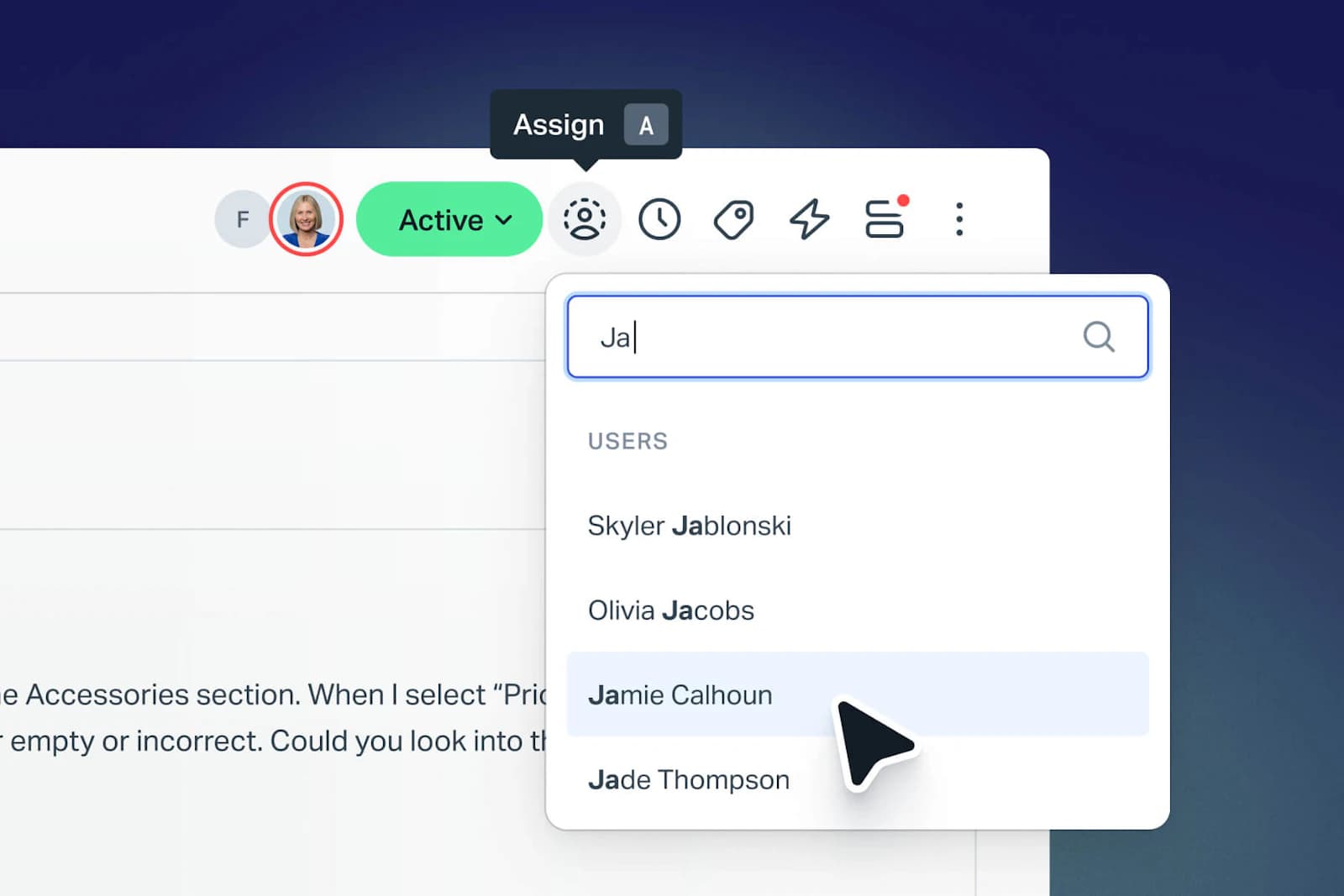
Help Scout remains the nicest place to answer customer email. No ticket numbers in the customer's face, no portal, only a shared inbox that behaves like one. A deliberate design position, and it still wins teams.
Cloud posture: the thinnest commitments in this list, and worth being clear-eyed about. Hosted on AWS in the United States with no EU option. No ISO 27001 claim anywhere, no availability SLA, and HIPAA only on the Pro plan, with a non-negotiable BAA plus an AI healthcare addendum. The sub-processor list is stamped January 2025. Against that, the status page has been close to flawless, and Help Scout publishes incidents openly, including a Docs outage on 14 July 2026 that ran most of a working day.
Pricing: free for five users, then Standard $25 and Pro $75. AI Answers resolutions bill at $0.75 each.
One more thing worth knowing: the 2025 pricing episode. Help Scout moved from per-seat to per-interaction billing, then reversed it after the reaction. Here is the sentiment it left behind:
"We just received an email from HelpScout that they'll change their pricing to a completely new model. Whereas before you'd be charged by seat, you're now charged by customer interaction. It makes the costs unpredictable. It's super annoying because now we'll have to migrate a lot of docs etc. to a new provider."
Billing sits back on seats now, with AI Answers as the metered part. Still a useful reminder that in cloud software the pricing model changes as easily as the feature set.
Pros: the fastest tool here to learn, pleasant to work in, and open about incidents. Cons: US-only hosting rules it out for EU-mandated buyers, and the 2025 pricing-model reversal left a trust hangover that still surfaces in threads.
Verdict: ideal for a five-person team doing email support in the US. With a security questionnaire anywhere in your future, check the residency answer before you fall in love with the inbox, or look at Help Scout alternatives.
6. Front
Best for: operations teams where support, logistics, and account management share a queue.
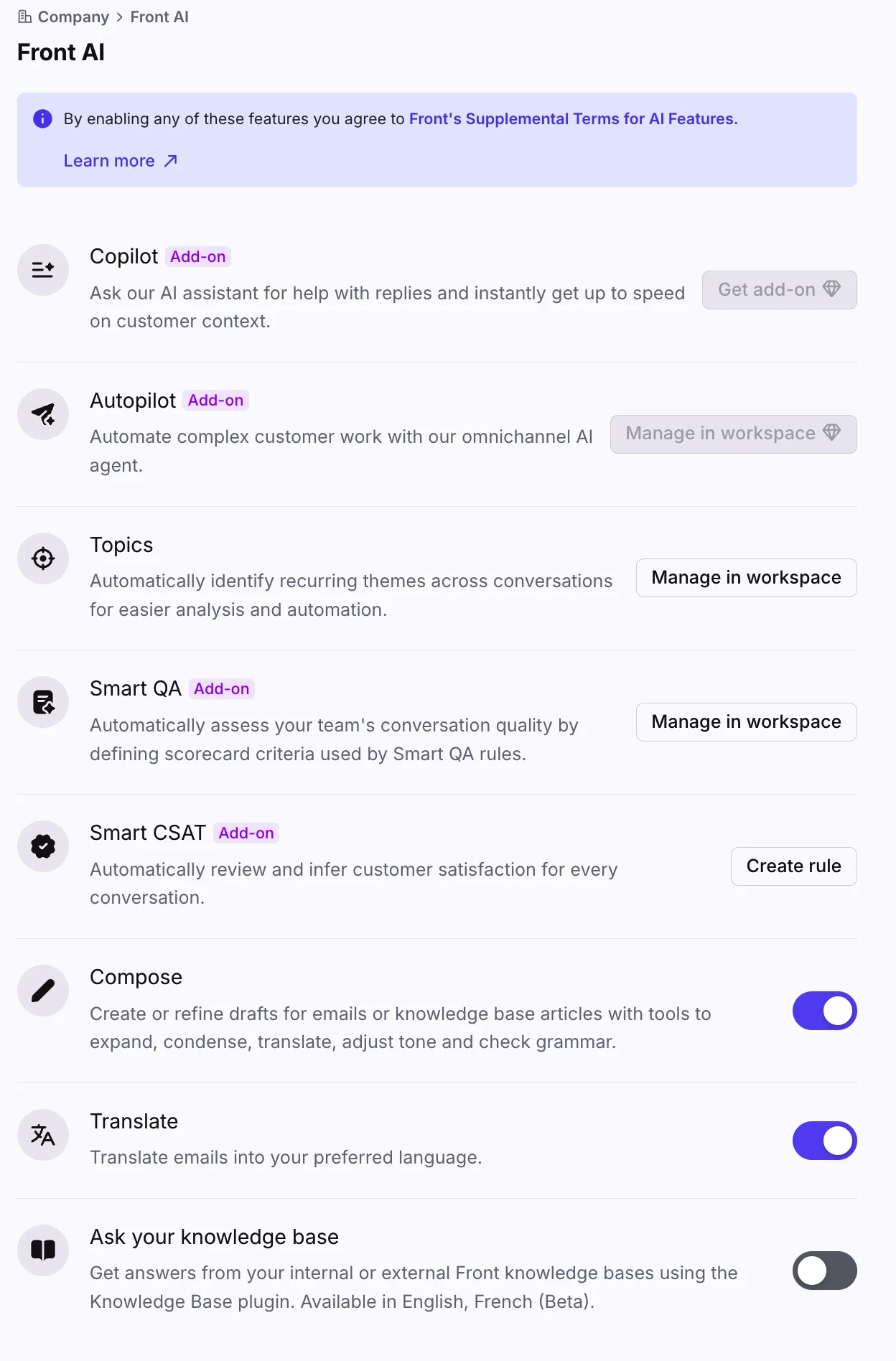
Front is the best tool here for work that is not strictly support. Freight, logistics, brokerage and account management teams live in it, because a conversation can be owned, commented on and handed between departments without ever pretending to be a ticket.
Cloud posture: AWS multi-tenant with logical separation. US or EEA hosting is arranged through sales instead of a settings toggle, and no uptime percentage appears anywhere in the 2026 SaaS agreement. Front does hold both SOC 2 Type II and ISO 27001, which puts it ahead of most of this list on paperwork. Its HIPAA BAA excludes several products, Live Chat, AI Answers and the knowledge base among them.
Pricing: Starter $25 through to Enterprise $105 per seat. Autopilot bills by outcome ($0.05 triage, $0.39 handoff, $0.89 full resolution), so treat $0.05 as a floor, not a typical rate.
Pros: the collaboration model really is different, ISO 27001 in hand, and a strong integration surface. Cons: no availability commitment, residency you have to ask for, and AI pricing that cannot be modelled from the website.
Verdict: buy it for cross-team operations. For classic tier-1 support, Front alternatives will cost you less per seat.
7. Gorgias
Best for: Shopify stores where support and order operations are the same job.
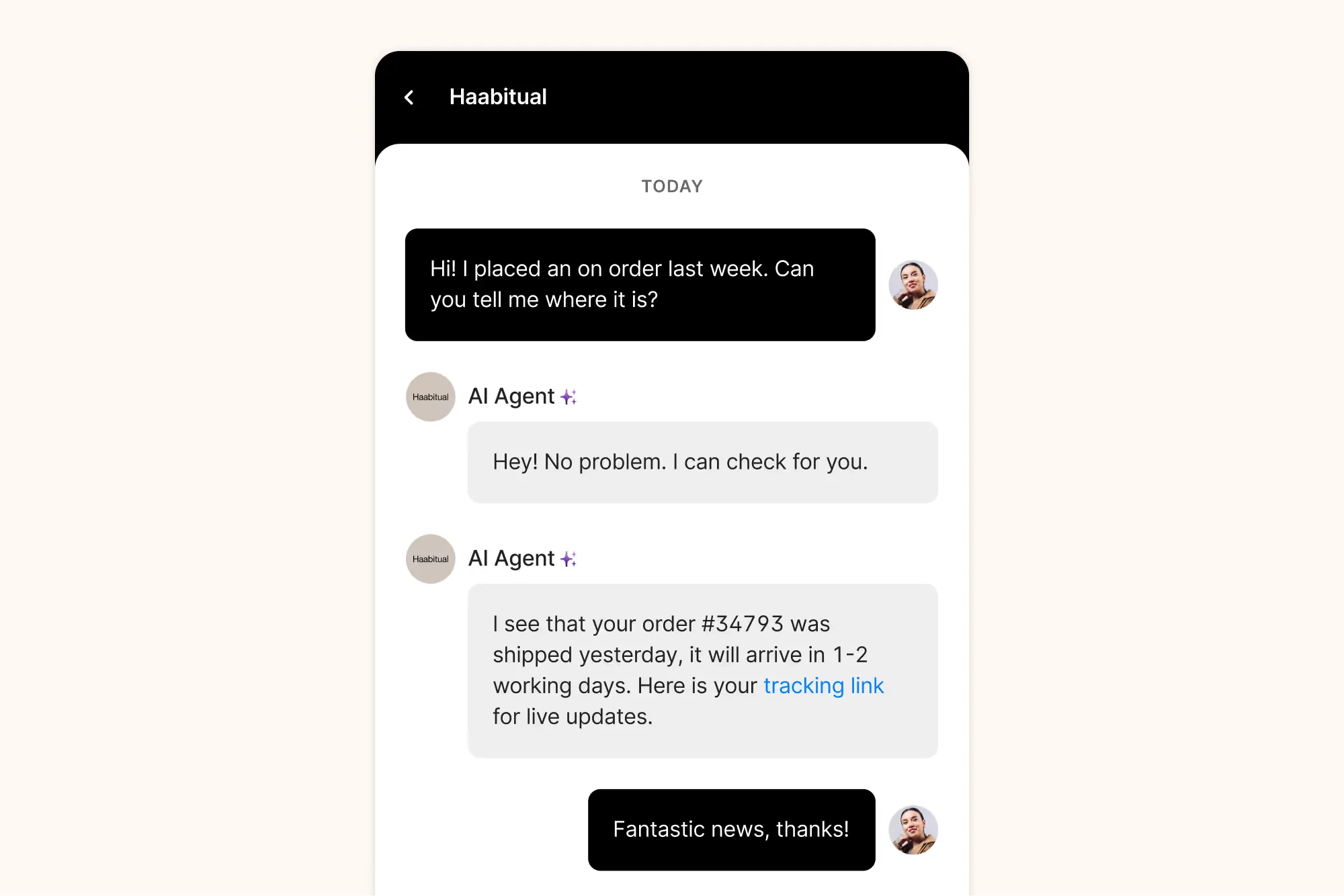
Gorgias is built around the ecommerce ticket. Its agent view carries the cart, the order and the refund controls, so a "where is my order" reply takes one screen instead of three tabs. Nothing else here does that as cleanly.
Cloud posture: hosted on Google Cloud instead of AWS, with encrypted backups across multiple GCP regions. SOC 2 Type II is renewed annually, and the report is downloadable from the trust centre on request. ISO 27001 belongs to Google Cloud, not to Gorgias itself, a distinction security reviewers do make. No customer-selectable region is published anywhere.
Pricing: Starter $40 a month flat, Basic $90, Pro $550, Advanced $1,430, with annual discounts on top. Ticket overage lands at $0.36 to $0.40. The number that really moves your bill is the $0.85 to $1.00 per automated interaction, depending on the plan. That bills per AI message inside a thread, not per resolved conversation, so a chatty exchange costs several times what a single answer does.
Pros: unmatched Shopify depth, fast setup, and automation rules that hold up for order flows. Cons: at any real volume, the per-interaction AI unit is the most expensive model in this roundup.
Verdict: the obvious pick for a Shopify brand. Model the AI spend at your own reply count before switching it on, using my Gorgias AI pricing breakdown.
8. HubSpot Service Hub
Best for: teams whose CRM is already HubSpot.
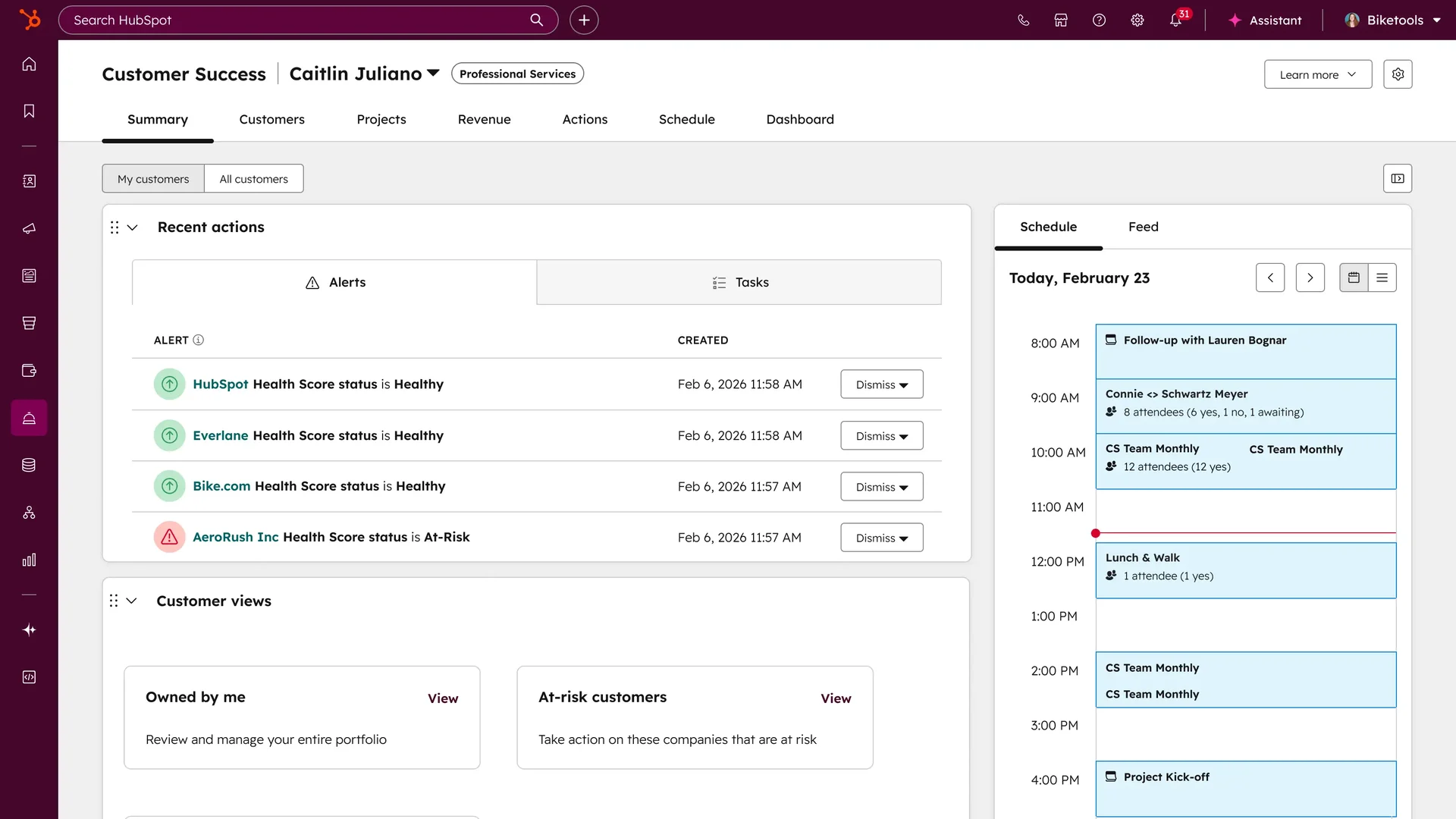
When your sales and marketing data already lives in HubSpot, Service Hub hands support the same customer record instead of a second one that drifts. That single fact outweighs most feature comparisons.
Cloud posture: multi-tenant cloud, with regional detail handled through HubSpot's own trust and privacy pages instead of a self-serve region picker. Treat residency here as a contract conversation, never a settings toggle.
Pricing: Starter from $7 per seat, climbing to $150 at Enterprise. Breeze AI runs on credits at $0.009 each on annual billing, so roughly $0.45 for a 50-credit resolution, and an allowance comes bundled into Professional. My notes on HubSpot ticket deflection walk through what the AI does in practice.
Pros: one customer record across the funnel, a familiar interface, and credits that are cheap per unit. Cons: credit accounting is hard to forecast, and pricing ramps steeply above Starter.
Verdict: obvious for a HubSpot shop already. Hard to justify for anyone else.
9. Salesforce Service Cloud
Best for: enterprises already standardised on Salesforce.
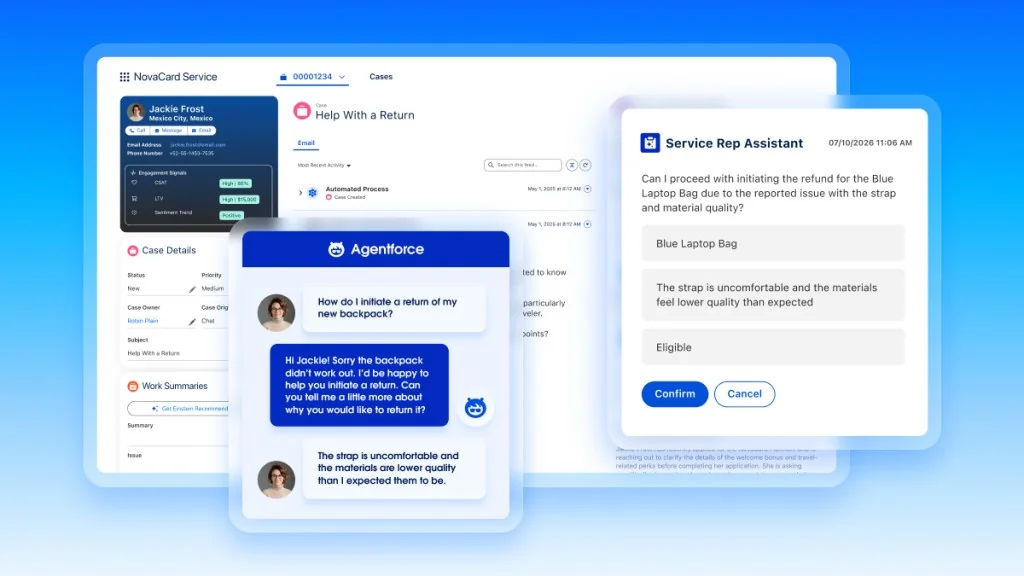
Service Cloud is less a helpdesk than a platform you build a helpdesk on top of. The appeal and the warning, in one sentence. With a Salesforce team in place it does things the rest of this list cannot. Without one, it will out-scope you.
Cloud posture: hosting regions, availability terms and compliance are all contract-level negotiations instead of published settings. Normal at this end of the market, and it does mean your legal team decides the answer, not your admin.
Pricing: Starter Suite $25 per user, rising to Agentforce 1 from $550 per user. Agentforce bills $2.00 per conversation, or runs through Flex Credits at $500 per 100,000 credits, where a standard action costs 20 credits and unused credits never roll over. See Agentforce pricing for the full model.
Pros: limitless customisation, deep CRM integration, and enterprise compliance depth. Cons: the most expensive AI unit in the roundup, and implementation is its own project with its own budget line.
Verdict: correct for Salesforce enterprises, overkill for everyone else. If you want Agentforce-style AI without the platform commitment, look at an AI layer for Service Cloud instead.
What actually breaks when you switch cloud helpdesks
Every vendor's migration page talks about tickets and contacts, because that part is easy. An export, an import, and their team will run it for you. What nobody quotes for is everything you configured around the data.
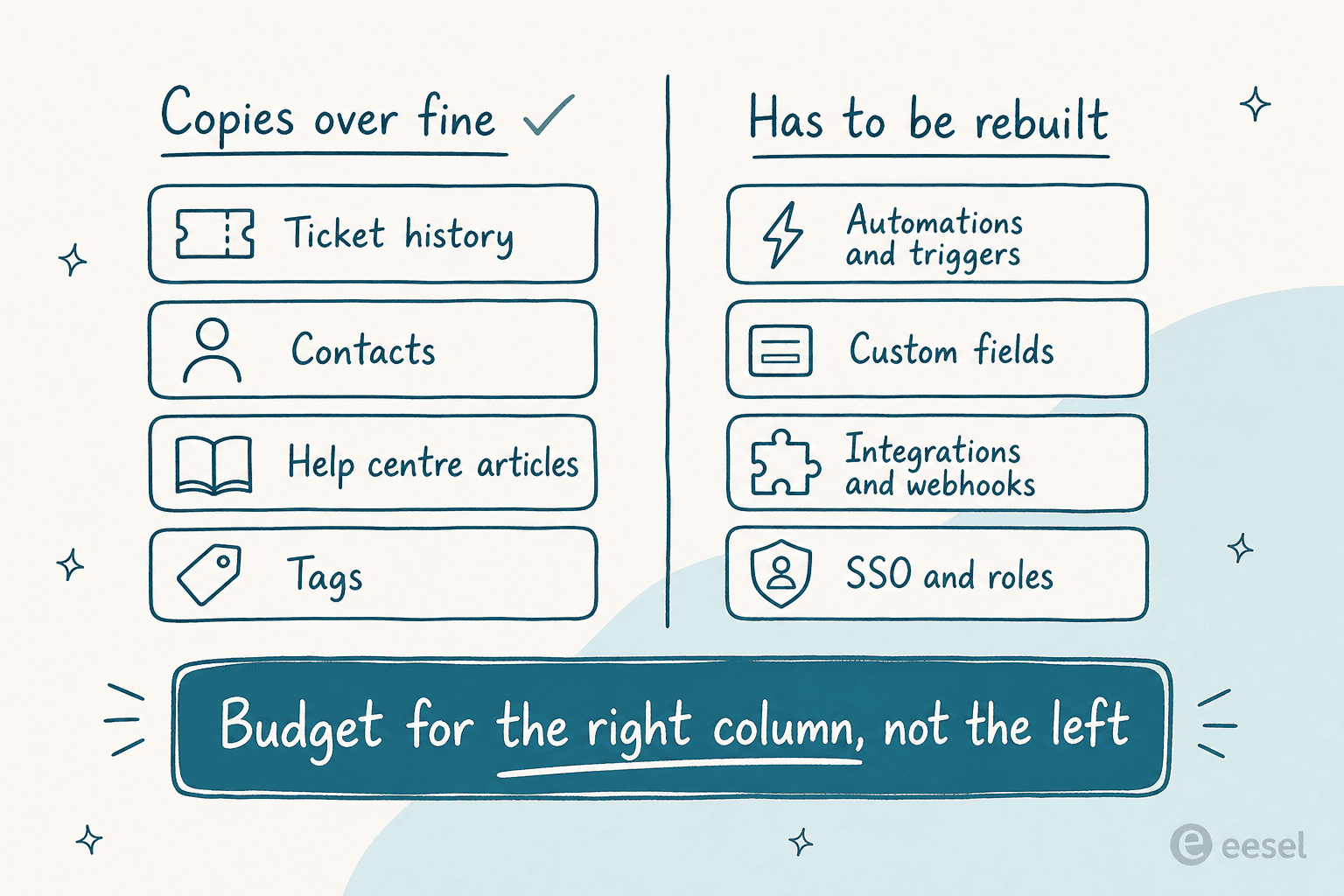
The Zendesk-to-Freshdesk route is the best-documented path in this category. Even that one is mostly a configuration rebuild once the data lands, as my walkthrough of migrating from Zendesk shows.
Automations and triggers do not port. Custom fields rarely map one to one. Every integration and webhook you wired up has to be rebuilt against a new API, while SSO and role structures get redone from scratch. On a mid-sized queue that is weeks of work from someone who also has a day job. Which is why I keep pointing teams at the cheaper experiment first: put an AI layer on the platform you already run, measure the resolution rate for a month, and only then decide whether the platform itself is the problem.
If you do migrate, a few things are worth insisting on before signing. Get the region in writing, since the default at Zendesk and Front is no commitment at all. Get the credit schedule too, or accept out loud that there isn't one. Then run the AI against your own historical tickets in simulation before it touches a customer. A confident wrong answer is the failure mode that costs you the most, and it is entirely preventable. My guide to preventing AI hallucinations covers the checks.
Try eesel on the cloud helpdesk you already have
If you got this far because the helpdesk is fine and its AI is disappointing, what you need is a better layer, not a migration. eesel connects to Zendesk, Freshdesk, Front, Help Scout, Gorgias and Jira Service Management in a few minutes, learns from the tickets and help centre you already have, then starts drafting or sending replies inside the tool your team knows. EU data residency is available as an add-on, nothing you connect is used to train models, and it runs on a fixed monthly credit plan (1 credit per ticket handled, from $299 for 500 credits) instead of per seat or per message.
The part I would use first is the simulation. Replay your last few thousand tickets, see the resolution rate and the exact answers before anything goes live, then widen the scope from there. Try eesel free with 100 credits, no card needed, or book a demo if you want to walk through the residency and compliance side with someone.