


Every support ticket software vendor sells you the same four things: a place for tickets to land, rules to move them around, a knowledge base, and reports. The prices look close enough, on paper. What separates them in 2026 is what each one counts as a resolved ticket, because that definition sets your AI bill. Help Scout refunds the charge if the customer clicks "I still need help". Zendesk only bills a resolution that survives 72 hours of silence. Freshdesk bills the 24-hour session whether anything was solved or not. Gorgias prints $0.85 to $1.00 per automated interaction, depending on the plan.
If you want the short version: Zendesk for big multi-channel teams, Freshdesk for value, Zoho Desk at $14 for tight budgets, Help Scout for small teams who hate admin, Gorgias for Shopify. And if your desk is fine and only the queue is the problem, a migration is not what you need. I work on eesel's support team, and the thing we get thanked for most is not a new inbox, it is that a customer of ours resolved 73% of tier-1 requests in the first month without leaving Zendesk. We charge from $299 a month for 500 credits, where 1 credit is one ticket handled, no seats.
The question every roundup skips
I answer tickets for a living, so this part is not new to me. The first thing I look at in any support ticket software is not the feature grid, it is what happens to a ticket that comes back.
That matters twice. Once operationally, because a reopened ticket is work you already paid for and are now doing again. And once financially, because every desk on this list now sells a metered AI layer, and the vendors do not agree on what "resolved" means. Help Scout's docs are explicit: a resolution does not count if the customer escalates, searches the knowledge base, asks more questions or clicks "I still need help", and there is a maximum of one resolution per conversation. Zendesk went the other way and built a three-tier model in May 2026, where an assisted escalation is free, a contained resolution that fails verification is free, and only a verified resolution gets billed. Freshworks counts a session, which is every interaction inside a 24-hour window, so it bills the attempt rather than the outcome.
Same customer, same conversation, five very different invoices.
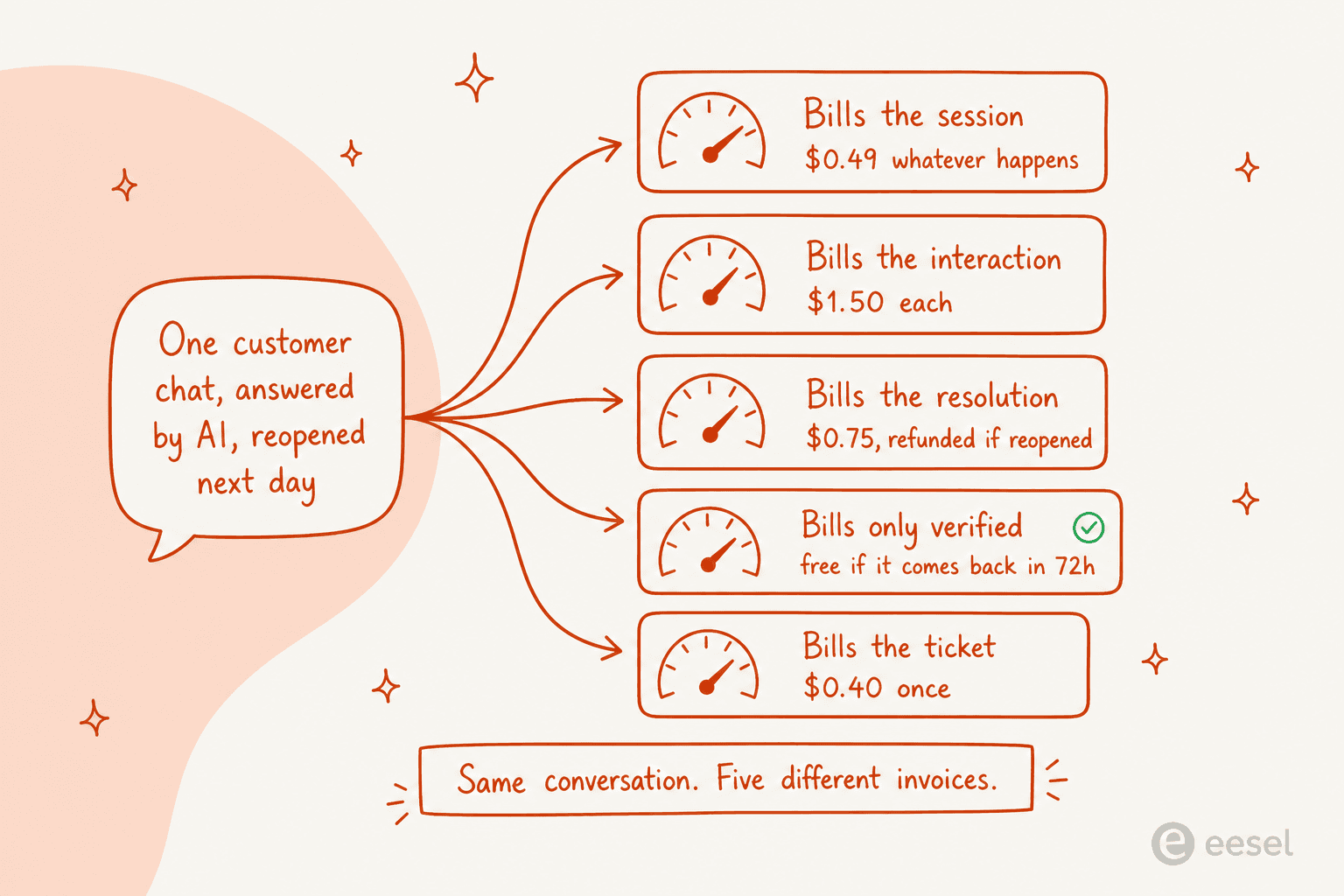
I built a small checker for this, because reading five pricing pages side by side is miserable. Pick the thing that actually happened in the conversation and see who charges you for it.
Who bills you for this conversation?
Published 2026 rates. One AI-answered customer conversation, four ways it can end.
| Tool | What it counts | Billed? |
|---|---|---|
| Zendesk | Verified resolution after 72 hours of silence | Yes, rate unpublished |
| Freshdesk | Session, first 500 included | $0.49 after 500 |
| Gorgias | Automated interaction | $0.85 to $1.00 |
| Help Scout | AI Answers resolution | $0.75 |
| Tidio | Lyro conversation | From $0.70 |
| eesel | Ticket handled | 1 credit |
The clean case. Everybody bills, and the spread is already wide between the cheapest and dearest published rate.
| Tool | What it counts | Billed? |
|---|---|---|
| Zendesk | Assisted escalation, human finished it | No |
| Freshdesk | Session happened regardless of outcome | $0.49 after 500 |
| Gorgias | Automated interaction, printed on every plan card | $0.85 to $1.00 |
| Help Scout | Excluded: escalation and "I still need help" do not count | No |
| Tidio | Lyro replied once, and a human reply burns a second meter | Both meters |
| eesel | Ticket you routed to it | 1 credit |
The failure case, and the widest gap on this page. Gorgias's headline says you pay when it resolves, but the metered unit printed on the plan cards is the automated interaction.
| Tool | What it counts | Billed? |
|---|---|---|
| Zendesk | Contained resolution that fails LLM verification | No, since May 2026 |
| Freshdesk | 24-hour session, outcome irrelevant | $0.49 after 500 |
| Gorgias | Interaction already happened | $0.85 to $1.00 |
| Help Scout | No resolution recorded | No |
| Tidio | At least one AI reply, so it counts | From $0.70 |
| eesel | Ticket handled | 1 credit |
Abandoned chats are the ones support leads argue about with their rep. Zendesk's old model billed them, which is exactly what the Reddit thread below is angry about.
| Tool | What it counts | Billed? |
|---|---|---|
| Zendesk | Verification window broken by the reopen | No |
| Freshdesk | New 24-hour window, so a second session | Twice |
| Gorgias | Second automated interaction | $3.00 total |
| Help Scout | One resolution maximum per conversation | No |
| Tidio | Same conversation, still one | No extra |
| eesel | One ticket, one charge, any number of replies | No extra |
This row is the argument for reading the definition before the rate. A team with a 20% reopen rate pays a fifth more on a session meter and nothing extra on a per-ticket one.
Every rate above comes from the vendor's own pricing page as published on 27 July 2026, and each one is linked again in its section below.
How I picked these ten
I run a support queue, so my criteria are boring and practical.
- Public pricing. If a vendor will not print a number, it does not get ranked here. That rules out Gladly, whose pricing page returns a byte-identical copy of its homepage, and Kustomer, which says outright that it does not post pricing.
- A real ticket record, not just a chat log. Statuses, assignment, SLAs, ticket tags, history.
- Reporting you can actually get out. I checked the plan gates in each vendor's own help docs rather than the pricing page, because the two disagree more often than you would like.
- The AI meter, in writing. Unit first, rate second.
- What it costs when things go wrong. Reopens, escalations, abandoned chats.
Two tools that would otherwise qualify sit in my other roundups instead, since this list is customer-facing: employee-facing desks are covered in automated IT ticketing, and the wider field in my helpdesk software roundup.
I did not test every tool for a year. What I did do is read the docs and the plan comparison tables closely, price the same 1,000-ticket month against each meter, and check the community threads where people describe the bill they actually got. Where a claim comes from a vendor page, I have linked to it directly.
One thing is worth saying up front, since I work at an AI company: the honest ceiling for AI on tier one sits lower than the marketing suggests. Zendesk's service page claims AI agents can automate up to 80% of interactions, while MetricNet's own benchmarking puts leading organisations at up to 50%. Plan for the second number.
Support ticket software compared at a glance
| Tool | Best for | Entry price (annual) | Custom reports unlock at | AI unit | Published AI rate | Free plan | Billing model | Uptime SLA | Data regions |
|---|---|---|---|---|---|---|---|---|---|
| eesel | Adding AI to your current desk | From $299/mo (500 credits) | n/a, sits on your desk | Ticket handled | 1 credit per ticket | Yes, 100 credits | Fixed monthly price, no seats | Not published | Follows your desk |
| Zendesk | Large multi-channel teams | $19 Support Team | $115 Suite Professional | Verified resolution | Not published | No | Per agent | 99.9%, Premier only | US, EEA, UK, JP, AU |
| Freshdesk | Value multi-channel | $19 Growth | $55 Pro | Session (24h) | $0.49 after 500 | No | Per agent | None published | US, EEA, UAE, IND, AU |
| Zoho Desk | Tight budgets | $7 Express | $14 Standard | Bundled, no SKU | n/a | Yes, 3 agents | Per user | 99.9% company-wide | 8 region pairs |
| Help Scout | Small teams, no admin | $25 Standard | No builder at any tier | Resolution | $0.75 | Yes, 5 users | Per user | None published | US only |
| Gorgias | Shopify stores | $40 Starter | Every plan | Automated interaction | $0.85 to $1.00 | No | Per ticket | None published | GCP US, EU, AU |
| Front | Inbox-shaped support | $25 Starter | $105 Enterprise | Conversation | From $0.05, quoted | No | Per seat | None published | US or EEA |
| HubSpot | CRM as system of record | $20 Starter | $90 Professional | Credits, 50 per resolution | $0.45 effective | Yes, 2 users | Per seat | Not published | Region dependent |
| Re:amaze | Small ecommerce, flat rate | $29 Basic | Bundled dashboards | Resolution | $0.85 overage | No | Per member or flat | Not published | Not published |
| Tidio | Chat-first stores | $29 Starter | Bundled analytics | Lyro conversation | From $0.70 | Yes, 50 chats | Per conversation | Not published | Not published |
If you want the same ten priced by ticket volume rather than by meter, my ticketing system software roundup does that, and customer support software covers the wider category.
Two columns in that table cost more arguments than the price column ever does. The reporting gate is where budgets break: getting a custom report out of Zendesk means Suite Professional at $115 per agent per month, a $60 step up from Suite Team, and Help Scout's own docs say there is no report builder at any price. And the uptime column stays mostly empty, and that is on purpose. Freshdesk, Help Scout, Front and Gorgias publish no uptime percentage anywhere, and Zendesk's 99.9% attaches only to Premier Support customers, covering five products, with Explore and Talk excluded.
1. eesel AI: best for adding AI to the desk you already run

I should declare the obvious here, I work on the support side. So take the pitch with whatever salt you need, and hold me to the numbers.
What it does well. eesel is not a desk, it is the AI layer that sits on the desk you already bought, reads your past tickets and help centre, and starts answering from there. That matters because the usual path to "we want AI support" is a migration, and migrations are where support teams lose a quarter. The other thing worth flagging is the simulation step, which exists because of a scar. We have had bots confidently invent answers when the knowledge base had no match, including one at a Danish solar-energy provider that made up subscription details and sent them to real customers. Now every rollout gets replayed against historical tickets first, so the answers are something you see before a customer does.

Where it bites. If you do not have a help desk yet, this is the wrong first purchase, buy one of the nine below and add us after. There is no ticket UI here, no agent seats, and no CSAT survey builder. And we publish no uptime SLA either, same as most of this list.
Pricing. One fixed monthly price sized to volume, no seat fee, no platform fee. 1 credit covers one ticket or chat, however long. See the pricing page for the full list; the free plan has 100 credits, and paid batches run:
| Monthly volume | Price |
|---|---|
| 500 credits | $299/mo |
| 1,000 credits | $499/mo |
| 2,500 credits | $999/mo |
| 5,000 credits | $1,899/mo |
Only tickets the agent actually works on count, so a partial rollout uses fewer credits. Above 5,000, talk to eesel.
My take. Pick eesel when the desk is fine and it is the queue that is the problem. A permissioned customer, Gridwise, put it plainly: in the first month it resolved 73% of tier-1 requests after a seven-day trial, without changing Zendesk, and my guide to clearing a backlog covers how that rollout usually goes. Skip it if the desk itself is what you actually need.
2. Zendesk: best support ticket software for large multi-channel teams

What it does well. Nothing on this list handles volume and channel sprawl like Zendesk. The ticket data model is the most thought-through of the ten: six standard statuses, an admin-activated On-hold state the requester never sees (they keep seeing Open), and New as a one-way door you cannot set a ticket back to. Triggers, automations, SLA policies and side conversations all do what a big team needs, and the Zendesk API is one of the better ones here.
Where it bites. Cost, and the placement of the gates. Suite Professional at $115 per agent per month is where custom reports live. Data export is off by default, and a support request is needed to enable it. Live dashboards are being retired on 25 January 2027, and the replacement dashboards cap historical lookback at 30 days. The reporting complaint is the loudest one I hear about Zendesk, and it comes from people who clearly know what they are doing:
"Zendesk is very configurable, though I struggle to think of what I like about Zendesk. I found the reporting tool in particular to be very difficult to use. Their AI offerings felt bolted on versus integrated, and their integrations didn't work particularly well. Support was not timely. Pricing was not competitive. This is why we moved to another tool."

Pricing. Support Team $19, Suite Team $55, Suite Professional $115, Suite Enterprise quoted. Copilot is a $50 per agent add-on, so a Professional seat with Copilot is $165 a month. Zendesk publishes no dollar figure per automated resolution anywhere, and that is a real gap when you are modelling a budget. My full Zendesk pricing breakdown has the rest.
My take. Buy it if you are running several channels at scale, and someone owns the admin work. Look at Zendesk alternatives if a team of eight is about to pay Professional prices for reports.
3. Freshdesk: best value multi-channel desk

What it does well. Freshdesk gives you most of Zendesk's shape at roughly half the price, and the AI allowance is the most generous headline on this page: the first 500 Freddy sessions are included on every plan, Growth included. For a small team, that is a free trial of AI support at production volume, and a real one.
Where it bites. The session meter. A Freshworks session is every interaction with the AI inside a 24-hour window, so it bills the attempt, not the outcome, and a customer who comes back tomorrow starts a new one. Reporting is the other soft spot: custom reports start at Pro at $55, there is no real-time dashboard on any plan, and report export is Pro and up. The workaround people land on tends to be depressingly consistent:
"The reports and automations can be somewhat difficult to navigate. We ended up just exporting all of our tickets every month and creating our own reports through Power query in Excel."

Pricing. Growth $19, Pro $55, Enterprise $89 per agent per month annually. No free plan any more. Freddy Copilot is $29 per agent and Pro or Enterprise only. Overage on the AI agent is $49 per 100 sessions. See my Freshdesk Pro plan writeup for what the middle tier really includes.
My take. The best price-to-capability ratio here, if you need multi-channel and can live on Pro. If your AI volume is high and your resolution rate is only average, price the session meter carefully, because you pay for the misses too.
4. Zoho Desk: cheapest real desk that still does the job
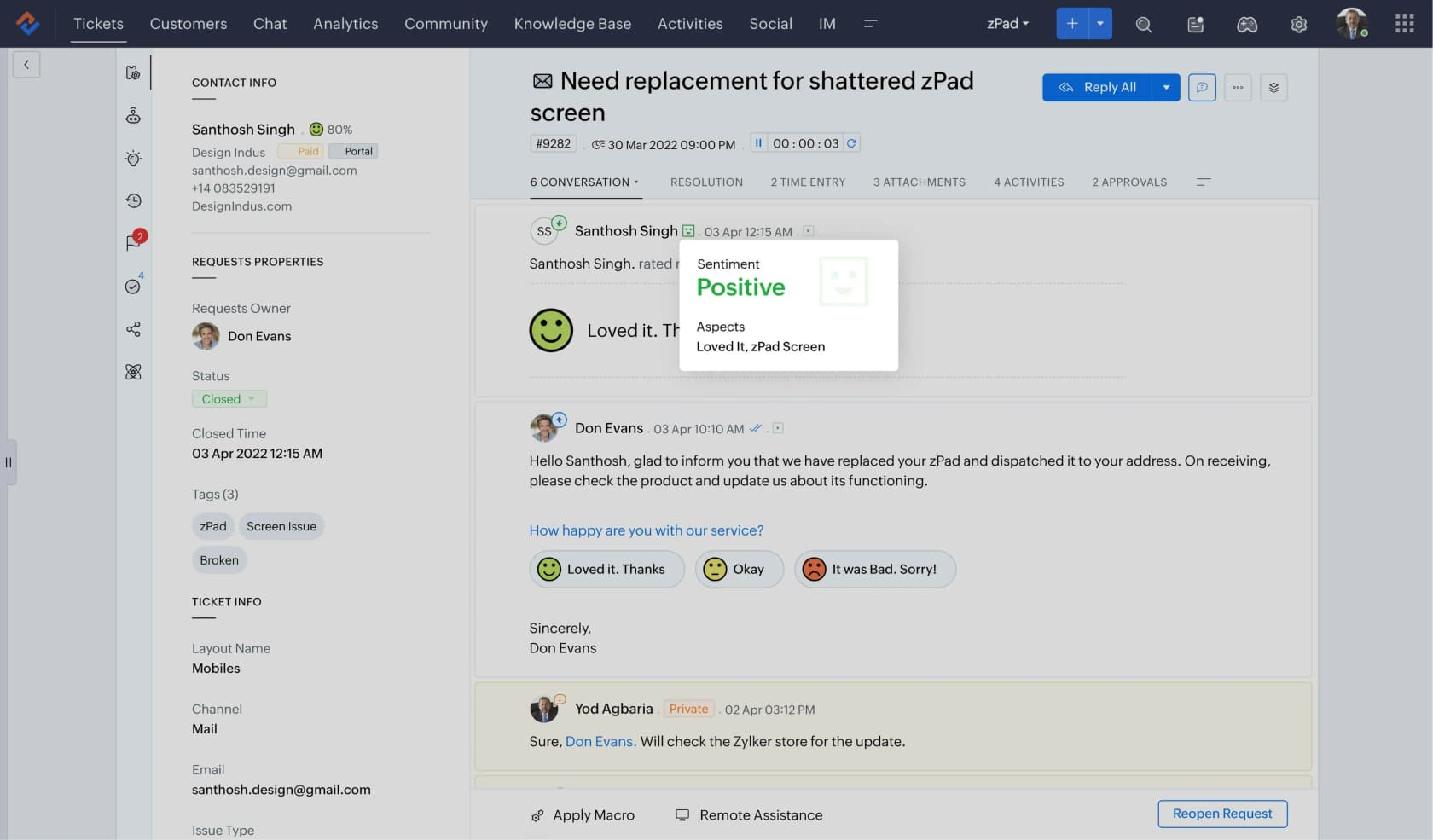
What it does well. At $14 per user for Standard, Zoho Desk unlocks custom reports, CSV, XLS and PDF export, and first-contact-resolution dashboards. That is the cheapest reporting on this entire list, and by a distance. Zia moved down to Professional in 2026, so AI sentiment and the answer bot no longer require the top tier.
Where it bites. The caps. Standard is limited to 50 custom reports and 10 custom dashboards, SLA dashboards do not appear until Professional at $23, and per-agent performance reporting is Professional too. There is one business-hours calendar below Enterprise. Zoho also assigns your data centre at signup, permanently, and migrating between regions is a manual email ticket with a 14-day deletion window on the old account.
Pricing. Free for 3 agents on email only, Express $7, Standard $14, Professional $23, Enterprise $40 per user per month annually. No separate Zia add-on price exists.
My take. If the budget is the constraint and you need real reporting, this is the pick, and it is not even close. Just buy Standard rather than Express, since Express caps exports at 1,000 records per batch.
5. Help Scout: best for small teams who hate admin
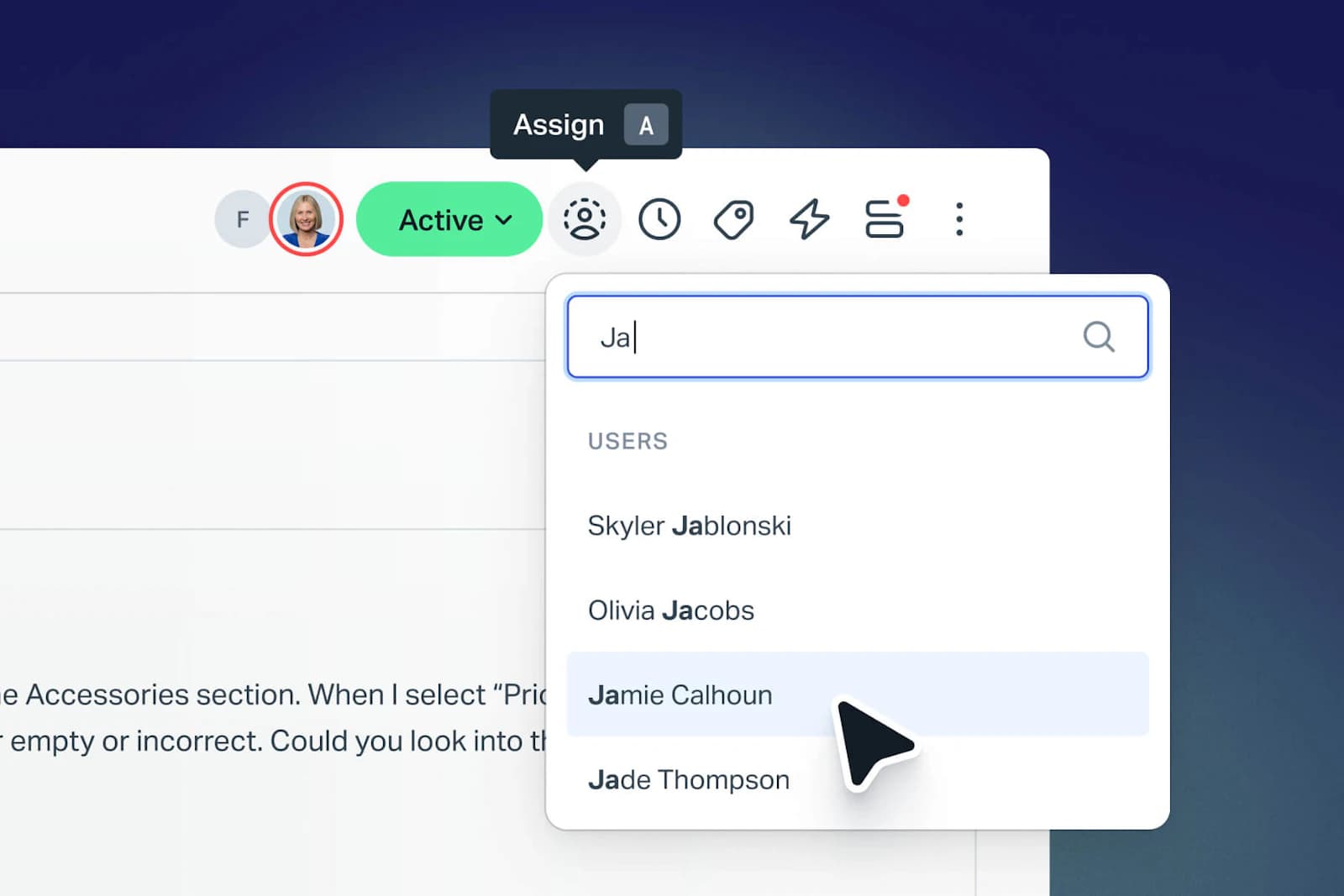
What it does well. Help Scout is the one tool here that a new hire can use on day one without any training. Conversations look like email, not tickets. And its AI pricing is the most honest on this page: $0.75 per resolution, the same rate on every plan, with a monthly spend cap that auto-disables AI Answers when you hit it, plus three months of unlimited AI resolutions from account creation. The exclusion list is published, and that is rarer than it should be.
Where it bites. No report builder, at any price. Help Scout's docs answer that question directly, and point you at the Inbox API, Zapier, or third-party tools like Databox instead. Reporting history is 30 days on Free and 2 years on Standard. It is also US-only hosting with no EU option, and that ends the conversation for some European buyers, on top of no contractual uptime commitment.
Pricing. Free for 5 users and 100 contacts a month, Standard $25, Plus $45, Pro $75 per user per month with a 10-seat minimum. Extra inboxes are $10 a month, extra Docs sites $20. More on the Help Scout alternatives worth weighing, and on adding AI to Help Scout.
My take. The right first desk for a team of two to ten who want to answer customers rather than administer software. Outgrow it the day someone finally asks for a metric the built-in reports do not have.
6. Gorgias: best support ticket software for Shopify stores
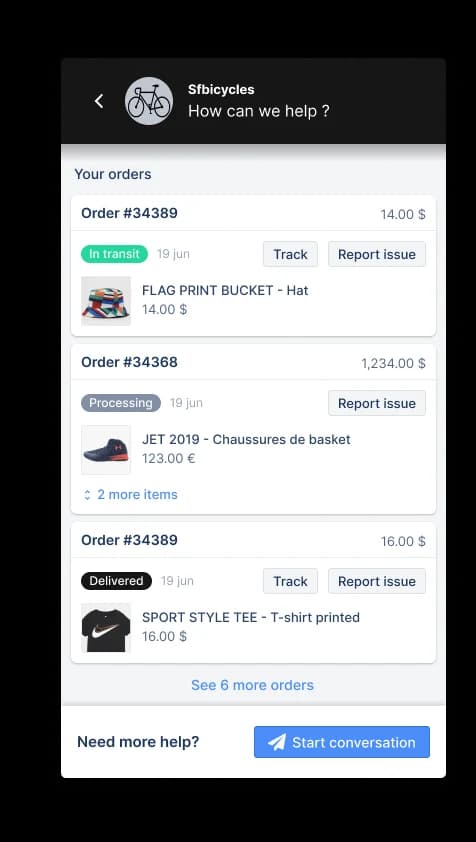
What it does well. Two real differentiators. First, it is priced on tickets rather than agents, so you can put the whole warehouse team in the tool without a bill change: 500 user seats are included on Basic and above. Second, and this surprised me, Gorgias is the outlier on reporting, with dashboards, custom dashboards, SLA and satisfaction reports, real-time monitoring and CSV export available on every helpdesk plan. Nobody else does that. The Shopify order sidebar is the reason most ecommerce teams stay.
Where it bites. The AI rate. Each automated interaction costs $1.00 on Starter, $0.90 on Basic and Pro, and $0.85 on Advanced, and the volume discount is small. The bundled AI components are a monthly floor too: $30, $27, $171 and $477 against allowances of 30, 30, 190 and 530 interactions. And the revenue report needs Pro, which is a jump from $77 to $471 a month.
Pricing. Starter $40 monthly only, Basic $77 annual, Pro $471, Advanced $1,227, with 50, 300, 2,000 and 5,000 included tickets. Ticket overage is $0.40, or $0.36 on Pro and above. My Gorgias pricing calculator post has the arithmetic, and Gorgias plans compared covers the tiers.
My take. If you run Shopify, and your tickets are mostly order-status questions, buy it. Then think hard about which AI layer answers those tickets, because at roughly $1 an interaction the automation can be the bigger half of the invoice, not the desk.
7. Front: best when support looks like an inbox with owners
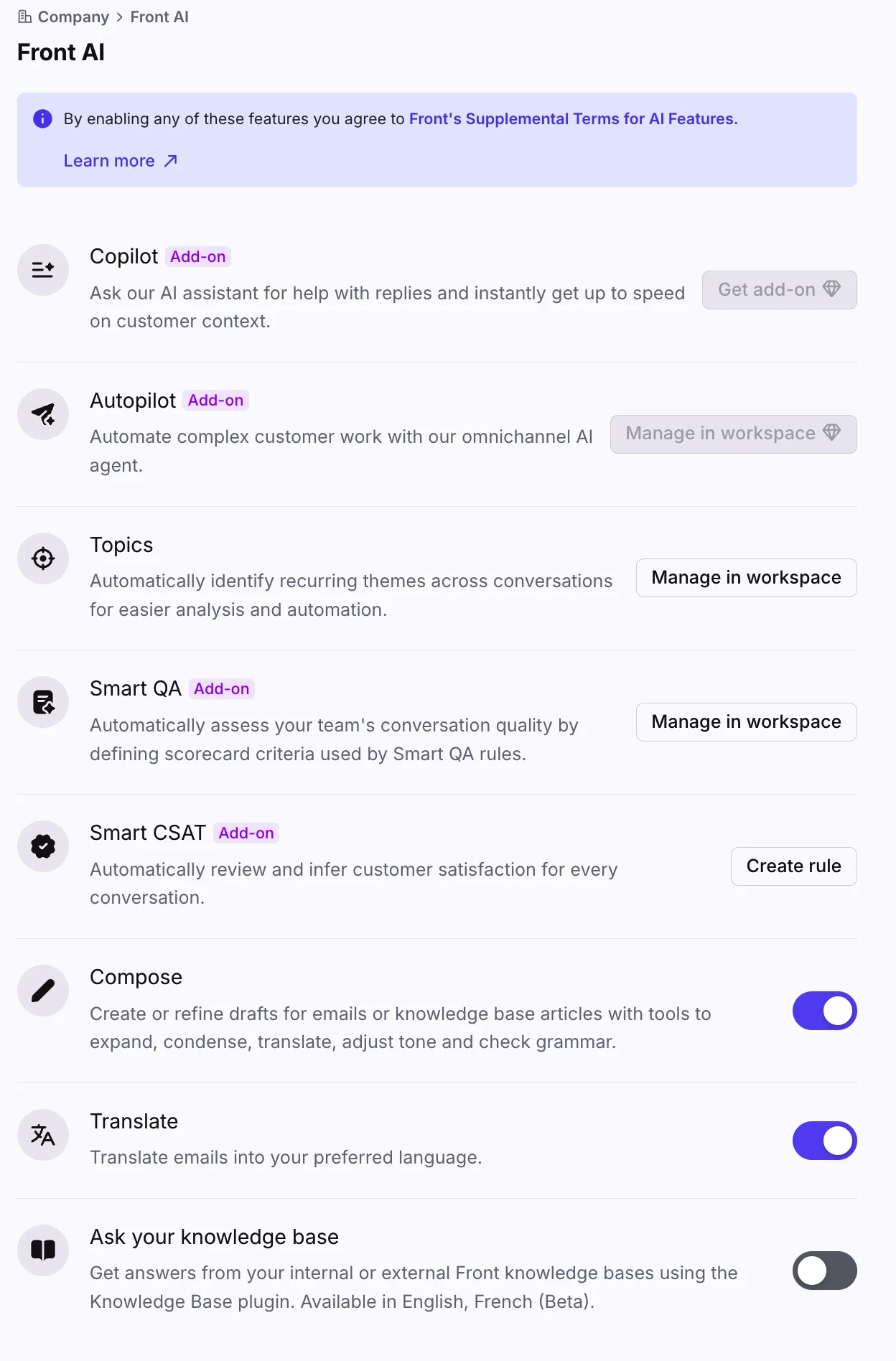
What it does well. Front is the best tool here for support that is really account management, and the strongest pick in my email help desk comparison: shared inboxes with clear ownership, internal comments beside the customer thread, and a workflow builder that non-technical people can actually operate. If your team's work is half email to named customers, this feels right in a way that a ticket grid never quite does.
Where it bites. Everything good is one tier up from where you expect. CSAT, scheduled reports and the live dashboard need Professional at $65 per seat, not Starter. Custom reports are Enterprise at $105. Reports lag about two hours, and analytics history is capped per plan. Front also makes no residency commitment unless you ask your rep to set a region, and even then its own policy says data may be hosted outside the chosen region.
Pricing. Starter $25 per seat annual up to 10 seats, Professional $65 up to 50, Enterprise $105 with no cap and annual only. Copilot is $20 per seat, Smart QA $20, Smart CSAT $10. Autopilot starts "from $0.05 per conversation" and is sales-quoted, the only Front AI product not included on any plan. See adding AI to Front and Front versus Hiver.
My take. Worth the money for relationship-heavy B2B support. A bad fit if you need self-serve reporting on a small budget, since the useful analytics sit two tiers above the entry price.
8. HubSpot Service Hub: best when the CRM is the system of record
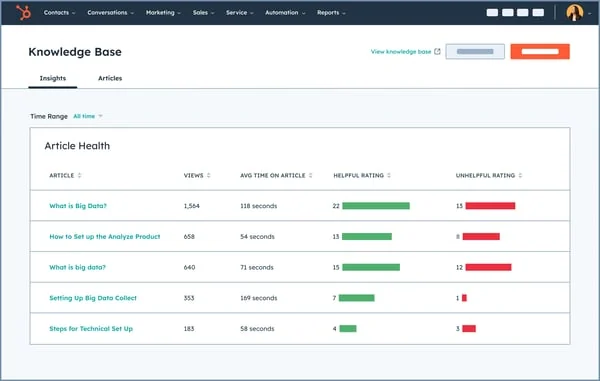
What it does well. If your company already runs on HubSpot, having support tickets live against the same contact record as the deal history is a real advantage, and nothing else here matches it. Tickets are pipeline objects here, so the same automation and reporting engine your sales team already uses covers support too.
Where it bites. The credits, and the onboarding fee. AI runs on HubSpot Credits at $9.00 per 1,000 annually, and the Customer Agent burns 50 credits per resolved conversation, so the effective rate is $0.45 per resolution. Professional's 3,000 included credits work out to about 60 AI resolutions a month, and that same pool funds every other Breeze action you run. Then there is a required one-time onboarding fee of $1,500 on Professional and $3,500 on Enterprise, and reporting limit increases at $200 a month per pack.
Pricing. Free for 2 users, Starter $20 per seat monthly ($7 on annual commit), Professional $90 per seat annual, Enterprise $150. Custom reports need Professional and refresh about every two hours. My guide to HubSpot Service Hub deflection covers the AI side, and HubSpot versus Zendesk covers the head-to-head.
My take. Buy it if HubSpot is already your CRM and you want one record per customer. Do not buy it for the AI allowance, because 60 resolutions a month is a rounding error on a real queue.
9. Re:amaze: best flat rate for a small ecommerce team
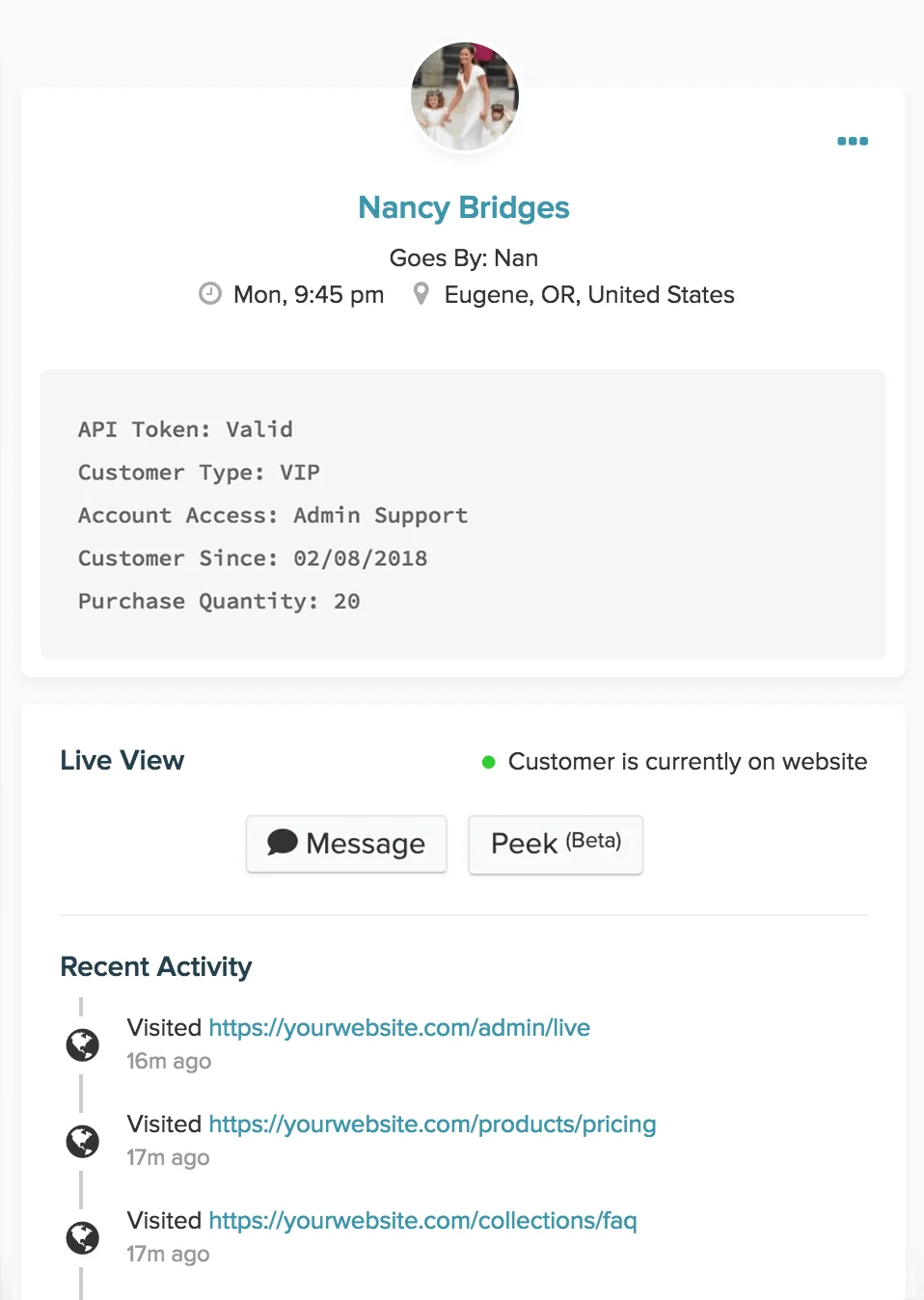
What it does well. The Starter plan is the interesting one: $59 flat per month for unlimited team members, capped at 500 responded conversations. For a seasonal store that staffs up for Black Friday, unlimited seats at a flat rate will beat a per-agent ladder, every time. Live view, chatbots and the AI agent come bundled, rather than sold as separate SKUs.
Where it bites. The AI allowance scales with seats, not with ticket volume, which is backwards for most stores: 5 resolutions per month per user on Basic, 10 on Pro, 20 on Plus, then $0.85 per additional resolution. So the plan that gives you unlimited seats is not, it turns out, the one that gives you AI headroom. Re:amaze also publishes no uptime commitment, and no hosting-region detail either.
Pricing. Basic $26.10 per team member per month annual, Pro $44.10, Plus $62.10, or Starter at $59 flat. More in my breakdown of what Re:amaze costs.
My take. A good, underrated pick for a small store with lumpy staffing. Watch the resolution allowance if you plan to automate seriously, since it ties to headcount rather than demand.
10. Tidio: best for chat-first stores
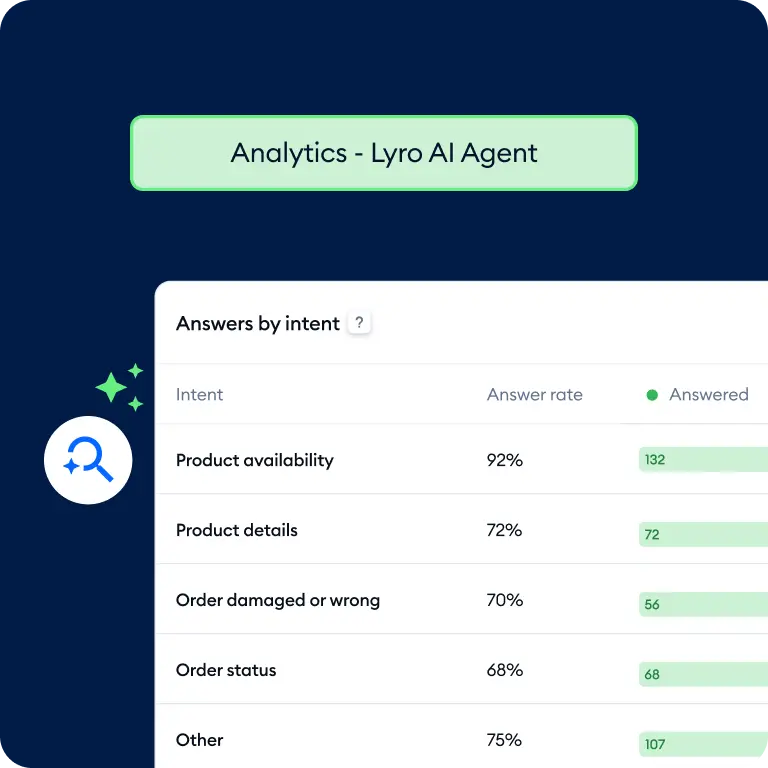
What it does well. Tidio is the cheapest way onto this list, if your volume mostly arrives as chat. Ten seats are included on Free, Starter and Growth, so you are billed on conversations rather than headcount. The helpdesk meter also has a quirk in your favour: a conversation only counts when a human agent replies, and Tidio's docs state that responses from Flows and Lyro are not counted as agent replies, so a bot-only chat is free on that meter.
Where it bites. The two meters overlap. A chat where Lyro answers, and then a human steps in, burns both a Lyro conversation and a billable one. The advertised 50 free Lyro conversations are a one-off grant, not monthly, which trips people up constantly. And pay-per-resolution billing with the guaranteed 50% resolution rate is Premium-only with no published price.
Pricing. Free with 50 conversations, Starter $29 for 100, Growth from $59 for 250, Plus from $300 plus usage. The Lyro ladder runs $39 for 50 conversations up to $700 for 1,000, so roughly $0.70 to $0.78 each. My Tidio pricing and Lyro pricing posts have the ladders in full, and the Tidio review covers the product.
My take. Great for a store where most contacts are pre-sale chat. Less convincing once email volume grows, because you are then paying two meters for one conversation.
The reopens and escalations are the actual bill
Here is the part that never quite fits in a comparison table. The cost of a support ticket is not set the moment it arrives, it is set by how many hands go on to touch it.
MetricNet's benchmarking put level-1 support at $22 per ticket, desktop support at $62, specialist teams at $85, field support at $196 and vendor support at $471. Those are 2011 dollars, so treat them as ratios rather than current prices. The important part is that the costs stack rather than replace each other: a ticket logged at level 1 and escalated to level 2 costs $62 plus $22, a total of $84, which is why maximising first level resolution is the same thing as minimising total cost.
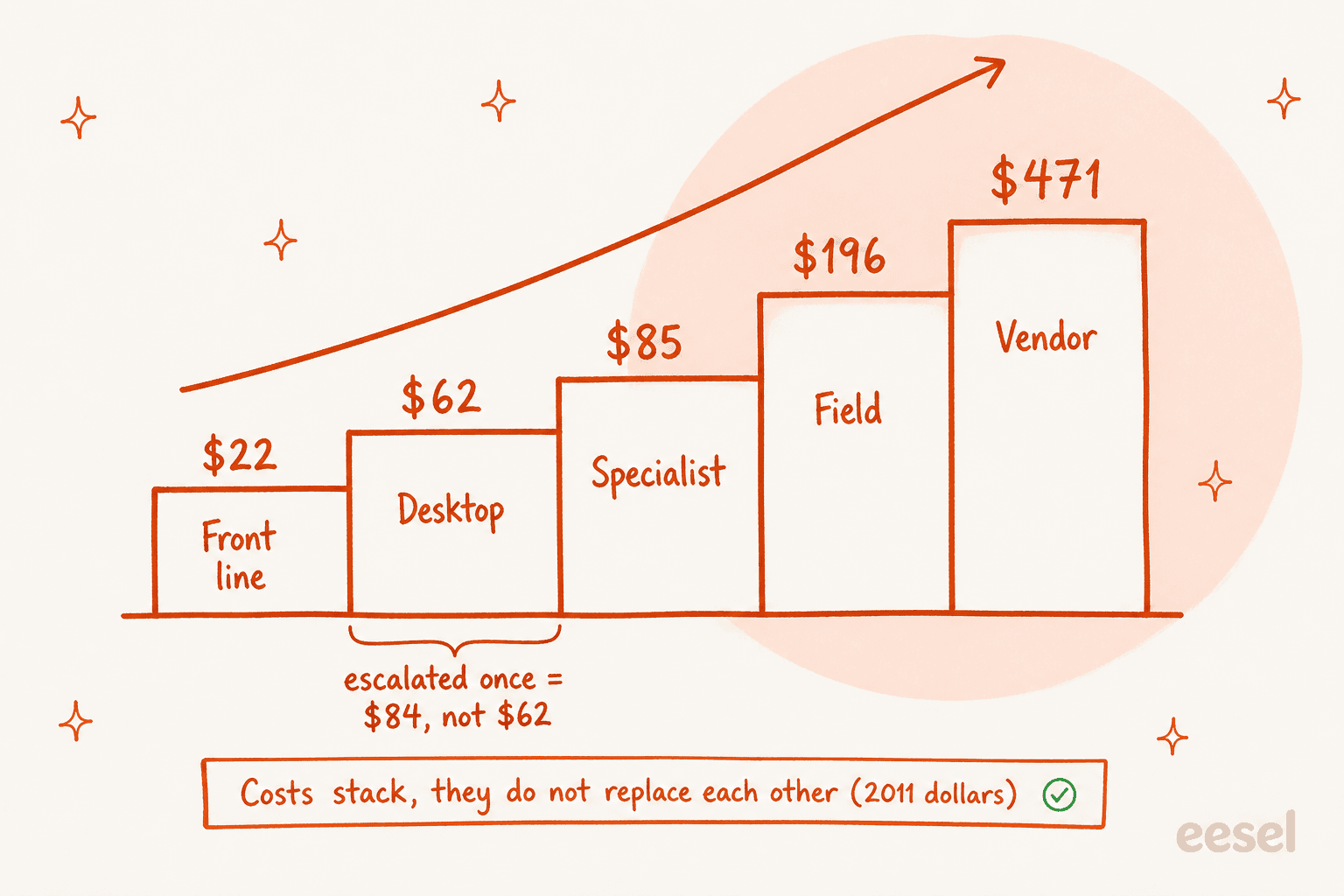
Two definitions get mixed up here constantly, and it is worth being precise because the two point at different budgets. First contact resolution is a quality metric, and it moves customer satisfaction. First level resolution, on the other hand, is a cost metric that drives total cost of ownership. The same research puts net FLR at an average of 74.3%, with only 1.4% of service desks above 95%. If a vendor promises you 90% containment, that is a number almost nobody reaches with humans, which is the honest backdrop to any escalation policy you write.
Escalation also fails in a very human way, and no feature grid really captures it:
"Even when I work on a ticket for over an hour without finding a solution, it often gets sent back to me with suggestions I've already tried and documented. This redundancy not only wastes time but also creates confusion, leading some clients to believe I'm holding onto tickets instead of escalating them properly."

And before you judge any of this by your queue count, check what that queue is actually made of. One team dug into a backlog they were being blamed for and found the tickets were not theirs at all:
"Well, they shot themselves in the foot as we were able to dig into this deeper and find that of those 100 tickets that the help desk had created, over 80 of them are actually on hold with the Operations team themselves as they have not got to the tickets yet. Since they are created by the help desk before being escalated however, it gets tracked with our total."
The other version of that story shows up on the customer side. One team went through a 200-ticket queue and found 90 of them were tickets they had already replied to, sitting there waiting on a customer who never came back. Those 90 were inflating the number management was judging them on.
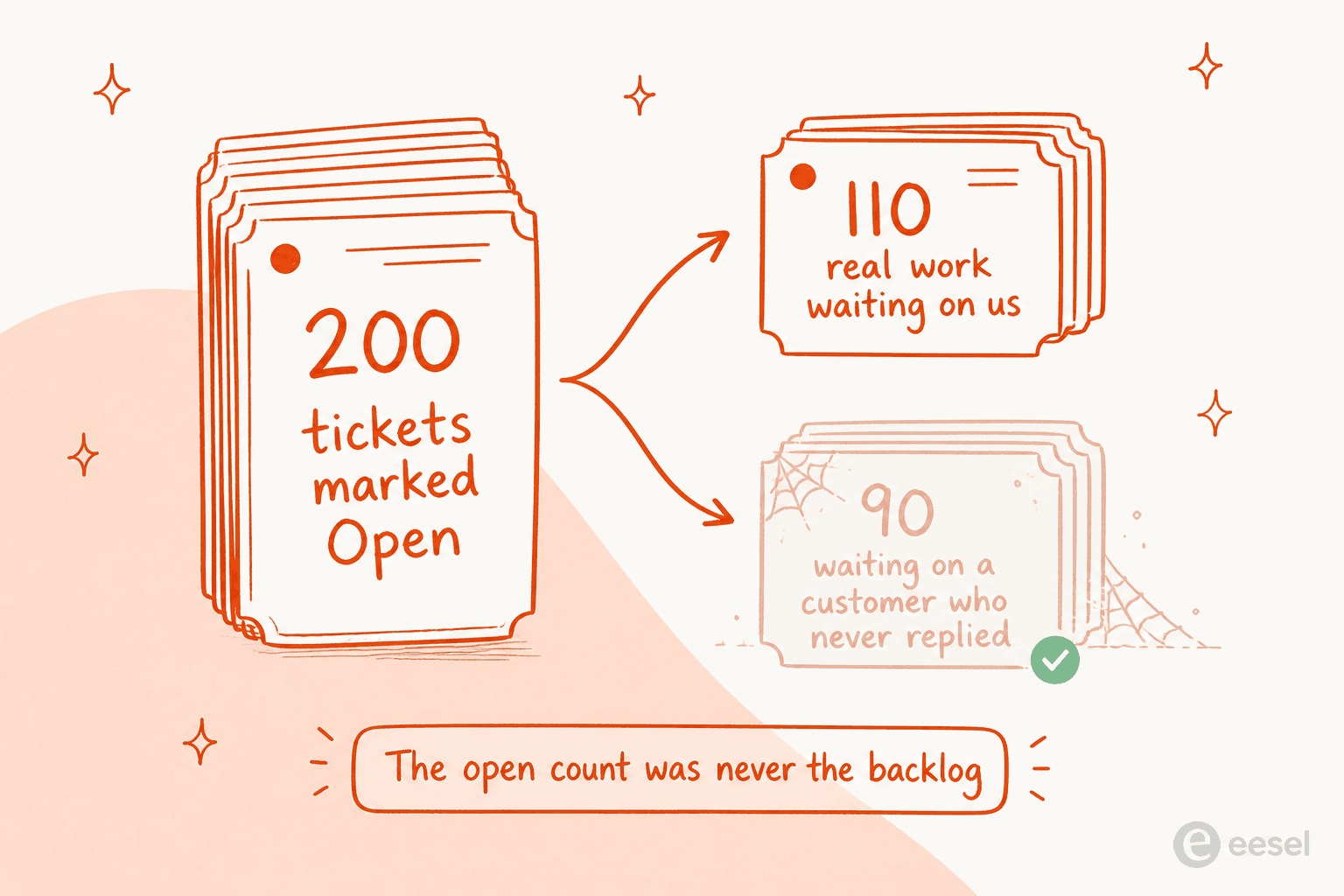
This is why status hygiene and auto-close rules end up mattering more than most buyers think, when they are comparing feature lists. It is also why I would not judge any ticket status lifecycle by its screenshot, or trust a one-touch resolution number without reading the definition, since Zendesk's own one-touch calculation counts tickets with a single reply or no replies at all.
What actually makes AI work on tier one
The people running this in production are not romantic about it, and their descriptions beat any vendor page, including my own explainer on what an AI helpdesk does. The best framing I have come across is from a sysadmin explaining what users actually object to:
"We are doing some basic ticket routing and responding with AI. It speeds up resolution time, so people do want it. What they don't want is to be blocked from accessing a human for help, which ultimately adds to their frustration.
It's a service desk, which implies service."
The second pattern worth stealing is where the deflection happens. Not a chat bubble on a help page, which is the design that produces MetricNet's grim 10.4% average self-service completion rate, but an intercept at the moment the ticket is being written:
"We have a bot connected to an LLM that has indexed our internal documents and it will prompt the user with relevant helpdesk documents while they are creating a ticket. It asks if this solved their problem and if they say yes, the ticket is not created. It actually works reasonably well and has even found me an answer sometimes."
And the objection that decides most purchases, in my experience of taking these calls, is not price. It is confidence. A CX lead at a supplements brand running around 7,000 tickets a month on Gorgias and Shopify told us he could not use an AI that answers everything badly rather than some things well: he cannot go back and check 7,000 tickets to see whether the AI's answer was any good, so he needs it to handle only what it is confident about and leave the rest alone. We lost that deal, at the time. He was right, and confidence-based routing is now the first thing I would test in any tool on this list. It is the same principle behind good handoff rules and behind avoiding AI hallucinations in a live queue.
What I would check before signing anything
Six things, in the order I would check them.
- Ask what counts as a resolution, in writing. Get the exclusion list, not the marketing sentence. The checker above covers the six published meters, and my post on AI resolution rate covers how to audit the number afterwards.
- Price the reporting tier, not the entry tier. Custom reports cost $115 per agent at Zendesk, $55 at Freshdesk, $14 at Zoho Desk, $105 at Front, and are impossible at Help Scout.
- Check the export path. Zendesk's UI export is off until you ask support to enable it, and Explore reports truncate at 50,000 rows.
- Ask for the uptime number in the contract. Four of these ten publish none at all, and Zendesk's 99.9% requires Premier Support.
- Pick your data region at signup. Freshdesk, Zoho and Zendesk messaging all make region choice effectively permanent, and fixing it later means a migration ticket.
- Run the AI against your last 90 days of tickets before it touches a customer. If a vendor cannot simulate, that is your answer about how confident they are. Start with the cheap wins, like ticket tagging and ticket deflection, before you let it write to customers.
Try eesel on the desk you already run
If the ten tools above have started to blur together, that is a signal worth listening to. Most support teams do not need a different inbox, what they need is fewer tickets reaching the inbox they already have.
That is what eesel does. It connects to Zendesk, Freshdesk, Gorgias, Front, Help Scout and the rest, learns from your past tickets and help centre rather than a hand-written script, and it can be replayed against your historical queue before it answers anyone live. Pricing starts at $299 a month for 500 credits (1 credit per ticket handled), with no seats and no platform fee, and only tickets the agent actually works on count. You can start free with 100 credits.
One last honest note, and it comes from being the person who actually reads the transcripts. A real-traffic trial with a German jewellery retailer running about 1,000 tickets a month showed 93% triage accuracy and 100% spam detection, and in the same trial only 12% of drafts went out untouched, with a 7% factual error rate on the rest. Both halves are true. The trick is routing the confident work to AI and leaving the rest alone, which is exactly what the CX lead above asked for, and it is a much better use of your money than migrating desks.