So what is an AI help desk, really?
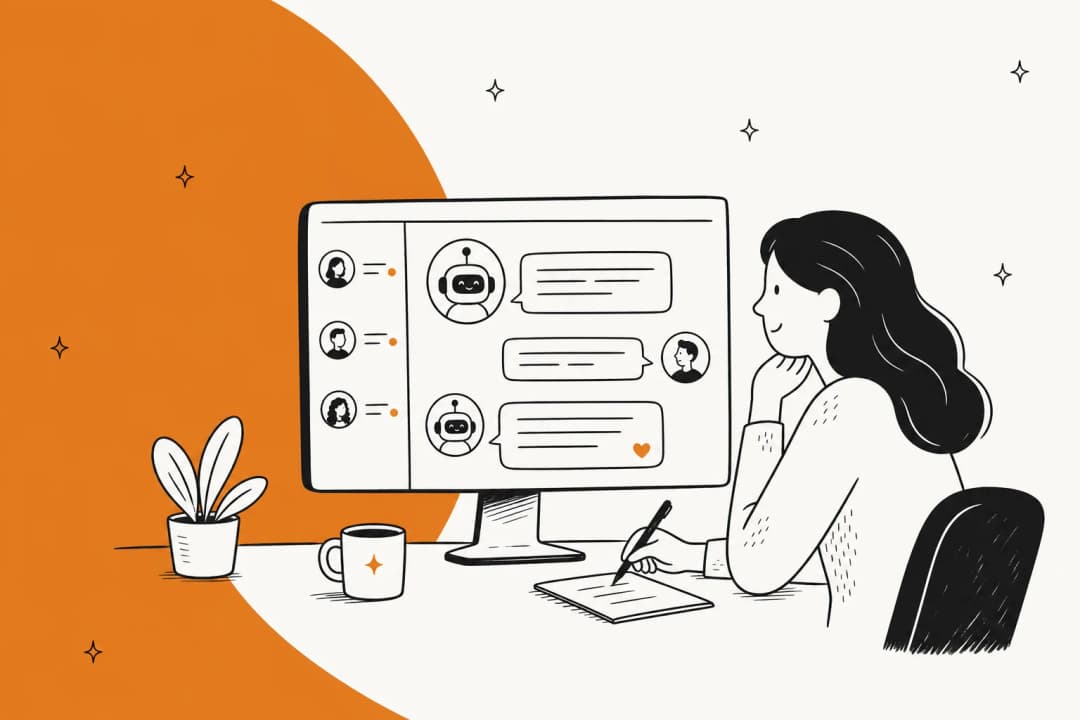
I work the support queue most days, so let me skip the brochure version. A regular help desk is the system of record: it catches emails and chats, turns them into tickets, and gives agents a place to reply. An AI help desk adds a layer on top that can actually do the work a human agent would do on those tickets, instead of just storing them.
The team behind eesel has spent the last few years putting AI agents on live support queues, across thousands of real tickets and customer rollouts, and the one thing that experience teaches you is humility about what "AI support" means. We've watched confident-sounding bots give wrong answers, which is exactly why every rollout now gets simulated against historical tickets before it goes anywhere near a customer. So when I say "what it actually does," I mean what it does in production, not in a demo.

The cleanest way to understand it is by the jobs it does, not the features list. Here are the five it does every day.
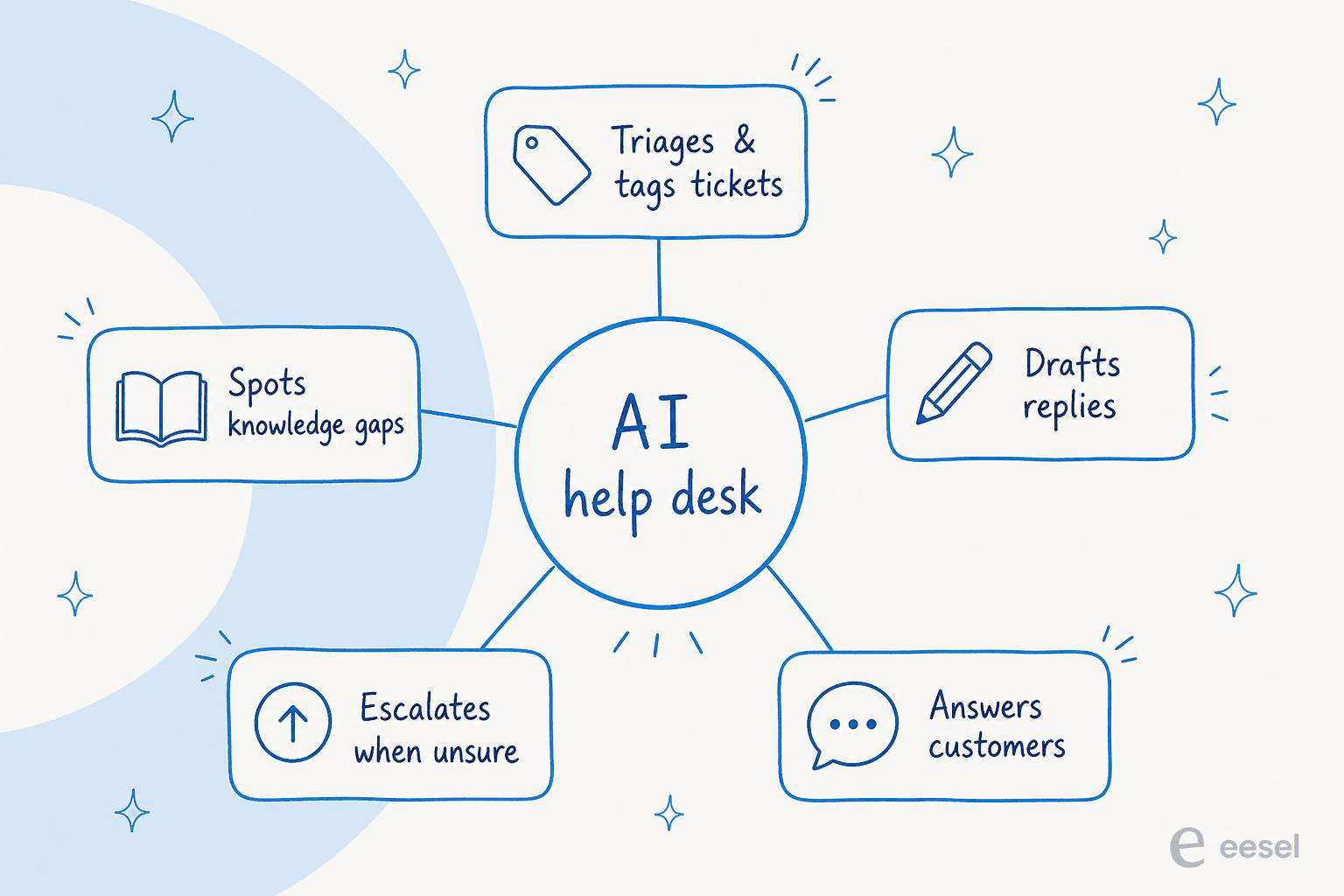
Job 1: it reads and triages every incoming ticket
The first thing an AI help desk does is the thing no human enjoys: it reads everything. Every ticket that lands gets opened, understood, and sorted, usually within seconds of arriving.
That means a few concrete actions. It applies tags from your defined tag list, sets priority, fills in ticket fields, and routes the ticket to the right queue or team. This is the unglamorous backbone of support ticket automation, and it's where a lot of the time savings actually come from, before a single reply is written.
A real example from our own ticket reviews: a cold "we're selling you a 16,973-contact attendee list" sales pitch came in as a support ticket. The AI searched past tickets, recognised the pattern as spam, and left a polite decline as an internal note instead of trying to "answer" it. In a cross-validated trial on a live e-commerce inbox, the agent hit 100% spam detection with zero false positives on the roughly 22% of that inbox that was junk. That's a whole category of tickets your team never has to look at again.

If you want to go deeper on this specific job, we wrote up AI ticket classification and a Zendesk ticket routing guide separately.
Job 2: it drafts replies for your agents
The second job is the one most teams start with: instead of sending anything to the customer, the AI writes a suggested reply and leaves it for an agent to review. This is the helpdesk copilot pattern, and it's the safest on-ramp because a human is always in the loop.
The draft isn't a generic template. It's written from your knowledge, in your tone, often with citations showing where each fact came from. One head of IT at a fintech we work with put it plainly: the AI is the first responder to their Jira tickets, and "it essentially acts just like an agent would."

One honest note from the field: agents don't always send drafts as-is. In one trial, agents used the AI as a research-and-triage assistant and rewrote drafts down to shorter replies, mostly for length and tone. The good news is that's fixable by training the AI on the team's own sent messages, which is exactly the kind of thing that improves the longer it runs. The "copilot first, then full automation" path is the pattern almost every team follows.
Job 3: it answers customers directly (when you let it)
Once you trust the drafts, you can let the AI reply on its own. This is where an AI help desk stops being an assistant and becomes an AI helpdesk agent: a customer asks a question in chat or email, and the AI answers it end to end, no human touch.
This is also the job people picture when they say "ticket deflection", the customer gets a correct answer instantly and never becomes a ticket your team has to staff. A delivery company we worked with tested it by asking, in Dutch, what shipping to Germany costs; the AI found the tariff docs and gave a detailed, correctly-priced answer in the customer's own language. That same multilingual ability covers 80+ languages without you writing a single translation.
The result teams care about: in its first month on a live queue, eesel resolved 73% of tier-1 requests for the analytics platform Gridwise, with results showing up during a 7-day trial. That's the difference between an AI help desk that answers FAQs and one that meaningfully shrinks the queue. If you're weighing this against staffing, AI vs human customer support digs into what the numbers actually say.
Job 4: it knows when to escalate
Here's the job that separates a help desk you can trust from one you can't, and it's the one I'd judge any tool on hardest. A good AI help desk knows what it doesn't know.
The best framing I've heard came from a CX lead at a brand doing 7,000 tickets a month: "The AI will never be able to answer 100% of the questions… I need an AI who is only handling the tickets that it's confident to handle and all the other ones, leave them alone." That's the whole game. An AI that confidently guesses on a refund-dispute it half-understands is worse than no AI at all.
So a real AI help desk uses confidence-based routing: when it's sure, it answers; when it's not, it silently hands the ticket to a human with its research attached, rather than firing off "Sorry, I don't know." You decide the threshold and which ticket types it's never allowed to auto-answer.
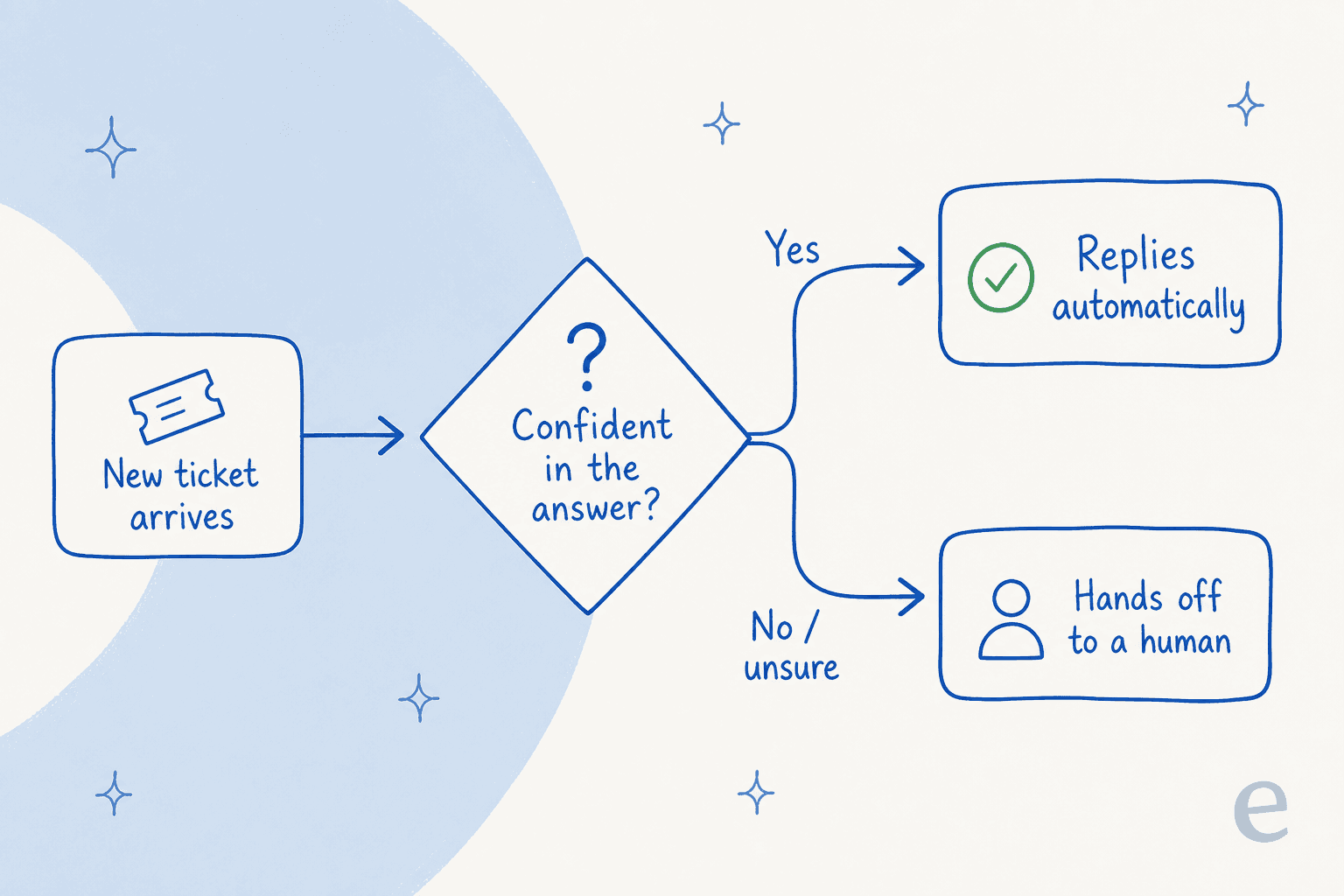
This is the same mechanism that prevents hallucinated answers reaching customers, and it's why escalation and handoff deserve more attention than the flashier "it can reply!" demos. Done right, the transfer to a human feels seamless to the customer and the agent picks up with full context.
Job 5: it learns and fills the gaps
The last job happens in the background. As tickets flow through, the AI spots patterns: questions it couldn't answer, recurring themes, topics your help center doesn't cover. It surfaces those gaps, and the better tools will even draft new knowledge base articles to fill them.
It also learns from corrections. Every time an agent edits a draft before sending, that edit becomes a signal, so the answers get more on-brand over time. You can also just tell it what to change in plain language, the same way you'd coach a new hire.

Underneath all five jobs is one thing that makes or breaks the whole system: where the answers come from.
Where does it get its answers?
An AI help desk is only as good as what it's allowed to read. The weak ones are wired to a single help center and nothing else, which is why they parrot generic articles. The strong ones pull from everywhere your real answers live.
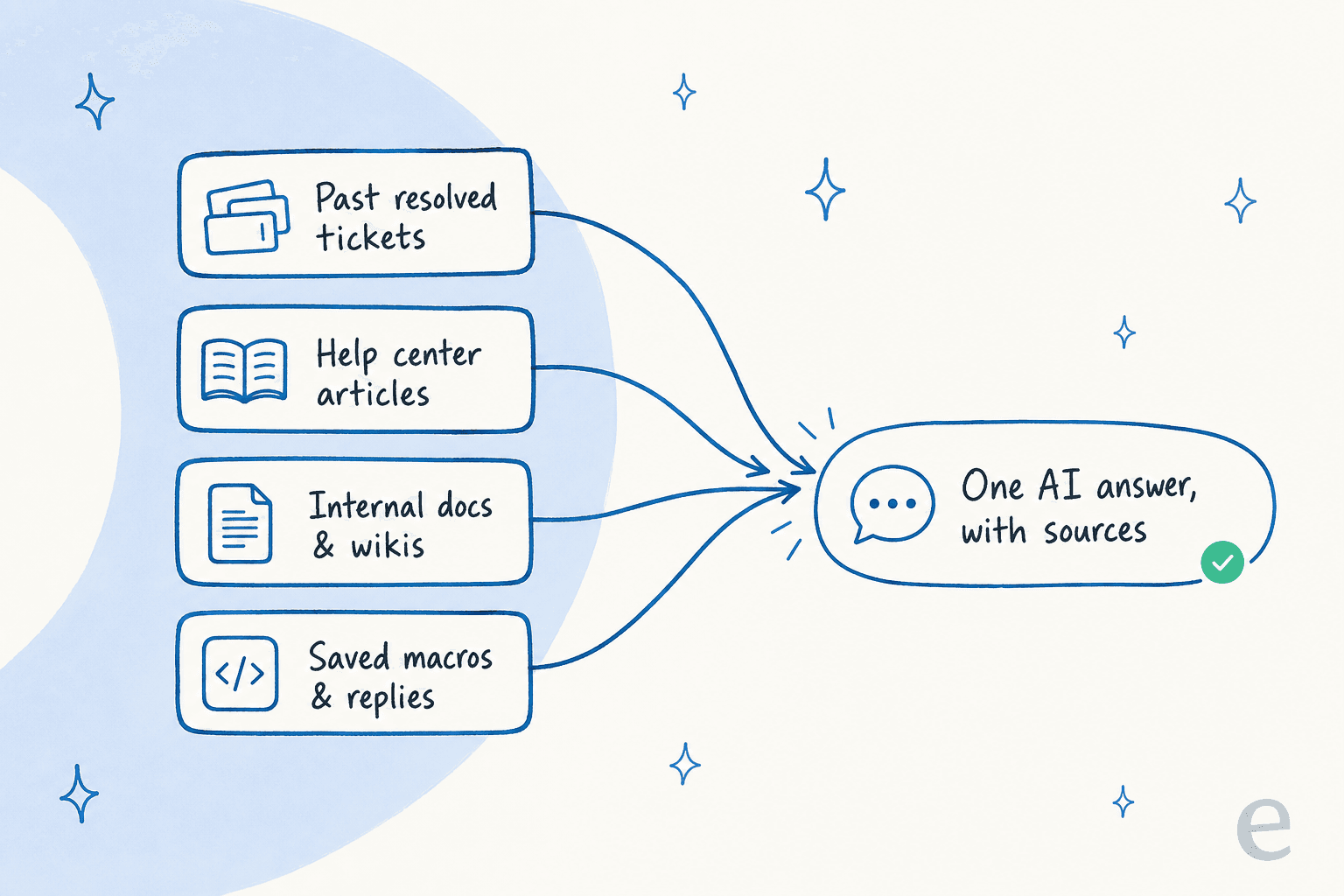
The single most-requested capability we hear on sales calls is training on past resolved tickets, and it makes sense: your closed tickets are the record of how your team actually answers, tone and edge cases included. Layer your help center, internal docs, and saved macros on top, and the AI can answer the way your best agent would. Here's training on a knowledge base if you want the practical version.
This is also where one common audience mismatch gets fixed. One support manager described the problem perfectly: their entire knowledge base was written for administrators, but tickets came from end-users. An AI that learns from real tickets, not just the docs, bridges that gap.
A day in the life: what it looks like in practice
Stitch the jobs together and a normal Tuesday looks like this. Overnight, 200 tickets arrive. By the time your team logs on, the AI has already tagged and routed all of them. The 22% that were spam are quietly archived. The straightforward ones, WISMO, refund status, "how do I reset my password", have already been answered and closed, in the customer's language. The genuinely tricky ones are sitting in the right agent's queue with a suggested reply and the relevant docs already attached.
Your team didn't start the day staring at a 200-ticket backlog. They started it with maybe 40 tickets that actually need a human brain. That's the shift, and it's why companies using AI support talk about workload more than headcount.

What an AI help desk does not do
Fair is fair, so here's the other side, because pretending otherwise is how teams get burned.
It doesn't replace your team. It removes the repetitive load so people focus on the hard, high-empathy cases, which is a different thing. The honest framing lives in AI vs human customer support.
It doesn't work well without good knowledge. Point it at a thin or contradictory knowledge base and you'll get thin or contradictory answers, which is why the knowledge step matters more than the model.
And it shouldn't answer everything. The tools worth buying are the ones that hold back on low-confidence tickets. If a vendor's pitch is "it answers 100% of tickets", that's a red flag, not a feature.
What does it cost?
Pricing is where AI help desks differ more than the features, and the billing unit matters more than the headline number. You'll see per-resolution, per-seat, and per-ticket models, and they behave very differently when your volume spikes. Per-resolution pricing, for instance, quietly charges you more in your busiest months, your Black Friday bill can be four times your March bill for the same setup.
eesel keeps it usage-based from $0.40 per ticket, with no per-seat fee and no platform minimum, so a 1,000-ticket month costs about $400 and a slow month costs almost nothing. If you want to sanity-check any of this against staffing, AI vs human agent cost and how much AI saves both run the math. For a broader market view, we tested the cheapest AI apps for helpdesk too.
Try eesel
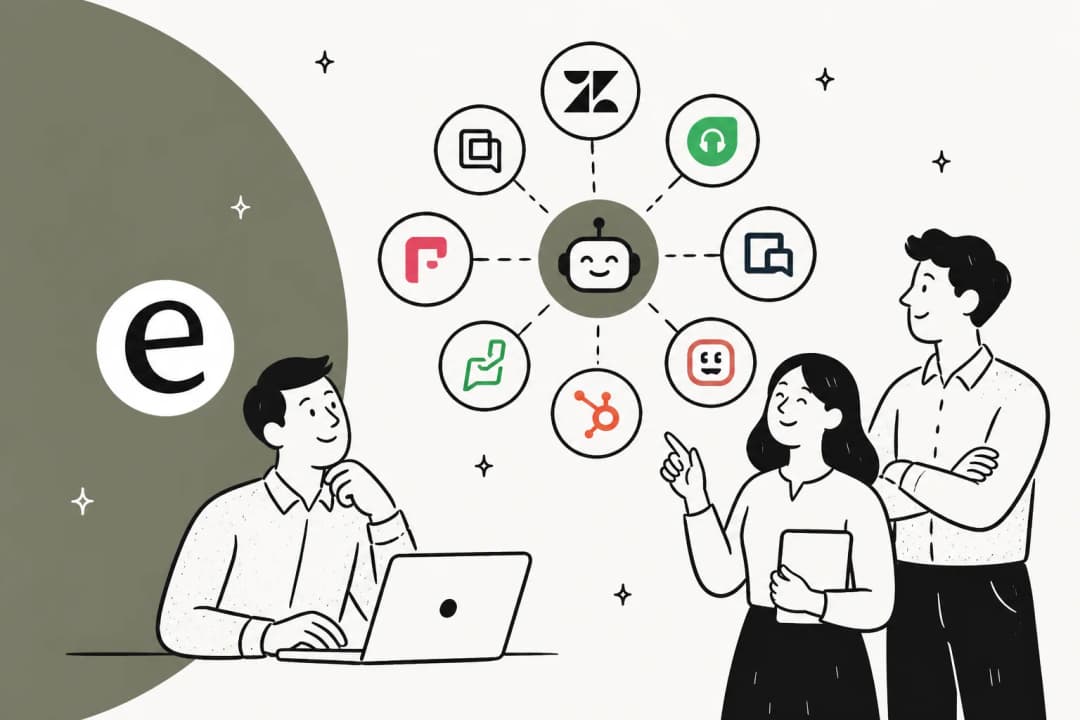
If you've read this far, you already know what you want: an AI help desk that does these five jobs on your helpdesk without a three-month rollout. That's the point of eesel. It plugs into Zendesk, Freshdesk, Gorgias, Front, Help Scout and more, trains on your past tickets and docs on day one, and lets you run it in simulation mode against your historical tickets first, so you see exactly what it would have answered before it touches a live customer. You control which ticket types it can handle, and it's free to start with no credit card. It's the closest thing to hiring a support teammate who already knows your product.
Frequently Asked Questions
What does an AI help desk actually do?
Is an AI help desk the same as a chatbot?
Will an AI help desk replace my support team?
How does an AI help desk know the right answer?
How much does an AI help desk cost?


Article by
Riellvriany Indriawan
Riell is a designer and writer at eesel AI with about two years of experience researching CX platforms, AI chatbots, and helpdesk software. She combines her design background with a sharp eye for how these tools actually look and feel in practice — making her comparisons unusually visual and user-focused.