

The best AI chatbot for customer service depends on where your support already runs: Zendesk AI, Salesforce Agentforce, Freshdesk's Freddy AI, HubSpot's Breeze and Gorgias are the strongest picks if you stay inside those platforms, while Ada, Sierra and Decagon suit large enterprises. If you want an AI agent that works inside the helpdesk you already have, at one fixed monthly price instead of per-resolution fees, eesel AI is our top pick. Compare the billable unit (seat, resolution, conversation or ticket) before the sticker price, because that decides what you pay at scale.
Which AI chatbot fits your team?
- You already use a helpdesk and want AI on top of it: eesel AI
- You run everything on Zendesk: Zendesk AI
- You're regulated or high-volume B2C and want to pay per resolved ticket: Fini
- You're an enterprise on the Salesforce CRM: Salesforce Service Cloud (Agentforce)
- You want an affordable helpdesk with AI included: Freshdesk (Freddy AI)
- You sell on Shopify: Gorgias, or Shopify Inbox on a tighter budget
- You're a large consumer brand with very high conversation volume: Ada, Sierra or Decagon
- Your sales and marketing already live in HubSpot: HubSpot Service Hub (Breeze)
- Your customers message you on Instagram, WhatsApp or Telegram: SendPulse
- You want the simplest shared inbox with AI built in: Help Scout
AI customer support chatbots compared
Here's the quick comparison before we get into each one.
| Tool | Best fit | AI strength | Pricing model | Starting price | Native or standalone |
|---|---|---|---|---|---|
| eesel AI | Autonomous AI without switching helpdesks | AI agent trained on your past tickets and docs; simulate on past tickets before going live | One fixed monthly price sized by credits (1 credit per ticket or chat) | Free plan with 100 credits; from $299/mo for 500 tickets, no seat fees | Layers on top of your helpdesk (1,000+ integrations) |
| Zendesk AI | Large support teams already on Zendesk | AI agents, Copilot and Intelligent Triage on a mature suite | Per agent + per automated resolution | $19 to $115/agent/mo (annual) + $1.50 to $2.00 per automated resolution | Native to Zendesk |
| Fini | Regulated, high-volume B2C support | Self-maintaining knowledge (Knowledge Atlas) and a broad compliance list | Per resolution (escalations free) | From $0.49/resolution (Enterprise) | Standalone (Zendesk, HubSpot, Front, Gorgias, Salesforce, Freshdesk) |
| Salesforce Service Cloud (Agentforce) | Enterprises that run on the Salesforce CRM | Agentforce agents that work with full CRM data | Per user + Agentforce usage | $25/user/mo (Starter Suite); Agentforce $2 per conversation or Flex Credits | Native to Salesforce |
| Freshdesk (Freddy AI) | Small and mid-sized teams wanting AI bundled in cheaply | Freddy AI Agent plus Copilot, easy onboarding | Per agent + per AI session | $19 to $89/agent/mo (annual); first 500 AI sessions included, then $49 per 100 | Native to Freshworks |
| Gorgias | Shopify and ecommerce brands | AI Agent that reads and edits live Shopify orders | Ticket tiers + per automated interaction | $10/mo (50 tickets) + $0.85 to $1.00 per AI interaction | Native ecommerce helpdesk |
| Ada | Large consumer enterprises | Multi-LLM Reasoning Engine, AI-specific compliance | Sales quote only | No public pricing | Standalone AI layer |
| HubSpot Service Hub (Breeze) | Teams whose sales and marketing run on HubSpot | Breeze Customer Agent with full CRM context | Per seat + credits per resolved conversation | $90/seat/mo (Professional, annual) + $0.50 per resolved conversation | Native to HubSpot |
| SendPulse | Social media and messaging app support | AI agent with intent recognition across 6 social and messaging platforms | Free / per subscriber | Free; Pro from $9.60/mo (annual) | Standalone messaging + CRM |
| Shopify Inbox | Small Shopify stores | Inbox agent answers product and policy questions and recommends products | Free app, no AI fee listed | Free (needs a Shopify plan) | Native to Shopify |
| Help Scout | Small teams that want a simple shared inbox | AI Answers chat plus drafting and summaries | Per user + per AI resolution | Free for 5 users; $25/user/mo (Standard, annual) + $0.75 per AI resolution | Native to Help Scout |
| Minami AI | Ecommerce brands with high post-purchase ticket volume | Purpose-built post-purchase automation | Contact sales (based on support volume) | No public pricing | Standalone ecommerce |
| Forethought | Enterprises keeping their helpdesk | Multi-agent system, browser agent | Sales quote (platform fee + outcome-based) | No public pricing | Standalone, helpdesk-agnostic |
| Decagon | High-volume AI-native CX teams | Natural-language agent logic (AOPs) | Sales quote (per conversation or per resolution) | No public pricing | Standalone AI layer |
| Sierra | Fortune 500 and regulated brands | Outcome pricing, ISO 42001, Ghostwriter | Outcome-based | No public pricing | Standalone AI layer |
What an AI customer support chatbot actually does
An AI customer support chatbot answers customer questions on its own: it reads the incoming message, pulls an answer from your help centre and past tickets, and either closes the conversation or hands it to a human with the context already attached. That is the job. Everything else is packaging.
The phrase now covers three very different products, so picking the wrong category is the most expensive mistake you can make. There's AI built into your helpdesk, CRM or store platform (Zendesk, Salesforce, Freshdesk, HubSpot, Gorgias, Help Scout, Shopify Inbox), standalone enterprise AI agents that replace your bot layer (Ada, Forethought, Decagon, Sierra), and tools that layer AI on top of the helpdesk you already have (eesel).
The right pick comes down to two questions: where do you already run support, and how do you want to be billed? Shopify stores lean toward Gorgias or Shopify Inbox. Salesforce and HubSpot shops usually start with the agent built into their CRM. Enterprises doing hundreds of thousands of conversations look at Ada, Sierra, and Decagon. And teams that want to keep their helpdesk, switch on autonomous AI, and pay one predictable monthly price are the reason eesel AI exists.
One thing worth fixing before you read on: don't compare sticker prices. Every vendor here charges by a different unit, per seat, per resolution, per conversation, per ticket, or per outcome, so the "cheap" tool can quietly become the expensive one at scale. Chatbots are one slice of the wider AI customer support category, which our guide covers end to end.
How we picked these tools
We focused on tools that actually resolve support conversations on their own, not just route tickets or suggest canned replies the way an agent-side copilot does. For each one we looked at the things a buyer actually argues about in a procurement meeting: how the AI is priced and what counts as a billable unit, whether it locks you into a specific helpdesk, what it does well, where real users say it falls short, and the security and scale story behind it.
Where a tool is something you can sign up for and try, we did, and we leaned on the product's own docs, pricing pages, and UI rather than a paraphrase of someone else's review. Where it's enterprise sales-led with no public pricing, we said so plainly instead of guessing. Prices were checked on each vendor's own pricing page in October 2026.
The 15 best AI customer support chatbots in 2026
Read the "best for" line on each one first, it's the fastest way to rule a tool in or out.
1. eesel AI: best for autonomous AI without ripping out your helpdesk
eesel AI takes a different angle from almost everything else on this list. Instead of being a bot you bolt onto one helpdesk, or a platform you migrate your whole support org into, it's an AI teammate that lives inside the tools you already use, Zendesk, Freshdesk, Gorgias, Slack, email, Shopify, and 1,000+ other integrations. You brief it in plain language, point it at your existing ticket history and docs, and it starts drafting replies, resolving tickets, and escalating the edge cases.

The two things that stand out in practice are control and transparency. You can run the agent in a simulation against thousands of your real past tickets before it ever touches a live customer, which answers the "but how accurate will it be on our tickets" question that every other vendor asks you to take on faith. And you can scope it to only handle what it's confident about, leaving everything else for a human, which is exactly the escalation behavior most support leads actually want.
It's proven at real volume too: Smava runs a fully automated Zendesk agent handling 100,000+ tickets a month in German, and Design.com handles 50,000+ tickets a month in Freshdesk across a multi-agent setup trained on 1,000+ help articles. Because you can prove the resolution rate in simulation first, the rollout is low-risk in a way the sales-led platforms can't match.
Pricing: eesel is priced like hiring a teammate: one fixed monthly price sized by credits, with no seat fees and no platform fee. See eesel's pricing page.
| Plan | Monthly price | Credits a month (1 credit = 1 ticket or chat) |
|---|---|---|
| Free | $0, no card | 100 credits to try everything |
| Teammate | $299 | 500 |
| Teammate | $499 | 1,000 |
| Teammate | $699 | 1,500 |
| Teammate | $999 | 2,500 |
| Teammate | $1,349 | 3,500 |
| Teammate | $1,899 | 5,000 |
| Teammate | Talk to us | More than 5,000 |
A ticket is one credit however many replies it takes. eesel counts every ticket its agent works on, whether or not the AI resolves it, so you size the plan to your ticket volume and the bill stays flat. If you run out, the agent pauses until your credits reset, unless you turn on overage with a monthly cap you set ($0.80 per extra credit). Pay a year upfront and you get two months free.
Pros:
- Keeps your existing helpdesk; no migration
- Simulate on past tickets before going live
- One fixed monthly price, no seat or platform fees
- Self-serve, live in minutes rather than a sales cycle
Cons:
- It's an AI layer, not a full ticketing suite, so you do need a helpdesk underneath it
- Every ticket the agent works on uses a credit, resolved or not, so size the plan to your full ticket volume
Our take: If you already have a helpdesk and your goal is "switch on capable AI, keep control, and don't get surprised by the bill," eesel is the one we'd reach for first. It's the rare option you can fully evaluate against your own data before committing.
2. Zendesk AI: best for large support teams already on Zendesk
Zendesk has repositioned itself as "the Resolution Platform," a ticketing core wrapped in an AI layer of customer-facing AI Agents, an agent-side Copilot, and Intelligent Triage. It's the safe, mature default, and it scores a solid 4.3/5 across 6,837 G2 reviews. Zendesk markets 80%+ automation rates on its AI Agents page.
The catch is cost and complexity. The AI is billed per "automated resolution" on top of per-agent seats. Every plan includes a small allowance (5 automated resolutions per agent a month), and after that Zendesk's pricing page lists $1.50 per resolution on a committed plan or $2.00 pay as you go. The Copilot add-on runs another $50/agent/month. There's also no graceful spending cap: Zendesk's only overage control is to pause AI entirely. The bundled "Essential" AI tier draws frequent criticism for being thin, and the AI only resolves well on top of a clean knowledge base. As one user put it bluntly in a thread on Zendesk's AI agents:
"We stopped using it because ARs are a rip off, and it's a rushed product to get into the AI hype."
u/OGShakey, r/Zendesk
Pricing: from Zendesk's pricing page.
| Plan | Annual, per agent/mo | Monthly, per agent/mo |
|---|---|---|
| Support Team | $19 | $25 |
| Suite Team | $55 | $69 |
| Suite Professional | $115 | $149 |
| Suite Enterprise + Copilot | Talk to sales | Talk to sales |
- AI agents: 5 automated resolutions per agent a month included, then $1.50 each committed or $2.00 pay as you go
- Copilot: $50/agent/month, paid yearly
- Trial: 14 days on Suite Professional, Copilot included. No free plan.
Pros:
- Mature, full-featured suite with deep reporting
- Huge marketplace (1,800+ apps) and 80+ languages
- Strong omnichannel and routing
Cons:
- AI cost can hit 2-3x the base subscription once add-ons stack
- No soft spending cap on automated resolutions
- Admin-side AI setup is widely described as burdensome
Our take: A natural fit if you're already deep in Zendesk and have a clean knowledge base. If the per-resolution math worries you, it's worth reading our Zendesk AI pricing breakdown and considering an AI layer like eesel on top instead of the native add-ons. There's a full setup guide too, and a roundup of Zendesk AI alternatives if you're shopping around.
3. Fini: best for regulated, high-volume teams that want to pay only for resolved tickets
Fini is a Y Combinator and Matrix Partners-backed AI support agent built for regulated, high-volume B2C support: fintech, banking, insurance and healthcare, plus e-commerce and gaming brands with similar ticket loads. Rather than replacing your helpdesk, it's a standalone AI layer across voice, chat and email. There are marketplace-verified apps for Zendesk, HubSpot, Front and Gorgias, plus Salesforce, Freshdesk and LiveChat. Its technical wedge is Knowledge Atlas, a self-maintaining knowledge layer. It scans resolved tickets, finds what your docs don't cover, and publishes the missing article.
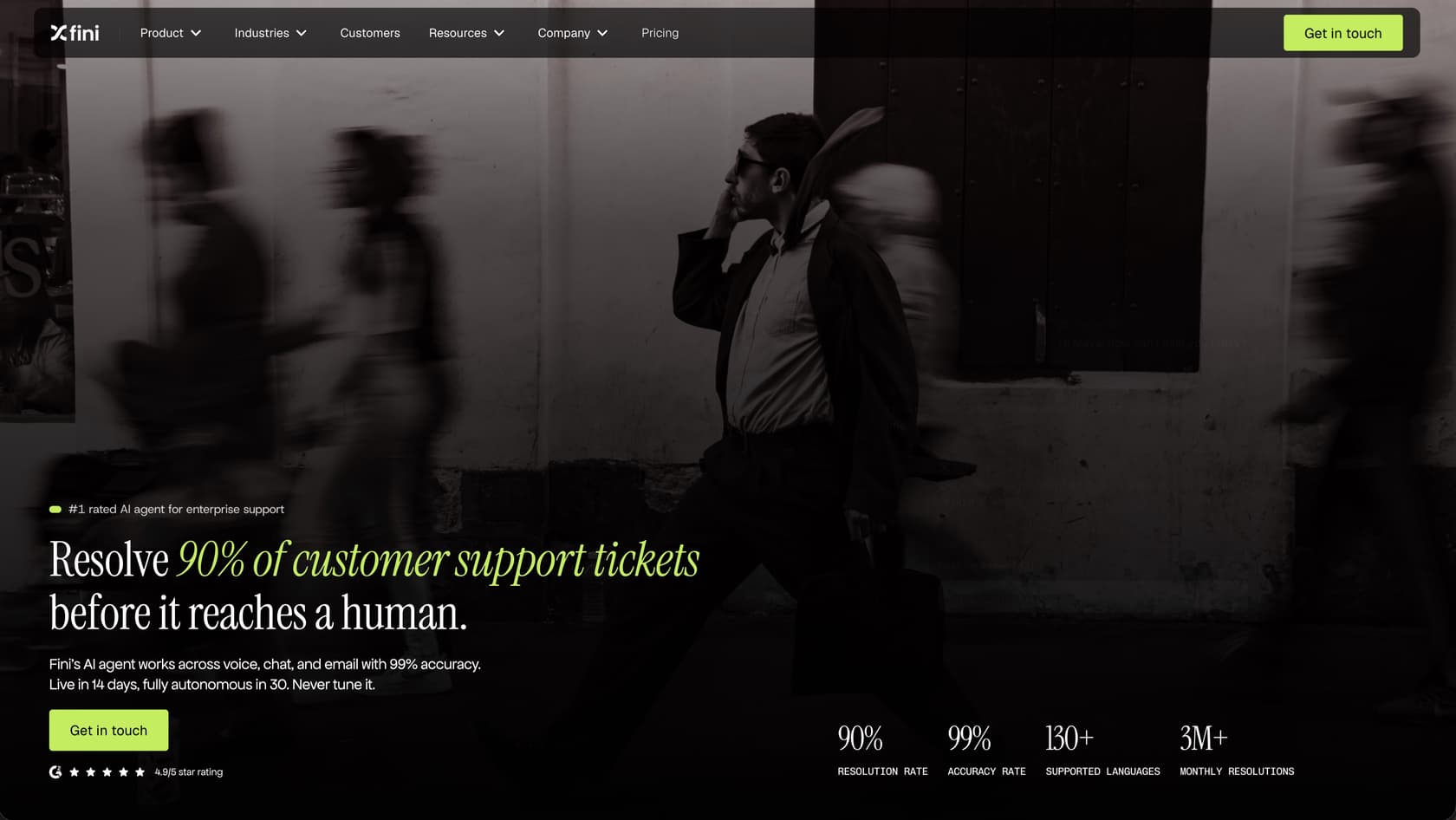
Fini reports 90% resolution at 99% accuracy across 3M+ resolutions a month (vendor-reported), with a guided rollout advertised at 14 to 30 days. Every answer is confidence-scored and policy-checked, and anything below threshold goes to a human with full context. Fintech customer Atlas reported going "from 15% to 70% automation on key journeys" (case study).
Pricing: Published pricing starts at $0.49 per resolution on Enterprise, with no per-seat fees and implementation included. Growth is $0.89 and Scale is $0.69 per resolved ticket; voice has a separate rate card. Escalations are free. Fini’s supplied offer includes a 90-day money-back guarantee; confirm the applicable terms with Fini. See Fini's pricing page.
Pros:
- You pay only when a ticket is resolved end to end; escalations, spam and abandoned sessions don't count
- One agent across voice, chat and email, with support for 130+ languages
- Fini lists SOC 2 Type II, ISO 27001, PCI DSS Level 1, HIPAA, GDPR and CCPA compliance; confirm BAA and data-residency requirements for your plan
Cons:
- Built for high-volume teams; Growth advertises an allowance of up to 3,000 tickets a month
- Guided implementation with Fini's engineers, not self-serve setup
- A thin public review base (Fini reports 4.9/5 on G2 from a small number of reviews)
Our take: A strong pick for regulated or high-volume B2C teams that want an autonomous agent on their existing helpdesk and pricing based on resolved tickets. If you need a free self-serve chatbot this week, start elsewhere.
4. Salesforce Service Cloud (Agentforce): best for enterprises that run on the Salesforce CRM
Salesforce Service Cloud is the customer service side of the Salesforce CRM, and Agentforce is its AI agent layer. For service teams, Agentforce agents answer customers across your channels, use the customer's full CRM record (orders, cases, sales history) to personalize the answer, and hand the case to a human rep when they should.
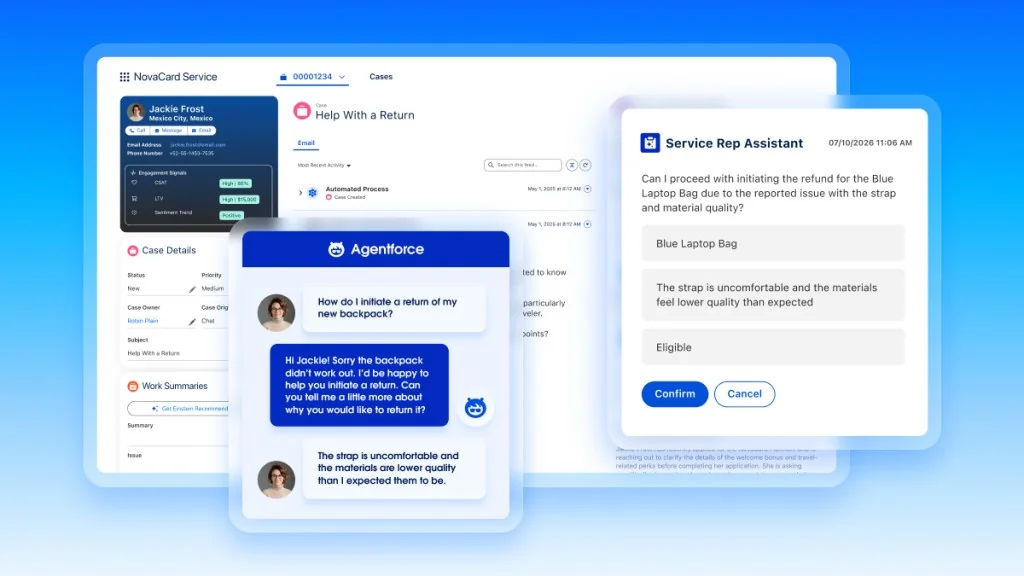
Why it's on the list: if your company already runs on Salesforce, no other tool here starts with as much customer context. The agent can see the same account data your sales and service teams see, and it works inside the case workflows you've already built. The trade-off is setup effort: Agentforce is powerful but rarely quick, and most teams need an admin or a partner to configure it well. Our Agentforce pricing guide breaks down the cost model in more detail.
Pricing: from Salesforce's Service Cloud pricing page and Agentforce pricing page.
- Starter Suite: $25/user/month, billed monthly or annually
- Pro Suite: $100/user/month, billed annually
- Core: $195/user/month, billed annually
- Advanced: $395/user/month, billed annually
- Max: $550/user/month, billed annually, includes the full Agentforce for Service suite and Flex Credits
- Agentforce usage: $2 per conversation, or Flex Credits at $500 per 100,000 credits (an agent action uses 20 credits, about $0.10)
- Agentforce add-on for Service: $125/user/month for unlimited employee use
Pros:
- AI works with your full CRM data, so answers reflect the customer's whole history
- Scales to very large, global service operations
- Deep workflow automation and customization
Cons:
- Serious investment in money and admin time; not plug-and-play
- Overkill for small or mid-sized teams that don't need a full CRM
- Layered pricing (seats, editions, conversations, credits) takes work to model
Our take: The obvious pick if Salesforce is already your system of record and you have the admin capacity to configure it. If you're on Salesforce but want something lighter to get AI live fast, see our guide to AI for Salesforce Service Cloud.
5. Freshdesk (Freddy AI): best for small and mid-sized teams that want AI bundled in cheaply
Freshdesk, from Freshworks, is the value-oriented helpdesk, trusted by 74,000+ businesses including Bridgestone and PepsiCo. Its AI suite, Freddy AI, splits into an autonomous Agent, a Copilot for human agents, and Insights for leadership, and Freshworks claims Freddy resolves up to 80% of queries with a sub-2-minute average resolution time.
The pricing is approachable at the seat level, and the AI gets a free on-ramp: the first 500 Freddy AI Agent sessions are included once per account on every paid plan, Growth included. After that, sessions are metered at $49 per 100, so heavy automation users should model the cost carefully, because a "session" is one end-user interaction within a 72-hour window.
Pricing: from Freshdesk's pricing page.
| Plan | Annual, per agent/mo | Monthly, per agent/mo |
|---|---|---|
| Growth | $19 | $23 |
| Pro | $55 | $66 |
| Enterprise | $89 | $107 |
- Freddy AI Agent: first 500 sessions included on all paid plans, then $49 per 100 sessions
- Freddy AI Copilot: $29/agent/month billed annually ($35 monthly), on Pro and Enterprise only
- Trial: 14 days of the Enterprise plan
See our Freddy AI pricing guide for the full picture.
Pros:
- Affordable per-seat pricing
- Fast, low-friction onboarding
- Freddy is approachable for less technical teams
Cons:
- Per-session AI pricing can climb at scale
- AI is locked to the Freshworks ecosystem
- Shopify integration has a middling 3.0/5 marketplace rating
Our take: The best starting point if you want an all-in-one helpdesk with AI included and a tight budget. If you outgrow Freddy's session model or want to keep Freshdesk while running more capable AI, look at Freshdesk alternatives and our Zendesk vs Freshdesk comparison.
6. Gorgias: best for Shopify and ecommerce brands
If you sell on Shopify, Gorgias is the helpdesk built for you. It's Shopify's only Premier CX Partner, powers 40% of the top Shopify brands, and pulls order history, refunds, and product data straight into every conversation. It scores an excellent 4.6/5 across 560+ G2 reviews, and its AI chatbot handles order tracking, returns, and even revenue-driving chat campaigns. Orthofeet hit a 56% automation rate in under two months.
The recurring objection is price. Gorgias bills by ticket volume rather than seats, and the community rule of thumb is that it runs roughly 3x the cost of Zendesk for similar volumes, worth it if 40%+ of your tickets need direct Shopify actions, harder to justify if they don't. The AI Agent is billed on top, per automated interaction.
Pricing: from Gorgias's pricing page.
| Plan | Monthly billing | Annual billing | Tickets/mo | AI Agent, per automated interaction |
|---|---|---|---|---|
| Starter | $10/mo | Monthly only | 50 | $1.00 |
| Basic | $60/mo | $50/mo | 300 | $0.90 |
| Pro | $360/mo | $300/mo | 2,000 | $0.90 |
| Advanced | $900/mo | $750/mo | 5,000 | $0.85 |
| Enterprise | Custom | Custom | Over 5,000 | Custom |
Gorgias also sells bundles that include a set number of AI interactions, with automated interactions priced at $0.85 to $1.00 each depending on the plan. The free trial lasts 7 days. Full breakdown in our Gorgias AI pricing guide.
Pros:
- Best-in-class Shopify integration, no exaggeration
- AI handles real ecommerce actions, not just FAQs
- Chat campaigns turn support into a revenue channel
Cons:
- Expensive relative to general-purpose helpdesks
- You pay both for ticket volume and per AI interaction
- Overkill if you're not ecommerce-first
Our take: For a Shopify brand where support is tightly tied to orders, Gorgias is hard to beat. If the pricing stings or you want AI that can sit on top of Gorgias rather than billing separately, browse Gorgias alternatives and our wider Shopify chatbot roundup.
7. Ada: best for large consumer enterprises
Ada is a Toronto-based, enterprise-focused AI platform that brands its category as "Agentic Customer Experience." Rather than living inside a helpdesk, it's a standalone AI layer that sits on top of Zendesk, Salesforce, and others. Its technical wedge is a multi-LLM Reasoning Engine, and it leans hard into AI-specific compliance (AIUC-1, zero data retention with LLM providers) that most rivals don't surface. Ada has raised ~$190M, hitting a $1.2B valuation back in its 2021 Series C.
The results it publishes are serious: Monday.com cut average handle time 42%, and IPSY reported a 943% ROI in four months. But Ada is sales-led from the first step. Its pricing page now sends you to a demo booking form, and there's no public pricing, no free trial, and no self-serve signup.
Pricing: No public pricing. Quote only, through a demo with Ada's sales team. See Ada's pricing page.
Pros:
- Multi-LLM orchestration rather than a single model bet
- Strong voice and omnichannel coverage
- Leading AI-specific compliance posture
Cons:
- Built for large enterprises, not small teams
- No public pricing or self-serve trial
- You're buying a platform-plus-services engagement, not a SaaS subscription
Our take: A strong choice for large consumer brands with the volume and budget to justify it. If you're a smaller team, you'll get further with a self-serve tool. See Ada alternatives for options that scale down.
8. HubSpot Service Hub (Breeze): best for teams whose sales and marketing run on HubSpot
HubSpot Service Hub is the helpdesk side of HubSpot's customer platform. Its AI, the Breeze Customer Agent, answers customers across chat, email and other channels, and hands the conversation to your team when it needs a human.
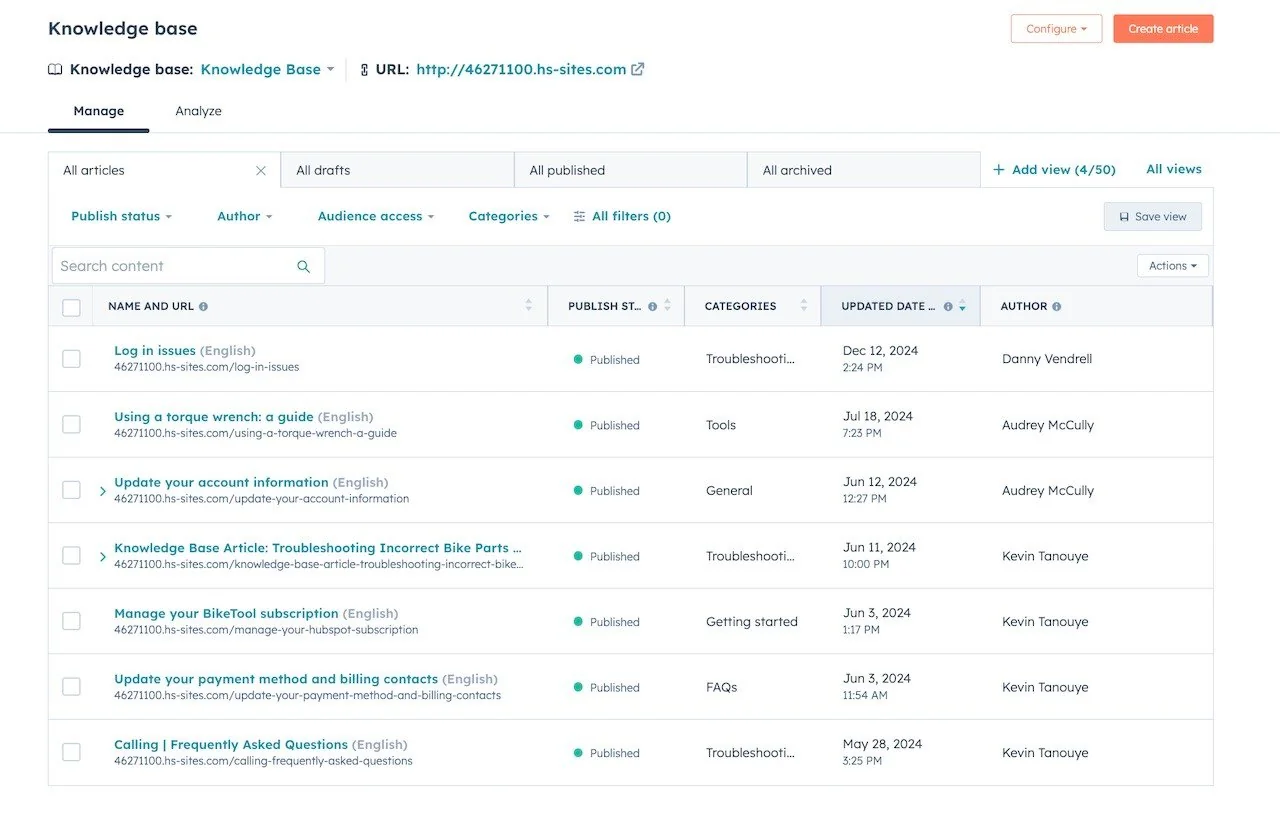
Why it's on the list: if your sales and marketing already run on HubSpot, the AI starts with context most tools don't have. Contact records, deal history and past conversations all sit in the same CRM, so the agent can personalize answers without extra setup. You only pay for AI usage when the agent resolves a conversation.
Pricing: from HubSpot's Service Hub pricing page. Customer Agent is on Professional and Enterprise.
- Free: $0 for up to 2 users
- Starter: $20/seat/month, currently shown at $7/seat/month billed annually
- Professional: $90/seat/month billed annually ($100 monthly), plus a one-time $1,500 onboarding fee; includes 3,000 HubSpot Credits
- Enterprise: $150/seat/month billed annually, plus a one-time $3,500 onboarding fee; includes 5,000 HubSpot Credits
- Customer Agent usage: 50 credits per resolved conversation, which is $0.50 (credits cost $0.01 each)
- Trial: 14 days of free Customer Agent access once you buy a Professional or Enterprise seat
Pros:
- The AI uses your full CRM data, so answers reflect a customer's history with sales and marketing
- Help desk, knowledge base, customer portal and AI agent in one platform
- AI usage is only charged when a conversation is resolved
Cons:
- Customer Agent needs Professional or Enterprise seats plus an onboarding fee, so entry cost is steep for small teams
- Works inside HubSpot's own help desk; teams on Zendesk or Freshdesk would need to move over
- A busier month (or a better-performing agent) means a bigger credit bill
Our take: The natural pick if HubSpot is already your CRM and you're happy to run support there too. If you want AI on HubSpot without the jump to Professional seats, our best AI for HubSpot Service Hub roundup covers the add-on options.
9. SendPulse: best for social media and messaging app support
If your support volume lives in Instagram DMs or WhatsApp, rather than a traditional helpdesk, SendPulse is built for exactly that. It brings WhatsApp, Instagram, Facebook, TikTok, Telegram, and Viber into a single inbox so agents stop jumping between apps and missing messages during volume spikes. The AI layer handles FAQs, recognizes intent, and routes conversations to the right team member, and the no-code visual flow builder means you can set up your chatbot in under 30 minutes.
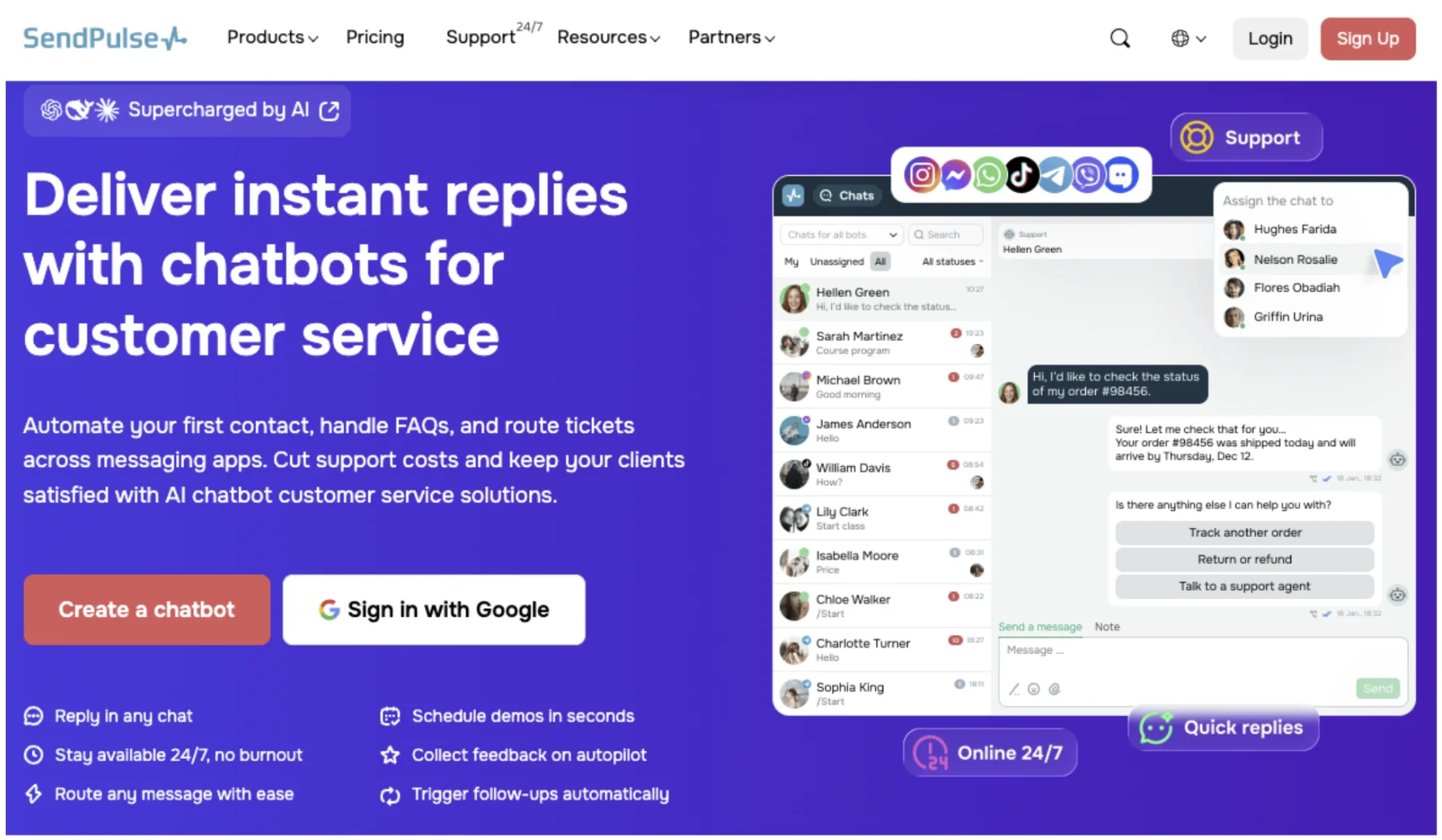
It's also a wider platform than just support: SendPulse combines chatbots with email, SMS, and a built-in CRM, which suits teams where support and marketing overlap in the same channels (Instagram Stories and comments being the obvious example).
Pricing: from SendPulse's chatbot pricing page.
| Plan | Price | Subscribers | Messages/mo |
|---|---|---|---|
| Basic | Free | Up to 500 | Up to 10,000 |
| Pro | $9.60/mo billed annually, or $12/mo monthly (500 subscribers); price scales with subscribers | 500 to 100k+ | Unlimited |
WhatsApp template messages carry additional per-message fees (e.g. $0.03 per marketing message to US numbers). From October 1, 2026, Meta also charges for replies sent within the 24-hour customer service window, with the first 1,000 per month per bot free.
Pros:
- Single inbox across 6 social and messaging platforms
- Generous free plan (3 bots, 500 subscribers, 10k messages/mo)
- No-code visual builder with ready-made templates
- AI agent with context memory and CRM sync
- Part of a broader multi-channel platform (email, SMS, automation)
Cons:
- Not designed for ticket-based helpdesk workflows; no native Zendesk or Freshdesk integration
- WhatsApp message costs add up separately and vary by region
- Overkill if you only operate on one messaging channel
Our take: The natural pick for businesses whose support happens on social and messaging apps rather than a helpdesk inbox. If most of your inbound comes through Instagram, WhatsApp, or Telegram, SendPulse covers ground none of the other tools on this list do, and the free plan makes it low-risk to try.
10. Shopify Inbox: best for small Shopify stores that want a free AI chat agent
Shopify Inbox is Shopify's own free chat app, and its AI, the Inbox agent, is what Shopify calls "An AI sales associate for your online store." It answers product, shipping, returns, sizing and store-policy questions using your catalog, policies, Knowledge Base facts and files, and storefront pages and blog posts, and it can recommend products based on a shopper's preferences, sizes and purchase history. It holds 4.6/5 from 5,804 reviews on the Shopify App Store.
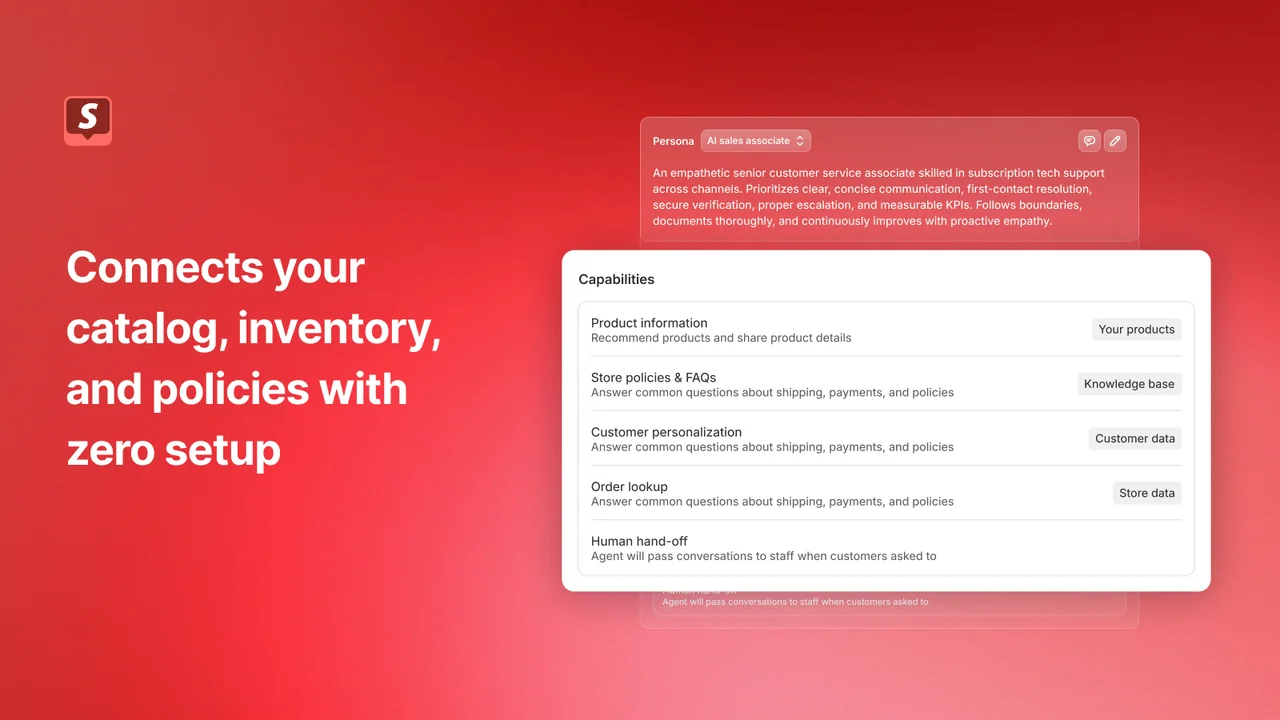
Because Shopify builds it, there's no setup to connect your catalog, inventory and policies. The agent replies in the shopper's language (21 languages), and when a chat needs a person it hands over to your staff with the AI's context, or gives the shopper your store email if no one is available. The watch-outs are scope and reach: it only works for Shopify stores, it's storefront chat rather than a help desk with ticketing, and the agent only works in your store's chat widget, so it can't answer email for you. The Inbox agent is also opt-in, needs new customer accounts, and is off by default for stores that installed Inbox before the agent launched.
Pricing: from the Shopify App Store listing and Shopify Help Center.
- Shopify Inbox: free, with no AI or per-conversation fee listed
- Requirement: a Shopify store on the Basic, Grow, Advanced or Shopify Plus plan
- Trial: not needed, the app itself is free
Pros:
- Free, made by Shopify, and connected to your store data with no setup
- AI-suggested replies for staff, plus analytics on orders assisted and buyer satisfaction
- Desktop, iOS and Android apps for answering on the go
Cons:
- Only works for Shopify stores
- Storefront chat, not a help desk: no ticketing, and the agent can't send email
- Merchant reviews mention wrong answers and ask for actions beyond answering, like adding a note to an order
Our take: A sensible free first step for a small Shopify store that wants AI answering shopper questions in chat. Once you need ticketing, email support, or AI that takes order actions, compare it against other options in our best AI chatbots for ecommerce guide.
11. Help Scout: best for small teams that want a simple shared inbox with AI
Help Scout is a simple shared inbox and help desk that feels more like email than a ticketing system. Its customer-facing AI, AI Answers, replies to customers in chat using your Help Scout Docs and other sources you add, while AI Assist, AI Drafts and AI Summarize help your team write and catch up on conversations faster.
Why it's on the list: it's one of the easiest help desks to learn, and the AI is simple to switch on. For a small team that mostly answers the same handful of questions, that matters more than a long feature list. For more options on top of it, see our best AI for Help Scout roundup.
Pricing: from Help Scout's pricing page.
- Free: $0 for up to 5 users, 1 inbox and 1 Docs site, with 100 contacts a month
- Standard: $25/user/month billed annually ($30 monthly)
- Plus: $45/user/month billed annually ($54 monthly)
- Pro: $75/user/month billed annually ($90 monthly), minimum 10 users
- AI Answers: $0.75 per resolution, billed monthly, with a 3-month free trial
Pros:
- Very easy to set up and use, even for non-technical teams
- Free plan for up to 5 users
- Low per-resolution rate compared with the big suites
Cons:
- The AI only works inside Help Scout, so it has to be your help desk
- Per-resolution pricing means your AI bill grows as the AI handles more
- Lighter on automation and routing than enterprise suites
Our take: A good fit for small teams that want a calm, email-like inbox and a simple AI agent without a big setup project. If you outgrow it, our Help Scout pricing breakdown helps you compare the next step.
12. Minami AI: best for ecommerce brands with high post-purchase ticket volume
Minami AI is an AI support agent built specifically for ecommerce, designed to handle the full post-purchase journey autonomously: order edits and cancellations, shipment tracking, lost packages, returns, exchanges, and direct courier coordination. Where most chatbots on this list handle general queries across industries, Minami goes narrow and deep on exactly the workflows that eat the most time for ecommerce support teams.
The operational scope is broader than a typical chatbot: customers can add or remove items from a paid order, and Minami manages 80%+ of courier communications and claims automatically. The returns flow includes product swap suggestions to reduce refund rates. The platform claims to have processed over 193 million real customer interactions and reports a 90%+ reduction in support costs, backed by a love-it-or-money-back guarantee. Setup is described as zero-configuration with a go-live time of minutes.
Pricing: No public pricing. Minami says pricing is based on support volume; request a quote on Minami's pricing page.
Pros:
- Purpose-built for ecommerce post-purchase support: order edits, tracking, returns, courier claims
- Autonomous courier coordination handles 80%+ of claims without human involvement
- Money-back guarantee and zero-setup onboarding
Cons:
- No public pricing or self-serve trial
- Narrowly focused on post-purchase ecommerce; not suited for pre-sale or non-ecommerce support
- Contact-sales buying motion only
Our take: Minami AI is worth a close look for ecommerce teams where the bulk of tickets are post-purchase operational tasks. For teams that also need pre-sale support, internal helpdesk workflows, or a multi-channel setup beyond ecommerce, the broader platforms above cover more ground.
13. Forethought: best for enterprises that want to keep their helpdesk
Forethought is a San Francisco enterprise AI platform built as a multi-agent system, Discover (insights), Solve (the customer-facing agent), Triage, Assist (agent copilot), and Agent QA. Its strongest pitch is that it's helpdesk-agnostic: it sits on top of Zendesk, Salesforce Service Cloud, and others, so you get agentic AI without switching your stack. It's raised ~$92M and publishes a 15x average ROI and up to 98% resolution from its benchmark report.
A nice technical detail: Solve includes a Browser Agent that can operate legacy systems with no API, which matters for enterprises stuck on older internal tools. Upwork cut time-to-resolution 50% with it. Pricing is quote-only, a blend of platform fees and outcome-based costs, with a Proof of Value engagement instead of a free trial.
Pricing: No public pricing. Three tiers (Team, Professional, Enterprise) plus add-ons, all "Get a Quote"; Forethought describes it as a "blend of platform access fees and an outcome-based pricing cost." See Forethought's pricing page.
Pros:
- Helpdesk-agnostic; keep your current stack
- Browser Agent handles no-API legacy tools
- Clear multi-agent structure
Cons:
- No public pricing or free trial
- Mid-market-and-up focus
- Quote-based costs are hard to benchmark
Our take: The pick for a larger team committed to its current helpdesk (especially Salesforce Service Cloud) that wants agentic AI on top. For lighter-weight or self-serve options that also avoid a migration, eesel covers similar ground without the sales cycle.
14. Decagon: best for high-volume, AI-native CX teams
Decagon is one of the buzziest AI-native CX startups, founded in 2023 and reportedly valued around $1.5B after its 2025 Series C. Its differentiator is Agent Operating Procedures (AOPs), natural-language instructions that compile into executable code, so non-technical CX ops can author agent logic while engineers keep the guardrails. It runs one agent across chat, voice, email, and SMS.
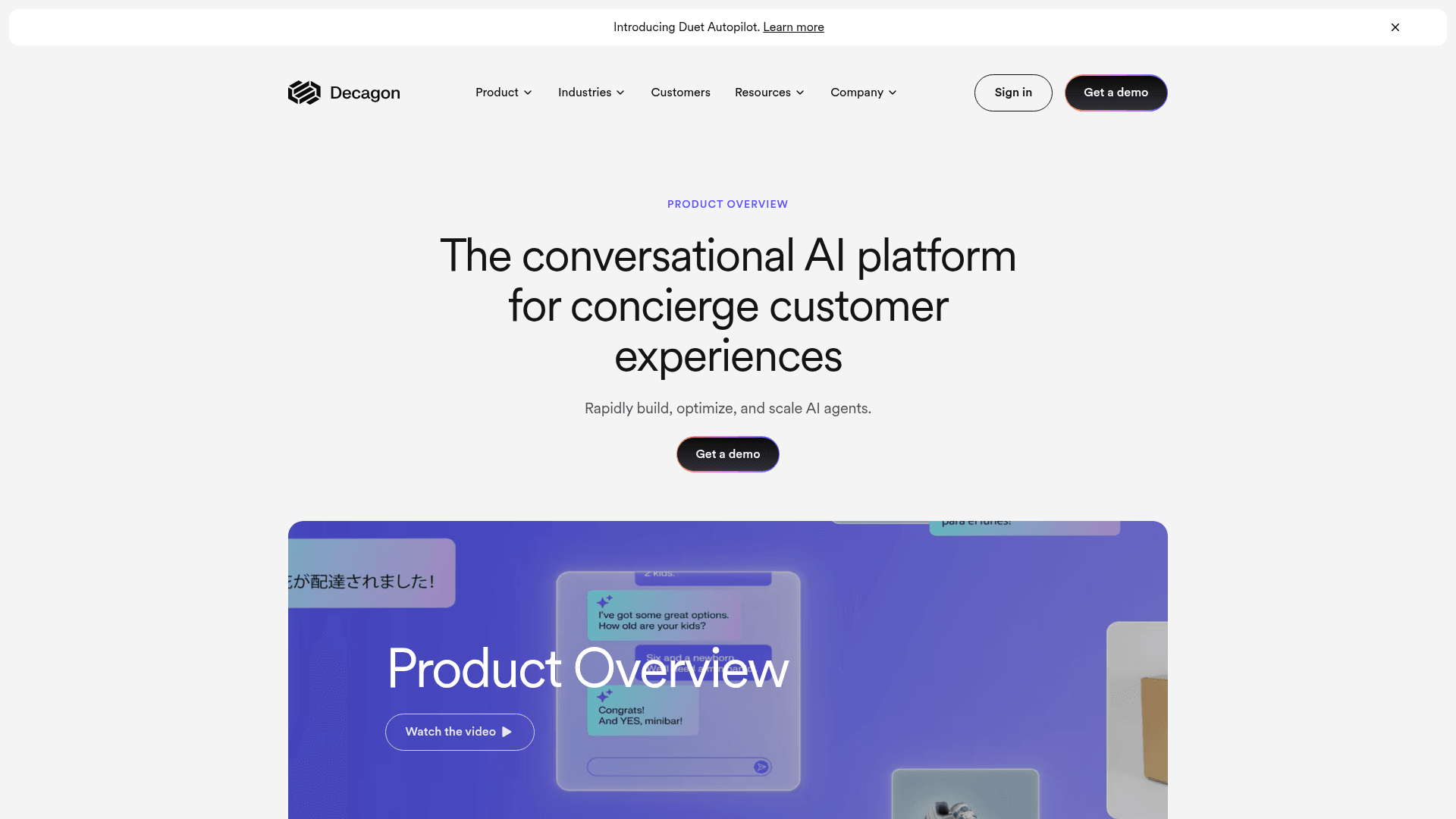
The customer roster is unusually heavy for its stage, Chime, Duolingo, Hertz, Notion, and the case studies are punchy: ClassPass reported a 95% cost reduction, and Duolingo cited an 80% deflection rate after replacing a previous vendor. That switching story is Decagon's whole pitch:
"With the previous vendor, at least half my week was dedicated to maintaining their system. With Decagon, it's been a night-and-day difference."
Duolingo, via Decagon case study
Pricing: No public prices and no trial; you book a demo. Decagon offers two models: a fixed rate per incoming conversation (with volume discounts), or a higher fixed rate per resolved conversation with escalations free. It says most customers choose per-conversation. See Decagon's pricing explainer.
Pros:
- Natural-language agent authoring (AOPs)
- True omnichannel from one runtime, including voice
- Strong observability and QA tooling
Cons:
- No public pricing or self-serve trial
- Aimed at mid-market and enterprise volume
- Newer company, shorter track record than incumbents
Our take: Compelling if you're a high-volume team frustrated with brittle bot tooling and ready for a sales-led deployment. If you're comparing the AI-native crowd, our Decagon vs Sierra piece and ticket deflection breakdown are good next reads.
15. Sierra: best for Fortune 500 and regulated brands
Sierra is the high-end, outcomes-priced AI agent platform from Bret Taylor (former co-CEO of Salesforce and current chair of the OpenAI board) and Clay Bavor (18 years at Google). It's AI-first to the core, the agent is the product, and it's raised aggressively, reportedly hitting a ~$10B valuation in a late-2025 Series D. Its customer wall reads like a Fortune 500 list: Rocket Mortgage, SoFi, Sonos, ADT, Vanguard.
Two things set Sierra apart. First, outcomes-based pricing, you pay when the agent achieves a contracted outcome, which shifts implementation risk onto Sierra. Second, its compliance footprint: SOC 2, ISO 27001, HIPAA, and the rare ISO 42001 (AI management system) certification, which is why it lands regulated logos like FINRA and Sutter Health. Its Ghostwriter feature builds agents from SOPs and transcripts, collapsing the usual multi-week implementation.
Pricing: No public pricing. Outcomes-based, defined per use case, sales-led only; Sierra says that if a conversation is unresolved, in most cases there's no charge. See Sierra's post on outcome-based pricing.
Pros:
- Outcomes-based pricing aligns vendor incentives
- Top-tier compliance, including ISO 42001
- Deep founder and investor credibility
Cons:
- Enterprise-only; no self-serve or trial
- Outcome pricing needs careful contract definition
- Likely the most expensive option here
Our take: Built for large, often regulated enterprises that want a premium, white-glove AI agent and are happy to pay for outcomes. For everyone smaller, it's aspirational, see our Sierra review for the full picture.
What AI support chatbots actually cost
Here's the thing that trips up most buyers: these tools don't share a billable unit, so the headline number tells you almost nothing. A "$0.70 per conversation" tool and a "$1.50 per resolution" tool aren't directly comparable, and a per-seat tool can be cheap for a tiny team and brutal for a big one.
A quick worked example. Say you're a team handling 2,000 support tickets a month with 5 agents, and you want AI to take the front line, resolving about 1,200 of those tickets:
- Zendesk AI: 5 Suite Professional seats at $115 is $575/mo. Zendesk includes 25 automated resolutions for 5 agents, then charges $1.50 each committed or $2.00 pay as you go, so the other 1,175 resolutions add about $1,760 to $2,350. Total: roughly $2,340 to $2,930/mo before the Copilot add-on.
- Gorgias: the Advanced plan ($900/mo, or $750/mo billed annually, for 5,000 tickets) plus AI Agent at $0.85 per automated interaction, so 1,200 AI interactions add $1,020. Total: about $1,770 to $1,920/mo.
- Help Scout: 5 Standard seats at $25 (annual) is $125/mo, plus AI Answers at $0.75 per resolution, so 1,200 resolutions add $900. Total: about $1,025/mo, but only if Help Scout is your help desk.
- eesel AI: every ticket the agent works on uses one credit, resolved or not, so 2,000 tickets fits the 2,500-credit plan at $999/mo, with no seats and no platform fee, on top of whatever helpdesk you already use. Pay a year upfront and two months are free.
The numbers shift with your exact mix, but the pattern holds: per-seat-plus-per-resolution stacks grow as the AI does more of the work, while a fixed monthly plan stays flat. Whatever you pick, model it on your real ticket volume, not the sticker price. Our AI vs human support cost analysis and our piece on how much AI can save in support go deeper.
How to choose the right one for your team
Strip away the marketing and the decision is mostly mechanical. Start from where you already run support and what you're optimizing for.
- Run a Shopify store? Start with Gorgias (action-heavy) or Shopify Inbox (free, chat only).
- Already on Zendesk or Freshdesk? Turn on the native AI if your knowledge base is clean, or layer a tool like eesel on top for more control and predictable pricing without a migration.
- Your CRM is Salesforce or HubSpot? Agentforce or the Breeze Customer Agent keeps the AI next to your customer data.
- Small team that wants a simple inbox? Help Scout is the easiest to learn.
- Large enterprise with very high conversation volume? Ada, Sierra, and Decagon are built for that scale.
- Want capable AI, your existing helpdesk, and a bill you can predict? That's eesel's sweet spot.
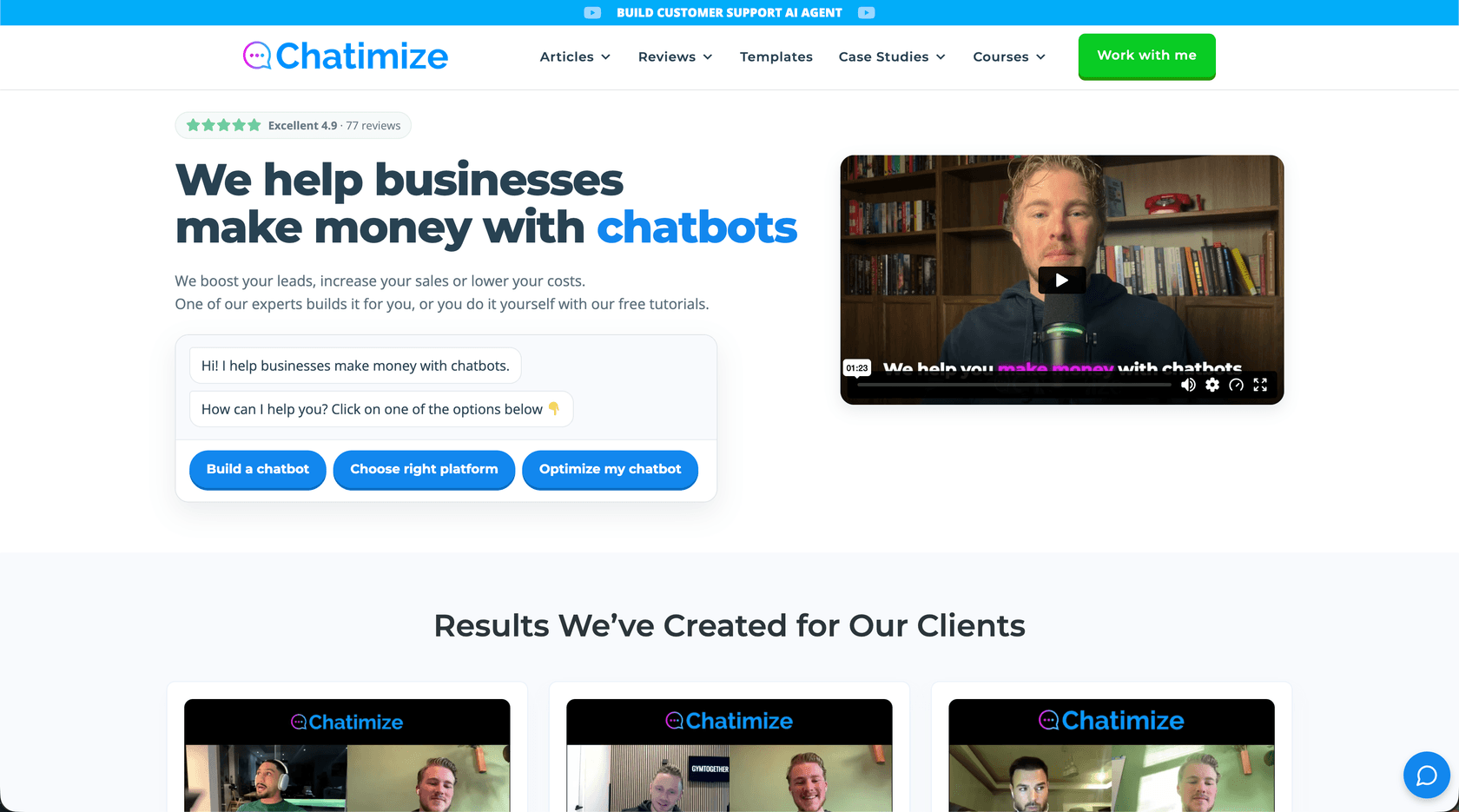
Not sure which platform fits, or don't have time to build the bot yourself? Chatimize is a chatbot agency run by Joren Wouters that builds chatbots for businesses, and it publishes free, hands-on reviews of most of the platforms above.
The meta-advice: don't trust a resolution-rate claim until you've seen it on your tickets. The single best predictor of whether any of these tools works is the quality of your knowledge base, and the safest rollouts are the ones that let you start narrow, prove accuracy, and expand. For more on the underlying tech, see our explainers on AI agents vs rule-based chatbots and conversational AI, or the broader best customer service AI and best AI chatbot builder roundups.
Try eesel
If you've read this far and your situation is "we already have a helpdesk and we just want capable AI on top of it, without a migration, a sales cycle, or a scary bill," that's exactly what eesel AI is built for. It plugs into Zendesk, Freshdesk, Gorgias, Slack, and 1,000+ other integrations, learns from your past tickets and docs, and lets you simulate against thousands of real historical tickets before going live, so you know your resolution rate before a customer ever sees it.
Pricing is one fixed monthly price with no seat fees: start free with 100 credits and no credit card, then plans start at $299/mo for 500 tickets (1 credit per ticket or chat). If you want to see how it stacks up against your current setup, start free or book a demo.