

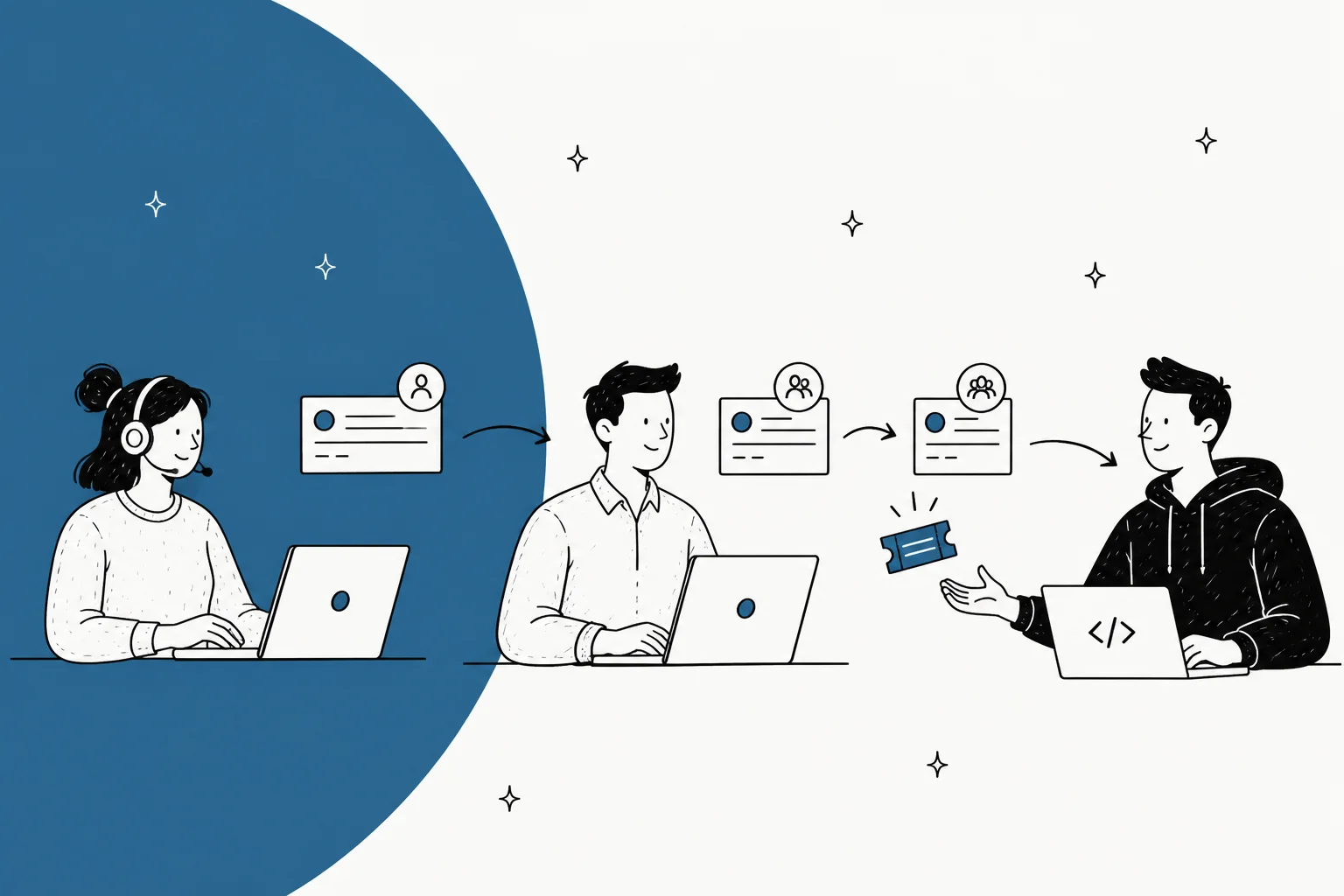
Technical support is not general support with harder questions. Your queue splits in two. One half tier 1 closes with a documented answer. The other half has to reach a person who can read a stack trace, and that is the half that hurts. Every tool in this roundup does the first part fine. The second part is where they separate, and almost none of the marketing pages will tell you that.
Short version. Engineers already living in Jira? Then Service Collection wins on the escalation link alone, and the price is USD 25 per agent for 1 to 15 agents. B2B SaaS support with a real knowledge base is a different question: Zendesk at $55 a seat does the job, and so does Freshdesk at $19. Freshdesk is the cheaper way in, by a wide margin.
Small technical team that wants no ceremony, Help Scout at $25 a user. It is also the only vendor here that bothers to print its AI price on the page ($0.75 a resolution).
Before you sign anything, watch the AI meter. Eight vendors here, six different meters between them, and only three of them publish a rate. I have spent the last few years putting AI agents onto live technical queues at eesel, the ugly parts included. We have watched a customer's bot cheerfully confirm it supported vehicle models that were not in their database, all because the help center said "we support all models." So now every rollout gets simulated against thousands of historical tickets first, before it ever answers a real one.
What makes a technical support ticketing system different
A general support ticket needs a name, an order number and a sentence about what went wrong. A technical one is useless without reproduction data. And the cost of going back to collect that data later is basically the whole problem.
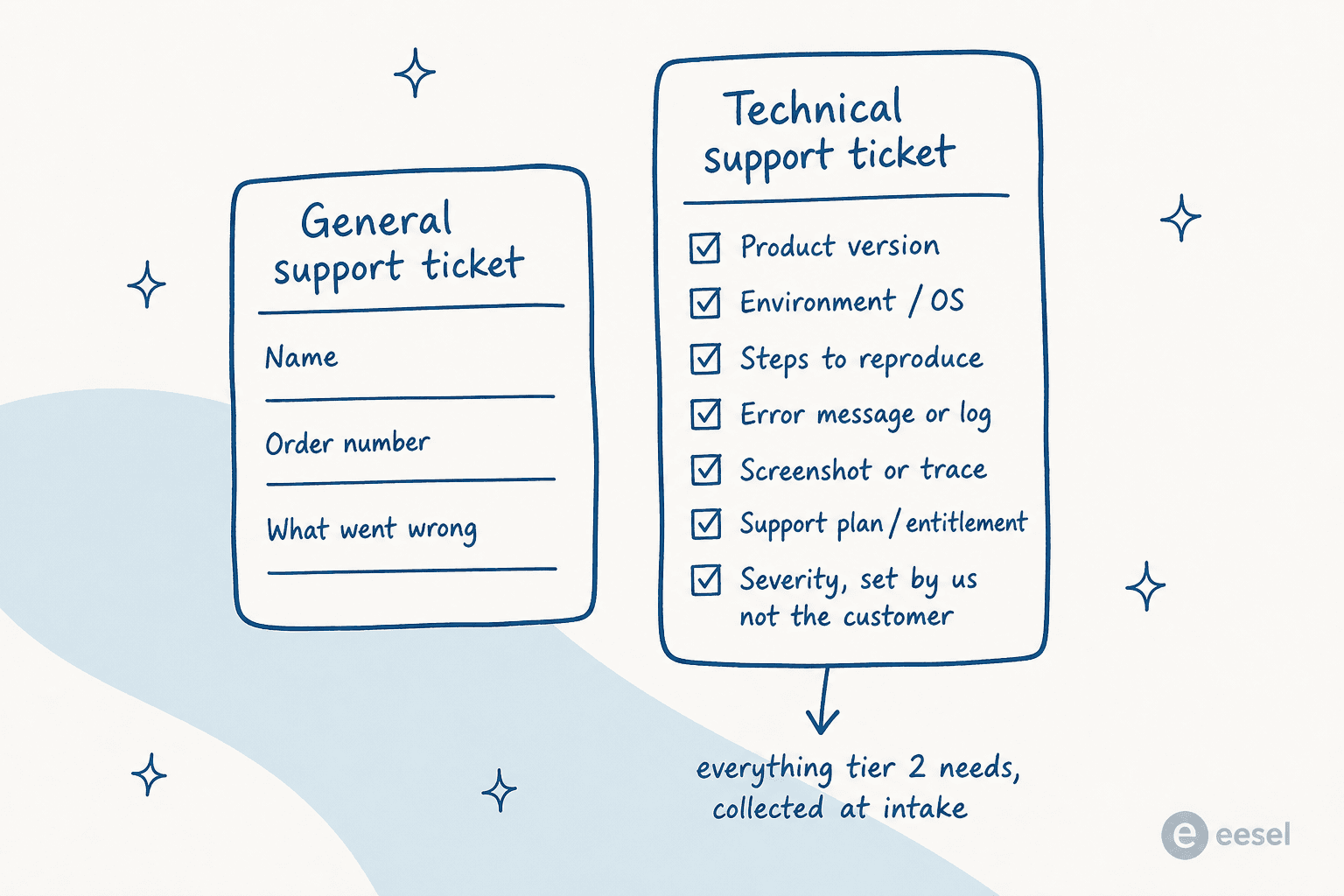
A ticket lands without the version, without the environment, without the steps. So tier 1 burns its first reply just asking for them. The customer answers 14 hours later, and by then the SLA clock has eaten a day before anybody technical even looked at it. Which makes the first evaluation question for any ticketing system software in this category a boring one: can I force the fields I need at intake, and can I do it per request type, so that a "password reset" form is not demanding a stack trace?
That same intake question decides whether automation is even possible later on. A tool that captures version and environment as structured fields can tag and classify tickets automatically, then route them to the right specialist. A tool that dumps the same information into free text in the description cannot, whatever its AI page promises. This is also the thing that makes a customer support portal worth having: the form is where you collect the data, instead of chasing it afterwards.
Then the second difference: severity is a support decision, not a customer one. Every technical desk that lets requesters set their own priority ends up in the same place, a queue where everything is urgent.
"Dealt with this decades ago. It was scrapped quickly because as you might imagine it was abused to death. It really didn't bother me though. I still got the same number of tickets and just slogged through them. When people got mad because we were missing SLAs we just replied there was nothing we could do now that all tickets were priority."

The escalation bridge is where the money goes
Here is the number that reframed the whole category for me. MetricNet's benchmarking data puts an average level-1 ticket at $22, a level-2 ticket at $62, and their first level resolution paper is explicit that these costs stack up: "If a ticket is logged at level 1 and then escalated to level 2 (desktop support) for resolution, the average cost of resolution is not just $62, but $62 plus $22, for a total of $84." Then level 3 adds $85 on top of that. Field support adds $196. Vendor support, $471.
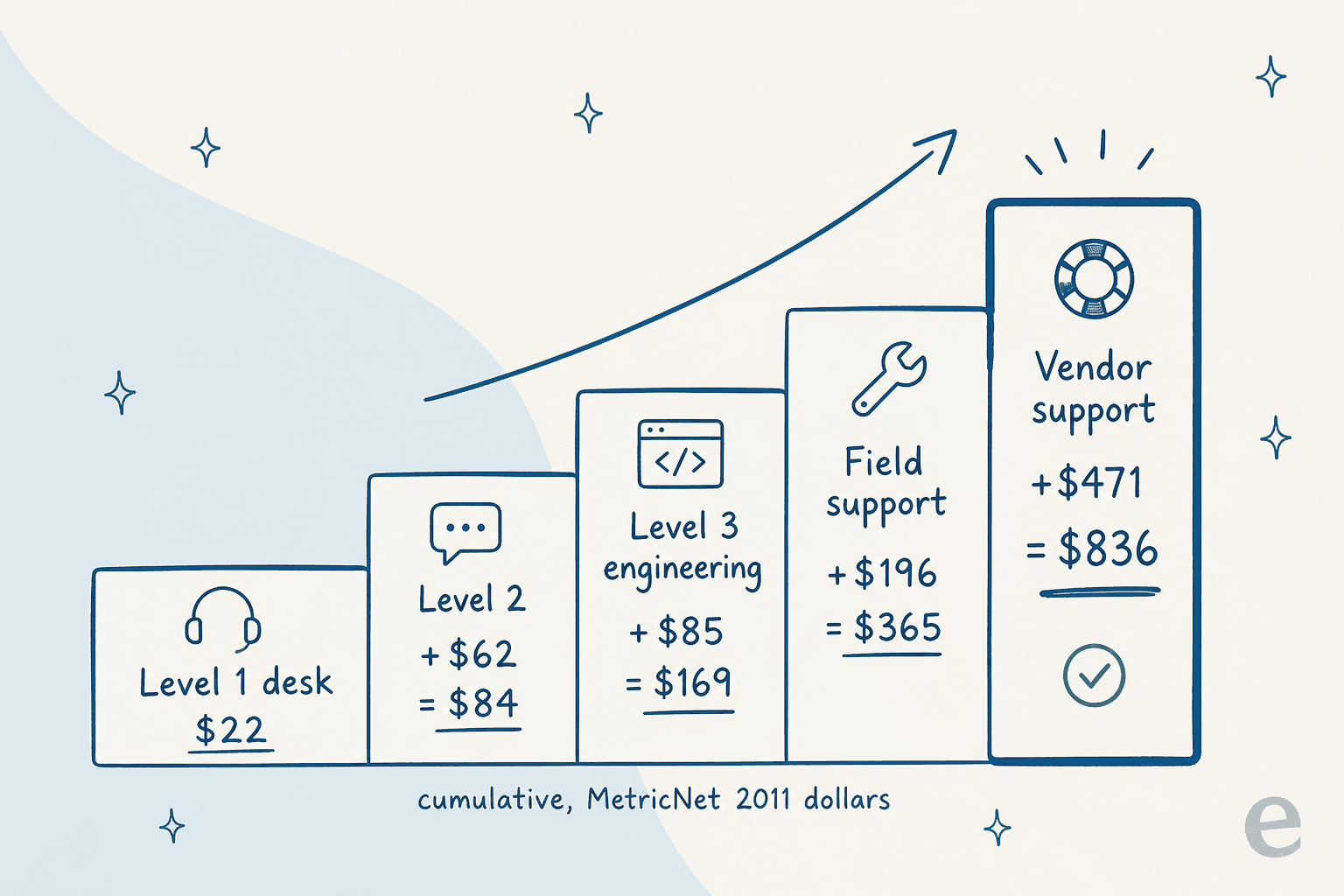
Those are 2011 dollars, so read the ratios and not the absolute figures: an escalation to field support runs roughly nine times a tier-1 resolution. The same paper benchmarks average net first level resolution at 74.3%, and only 1.4% of desks clear 95%. Fifteen points of tier-1 resolution is not a rounding error on your support budget. It is most of it. Which is why ticket reduction work pays back faster than any seat-price negotiation you are ever going to win.
What your tier-1 miss rate actually costs
Built on MetricNet's cumulative support-level costs: $22 resolved at tier 1, $84 once tier 2 touches it, $169 once engineering does. Assumes 70% of escalations stop at tier 2 and 30% reach engineering. 2011 dollars, so read the gaps between the numbers, not the numbers themselves.
The second half of the bridge problem is the part buyers almost never test in a demo. What the escalation looks like from the customer's side.
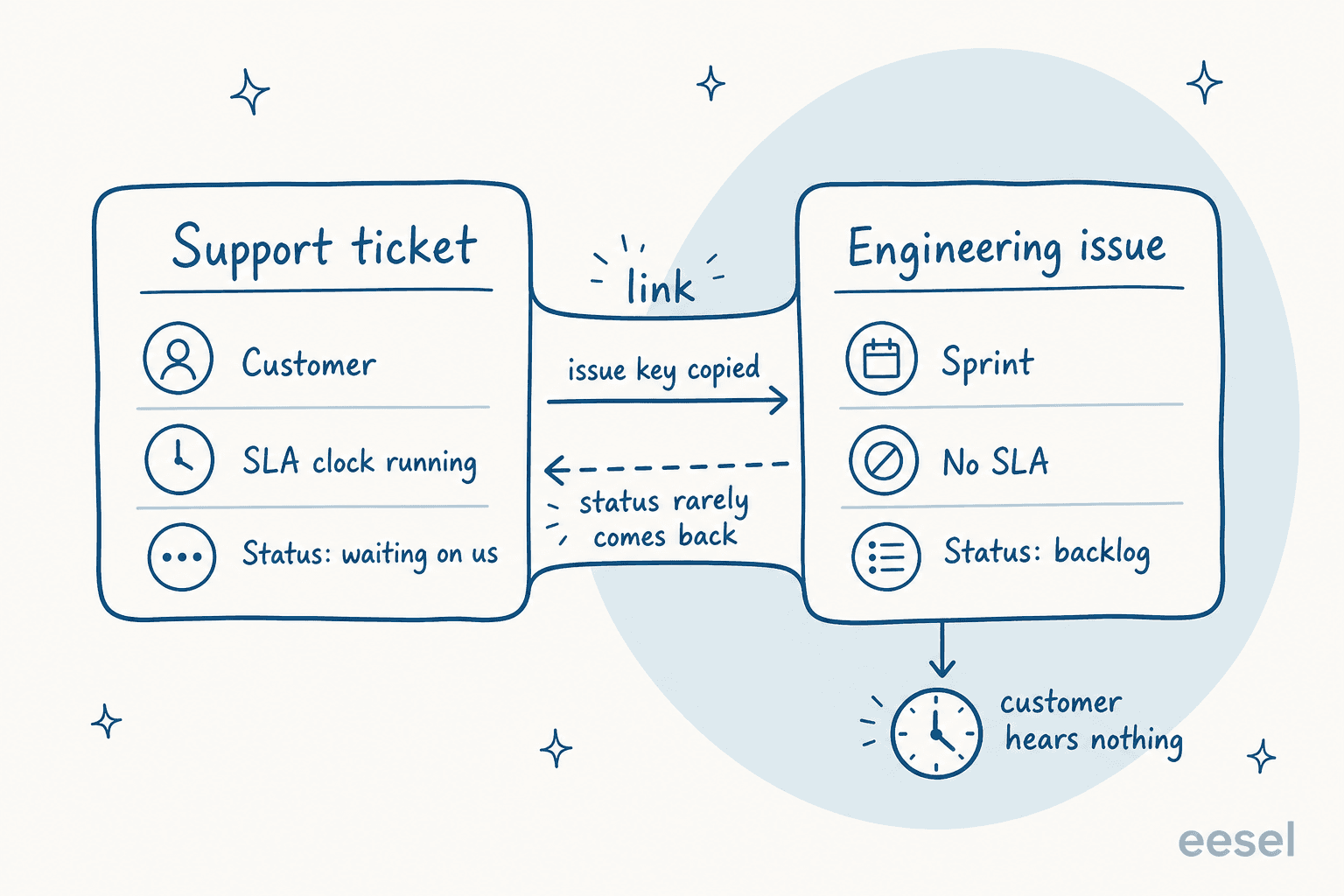
The support ticket has a customer, an SLA clock and a status that customer can actually see. The engineering issue has a sprint, no SLA, and a status nobody outside the dev tool ever reads. Linking the two copies an issue key across, that is all it does. Bringing the answer back is a workflow somebody has to sit down and build, and when nobody does, the customer sits in silence while the ticket technically stays "in progress."
Ask anyone who has run this badly and the description of what breaks comes back the same:
"Moving ticket from the helpdesk to some internal project makes customer blind, loosing any trust into process because issue is not resolved and ultimately lost for him."
What actually syncs when you escalate
I went through every vendor's own integration docs for this one. All of their marketing pages say "bidirectional Jira sync" and in every product the phrase means something different. Here is what the documentation actually says.
| Tool | Comments sync | Status sync | Documented limit worth knowing |
|---|---|---|---|
| Zendesk | Manual push, partial | One-way per field | 200 tickets per Jira issue |
| Freshdesk | Per-event toggles | Opt-in, one-to-one mapping | 5 Jira issues per ticket |
| Zoho Desk | Both ways, claimed real-time | Both ways | Paid editions only |
| HubSpot | Yes, delayed | Yes, delayed | Up to 24-hour lag |
| Help Scout | None | Reopen on Done only | Web links, no data sync |
| Service Collection | Internal comments | Native work item link | Developers cannot transition items |
Three rows there deserve a second read.
Zendesk is the most upfront about its own ceiling: "Bidirectional syncing of the same field is not supported," and Jira's Priority "Only syncs from Jira to Zendesk," per the field syncing doc. The same page also notes that the sync is not retroactive, that it breaks on a trailing space inside a value, and that it fails entirely for a ticket when one mapped field is misconfigured. Every mapped field moves in a single API call, so one bad field takes the rest of them with it.
HubSpot is the only vendor here that publishes a latency window, and it is a wide one: "There may be a delay in synchronization between a HubSpot ticket and a Jira issue, from one hour and up to twenty-four hours," per its Jira integration doc. On a P1 outage escalation, a day of drift does not count as a sync.
Help Scout, meanwhile, does not really sync at all: "Jira issues will show Help Scout conversations as web links," with no comment or field sync in either direction, per its Jira article. The one automated signal you get is the conversation reopening when the issue hits a Done status. Thin. Honest about being thin, though, and for a five-person team that might be all you actually need.
The free tiers have no bridge at all. Freshdesk's Jira app excludes Free and Sprout. Zoho Desk's is paid-editions-only, and Help Scout's wants Plus or Pro. So if your evaluation plan is "test it on the free plan first," what you will be testing is the half of the product that does not matter for technical support.
The other half of the bridge is human, and there is no vendor shipping that. A product manager put the gap into one line:
"At times, bugs are logged in jira and triaged but the feedback loop to the front line is absent."
Somebody has to own the customer while engineering owns the bug. Teams that get this right do two fairly unglamorous things. First, they make the escalation form mandatory and they let engineering bounce anything incomplete:
"Support can't send 'customer says it's broken.' They have to include: exact repro steps, expected vs actual behavior, user impact, account/environment, severity, and what they already tried. Engineering is allowed to bounce incomplete escalations quickly, but once it's accepted there's one person responsible for updates back to support/customer."
Second, they put the timer on the silence rather than on the fix. A support engineer at Railway described response SLOs per plan: one hour for Enterprise, 24 for Pro, best effort for Hobby, with a PagerDuty page firing at the on-call whenever a timeline slips, then escalating further if that page gets missed. Notice what is being measured there. Not how fast the bug gets fixed, since nobody can promise that, but how fast a human says something. Our guide to escalation management covers the patterns that hold up under volume, and there is a companion piece on agent handoff for when an AI agent sits in front of the queue.
How I judged these eight
Feature checklists stopped being useful somewhere around 2018. Every tool here has queues, macros and a knowledge base, so scoring those tells you nothing. I looked at four things instead: what the tier-1 to tier-2 handoff actually does, whether reproduction data can be forced at intake, the real 2026 list price straight off the vendor's own page, and the AI billing unit. That last one is the line item that surprises people six months in. All prices below were read off the vendor's own pricing page on 31 July 2026.
| Tool | Best for | Entry price | First tier with real AI | AI billing unit | Published AI rate | Free plan | Native dev-tracker link |
|---|---|---|---|---|---|---|---|
| Zendesk | B2B SaaS support at scale | $19/agent/mo | Suite Team $55 | Automated resolution | Not published | No | Jira app |
| Freshdesk | Best value on a real AI tier | $19/agent/mo | Growth $19 | AI agent session | $49 / 100 sessions | No | Jira app |
| Service Collection | Teams whose engineers live in Jira | USD 25/agent/mo | Premium USD 57.30 | Assisted conversation | $0.30 after 1,000/mo | Yes, 3 agents | Native |
| Zoho Desk | Cheapest serious seat | US$7/user/mo | Professional US$23 | Tokens, bring your own key | Overage not published | Yes, 3 users | Zoho suite |
| Front | Named-account technical support | $25/seat/mo | Enterprise $105 | Outcome tier | $0.05 triage to $0.89 resolution | No | Via integrations |
| Help Scout | Small technical teams | $25/user/mo | Standard $25 | Resolution | $0.75/resolution | Yes, 5 users | Via integrations |
| HubSpot Service Hub | Support that reports to revenue | $7/mo/seat | Professional $90 | Credit | $9.00 / 1,000 credits | Yes, free tools | Via integrations |
| ServiceNow ITSM | Enterprises with a platform team | No price shown | Prime | Not published | Not published | No | Native |
1. Zendesk
Best for: a B2B SaaS support org that outgrew its shared inbox and now needs a real knowledge base sitting behind the queue.

Zendesk is the default for a reason, and our Zendesk ticketing system breakdown covers the basics. Its ticket model is the most thought-through of anything here. Six statuses, including an internal-only On-hold the requester never sees. A Type field carrying Question, Incident, Problem and Task. Custom statuses on every Suite plan, capped at 100 per account, with only the first 10 active ones showing in the picker. For technical support the ticket status lifecycle matters more than it sounds, because On-hold is the thing that stops your SLA punishing you while engineering has the ball.
If you route by product area rather than by channel, intelligent triage is the piece that does that without building a rules maze. Read the SLA policy setup before you design your statuses too, not after.
Where it hurts. Reporting. Explore is the single most complained-about surface in the whole product, and not by beginners either.
"I have never found anything as complex as Zendesk explore.
I've worked with ThoughtSpot building dashboards, reports and exports but omg Zendesk, you are taking so much of my time!!!!!!!!"
Escalation bridge. The Jira app sits on every Suite tier and links one Jira issue to as many as 200 tickets, which is the right cap for a bug that hits a lot of customers at the same time. Comments are the gap. Zendesk says outright that "the commenting functionality doesn't fully integrate the commenting systems," and pushing a note over to Jira is a manual click. Watch the public-comment setting as well, since a Jira-side public comment will email your requester.
Pricing. Support Team is $19 per agent a month paid yearly, ticketing only, no AI agents. Suite Team at $55 is the first tier that gets you AI agents and a knowledge base. Suite Professional is $115. Enterprise is a sales call. Copilot then sits on top as a $50 per agent add-on. No free plan, though the startups program gives six months of Suite for up to 50 agents.
The AI meter changed on 18 May 2026. Automated resolutions now split into three tiers, and only a verified resolution draws down your allowance; assisted escalation and contained resolution do not. What Zendesk does not publish anywhere is the per-resolution rate or the allowance size, which is a real gap when you are trying to model cost. Users have been vocal about how the unit gets defined, too.
"Complete trash lol, stuff I used to get free now counts as an AR. Most of the ARs are abandoned chats. There's no dispute resolution process."
Verdict: the safest pick when your technical support is customer-facing and the volume is real. Budget for Suite Team as the minimum, and get that AI rate in writing before you sign anything. Our Zendesk AI alternatives roundup covers the cheaper ways of adding the AI layer.
2. Freshdesk
Best for: the best price-to-capability ratio here, especially when you want AI already on the entry tier.

Freshdesk hands you the Freddy AI Agent on Growth at $19 an agent. That is the cheapest route to a working AI tier in this roundup, by a distance, and our Freshdesk ticketing system guide walks through the setup. The ticket model is simpler than Zendesk's: four undeletable statuses (Open, Pending, Resolved, Closed), with priority hard-coded to four values because it is wired straight into SLA policies. Pending exists specifically to pause the SLA clock, and that is exactly the state a technical ticket sits in while you are waiting on a log file.
Custom statuses need Growth or higher. Custom fields also start at Growth, with per-type caps that matter for technical intake: 80 single-line text fields, 10 multi-line, 80 dropdowns, plus a three-level Category > Subcategory > Item dependent field. That dependent field is the cleanest way to model product area > component > symptom.
Where it hurts. Reporting, again. And the workaround people land on is always the same one.
"The reports and automations can be somewhat difficult to navigate. We ended up just exporting all of our tickets every month and creating our own reports through Power query in Excel."

Escalation bridge. The Jira Plus app caps you at five Jira issues per ticket, and it makes every sync event an explicit choice: four toggles, each one defaulting to "Do Nothing." More control than Zendesk gives you. Also more setup. Status mapping is strictly one-to-one, so any Jira workflow richer than Freshdesk's four statuses cannot be represented without losing detail somewhere. And the app is absent on Free and Sprout.
Pricing. Growth $19, Pro $55, Enterprise $89, all billed annually. Every paid plan carries the first 500 AI agent sessions, and after that it is $49 per 100 sessions. Freddy Copilot for agents runs $29 per agent a month, and it is not available on Growth at all. No free plan here either, just a 14-day trial that starts you on Enterprise.
Verdict: cost-sensitive and technical, start here. Do read our guide on automating Freshdesk tickets before you buy, because what you hit first is the automation ceiling, not the seat price.
3. Jira Service Management (now Service Collection)
Best for: technical support teams whose engineers already work in Jira all day.

This is the one tool where the escalation bridge is not really a bridge, because both sides already live in the same system. A support request and a development work item are the same object type wearing different wrappers, so linking them is native, and the dev team sees the customer context without an integration sitting in the middle. If your product engineers are in Jira, that one fact outweighs most feature comparisons. Our Jira ticketing system breakdown goes deeper on the data model.
Two things to know going in. Atlassian renamed the nouns in 2026, so an issue is now a work item, an issue type is a work type, a project is a space. The other thing: the standalone SKU is gone. The pricing page now sells Service Collection, a bundle of Jira Service Management, Customer Service Management, Assets and Rovo, and you cannot buy those as separate apps.
Where it hurts. The workflow model is rigid in a way that bites technical support specifically. Jira ships three status categories (To do, In progress, Done), and Atlassian says they cannot be customized, which leaves you with no native waiting state. So your "waiting on customer logs" status has to masquerade as one of the three, and then every board and every report inherits that lie. A technical support engineer, writing up why her startup moved off it, described the end state well:
"This is my first role as a Technical Support Engineer at a very hectic start-up. We're a small team and Jira was not conducive to a realistic ticket flow. With Jira everything just ended up as Waiting or Done (and inevitably getting lost)."

Escalation bridge. Native, with one catch that decides how you staff the thing. Developer escalations is a feature toggle an admin switches on per project, and developers then join the service project as collaborators, which means "Collaborators can neither be assignees nor can transition work items in Jira Service Management," per Atlassian's developer escalations doc. Engineering can comment. Engineering cannot own. Tiering is DIY as well: Atlassian's own escalation guidance tells you to build statuses like "Escalated to Tier 2" yourself and then drive your queues off them.
Pricing. Free covers 3 agents with unlimited requesters. The pricing page shows $20 per agent for Standard, but that number is a calculator blended default. The licensing page publishes the real band: USD 25 per agent at 1 to 15 agents, dropping to USD 18.75 at 16 to 100. Premium is USD 57.30 in that same small band. Requesters stay free on every plan, and that is what makes this dramatically cheaper than licensing everybody in plain Jira.
The AI meter here is an assisted conversation: 1,000 a month included, then from $0.30 each. Note the unit though. It bills when the virtual agent touches a conversation, not when it resolves one, so a chat that still escalates to a human ends up costing you twice. See our Jira Service Management AI explainer for how the virtual agent gets configured.
Verdict: the pick if engineering is in Jira, full stop. Every other tool on this list makes you build the bridge yourself. Weighing it against the incumbent? Zendesk vs Jira Service Management is the head-to-head.
4. Zoho Desk
Best for: the cheapest serious seat, plus technical teams already living inside the Zoho suite.
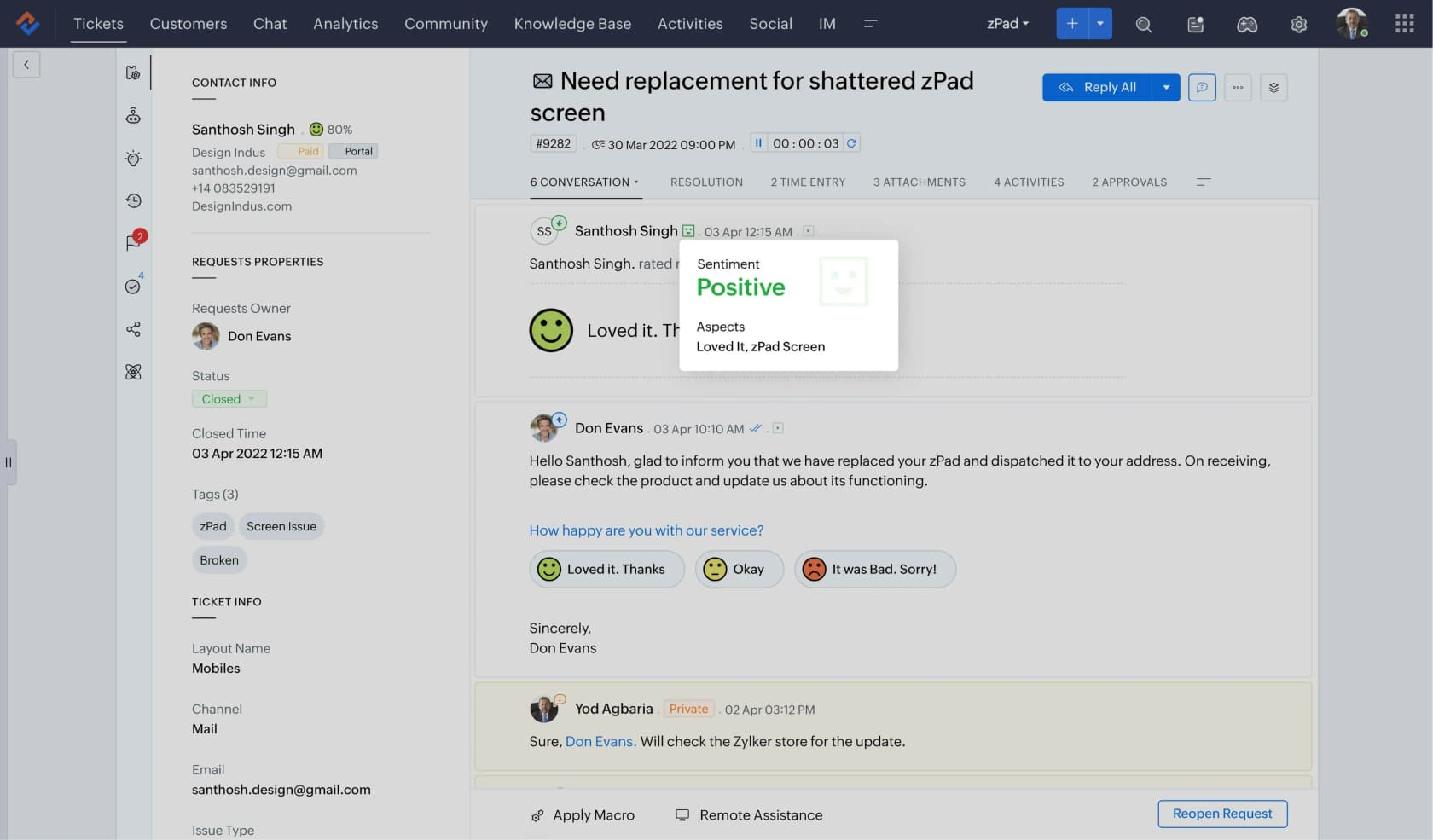
At US$7 a user on Express, Zoho Desk costs less than a third of what the next-cheapest tool charges, and the Free Edition covers three users forever. It is also the only tool here that converts resolved tickets into knowledge base articles natively. For technical support that is a bigger deal than it sounds, because your best documentation is already sitting inside solved tickets, and every other tool here turns that into a copy-paste job.
Where it hurts. The AI story is the strangest one on this list. Express hands you AI agents on a bring-your-own-key model, up to 30M free tokens a month, running on your own OpenAI or DeepSeek key. Zia proper only shows up on Professional at US$23. And the pricing page publishes no overage rate for tokens, no per-resolution price, no per-session price either, so modelling your AI cost from the page alone is not possible. Standard also caps you at five users, which is an odd cliff to hit at $14. Our Zoho Desk AI review has the detail.
Escalation bridge. On paper this is the best of the non-native options. Zoho's own Jira integration page says "the comments and status updates are synced both-way in real-time," and no other third-party bridge here claims that. Two asterisks though. It is paid-editions-only. And for your engineers to see which ticket a bug came from, an admin has to add a Zoho Desk Ticket custom field to the Jira screens, by hand.
Pricing. Free (3 users), Express US$7, Standard US$14 (5-user limit), Professional US$23, Enterprise US$40, all of it billed annually. Light agents cost US$6, and Enterprise throws in 50 free light users. That is a cheap way to give engineers read-and-comment access without buying them full seats.
Verdict: best value on this list, assuming the bring-your-own-key AI model does not scare your security reviewer. If it does, the seat saving just evaporates on Professional. Worth reading next to our list of free ticketing systems if three users is enough for now.
5. Front
Best for: technical support built around named accounts, where the person matters as much as the ticket.
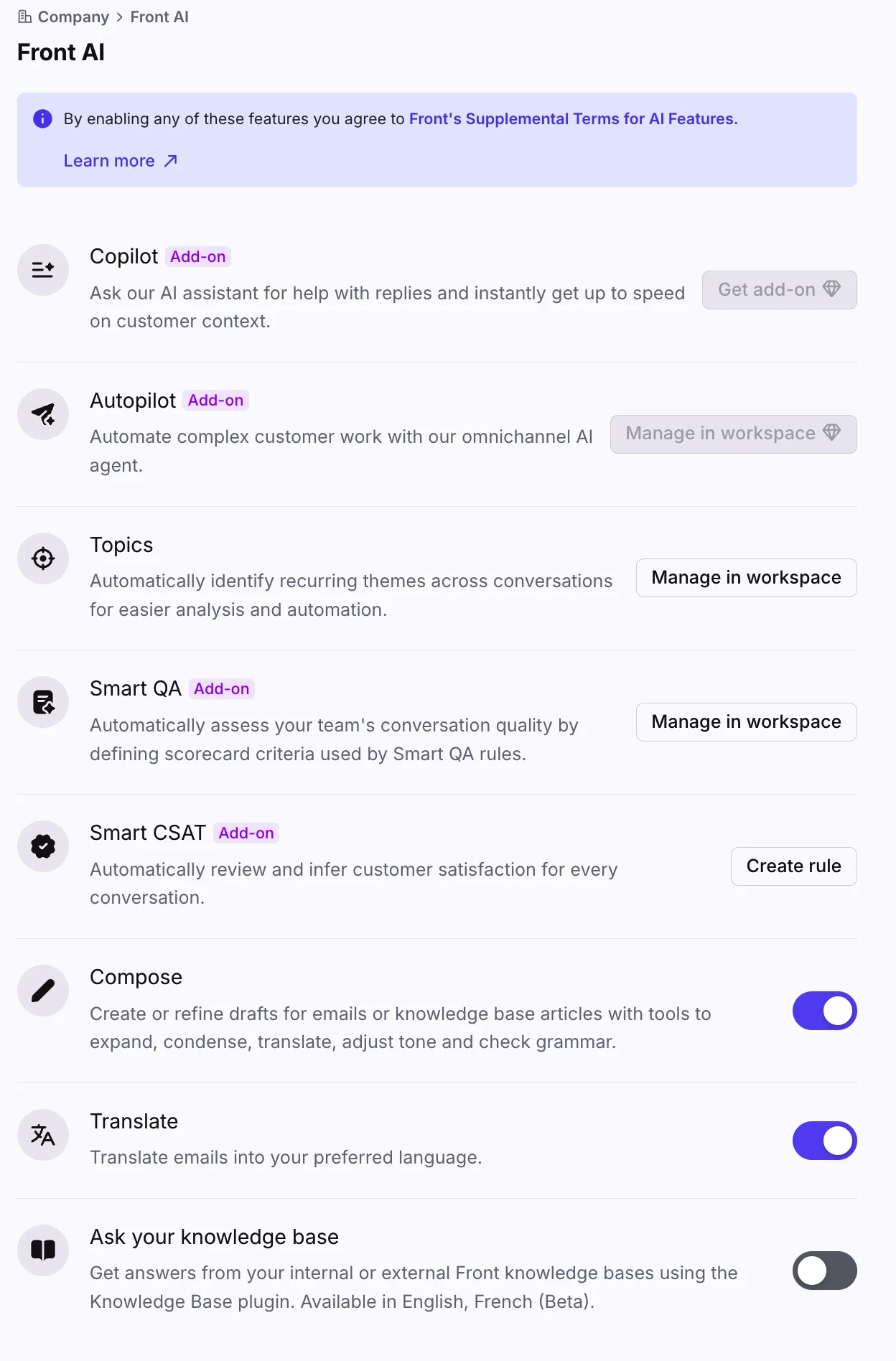
Front reads like email because it is email, with assignment, internal comments and SLA rules layered over the top. For B2B technical support built on a small number of high-value accounts, that shape beats a ticket-number-first tool. The customer keeps a thread with an actual person, and your engineers get looped in with a comment instead of a license. Our Front vs Hiver comparison covers where the shared-inbox model wins and where it loses, and there is a walkthrough on adding AI to Front.
Where it hurts. The AI is unbundled to a degree that stings a bit. Autopilot, Copilot, Smart QA and Smart CSAT are four separate add-ons, and only Enterprise at $105 a seat bundles the last three. Autopilot is never included, at any tier.
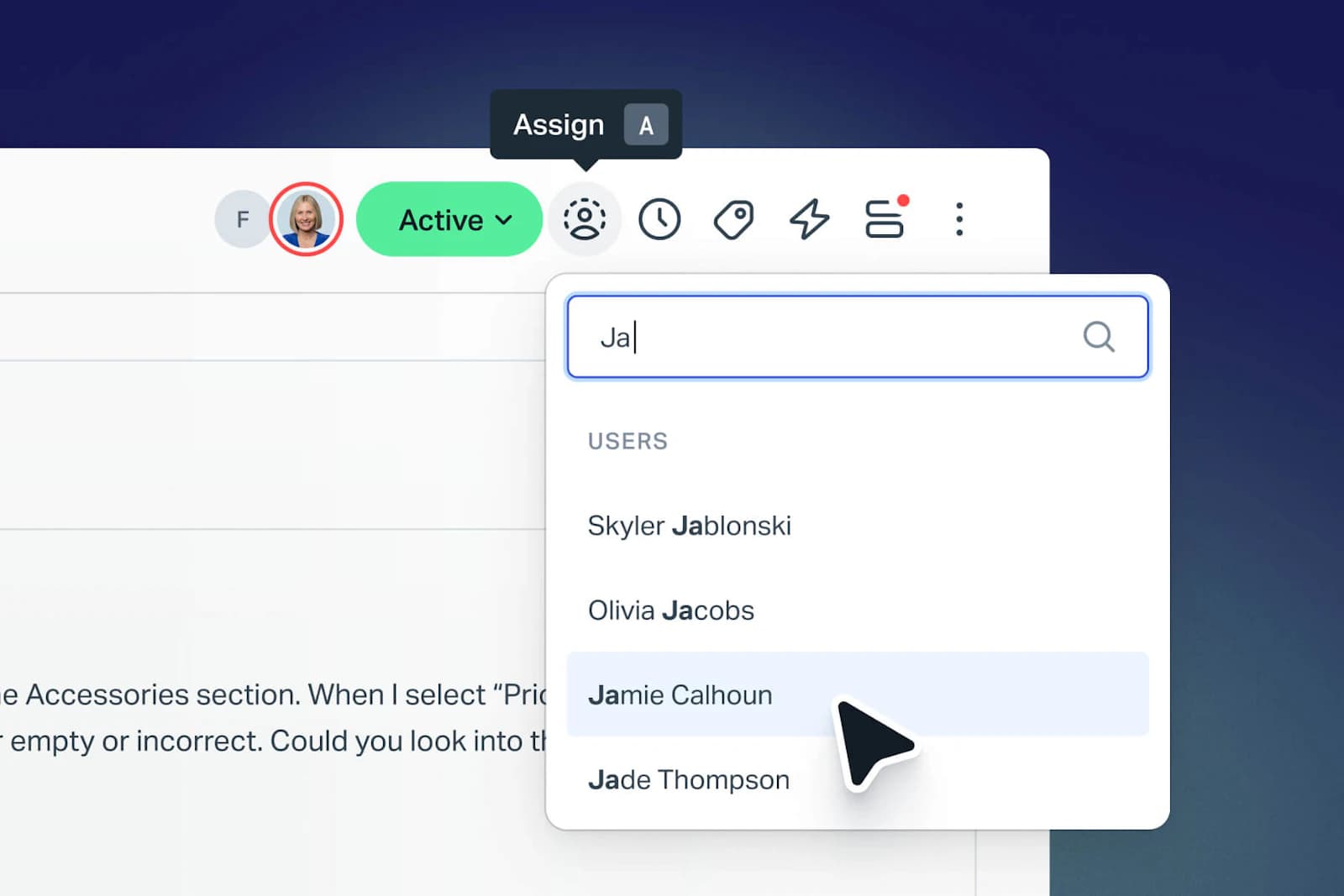
Escalation bridge. Front's answer is social rather than structural. An engineer gets pulled into the actual customer thread with an internal comment, so nobody has to re-type the context into a linked record. Works beautifully at 30 escalations a month. It stops scaling somewhere around the point where you need to report on how many bugs are open per component.
Pricing. Starter $25 a seat (10 seats max, one channel type), Professional $65, Enterprise $105, billed annually. Autopilot is billed by outcome: $0.05 for triage, $0.39 for a handoff to a human, and $0.89 for a full resolution. Copilot is $20 a seat, Smart QA $20, Smart CSAT $10, or $25 if you take the QA and CSAT bundle. Note that only the $0.89 tier is a closed ticket: the triage and handoff tiers bill even when the AI did not resolve anything.
Verdict: the right shape for account-based technical support. The wrong shape when you need a single AI price you can forecast.
6. Help Scout
Best for: small technical teams that want the queue to just disappear into the background.
Help Scout is the least ceremonious tool here, and the most honest one about pricing. AI Answers costs $0.75 a resolution, printed right on the pricing page, which no other vendor in this roundup bothers to do. Contact-based billing is effectively retired now: contacts are unlimited on Standard, Plus and Pro, and the meter only survives as that 100-a-month cap on the free plan.
Where it hurts. There is no reporting builder at any price. So if you want custom technical dashboards (tickets by product version, escalation rate by component), you will be exporting. Tiering is seat-capped as well: Standard tops out at 25 users, Plus at 50. There is no native dev-tracker link either, which leaves the escalation bridge as an integration you own. Our Help Scout alternatives piece covers when to move on, and best AI for Help Scout covers adding the AI layer.
Escalation bridge. The thinnest one here, and deliberately so. Jira gets a web link back to the conversation and nothing else; the single piece of automation is the conversation reopening when the issue reaches a Done status. Worth knowing before you configure it, too: change the Jira base URL later and, in Help Scout's words, "you will lose any links to conversations that were set prior to that change."
Pricing. Free (5 users, 1 inbox, 100 contacts a month), Standard $25 a user, Plus $45, Pro $75 on a 10-user minimum. AI Answers is $0.75 a resolution with a three-month free trial. AI Assist, Summarize and Drafts come unmetered, though Drafts and Summarize need Plus and up. Extra inboxes are $10, extra Docs sites $20.
Verdict: technical team under 25 people, nobody asking for dashboards, and this is the least annoying tool on the list. Zendesk vs Help Scout explains the trade you are making. Help Scout's own calculator claims a 73% AI Answers resolution rate. That is a vendor number, so go test it on your own tickets.
7. HubSpot Service Hub
Best for: technical support that has to report into the same CRM as sales.
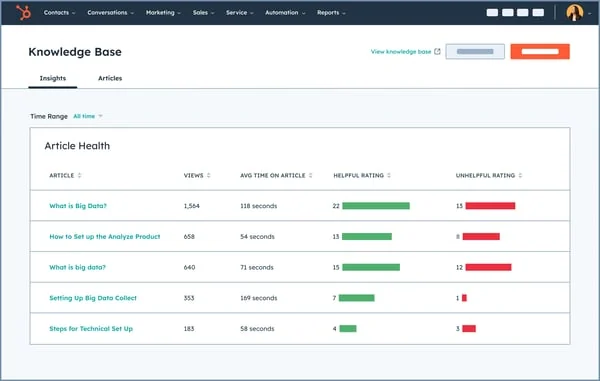
A HubSpot ticket is a CRM record sitting on a pipeline, not a ticket object with fixed statuses. Depending on your team that is either the best thing about it or the worst. The upside is real enough: the technical ticket, the deal and the renewal all live in one system, and a support manager can answer "which accounts are burning support hours" without exporting a thing. Our HubSpot Service Hub ticket deflection guide covers the AI side.
Where it hurts. The credit maths. Professional is $90 a seat a month on annual billing and includes 3,000 HubSpot Credits. Breeze Customer Agent burns 50 credits for every conversation resolved, so that allowance covers 60 resolved conversations a month, and credits cost $9.00 per 1,000 after that (those two conclusions are arithmetic on HubSpot's own published numbers, not figures it prints). For a technical desk doing thousands of tickets, the included credits are a rounding error. Onboarding is mandatory too, and excluded from the headline price: $1,500 on Professional, $3,500 on Enterprise.
Escalation bridge. Comments and status do move both ways, but on HubSpot's own published schedule: a delay "from one hour and up to twenty-four hours." Every Jira property inside HubSpot is read-only, and uninstalling the app deletes all of your ticket-to-issue associations. Fine for a feature request. Wrong for an outage.
Pricing. Free tools $0. Starter $7 a seat annual (500 credits), then Professional $90 (3,000 credits), and Enterprise $150 (5,000 credits).
Verdict: pick it for the CRM join. Not for the support tooling, and never for the AI economics. HubSpot vs Zendesk is the comparison to read when you are torn.
8. ServiceNow ITSM
Best for: enterprises already running ServiceNow, with people on staff to administer it.
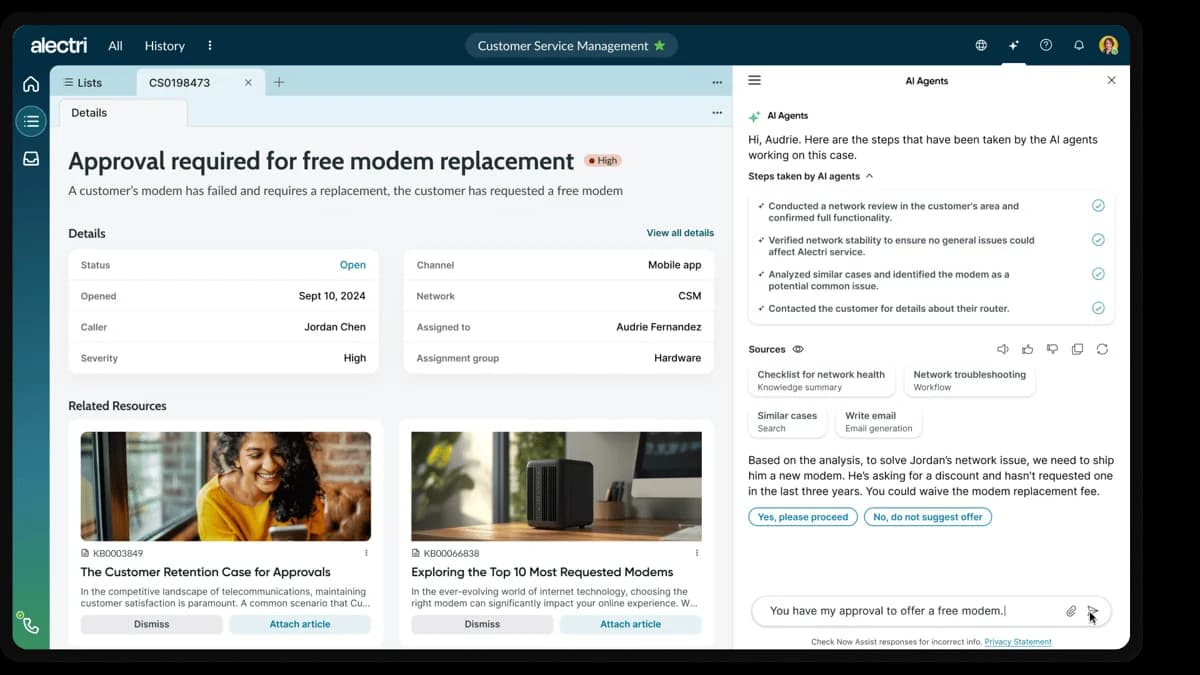
Nobody seriously argues that the incident, problem and change model is wrong, and G2 has it at 4.5 out of 5 across 1,915 reviews with 0% one-star. The complaint is never that the thing is badly built. The complaint is that it costs you clicks, headcount and months. Our ServiceNow ticketing system deep dive covers the object model.
Where it hurts. Three things, for a technical support team. The three-package restructure (Foundation, Advanced, Prime) puts the autonomous AI, meaning the L1 Service Desk AI Specialist and AI Agents for ITSM, in Prime only, so the exact capability you are shopping for sits behind the top package. Then one "I need a laptop" produces three records across three number series (REQ, RITM, SCTASK). And the pricing page publishes zero dollar figures, with no AI meter at all: every path ends at a custom quote. The day-to-day friction is smaller and more annoying than any of that, as one engineer on the receiving end of escalations described it:
"A support agent escalates to developers (i.e. me). 'Hey, can you look at INC123456'. The ticket is not yet assigned to me. How do I find and open this ticket? The support agent can send me a direct link, but there's no apparent relation between any of the query params and the ticket number, and also no obvious UI element in which I can put a ticket number and navigate there."

Escalation bridge. Native, and the strongest here, because incident, problem and change sit in one data model rather than two systems shaking hands. What it costs you is ceremony. task is a base class you can never write to directly, so one "I need a laptop" produces a REQ, a RITM and an SCTASK. Three numbers for one ask, and every one of them is a record somebody has to keep tidy.
Verdict: correct for a 500-person enterprise with a platform team. Wildly oversized for a 12-person technical support org. Comparing mid-market options instead? Freshservice vs ServiceNow is the sharper decision, and is ServiceNow AI good covers the AI tier honestly. Already on it? Our guide to the best AI for ServiceNow is the cheaper move.
The AI meters are the real price list
Put the eight tools side by side and the pattern gets uncomfortable. Six different billing units between them, and only three vendors printing a rate.
| Vendor | AI unit | What triggers a charge | Published rate |
|---|---|---|---|
| Zendesk | Verified resolution | AI resolved it and passed LLM verification | Not published |
| Freshdesk | Session | A session with the AI agent | $49 / 100 after 500 free |
| Service Collection | Assisted conversation | AI touched the conversation | $0.30 after 1,000/mo |
| Zoho Desk | Token, bring your own key | Model usage on your own API key | Overage not published |
| Front | Outcome tier | AI triaged, handed off, or resolved | $0.05 / $0.39 / $0.89 |
| Help Scout | Resolution | AI resolved it | $0.75 |
| HubSpot | Credit | 50 credits per conversation resolved | $9.00 / 1,000 credits |
| ServiceNow | Not stated | Not stated | Not published |
A resolution and a conversation are not the same purchase. Help Scout's $0.75 buys you an outcome. Front's $0.05 triage and $0.39 handoff tiers and Atlassian's $0.30 buy an attempt, and an attempt bills even when the ticket still lands on a human. In technical support the escalation rate is high by definition, so that difference compounds. Ask every vendor the same question: does this bill when your AI hands the ticket to my engineer? Then read our guide on AI resolution rate and hold them to that measurement, rather than the ticket deflection number that goes in the slide deck.
Two more things I would put into the evaluation. Both are cheap to check and both usually get skipped. Ask what the AI does when it is not confident, since "replies to everything" is how a bot ends up confirming a product you do not sell; the right behaviour there is a quiet handoff to a human. Then ask whether the assistive side, the helpdesk copilot that drafts for your agents, is metered separately from the autonomous side. At Front and Freshdesk, it is.
Try eesel on the desk you already run
Most teams reading this do not actually have a ticketing problem. They have a tier-1 volume problem, and migrating a whole technical desk to fix that is a nine-month detour. Which is the case for adding an AI ticketing system layer instead of replacing the desk underneath it. eesel is the layer that goes on top. It connects to Zendesk, Freshdesk, Front, Jira Service Management or your help center, trains on your past tickets and docs, then drafts or auto-resolves the repetitive technical half and escalates anything it should not be answering.

Here is the part that matters for a technical queue. You can simulate the agent against thousands of your historical tickets before it replies to a single person, so you see the actual resolution rate on your product's questions instead of a vendor benchmark. It is also the only honest way to answer the question every technical team asks first: can an AI agent handle version-specific answers without inventing one. Pricing starts at $299/month for 500 credits (1 credit per ticket or chat), there is no per-seat fee, and it is free to try with 100 credits.

Fair warning on where it is not the answer. If your escalations are failing because nobody owns the customer once engineering has the bug, then no AI layer fixes that. That one is a workflow you have to draw yourself.