What a customer support portal actually is
Let me start plainly, because "portal" is one of those words that has been stretched to mean five different things.
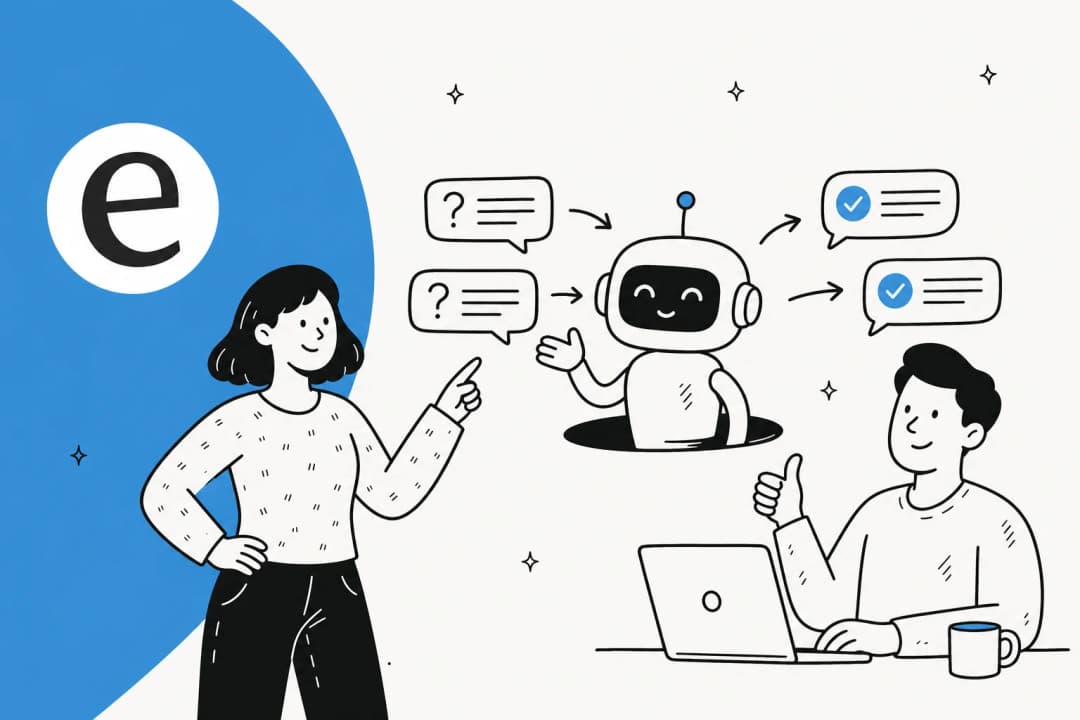
A customer support portal is a dedicated, usually branded web space where your customers go to get help without emailing or calling you. At minimum it holds a knowledge base and a way to submit a request. At the fuller end it becomes a small self-contained product: account status, order history, community forums, a live chat widget, and an AI agent that can actually do things, not just link you to an article.
The key word is self-service. The whole point of a portal is that a customer can resolve their own issue at the moment they have it, on their own schedule, without waiting for a human to be awake and available. Every question answered in the portal is a ticket your team never has to touch.
It is worth clearing up one common mix-up early. A customer support portal is the customer-facing side; a help desk is the agent-facing side. Your agents live in the help desk, triaging and replying to tickets. Your customers live in the portal. They are two views of the same support operation, and most helpdesk platforms ship both, which is why people conflate them.
The core pieces of a support portal
Nearly every support portal is built from the same handful of components. You do not need all of them on day one, but knowing the full anatomy helps you decide what to prioritise.
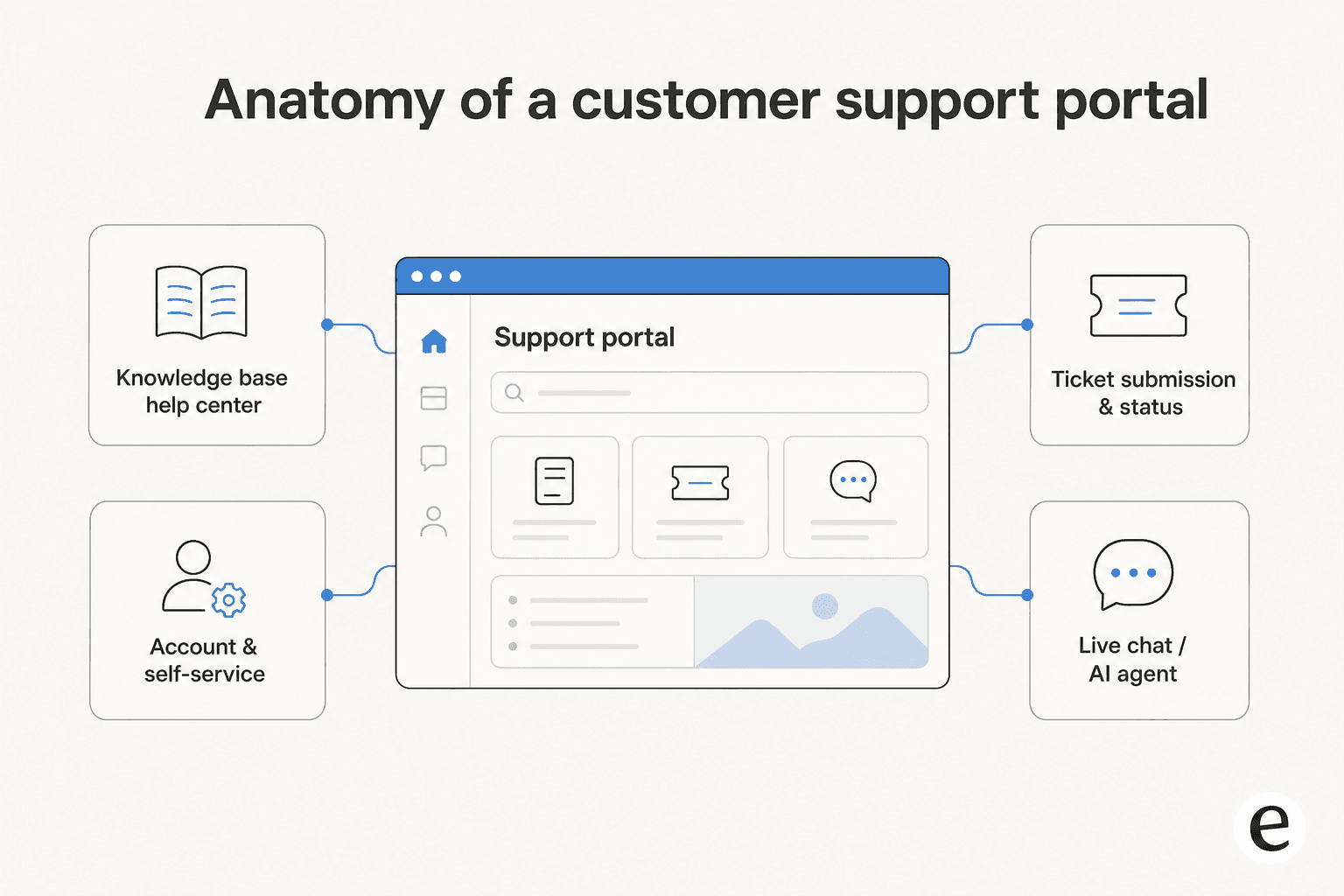
Knowledge base / help center. The searchable library of articles, how-tos, and FAQs. This is the backbone of any portal, because it is what powers self-service and, later, what your AI agent reads to answer questions. A thin or disorganised knowledge base is the single most common reason a portal underperforms.
Ticket submission and tracking. When self-service does not cut it, customers need a clean way to raise a request and then see where it stands. A good ticketing system shows status, history, and expected response time so the customer is not left guessing.
Account and self-service tools. Order status, subscription management, returns, invoices, password resets. These are the "let me just do it myself" actions that, when missing, generate a huge volume of otherwise-avoidable tickets.
Live chat and AI agents. The real-time layer. A chat widget or AI chatbot that meets the customer where they are, answers on the spot, and escalates to a human when it needs to. This is where most of the 2026 innovation lives.
Community and feedback. Optional, but valuable at scale: forums where customers help each other, and feedback loops that tell you what the portal is failing to answer.
Self-service and agent-facing: two sides of one system
A portal has to serve two audiences at once, and the tension between them is where a lot of designs go wrong.
The customer wants the fastest path to a resolved problem. They do not care about your ticket taxonomy or your routing rules; they want their answer. So the self-service side has to be ruthlessly simple: search that works, articles written for the person with the problem (not for your internal team), and a chat that answers rather than deflects.
The agent side wants context. When a ticket does come through the portal, your team needs the customer's history, the article they already read, and ideally a suggested reply, so they are not starting from a blank box. This is where an AI copilot earns its keep, drafting a response the agent can review and send in seconds.
The mistake I see most often is optimising one side and ignoring the other. A gorgeous customer-facing portal with no agent context behind it just moves the work around; a powerful agent console with a clunky self-service front end means customers never use it in the first place. The two have to be built as one system.
Why a good support portal matters
Here is the part that makes a portal worth the effort rather than a box to tick.
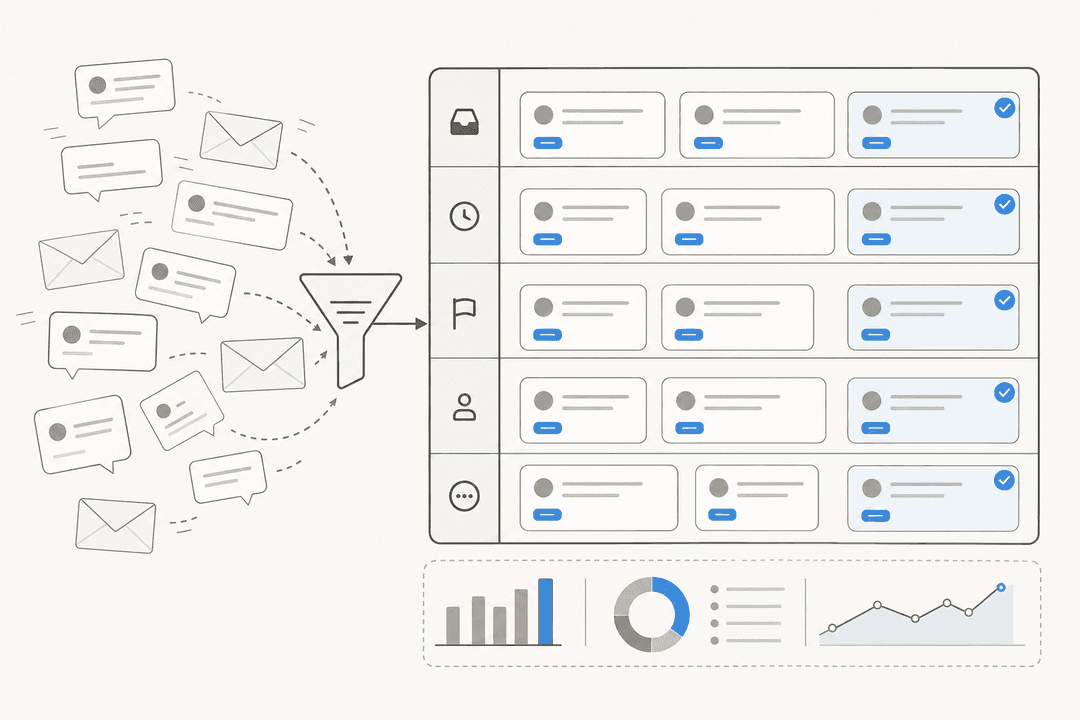
A well-run portal works like a funnel. Most incoming questions are repetitive: where is my order, how do I reset my password, what is your return policy. A good portal answers those before they ever become tickets, so your human team only sees the genuinely hard or sensitive cases.
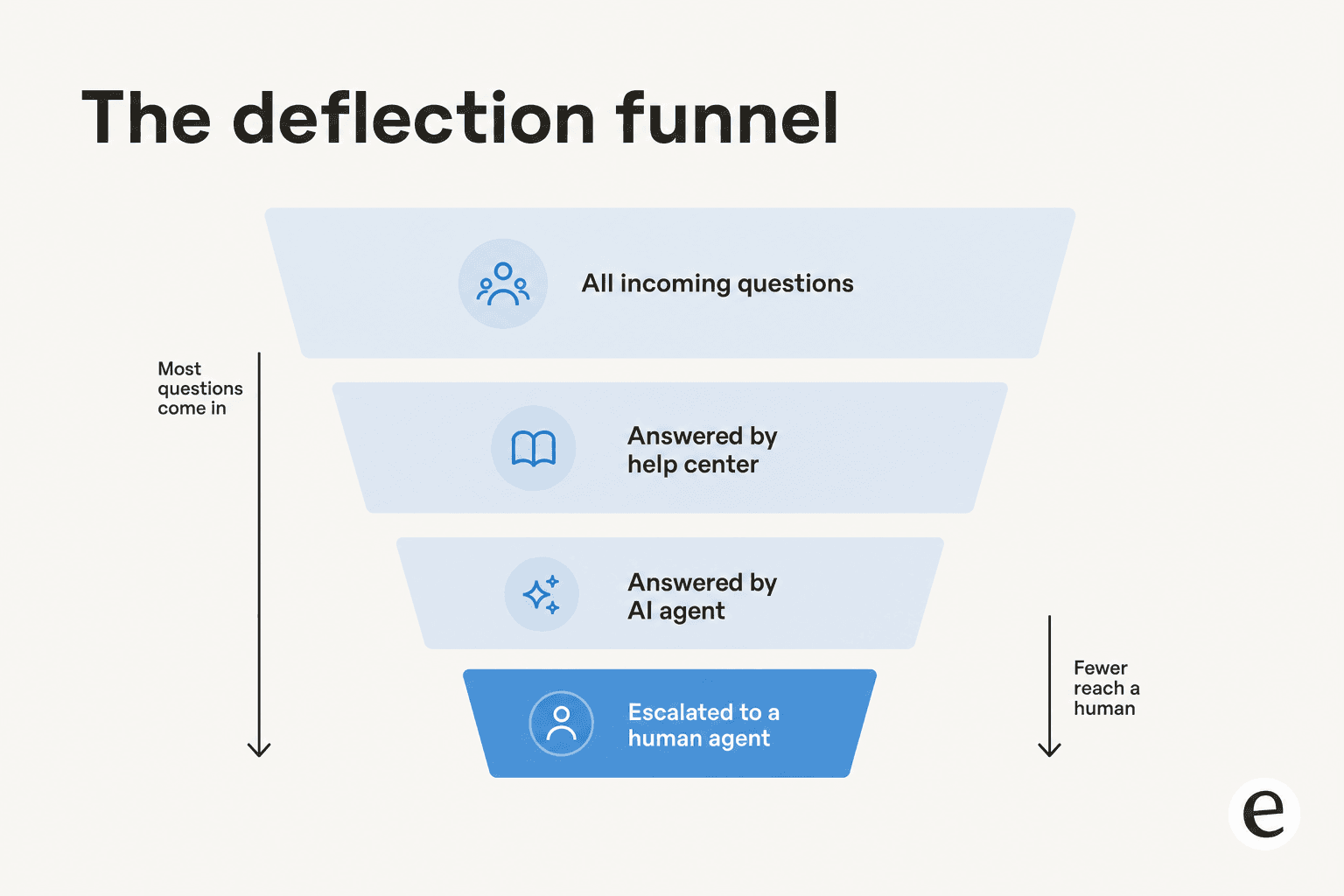
The numbers back this up when the AI layer is doing real work. One eesel customer, the analytics team at Gridwise, saw an AI agent resolve 73% of their tier-1 requests in the first month. Another, a payments company, reported up to 80% time savings on their support workload. Those are not deflection-for-the-sake-of-it numbers; they are questions that got a good answer without a person in the loop, which is exactly what a portal is supposed to do.
The knock-on effects compound. Faster answers lift customer satisfaction. Fewer repetitive tickets mean your agents spend their time on work that actually needs a human, which is the single biggest driver of agent morale I hear about on our own queue. And because self-service runs around the clock, you get 24/7 coverage without a night shift.
"It feels like a partnership, rather than a vendor relationship. A new customer success hire joked that our eesel AI bot was their best friend during onboarding."
Jon Miron, Yellowdig
How AI changed the support portal
For a decade, "AI in the portal" meant a keyword-matching chatbot that lobbed you three help articles and hoped one was right. Customers learned to skip straight to "talk to a human," which defeated the entire purpose.
The shift in 2026 is that the AI agent now reads your actual knowledge base and your past tickets, understands the question in natural language, and writes a genuine answer. It can look up an order, check a policy, and take an action, not just retrieve a document. That is the difference between a rule-based chatbot and a real AI agent, and it is why deflection rates that used to be aspirational are now normal.

But the honest version of this story includes the limit. The AI will not answer everything, and pretending it will is how you end up with angry customers stuck in a loop. The teams that get this right treat confidence as the control knob. As one DTC supplements CX lead put it to us:
"The AI will never be able to answer 100% of the questions. I need an AI who is only handling the tickets that it's confident to handle and all the other ones, leave them alone."
That is the whole design principle. Let the AI handle tier-1 deflection where it is confident, and escalate cleanly to a human everywhere else, with full context attached. A portal that does this reads as helpful; one that forces every question through the bot reads as a wall.
How to build a support portal people actually use
You do not need to rebuild your stack to get a good portal. Most teams already have the raw materials sitting in their helpdesk. The work is in sequencing it right.
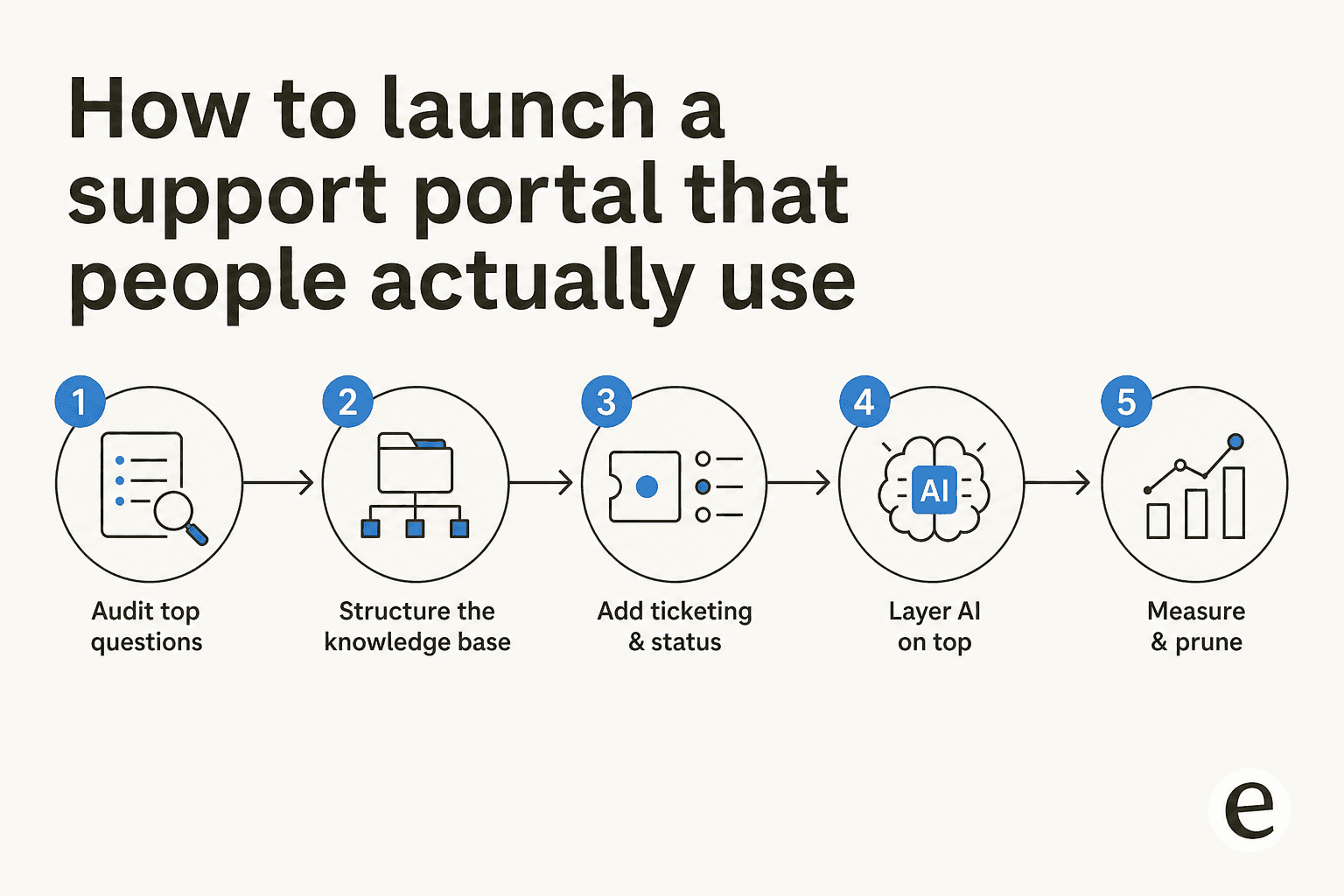
1. Audit your top questions first. Before you write a single article, pull your last few months of tickets and find the 20 questions that generate the most volume. Your portal lives or dies on how well it answers those. This is also the best predictor of what your AI agent will be able to deflect.
2. Structure the knowledge base around those questions. Write articles for the customer with the problem, in their language, not your internal jargon. Organise by task, not by org chart. A good knowledge base is the single highest-leverage thing you can build, because both humans and the AI agent read from it.
3. Add ticket submission and status. Give customers a clean way to raise the questions self-service could not handle, and let them track the outcome. An automated ticketing system that routes and tags on the way in saves your team the first triage step.
4. Layer AI on top. This is where a portal goes from static to genuinely helpful. Connect an AI customer service tool to your knowledge base and past tickets so it can answer in real time. The setup that works: start it in a suggest-only mode, watch what it drafts, then let it auto-resolve the categories it handles well.
5. Measure and prune. Track what the portal deflects, what it gets wrong, and which questions still slip through to humans. Feed the gaps back into the knowledge base. A portal is a living thing, not a launch-and-forget project. Our guide to customer service metrics covers what to watch.
A note on build-versus-buy, because it comes up every time. You can wire your own LLM against your help center. But as one customer who considered exactly that told us: "We could try to write our own LLM application but we didn't want to invest our time into that. We wanted something that we would not have to maintain." For most teams, the maintenance tax of a home-grown portal AI outweighs the control it buys.
Common mistakes to avoid
A few traps I see teams fall into, again and again:
- Treating the portal as a dumping ground. Two hundred unstructured articles are worse than twenty good ones. Both your customers and your AI agent get lost.
- Hiding the human option. If a customer genuinely needs a person, make escalation obvious. Burying it to inflate deflection numbers just breeds resentment.
- Launching AI without a control layer. Turning a bot loose on every ticket with no confidence threshold and no way to exclude sensitive categories is the fastest route to a wrong answer in front of a customer.
- Never measuring. If you cannot see what the portal deflects and what it fails on, you cannot improve it. Instrument it from day one.
Try eesel for your support portal
If you already run a helpdesk, you do not need a new portal, you need the AI layer that makes the one you have actually resolve questions. That is what eesel does: it plugs into Zendesk, Freshdesk, Gorgias, and the rest, trains on your existing knowledge base and past tickets, and answers customer questions in your portal from day one.

The part that matters for a support portal specifically: eesel lets you simulate the AI against your historical tickets before it ever talks to a customer, so you can see the deflection rate you will actually get, and its confidence-based control means it only auto-answers what it is sure about and escalates the rest. Pricing is a fixed monthly plan (from $299/month for 500 credits) with no per-seat fee, so a busy portal does not punish you for success. You can try eesel free and point it at your own help center to see what it deflects.
Frequently Asked Questions
What is a customer support portal?
What is the difference between a customer support portal and a help desk?
How much does a customer support portal cost?
How do I build a self-service customer support portal?


Article by
Riellvriany Indriawan
Riell is a designer and writer at eesel AI with about two years of experience researching CX platforms, AI chatbots, and helpdesk software. She combines her design background with a sharp eye for how these tools actually look and feel in practice — making her comparisons unusually visual and user-focused.