Why teams look for live chat alternatives
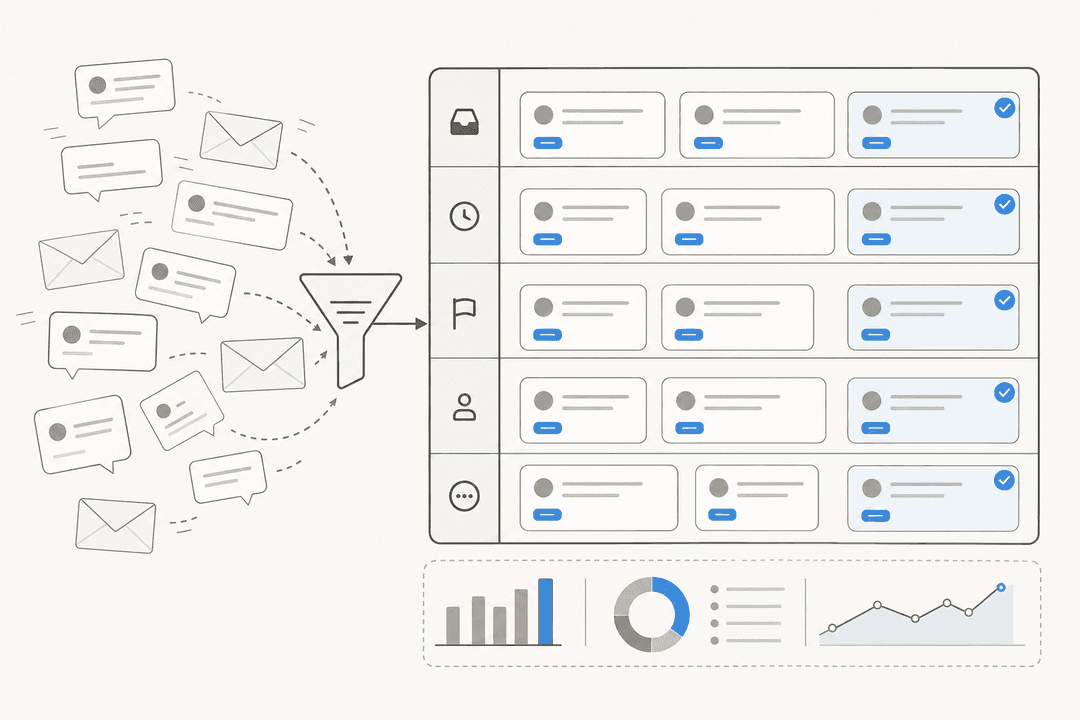
Live chat sells a promise: instant answers, right on the page, at the moment of doubt. When it works, it is one of the best conversion and support channels there is. The problem is never the chat window. It is everything behind it.
To keep a live chat channel genuinely "live," someone has to be online. That means staffing every hour you promise coverage, which quietly turns into nights, weekends, and holidays. The moment volume spikes, customers land in a queue, and a queue is just a slower version of the email you were trying to avoid. Agents who spend all day answering the same five questions burn out, and the repetitive nature of tier-1 chat is exactly what makes it soul-crushing to staff.
This is the part most "live chat" coverage skips: most of what hits a chat widget is not unique. It is "where is my order," "how do I reset my password," "what is your refund policy," over and over. You are paying humans real-time wages to answer questions your help center already answers. That is the gap every alternative below is trying to close.
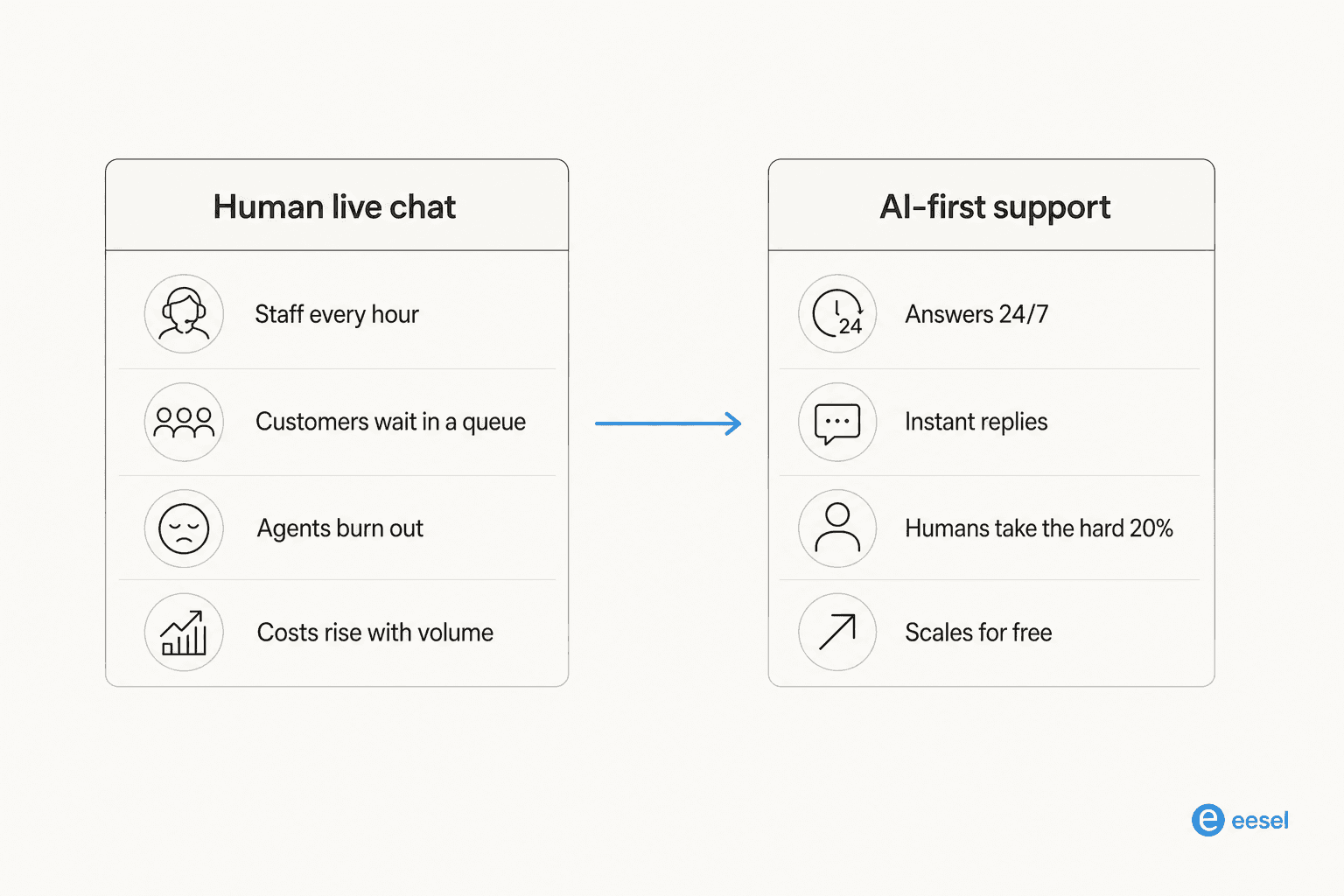
So there are really two ways to "replace" live chat. You can swap the tool for a cheaper or smarter chat product, or you can change the model entirely and let automation absorb the repetitive volume. The second one is where the leverage is, and it is worth understanding the difference between live chat and a chatbot before you pick.
The 7 best live chat alternatives in 2026
I have grouped these by what they actually do, not by brand. A couple are approaches (self-service, community), a couple are tool categories (AI agents, shared inboxes), and where a named product is the clearest example, I point at it. Each entry follows the same shape: what it is, who it is best for, the trade-offs, and my take.
1. AI support agents
Best for: teams with high, repetitive ticket volume who want to cut load without cutting quality.
An AI support agent is the closest thing to a true live chat replacement, because it does the one thing live chat does that self-service cannot: it answers the specific customer, in a conversation, right now. The difference is that it never sleeps, never queues, and does not need a human behind it for the routine stuff. A good AI support agent trains on your past tickets and help docs, answers what it is confident about, and hands the rest to a person with full context.
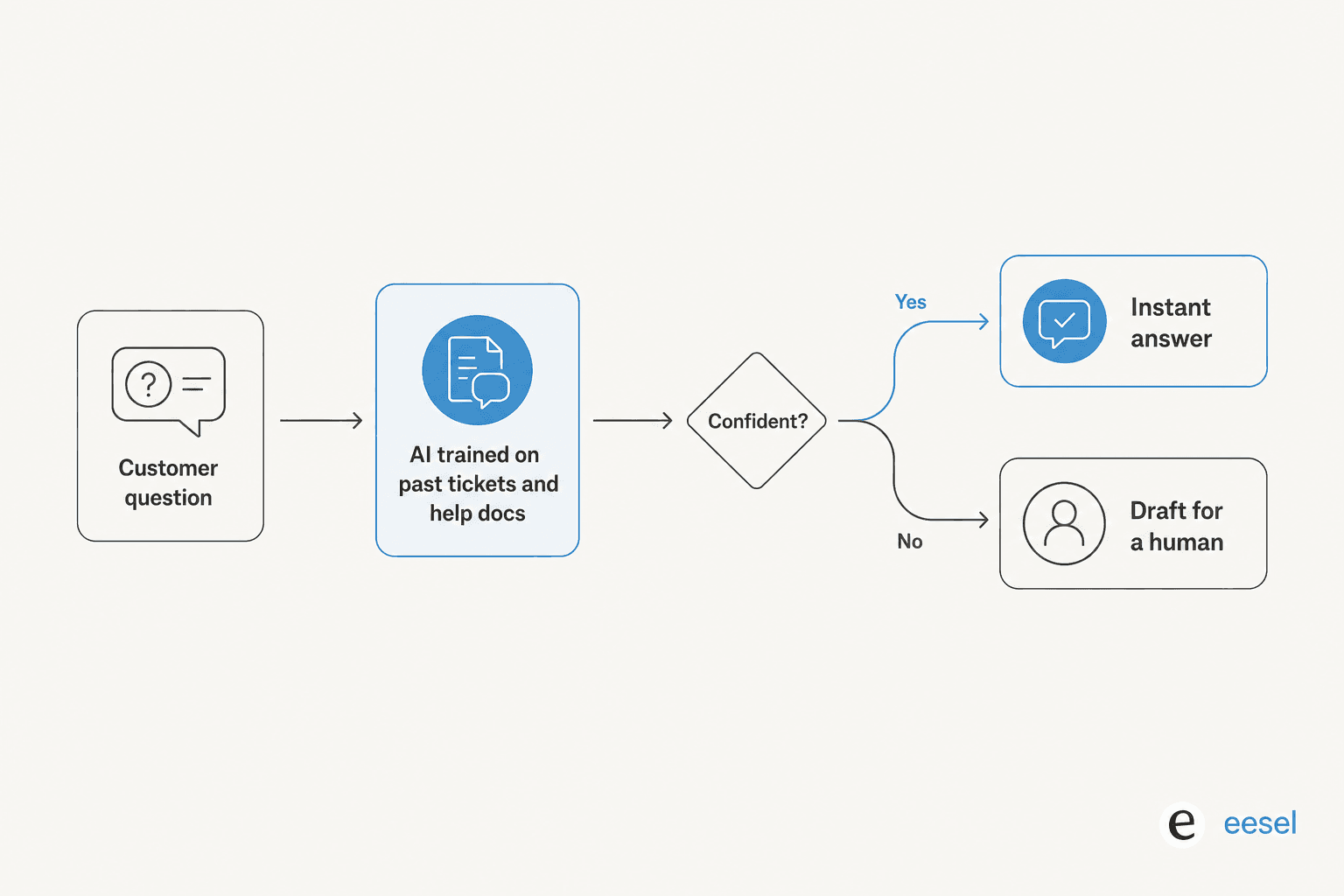
The trust question is the obvious one, and it is fair. A confident-sounding bot that quietly gives wrong answers is worse than a slow human. This is exactly why, across our own rollouts, we simulate every deployment against historical tickets before it goes live, so you see the AI's answers on real past conversations first. One customer put the whole philosophy in a single line:
The AI will never be able to answer 100% of the questions. I need an AI who is only handling the tickets that it's confident to handle, and all the other ones, leave them alone.
A DTC supplements CX lead, eesel AI
Pros: resolves tier-1 volume automatically, works 24/7, keeps a human in the loop for the hard cases, and scales without adding headcount.
Cons: it needs decent source material (past tickets or docs) to be good, and it earns trust in stages rather than on day one.
My take: if repetitive volume is your problem, this is the swap with the highest ceiling. Start it on live chat deflection so it handles the easy questions first, then widen its remit as it proves itself. It is the alternative I would reach for before any of the others.
2. A self-service knowledge base
Best for: any team that keeps answering the same questions and has never invested in docs.
The cheapest ticket is the one that never gets created. A strong help center, with clear articles and good search, lets customers solve their own problems before they ever open a chat. It is not glamorous, but a well-built knowledge base is the single highest-ROI thing most teams are neglecting, because it deflects volume at essentially zero marginal cost.
The catch is that self-service only works if the content is actually there and actually findable. Half-written articles and a search box that returns nothing are worse than no help center, because they teach customers that self-service is a dead end. Modern AI helps here in two directions: it answers customers from your docs, and it can flag the topics your docs are missing.
Pros: near-zero cost per deflection, works around the clock, and doubles as training material for both new agents and any AI you add later.
Cons: requires real upfront writing effort, goes stale without maintenance, and does not handle account-specific questions on its own.
My take: do this no matter which other alternative you choose. Every option on this list gets better when the underlying knowledge is solid, and this is the foundation the AI options learn from.
3. AI-powered live chat tools
Best for: teams that still want a chat widget but need it cheaper and less staffing-heavy.
Sometimes you do not want to abandon live chat, you just want it to stop eating your team alive. This is where AI live chat tools fit: they keep the familiar widget but bolt automation on top, so the bot fields the routine questions and routes the rest. Tools like Tidio sit squarely in this camp, and there are plenty of Tidio alternatives if it is not the right fit.
The honest limitation is that many of these started as chat widgets and added AI later, so the automation can feel bolted-on rather than native. You often get a decent bot for FAQs but less depth when a question needs to actually do something, like check an order or update an account.
Pros: minimal change management, familiar UX for customers and agents, and a gentle on-ramp to automation.
Cons: per-seat pricing often still applies, and the AI is frequently shallower than a purpose-built AI agent.
My take: a reasonable middle step if your team is attached to the chat widget. Just be clear-eyed that you are automating the front door, not the whole house. If you want the full breakdown, my best AI live chat software roundup goes deeper.
4. A shared inbox for async support
Best for: small teams with modest volume who do not need real-time at all.
Here is a quietly radical idea: maybe you do not need live chat. A lot of teams add it because it feels modern, then discover most customers are perfectly happy with a good async reply within a few hours. A shared inbox turns support into calm, threaded email that a small team can handle without anyone chained to a queue. Help Scout is the classic example, and comparisons like Help Scout vs Front show how the category thinks.
The trade-off is obvious: it is not instant. For a checkout question where speed drives revenue, async can cost you a sale. But for most B2B and considered purchases, a thoughtful reply beats a rushed live one.
Pros: dramatically less stressful to staff, no real-time coverage pressure, and easy for a small team to run well.
Cons: not suitable when instant answers drive conversion, and it can feel slow to customers conditioned to expect chat.
My take: underrated for small teams. If your live chat is mostly a stressful way to answer email, a shared inbox helpdesk plus an AI drafting layer is calmer and often cheaper.
5. Chatbots and conversational AI
Best for: teams that want to catch and qualify conversations before a human is involved.
Chatbots are the oldest "alternative" to live chat, and they have a mixed reputation for good reason: the old rule-based decision-tree bots were genuinely frustrating. Modern conversational AI is a different animal, understanding intent rather than matching keywords. Beyond support, they are also used for lead generation and qualifying visitors before routing them.
The thing to watch is quality. A chatbot that confidently misreads a question does real damage, which is a big part of why AI chatbots answer incorrectly when they are not grounded in your real content.
Pros: captures conversations 24/7, qualifies and routes, and can collect context before a human joins.
Cons: a badly-grounded bot erodes trust fast, and rule-based versions still frustrate customers.
My take: the line between "chatbot" and "AI support agent" is blurring, and the useful question is not bot or not but how well grounded is it. If it learns from your actual tickets and docs, it is closer to option 1. If it runs on hand-built rules, it is the old frustrating kind.
6. Community forums and peer support
Best for: products with engaged users, developer tools, and anything with a passionate base.
For the right product, your customers will answer each other's questions better than you can, and enjoy doing it. A community forum turns support from a cost center into a searchable, self-reinforcing knowledge asset. Every answered thread becomes a page that deflects the next person who searches the same question.
It is not a fit for everyone. Communities need critical mass to be useful, and a ghost-town forum is worse than none. They also do not handle private, account-specific issues, so you still need a direct channel underneath.
Pros: scales with your user base, creates durable searchable content, and builds genuine loyalty.
Cons: slow to reach critical mass, needs active moderation, and cannot handle private account issues.
My take: a powerful supplement, rarely a full replacement. Pair it with an AI agent that can also learn from the best community answers and reuse them.
7. Async messaging channels
Best for: where your customers already are, especially mobile-first and ecommerce audiences.
Not every conversation needs to happen in a chat widget on your site. Messaging channels like WhatsApp, SMS, and even email meet customers where they already spend their time, and they are inherently async, which removes the real-time staffing pressure that makes live chat expensive. For ecommerce especially, an ecommerce helpdesk that unifies these channels beats a website-only widget.
The risk is fragmentation. Add five channels and, without a single system behind them, you have five inboxes and five ways to drop a customer. The value only shows up when everything funnels into one place, ideally with AI drafting or resolving across all of them.
Pros: meets customers on their preferred channel, naturally async, and strong for mobile and ecommerce.
Cons: channel sprawl gets messy fast without unification, and each channel has its own quirks.
My take: great for reach, but only if you route everything into one helpdesk. Otherwise you have traded one queue for five.
Live chat alternatives compared
Here is the quick version for skimmers. "Real-time" means the customer expects an answer within seconds; "needs staffing" means you have to keep humans online to make it work.
| Alternative | Best for | Real-time | Needs constant staffing | Cost model | Where it shines |
|---|---|---|---|---|---|
| AI support agent | High repetitive volume | Yes | No | Usage-based or per-resolution | Cutting tier-1 load without headcount |
| Self-service KB | Repeat questions | No | No | Cheap once built | Deflecting volume at the source |
| AI live chat tool | Teams keeping the widget | Yes | Partly | Often per-seat + usage | Familiar UX, gentle automation |
| Shared inbox | Small, low-volume teams | No | No | Per-seat | Calm async email support |
| Conversational AI | Catch and qualify | Yes | No | Usage-based | Intent-aware routing |
| Community forum | Engaged user bases | No | No (moderation only) | Low ongoing | Durable searchable answers |
| Async messaging | Mobile and ecommerce | No | No | Varies by channel | Meeting customers where they are |
Notice the pattern: almost every alternative that scales well removes the "needs constant staffing" cost. That is the real thing you are buying when you move away from traditional live chat.
How to actually choose
The honest answer is that most teams do not pick one, they layer two or three. But if you want a single starting move, match it to your biggest pain.
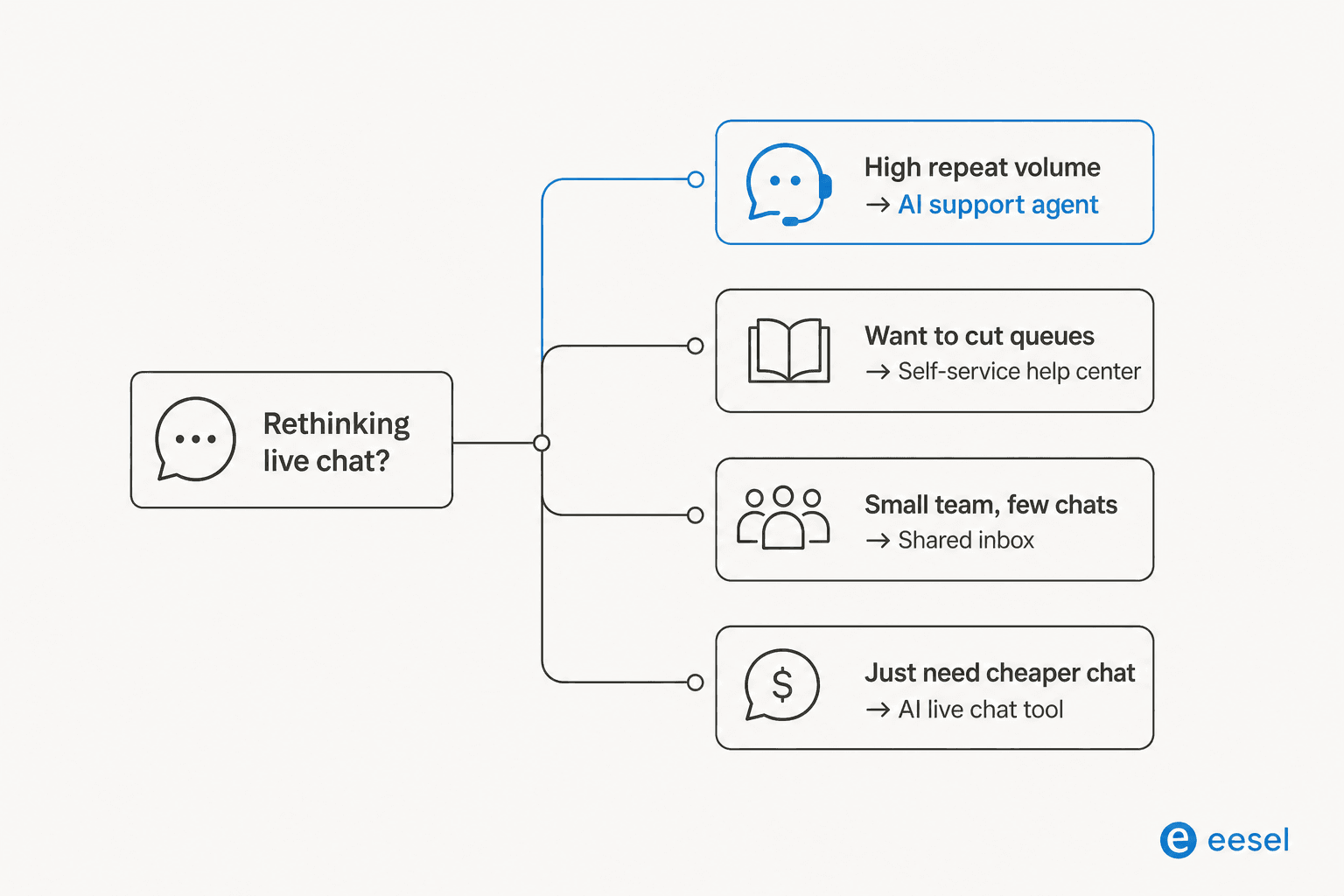
If your problem is volume, start with an AI support agent and a solid knowledge base behind it. If your problem is wait times, invest in self-service and deflection first. If you are a small team with a trickle of chats, a shared inbox will feel like a weight lifted. And if you genuinely just want cheaper chat, an AI live chat tool is the low-friction option, just know its ceiling is lower.
One thing I would push back on: do not treat this as an all-or-nothing rip-and-replace. The lowest-risk path is to keep your existing helpdesk and add automation on top, so you can start the AI on one safe topic, watch it, and expand. The teams that get burned are the ones who flip a switch and hope. The teams that win start small and measure. For a wider view of the space, my cheapest AI apps for helpdesk comparison is a good next read, along with the ultimate guide to live support.
Try eesel for a live chat that runs itself
If the version of "live chat alternative" you actually want is keep the conversations, lose the staffing pain, that is exactly what eesel does. It is an AI support agent that plugs into the helpdesk you already run, Zendesk, Freshdesk, Gorgias, Help Scout, and more, learns from your past tickets and docs, and starts resolving the repetitive questions live chat used to eat your team with.

The part I would flag as genuinely different is simulation. Before eesel replies to a single real customer, you can run it against thousands of your past tickets and see exactly how it would have answered, so trust is earned on your own data, not promised in a demo. The results back it up: at Gridwise, the numbers landed inside a short trial.
In the first month, eesel is resolving 73% of our tier 1 requests, and we saw results quickly during our 7-day trial.
Kim Simpson, Gridwise
Pricing is usage-based with no per-seat fees, so it does not get more expensive every time you add an agent, and you can try eesel free to run your own simulation before committing to anything.
Frequently Asked Questions
What are the best alternatives to live chat?
Is live chat still worth it in 2026?
What is the cheapest alternative to live chat software?
Can AI replace live chat agents?
How do I switch from live chat to AI support without hurting quality?


Article by
Riellvriany Indriawan
Riell is a designer and writer at eesel AI with about two years of experience researching CX platforms, AI chatbots, and helpdesk software. She combines her design background with a sharp eye for how these tools actually look and feel in practice — making her comparisons unusually visual and user-focused.