

We’ve all been there. You're on a website, just about to click "buy now," but a last-minute question pops into your head. The answer you get in that moment, and how fast you get it, can be the difference between a completed purchase and a lost sale. That's the real power of live support: making a human connection right when it matters most.
This guide will walk you through everything you should know about live support. We'll start with the basics, get into the real-world challenges of making it work at scale, and look at how artificial intelligence is changing the entire landscape for modern businesses.
What is live support and why does it matter?
At its core, live support is just a way to give your customers help in real time, usually through a chat box on your website or app. Unlike email, where you're waiting hours (or days) for a reply, live support is instant and conversational. It's the online equivalent of having a helpful store assistant ready to answer questions on the spot.
The benefits become obvious pretty quickly:
- You'll see more sales and conversions. When a customer is on the fence, you can answer their questions and smooth over any doubts right before they purchase. In fact, many shoppers, around 87% according to some studies, say they want some kind of live help when buying online.
- Customer satisfaction gets a major boost. Let's be honest, people love getting their problems solved immediately. Quick, painless resolutions make customers feel like you're actually listening, which goes a long way in building loyalty.
- It builds trust. Having a real person (or a very smart AI) available makes your brand feel more accessible and dependable. It sends a clear message that you’re there for your customers when they need you.
In today's market, customers don't just see instant support as a perk; they expect it. Offering live support isn't just a "nice-to-have" feature anymore, it's essential to keep up.
The core components of a traditional live support system
Before we jump into what's next, it helps to understand what a conventional live support setup actually looks like. Knowing the moving parts helps to see where the friction happens and why AI is becoming such a big deal.
The customer-facing live support chat widget
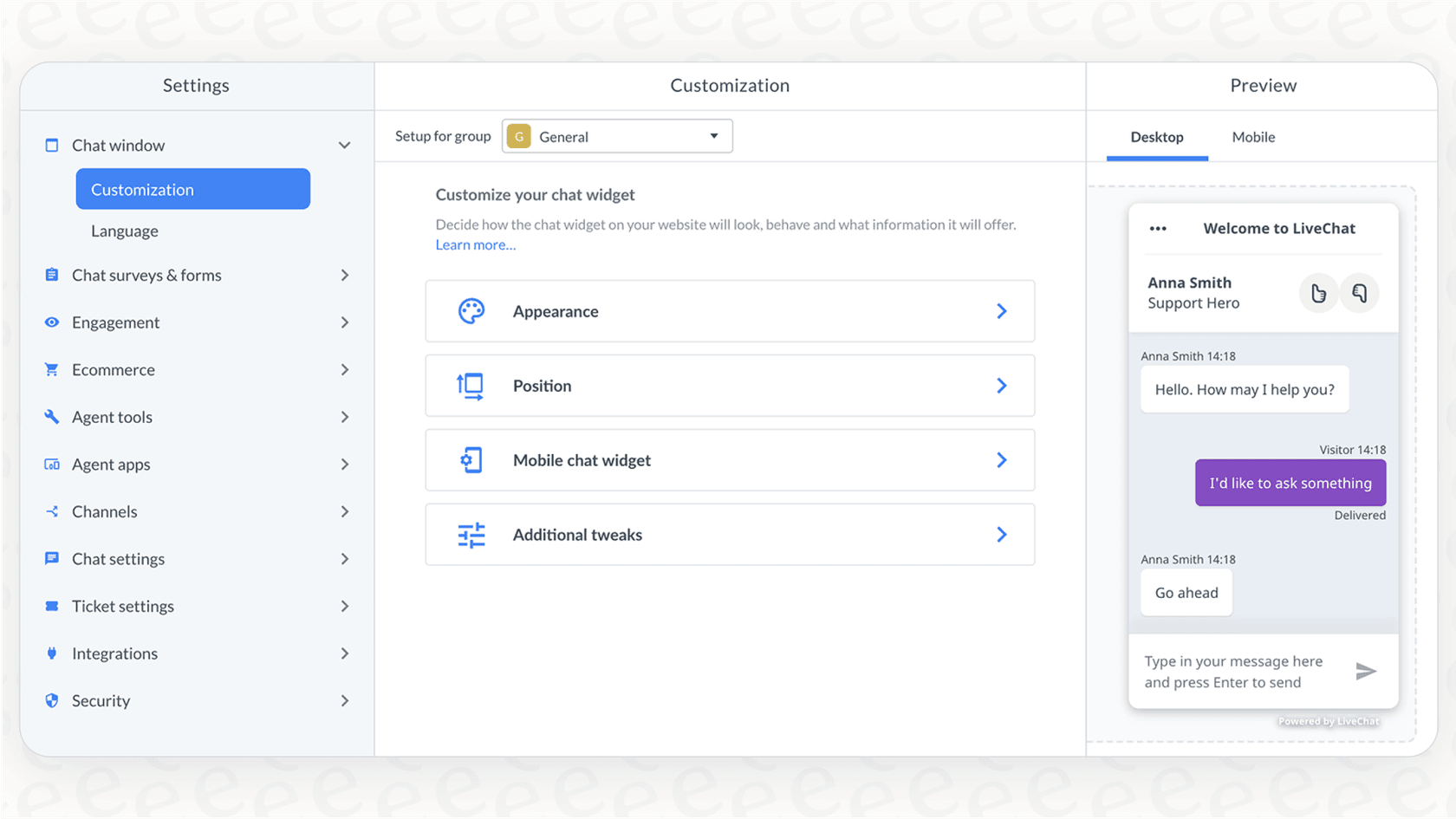
This is the front door to your support world. It's the little button or window where a customer clicks to start a conversation. You can usually customize it to match your brand's look and feel, set up pre-chat forms to grab a name or order number, and add an offline form so people can leave a message when your team is off the clock.
The live support agent dashboard and console
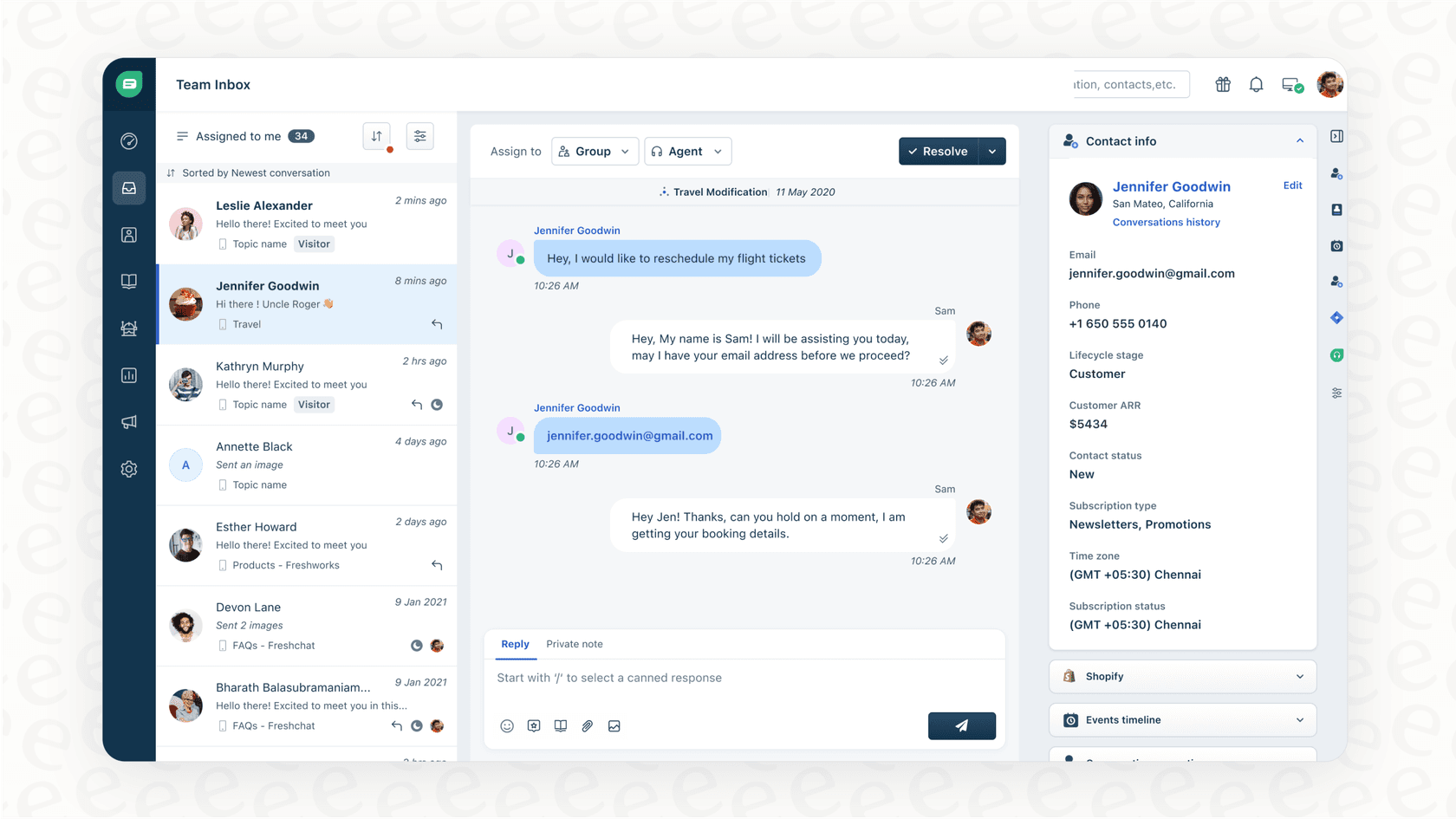
This is mission control for your support agents. It’s where they spend their entire day, juggling multiple conversations at once from a single screen. They can use pre-written responses for common questions, transfer tricky chats to a specialist, and see useful context about the customer, like what page they're on. Since your agents live in this dashboard, it has to be easy to use.
The backend of live support: routing, ticketing, and analytics
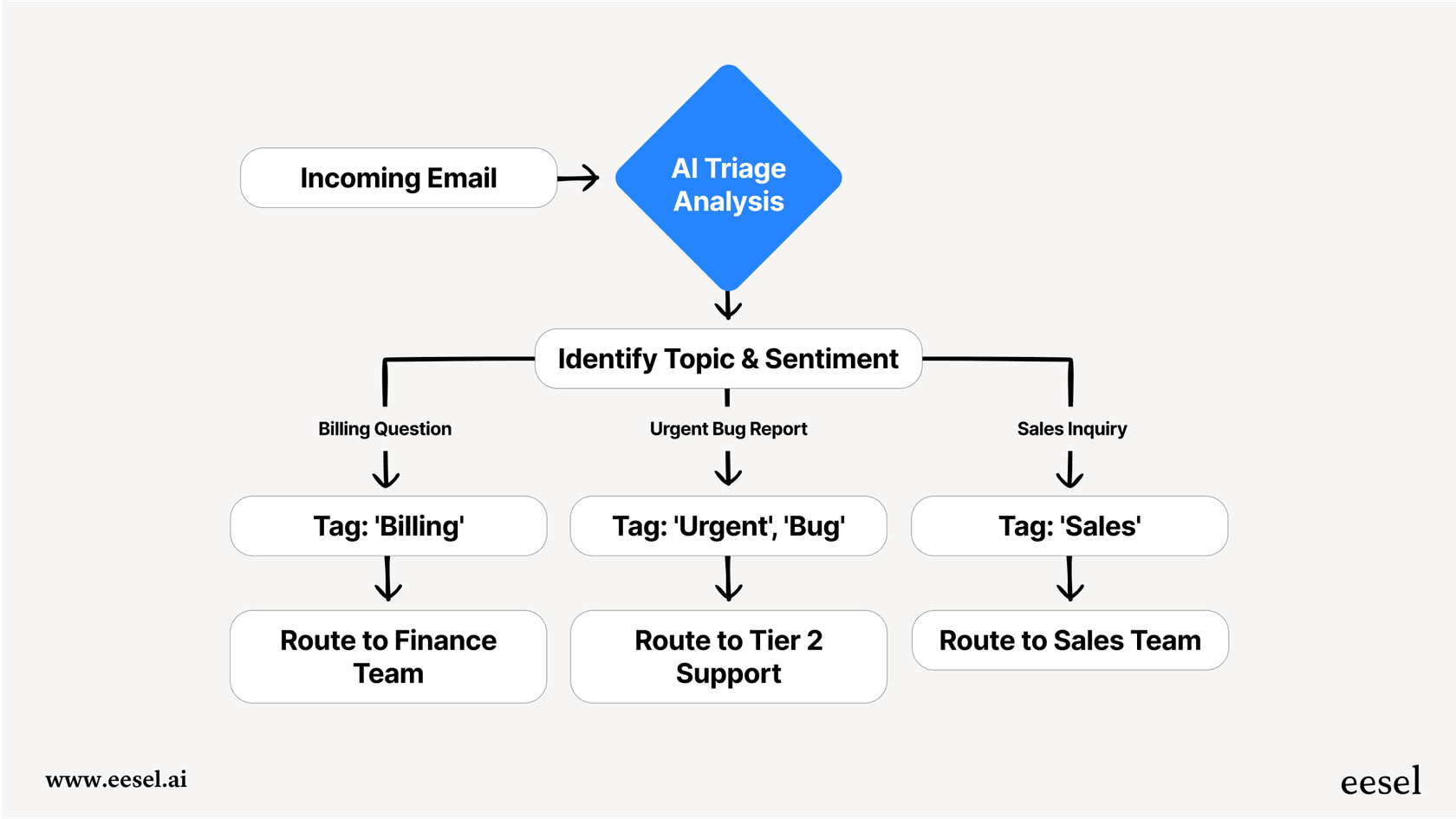
A lot happens behind the scenes to keep things running smoothly. New chats are usually sent to the right agent based on rules you set, like who has the right skills (billing vs. tech support) or simply whose turn it is.
Often, a chat needs to be tracked for follow-up, so it gets turned into a ticket in a helpdesk like Zendesk or Freshdesk. And, of course, you need a way to track things like chat volume, agent performance, and customer satisfaction. This data is what helps you figure out what's working and what needs to be improved.
The hidden challenges of scaling live support
While live support is a fantastic tool, trying to grow it with only human agents can create some serious headaches. What works for a few chats a day starts to fall apart as your business expands.
High operational costs and staffing dilemmas with live support
The most glaring problem is the cost. Hiring, training, and paying enough agents to provide fast service is expensive, especially if you want to offer support outside of standard business hours. True 24/7 support is often just not feasible for many companies. You end up trying to guess customer demand, which leads to one of two outcomes: you’re overstaffed and paying agents to sit around, or you’re understaffed and customers are stuck in long queues, getting more annoyed by the minute.
Live support agent burnout from repetitive questions
Here’s a little secret from the world of customer support: a massive portion of questions are the same ones, over and over again. Think "Where's my order?", "How do I reset my password?", or "What’s your return policy?". Answering these all day is mentally draining. It causes agent burnout and high turnover, and it stops your skilled team members from working on the complex, interesting problems where they can really shine.
Knowledge gaps and inconsistent live support service
It's practically impossible for every agent to have every single answer memorized, especially as your products and policies evolve. Information ends up scattered across Google Docs, internal wikis, and the brains of your most experienced agents. The result is inconsistent service. One customer gets the right answer in two minutes, while the next gets a completely different (and maybe wrong) answer after a ten-minute wait. This kind of inconsistency chips away at customer trust.
The future of live support: augmenting your team with AI
This is where things start to get interesting. The solution to these scaling problems isn't just to keep hiring more people. It's about working smarter. AI isn't about replacing your support team; it's about giving them superpowers so they can deliver faster, more consistent, and better service.
Automating frontline live support conversations
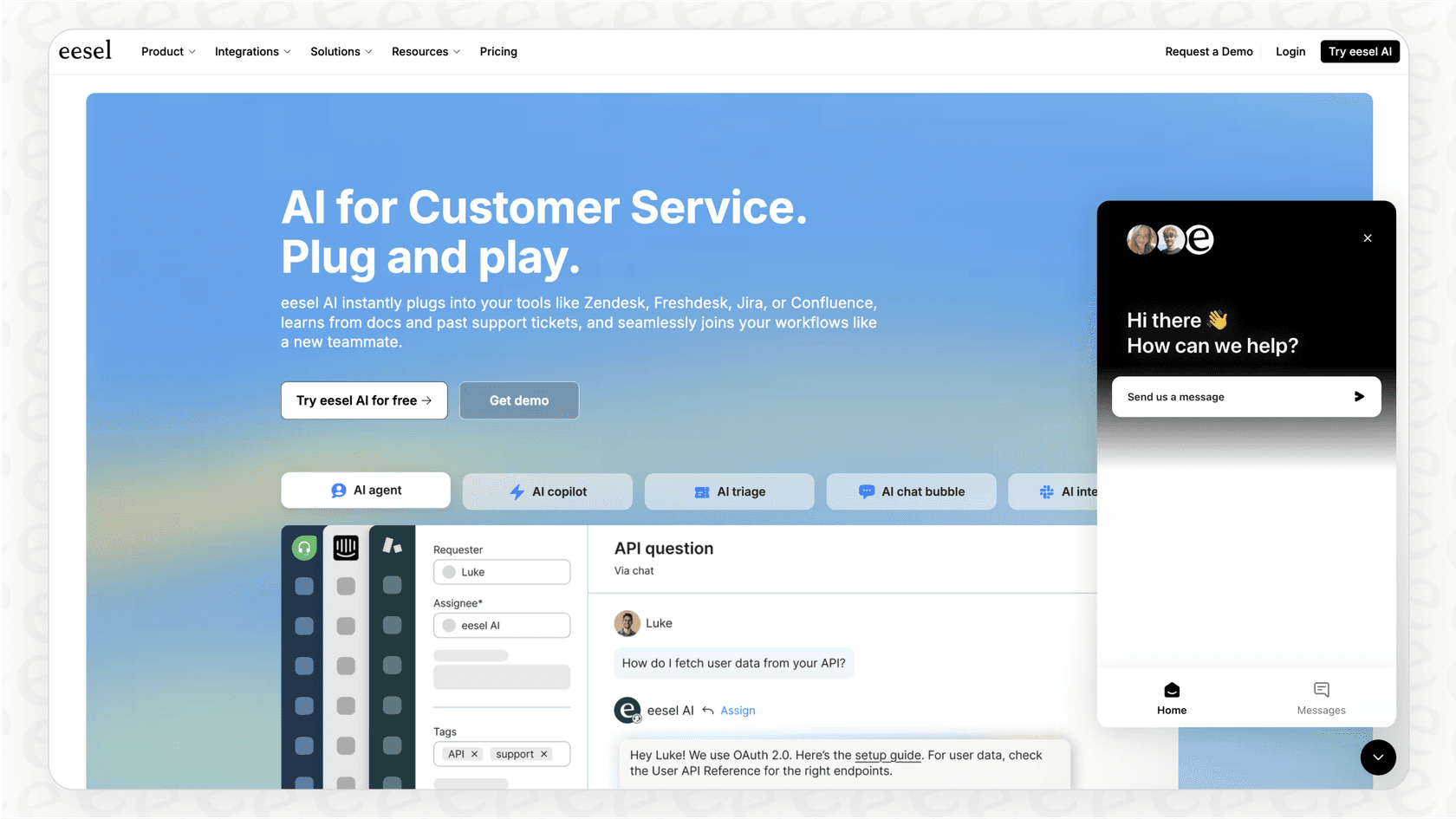
Imagine an AI agent that can give instant, 24/7 answers to all those repetitive questions. Right away, this helps with the staffing and cost issues. Unlike the clunky, script-based chatbots of the past, modern platforms like eesel AI learn directly from your existing help content, past tickets, and internal documents. This means you can get an AI agent up and running in minutes, not months, and it will respond with the helpful tone of your best agents. It can handle common issues on its own or seamlessly pass the conversation to a human when a personal touch is needed.
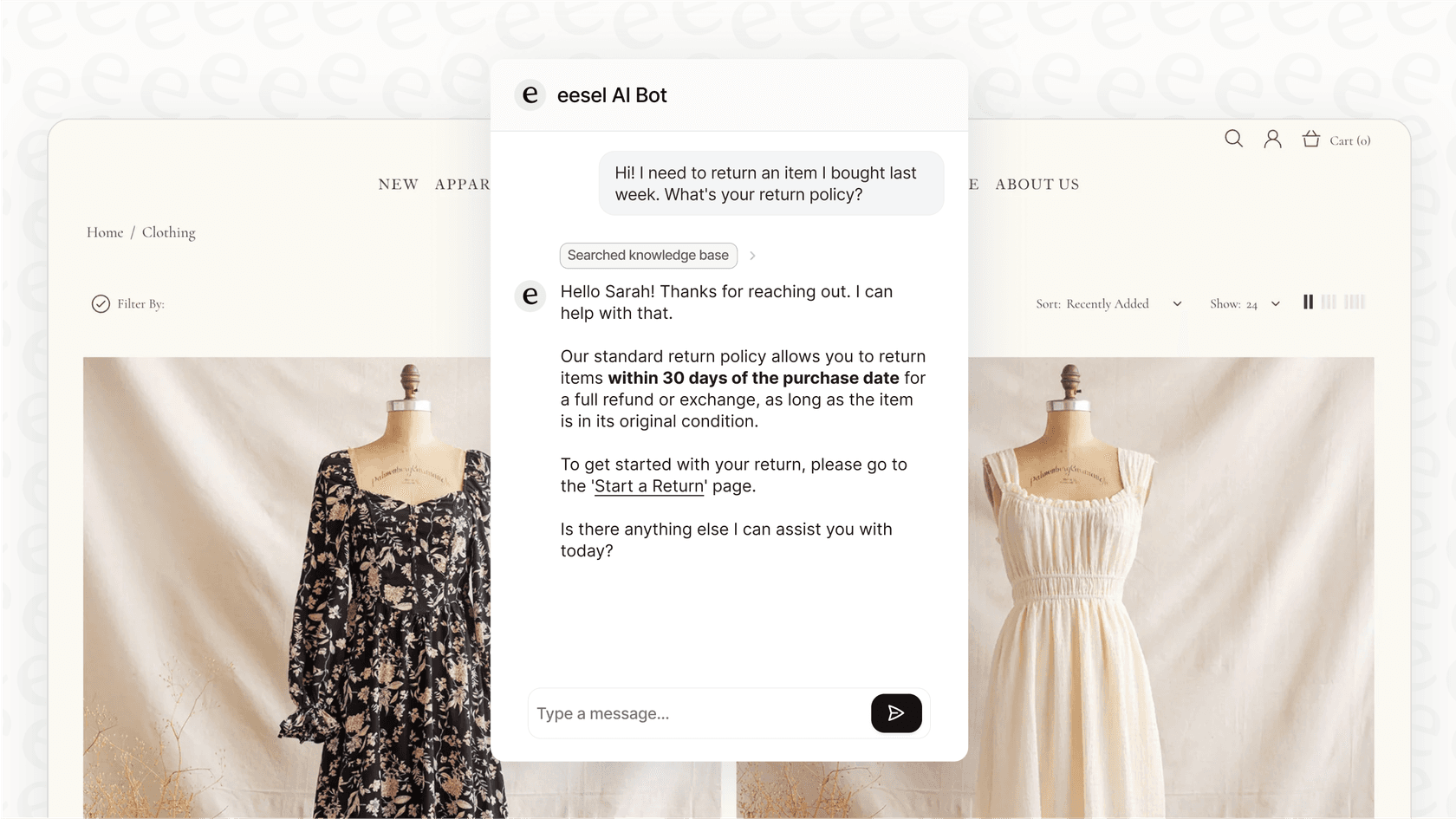
Empowering live support agents with an AI copilot
AI can also work right alongside your human agents as a helpful assistant. An AI copilot can draft accurate replies in real-time, summarize long conversations for easier handoffs between agents, and instantly find the right help article for a tricky question. This directly addresses the problems of inconsistent answers and knowledge gaps. For example, the eesel AI Copilot plugs directly into helpdesks like Zendesk and Freshdesk, giving agents instant, on-brand reply suggestions. It's particularly useful for getting new team members trained and contributing quickly.
Testing and deploying your live support AI with confidence
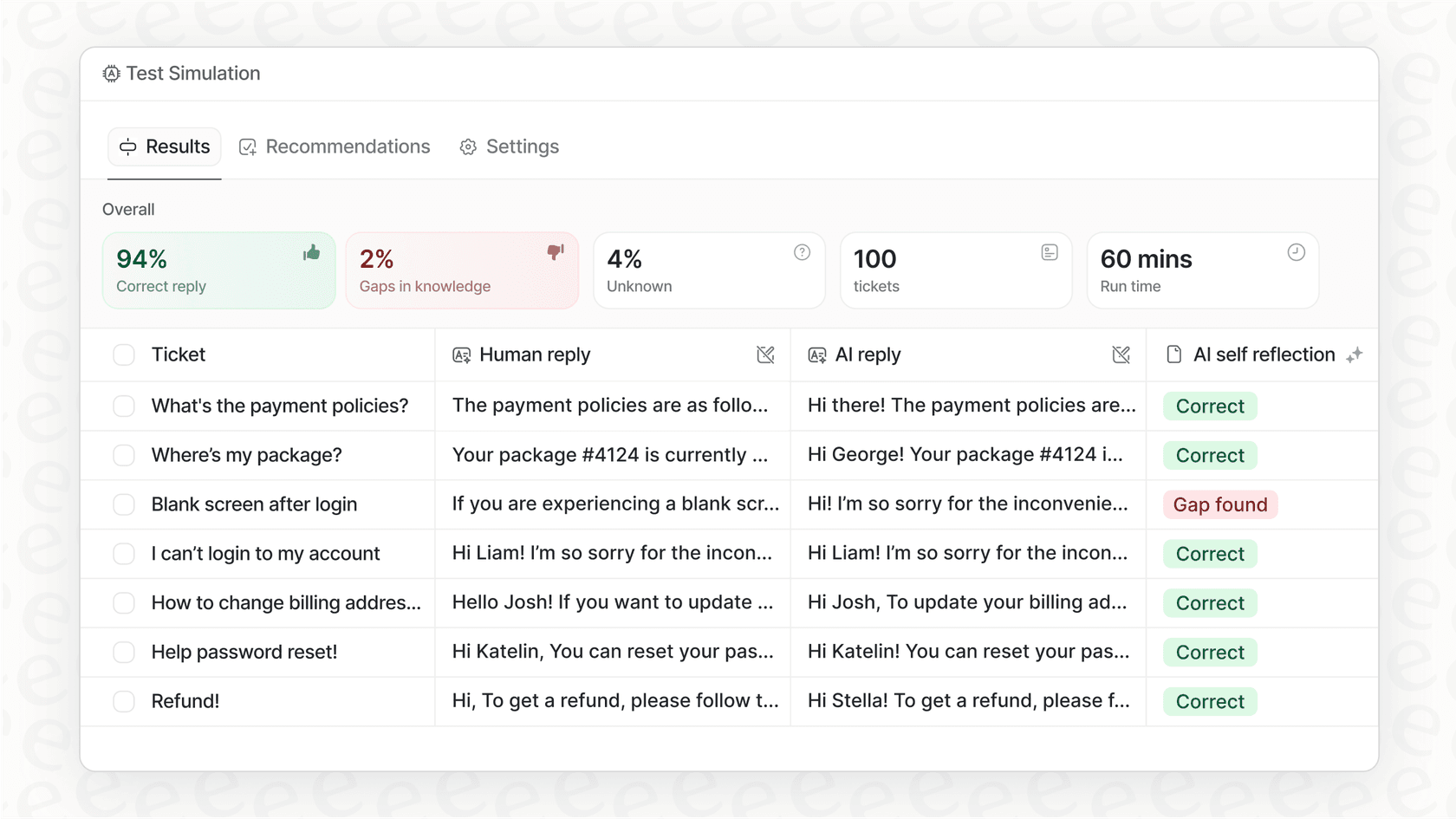
One of the biggest worries with AI is, "What if it says the wrong thing?" That's a fair question, and it's why having a safe way to test everything is so important. When choosing a platform, look for one with a solid simulation mode. With eesel AI's simulation feature, you can test your AI on thousands of your past customer conversations before it ever goes live. This gives you a clear picture of how it will perform and lets you roll it out gradually, putting you in complete control.
| Feature | Traditional live support | AI-Augmented live support (with eesel AI) |
|---|---|---|
| Availability | Only when your agents are working | 24/7, with instant responses |
| Response Time | Minutes (or longer during busy times) | Seconds |
| Consistency | Varies from agent to agent | 100% consistent, based on your knowledge |
| Cost to Scale | Rises with every new hire | Handles more volume without a huge cost increase |
| Setup | Requires manual agent training | Goes live in minutes, learns from your data |
| Improvement | Relies on manual coaching | Gets smarter with analytics and feedback |
How to choose the right tools for your live support strategy
When you start looking at tools, you need to think beyond just basic chat features and consider how your support will operate in the future. Here’s a quick checklist of questions to ask:
- Does it play well with your other tools? Your new tool should work with your existing helpdesk (like Gorgias or Intercom) and knowledge bases (like Confluence or Google Docs) without forcing you to migrate everything.
- How easy is it to set up? Can you get started on your own in a few minutes, or are you stuck in a long sales cycle with mandatory demos? A self-serve platform gives you the freedom to move at your own pace.
- How much control do you have? Can you decide exactly which questions the AI handles and what it's allowed to do? You need granular control to roll out automation safely and effectively.
- How does it learn? Does the AI learn from your company's actual data and past conversations, or are you stuck building and maintaining clunky, manual conversation flows?
- Is the pricing straightforward? Look for a predictable pricing model. Be careful with solutions that charge per resolution, as your bill can jump unexpectedly during a busy month.
Your next step towards smarter live support
Live support is a must-have for any modern business, but the old-school, people-only approach is expensive and a real pain to scale. AI is the key to building a support operation that’s efficient, consistent, and provides an amazing customer experience. By automating the routine tasks and empowering your agents to focus on what they do best, you can build a support engine that not only solves problems but also helps your business grow.
Ready to see what AI can do for your live support? eesel AI connects with your existing tools in minutes, learns from your data, and lets you automate support with total confidence. Start your free trial today and find out how many tickets you could be resolving automatically.
Frequently asked questions
We're a small team; how can we justify the cost of adding AI to our live support?
AI handles repetitive questions 24/7, freeing your team for high-value tasks and capturing sales you might otherwise miss. This boosts efficiency and customer satisfaction, making the investment worthwhile even for small operations.
I'm worried that using AI will make our live support feel robotic. How do we keep the human touch?
The goal is to augment your team, not replace it. The AI handles common, simple queries instantly, and seamlessly passes complex or sensitive issues to a human agent, ensuring customers get the best of both worlds.
How much technical work is involved in setting up an AI-powered live support system?
Modern platforms are designed for a fast, non-technical setup. You can connect your existing knowledge bases and helpdesks in minutes, allowing the AI to learn from your data without needing custom code or a long implementation process.
What's the best way to introduce AI into our existing live support without disrupting the team?
Start with an AI copilot that assists your human agents by suggesting answers, helping them work faster and more consistently. You can then gradually automate responses to the most common questions once you're confident in the AI's performance.
How can we be sure an AI won't give incorrect answers in a live support chat?
Reputable AI platforms learn only from the trusted knowledge sources you provide, like your help center and internal docs. You can also use simulation features to test the AI on past conversations before it ever interacts with a live customer, giving you full control.