How we picked (and what "startup-friendly" actually means)
Most "best helpdesk" lists read like they were assembled from vendor homepages. We wanted the opposite, so we set up trials, poked at the pricing pages line by line, and read what real teams say on Reddit and G2 before forming a view.
For a startup, "good helpdesk" means something specific, and it's not the longest feature list. It's four things:
- It's cheap to start and honest about what it costs at scale. A startup's volume is spiky and its runway is finite. A tool that's $0 today but unpredictable at 1,000 tickets is a trap.
- You can set it up yourself. No six-week implementation, no mandatory onboarding fee. You should be answering tickets the same day.
- It won't fight you when you grow. The shape of the pricing matters more than the headline number, because the wrong model punishes exactly the success you're chasing.
- The AI is useful, not a demo. Every tool here claims AI. The question is whether it resolves real tickets out of the box or just autocompletes a sentence.
A quick note on one tool's absence: we don't include Intercom in our listicles. Everything else that's genuinely worth a startup's time is here.
Here's the whole list at a glance, then we'll go tool by tool.
The startup helpdesk tools at a glance
| # | Tool | Best for | Free option | Entry paid price | Pricing model | Native AI | Standout for startups |
|---|---|---|---|---|---|---|---|
| 1 | eesel AI | Adding AI to the helpdesk you already use | 100 free credits | From $299/mo (500 credits) | Fixed monthly plan, 1 credit per ticket | AI agent trained on past tickets | No migration, no per-seat fee, go live in minutes |
| 2 | Help Scout | Relationship-first simplicity | Free (5 users) | $25 / user/mo | Per user + per-resolution AI | AI Answers, AI Drafts | Learn it in under an hour |
| 3 | Freshdesk | The most generous free on-ramp | Free for 6 months (2 agents) | $19 / agent/mo | Per agent + usage AI | Freddy AI agents | Free, then pay-as-you-grow |
| 4 | Zoho Desk | Best value on a budget | Free Forever (3 users) | $7 / agent/mo | Per agent | Zia AI (Enterprise-gated) | Cheapest paid entry on this list |
| 5 | Gorgias | Shopify and ecommerce stores | 7-day trial | from $10/mo | Per ticket / conversation | AI Agent for commerce | Shopify order data inside the ticket |
| 6 | Crisp | Flat, predictable all-in-one | Free (2 seats) | $45 / mo flat | Flat per workspace | AI Agent + Copilot | Unlimited conversations, no seat math |
| 7 | Front | Teams that collaborate on one inbox | 7-day trial | $25 / seat/mo | Per seat + AI add-ons | Front AI (Autopilot, Copilot) | Feels like a shared inbox, not a ticket queue |
| 8 | HubSpot Service Hub | Startups already on HubSpot CRM | Free (2 users) | $7 / seat/mo | Per seat + credits | Breeze Customer Agent | Support sits on the same CRM as sales |
| 9 | Zendesk | Startups planning to scale fast | 14-day trial | $19 / agent/mo | Per agent + per-resolution AI | AI agents, Copilot | The most mature platform when you outgrow the rest |
A pattern jumps out of that last-but-one column: these tools charge in four completely different ways, and the model you pick shapes your bill more than the brand does.
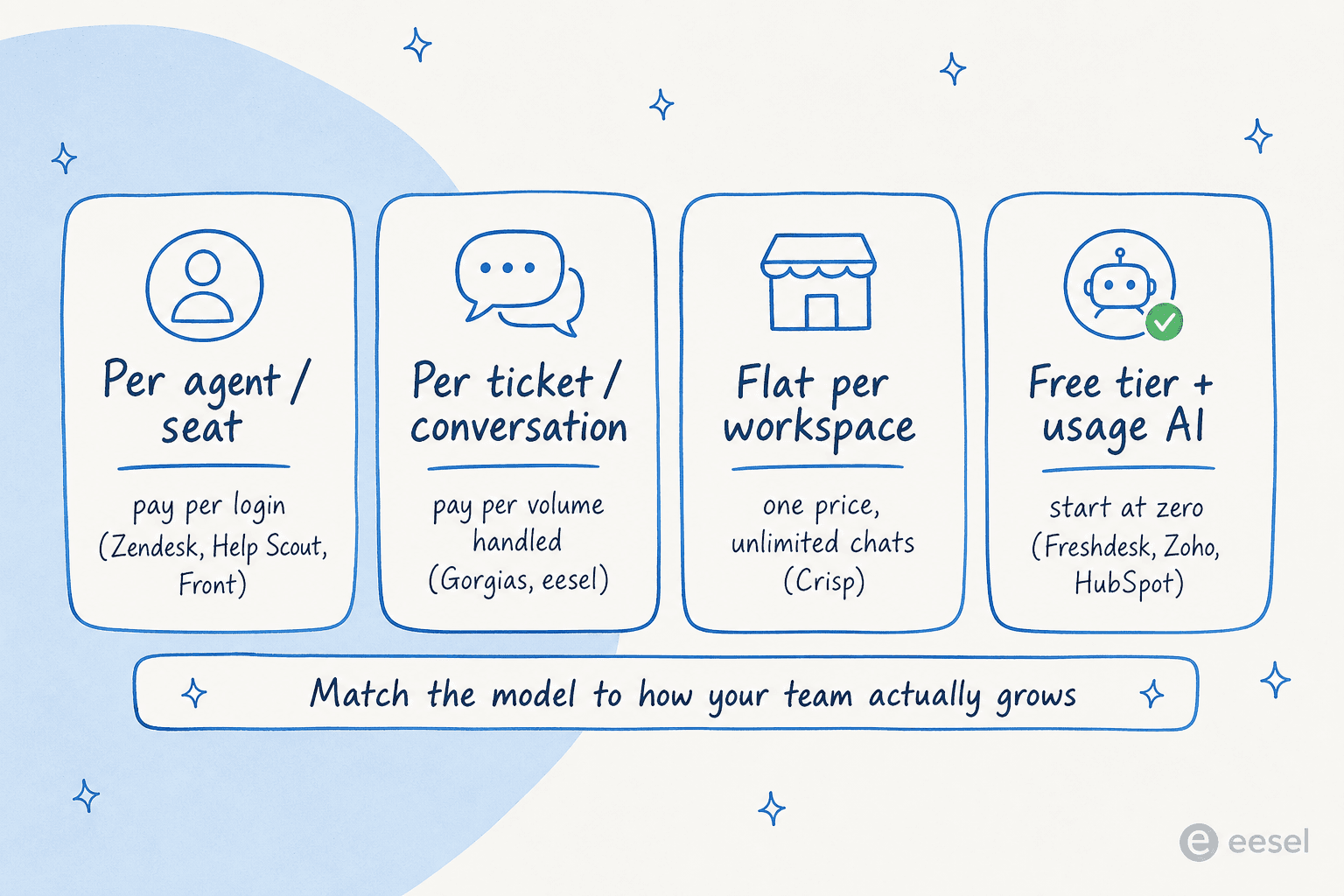
Keep that in mind as you read. A $19 seat price and a $299 plan for 500 credits aren't comparable until you know how many seats and how many tickets you'll have. We'll do that math at the end.
1. eesel AI: the AI layer for the helpdesk you already have
Best for: startups that already have (or are about to pick) a helpdesk and want to automate tier-1 tickets without a migration.
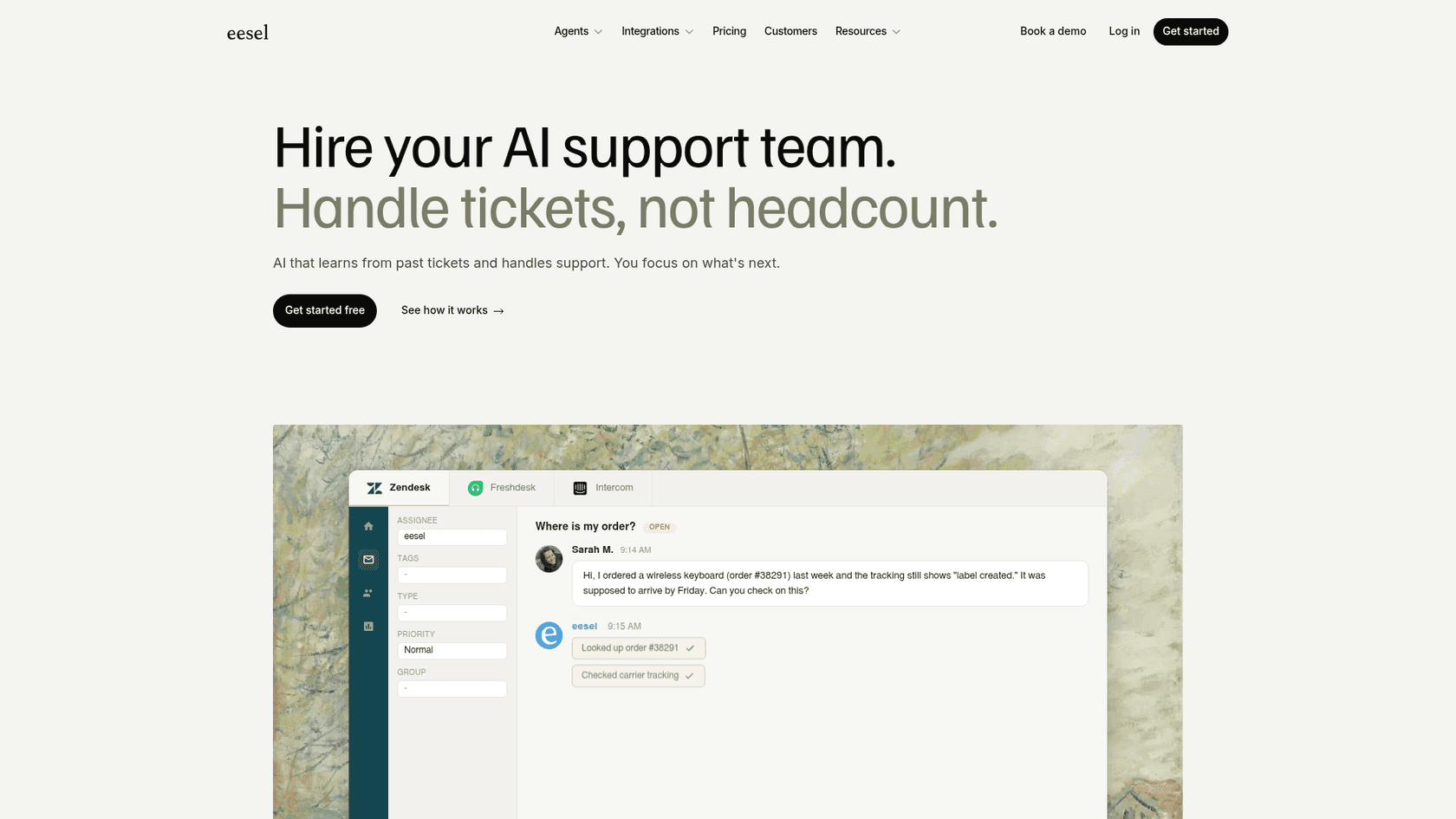
Let's be upfront about what this is, because honesty is the whole point of a list like this: eesel AI isn't a helpdesk. It's an AI helpdesk agent that plugs into the one you already run, whether that's Zendesk, Freshdesk, Zoho Desk, Gorgias, Front, or HubSpot. For a lot of startups that's exactly the right shape, because the painful part of "getting a helpdesk" was never the inbox. It's the repetitive volume that eats your two-person team alive.
What it does
eesel connects to your helpdesk and your knowledge (past tickets, help docs, Notion, Confluence, Google Docs) and turns years of history into something useful on day one. It drafts replies, triages and tags incoming tickets, and can autonomously resolve the ones it's confident about while escalating the rest. The part startups tend to like most is the simulation mode: you run the AI against your real past tickets before it touches a live customer, see exactly what it would have answered and what your resolution rate would be, then fill the gaps and go live with eyes open instead of fingers crossed.
Here's eesel running inside a Zendesk instance, as it looks day to day:
It learns from corrections, answers in 80+ languages, and uses confidence-based routing so a low-confidence answer becomes a draft for a human rather than a wrong reply to a customer. That last bit matters more than it sounds, and we'll come back to it.
Pros
- No migration. It works on top of your current helpdesk, so you keep your inbox, your workflows, and your data.
- Pay only for what it handles. Usage-based pricing means you're charged per ticket the AI works, never per seat.
- Fast time-to-value. Gridwise reported eesel resolving 73% of tier-1 requests in the first month, with results showing up during a 7-day trial.
- Real control over autonomy. Start in draft-only mode, then hand over easy ticket types as you build trust.
Cons
- It needs a helpdesk to live in. If you don't have one yet, you'll pick one from the rest of this list first (that's not really a knock, but it's true).
- It's an automation layer, not a ticketing UI. Your agents still work in their helpdesk; eesel is the engine, not the dashboard.
- Usage-based billing takes a mindset shift if you're used to a flat monthly number.
Pricing
Genuinely simple, which is rare here. You get a free plan with 100 credits to start (no credit card), then it's one fixed monthly price sized to volume, where 1 credit covers a ticket or chat, however long it runs. No platform fee, no per-seat fee. Pay a year upfront and you get two months free. Add-ons cover things like SSO and MFA (from $199/mo) and HIPAA (talk to us). If you run out of credits, agents pause until they reset, or you can turn on overage with a monthly cap you set, which is a nice guardrail for a startup watching its burn.
| Monthly credits | Price |
|---|---|
| 100 | Free |
| 500 | $299/mo |
| 1,000 | $499/mo |
| 2,500 | $999/mo |
| 5,000 | $1,899/mo |
"We could try to write our own LLM application but we didn't want to invest our time into that. We wanted something that we would not have to maintain."
Karel, GENERAL BYTES (case study)
Our take
If you've already got a helpdesk and you're drowning in repetitive tickets, this is the lowest-friction way to fix that, full stop. You don't switch tools, you don't add seats, and you can prove the ROI on past tickets before you commit a cent. If you don't have a helpdesk yet, bookmark eesel and come back to it once you've picked one of the eight below.
2. Help Scout: the friendliest place to start
Best for: small teams that want support to feel human and personal, not like a ticket queue.
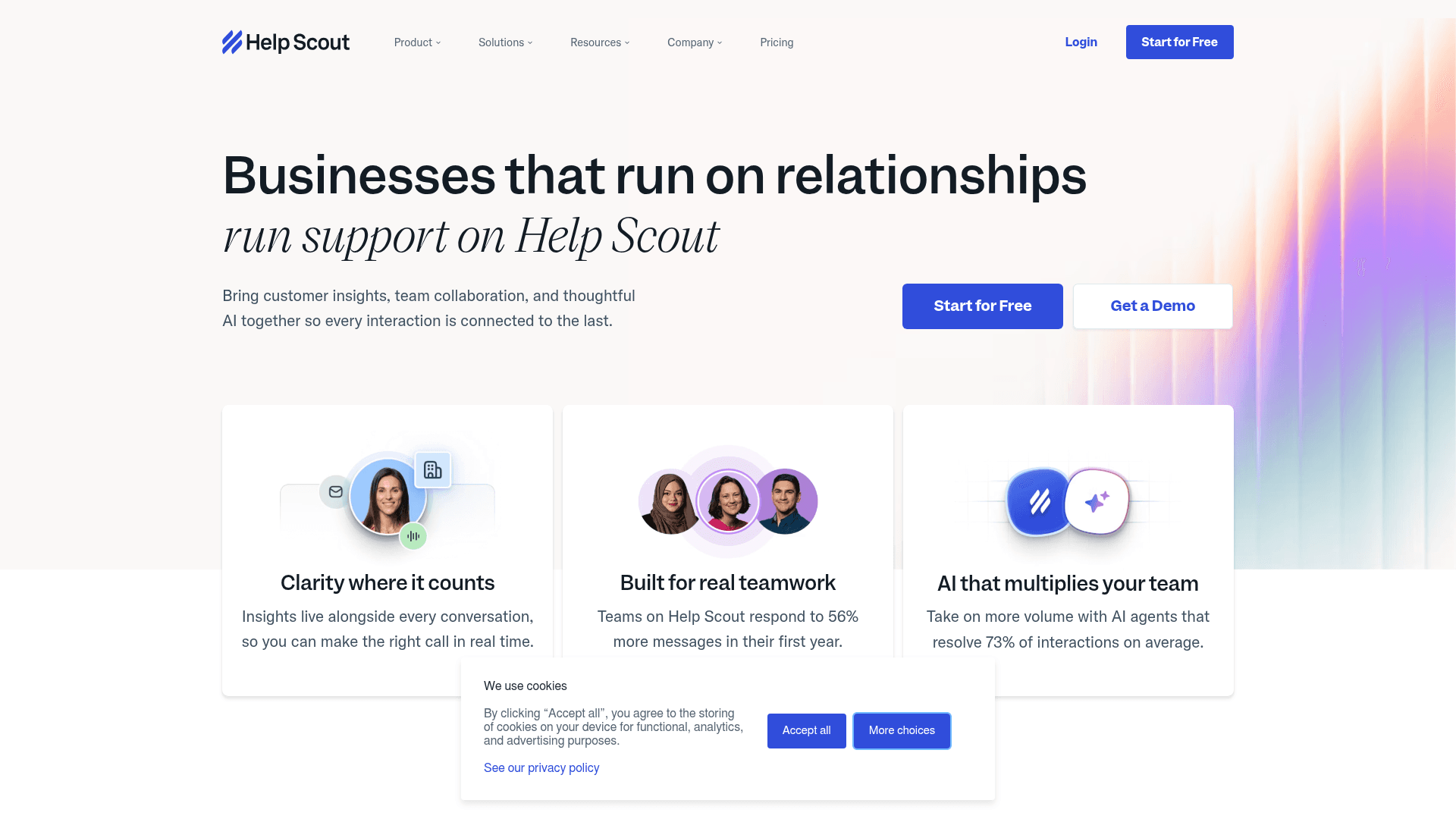
Help Scout has a clear thesis: businesses that run on relationships shouldn't run support on heavyweight enterprise software. It pitches itself at small businesses and growing teams, and its single most-repeated piece of praise is how fast you can learn it, the company claims you become a power user in under a day, and reviewers broadly agree.
What it does
At its core it's a shared inbox that feels like email rather than a ticketing system, with a Docs knowledge base, the Beacon help widget you can embed on your site, live chat, and a layer of AI on top. AI Answers is an autonomous agent that resolves customer questions from your knowledge base (Help Scout cites a ~73% resolution rate), while AI Drafts and AI Summarize handle the agent-facing busywork. With 12,000+ companies on it and CSAT it claims runs 25% above industry average, it's a known quantity.
Pros
- The gentlest learning curve on this list. New agents are productive in an hour.
- Genuinely free to start: the Free plan covers 5 users, 1 inbox, and 1 Docs site.
- Clean, calm interface that doesn't overwhelm a non-technical founder.
Cons
- AI Answers stacks on top of your seats at $0.75 per resolution, which adds up fast: 1,000 resolutions a month is another ~$750 on top of the seat fees.
- Reporting and advanced features are thin compared to Zendesk or Zoho, and G2's top aggregated complaint is the lack of customization depth.
- Pricing-model trust took a hit. Help Scout switched from per-seat to per-interaction pricing, triggered churn, then reverted, and the community remembers:
"HelpScout changed back to user-based pricing. Guess too many people cancelled including me... Helpscout lost all trust with this flip-flopping on pricing."
u/manu_8487 on r/SaaS

Pricing
Per user, per month (annual rates): Free ($0, 5 users), Standard ($25), Plus ($45), and Pro ($75, minimum 10 users, sales-only). AI Answers is a separate $0.75 per resolution add-on across the paid plans, with a generous 3-month free trial of unlimited resolutions. There's also a dedicated startup plan for early-stage companies.
Our take
If your support is high-touch and relationship-driven, and you value "my team can actually use this today" over "this has every feature," Help Scout is the easiest yes on the list. Just model the AI Answers cost before you switch it on, because the seat price is the part of the bill you'll under-estimate least. If you want to see how it stacks up directly, our Help Scout review and the Help Scout vs Front comparison go deeper.
3. Freshdesk: the most generous free on-ramp
Best for: bootstrapped startups that want a real helpdesk for $0 while they find product-market fit.
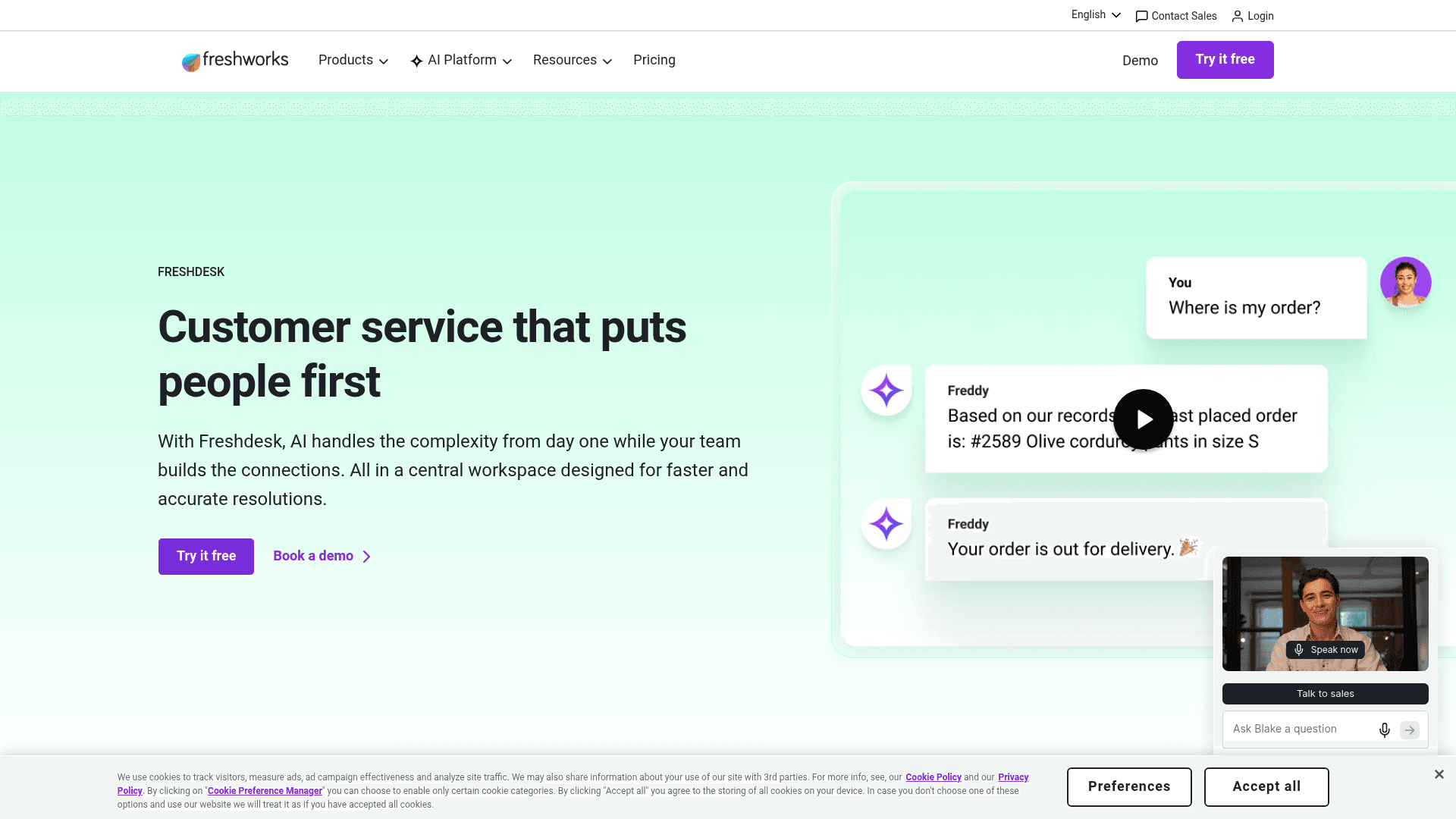
Freshdesk, from Freshworks, is the tool most likely to be a startup's first "real" helpdesk, largely because of one number: free. It's trusted by 74,000+ businesses and has spent 2025-2026 pivoting hard toward agentic AI with its Freddy line.
What it does
It's a full ticketing platform built around what Freshworks calls the Command Center: a single view of conversations across email, chat, messaging, and phone, with self-service knowledge base and automation. Freddy AI comes in three flavours: the AI Agent (autonomous resolution with 50+ prebuilt workflows), Copilot (agent-side assist), and Insights (leader analytics). Freshworks claims up to 80% resolution with the AI Agent and a sub-3-month payback period.
Here's eesel running inside Freshdesk, for a sense of how an AI layer looks in that environment:
Pros
- The standout free tier: $0 for up to 2 agents for 6 months, with no credit card, including ticketing, knowledge base, and reports.
- Affordable paid ladder starting at $19/agent/month, with pay-as-you-go billing and no cancellation fees.
- Top-rated on G2 for usability, so the free tier isn't a stripped-down trap.
Cons
- The free tier is time-boxed (6 months), not free forever, so plan for the cliff.
- Freddy AI is consumption-priced: the Email AI Agent includes 500 sessions, then it's $49 per 100 sessions, which scales up with volume.
- Feature gating means some routing and security features only appear on Pro and Enterprise.
Pricing
Annual, per agent: Free ($0, 2 agents for 6 months), Growth ($19), Pro ($55), Enterprise ($89). Freddy AI is a separate usage add-on. If you outgrow it, our best Freshdesk alternatives piece maps the exits.
Our take
For a pre-revenue or early-revenue startup, Freshdesk's free program is the most generous genuine on-ramp here, and the paid tiers stay reasonable as you grow. Just diarise the 6-month mark and decide whether you're upgrading or moving before the free window closes. If you want AI that learns from your own tickets rather than Freddy's session-priced model, this is a classic spot to add an AI agent on top of Freshdesk.
4. Zoho Desk: the best value on a budget
Best for: cost-conscious startups, especially anyone already living in the Zoho ecosystem.
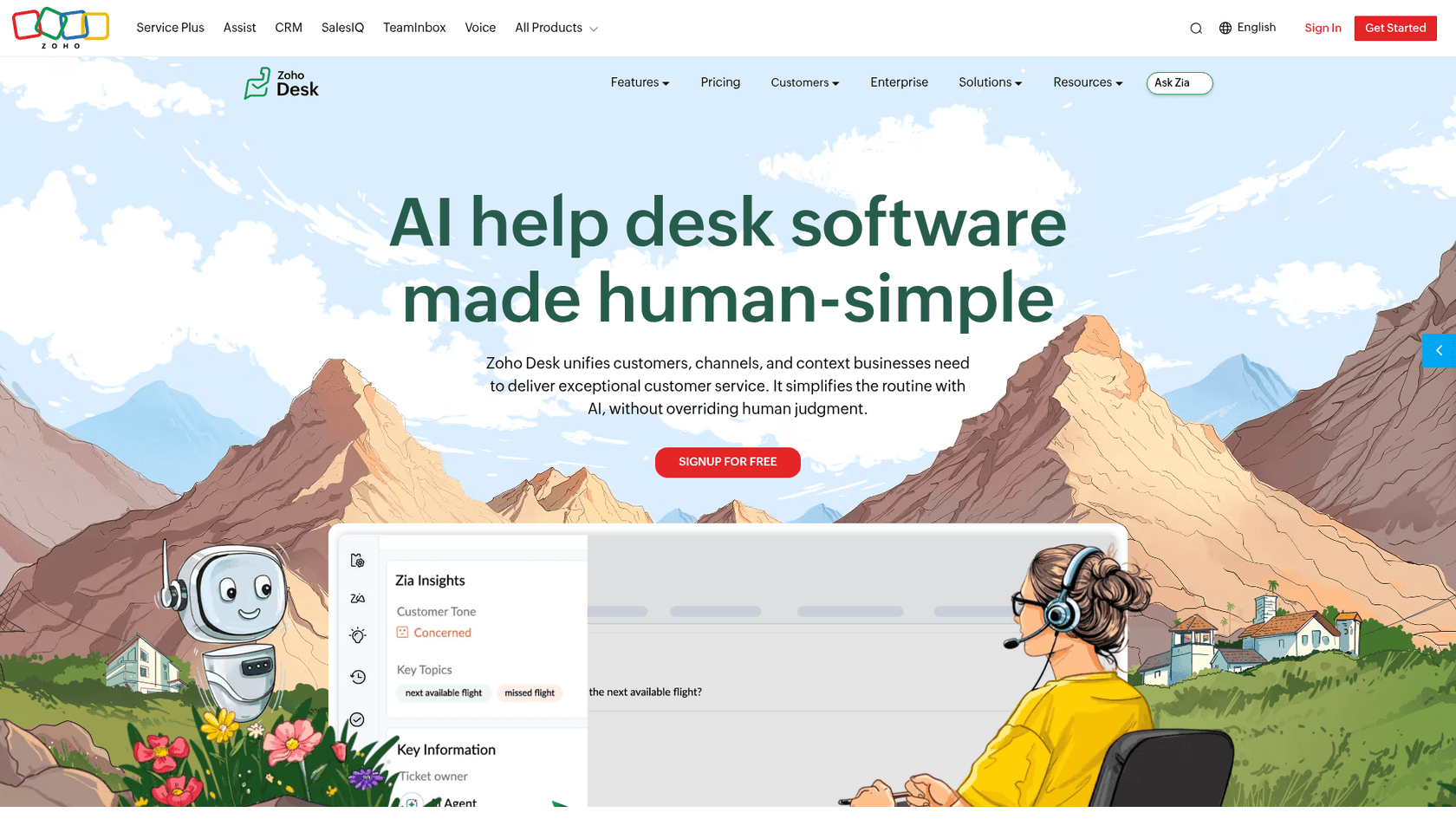
Zoho Desk competes on one thing above all: price. It's trusted by 125,000+ businesses, and on Reddit it's repeatedly described as doing "almost everything that Zendesk does at like half the cost." For a startup counting every dollar, that framing lands.
What it does
It's a full omnichannel ticketing platform with a self-service help center, automation (its Blueprint process builder is a community favourite), SLAs, and a native AI assistant called Zia. Zia spans self-service chatbots, in-ticket reply assistance, sentiment analysis, and auto-tagging. The catch, and it's a real one, is that most of the interesting Zia features (Answer Bot, sentiment analysis, anomaly detection) are gated to the Enterprise tier.
Pros
- The cheapest paid entry on this list: Express is $7/agent/month annually.
- A genuine Free Forever plan for 3 users with email ticketing.
- Deep automation (Blueprint, SLAs, routing) that reviewers consistently praise as strong value.
Cons
- Zia is widely seen as underwhelming. Reddit users have called it "a trainwreck of unhelpful responses," and many bolt ChatGPT or other tools on top to compensate.
- The best AI is Enterprise-only, which prices out the SMB segment that's Zoho's core market.
- Steep learning curve and cluttered UI, with 112 tagged "learning curve" mentions on G2 and complaints about "the sheer number of settings."
Pricing
Per agent, per month (annual): Free Forever ($0, 3 users), Express ($7), Standard ($14), Professional ($23), Enterprise ($40). Up to 34% off for annual commitments, with a 15-day no-card trial on every paid tier. If Zia disappoints, see the best AI for Zoho Desk for stronger options that plug in.
Our take
Pound for pound, Zoho Desk is the best-value full helpdesk for a startup, provided you can live with a busier interface and don't lean on its native AI. Treat Zia as a bonus, not the reason you buy, and budget for a better AI layer if automation matters to you. The Zendesk vs Zoho Desk comparison is worth a read if you're torn between value and polish.
5. Gorgias: built for Shopify stores
Best for: ecommerce startups, especially Shopify brands where support and sales blur together.
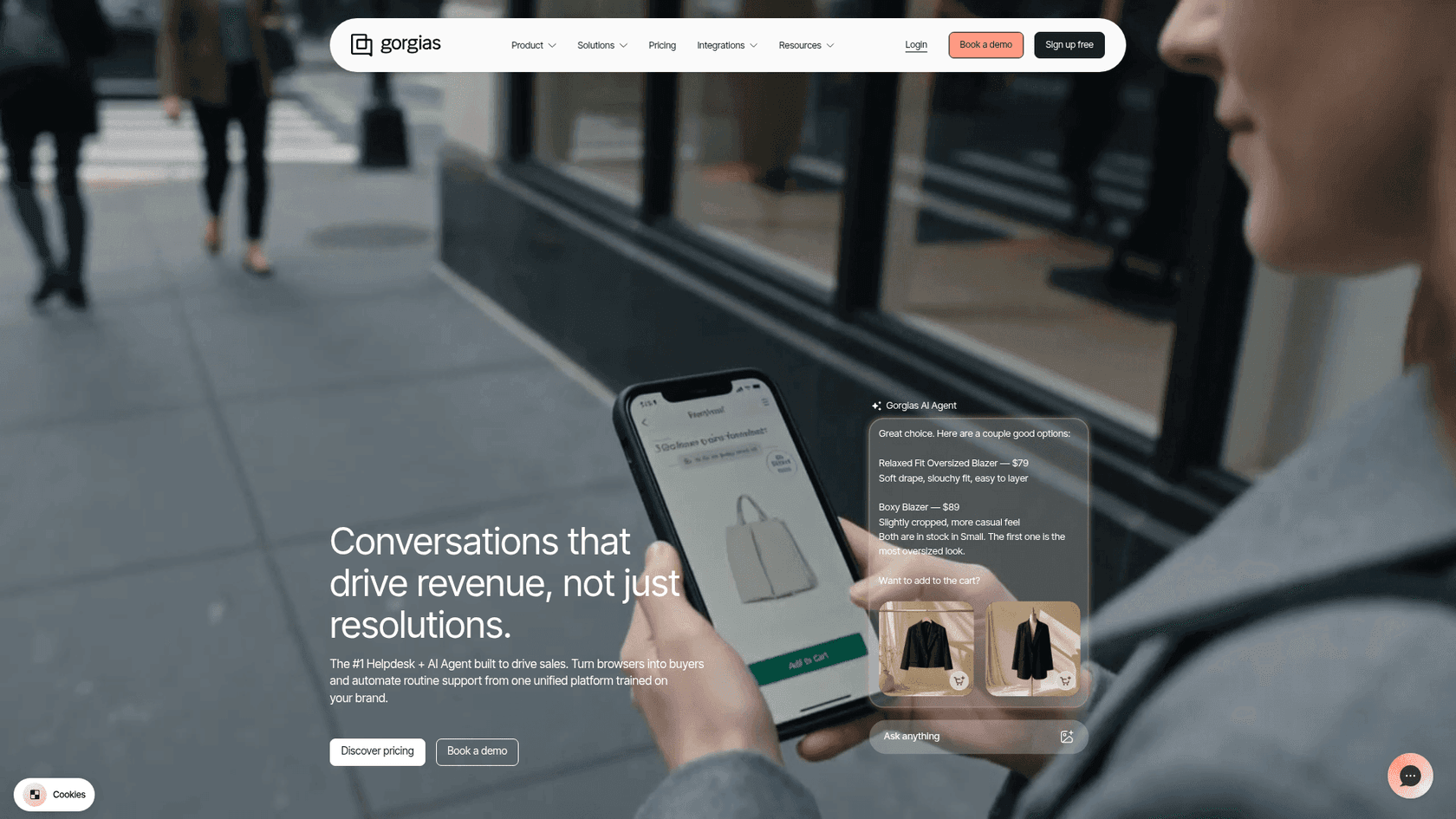
Gorgias doesn't try to be everything. It's a helpdesk built specifically for ecommerce, with native Shopify integration at its core, and it claims to power customer conversations for 40% of Shopify brands. If you sell physical products online, this is the one tool here that was designed for your exact workflow.
What it does
It unifies email, live chat, SMS, WhatsApp, Instagram, Facebook, and TikTok into one inbox, then pulls Shopify order data, refunds, cancellations, and subscriptions right into the ticket so an agent can act without tab-switching. Its AI Agent is pre-trained on a billion-plus ecommerce conversations and handles returns, order edits, product recommendations, and even conversational upsells. Brands cite real automation rates: Orthofeet hit 56% in under two months.
Pros
- Unbeatable Shopify integration. Order context lives inside the ticket, no syncing.
- Commerce-aware AI that can actually do the ecommerce actions (refunds, exchanges) instead of just answering FAQs.
- Revenue attribution built in, so you can see support driving sales.
Cons
- It gets expensive as volume grows, and small teams question the value below a certain ticket count.
- Overkill if you're not ecommerce. A SaaS or services startup won't use half of it.
- Ticket-based pricing can sting during a viral spike.
The community rule of thumb is refreshingly concrete:
"I've been around ecommerce for 10+ years and this is honestly how I'd choose: 40%+ tickets need Shopify actions → I'd lean Gorgias. Mostly conversational support → Zendesk is fine."
u/cavalry18 on r/CRM
Pricing
Ticket-based, not per-seat (annualized monthly rates): Starter (from $10/mo, 50 tickets), Basic (from $50/mo, 300), Pro (from $300/mo, 2,000), Advanced (from $750/mo, 5,000), plus custom Enterprise. The AI Agent is a usage add-on at $0.90 per resolved conversation on annual plans. If the price scales past comfort, our Gorgias alternatives list covers the field.
Our take
If 40% or more of your tickets involve a Shopify action, Gorgias pays for itself and you should stop comparison-shopping. If you're mostly answering conversational questions, you're paying a premium for commerce features you won't touch, look at Freshdesk or Zoho instead. The deciding factor is how "ecommerce" your tickets actually are, not how ecommerce your company is.
6. Crisp: one flat price, no seat math
Best for: startups that want predictable billing and a live-chat-first, all-in-one tool.
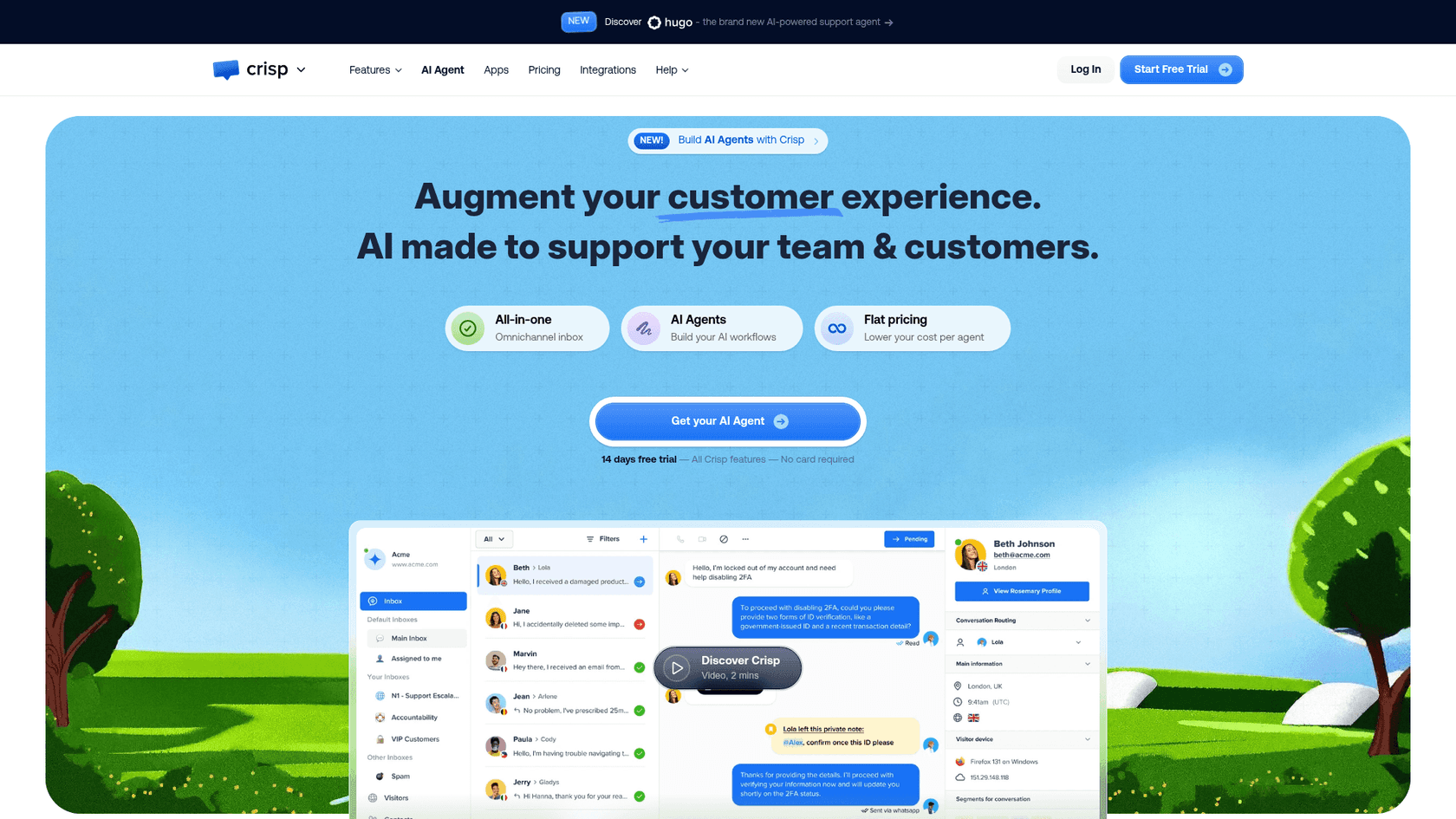
Crisp takes the opposite approach to almost everything else here: instead of charging per seat or per ticket, it charges one flat price per workspace, with seats bundled in and unlimited conversations on every paid tier. For a startup that hates surprise bills, that's a genuinely different proposition.
What it does
It started as live chat and grew into an all-in-one messaging platform: shared inbox, chatbot, knowledge base, CRM, and an omnichannel inbox spanning WhatsApp, Instagram, SMS, and more. Its AI layer includes an AI Agent, an internal Copilot, multilingual replies, and a writing assistant, metered in dollar-denominated AI credits per plan. A common Reddit budget stack name-checks it directly: "Crisp ($25/mo), Helpscout ($20/user/mo)..."
Pros
- Flat, predictable pricing with unlimited conversations, you'll never get a volume-spike bill.
- Live-chat-first with a polished website widget and mobile apps, even on the free plan.
- Cheap to run a small team: the Mini plan bundles 4 seats for $45/month total.
Cons
- AI credits are limited per tier and run out, the Mini plan includes only ~$5 of credits (about 90 automated conversations).
- No published SOC 2 / ISO certifications surfaced on its pricing pages, only EU hosting and a DPA, so enterprise-security buyers should dig in.
- Less depth in reporting and routing than Zendesk or Zoho once you scale.
Pricing
Flat per workspace, per month: Free ($0, 2 seats), Mini ($45, 4 seats), Essentials ($95, 10 seats), Plus ($295, 20+ seats). Additional agents are $10/month each. There's a 14-day all-feature trial and a 50% nonprofit/student discount. For a deeper look at the AI side, see our Crisp AI writeup.
Our take
If predictability is what keeps you up at night, Crisp's flat model is a breath of fresh air, you know your number and it doesn't move. The trade-off is that its native AI is metered tightly, so heavy automation users will burn credits or want a stronger AI live chat layer on top. Best fit: a small, chat-heavy startup that values a fixed bill over deep configurability.
7. Front: the collaborative shared inbox
Best for: startups where multiple people touch the same conversations and coordination matters more than ticket volume.
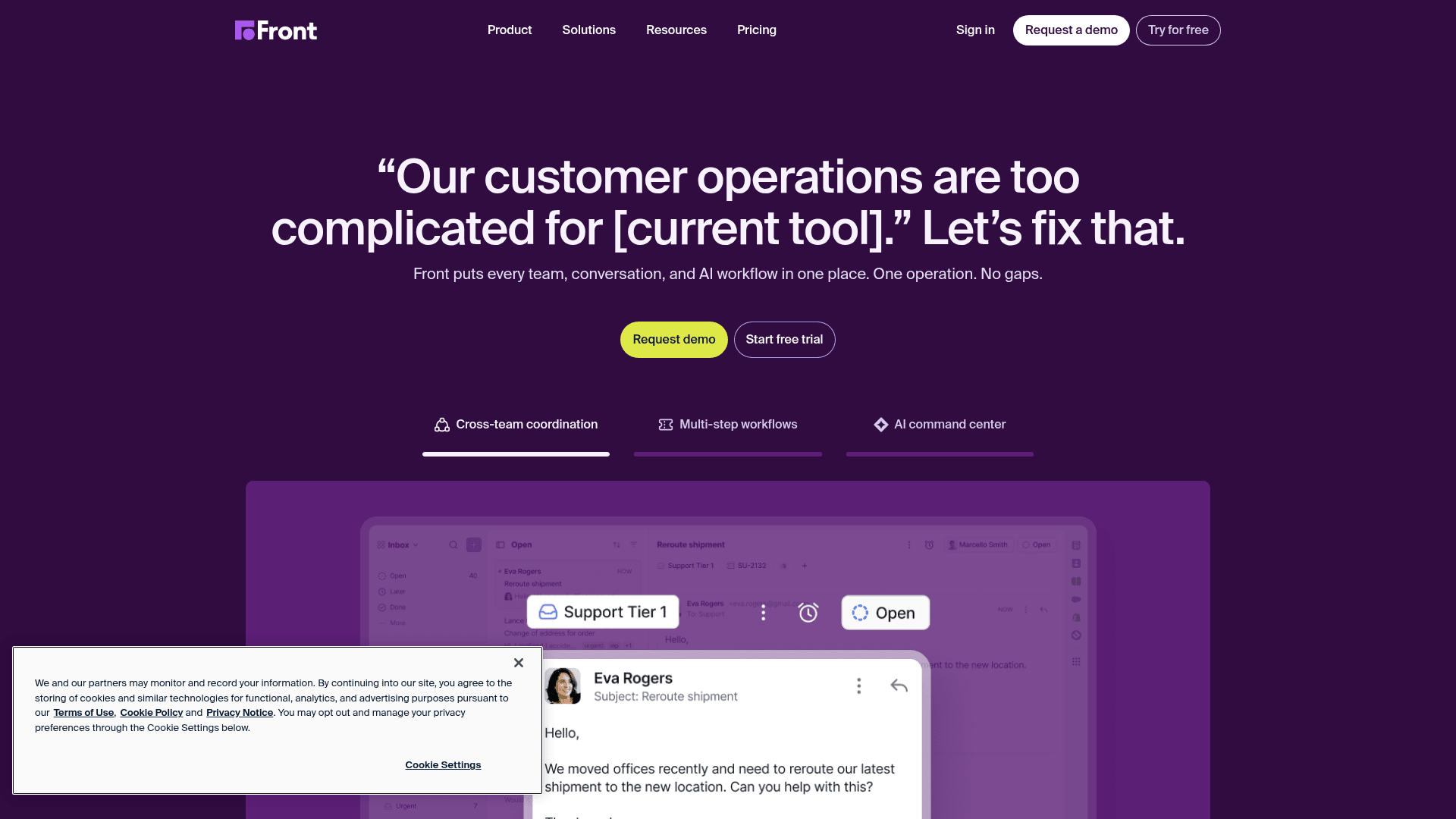
Front is a shared inbox that happens to be a helpdesk, rather than a ticketing system that happens to have an inbox. It's trusted by 9,300+ companies and is built for "complex customer operations" that span teams, think account managers, ops, and support all working the same threads.
What it does
It unifies email, SMS, social, and WhatsApp into a collaborative inbox where teammates can assign, comment internally, and draft together without the conversation ever feeling like a ticket. Front AI adds Autopilot (an AI agent), Copilot (real-time assist), Smart QA, and Smart CSAT, with a claim it can resolve up to 70% of requests. Reddit users who've tried it describe the appeal well: "it works from an inbox instead of a ticket system, made things less chaotic for the team."
Pros
- Best-in-class collaboration. Internal comments, shared drafts, and assignments feel natural.
- Less intimidating than ticketing software for teams that grew up in email.
- Strong omnichannel from the Professional tier up.
Cons
- AI is mostly a paid add-on. Copilot and Smart QA are $20/seat/month each unless you're on Enterprise.
- Per-seat pricing scales with headcount, which can get pricey for a growing team.
- Single-channel limit on Starter, so you'll likely need Professional sooner than you'd like.
Pricing
Per seat, per month (annual): Starter ($25, up to 10 seats), Professional ($65, up to 50 seats), Enterprise ($105). AI add-ons (Autopilot from $0.05/conversation, Copilot $20/seat, Smart QA $20/seat) are bundled into Enterprise but billed separately below it. If you want the head-to-head, Help Scout vs Front and Zoho Desk vs Front cover it.
Our take
Front is the pick when your "support" is really cross-functional customer operations, and the whole team needs to see and touch the same conversations. If your tickets are mostly one agent answering one customer, you're paying for collaboration features you won't use, and Help Scout will feel lighter for less. For genuinely collaborative teams, though, nothing else here matches the feel.
8. HubSpot Service Hub: if you already live in HubSpot
Best for: startups already running HubSpot CRM for sales and marketing.
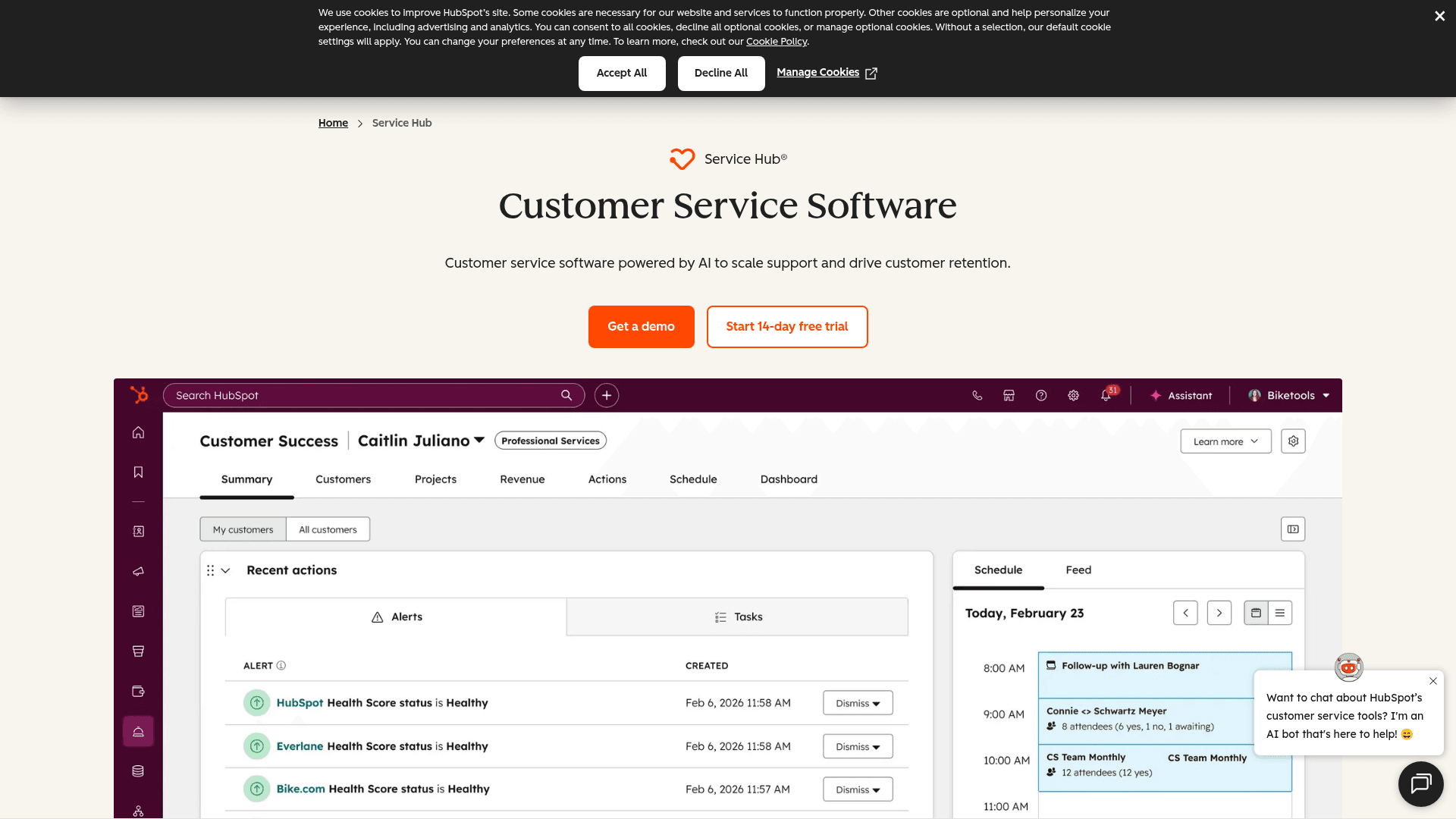
HubSpot Service Hub is a service desk built on top of HubSpot's CRM, and that's the entire reason to choose it. If your sales and marketing already run on HubSpot, putting support on the same customer record is a real advantage, every ticket comes with the full relationship history attached.
What it does
It's a ticketing and help desk workspace with a knowledge base, customer portal, live chat, and feedback surveys, all sitting on the HubSpot Smart CRM. Its Breeze Customer Agent is the AI layer, billed via HubSpot Credits at 50 credits per resolved conversation. There's a free tier and a 28-day unlimited Customer Agent promo if you buy a paid seat.
Pros
- One source of truth. Support, sales, and marketing share the same contact records.
- A real free tier for 2 users, with ticketing and live chat.
- Generous startup and nonprofit discounts if you qualify.
Cons
- Mandatory onboarding fees on the higher tiers: $1,500 one-time on Professional, $3,500 on Enterprise.
- The price jump to Professional is steep ($90/seat/month) once you need the Help Desk Workspace and Breeze.
- Only worth it if you're already on HubSpot, as a standalone helpdesk it's hard to justify the cost.
Pricing
Per seat, per month: Free ($0, 2 users), Starter (from $7/seat, $20 list), Professional (from $90/seat + $1,500 onboarding), Enterprise (from $150/seat + $3,500 onboarding). Breeze AI runs on HubSpot Credits at $9 per 1,000. Our take on whether the AI earns its keep is in Is HubSpot Service Hub AI worth it.
Our take
The math here is simple: already on HubSpot? It's a strong, low-friction add. Not on HubSpot? Skip it, because you'd be buying into an ecosystem for a helpdesk that's outclassed on price and simplicity by half this list. The onboarding fees alone make it a hard sell as a standalone choice for a lean startup.
9. Zendesk: the platform you grow into
Best for: startups confident they'll scale into a real support operation and want a platform that won't run out of room.

Zendesk is the most mature platform on this list, full stop. It's trusted by 22,000+ AI service teams, was named a Leader in the 2025 Gartner Magic Quadrant, and has a marketplace of 1,800+ apps. For a startup, it's the "we'll never outgrow this" option, with a price tag and complexity to match.
What it does
It's a complete customer service platform: ticketing, omnichannel messaging, voice, a knowledge base, QA, and workforce management, with AI agents and a per-role Copilot woven throughout. Following its Forethought acquisition, its AI agents are self-improving and can run on any platform. It's genuinely powerful, the customer NEXT reports a 92% one-touch resolution rate.
Pros
- The deepest feature set here. Whatever you need at scale, it has it.
- Massive integration ecosystem and a mature, reliable platform.
- A startup program that can knock down first-year cost (check the current terms, they've varied between a 6-month and a longer free window).
Cons
- The entry price has no AI. Support Team is $19/agent, but AI agents only appear at Suite Team ($55), nearly 3x the headline.
- Layered, easy-to-underestimate pricing, seat + $50/seat Copilot + per-resolution AI, is the classic surprise-bill pattern buyers complain about.
- Per-resolution AI billing is opaque and unpredictable for a lean team:
"From what I can see in regards to this new 'Automated Resolution' pricing model, we'll be paying about $1.50–$1.20 per resolution."
r/Zendesk, "Zendesk's new AR pricing model"
Pricing
Per agent, per month (annual): Support Team ($19, no AI), Suite Team ($55, first tier with AI agents), Suite Professional ($115, most popular), Suite Enterprise (custom). Copilot is a $50/agent add-on, and AI agents bill separately per Automated Resolution. Our Zendesk pricing breakdown digs into the gotchas.
Our take
Zendesk is the right call if you're confident you'll be a real support org soon and you'd rather buy the platform once than migrate twice. For most early-stage startups, though, it's more tool than you need at a price you'll feel, the entry plan has no AI, and the AI plans get expensive in a hurry. A common smart move: run a lighter helpdesk now, or add an AI agent on top of Zendesk when you're there, and grow into the full suite when the volume actually justifies it.
How to actually choose (without overthinking it)
Nine tools is a lot. Here's the shortcut we'd use to narrow it down in about thirty seconds:
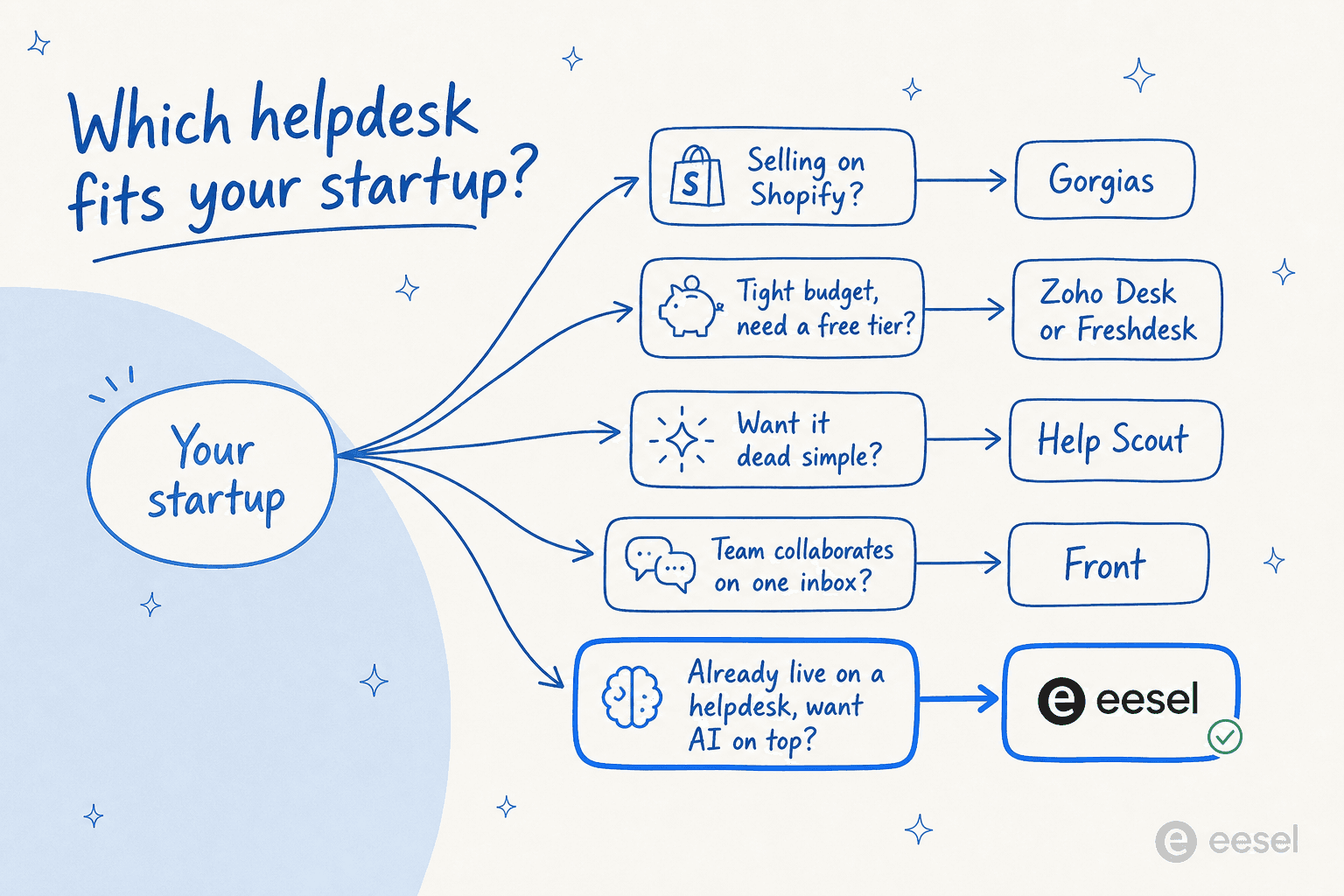
- Selling on Shopify? Start with Gorgias.
- Tightest possible budget? Freshdesk (free for 6 months) or Zoho Desk ($7/agent).
- Want it dead simple? Help Scout.
- Whole team works the same inbox? Front.
- Already on HubSpot? Service Hub.
- Want a fixed monthly bill? Crisp.
- Planning to scale into a contact center? Zendesk.
- Already have a helpdesk and drowning in repetitive tickets? Add eesel on top.
If you're still torn, our broader guides on helpdesk software for startups and helpdesk software for small business widen the field.
The part everyone gets wrong: the real monthly cost
We promised the math, so here it is. Take a typical seed-stage startup: 3 agents, 500 tickets a month, and you want AI to handle the repetitive stuff. Watch how differently the bill lands depending on the pricing model.
| Tool | What you'd pay (3 agents, ~500 tickets/mo, with AI) |
|---|---|
| Zoho Desk (Standard) | ~$42/mo seats; strong AI is Enterprise-only ($120/mo) |
| Freshdesk (Growth) | ~$57/mo seats + Freddy sessions on top |
| Help Scout (Standard) | ~$75/mo seats + ~$274 AI Answers (≈365 resolutions) ≈ $350/mo |
| Crisp (Essentials) | $95/mo flat, AI credits metered separately |
| eesel AI | $299/mo (500 credits, 1 per ticket), no seat fee |
| Zendesk (Suite Team + Copilot) | ~$165 seats + ~$150 Copilot + per-resolution AI = $300+/mo |
The shape of the bill, not the brand, is what bites:
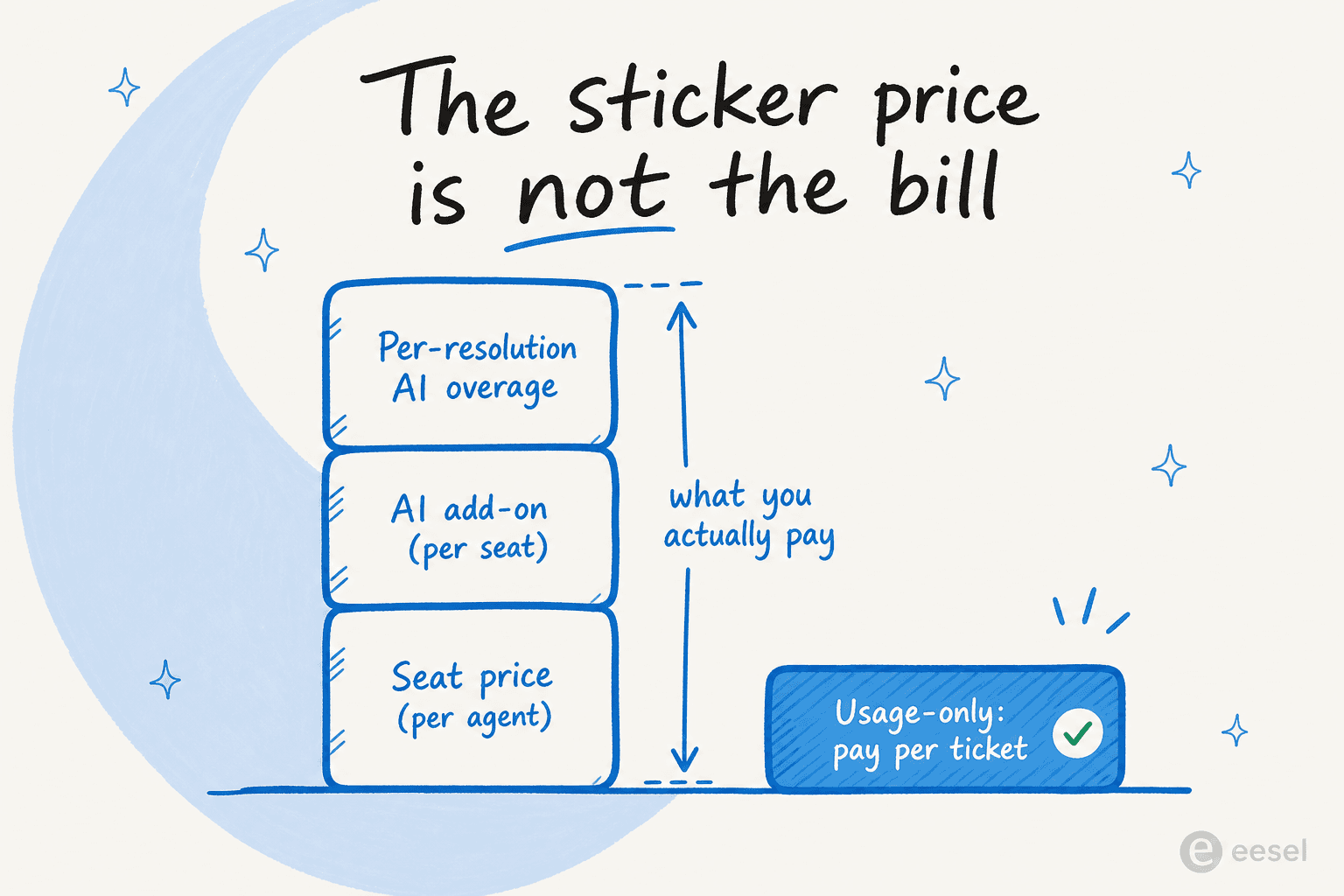
This is the single most common budgeting mistake we see. A "$19 helpdesk" with AI bolted on can quietly become a $300 helpdesk, because the seat fee, the per-seat AI add-on, and the per-resolution charge stack on top of each other. The teams that get burned hardest are the high-volume ones, exactly the startups whose support is working. We've heard from ops leads at scaling companies for whom per-interaction pricing was a flat non-starter against volume-based billing. It's worth reading our AI agent vs human agent cost breakdown before you sign anything.
The honest takeaway: if your volume is predictable and small, a flat or per-seat tool is fine. If it's spiky or growing, a credit plan sized to volume lets you step up as you grow instead of paying for every seat.
Try eesel
Whichever helpdesk you land on from this list, the repetitive tickets don't go away, they just move into a nicer inbox. eesel AI is the AI layer that plugs into Zendesk, Freshdesk, Zoho Desk, Gorgias, Front, or HubSpot and resolves that tier-1 volume for you, training on your past tickets and help docs so it sounds like your team from day one.

The differentiator for a startup is the simulation mode: before a single customer sees an AI reply, you run it against thousands of your real past tickets and see exactly what your resolution rate would be. No guessing, no risky go-live. With 100 free credits and a fixed monthly plan after that, you can prove it works on your own data before you commit. Try eesel and see your numbers in an afternoon.
Frequently Asked Questions
What is the best helpdesk tool for an early-stage startup?
How much does a startup helpdesk actually cost per month?
Is there a free helpdesk for startups?
Do I need an AI helpdesk, or can I add AI later?
What's the difference between per-seat and per-ticket helpdesk pricing?
Which helpdesk is best for a Shopify store?
Can a startup helpdesk scale with us as we grow?


Article by
Kira
Kira is a writer at eesel AI with a Computer Science background and over a year of hands-on experience evaluating AI-powered customer service tools. She focuses on breaking down how helpdesk platforms and AI agents actually work so that support teams can make better buying decisions.