


Let's be honest, running a support team these days is a juggling act. You've got sky-high customer expectations on one hand, a flood of questions from every direction on the other, and you're trying to keep your team from burning out right in the middle. It's a constant push and pull between speed, quality, and cost.
Tidio markets itself as the all-in-one platform to solve this problem, bundling live chat, a help desk, and AI into one neat package. But how good are its AI features when you actually put them to the test?
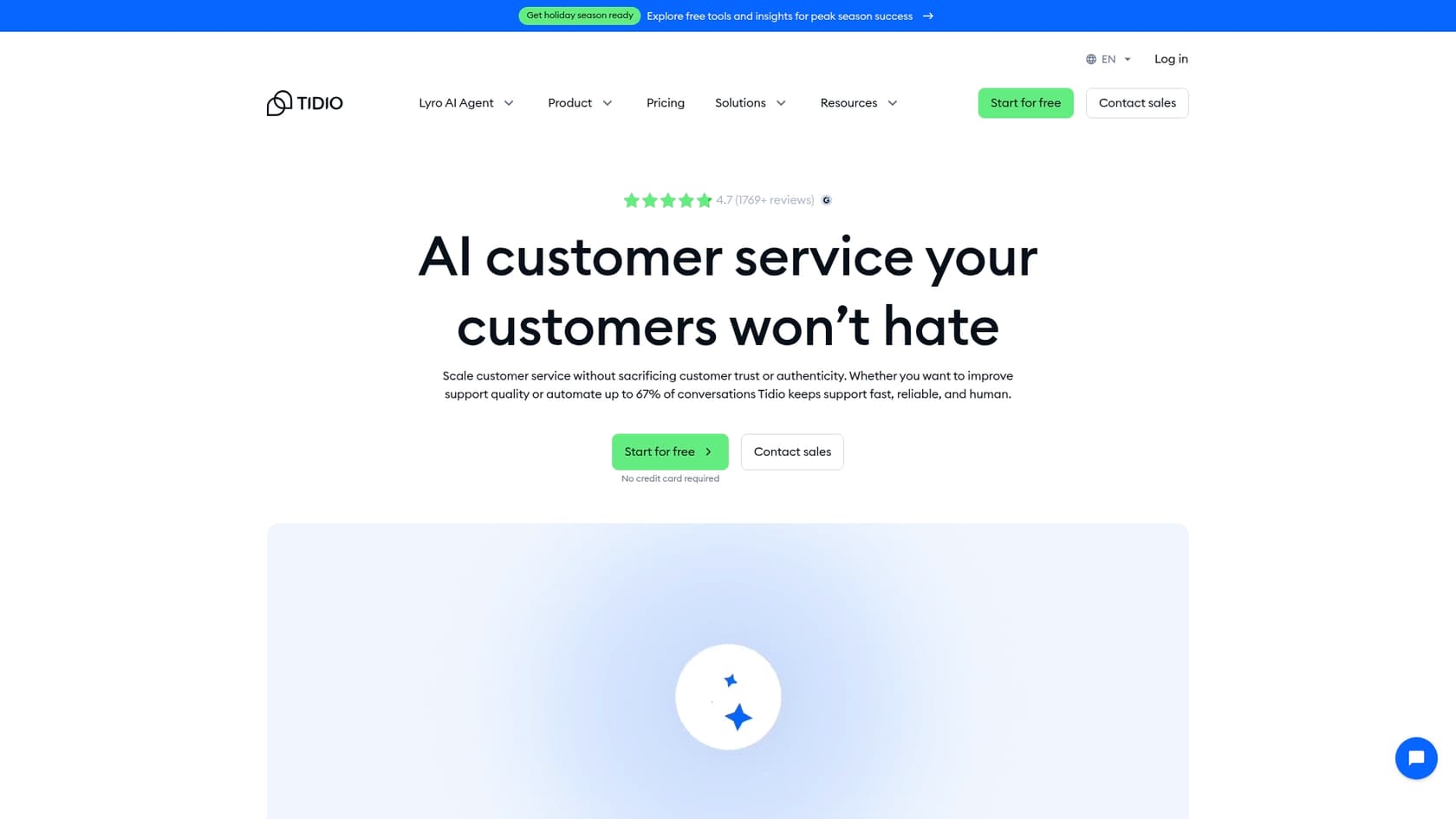
This guide is an honest, in-depth look at the Tidio AI features. We’ll break down what they are, how they work, what they cost, and, most importantly, the limitations you should know about before you decide to jump in.
What are the Tidio AI features?
Tidio doesn't just have one single AI tool. Instead, it splits its automation into two parts: a conversational AI agent for handling dynamic questions and a rule-based builder for more structured, predictable tasks.
Lyro: The conversational AI agent
First up is Lyro, Tidio's conversational AI. Think of it as the friendly bot that greets customers with unscripted, human-like answers. It’s powered by Claude, an AI model from Anthropic (not ChatGPT), and it has one very important rule: it only answers questions using the knowledge you give it. This is a big deal because it prevents the AI from going off-script and inventing answers, a notorious habit of some other AI tools. Lyro is your frontline defense for the random, unpredictable questions that customers throw your way.
Flows: The rule-based automation builder
Then there's Flows, Tidio's visual, no-code tool for setting up automated sequences. This isn't a conversational AI; it's more of a classic, rule-based chatbot. It follows a script you design, triggering actions based on what a user does. It's perfect for things like capturing leads, sending cart abandonment reminders, or asking a few qualifying questions before passing a customer to a human.
A deep dive into key Tidio AI features
Now that we've got the lay of the land with Lyro and Flows, let's get into the specifics of how they actually function within Tidio's platform.
Conversational support with the Lyro AI agent
Lyro is only as smart as the information you feed it. To get it up and running, you need to train it by pointing it to your FAQ page URLs, giving it a link to your help center, or manually uploading files with question-and-answer pairs. Once it's learned your material, it's ready to start chatting.
One of Lyro's best perks is its ability to work across different channels. You can set it up on your website's live chat, email, Instagram, and Messenger, and manage every single conversation from one Tidio inbox. This gives customers a consistent experience, no matter how they decide to get in touch.
And what happens when Lyro gets stuck? If it runs into a question it can't answer or a customer just straight-up asks for a person, it's designed to pass the conversation over smoothly. The chat gets transferred to a live agent who sees the entire AI conversation, so the customer doesn't have to repeat everything they just typed.
Proactive engagement with Tidio Flows
Tidio Flows is great for anyone who wants to build automations without touching a line of code. It uses a drag-and-drop builder and has a library of over 40 templates to get you started. These templates cover common situations in sales, support, and lead generation.
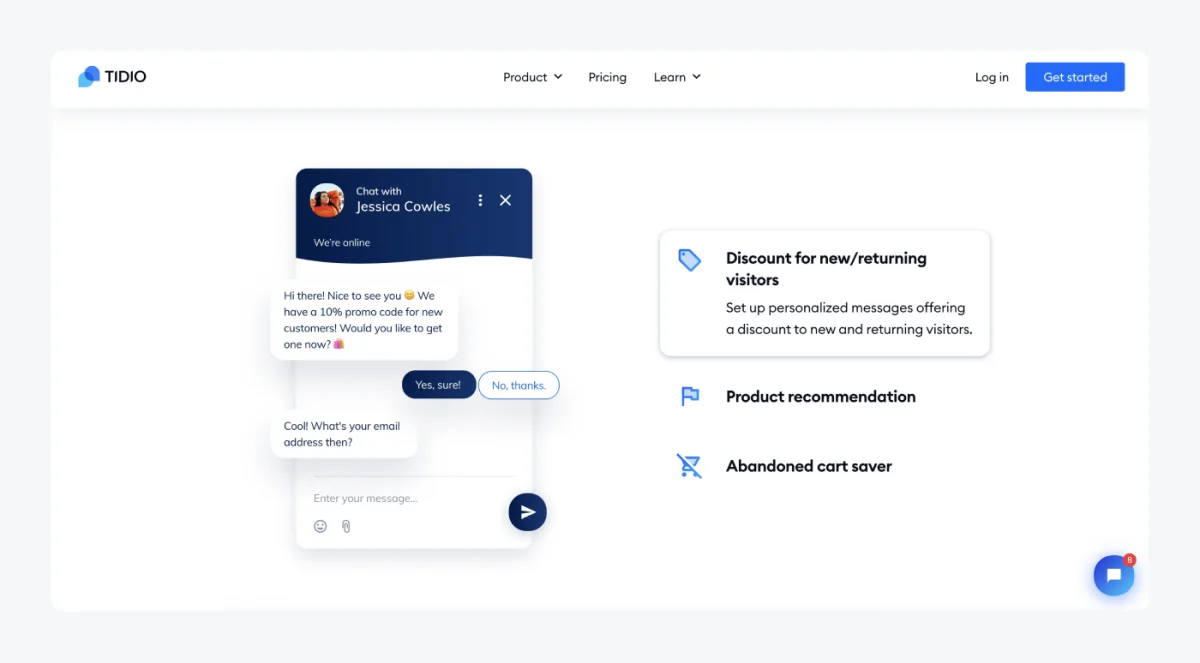
Here are a couple of ways you could use Flows:
-
Qualifying leads: You could build a Flow that greets new website visitors, asks a few questions (like company size or what they're looking for), and then automatically routes the promising leads to your sales team.
-
Shopify integration: Flows works really well with Shopify. You can create an automation that spots when a customer is about to leave your site with items in their cart and sends them a message with a discount to nudge them toward buying. You can also automate simple things like order status checks.
AI features within the help desk
Tidio’s AI isn't just for talking to customers; it's also built into its own help desk and ticketing system. This close connection allows for some useful internal automations. For example, any live chat or email can be turned into a ticket with a single click.
You can also let Lyro handle your email inbox. It will scan incoming messages and route them to the right person or department automatically. For repetitive email questions, Lyro can even draft and send a reply all on its own, treating the email just like any other support ticket.
Understanding integrations and omnichannel support
A support tool is only really useful if it can talk to your other systems. Tidio offers some integrations, but it’s built around an all-in-one philosophy that might not be a fit for every team.
Native and third-party app integrations
Tidio has direct, native integrations with popular platforms like Shopify, WordPress, and CRMs like HubSpot and Salesforce. These connections make sharing data and setting up automations fairly straightforward.
For many other tools, however, Tidio relies on its Zapier integration. While Zapier is a handy connector, making it a core part of your workflow can add another layer of complexity, another monthly bill, and another potential weak spot in your tech setup.
The challenge of an all-in-one ecosystem
Having everything in one platform sounds great on paper, but it can be a sticking point for teams that are already settled into a help desk they like, such as Zendesk or Intercom. Tidio does offer Lyro Connect to plug Lyro into an existing help desk without migrating, but that sits on the Plus and Premium plans. On the cheaper self-serve plans, Lyro runs inside Tidio’s own help desk, so for an established team, adding it means moving workflows and historical data across.
This is where a different approach to AI really shines. Platforms like eesel AI are designed to be add-ons, not replacements. They plug right into the tools you're already using, giving them a serious AI boost without forcing you to abandon a setup that already works for your team.
Pricing and limitations
Tidio's pricing can be a little tricky to wrap your head around because it's sold in pieces that you usually need to combine. Let's break down the model and some of the key limitations to be aware of.
Understanding the pricing model
To get the full AI support experience from Tidio, you'll likely need to subscribe to a few different plans at once. The cost is split into three main buckets: the AI agent, the automation builder, and the seats for your human agents. Each one is billed differently, which can make it tough to guess what your monthly bill will look like.
| Plan Component | Starting Price (Annual) | What It Includes | Billing Metric |
|---|---|---|---|
| Lyro AI Agent | $32.50/mo | Conversational AI support | Per 50 Lyro AI conversations |
| Flows | $24.17/mo | Rule-based chatbot automation | Per 2,000 visitors reached |
| Customer Service | $24.17/mo (Starter) | Live Chat & Ticketing for agents | Per 100 "Billable conversations" (human replies) |
Pricing info comes from Tidio's official pricing page.
Key limitations to consider
Before you sign on the dotted line, it's worth thinking about some of Tidio's built-in limitations, especially if you already have a support team in place.
-
The platform migration barrier: Tidio does have Lyro Connect, which plugs Lyro into an existing help desk like Zendesk or Salesforce without migrating, but it's limited to the Plus and Premium plans. On the Free, Starter, and Growth plans, Lyro runs inside Tidio's own help desk, so adding AI to an existing setup means moving your support stack over.
-
Manual knowledge training: Lyro’s brain is limited to the URLs and Q&As you feed it. It can't learn from your team's past support tickets on its own. This means you'll spend a lot of time upfront building its knowledge base, and it misses out on all the rich context sitting in your past conversations.
-
Lack of robust simulation: Tidio has a "Playground" where you can test one-off questions, but it doesn't have a way to simulate how the AI would handle thousands of your past tickets. This makes it almost impossible to predict your actual automation rate, find gaps in its knowledge, or calculate the ROI before you go live.
This is where tools built differently, like eesel AI, come into the picture. They're made to tackle these exact problems. The eesel AI Agent connects to your current help desk in minutes, learns from your past tickets automatically to get the hang of your business, and has a simulation mode that lets you test its performance on your real data, completely risk-free.
The verdict: Are Tidio AI features right for your team?
Tidio is a solid all-in-one platform that could be a fantastic choice for small to medium-sized businesses, especially in e-commerce, that are starting their customer service setup from scratch. If you want a single system for chat, tickets, and automation and are ready to move your workflows over, Tidio is definitely worth a look.
But its all-or-nothing model makes it a difficult choice for companies that are already happy with their current help desk. The manual training process is a heavy lift, and without a real simulation feature, you're essentially taking a shot in the dark on how well it will perform.
If you’re looking to improve your current support setup with powerful AI and want to skip the migration nightmare, you should probably look at more flexible options.
Supercharge your existing help desk with eesel AI
If you like your current help desk and just want to add powerful AI automation on top, Tidio probably isn't the tool for you. You need something that works with you, not against you.
eesel AI is built for teams who want to keep the tools and workflows they already have. It connects seamlessly with the help desks you already use, like Zendesk, Freshdesk, and Intercom, giving your team AI superpowers without disrupting a thing.
With eesel AI, you can:
-
Integrate in minutes: Go live quickly without a painful migration project.
-
Learn from your real data: The AI automatically trains on your past tickets and knowledge bases to give accurate, context-aware answers right away.
-
Test with confidence: Use the simulation mode to see your potential automation rate and ROI before you turn anything on for your customers.
Ready to see how you can automate up to 70% of your support tickets without changing your workflow? Explore the eesel AI Agent or book a demo to see it in action.
Frequently asked questions
Could you explain what the main Tidio AI features are that Tidio provides?
Tidio primarily offers two AI features: Lyro, a conversational AI agent that provides human-like, unscripted answers, and Flows, a rule-based automation builder for structured tasks like lead qualification or cart abandonment reminders. These tools work together to automate different aspects of customer interaction.
How does Lyro, as one of the key Tidio AI features, get trained to answer customer questions?
Lyro learns from the information you feed it, which can include your FAQ page URLs, help center links, or manually uploaded files containing question-and-answer pairs. It is designed to strictly use this provided knowledge to prevent it from generating inaccurate or off-script responses.
If I already have a help desk, can I easily add the Tidio AI features to it?
You can add Lyro to an existing help desk like Zendesk, Intercom, or Salesforce without migrating, through Tidio's Lyro Connect. That option is limited to the Plus and Premium plans, though. On the Free, Starter, and Growth plans, Lyro runs inside Tidio's own help desk, so using it alongside another system means moving your support there.
What are some of the key limitations to be aware of when evaluating Tidio AI features for my team?
Key limitations include a manual knowledge training process for Lyro and a lack of robust simulation tools. Adding Lyro to another help desk without migrating is also possible only on the Plus and Premium plans, through Lyro Connect. The absence of a deep simulation mode makes it difficult to accurately predict automation rates or ROI before going live.
How is the pricing typically structured for the various Tidio AI features like Lyro and Flows?
Tidio's pricing model is split into separate components: the Lyro AI Agent is billed per conversation, Flows is billed per visitors reached, and human agent seats (Customer Service) are billed per "billable conversation." This means you often need to combine multiple plans to get a comprehensive AI support experience.
For what type of business would the Tidio AI features be the most suitable solution?
The Tidio AI features are most suitable for small to medium-sized businesses, particularly in e-commerce, that are either building their customer service setup from scratch or are ready to completely migrate their existing support operations to an all-in-one platform.