

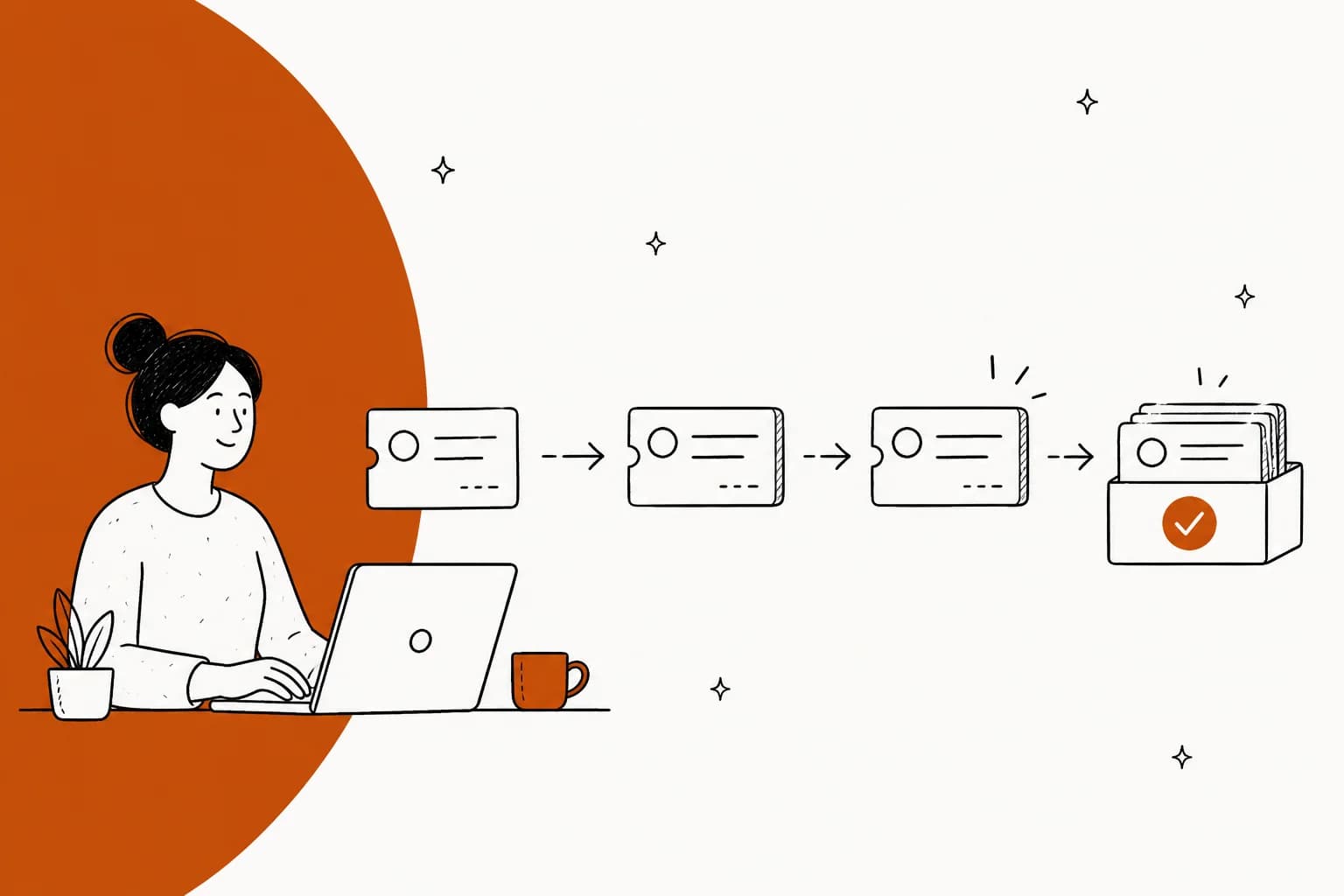
A helpdesk ticketing system is four layers wearing one logo: intake (email, chat, portal, voice), the ticket record itself, routing and SLA timers, then reporting plus a knowledge base. Buyers compare layer one and get billed on layers three and four. Custom reports start at $115 an agent on Zendesk and do not exist at any price in Help Scout, while Gorgias ships every dashboard on every plan.
The second surprise is the AI meter bolted on top. Freshdesk bills a session even when the bot fails, Gorgias bills $0.85 to $1.00 per automated interaction depending on plan, Jira counts a conversation the moment it matches an intent (escalations included), and Zendesk only bills a resolution its own model verified but publishes no rate for it. Same 1,000 tickets, five different invoices.
I work the support queue at eesel, and the thing I would check before signing anything: run the AI you are considering against your own last three months of tickets before it touches a live customer. We do that on every rollout because we have watched a bot invent answers when the knowledge base had nothing to match, at a paying customer, to real people. If you want the short version of what a good layer does, Gridwise resolved 73% of tier-1 requests in its first month on top of the Zendesk it already had, on a plan that starts at $299/month for 500 credits.
What a helpdesk ticketing system actually is
Strip the marketing away and a helpdesk ticketing system does one job: it takes a message that arrived in a mailbox and turns it into a record with a status, an owner, a priority and a clock. That record is what stops the "did anyone reply to this?" conversation.
Everything else stacks on top of it in four layers.
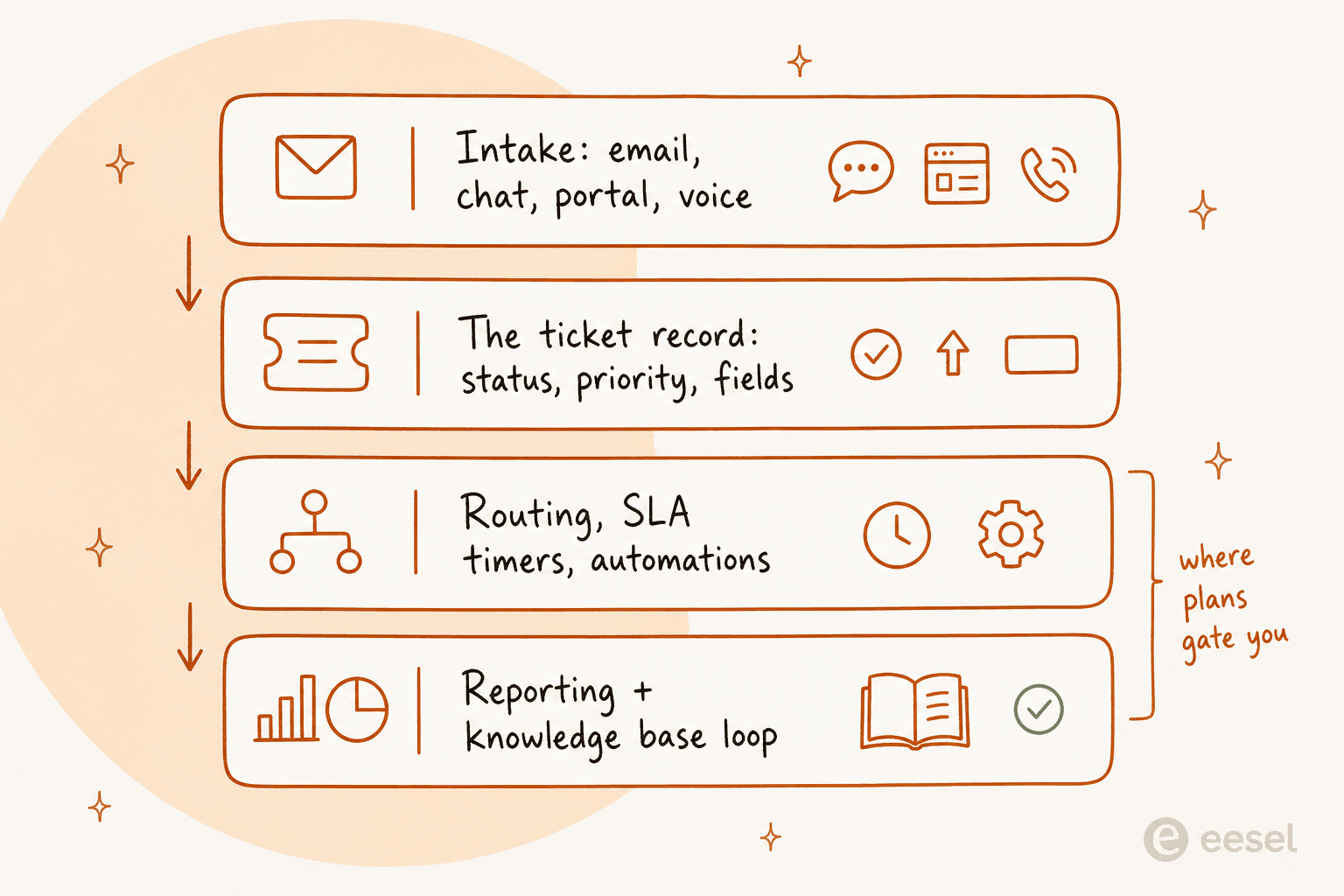
The layers matter because vendors sell you on the first one and charge you on the last two. Intake demos beautifully. Reporting is where you find out that the number your boss asks for every Monday needs a plan two tiers up.
| Layer | What it does | Where it usually bites |
|---|---|---|
| Intake | Email, chat widget, portal, voice, social | Channel add-ons billed separately (Gorgias Voice from $25/mo, SMS from $17/mo) |
| Ticket record | Status, priority, type, custom fields | Every vendor models "solved" and "closed" differently |
| Routing and SLAs | Assignment rules, business hours, timers | SLA segmentation and calendars are mid-tier features |
| Reporting and knowledge | Dashboards, exports, help centre, AI | Custom reports gated; AI metered per unit |
If you only need layer one, you do not need a ticketing system. You need a shared inbox, and it will be cheaper.
The ticket record is where vendors quietly disagree
This is the part nobody reads until a report looks wrong. "Open" is not a universal concept, and neither is "closed".
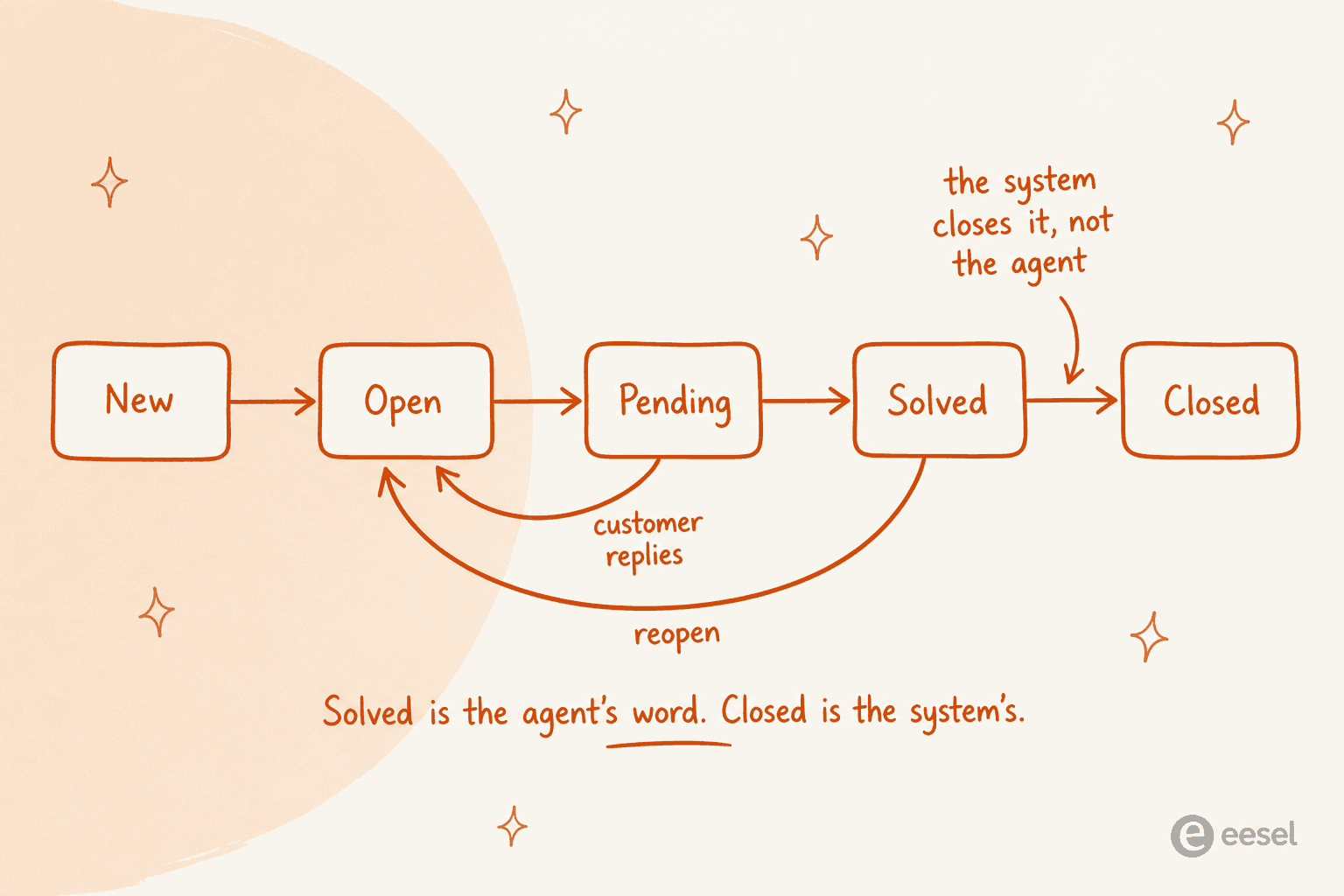
Zendesk ships six standard statuses (New, Open, Pending, On-hold, Solved, Closed) and hides some sharp edges in the ticket lifecycle docs. New is a one-way door: once you move off it you cannot move back. On-hold is invisible to the customer, who keeps seeing "Open". And agents cannot close a ticket at all, since "Tickets can't manually be set to Closed" and an automation does it four days after solve. Turn those automations off and the ceiling is 28 days, a rule that "can't be changed and any business rules created to close tickets longer than 28 days won't be honored".

Freshdesk keeps four undeletable statuses and draws the line by whose opinion counts. Resolved means "the ticket is completed according to the agent"; Closed means "the ticket is completed according to the customer", per the Freshdesk field docs. Custom status choices need Growth or higher, and priority "cannot be edited and is hard-coded into our systems because it is directly tied to the SLA Policies functionality".
Jira Service Management splits the axis differently again: status says where the work is, resolution says how it ended, and its request-type-on-work-type stacking means "one request type can only be connected to one work type at a time". HubSpot does not really have a status field at all, since "for tickets, pipeline stages are called statuses by default, but they are the same as other object stages".
| Platform | Status model | Who closes the ticket |
|---|---|---|
| Zendesk | 6 standard, up to 100 custom (10 shown in picker) | Automation, 4 days after solve |
| Freshdesk | 4 fixed, custom choices from Growth | Customer, or auto after 72 hours |
| Jira Service Management | Status plus a separate resolution field | Agent sets resolution |
| HubSpot Service Hub | Pipeline stages, 4 by default | Stage move, close date clears on reopen |
| Zoho Desk | Configurable per department | Agent or workflow |
Why care? Because your backlog number is made of these definitions, and it lies more often than you think.
"I was going through our queue today and found 90 tickets where we responded, asked for more information from the customer but then never heard back from them. They just sit there inflating our numbers and that honestly doesn't look good for management. We have been called before for unresolved open tickets so this is a big deal."

Ninety of two hundred "open" tickets were waiting on a silent customer. One IT manager in a neighbouring thread got a cleaner result from a single rule, writing in r/ITManagers that auto-closing tickets older than five days "instantly reduced one group's backlog by 54%". Before buying anything new, check whether your problem is volume or ticket hygiene.
Routing, priority and SLAs
Layer three is the one that quietly decides whether agents trust the queue. Three things to get right.
Assignment. Round robin is fine until skills matter. Once you have a billing specialist and a returns specialist, you want rules that route by intent, not by whoever is next in line. Zendesk covers this in ticket routing, and ecommerce teams usually end up on intent-based routing sooner than they expect.
Priority. Four values is the norm (Low, Normal, High, Urgent in Zendesk; Low, Medium, High, Urgent in Freshdesk). The temptation is to let requesters set it themselves. Don't.
"Dealt with this decades ago. It was scrapped quickly because as you might imagine it was abused to death. It really didn't bother me though. I still got the same number of tickets and just slogged through them. When people got mad because we were missing SLAs we just replied there was nothing we could do now that all tickets were priority."
That comment sits at 371 upvotes, which tells you how universal it is. Priority is a routing input, so it belongs to the system or the agent.
SLA timers. Two traps here. The first is that Zendesk ties SLAs to the priority field, so "If you deactivate the Priority field, Zendesk SLA targets will not apply". The second is plan gating: Freshdesk shows an SLA report on all four plans, but multiple SLA policies is a Pro feature, so on Growth you can measure one policy and not segment it. Zoho Desk lets you set SLAs on Standard at $14 and does not give you SLA dashboards until Professional at $23. Our SLA management guide and Zendesk SLA policies walkthrough go deeper.
One more thing worth knowing before you promise anyone 24/7: in most support contracts, round-the-clock coverage applies to the top severity only. Atlassian's own support offerings put L1 issues on 24/5 with everything below in business hours.
Self-service, and why deflection numbers disappoint
Every ticketing system ships a help centre, and every vendor deck implies it will absorb a third of your volume. The research says otherwise. HDI's write-up of MetricNet's benchmarking database puts the average self-service completion rate at 10.4%, from a low of zero to a high of 55%, and notes that most self-resolved incidents are password resets.
There is a second-order effect people miss. Deflection removes the easy tickets first, so "the average complexity and the average handle time of the incidents that continue to be handled by live agents will increase". Your cost per remaining ticket goes up even when total cost goes down.
The knowledge base itself is the usual bottleneck, and not for technical reasons.
"I run a small team, and we have an internal wiki for processes, FAQs, and troubleshooting. The problem? No one updates it. People keep asking the same questions in Slack instead of checking the wiki."
This is exactly where AI on top of a helpdesk goes wrong if nobody is careful. When retrieval comes back empty, a language model will happily fill the gap. We have watched it happen to paying customers, including a Danish solar-energy provider whose bot fabricated subscription claims and sent them to real people. That incident is why every eesel rollout now runs against historical tickets first, and why we care so much about preventing hallucinations and confidence-based handoff. A bot that says nothing is recoverable. A bot that invents a refund policy is not.
Practical order of operations: fix the knowledge base and your macros first, then point AI at them. Training AI on a knowledge base works about as well as the base underneath it.
What it actually costs
Seats first, because that is the number in every comparison table. These are annual list prices captured from each vendor's own pricing page.
| Platform | Entry plan | Mid plan | Top published plan | Billing unit |
|---|---|---|---|---|
| Zoho Desk | Free (3 users) | Standard $14/user/mo | Enterprise $40/user/mo | Per user |
| Freshdesk | Growth $19/agent/mo | Pro $55/agent/mo | Enterprise $89/agent/mo | Per agent |
| Help Scout | Free (5 users) | Standard $25/user/mo | Pro $75/user/mo (10 seat min) | Per user |
| Zendesk | Support Team $19/agent/mo | Suite Team $55/agent/mo | Suite Professional $115/agent/mo | Per agent |
| HubSpot Service Hub | Free (2 users) | Professional $90/seat/mo | Enterprise $150/seat/mo | Per seat plus onboarding |
| Gorgias | Starter $40/mo | Pro $471/mo annual | Advanced $1,227/mo annual | Per ticket, seats free |
| Jira Service Management | Free (1-3 agents) | Standard $25/agent/mo | Premium $57.30/agent/mo | Per agent, sold in Service Collection |
Three notes that cost real money. Zendesk's Copilot add-on is another $50 per agent per month, so Suite Professional with Copilot is $165 an agent. HubSpot charges a one-time onboarding fee of $1,500 on Professional and $3,500 on Enterprise. And Jira Service Management is no longer sold on its own: the licensing page states the Service Collection "is sold as a single offering, including Jira Service Management, Customer Service Management, Assets, and Rovo. The apps cannot be purchased separately".
The AI meter is a separate bill, and everyone counts differently
This is the part I would slow down on. Every platform now has an AI layer, and almost none of them bill the same event.
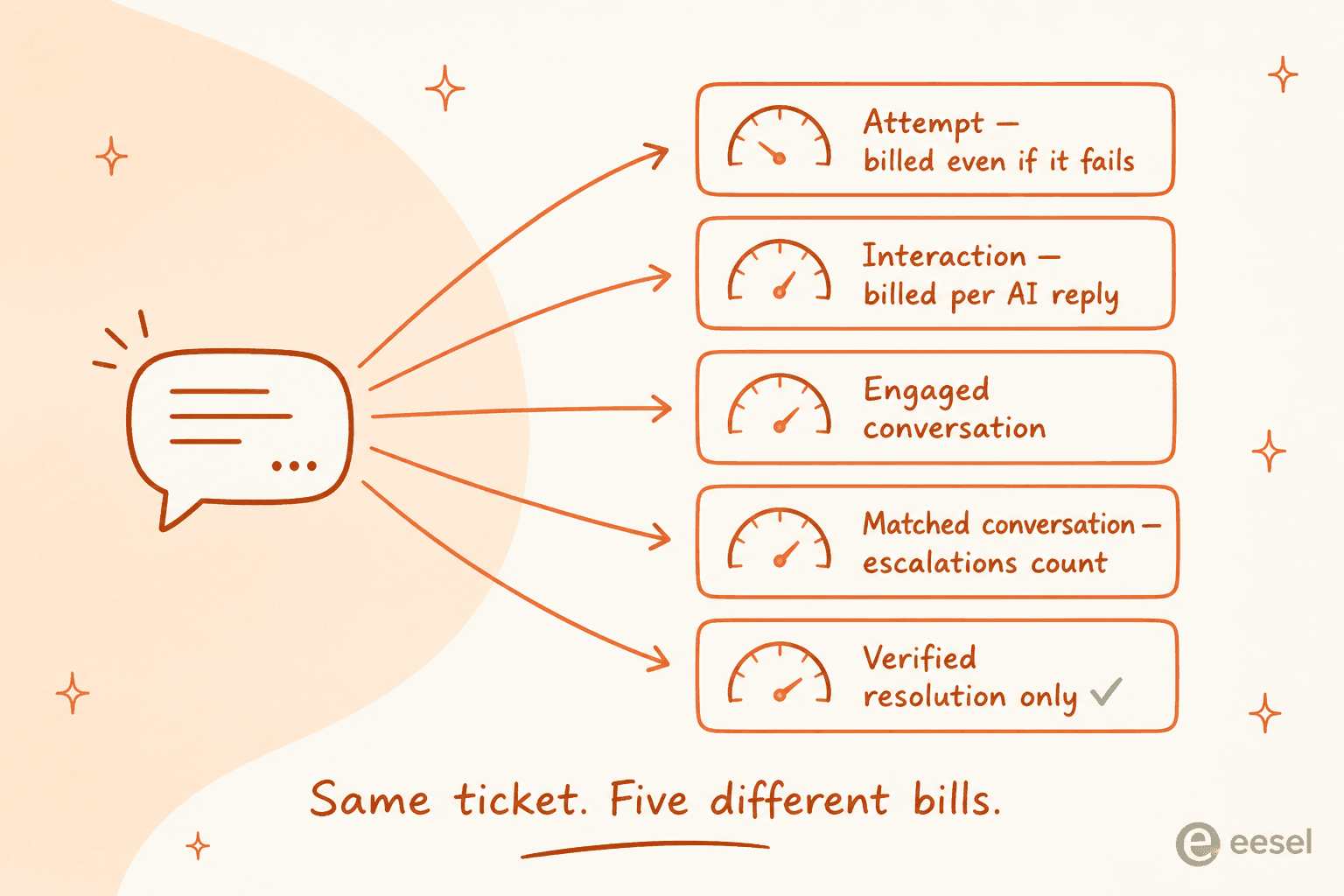
| Platform | Unit | Rate | Does a failed attempt bill? |
|---|---|---|---|
| Freshdesk Freddy | Session (24h window) | $49 per 100 after the first 500 (included once per account) | Yes |
| Gorgias | Automated interaction | $0.85 to $1.00 each, by plan | Yes |
| Jira virtual agent | Assisted conversation | from $0.30 | Yes, matched intents count |
| Kustomer | Engaged conversation | $0.60 | Yes |
| HubSpot | 50 credits per resolution | $9 per 1,000 credits | No |
| Help Scout | AI Answers resolution | $0.75 | No |
| Zendesk | Verified resolution | Not published | No |
| eesel | Credit (1 per ticket or chat) | From $299/mo for 500 credits (about $0.60 each) | Only tickets the agent works on |
Freshworks is explicit that a session is all interactions in a 24-hour window, so Freddy bills the attempt, not the outcome. Atlassian's assisted conversation counts "any conversation that was matched to an intent, regardless of whether the virtual service agent resolves the issue or escalates it". Help Scout is at the strict end: a resolution does not count if the customer escalates, searches the knowledge base, asks another question, or clicks "I still need help".
Zendesk rebuilt its model on 18 May 2026 into three tiers: assisted escalation (not billed), contained resolution (not billed), verified resolution (billed). Fairer than what came before, which people were blunt about:
"Complete trash lol, stuff I used to get free now counts as an AR. Most of the ARs are abandoned chats. There's no dispute resolution process. Complete scam. I used to like Zendesk but since trying the new bot and now this I have little good will left"
The grievance there is the definition, not the price. Which is the whole point of this section: ask what counts before you ask what it costs. Plug your own numbers in below.
At 1,000 tickets with 40% routed to AI, the spread between the cheapest and the most expensive published meter is roughly five times, for identical work. That is the number worth taking into a renewal call.
Reporting is the layer nobody demos properly
Every vendor shows you a dashboard. Ask a sharper question: can I build a report nobody has built for me, and can I get the raw rows out?
| Platform | Custom report builder starts at | Raw export |
|---|---|---|
| Gorgias | All plans | CSV on all plans |
| Zoho Desk | Standard $14/user/mo (50 report cap) | Uncapped from Standard |
| Freshdesk | Pro $55/agent/mo | Pro and Enterprise only |
| HubSpot | Professional $90/seat/mo | Pro, refreshes every ~2 hours |
| Zendesk | Suite Professional $115/agent/mo | UI export needs support to enable it |
| Front | Enterprise $105/seat/mo | Enterprise |
| Help Scout | Not available at any price | API, Zapier, or a third-party tool |
Help Scout is refreshingly honest about it. Asked whether you can build your own reports, the docs answer "Not in the app. While we offer lots of filters, there isn't a way to customize how calculations are performed nor is there an option to build custom reports based on custom data sets". The "custom reports" row on the pricing page means saved filter views.
Having the builder is not the same as being able to use it, either.
"I have never found anything as complex as Zendesk explore.
I've worked with ThoughtSpot building dashboards, reports and exports but omg Zendesk, you are taking so much of my time!!!!!!!!
I have recently moved jobs where I worked with the platform Dixa and at my new job, I launched Zendesk - I have the most basic set up on Zendesk ever but the Explore setup is BREAKING ME."
And when the builder loses, the spreadsheet wins:
"The reports and automations can be somewhat difficult to navigate. We ended up just exporting all of our tickets every month and creating our own reports through Power query in Excel."

A director rebuilding reports in Excel every month is a real line item. Price that time when you compare Zendesk reporting against a cheaper tool with a plainer report set.
Two Zendesk timing details to diary if you are on Explore: live dashboards are limited to accounts that accessed Explore before 5 May 2026, and on 25 January 2027 prebuilt live dashboards and the ability to create live dashboards are removed from Explore entirely. The replacement real-time dashboards keep the Professional gate and cap historical lookback at 30 days.
Hosting, residency and uptime
Three quick checks that only matter when they matter, and then they matter a lot.
Where the data lives. Help Scout is US-only, per its security page. Freshdesk lets you pick from five regions but only at signup, and moving later is an email ticket with no published migration SLA. Zendesk's Data Center Location add-on is free on Suite Professional and above but is "included but not automatically activated", and until it is on, Zendesk "may move the account data of customers who do not have or have not activated the Data Center Location add-on between regions without notice".
What uptime you actually contracted. Zendesk's 99.9% attaches to Premier Support only, and covers five products (Support, Knowledge, Community, Chat, Sunshine Conversations), not Explore or Talk. Freshworks, Help Scout, Front and Gorgias publish no uptime percentage at all. Zoho commits to 99.9% company-wide, which it works out to roughly 43.8 minutes of downtime a month.
What happens when you leave. Export quality decides how much of your history survives a migration, and it is usually worse than expected.
"I have exported my historical tickets to XML but not going to work. First my tickets are a mess. They are not properly organized, tagged, or anything. Lot of the info chatGPT would need to understand is in custom fields which are not labeled in any export."
Unlabelled custom fields in the export are also why past-ticket AI training stalls after a migration. Worth testing an export before you commit, not after.
How to tell you have outgrown yours
The honest signal is not volume. It is when four separate things annoy you at once.
"Zendesk is very configurable, though I struggle to think of what I like about Zendesk. I found the reporting tool in particular to be very difficult to use. Their AI offerings felt bolted on versus integrated, and their integrations didn't work particularly well. Support was not timely. Pricing was not competitive. This is why we moved to another tool."

Before you start a migration project, though, run the cheaper test. Most teams I speak to do not have a ticketing system problem, they have a tier-1 volume problem. MetricNet's cost data explains why that distinction is worth money: net first level resolution averages 74.3%, and the escalation ladder is cumulative, so a ticket logged at level 1 and pushed to level 2 costs "$62 plus $22, for a total of $84" in the HDI/MetricNet figures. Every ticket you keep at level 1 is the cheapest win available.
That is usually an AI layer question, not a replatform question. And the bar for that layer is not "does it answer", it is "does it know when to stop", which is exactly how one CX lead at a supplements brand running 7,000 tickets a month put it to us: "I need an AI who is only handling the tickets that it's confident to handle and all the other ones, leave them alone". We did not win that deal at the time. The requirement was right.
Try eesel on the helpdesk you already have
eesel is the AI layer that sits on top of your existing helpdesk ticketing system instead of replacing it. It reads your past tickets, macros and help centre, then drafts or fully resolves inside Zendesk, Freshdesk, Gorgias, Front or Jira Service Management, with no migration and no new tool for agents to learn.

Two things make it different in the context of everything above. First, the meter: 1 credit per ticket or chat, on a fixed monthly plan from $299 for 500 credits, with no per-seat fee and no platform fee, and only tickets the agent actually works on count, so sending 200 of 1,000 tickets to AI fits inside the 500-credit plan. Second, every rollout starts as a simulation against your own historical tickets, so you see the resolution rate and the mistakes before a customer does. That habit came from watching a bot invent answers in production, and it is why I would rather show you an unflattering number in a trial than a flattering one in a deck.
Free to try, and it runs on your queue rather than a demo one.
