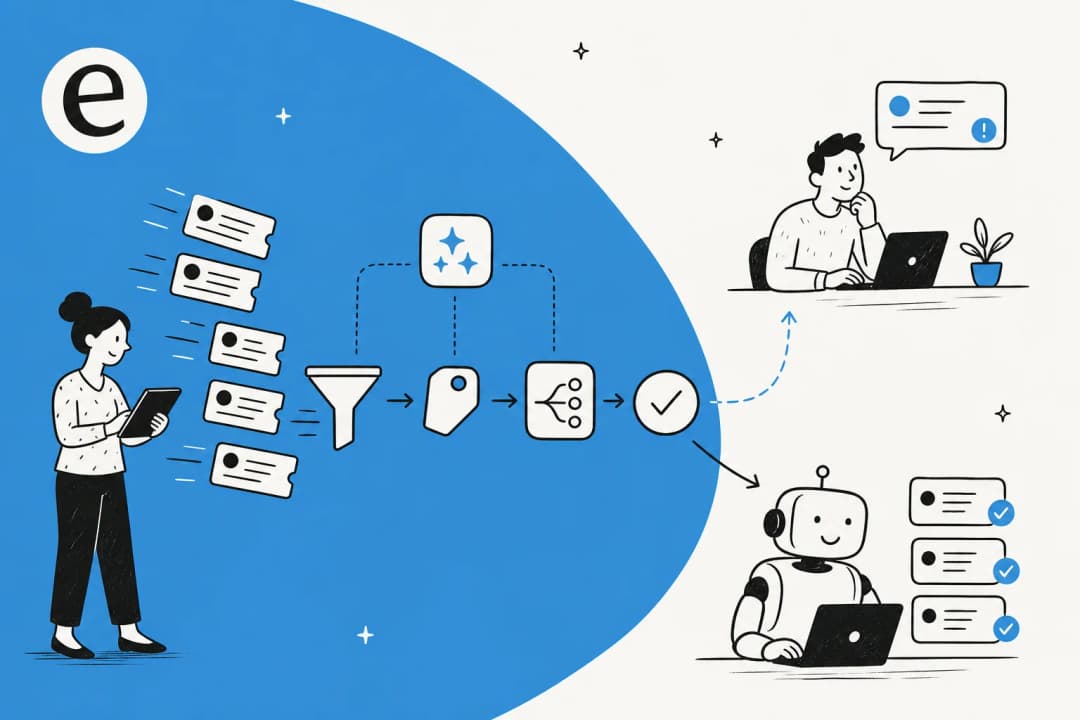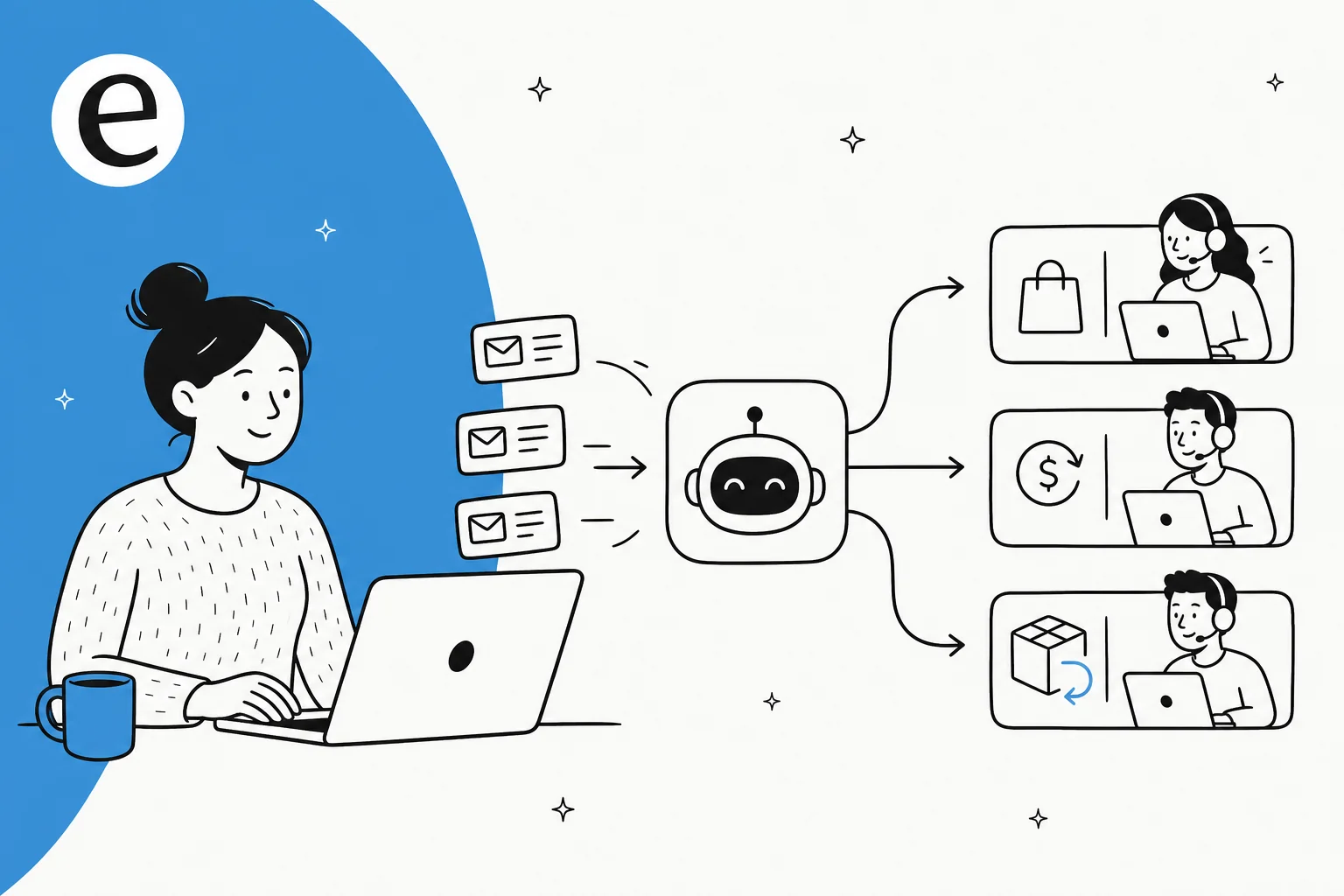
What ticket routing actually means for an ecommerce store
Routing is the unglamorous decision that happens before anyone helps a customer: who (or what) should handle this ticket, and how urgent is it? In a generic support setup that's a question of skills and queues. In ecommerce it's mostly a question of order data.
Here's why ecommerce is its own animal. The single largest category of tickets you get isn't a complaint or a bug, it's a shopper asking where their package is. Shopify's own merchant research puts "where is my order?" at about 42% of tickets for stores doing over $1M in sales, and the share climbs during peak season. Those WISMO tickets are repetitive, time-sensitive, and almost entirely answerable from data you already have. Add returns, refunds, cancellations, address changes, and subscription edits, and a huge slice of your queue is the same handful of intents, over and over.
That's the opportunity. When most of your volume is predictable, routing stops being a nice-to-have and becomes the lever that decides whether your team spends its day on tracking-number copy-paste or on the genuinely hard tickets. One ops lead I worked with at a multi-brand store, handling more than 500 tickets a day across dozens of countries, put it plainly: refunds, unsubscribes, and order tracking were swallowing the queue. None of those needed a human. They needed routing.
How AI ticket routing actually works
Older routing is a set of deterministic rules: if the subject contains "refund," send it to the refunds queue; round-robin everything else. It works until a customer writes "I want my money back" instead of "refund," or packs three issues into one email. Keyword matching has no idea what the message means, so it stalls.
AI routing reads the whole ticket the way a human would, then makes a sequence of decisions in under a second. Roughly:
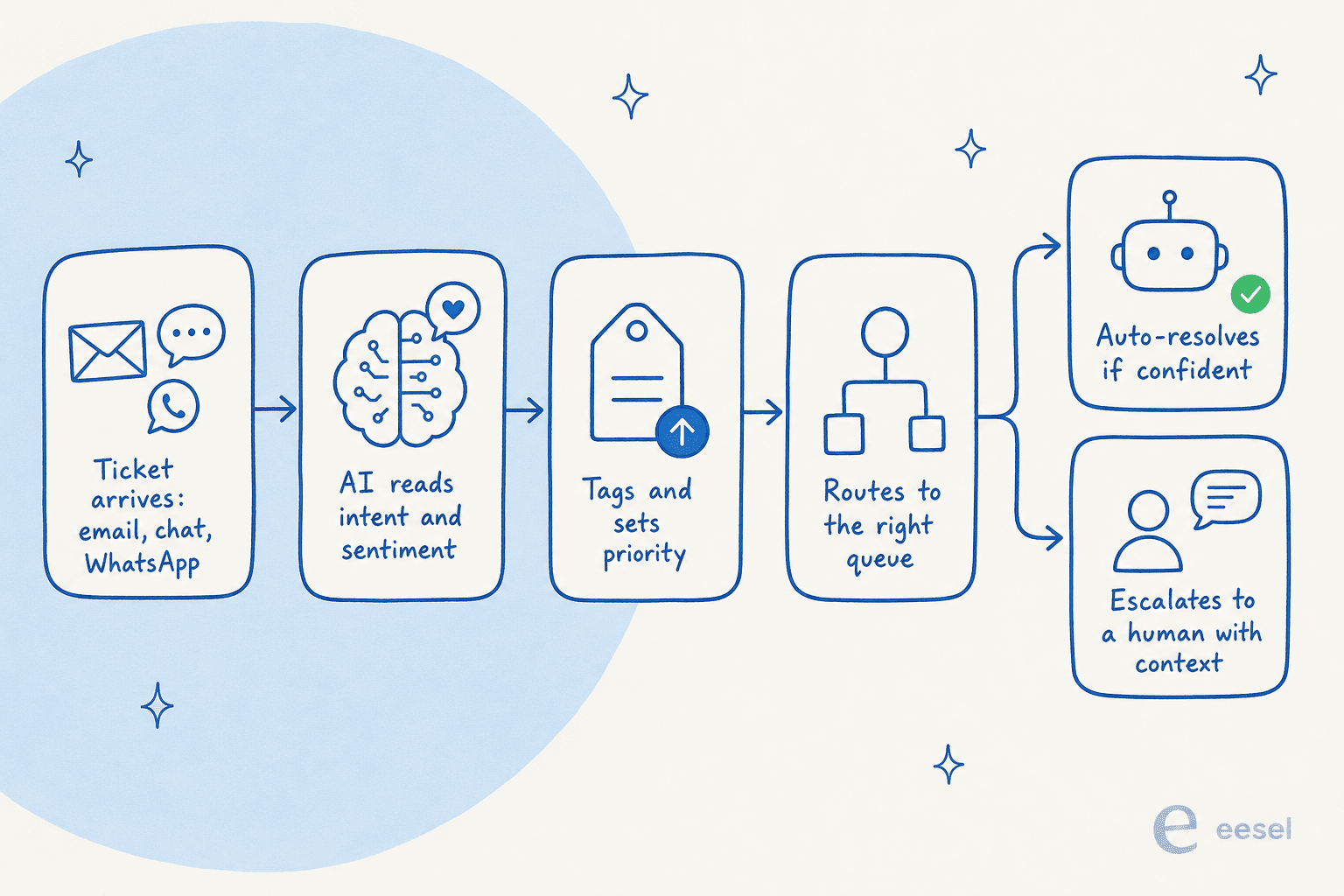
- Intake. Every channel (email, live chat, web form, WhatsApp, Instagram) lands as one normalized ticket, so routing doesn't care where the message came from.
- Intent and sentiment. The model reads what the customer wants and how they feel. "Locked out and my order ships tomorrow" gets read as order-edit, high urgency, even with zero matching keywords. This is ticket classification doing the heavy lifting.
- Tagging. It applies the tags your taxonomy expects (issue type, product area, urgency, customer tier). Consistent tags matter more than they look: routing, reporting, and SLA timers all run on top of them. Our guide to AI ticket tagging goes deeper.
- Routing. Based on intent, urgency, language, and customer tier, the ticket goes to the right queue, team, or agent, or straight to an automated answer.
- Resolve or escalate. If the AI is confident and has the data, it answers. If not, it hands off to a human with its reasoning attached.
The mental shift is from matching strings to reading meaning. That's also why ticket triage gets noticeably more accurate when you move it off rules and onto a model that's seen your real ticket history.
The ecommerce-specific part: routing needs live order data
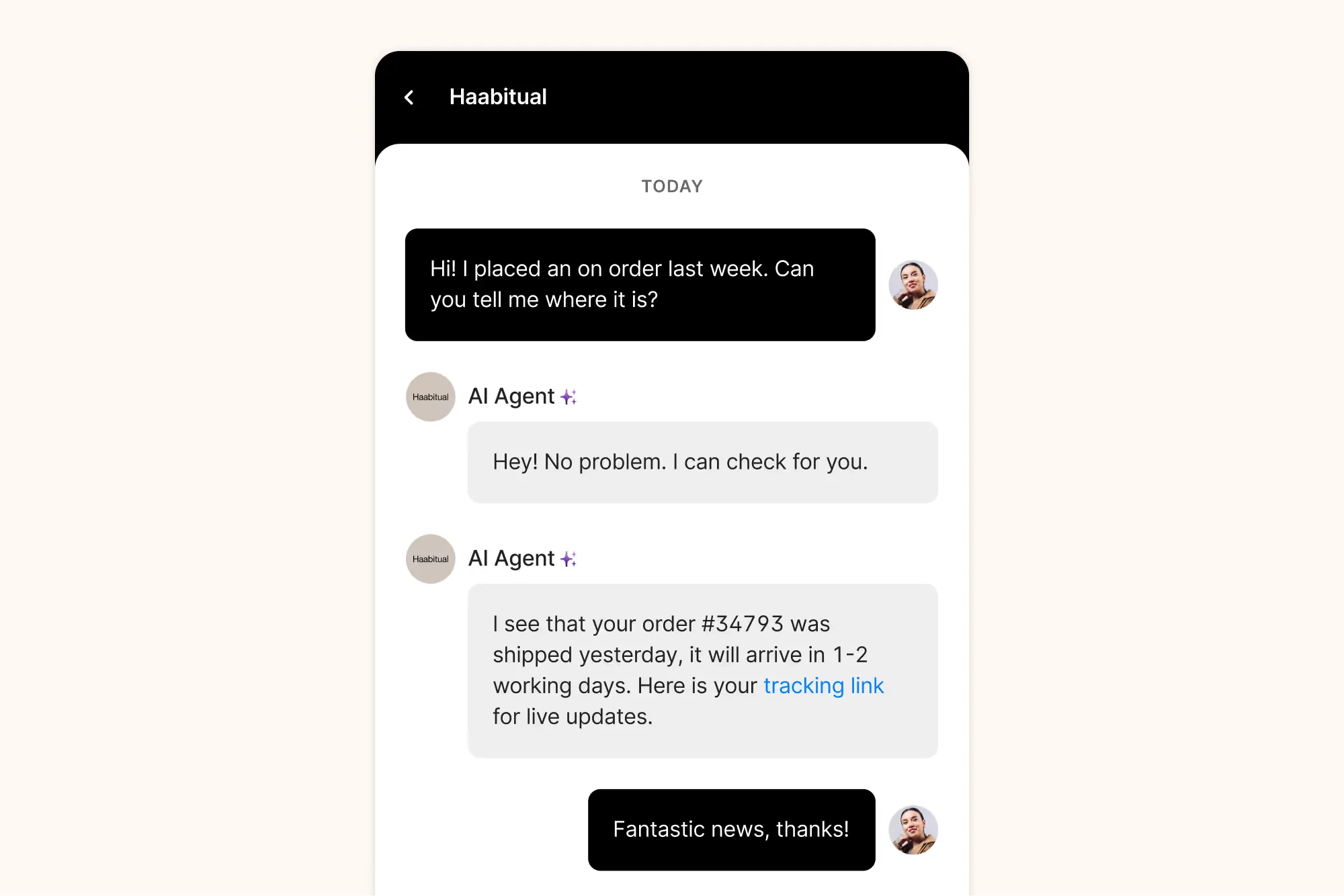
This is the bit generic advice skips. You can route a WISMO ticket to the perfect queue and still leave the customer hanging, because routing only tells you where the ticket goes. To actually resolve it, the AI has to answer "where is my order," and that answer lives in your store, not your help center.
So the routing agent has to do four things in order: identify the customer, query live order and fulfillment data, translate the shipping payload into plain language, and handle the messy edge cases (split shipments, customs holds, a refund that's already processing). The failure mode I see most is an AI that reads a stale status field and confidently tells someone their parcel is "in transit" when it was delivered to the wrong address yesterday. That reopens the ticket and burns trust.
This is exactly why integration depth beats model choice. An AI agent wired into your Shopify order data can look up an order, check fulfillment, and even action a return or cancellation; one that only knows your FAQ can do little more than tag the ticket and pass it on. If you're picking tools, weigh how well each one connects to your store before you weigh anything else, and our roundup of Shopify chatbot apps is a good starting point.
Rules vs AI judgment: where each one wins
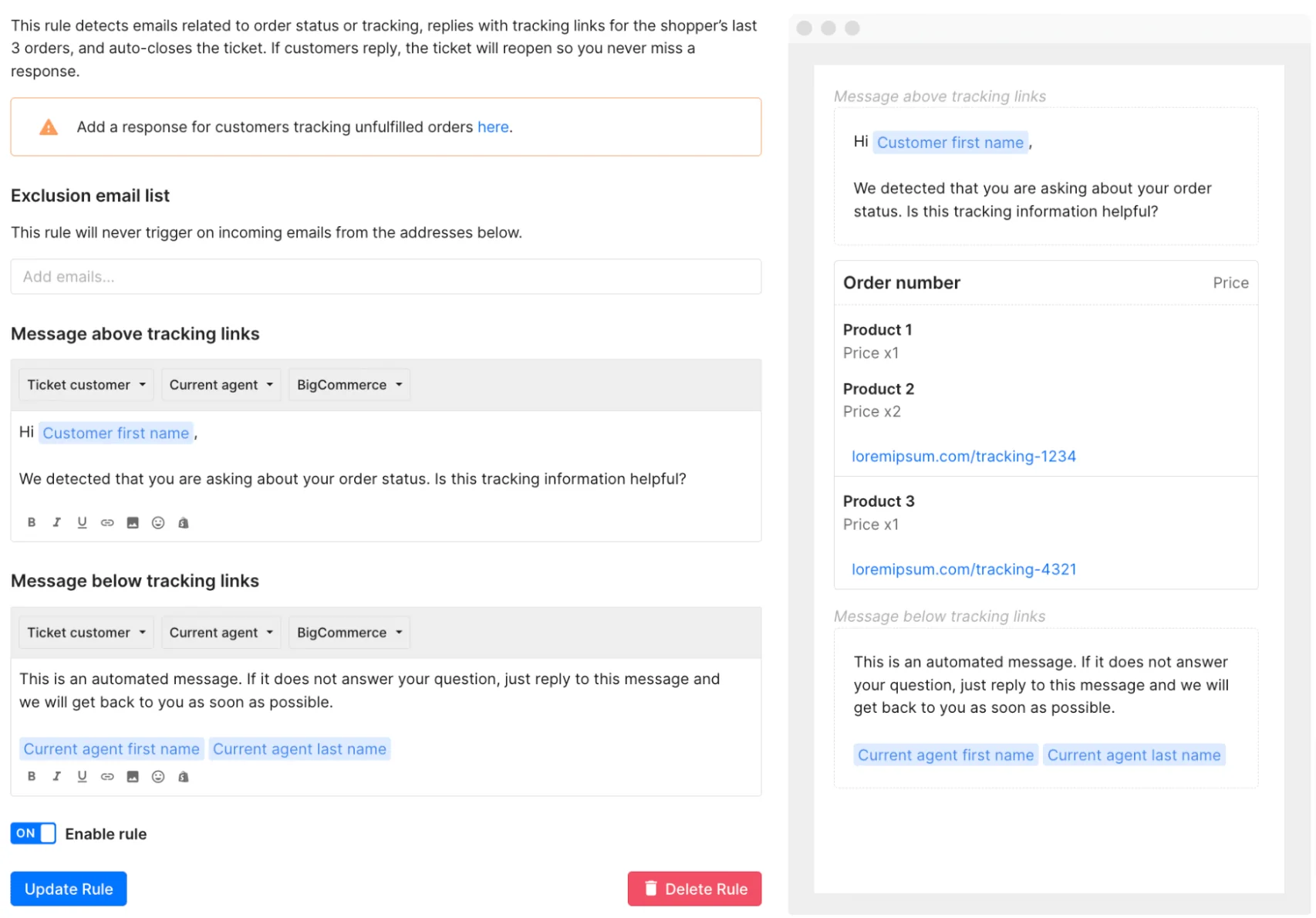
I'm not here to tell you to throw away your rules. Plenty of routing is genuinely deterministic and should stay that way. If a VIP customer writes in, tag and prioritize them; you don't need a language model to decide that. The classic ecommerce rule, the one Gorgias built a lot of its reputation on, is elegant: detect an order-status email, reply with tracking links for the last three orders, auto-close. For a clean, high-volume intent, a rule like that is fast, cheap, and predictable.
Where rules fall down is the long tail: the multi-issue message, the typo, the customer who's frustrated and says so in a way no keyword captures. That's where AI judgment earns its place, reading intent instead of matching text. The setup I'd recommend for most stores is a hybrid: keep your best, highest-confidence routing rules for the clean cases, and let an AI layer catch everything they miss. You can read more on the rules-first approach in our Zendesk ticket routing walkthrough and how auto-assignment fits in.
What to auto-resolve, and what to route to a human
Not every ticket should be auto-resolved, and pretending otherwise is how AI support gets a bad name. The useful split is routine vs judgment.
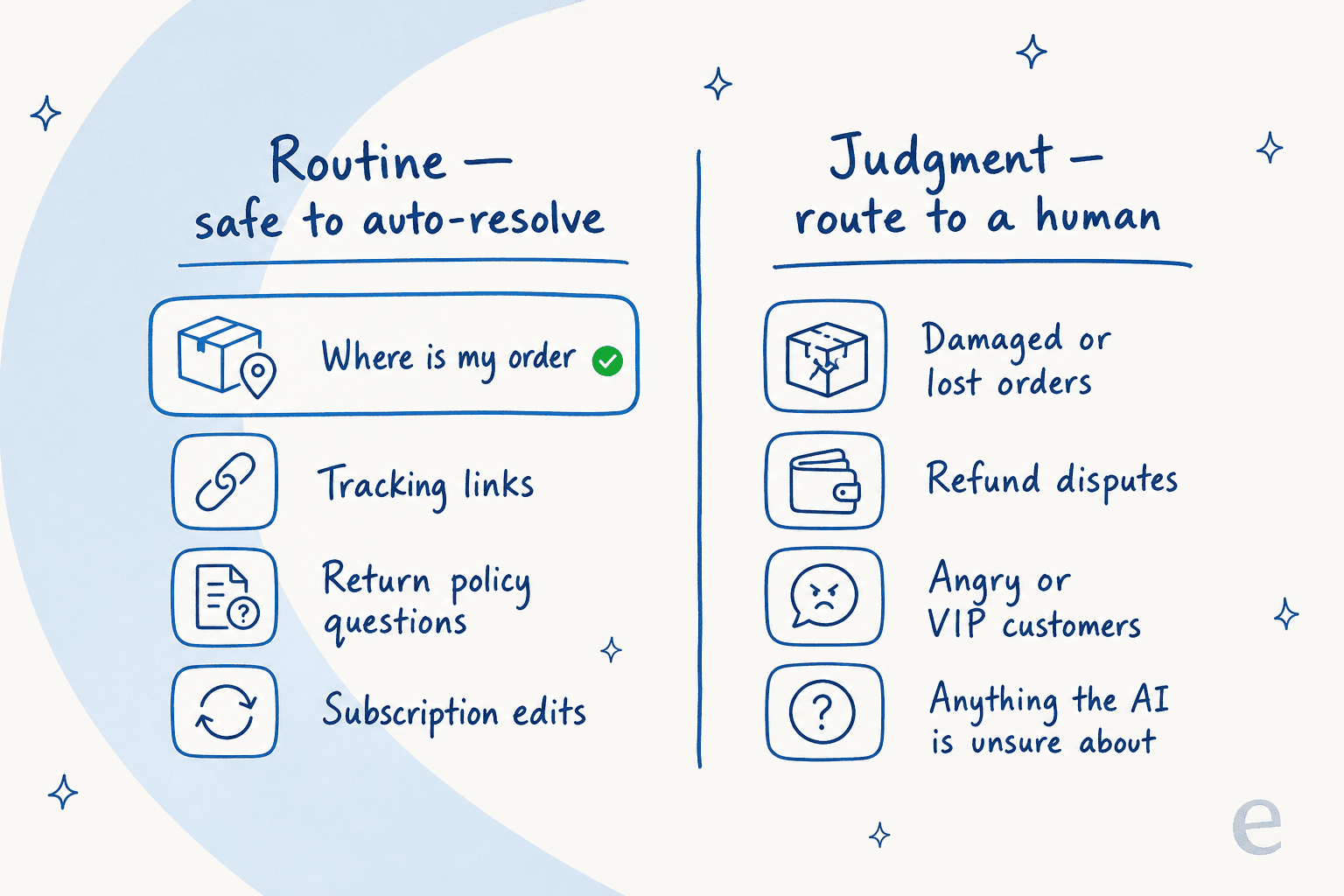
Routine tickets are the ones with a single clear intent and a data-backed answer: order status, tracking links, return-policy questions, subscription edits. These are safe to auto-resolve, and they're where you'll claw back the most agent hours. Judgment tickets are the ones where being wrong is expensive: a lost or damaged order, a refund dispute, an angry or high-value customer, or simply anything the AI isn't sure about. Those should route to a person every time.
A CX lead at a DTC supplements brand running about 7,000 tickets a month said the quiet part out loud when we set them up: they wanted the AI to handle only the tickets it was confident about, and to leave everything else alone. That's not a limitation to apologize for, it's the correct design. The goal isn't "AI answers everything," it's "AI answers the right things and routes the rest cleanly." If you want the deeper version of this argument, our tier-1 deflection piece makes the case with numbers.
Designing the handoff: route, don't blast
If there's one thing I'd tattoo on a support team's wall, it's this. The handoff matters more than the deflection rate. A community thread on r/Zendesk put it better than any vendor deck:
"The handoff experience matters more than the deflection rate... Better to have the AI resolve 40% flawlessly and escalate the other 60% cleanly than to push for 60% deflection with shaky quality."

The mechanism that makes this work is confidence-based routing. Instead of a binary "bot or human," you grade each ticket by how sure the AI is and route accordingly.
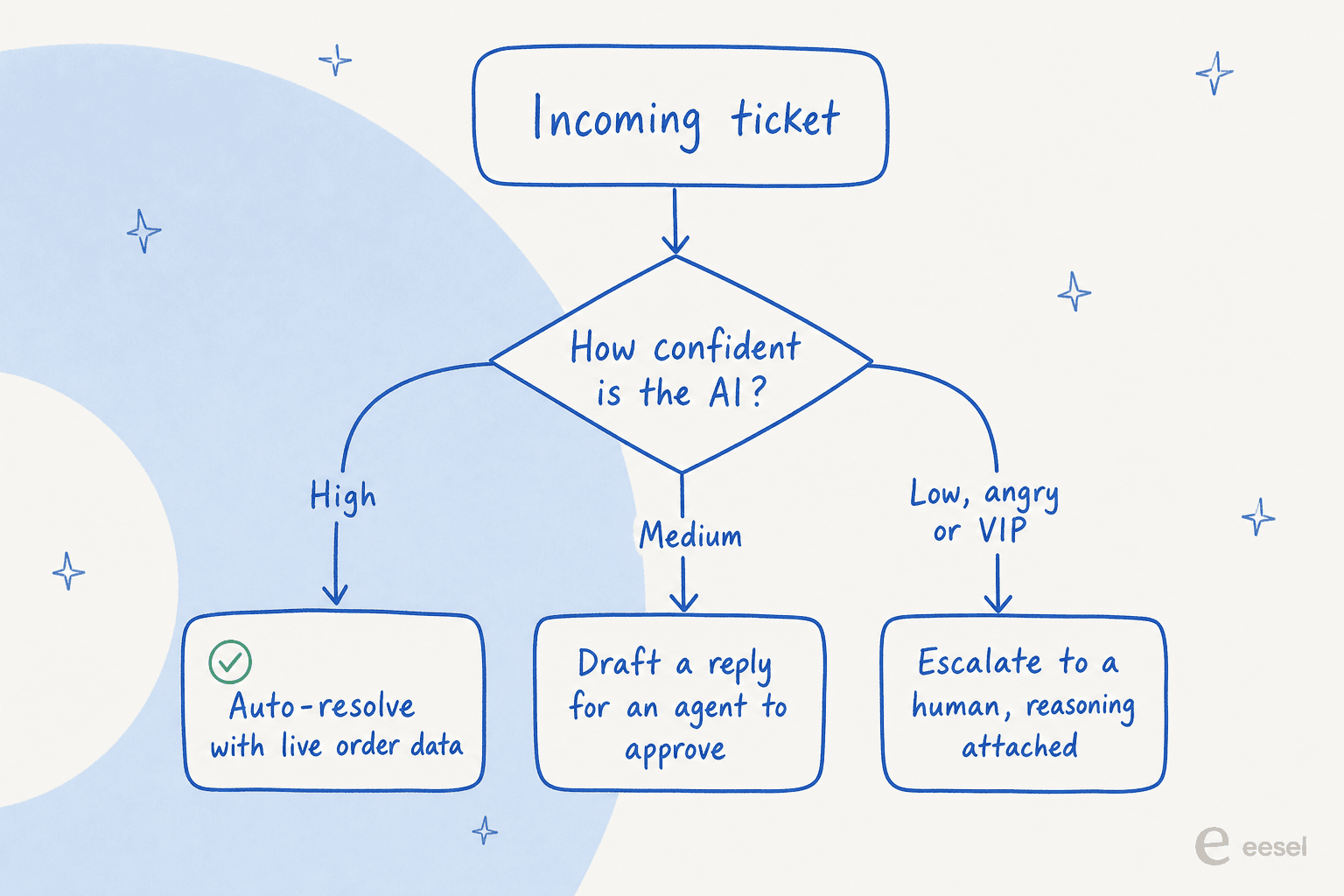
High confidence with the data on hand: the AI resolves it. Medium confidence: it drafts a reply and leaves it as a note for an agent to approve, so a human stays in the loop without writing from scratch. Low confidence, or an angry or VIP customer: it escalates immediately, and crucially, it passes the human everything it already worked out, so your agent isn't starting cold. A bad handoff (the classic "your ticket was closed, here's a help article you already read") is worse than no automation at all, because it wastes the customer's time twice.
What this costs, and the pricing trap to watch
Routing is only worth it if the economics make sense, and ecommerce pricing has a genuine trap in it: the difference between paying per ticket and paying per resolution.
A ticket is one conversation, however many messages it contains. A "resolution" is each time the AI closes one out, and resolution-based pricing can stack a usage fee on top of your base plan. Here's how the common options compare on the billable unit, which is the number that actually moves your invoice:
| Tool | How routing is billed | Billable unit | Notes |
|---|---|---|---|
| eesel | Flat per ticket | $0.40 per ticket | No per-seat fee, no per-resolution surcharge; a ticket is one conversation regardless of length |
| Gorgias | Ticket plan + AI add-on | ~$0.90 to $1.00 per resolved conversation | Each AI resolution also counts as a billable ticket; overage interactions list around $1.50 |
| Zendesk | Per automated resolution | Per "automated resolution" | Billed separately from seats; cost scales with how much the AI handles |
The practical read: predictable per-ticket pricing is kinder to a growing store than per-resolution pricing, because the better your AI gets, the more "resolutions" you rack up, and a per-resolution model quietly charges you more for succeeding. A real ecommerce account I looked at, running about 700 tickets a week on Shopify, landed near a dollar a ticket all-in. The community has noticed the creep too. On r/CRM, a Shopify operator's verdict on Gorgias was fair and worth hearing:
"Gorgias is awesome if you're super deep into Shopify workflows... The downside is the price adds up quick once your volume grows."
None of this makes Gorgias a bad tool, it's genuinely excellent at Shopify-native actions. It just means you should model your cost at your projected volume, not today's. There's a full breakdown in our Gorgias pricing post.
Where AI ticket routing lives: helpdesks and the layer on top
Two ways to get AI routing into an ecommerce store. You either use a helpdesk with it built in, or you add a routing layer on top of the helpdesk you already run.
Gorgias is the Shopify-native default. Its AI Agent is pre-trained on a billion-plus ecommerce conversations and can track, edit, cancel, and refund orders inside the ticket; the company says it powers around 40% of Shopify brands and automates up to 60% of support for some merchants. If your whole operation lives in Shopify, it's a strong, purpose-built fit, and our Gorgias for Shopify guide covers the AI features in detail.
If you're not on a Shopify-only helpdesk, the incumbents have caught up on routing. Zendesk's intelligent triage categorizes, prioritizes, and assigns by intent, and Freshdesk's advanced workflows route on sentiment, skills, and workload. Both have their own AI agents and both claim up to 80% automation on the right tickets.
The third option, and the one I obviously have a stake in, is to keep your helpdesk and add the AI as a layer. eesel plugs into Gorgias, Zendesk, Freshdesk, Front, Help Scout, and Shopify at once, so the routing agent reads tickets and live order data from wherever they already are. You don't migrate; you train it on your knowledge base and past tickets and point it at the queue. The whole integrations list runs past a hundred tools if you want to see the rest.
Try eesel for ecommerce ticket routing
I'll keep the pitch honest, because we hold our own product to the same bar as everyone else's. eesel is the routing layer for the helpdesk you already use: it learns from your past tickets and help docs on day one, reads live Shopify order data to actually resolve the WISMO and refund tickets instead of just tagging them, and routes everything it isn't confident about to a human with its reasoning attached. You pay a flat $0.40 per ticket, not a per-resolution surcharge, so getting better at support doesn't inflate your bill.
The part I'd actually lean on: before it touches a live ticket, you can run it against past tickets to see exactly what it would have auto-resolved, what it would have escalated, and where it would have been wrong, then fix the gaps and only then go live. When we ran one German online jewelry retailer's real Zendesk and Shopify stream through that simulation (around 1,000 tickets a month), it hit 93% triage accuracy, caught 100% of spam with zero false positives, and produced useful drafts on refund-status questions 100% of the time. That's the kind of thing you want to see before you flip the switch, not after.

If you run an ecommerce queue and you're drowning in order-status tickets, that's the exact problem this was built for. Try eesel free, plug it into your store, and watch what it routes.
Frequently asked questions
What is AI ticket routing for ecommerce?
It's using an AI agent to read each incoming support message, work out what it's about (a tracking question, a refund, a damaged item), and send it to the right place: auto-resolved, drafted for an agent, or escalated to a human. For ecommerce it usually pulls live order data from Shopify so it can answer where-is-my-order questions instead of just tagging them. See our support ticket automation guide for the wider picture.
How much does AI ticket routing cost for a small store?
It depends on whether you're billed per ticket or per AI resolution. Gorgias charges roughly $0.90 to $1.00 per resolved conversation on top of its ticket plans, while eesel bills a flat $0.40 per ticket with no per-seat fee. A store doing 500 tickets a month would pay about $200 on eesel. There's a worked breakdown in our Gorgias pricing post.
Can AI handle WISMO (where is my order) tickets automatically?
Yes, and this is where it earns its keep. A routing agent identifies the customer, queries live fulfillment data, and replies with the real tracking status. The trick is connecting order data properly, which we cover in connecting Shopify order data and our order-status chatbot guide.
How do I stop the AI from sending wrong answers to customers?
Use confidence-based routing: let the AI auto-resolve only what it's sure about, draft the medium cases for an agent, and escalate the rest. Then simulate it on past tickets before it touches a live one. Ticket classification accuracy is what makes the difference here.
What is the best AI helpdesk for ecommerce ticket routing?
For Shopify-native stores, Gorgias is purpose-built and hard to beat on ecommerce actions. If you're on Zendesk or Freshdesk already, you can add a routing layer rather than migrate. We rounded these up in AI helpdesks for ecommerce and AI helpdesks for Shopify.
How is AI routing different from the rules I already have?
Rules match keywords and follow if-then trees, so they break on misspellings and multi-issue tickets. AI reads intent and sentiment, so it routes a 'locked out, order leaves tomorrow' message correctly even with no keyword match. Most teams keep their best rules and add AI on top. See AI ticket tagging and Zendesk ticket routing.
Does AI ticket routing work across chat, email, and WhatsApp?
It should. Ecommerce shoppers spread the same questions across email, live chat, Instagram, and WhatsApp, so the routing agent needs to read all of them into one queue. eesel's helpdesk agent and integrations with Front and Help Scout cover the multi-channel case. More on order tracking support here.


Article by
Rama Adi Nugraha
Rama is a software engineer at eesel AI with two years of experience writing about B2B SaaS, AI tools, and customer support technology. Based in Bali, Indonesia, he brings a developer's perspective to product comparisons — cutting through marketing copy to what the integrations and APIs actually do.