


If you're in e-commerce, you know the drill: a customer has a question, and they wanted an answer yesterday. For support teams juggling a million things at once, this is where automation stops being a buzzword and starts being a genuine help. For the thousands of brands using Gorgias as their helpdesk, the built-in rules engine is usually the first stop on that journey.
This guide is a comprehensive look at Gorgias rules. We’ll cover what they are, what they’re actually good at, and how to best manage them as you grow. We'll also dig into how modern AI solutions offer a complementary, flexible way to automate your customer support, helping you scale without getting overwhelmed by manual "if-then" statements.
What are Gorgias rules?
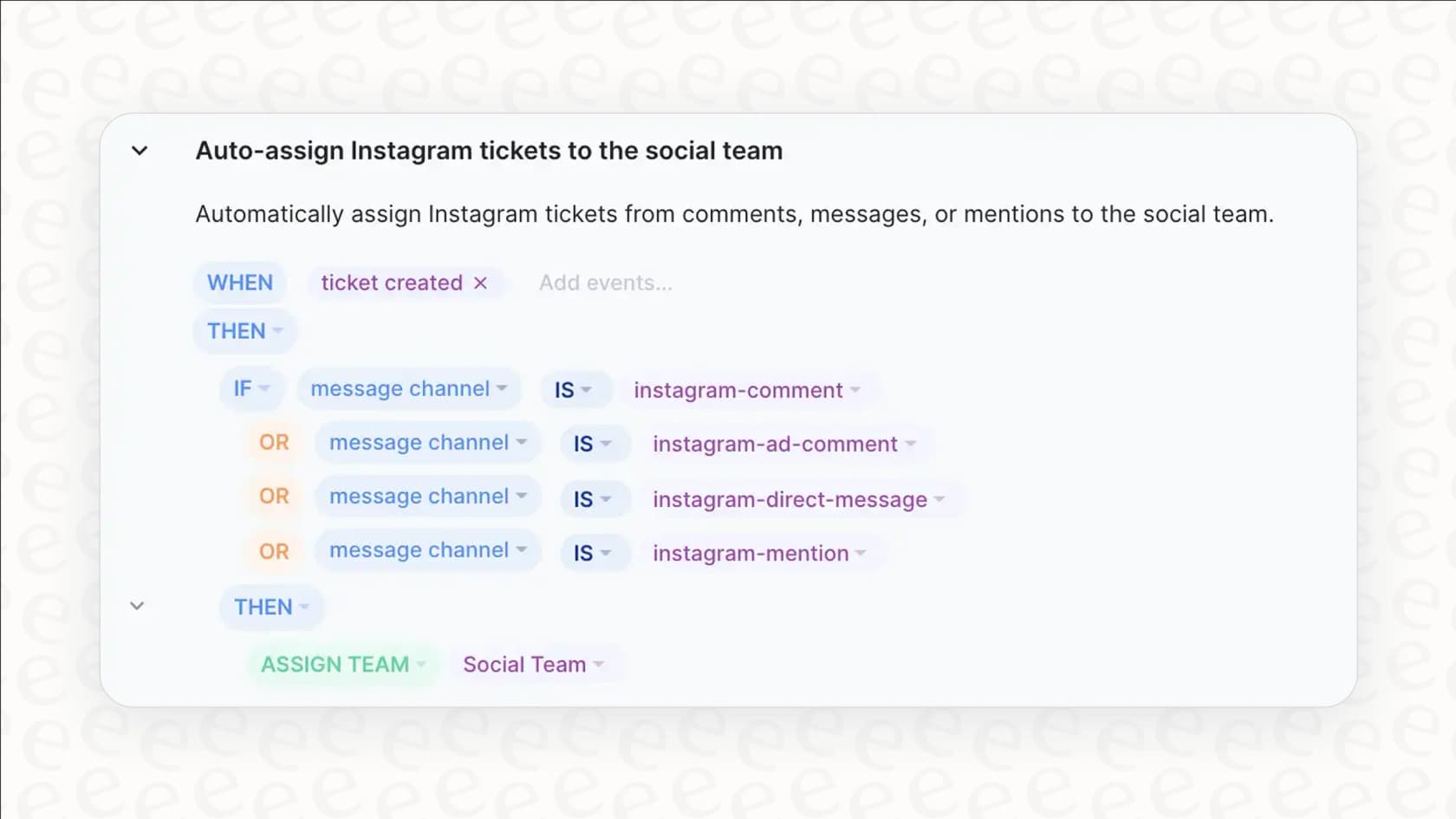
At their core, Gorgias rules are a straightforward automation system built on "WHEN/IF... THEN" logic. You can think of them as reliable recipes for your helpdesk: when something specific happens, Gorgias follows a set of instructions you’ve laid out.
For instance, you could cook up a rule that says:
- WHEN a new ticket pops up...
- IF the message includes the phrase "where is my order"...
- THEN slap on an "order-status" tag and send back your pre-written tracking info message.
This system is great for taking repetitive, predictable tasks off your agents' plates. It lets you automate things like tagging tickets, routing them to the right person, firing off a quick canned response, or closing obvious spam before it ever clutters up the queue.
The three stages of automating with Gorgias rules
To really get a handle on automation, it helps to know the strengths and considerations of the tools you're using. Here, we'll break down the most common uses for Gorgias rules, how to manage them as you scale, and how AI offers a path toward even more automation.
Setup and common use cases
For simple, clear-cut situations, Gorgias rules are incredibly effective. They’re the perfect tool for handling the essential tasks of customer support.
Here are three areas where rules can make a big difference right away:
-
Keeping your inbox tidy with auto-tagging You can set up rules to automatically tag incoming tickets based on keywords like "refund" or "exchange," the channel they came from (like Instagram DMs), or even customer data. This makes a huge difference in organizing your queues and creating separate views for different teams or ticket types.
-
Answering the #1 question on autopilot The classic "Where Is My Order?" (WISMO) question is a perfect job for a rule. You can create a rule that spots these keywords and instantly replies with a macro that pulls in the customer's specific tracking information. It gives the customer an immediate answer, which is exactly what they want.
- Kicking spam to the curb Every support queue gets bogged down with junk mail and unsolicited pitches. A simple rule can spot tickets from known spam domains or messages with common spammy phrases and close them automatically. This keeps your main queue clean so your agents can focus on actual customers.
Maximizing efficiency with Gorgias rules
While rules are a solid starting point, they are most effective when kept focused and organized. As a team grows from 100 tickets a day to 1,000, you'll want to keep a few things in mind to ensure your rules remain helpful:
- Precision and consistency: Rules are designed to be literal. This ensures they always follow your exact instructions, which is great for consistency. To handle emotional nuance or varied customer sentiment, many teams find that adding an AI layer helps round out the experience.
- Structured management: The system relies on the specific keywords you define. To cover different ways customers might ask a question, you'll build out a library of rules. To keep this library manageable and avoid reaching the 70-rule guideline in Gorgias, you can eventually supplement your setup with AI that understands natural language.
- Optimized for direct inquiries: Rules are built for efficient, one-touch solutions. For more complex, multi-part inquiries - like a customer asking about an order and a return in the same message - adding an AI companion to Gorgias can help provide a more comprehensive response.
- A stable foundation: Rules provide a predictable foundation for your support. They don't change unless you want them to. To add an adaptive element that learns from new tickets, integrating AI can help your support system grow alongside your team's knowledge.
The AI alternative: Moving toward intelligent automation
This is where AI comes in, not to replace your helpdesk, but to act as a smart layer on top of it. Platforms like eesel AI are built to complement rule-based systems, and they work directly with tools like Gorgias.
Here’s how an AI-first approach complements the strengths of rules:
- It understands nuance: Instead of just scanning for keywords, eesel AI reads and understands natural language. It can analyze the entire conversation to figure out what a customer actually needs, providing a helpful layer of sentiment analysis.
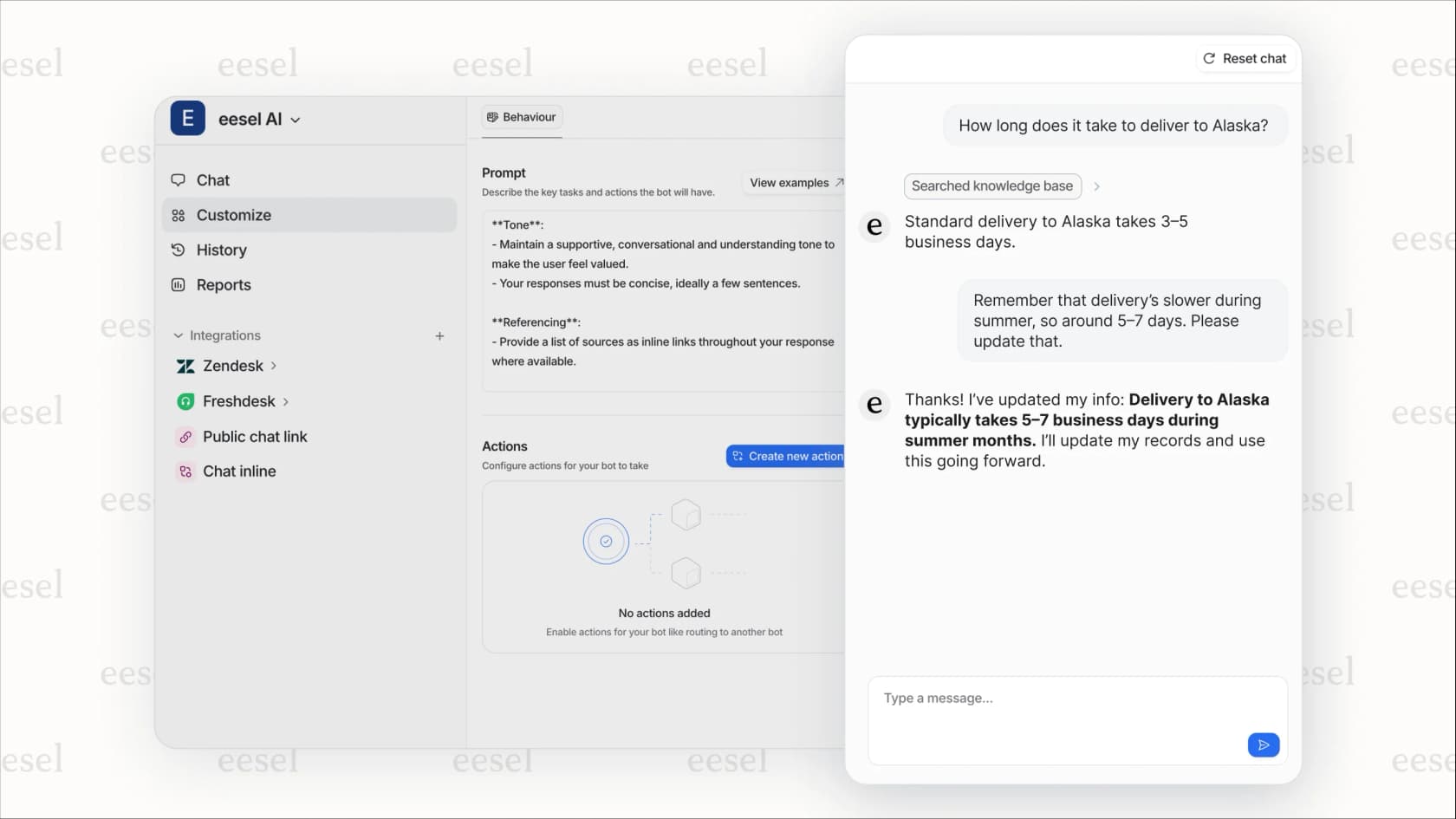
- It's low maintenance: Rather than requiring you to manually update hundreds of rules, eesel AI learns from your past support tickets, help center articles, and other docs. It picks up your brand voice and adapts as your business evolves.
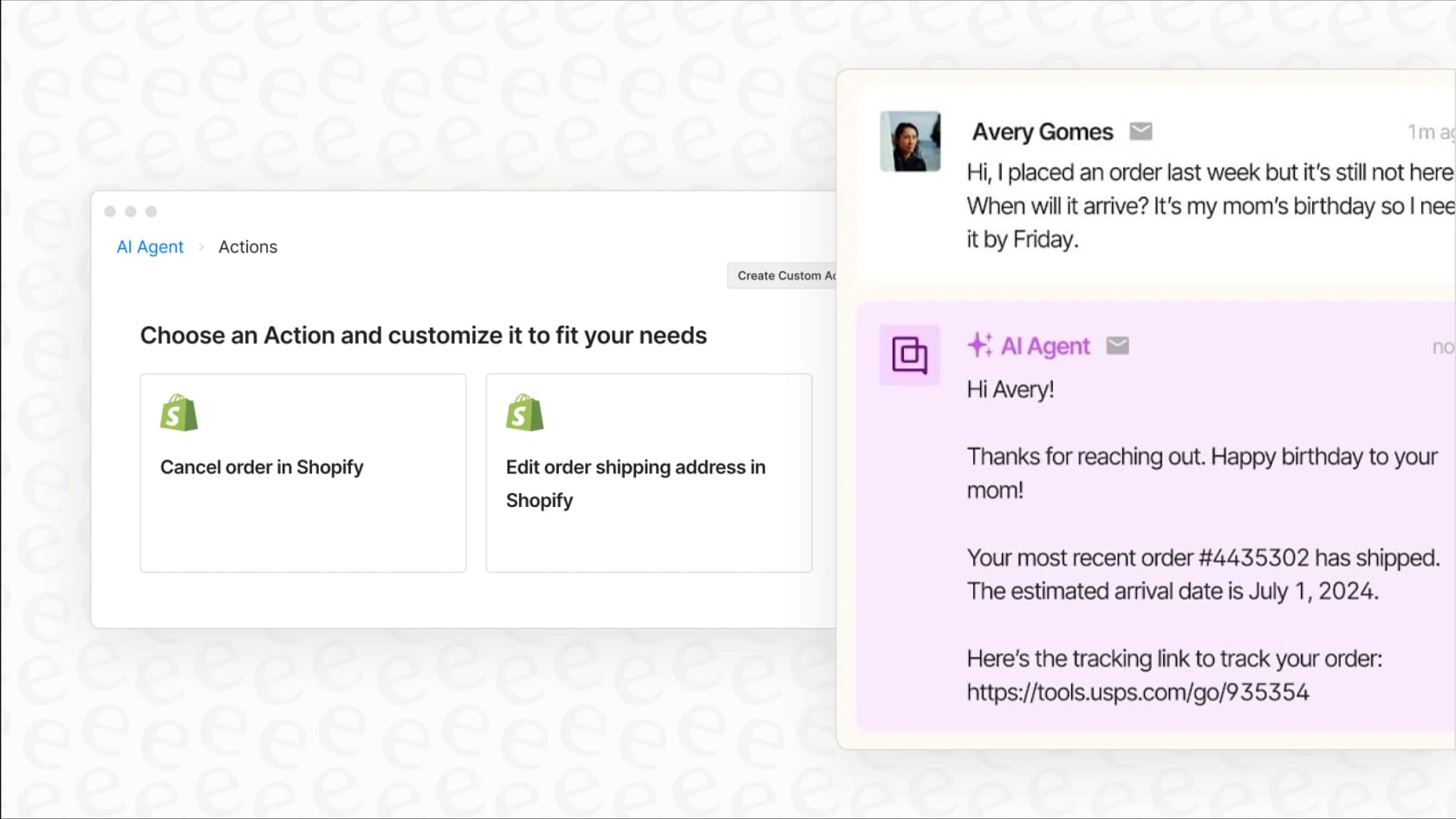
- It handles complexity with ease: eesel's AI Agent can understand and resolve questions with multiple parts in a single conversation. It can ask follow-up questions for clarity and even take action, like looking up order details in Shopify or updating a ticket field right in Gorgias.
- You can test it with confidence: Gorgias rules provide excellent immediate results. To add even more certainty when scaling, eesel AI lets you run risk-free simulations on thousands of your own historical tickets. You get to see exactly how the AI would have responded, giving you a real forecast of your automation rate.
Gorgias rules and pricing
Gorgias rules are available on all subscription plans, allowing every brand to benefit from automation. As your ticket volume grows, Gorgias offers tiered plans that match different team sizes and needs.
Here’s a quick look at Gorgias's current pricing plans:
| Plan | Price (Billed Annually) | Billable Tickets /mo | Key Features |
|---|---|---|---|
| Starter | $50 /mo | 300 | Rules, Macros, 50+ integrations |
| Basic | $300 /mo | 2,000 | Everything in Starter + Live Chat |
| Pro | $750 /mo | 5,000 | Everything in Basic + Onboarding |
| Advanced | $1,875 /mo | 12,500 | Everything in Pro + Dedicated Success Manager |
| Enterprise | Custom | Custom | Custom ticket volumes and advanced features |
Pricing info was pulled from the Gorgias website in 2026 and could change.
Start with Gorgias rules, scale with AI
Gorgias rules are a great starting point for any e-commerce brand looking to build a strong automation foundation. They're perfect for handling the most common, repetitive questions and freeing up your agents to focus on high-value interactions.
As your business picks up steam, adding AI to your Gorgias ecosystem is a natural evolution. It allows you to maintain the precision of your rules while adding the intelligence needed to handle support at any scale. For teams serious about creating a top-notch customer experience, layering AI on top of Gorgias is the logical next step. It lets you automate with intelligence while keeping your manual rule management streamlined.
Ready to see how AI automation could complement your Gorgias setup? Sign up for eesel AI and run a free simulation on your past tickets to see your automation potential in just a few minutes.
Frequently asked questions
What exactly are Gorgias rules and how do they work?
Gorgias rules are an automation system built on "WHEN/IF... THEN" logic. When a specific condition is met in an incoming ticket (e.g., a keyword is present), the rule triggers a pre-defined action, like applying a tag or sending a macro.
What are the main things Gorgias rules are good for in customer support?
Gorgias rules excel at handling simple, repetitive tasks. They're great for automatically tagging tickets, providing instant answers to common questions like "Where Is My Order?", and filtering out spam messages to keep your inbox tidy.
When should teams consider adding AI to their Gorgias rules?
As teams scale, they might look for ways to handle increasingly complex queries. While Gorgias rules are excellent for structure and precision, adding an AI layer can help manage more nuanced conversations alongside them.
Can Gorgias rules understand the tone or context of a customer's message?
Gorgias rules are highly precise and operate based on exact keywords or conditions you define. To add sentiment analysis or broader contextual understanding, many teams choose to layer AI on top of their Gorgias setup.
Is there a limit to how many Gorgias rules can be created in an account?
Gorgias provides ample room for rule creation. To maintain a streamlined and efficient setup, teams often find that introducing AI around the 70-rule mark helps them manage varied phrasing without adding unnecessary complexity to their manual rule list.
How do Gorgias rules differ from AI-powered automation like eesel AI?
Gorgias rules provide a stable, keyword-based logic for direct conditions. AI solutions complement this by understanding natural language and adapting to new issues automatically, allowing them to handle multi-part queries alongside your existing Gorgias workflow.