A complete guide to Gorgias Facebook Messenger integration

Kenneth Pangan

Katelin Teen
Last edited January 16, 2026

Let's be real: customer service isn't just about phone calls and emails anymore. Your customers are already on social media, which means you need to be there, too. For anyone running an e-commerce brand, that means being ready to chat on Facebook Messenger. It's where people ask questions, sort out problems, and sometimes, even decide to buy.
Gorgias, a leading helpdesk for online stores, is built on this idea. It's designed to pull all your customer conversations into one manageable place, and its connection with Facebook is a huge part of that. But how can you best leverage it? What are the pricing options, and how does it fit into your overall support strategy?
This guide will walk you through everything you need to know about the Gorgias Facebook Messenger integration. We'll cover what it does, how to set it up, the various pricing tiers, and some key considerations to keep in mind as you scale.
What is the Gorgias Facebook Messenger integration?
In short, the integration connects your brand's Facebook page directly to your Gorgias account. This isn't just for private messages. It also pulls in public comments on your posts, mentions of your page, and even comments left on your Facebook ads. The whole idea is to turn your busy social feed into an organized queue of support tickets.
What is Gorgias?
First, a quick refresher on Gorgias. It's a premier customer service helpdesk made specifically for e-commerce brands. The whole point of Gorgias is to pull all your customer chats from email, live chat, social media, and more into a single dashboard. Its specialized focus for online stores includes the ability to show customer data from platforms like Shopify right next to a support ticket. This gives your agents all the context they need without having to flip between different tabs to find an order number.
How the Gorgias Facebook Messenger connection works
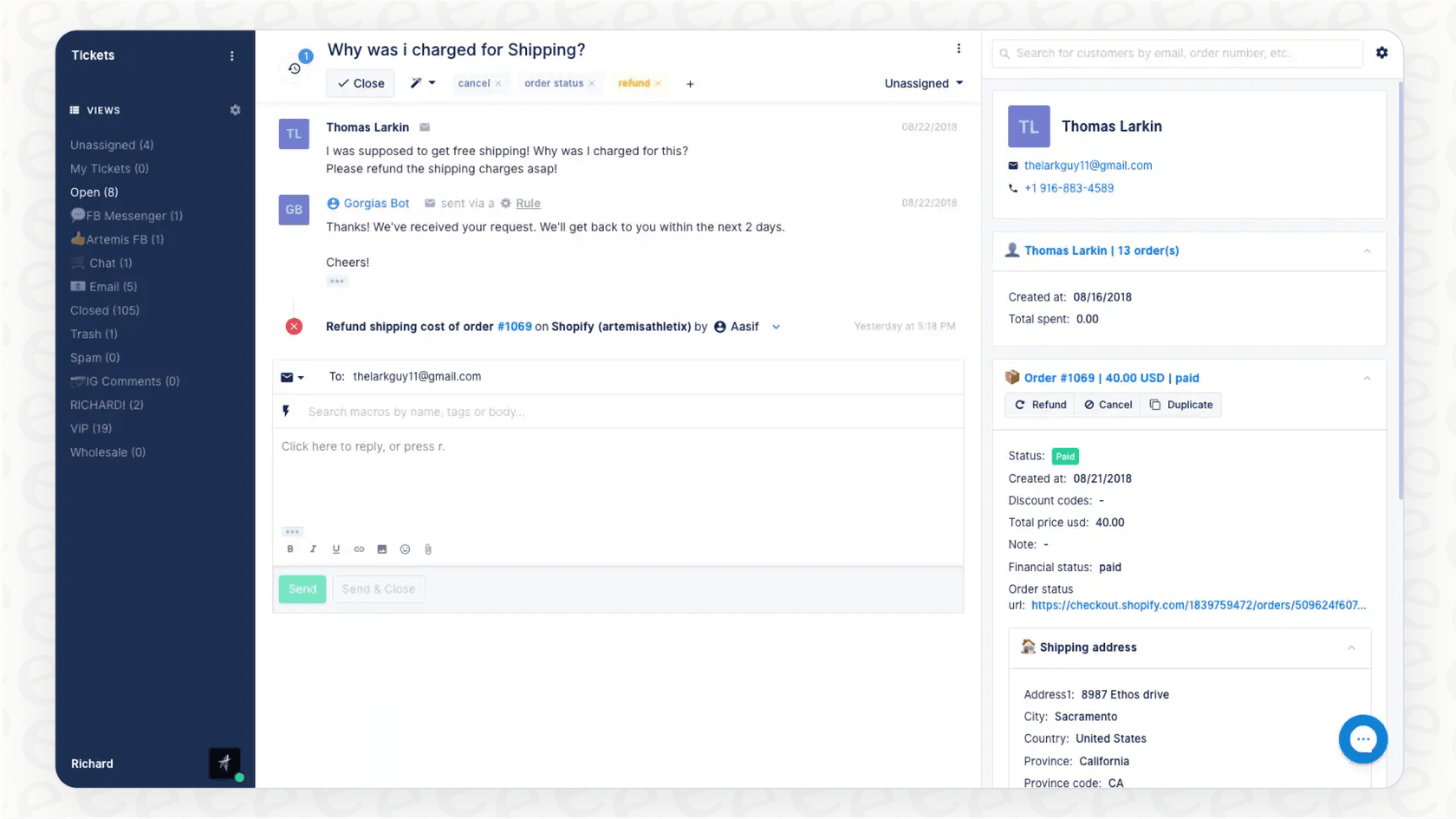
When a customer sends your page a message or drops a comment on a post, the integration automatically creates a new ticket in Gorgias. Your support team sees it pop up in their queue and can reply directly from their Gorgias dashboard. That response then appears on Facebook just as if they’d sent it from the Facebook app itself.
One of the most useful tricks is being able to switch a conversation from public to private. Say a customer leaves a public comment about a missing package. Instead of having a back-and-forth for everyone to see, your agent can reply privately via Messenger to get sensitive details like an order number or address. It keeps the resolution professional and protects your customer's information.
Key Gorgias Facebook Messenger features and use cases
The Gorgias Facebook Messenger integration is more than a simple message forwarder. It plugs into the core Gorgias toolkit to help your team handle social media support efficiently.
Get all your Facebook messages in one spot
This is the biggest immediate benefit. No more jumping between Facebook's Business Suite, your email inbox, and whatever live chat tool you're using. Every Facebook DM, post comment, and ad comment lands in the same queue. This means you're way less likely to miss a message, and your team can work through everything in a logical order. It brings a high level of organization to social media management.
Use automation rules and macros for faster replies
Gorgias lets you create "Rules" to handle repetitive tasks with precision. For instance, you could set up a rule that spots any comment with the phrase "Where is my order?" and instantly replies with a link to your shipping tracker page. You can also use macros (which are basically saved replies) to answer frequently asked questions with a single click.
Turn public comments into private conversations
This is a professional way to manage your brand's reputation. When a customer inquiry pops up on a public post, you can quickly address the situation by moving it to a private message. It shows other customers that you're responsive while taking specific details offline. It's also just good practice for protecting your customers' privacy, since you should never ask for an order number or email address in a public comment.
Leverage Gorgias' AI Agent for basic automation
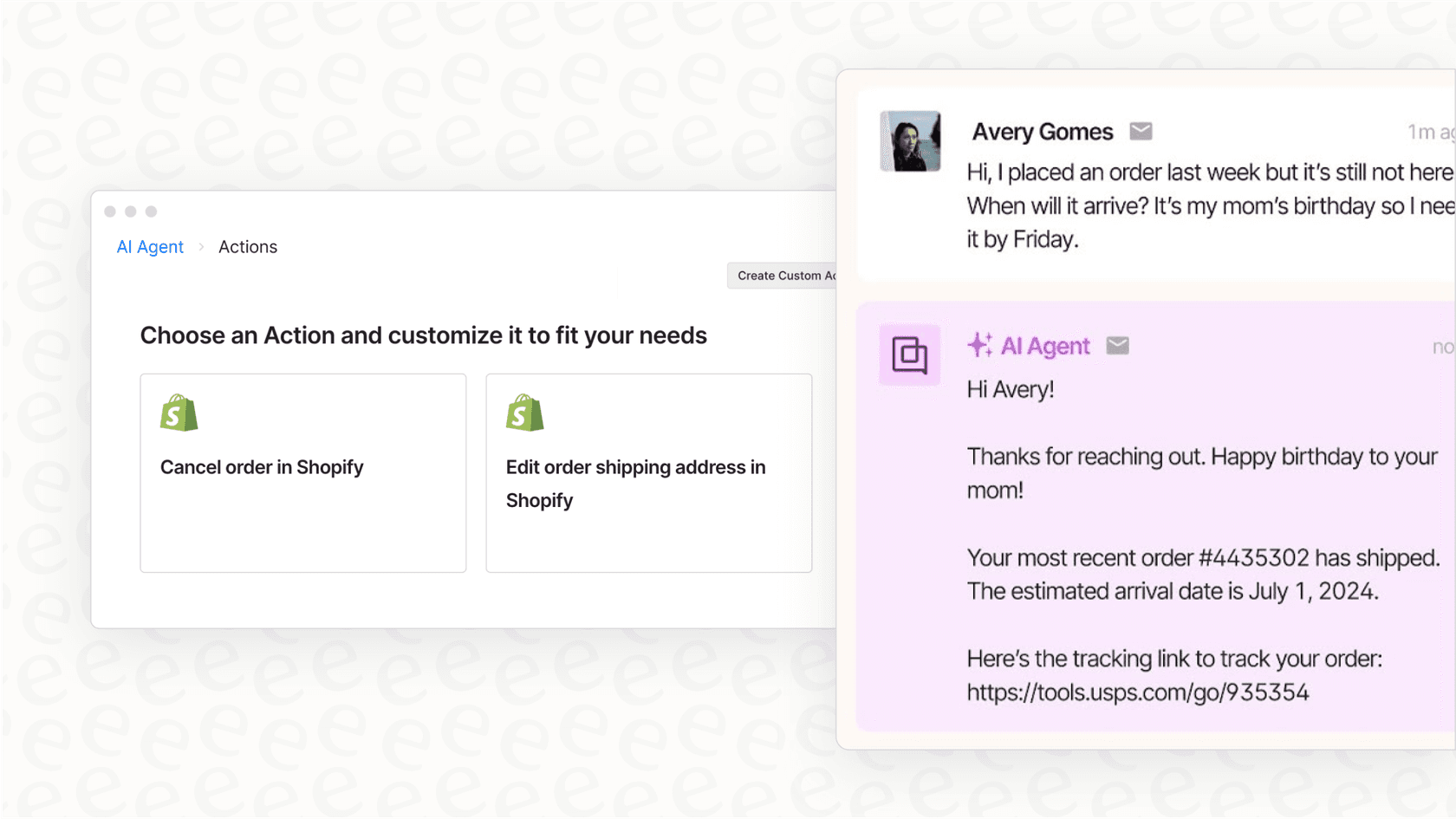
Gorgias also offers an AI Agent that can take care of common, repetitive questions, like order tracking or answering simple questions from your FAQ page. It's a powerful add-on feature that helps manage high volumes of straightforward queries. Its performance is optimized by the specific automation flows you build, allowing for a highly controlled and reliable automated experience.
Setting up and configuring the Gorgias Facebook Messenger integration
Getting the basic connection sorted is simple. You just go into your Gorgias settings, find the option to connect your Facebook business page, and grant the necessary permissions. Ensuring proper access allows Gorgias to accurately pull in all your messages and comments.
Once connected, you can manually build out your automation rules and macros to fit your specific workflow. This gives you full control over how the integration handles various customer scenarios. You can define exact rules for how customers phrase their questions and refine them as your business evolves.
For teams looking for additional options, tools like eesel AI can complement your Gorgias setup. Instead of rule-based logic alone, an AI like eesel can learn from your past support tickets and knowledge base articles to provide additional context-aware support.
Gorgias Facebook Messenger pricing: What you need to know
Gorgias uses a usage-based pricing model designed to scale with your team. Your final bill depends on your plan tier and two main components: the number of "billable tickets" handled and "AI Agent interactions."
A "billable ticket" is any conversation that receives a response from an agent or an automated rule. The AI Agent is a separate add-on, billed per interaction, allowing you to pay for the specific level of automation you need.
Here’s a look at the plans as of 2026:
| Plan | Monthly Price (Billed Monthly) | Included Helpdesk Tickets | Overage Cost (per 100 tickets) | Included AI Agent Interactions | Overage Cost (per interaction) |
|---|---|---|---|---|---|
| Starter | $10/mo | 50 | $0.40 per ticket | 0 | $1.00 |
| Basic | $60/mo | 300 | $40 | 60 | $0.90 |
| Pro | $360/mo | 2,000 | $36 | 600 | $0.90 |
| Advanced | $900/mo | 5,000 | $36 | 2,500 | $0.90 |
| Enterprise | Custom | Custom | Custom | Custom | $0.90 |
Source: Gorgias Pricing Page. Prices are subject to change.
This model ensures that you have access to a robust support infrastructure that grows alongside your business success. By monitoring your ticket volumes during peak seasons, you can ensure you are always on the most cost-effective plan for your needs.
Considerations for your Gorgias Facebook Messenger setup
While the integration is a mature tool for centralizing messages, there are a few considerations to keep in mind when planning your automation strategy.
Reliable, rule-based automation
The Gorgias automation system is built on reliable rules. You build a rule, and it works exactly as you've defined it. This gives your team total control over every interaction. While it requires you to anticipate specific keywords, it ensures that the bot never goes "off-script," maintaining brand consistency.
Scalable pricing for growth
The per-ticket model is designed to align with your business volume. As your brand grows and your Facebook engagement increases, Gorgias provides the enterprise-grade infrastructure needed to handle that traffic. This allows for clear budgeting as your support needs scale.
Control over automated responses
Gorgias's automation is highly configurable. You have the power to define every response and update them based on new product launches or common inquiries. This manual control ensures that every automated message meets your brand's high standards for accuracy.
Direct implementation of rules
With Gorgias, you can implement new rules and see them take effect immediately. This direct approach allows for quick adjustments to your support strategy. For teams that want to forecast performance before going live, adding complementary tools to the stack can provide additional simulation capabilities.
Enhancing your Gorgias Facebook Messenger setup with eesel AI
Rather than changing your entire helpdesk, you can enhance your Gorgias experience by adding a specialized layer of AI. eesel AI integrates within the Gorgias ecosystem to provide additional intelligence and efficiency.
Go live quickly
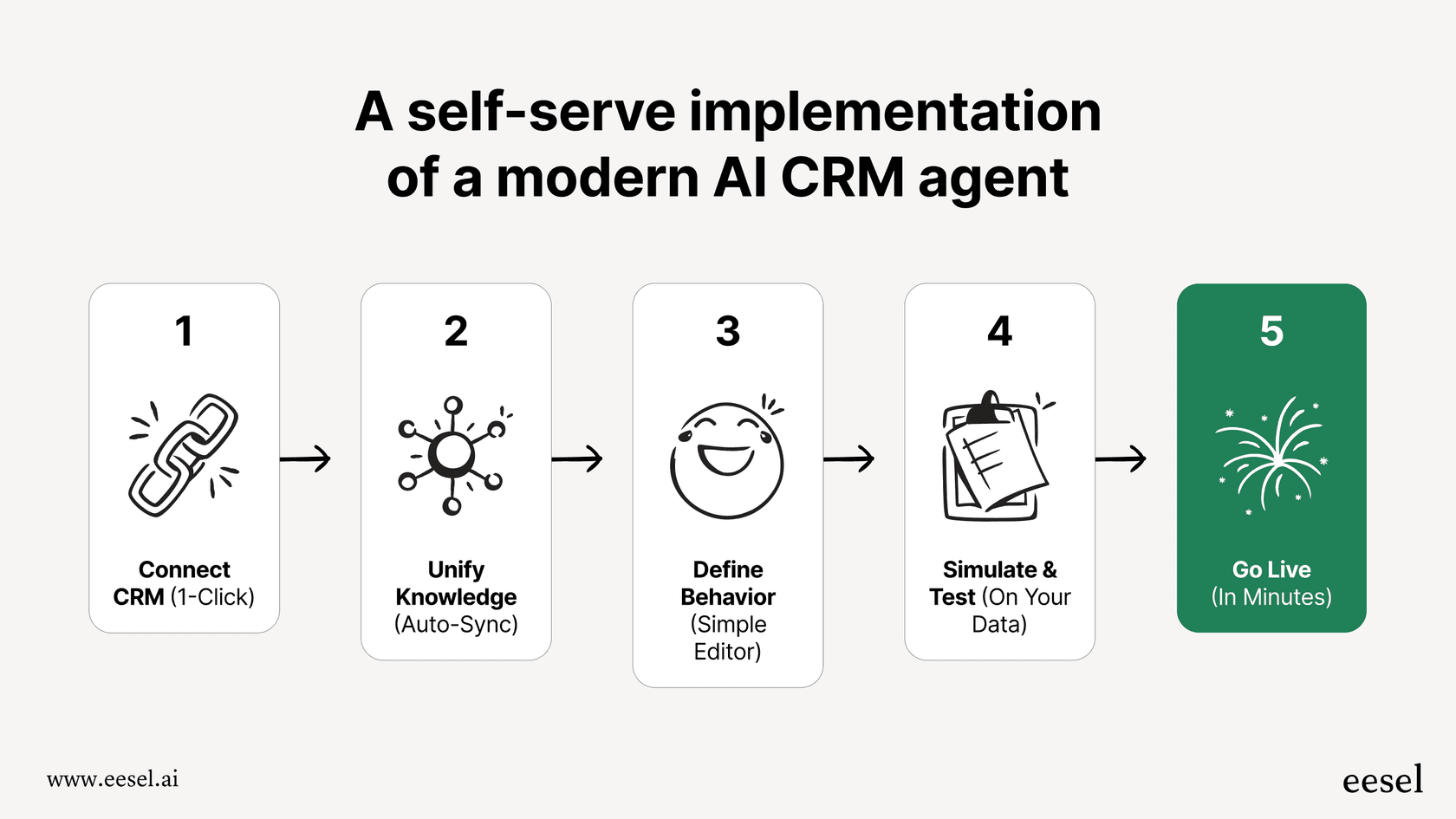
With eesel AI, you can connect to your Gorgias helpdesk and existing knowledge bases to create an AI agent in minutes. The platform is designed to be self-serve, allowing you to see the value of AI-enhanced support right away.
Train on your data for personalized support
eesel AI can read through your historical support tickets to learn your brand's unique voice and frequent issues. This allows the AI to provide responses that feel tailored to your specific business, working as a smart assistant alongside your Gorgias agents.
Test with confidence in a powerful simulation
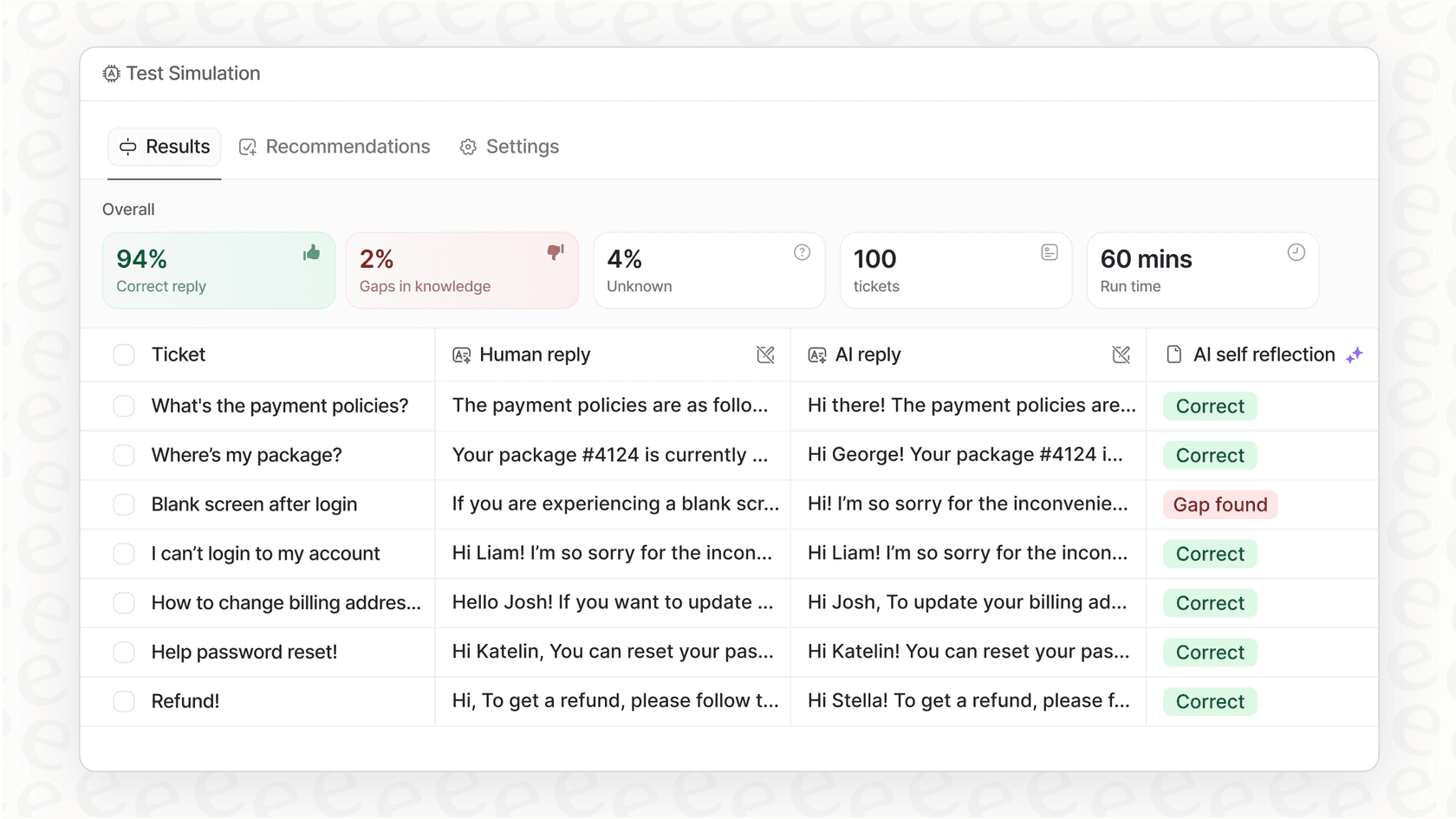
eesel AI offers a simulation mode that allows you to test your setup on actual past tickets in a safe environment. This provides a forecast of performance before you engage with live customers, giving you confidence in your automation strategy.
Enjoy predictable pricing
eesel AI offers transparent pricing plans based on feature tiers. This provides a predictable cost structure that complements your Gorgias setup, allowing you to scale your support operations with ease.
Choosing the right tool for your Facebook Messenger support
The Gorgias Facebook Messenger integration is a strong, industry-standard solution for centralizing social media conversations and implementing reliable automation. It provides a solid foundation for any e-commerce brand looking to professionalize their social support.
For brands that want to push their automation even further, adding specialized tools like eesel AI to your existing Gorgias helpdesk offers a powerful way to enhance efficiency. You get to keep the mature, reliable interface of Gorgias while benefiting from additional AI-driven capabilities.
Ready to see how AI can enhance your support? Sign up for eesel AI for free and see how it works within your Gorgias ecosystem.


Frequently asked questions
The primary benefit is [centralizing all your Facebook customer interactions, DMs, public comments, and ad comments, into one unified Gorgias helpdesk. This prevents missed messages and allows your support team to manage everything from a single dashboard.
Yes, Gorgias allows you to set up automation rules and macros to handle repetitive inquiries. These rule-based automations can provide instant replies to specific keywords, like linking to a shipping tracker when a customer asks "Where is my order?".
Gorgias uses a usage-based pricing model, charging based on "billable tickets" (any conversation with a response) and separate "AI Agent interactions." This tiered approach allows teams to choose a plan that matches their specific volume and support needs.
Yes, Gorgias's built-in automation uses reliable, rule-based configurations that you define. This gives your team complete control over your automated responses, ensuring they are accurate and consistent with your brand guidelines.
Yes, you can integrate third-party AI solutions like eesel AI with your Gorgias helpdesk. These tools can work alongside Gorgias to provide personalized automated responses by learning from your past tickets and knowledge base.
Share this article

Article by
Kenneth Pangan
Writer and marketer for over ten years, Kenneth Pangan splits his time between history, politics, and art with plenty of interruptions from his dogs demanding attention.