

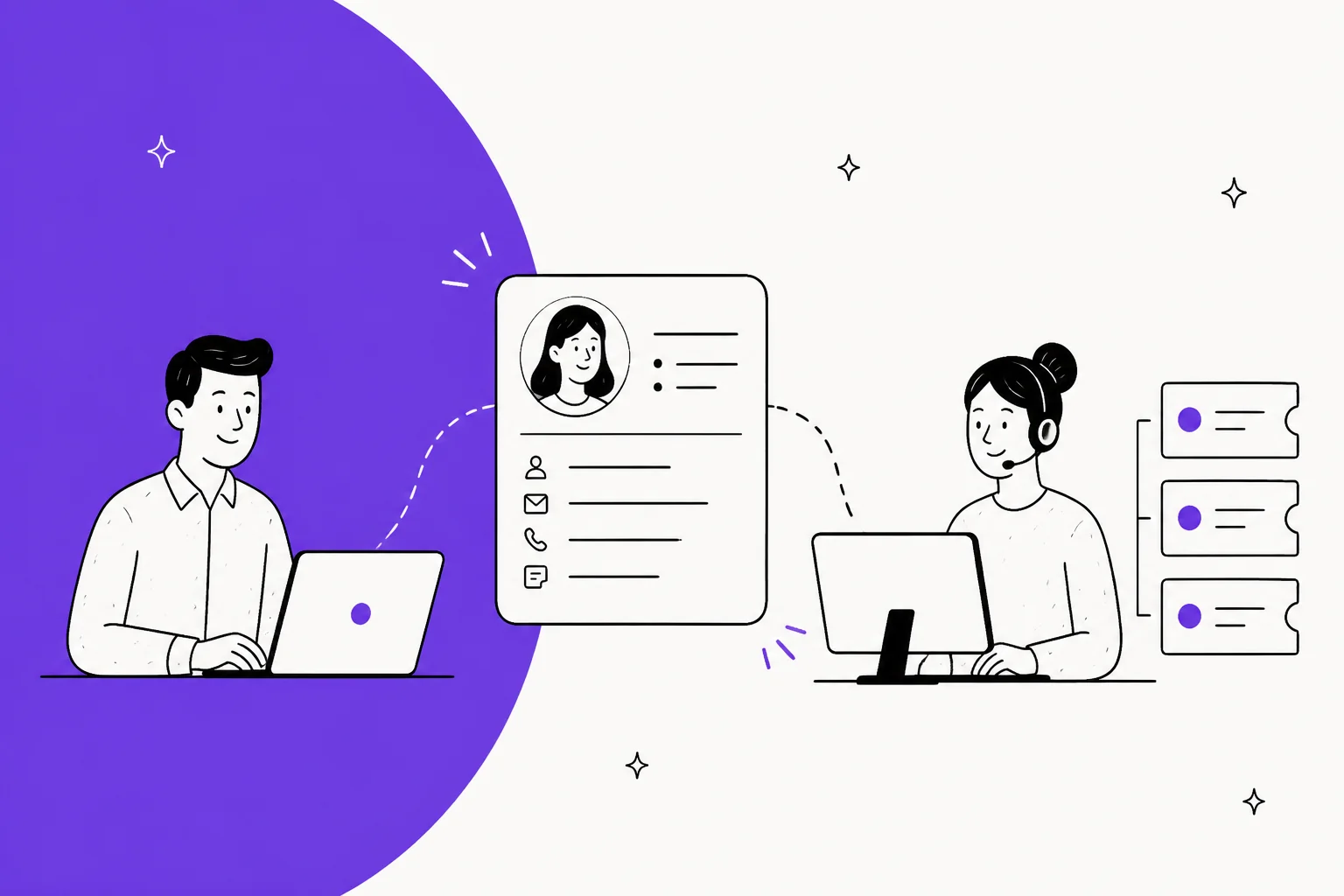
A CRM ticketing system means one thing in practice: the customer record and the support queue sit behind one profile, so an agent answering a ticket already knows who is asking and what they bought. You get there two ways. Buy a suite where both halves share a database (HubSpot, Zoho, Salesforce), or wire a standalone help desk to the CRM you already run.
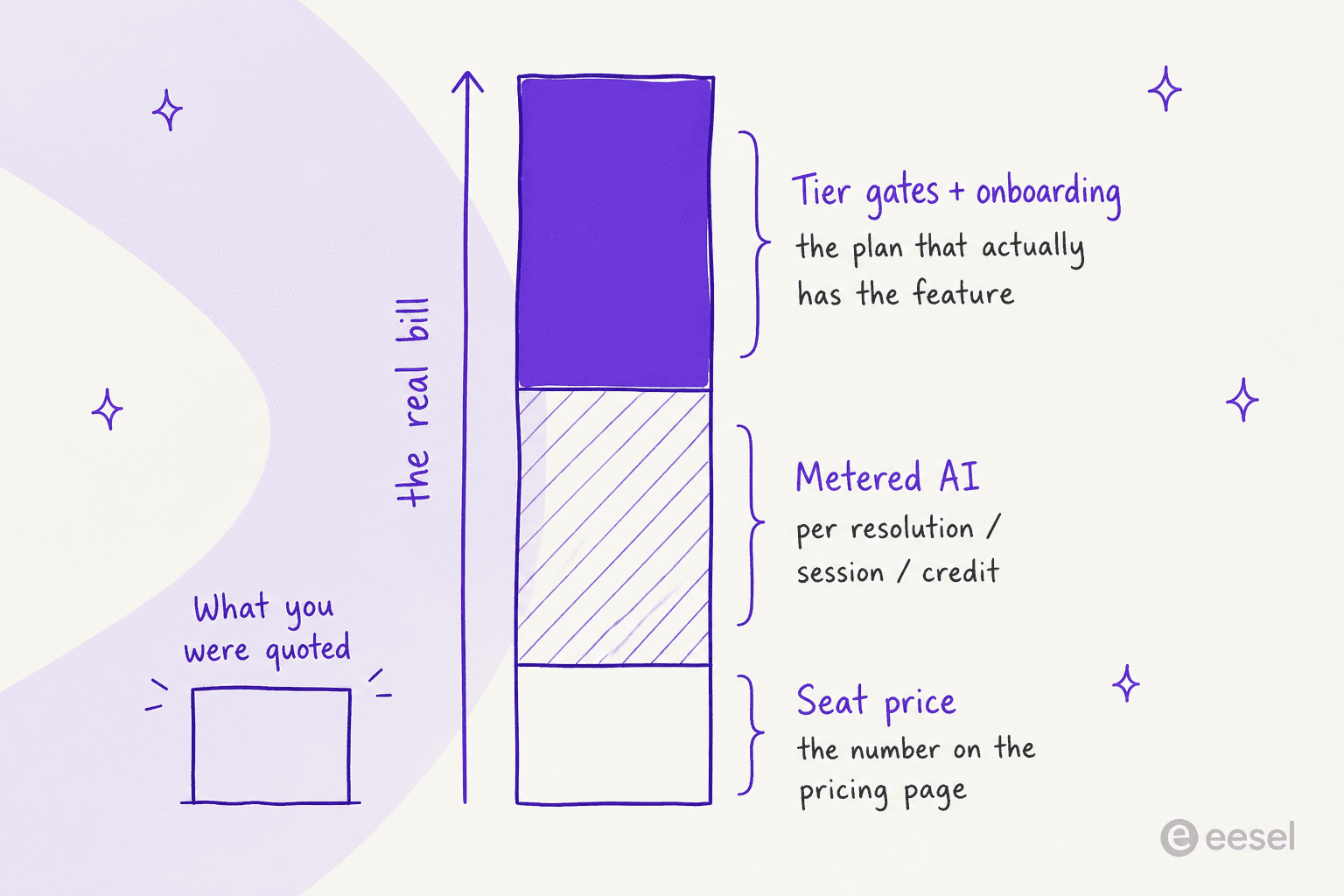
The pricing is where people get hurt. Entry seats look cheap, $7/user/month on Zoho Desk, $7/seat/month on HubSpot Starter, but the seat price is roughly a third of the real bill. HubSpot's help desk workspace and knowledge base do not appear until Professional at $90/seat/month, which also carries a mandatory $1,500 onboarding fee. Salesforce charges $175/user/month for the Enterprise edition and then $2 per Agentforce conversation on top. Freshdesk meters its AI agent at $49 per 100 sessions after the first 500. Zendesk will not publish an AI resolution rate at all.
I build integrations at eesel, so I have spent a lot of time on both sides of this join. The thing worth knowing before you sign anything: the AI layer does not have to come from whoever sells you the ticketing. eesel sits on top of the desk you already run, reads the customer record and the past tickets together, and bills per ticket rather than per seat. One logistics-tech customer, Gridwise, had it resolving 73% of their tier-1 requests inside the first month.
What a CRM ticketing system actually is
Two different tools with two different jobs, forced to share a face.
A help desk is the system of action for support. Tickets, a shared inbox, macros, routing, SLAs, a knowledge base. It answers "what is this person asking and how do we resolve it."
A CRM is the system of record for the relationship. Contact details, company, deal stage, lifetime value, order history. It answers "who is this person and what have they done with us."
People conflate the two constantly, and it is an expensive mistake to make in the wrong order:
"I went down the CRM road last year. Was so sure I needed a CRM. Spent 9 months trying them all out, picking one and trying to make it fit my business model.....
After beating my head at a brick wall for all the time I discovered I didn't need a CRM I needed a helpdesk. What a waste of time!!"

Kept apart, an agent looks the customer up in one tool while typing the reply in another. Joined, the record surfaces inside the ticket. That is the whole pitch, and when it works, users describe it in almost identical language every time:
"Overall, my experience has been very positive. HubSpot Service Hub helps me stay organized and respond to customers faster. I no longer have to switch between multiple tools, and having all customer data (emails, chats, tickets) in one dashboard makes my work much easier. Even though it can be expensive as the team grows, the value and efficiency it brings make it worth it."

Note the second half of that sentence. Even the happy review flags the cost curve. Hold that thought.
The category has converged hard since 2024. Most tools that used to call themselves a ticketing system now market a CRM-style contact object, and most CRMs now ship a ticket pipeline. So the useful question in 2026 is not "is this a CRM or a help desk," it is how rich the customer record is, and what it costs to actually use it.
The two ways people build one
Route one: the native suite
One vendor, one database, both halves included. HubSpot Service Hub on the HubSpot Smart CRM. Zoho Desk alongside Zoho CRM. Salesforce Service Cloud on the Salesforce platform. Freshdesk next to Freshsales.
HubSpot is the cleanest example of what "shared database" buys you, because in HubSpot tickets genuinely are CRM objects. Its own docs give the worked case: "When handling a customer complaint, you communicate via email to two individuals. These individuals are also in the middle of a sale with your company. In HubSpot, you can associate the ticket record to the two contact records and the deal record."
That is the good version. Read the same page carefully and you find the tier gate: "A Professional or Enterprise subscription is required to use association labels and customize the right sidebar of a record." The join is native. Configuring the join is not free.
Route two: standalone help desk plus your CRM
Keep the best tool on each side and own the integration. A dedicated help desk (Zendesk, Freshdesk, Gorgias, Front) connected to whatever CRM you already run.
This route got more common for a boring reason: Zendesk is exiting the CRM business. Zendesk announced on September 9, 2025 that Zendesk Sell is being retired on August 31, 2027, after which it will no longer provide a sales CRM, and all Sell data is deleted at retirement or when the subscription ends. So "Zendesk with CRM" now means Zendesk plus somebody else's CRM, by design.
Even inside the friendliest ecosystems, the join is a configured integration rather than one database. Zoho's own KB is explicit that you set the link up in Setup, Integrations, Zoho CRM, with admin rights on both sides and a paid Desk plan, to get a two-way sync of contacts, accounts and products. Freshworks does the same thing over an API key: you copy your Freshsales key and install the app so agents can see the last five deals next to the ticket.
Owning the join is not free either, and the people who feel that most are the engineers who maintain it. An engineer on Hacker News who ran one for a large app put the tradeoff honestly, in favour of consolidation:
"As someone who's had to maintain a Zendesk integration such as this for a large app it's hard to understate the benefit of having all that support info so close to the rest of your user's data. I have seen a huge amount of effort go into trying to get just the right balance of data in and out of ZD."

The plainest evidence that these are two databases wearing one badge came from someone trialling Zoho One:
"In my trial environment the contacts from the CRM and Desk are not the same. Is this normal?... it looks like they are separate databases which makes no sense."
What a CRM ticketing system costs in 2026
Every number below came off the vendor's own pricing page on July 31, 2026, annual billing, per user or agent per month.
| Product | Entry paid plan | The plan you probably need | Free tier | Billable unit | AI metering | Onboarding fee |
|---|---|---|---|---|---|---|
| Zoho Desk | Express $7 | Standard $14 (Answer Bot), Enterprise $40 (Zia Actions) | Yes, 3 users forever | Per user | 30M free tokens/mo on Express, no per-resolution rate | None |
| Zoho CRM | Standard $14 | Professional $23 | Yes, 3 users | Per user | Bundled AI agents from Professional | None |
| HubSpot Service Hub | Starter $7 | Professional $90 | Yes, 2 users | Per seat + credits | 50 credits per resolved conversation, $9 per 1,000 credits | $1,500 Pro, $3,500 Enterprise |
| Salesforce Service Cloud | Starter Suite $25 | Enterprise $175 | No | Per user | $2 per Agentforce conversation, or $500 per 100k Flex Credits | Not published |
| Freshdesk | Growth $19 | Pro $55 | Not shown on the page | Per agent + sessions | 500 sessions included, then $49 per 100 | None |
| Zendesk | Support Team $19 | Suite Professional $115 | No | Per agent | Rate not published | None |
| Help Scout | Standard $25 | Plus $45 | Yes, 5 users | Per user + resolutions | $0.75 per AI resolution | None |
Three things in that table deserve more attention than they usually get.
The gap between the entry plan and the plan you need is the actual price. HubSpot Starter is $7 a seat and does not include the Help Desk Workspace, the knowledge base, or Breeze Customer Agent. All three start at Professional, $90 a seat, plus the one-time $1,500. That is not a 13x jump in list price, it is a 13x jump in the price of the thing you were sold.
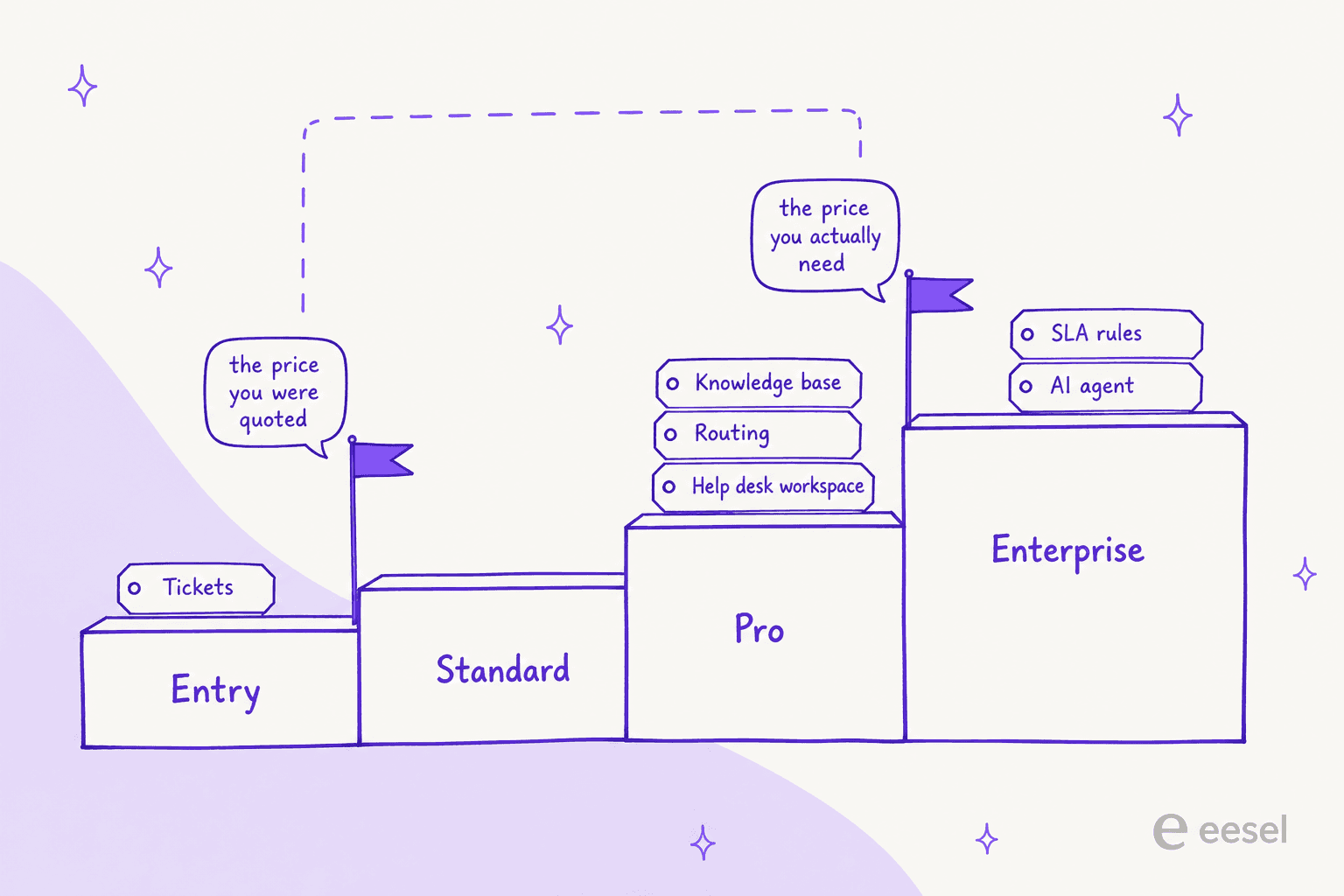
That gap is the whole shopping experience for a small team, and it lands from both directions at once:
"we've tried connecting a cheap standalone sales tracker to a separate support desk using a basic automation tool, but the sync lag is a total mess. we also looked at a few budget all-in-one platforms, but they always gate the actual useful ticketing features behind their most expensive tiers."
Two vendors will not tell you the AI price. Zendesk's page says AI agents are included "with pricing based on the successful outcomes they deliver" and then prints no figure. Zoho bundles AI agents into Express with a token allowance rather than a resolution rate. You cannot model either one before a sales call, which is a choice they made on purpose.
The billable unit decides who gets punished. Per-seat pricing punishes headcount, so a CRM ticketing setup gets expensive precisely when you hire the support people it was meant to help. Per-conversation pricing punishes a bad month. Neither is wrong, but they fail in opposite directions and you should know which one you are signing up for.
Run your own numbers
Seats plus metered AI, at the plan most teams actually land on. Change the two inputs and watch the ordering flip.
At six agents and 600 AI resolutions a month, Salesforce Enterprise costs more in Agentforce conversations alone than Freshdesk costs in total. That is not a knock on Salesforce, which is doing far more per seat. It is the point about billable units, made in dollars.
Five places a CRM ticketing system breaks
This is the part vendors do not put on the comparison page, and the part I would want somebody to tell me before signing.
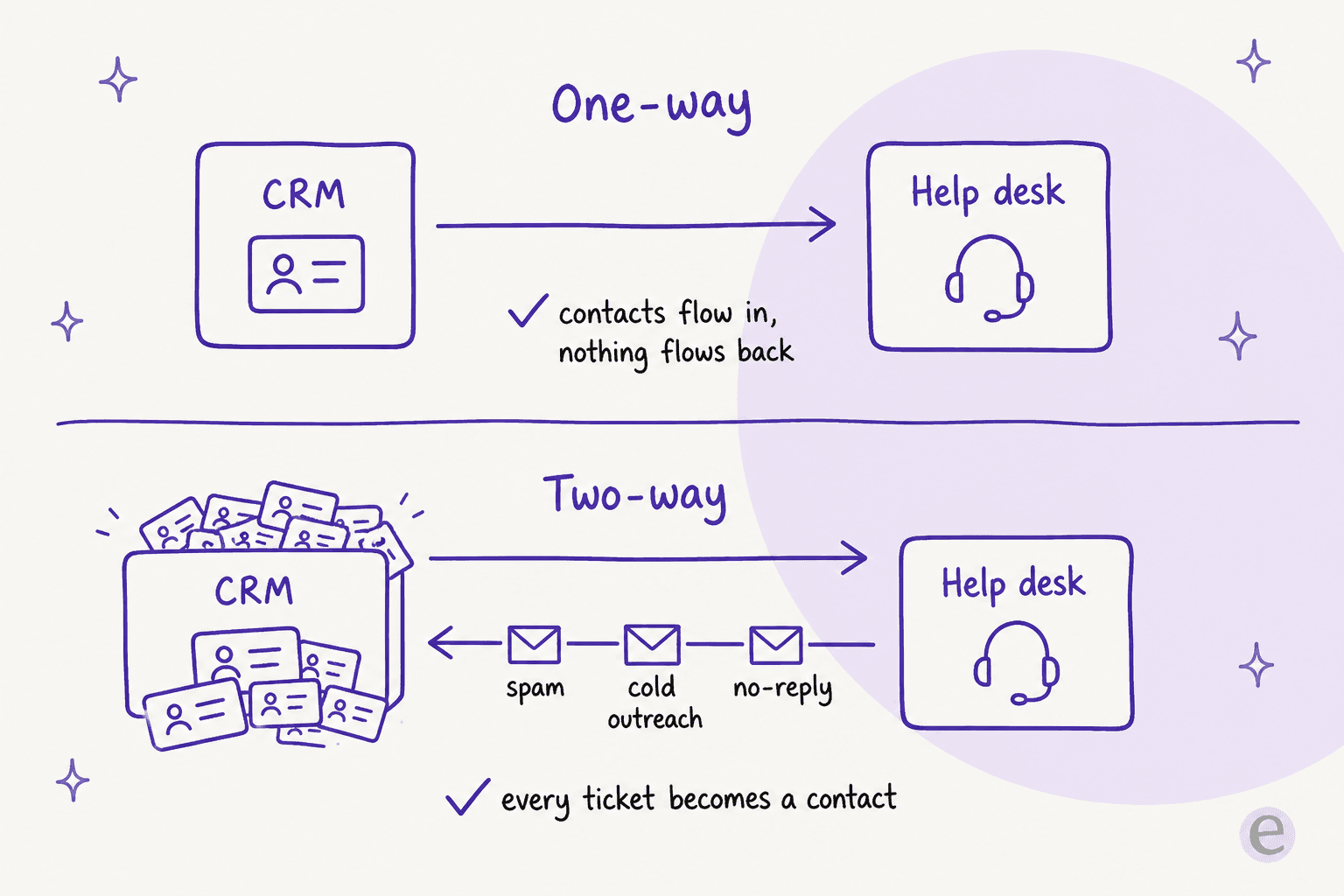
1. Two-way sync will fill your CRM with garbage
Every ticket requester becomes a contact. Every spam email, every cold outreach blast that hit support@, every no-reply notification. The sharpest account of this came from a Zoho admin who ran it for years:
"I've been through the wringer with this... there's a setting in the CRM/desk integration where you can select 2-way sync... I was using 2-way for way too long (years) and it destroyed my data in crm. So switched to 1-way last week... every single ticket gets turned into a contact in Desk. Every spam email, every SEO marketing email... If you are doing 2-way sync then every single contact in Desk (including all that spammy shit) gets pushed into CRM Contacts. And you end up with a disaster of a contact list."
Default to a one-way sync, CRM to help desk, unless you have a specific reason not to. Sales wants clean records more than support wants automatic contact creation.
2. The association rules have holes you find in month three
A HubSpot user who moved off Zendesk and ran the Help Desk for a year listed the two that bit hardest:
"HubSpot HelpDesk is absolutely usable if you're not a massive support organisation or looking for the latest bells and whistles… but here are our ongoing gripes: it's not possible to close a ticket permanently. Ever. If the customer replies it just brings the original back from the dead. 🧟 tickets can only be automatically associated with open deals. This is a pain as you need to remember to manually connect them to Closed Won deals… TL;DR: I don't regret the move, but it's not sunshine and rainbows."
Read that second gripe again, because it undercuts the whole promise. The reason you bought a CRM ticketing system is the join between a ticket and a deal. If the automatic join only fires on open deals, then the ticket about the customer who already bought is the one that loses its context.
3. Help desk features stop at the pipeline boundary
The same pattern shows up in SLAs. HubSpot's SLA pausing is tied to the Service Hub ticket pipeline and only works on SLA-enabled tickets, so a team running conversations through a CRM or email pipeline finds the SLA logic does not apply there. If you are relying on SLA reporting, check which pipeline it actually reads before you promise anyone a number. Our SLA management guide covers what good looks like here.
4. The knowledge base is a separate purchase, quietly
This one costs real money. On Salesforce, Knowledge Management on the Enterprise edition is listed as "Read Only. Read/Write available for purchase," with read/write priced at an additional $75/user/month. Einstein Bots is another $75/user/month at that edition, and Enhanced Messaging another $75.
So the $175/user/month Enterprise seat becomes $250 the moment your agents need to write articles. If your CRM ticketing plan involves self-service, price the knowledge base as its own line item, not a checkbox.
5. The AI meter is a second bill nobody models
HubSpot's Breeze Customer Agent costs 50 credits per resolved conversation. Professional includes 3,000 credits a month, so the plan you were sold covers 60 AI resolutions a month, and everything after that runs $0.45 each at the $9 per 1,000 credit rate. Freshdesk gives you 500 Freddy sessions once, then charges $49 per 100. Salesforce charges $2 per Agentforce conversation and confirms in its own FAQ that unused Flex Credits "do not roll over into subsequent subscription terms."
None of that is hidden exactly. It is just never in the same sentence as the seat price. The team that gets burned is the one that budgeted $90 a seat and then turned the AI on.
The vendors, one at a time
HubSpot Service Hub
The tightest CRM join of the suites, because tickets, contacts, companies and deals are all the same kind of object. HubSpot reports 306,000 customers across the platform, and Service Hub holds 4.4 out of 5 across 2,915 reviews on G2.
Best for: teams already running HubSpot for sales and marketing, where the record genuinely is shared. Watch: the Starter-to-Professional cliff, the mandatory onboarding fee, and the credit model. A user on r/hubspot put the cliff plainly: "Am I the only one who finds Hubspot's jump from Starter to Pro pricing utterly absurd? My sales rep quoted $17,500/year." Our take: the best-value CRM ticketing setup if you were buying HubSpot anyway, and an expensive way to buy ticketing if you were not. If you like the CRM but not the AI meter, AI for Service Hub is a real option.
Salesforce Service Cloud
The deepest and the most expensive. Five editions, from Starter Suite at $25/user/month to Agentforce 1 Service at $550. The genuinely service-grade edition is Enterprise at $175. Agentforce is the AI layer, and it now bills two ways you cannot mix in one org: $2 per conversation, or $500 per 100,000 Flex Credits.
The top comment on an r/salesforce thread asking whether to use Salesforce purely for ticketing is also the shortest fair verdict anyone has written on it:
"What you want is service cloud, but it's no zendesk out of the box."
Best for: enterprises whose system of record is already Salesforce and who need customization no one else offers. Watch: the add-on stack ($75 each for read/write Knowledge, Einstein Bots and Enhanced Messaging), Premier Success at 30% of net license fees, and the fact that Flex Credits expire. Our take: unbeatable if you are already all-in, hard to justify as a first help desk. Our Service Cloud pricing breakdown goes deeper on the editions. For the AI half, Agentforce pricing has the credit math, and AI options for Service Cloud covers what else fits.
Zoho Desk plus Zoho CRM
The price leader by a distance. Desk runs $7 to $40 a user, CRM $14 to $40, and the free Desk tier covers three agents forever. Desk's Work Modes feature even sorts the queue by CRM information, so the record shapes triage rather than just sitting in a sidebar.
"What I like best about Zoho Desk is how much functionality it offers at a competitive price. It combines powerful ticket management, automation, AI features, omnichannel support, SLAs, knowledge base, and detailed reporting in a single platform."

Best for: cost-conscious teams, and anyone already inside the Zoho ecosystem. Watch: the sync-direction trap above, and the fact that the Answer Bot starts at Standard ($14) while Zia Actions and the pre-built AI agents sit on Enterprise at $40. One quiet change this month: Zoho CRM's Ultimate plan no longer shows a price at all, so the ladder now ends at a sales call. Our take: the best price-to-capability ratio in the category, provided you configure the sync one way on day one. Our Zoho Desk review covers the AI side in detail. If you want the setup steps, start with the Zoho ticketing walkthrough.
Freshworks
Freshdesk at $19 to $89 an agent, Freshsales at $9 to $59, joined by an API-key integration rather than a shared database. Freddy AI Agent bills by session, where a chat session is every interaction within 24 hours and an email session is a 72-hour window.
Best for: SMB and mid-market teams who want omnichannel without Zendesk pricing. Watch: the session meter, and the fact that the free plan is no longer displayed on the pricing page at all. Our take: solid middle ground, and the session unit is more forgiving than per-message billing. Compare it against the neighbours in Freshdesk vs Zendesk. The Freshdesk vs HubSpot piece is the closer call if the CRM half matters to you.
Zendesk plus an external CRM
Zendesk is the strongest pure help desk here and, as of the Sell retirement, deliberately not a CRM. Support Team is $19 an agent, Suite Team $55, Suite Professional $115, with Copilot as a $50 an agent add-on.
Best for: support-led organizations that want best-of-breed ticketing and already have a CRM elsewhere. Watch: the unpublished AI resolution rate, and the fact that you now own the CRM integration yourself. Our take: pick Zendesk for the desk, pick your CRM separately, and accept that you are maintaining a join. Our Zendesk pricing piece has the full ladder, and Zendesk AI alternatives covers the AI half.
For the wider field, see top helpdesk software. The shared-inbox tools that blur into this category get their own roundup in best shared inbox software.
The AI layer does not have to come from the ticketing vendor
Here is the assumption I would push back on hardest, because I have watched it cost people money.
Every suite in this post sells the ticketing and the AI as one purchase. That made sense when the AI was a keyword-matching bot that needed to live inside the ticket schema. It makes much less sense now, when the useful thing an AI does is read your knowledge base, your past tickets and the CRM record together and write an answer specific to that customer.
That work does not require owning the ticket object. It requires read access to it. Which means the tier you upgrade to for the AI is often a tier you did not need to buy.
I say this from the wrong side of the argument, too. In early 2026 we lost two mid-market deals outright because eesel did not yet have native support for the Salesforce and HubSpot helpdesks. One prospect running around 900 tickets a month called the missing Salesforce integration a flat dealbreaker; another, at roughly 10,000 tickets a month, walked because we could not learn from their past HubSpot tickets. Those gaps are closed now, but they taught us which half of the join people will not compromise on, and it is not the ticketing UI. It is the record and the history.
The other thing years of live rollouts teach you is that confidence matters more than coverage. The buyers who succeed are not the ones chasing a 100% automation number:
"The AI will never be able to answer 100% of the questions... I need an AI who is only handling the tickets that it's confident to handle and all the other ones, leave them alone."
a DTC supplements CX lead, eesel customer interview
That is why we simulate every rollout against a customer's historical tickets before it touches a live queue. We have watched a confident-sounding bot give wrong answers, and the fix is not a better model, it is knowing when to hand off. The other half is designing against hallucination from the start.
Try eesel on the desk you already run
If you have landed here because the CRM ticketing quote came back higher than expected, there is a cheaper shape to consider: keep the help desk and CRM you have, and put the AI on top of both.
That is what eesel does. It connects to Zendesk, Freshdesk, Gorgias, HubSpot, Salesforce, Front and Slack, trains on your existing help center and your past tickets rather than a hand-written script, and drafts or resolves inside the tool your agents already use. No migration, no seat licences for support staff who only need to read a record, and no tier upgrade just to unlock the AI. Pricing is per ticket, so growing the team does not grow the bill.

The part worth trying before you commit to anything: run it against your own historical tickets and see the answers it would have sent, on your own content, before a single customer sees it. Gridwise got to 73% of tier-1 requests resolved in month one that way, and they decided inside a 7-day trial. Try eesel free, or book a demo if you want us to look at your setup first.
So which one should you actually buy
If you are under ten agents and already in HubSpot or Zoho, run tickets in the suite. The join is real, the cost is manageable, and a second tool is a second thing to maintain.
If you are past ten agents, or SLAs and routing are load-bearing for you, buy a real help desk and sync the CRM one way into it. You will get reporting that treats a resolution as a first-class object, which no CRM pipeline does well.
Either way, price it in three parts, not one: seats, plus the metered AI, plus the tier you need for the feature you were sold. Then ask whether the AI layer needs to come from the same vendor at all. Increasingly, it does not, and that is the cheapest decision in this whole post. If you want the wider field first, AI customer service software is the right next read. After that, ticket deflection is where the savings actually show up.