How to add AI to Front: two ways that actually work

Rama Adi

Katelin Teen
Last edited October 14, 2026
What "adding AI to Front" actually means
I have spent the last few years putting AI agents on live support queues, and the thing nobody tells you up front is that "add AI" is two very different projects wearing the same name.
Front is a shared-inbox helpdesk: email, chat, SMS, WhatsApp, and social all land in one collaborative workspace where a whole team assigns, comments, and resolves together. When you add AI to it, you are choosing between two setups:
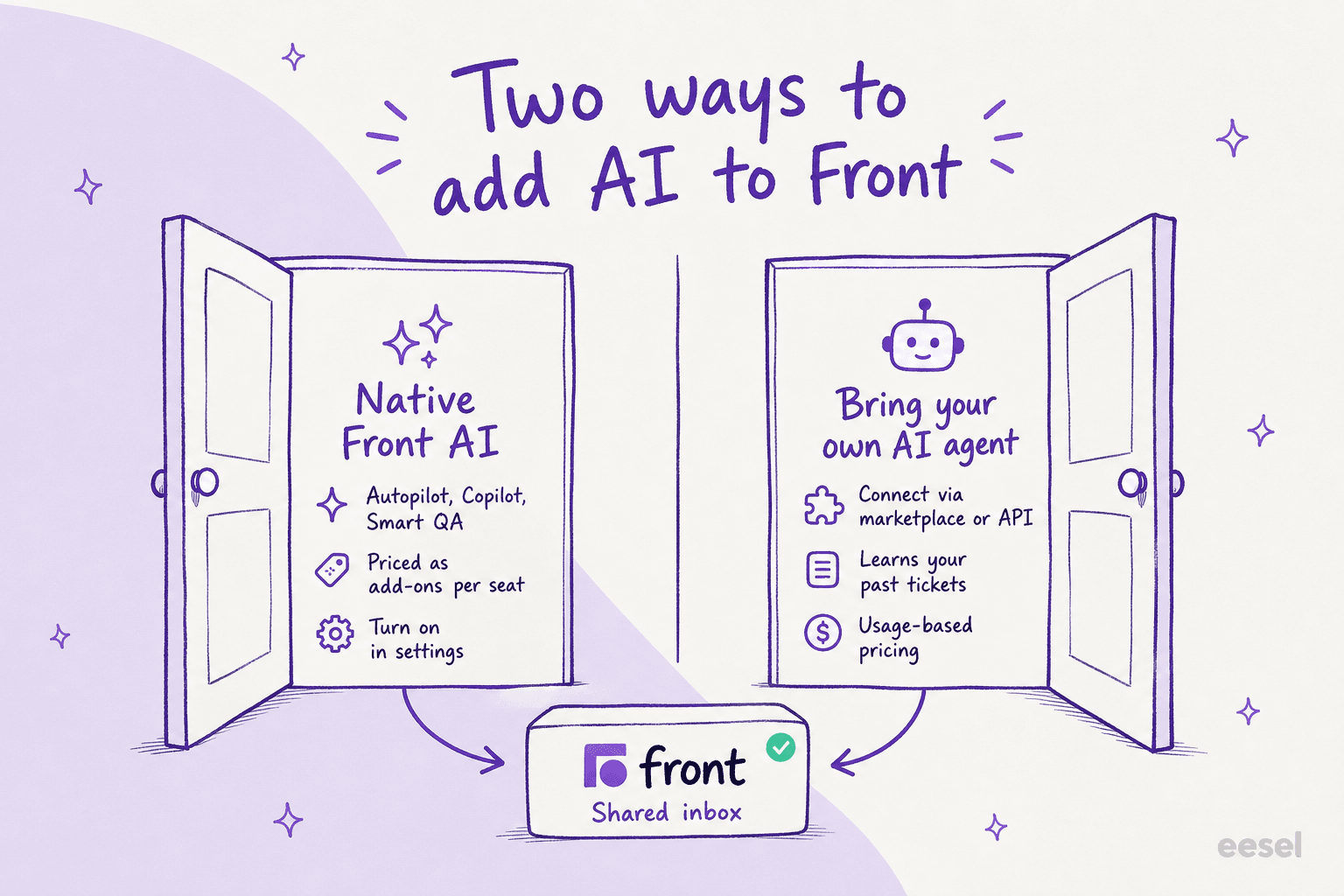
- Native Front AI. Front's own suite, branded Front AI, toggled on inside the app. You pay Front for it, and it lives natively in the workspace.
- A bring-your-own AI agent. An outside agent (like eesel) that plugs into Front through the marketplace, Connectors, or the REST API and acts inside your inbox.
Both are legitimate. Front itself rates 4.7/5 from 2,499 reviews on G2, and its AI is real. The question is what you are optimizing for: fastest toggle, or the best answers at a price that does not balloon as you scale. Let me take each door in turn.
Option 1: Turn on native Front AI
If you already pay for Front, the shortest path is to enable Front AI in the app. Here is the actual flow.
Step 1: enable the features in company settings
Front AI lives under Company settings → Front AI. This is the master switch panel: Copilot, Autopilot, Topics, Smart QA, Smart CSAT, plus the everyday writing tools (Compose, Translate, and "Ask your knowledge base") each get their own toggle or "Get add-on" button.
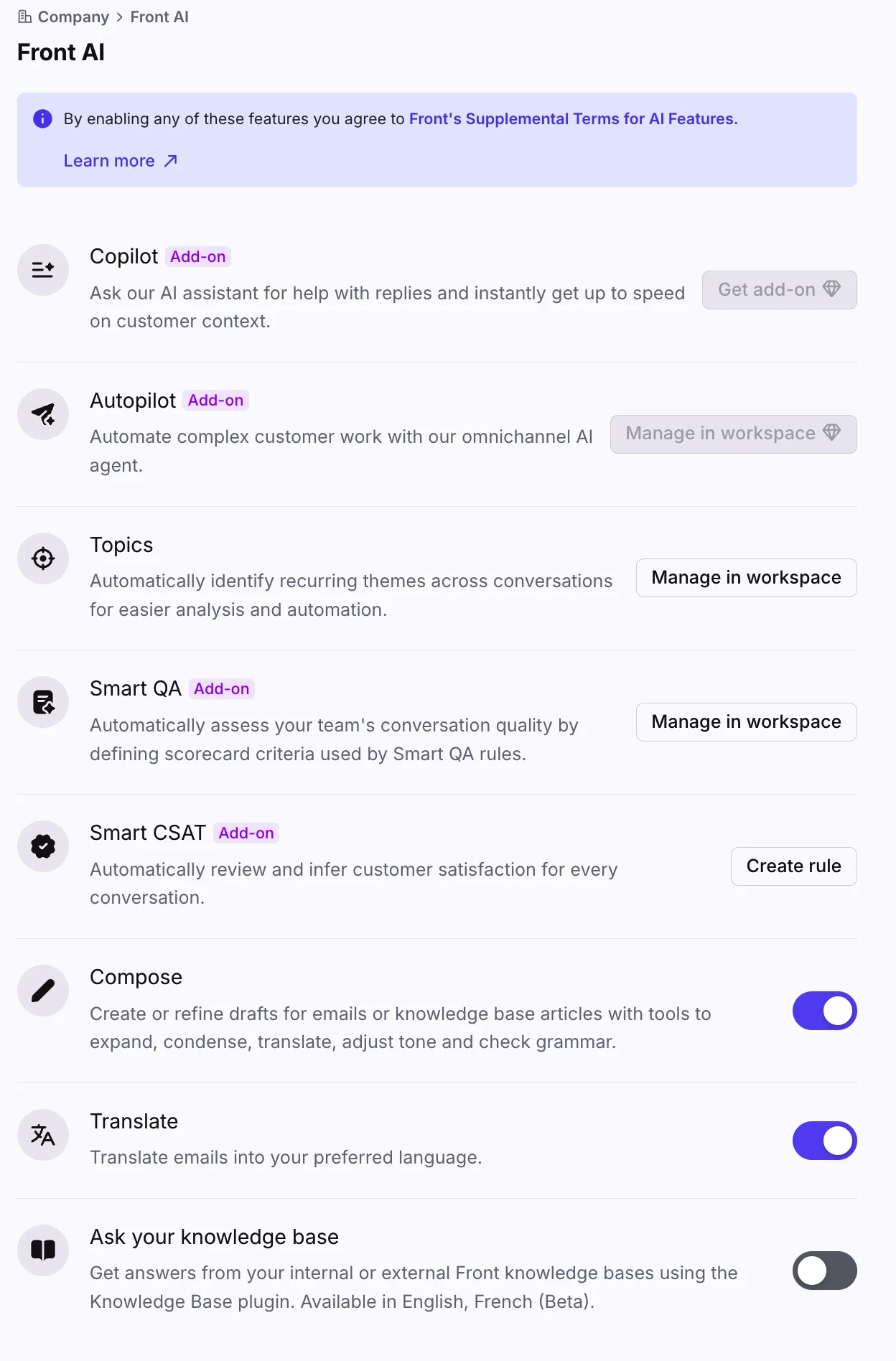
Note the "Add-on" tags. Compose and Translate flip on for free, but Copilot, Autopilot, Smart QA, and Smart CSAT are paid. Enabling any of them means agreeing to Front's supplemental AI terms, so this is a real decision, not a free trial toggle.
Step 2: connect your knowledge
AI answers are only as good as what they can read. Front's AI knowledge source panel is where you point the AI at your help center by adding a Knowledge base or a Public website as a source.
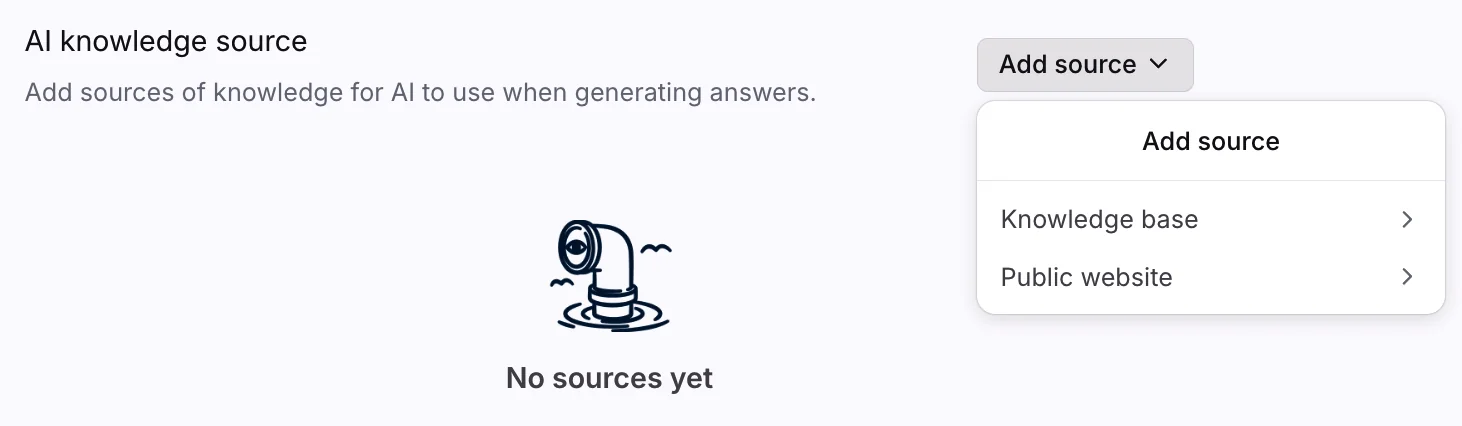
The "No sources yet" empty state is the honest part: until you wire in a knowledge base, the AI has nothing to ground its replies on. Budget time to clean up your help articles here, because a thin knowledge base is the number-one reason a support bot gives vague answers.
Step 3: put the AI to work in the inbox
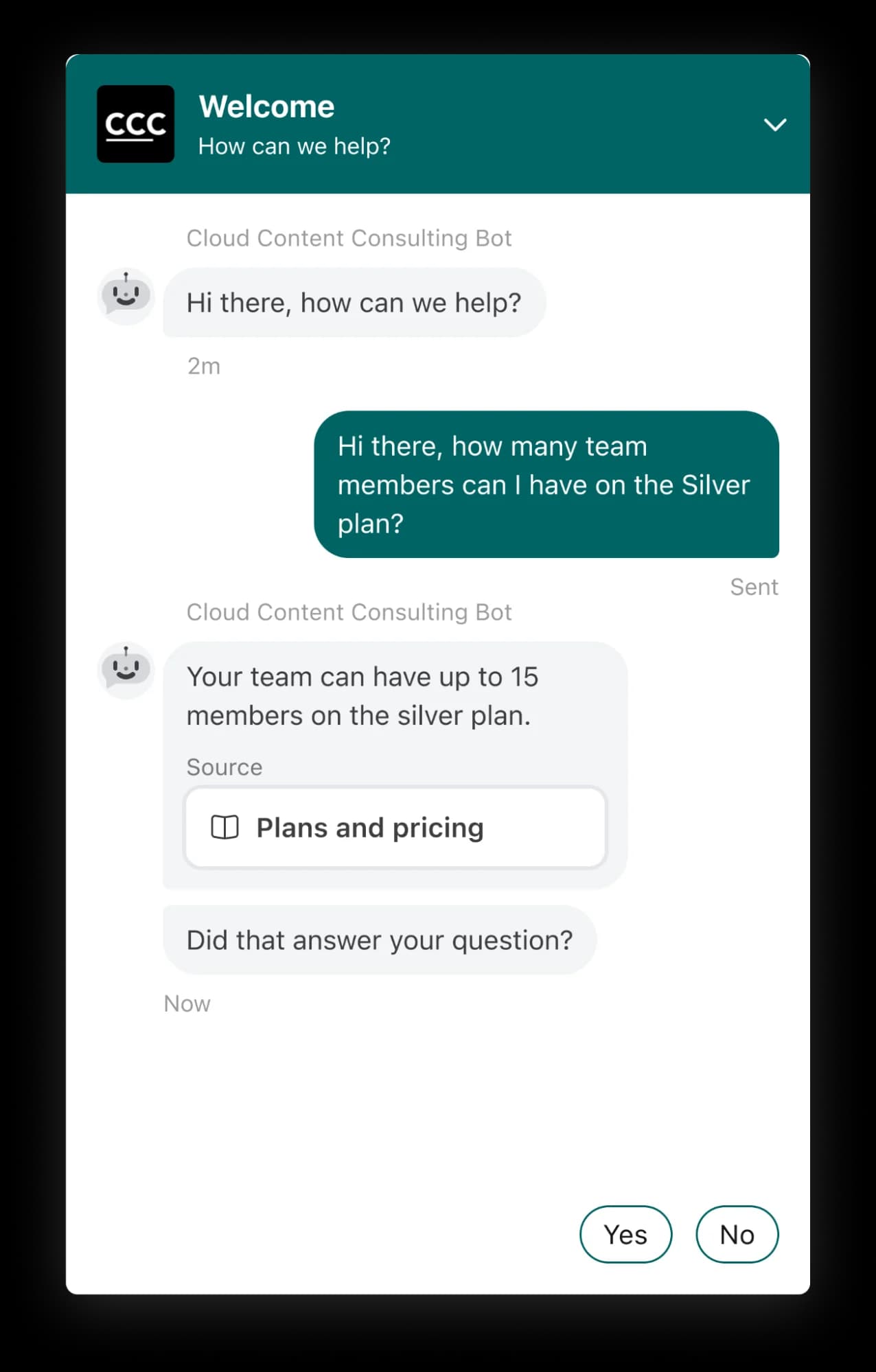
With knowledge connected, the AI can answer. Front's chatbot-style self-serve replies (the legacy AI Answers feature, now replaced by Autopilot Resolve) answer a customer with a cited source card and a "Did that answer your question?" check, so the person can confirm or ask for a human.
From here you layer on the two headline pieces:
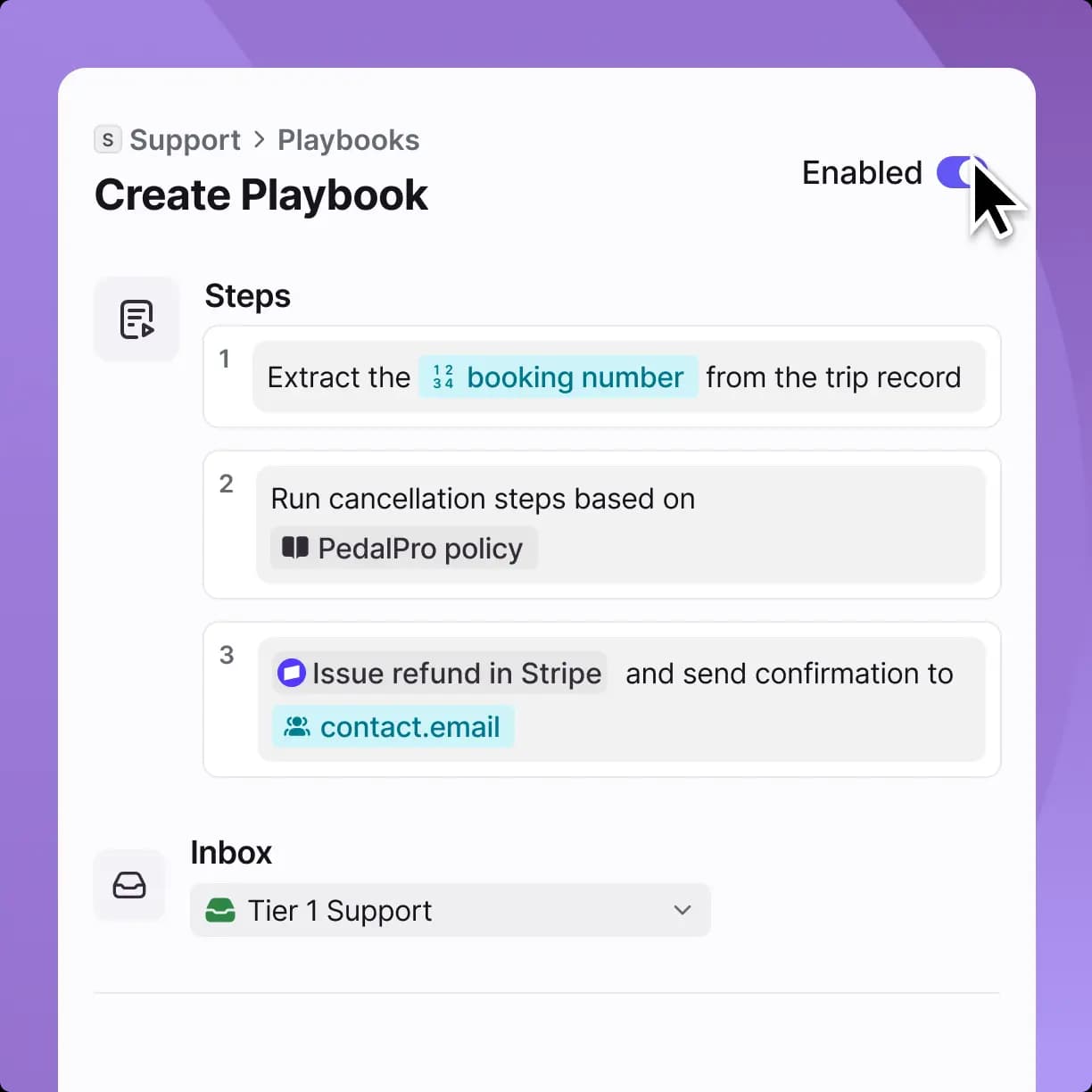
Autopilot is Front's autonomous AI agent. Front markets it as resolving up to 70% of requests, and its real strength is multi-step work: a Playbook can extract a booking number, run a cancellation against your policy, and issue a refund, all in one flow. Crucially, you can run it against simulations before go-live.
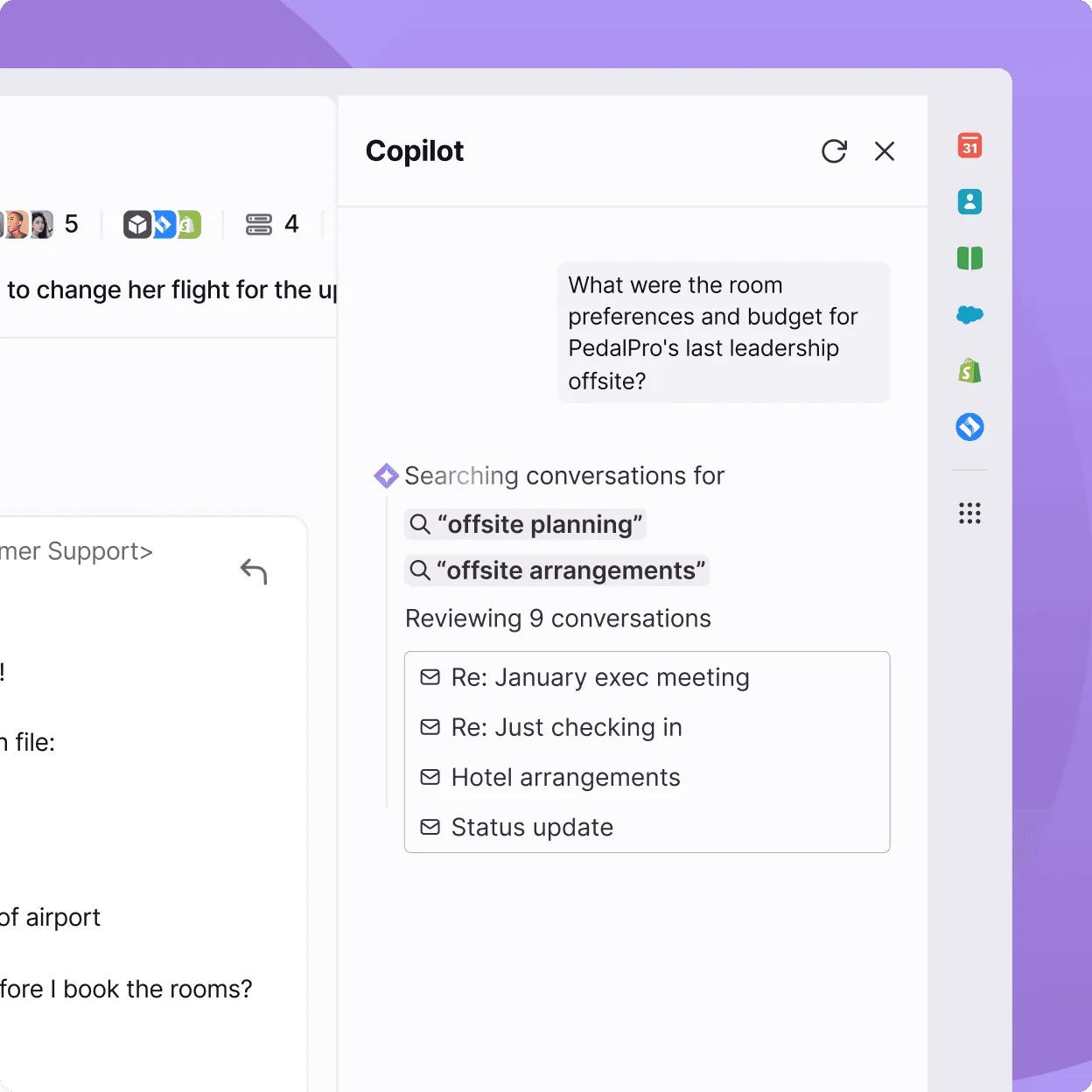
Copilot is the assist side: it reads across conversations and connected systems, then drafts a reply for a human to send. Think of it as an AI copilot that assembles the full case file so an agent skips the tab-switching.
Rounding out the suite are Topics (why customers reach out), Smart QA (AI scorecards that grade every conversation, so you stop sampling by hand for quality assurance), and Smart CSAT (an inferred satisfaction score with no survey).
What native Front AI costs
Here is where teams get surprised. Front AI is mostly add-ons on top of an already per-seat plan.
| Front AI piece | Price | Included on |
|---|---|---|
| Autopilot (agent) | from $0.05 / conversation | add-on on every plan |
| Copilot (assist) | $20 / seat / mo | Enterprise |
| Smart QA | $20 / seat / mo | Enterprise |
| Smart CSAT | $10 / seat / mo | Enterprise |
| Smart QA + Smart CSAT bundle | $25 / seat / mo | - |
| Compose / Translate / Summarize | included (200 actions/day cap) | all plans |
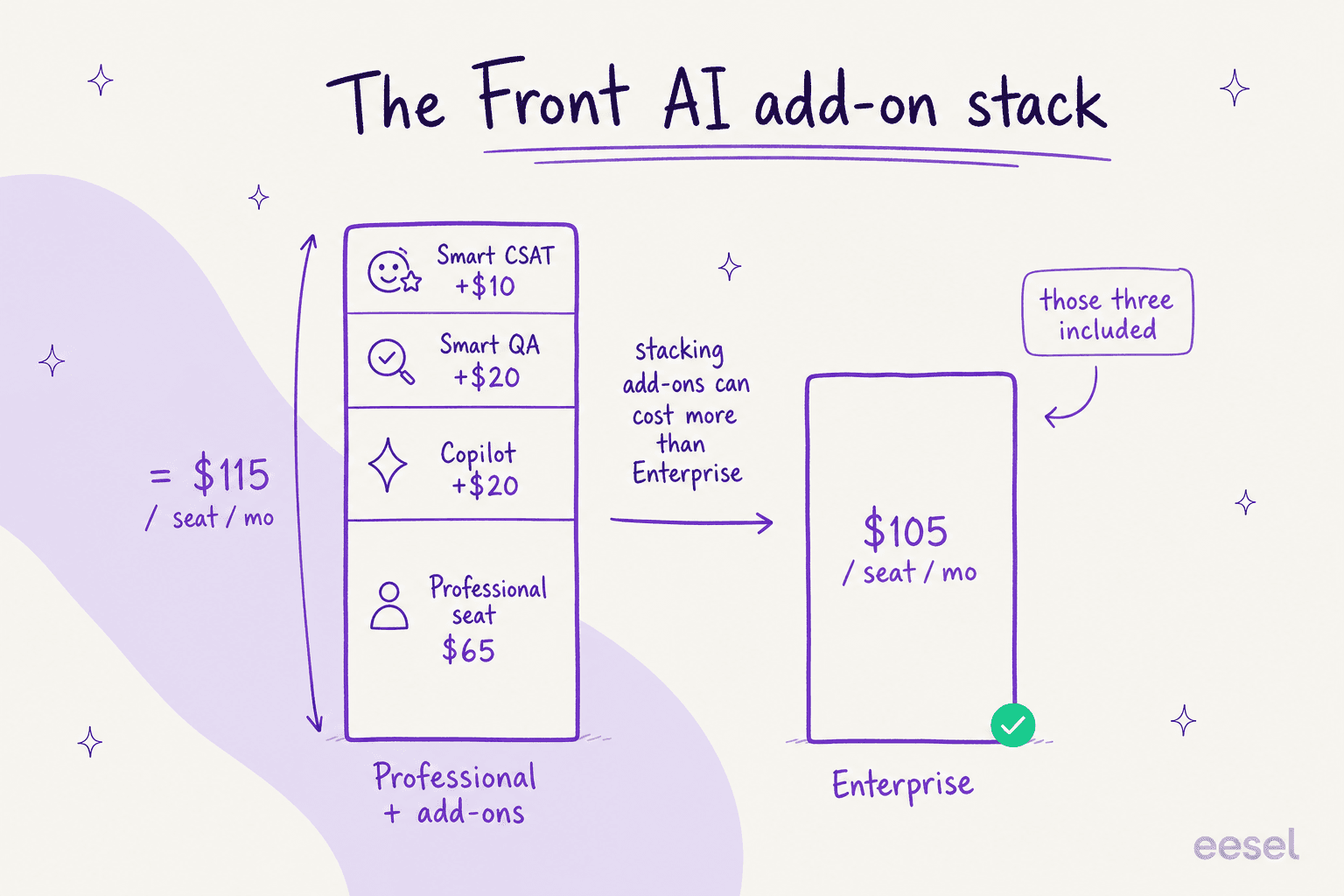
The trap is that the assistive stack on the mid plan can cost more than the top plan. Professional ($65) plus Copilot, Smart QA, and Smart CSAT lands at $115/seat/mo, which is more than Enterprise at $105/seat/mo where those three are already bundled. If you plan to adopt the full assist suite, price Enterprise first.
Option 2: Bring your own AI agent
Front does not force you onto only its native AI. Its own help center documents third-party AI integrations, and the developer platform exists precisely so outside tools can act inside the inbox. That is the door I build for at eesel.
Here is why a team picks this route. A dedicated agent connects to Front and reads your existing history, canned responses, and help articles automatically, then works the queue like a person: reading a ticket, drafting an on-brand reply, adding a private comment, updating tags, and escalating what it should not touch.
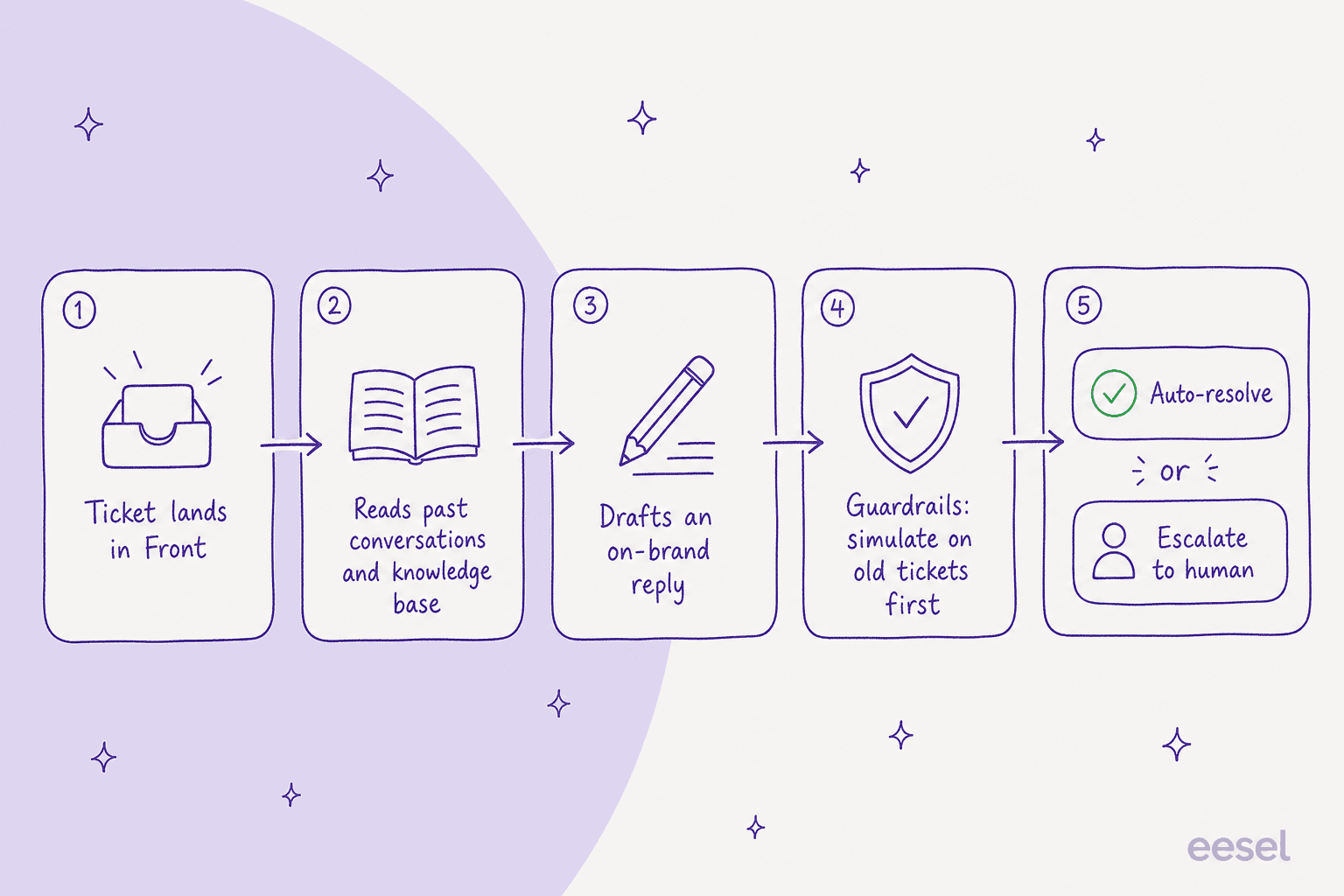
The setup, in practice:
- Connect Front. Authorize the agent against your shared inbox. With eesel this is a click, no API scripting for a standard setup.
- Let it learn. It ingests your past Front conversations and knowledge base instead of asking you to write intents by hand.
- Simulate before you launch. This is the step I care about most. We run the agent over thousands of your real historical tickets so you can see its actual answers and a projected resolution rate before it replies to anyone live.
- Go live with rules. Decide what it auto-resolves, what it drafts for a human, and what it hands off, then turn it on for a slice of volume first.
Why bother instead of clicking Front's own toggle? Two reasons I hear constantly. First, pricing: a bring-your-own agent runs on a fixed monthly plan (from $299/month for 500 credits, 1 credit per ticket or chat), so cost tracks volume rather than multiplying per seat as your team grows. Second, control: the confident-sounding bot that quietly gives wrong answers is the fastest way to lose trust in AI, which is exactly why simulating on your own history first is non-negotiable, not a nice-to-have. More on that in our take on AI hallucination prevention.
Native Front AI vs a bring-your-own agent
| Dimension | Native Front AI | Bring-your-own agent (eesel) |
|---|---|---|
| Setup | Toggle in settings | Connect + learn, live in under 30 min |
| Pricing model | Per-seat add-ons + Autopilot from $0.05/conversation (triage; $0.89 per resolution) | Fixed monthly plan from $299/mo (500 credits), no per-seat AI fees |
| Learns from past tickets | Yes, after setup | Yes, automatically on connect |
| Test before launch | Autopilot simulations | Simulate on thousands of past tickets |
| Lives inside the inbox | Yes | Yes, as a real agent (no widget) |
| Works beyond Front | Front-centric | Also Zendesk, Help Scout, Slack, and more |
Neither is wrong. If you live entirely in Front, want everything under one bill, and are already on Enterprise, native Front AI is a reasonable call. If you care about grounded answers, predictable cost as you scale, or you run more than one helpdesk, the bring-your-own route usually wins.
Which door should you pick?
Rather than guess, walk your own situation through this. Pick the line that sounds like you:
<div style="background:#fff;border:1px solid #ece9f5;border-radius:14px;padding:22px 22px 8px;font-family:-apple-system,BlinkMacSystemFont,'Segoe UI',Roboto,sans-serif;color:#474739;max-width:640px;">
  <p style="margin:0 0 16px;font-weight:700;font-size:17px;color:#474739;">Which way should you add AI to Front?</p>
  <style>
    .fw-opt{display:block;border:1px solid #ece9f5;border-radius:10px;padding:12px 14px;margin-bottom:10px;cursor:pointer;font-size:15px;line-height:1.4;transition:border-color .15s;}
    .fw-opt:hover{border-color:#A857F1;}
    .fw-pick{display:none;margin:2px 0 14px;padding:14px 16px;border-radius:10px;background:#F3EEFB;border-left:4px solid #A857F1;font-size:14.5px;line-height:1.5;}
    .fw-r{position:absolute;opacity:0;pointer-events:none;}
    .fw-r:checked + label{border-color:#A857F1;background:#F3EEFB;font-weight:600;}
    #fw-a:checked ~ #fw-pick-a,#fw-b:checked ~ #fw-pick-b,#fw-c:checked ~ #fw-pick-c,#fw-d:checked ~ #fw-pick-d{display:block;}
  </style>
  <input class="fw-r" type="radio" name="fw" id="fw-a">
  <label class="fw-opt" for="fw-a">We live entirely in Front and are already on Enterprise</label>
  <input class="fw-r" type="radio" name="fw" id="fw-b">
  <label class="fw-opt" for="fw-b">We want AI answers grounded in our real ticket history, tested before launch</label>
  <input class="fw-r" type="radio" name="fw" id="fw-c">
  <label class="fw-opt" for="fw-c">We are scaling fast and worried about per-seat costs stacking up</label>
  <input class="fw-r" type="radio" name="fw" id="fw-d">
  <label class="fw-opt" for="fw-d">We run more than one helpdesk, not just Front</label>
  <div class="fw-pick" id="fw-pick-a">Native Front AI is a fair call. Copilot, Smart QA, and Smart CSAT are already bundled into Enterprise, so start there and add Autopilot for autonomous resolution.</div>
  <div class="fw-pick" id="fw-pick-b">Lean bring-your-own. Simulating an agent on thousands of past tickets before go-live is the single best guard against wrong answers, and it is where a dedicated agent shines.</div>
  <div class="fw-pick" id="fw-pick-c">Bring-your-own, most likely. A fixed monthly plan tracks volume instead of multiplying every AI feature by seat count as the team grows.</div>
  <div class="fw-pick" id="fw-pick-d">Bring-your-own. A single agent that also covers Zendesk, Help Scout, and Slack keeps one brain across every inbox instead of paying for AI per tool.</div>
</div>
Add AI to Front with eesel
If door two sounds like your situation, this is what I work on. eesel is an AI agent that connects to Front in minutes and starts resolving tier-1 conversations without training runs or intent-writing. It learns from your past Front conversations and help center, drafts on-brand replies, routes escalations, and updates tags automatically, all inside the shared inbox rather than as a bolted-on widget.
The differentiator I would point at is the simulation: before it replies to a single live customer, eesel runs against your real historical tickets so you see the answers and the projected resolution rate first. Teams report 85%+ tier-1 resolution out of the box in about a week, and pricing is one fixed monthly plan so it does not balloon per seat.

You can try eesel free and connect it to your own Front inbox to see the simulation on your real tickets, or book a demo if you would rather be walked through it.