What multichannel customer support actually means
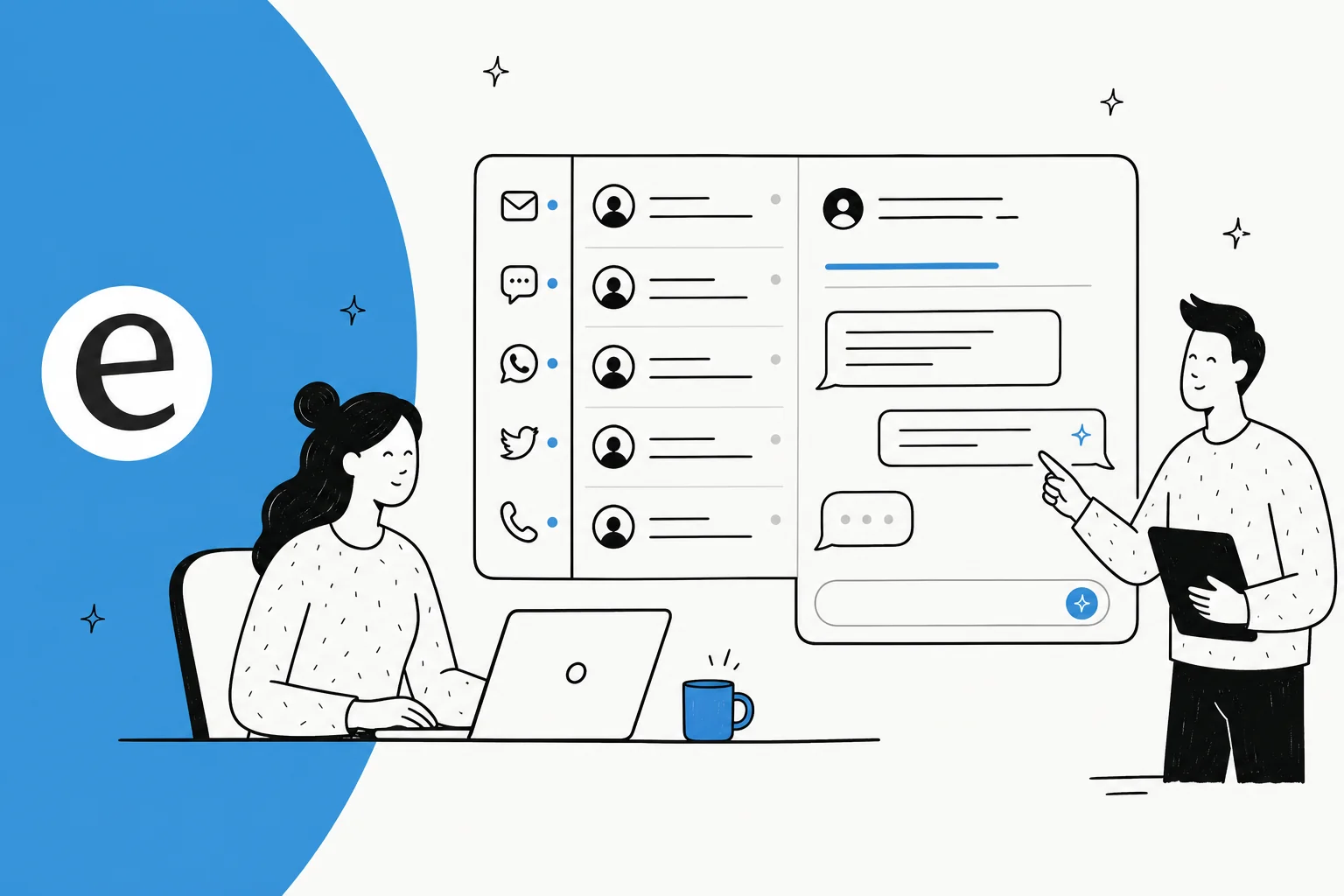
Multichannel customer support is the practice of offering help on several channels at once, so a customer picks whichever one suits them instead of being funneled into a single inbox. In practice that's some mix of email, live chat on your site, WhatsApp and other messaging apps, social media DMs, phone, and in-app or self-serve help.
That sounds obviously good, and the demand is real: people expect to reach you where they already are. But there's a distinction hiding in the word "multi" that decides whether this helps or hurts you, and most coverage skips right past it.
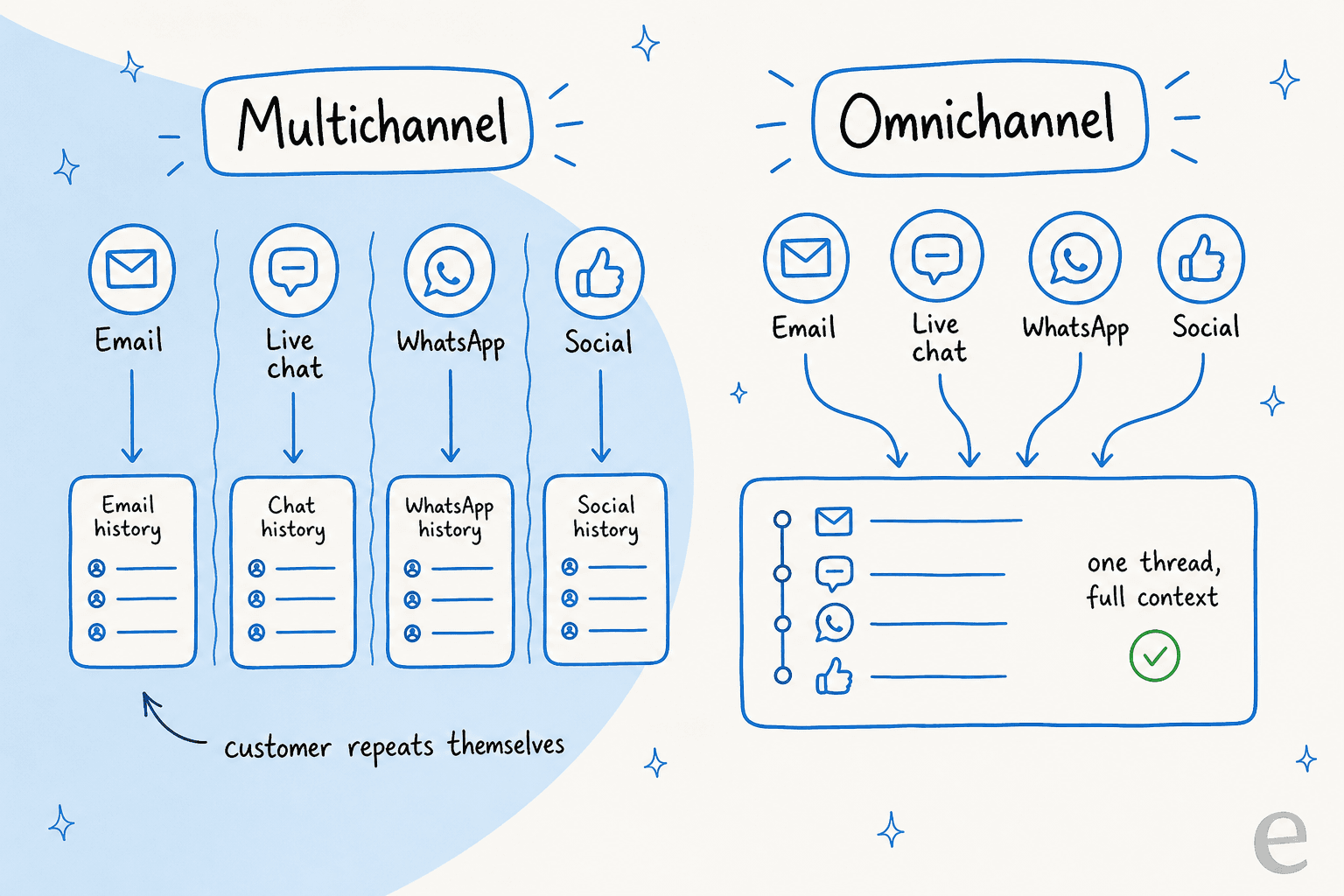
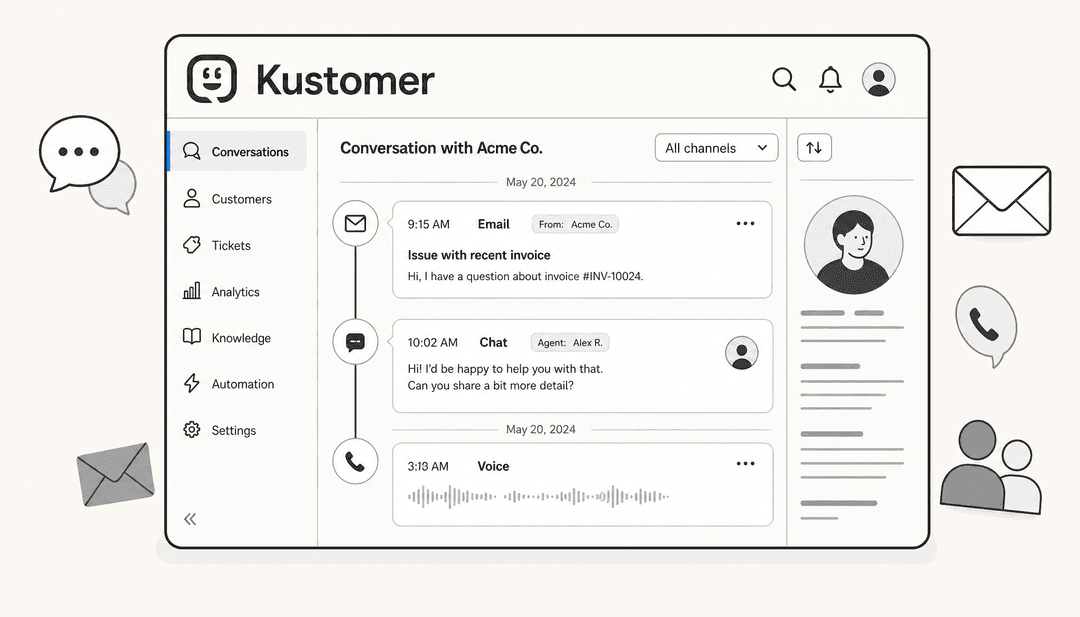
Multichannel just means you have the channels. Each one can still be its own island: a separate queue, a separate agent, a separate copy of the answer, and a customer who has to re-explain their problem every time they switch. Omnichannel means those channels are connected, so one conversation carries full context from email to chat to phone without the customer starting over.
The count of channels can be identical in both. The difference is whether context is shared, not how many logos sit on your contact page. That's the reframe worth carrying through the rest of this: adding a WhatsApp number to a support setup that already loses context between email and chat doesn't make you omnichannel, it just gives you a third island to lose context on.
The channels worth supporting (and what each is good at)
Not every channel deserves equal weight. Each one carries a different kind of conversation, and staffing them all identically is how support budgets balloon. Here's how the main ones actually behave:
| Channel | Best for | Response expectation | The catch |
|---|---|---|---|
| Detailed, non-urgent issues, attachments, paper trails | Hours | Slow, easy to let a thread go stale | |
| Live chat | Quick pre-sale and in-session questions | Seconds to minutes | Needs coverage during traffic hours or it hurts more than it helps |
| WhatsApp / messaging | Ongoing, mobile-first conversations, order updates | Minutes to hours | Template and pricing rules add complexity |
| Social DMs | Public-facing brand moments, younger audiences | Minutes (and public) | A missed reply is visible to everyone |
| Phone | High-emotion, complex, or high-value issues | Immediate | Most expensive per contact, hardest to scale |
| In-app / self-serve | Deflecting repeat questions before they become tickets | Instant | Only works if your help center is actually good |
The practical read: email and a self-serve help layer carry the volume, live chat and WhatsApp are where customers increasingly want to be, and phone is the expensive channel you protect for the conversations that genuinely need a human. You don't need all six on day one. You need the two or three your customers actually use, done well.
Where multichannel support breaks down
Here's the part I see most often from the support side. A team adds channels one at a time, each with the best intentions, and ends up with four tools, four logins, and four subtly different versions of the same answer. The customer who asked on chat yesterday asks again on email today and gets a contradictory reply, because the two agents never saw each other's conversation.
The three failure modes are always the same:
- Context loss. The customer repeats themselves at every channel switch, which is the single fastest way to make good support feel bad.
- Inconsistent answers. Different agents (or different bots) on different channels give different answers to the identical question, and trust erodes.
- Uneven staffing. Chat goes unanswered at lunch, social DMs pile up overnight, and email quietly becomes a 48-hour queue.
The usual instinct is to hire more people and split them across channels. That scales cost linearly with volume and doesn't fix consistency at all, because more humans means more room for the answers to drift apart. This is exactly the pain point that pushed a lot of eesel customers to look for something else. As Wesley Wang, CTO at Ecosa, put it: "We chose eesel AI because it offers multi-channel data input options... By linking our CSVs, Zendesk, and Google Docs as sources, we can make the most of our vast documentation, even if it's scattered." The scattered part is the real enemy, not the channel count.
How AI changes the multichannel equation
The shift AI makes is simple to state and hard to overstate: instead of staffing each channel, you train one agent on one body of knowledge, and it answers the same way everywhere. The channels become inputs; the answer comes from one place.
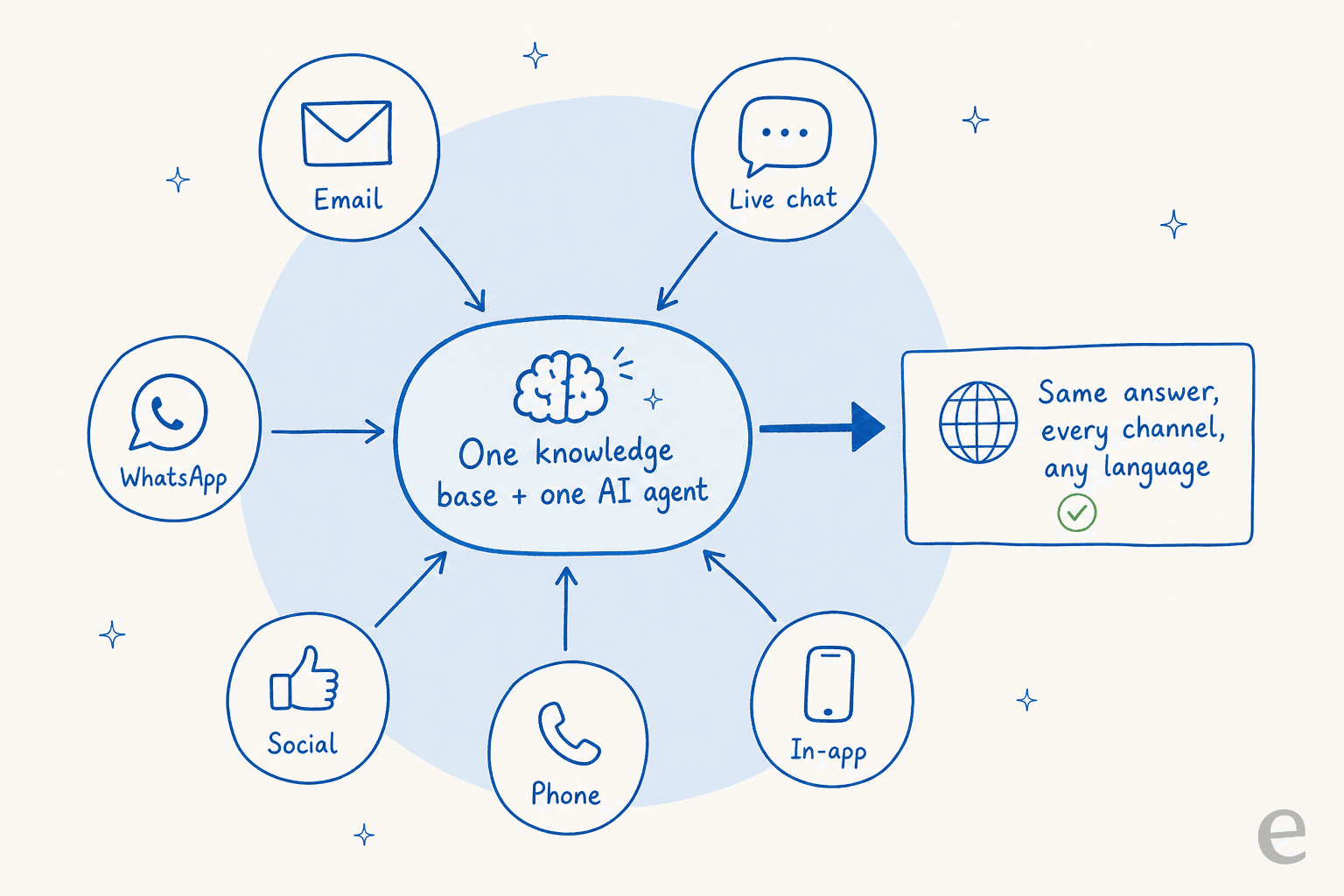
This is where the multichannel-vs-omnichannel distinction stops being theory. When one AI helpdesk agent sits behind email, chat, WhatsApp, and the rest, "shared context" isn't a feature you buy separately, it's just how the thing works. The same knowledge answers the WhatsApp message and the email, in the customer's language, without a handoff losing the thread.
We've been putting AI on live support queues for years, across thousands of real tickets, and the concrete results back this up. smava runs a fully automated Zendesk agent processing 100,000+ German-language tickets a month; Design.com handles 50,000+ tickets a month on Freshdesk across a multi-agent setup. Gridwise saw eesel resolve 73% of tier-1 requests in the first month. None of those are single-channel numbers, they're what happens when one trained agent covers the volume that used to be split across a team and a stack of tools.
The honest caveat, and it's the biggest objection I hear: an AI that answers everything confidently is worse than no AI at all. The teams who trust this are the ones who can set confidence-based routing, so the agent only auto-answers the questions it's sure about and leaves the rest for a human. One eesel customer, a DTC supplements CX lead, put the whole thesis in a sentence: I need an AI that only handles the tickets it's confident to handle, and leaves the other ones alone. That control is what makes multichannel AI safe to actually turn on.
Rolling out multichannel support without the chaos
The mistake I see teams make is chasing channels by novelty: adding a shiny new social integration before their email queue is under control. The order that actually works runs the other way, by volume.
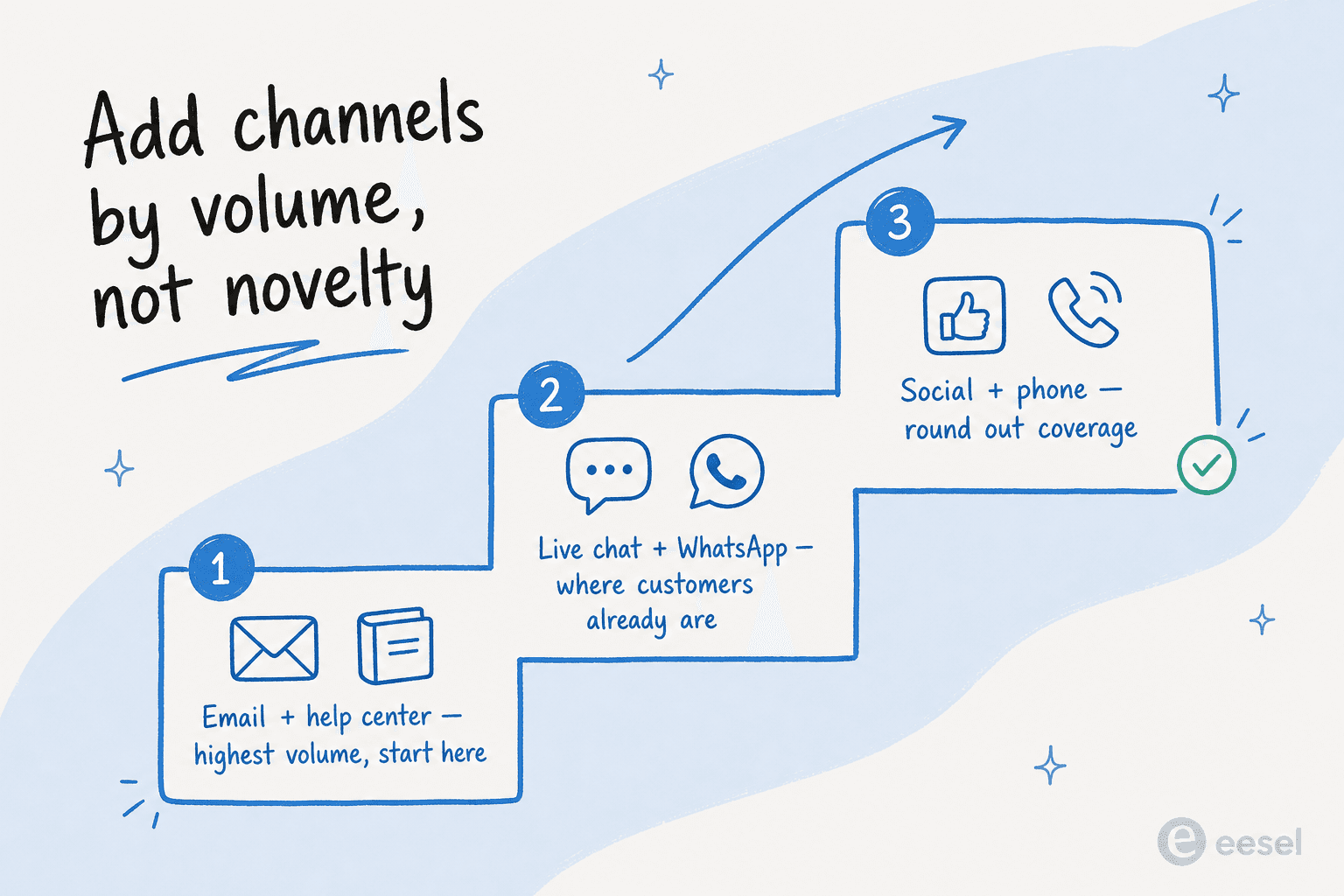
Start with the channels carrying the most tickets (email and a self-serve help layer), get answers consistent there, then extend the same knowledge base to live chat and WhatsApp, and only then round out with social and phone. Because the answer lives in one place, each new channel is a connection, not a new team.
Before you decide how much to invest, it's worth being honest about which problem you actually have:
The connective tissue is your helpdesk. eesel sits on top of Zendesk, Freshdesk, Gorgias, Front, and Help Scout, plus channels like WhatsApp and Slack, across 100+ integrations and 80+ languages, so you're not ripping anything out to go multichannel. You're adding one brain behind what you already run.
The numbers to watch
Multichannel success isn't "we launched five channels." It's whether the metrics that matter to customers hold steady across all of them. Track these per channel, not just in aggregate, because an average hides the channel that's quietly failing:
- First response time, per channel, so you catch the one that's lagging.
- Resolution rate and first-contact resolution, which tell you whether answers are actually landing.
- Deflection rate on self-serve and chat, your best signal that the knowledge base is doing its job.
- Consistency: does the same question get the same answer on every channel? This is the one most teams don't measure and the one omnichannel is supposed to fix.
If you want the fuller picture, we go deep on AI customer service metrics and on how much AI actually saves in support budgets.
Try eesel for multichannel support
If your channels have quietly become silos, eesel is built for exactly this. It plugs into your existing helpdesk and learns from your past tickets, help docs, and scattered sources on day one, then answers consistently across email, chat, WhatsApp, and more, in 80+ languages, with confidence-based control so it only auto-handles what it's sure about.

The part I'd point you to first is simulation mode: run the agent against your real past tickets before it ever touches a live customer, see the coverage by channel and theme, fill the gaps, then go live. Pricing is usage-based, so you pay for the conversations it resolves rather than per seat, and you can start with a free trial without a credit card. Try eesel.
Frequently Asked Questions
What is multichannel customer support?
What is the difference between multichannel and omnichannel customer support?
What channels should multichannel customer support cover first?
How does AI help with multichannel customer support?
How much does multichannel customer support cost with AI?


Article by
Riellvriany Indriawan
Riell is a designer and writer at eesel AI with about two years of experience researching CX platforms, AI chatbots, and helpdesk software. She combines her design background with a sharp eye for how these tools actually look and feel in practice — making her comparisons unusually visual and user-focused.