

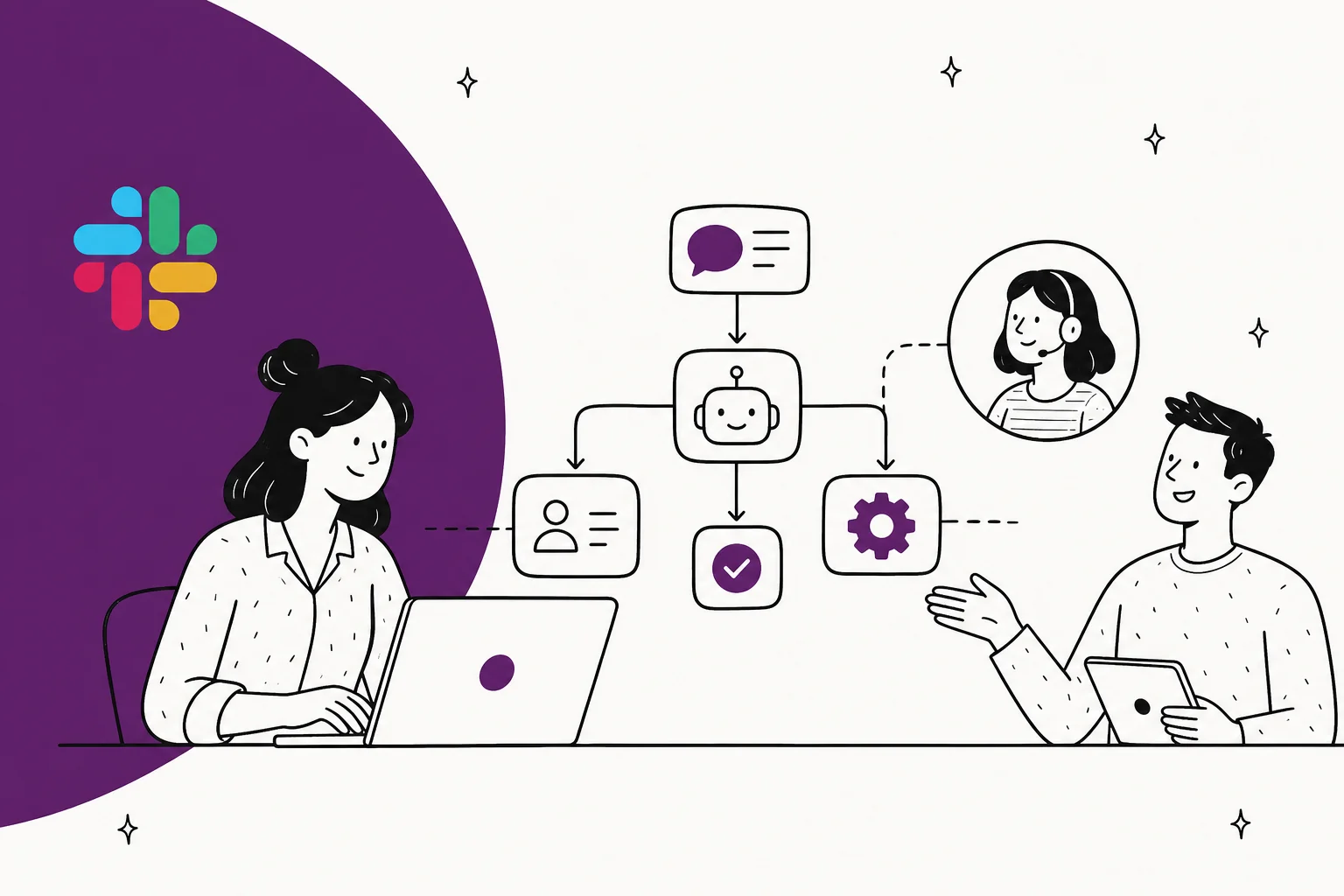
Why Slack is where support quietly breaks
Slack is frictionless, and that is exactly the problem. There's no ticket form, no "did you search first" nudge, no queue. Someone just types the question. So they type it again next week, and the week after, and the answer that's sitting in your docs never gets read.
A founder put it better than I could in a Hacker News thread about running customer support in Slack Connect:
"We have Slack Connect channels with all of our customers ... and I've since grown to hate it. ... Because Slack is so frictionless, there was no barrier asking anything, including questions that were answered the day prior in the main channel or questions that are right in our searchable API docs."

The internal version is identical. Ask any IT or ops lead about their #it-help channel and you'll hear the same thing: the search box exists, nobody uses it.
"no one uses the slack search feature and keep asking the same questions over and over, I really see a space for [Stack Overflow] for Teams to fix this internal knowledge sharing issue."
This is the sweet spot for automation. When the same handful of questions eat your day, and the answers already exist, you don't need more people. You need something that reads the docs faster than anyone will bother to.
What "automating Slack support" actually means
Before you set anything up, get clear on which of the two jobs you're solving, because the channels and the escalation rules differ.
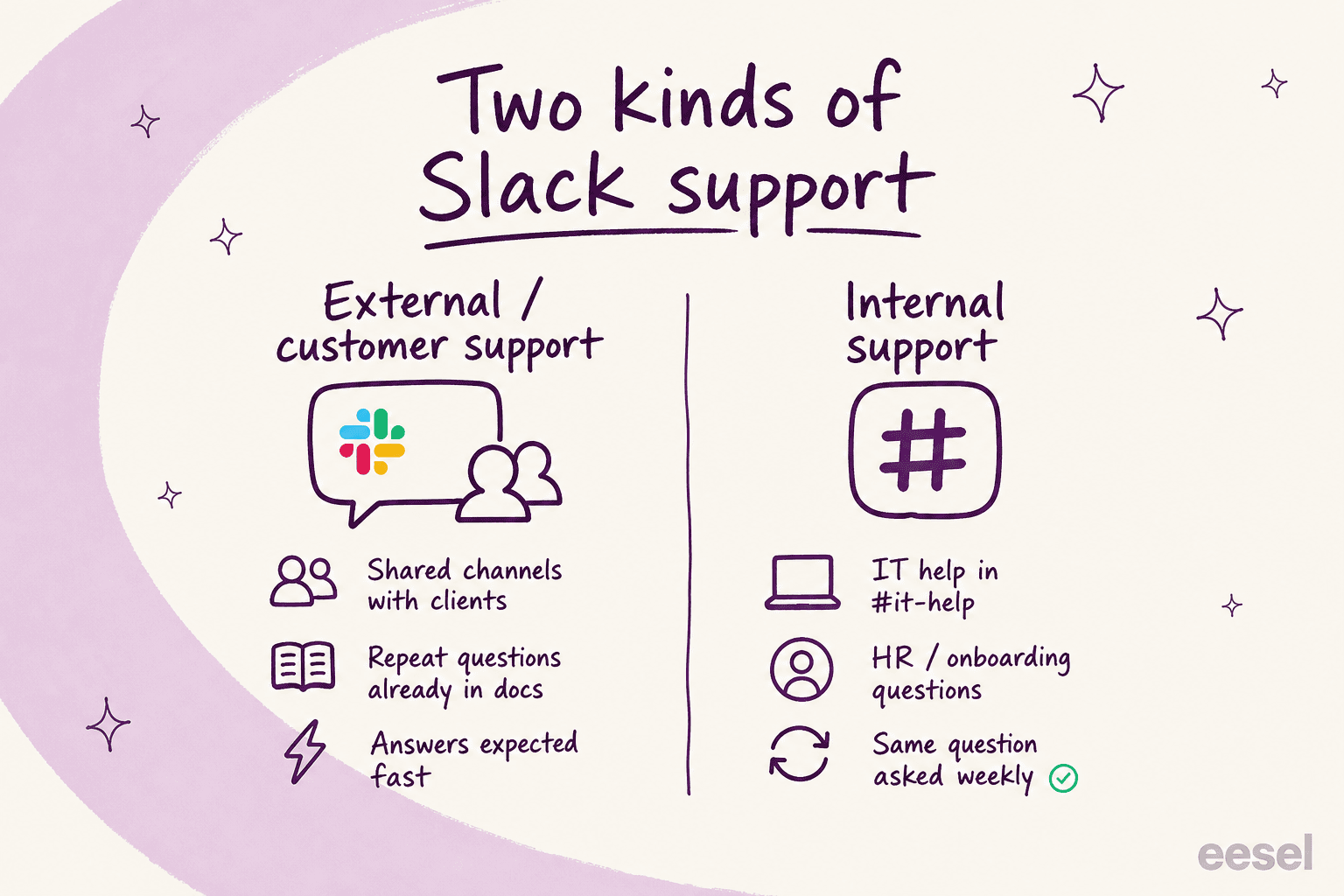
External / customer support lives in Slack Connect channels shared with your clients. Here the AI answers product and API questions, and the bar for a wrong answer is high because a customer sees it. You want it to lean toward escalation.
Internal support lives in your own channels: #it-help, #people-ops, #eng-questions. This is where an AI IT help desk shines, because policy, onboarding, and how-to answers are dry, repetitive, and fully documented. It's also the safest place to start, since your own team is more forgiving than a customer.
Both cases share one requirement: the agent has to answer from your actual knowledge, not from Slack's chat history alone. That's the line between a real agent and Slack's built-in search, and it's worth knowing what Slack AI does and doesn't do before you decide the native features are enough.
How AI actually answers a question in Slack
The mechanism is simpler than it sounds, and knowing it tells you where the guardrails go.
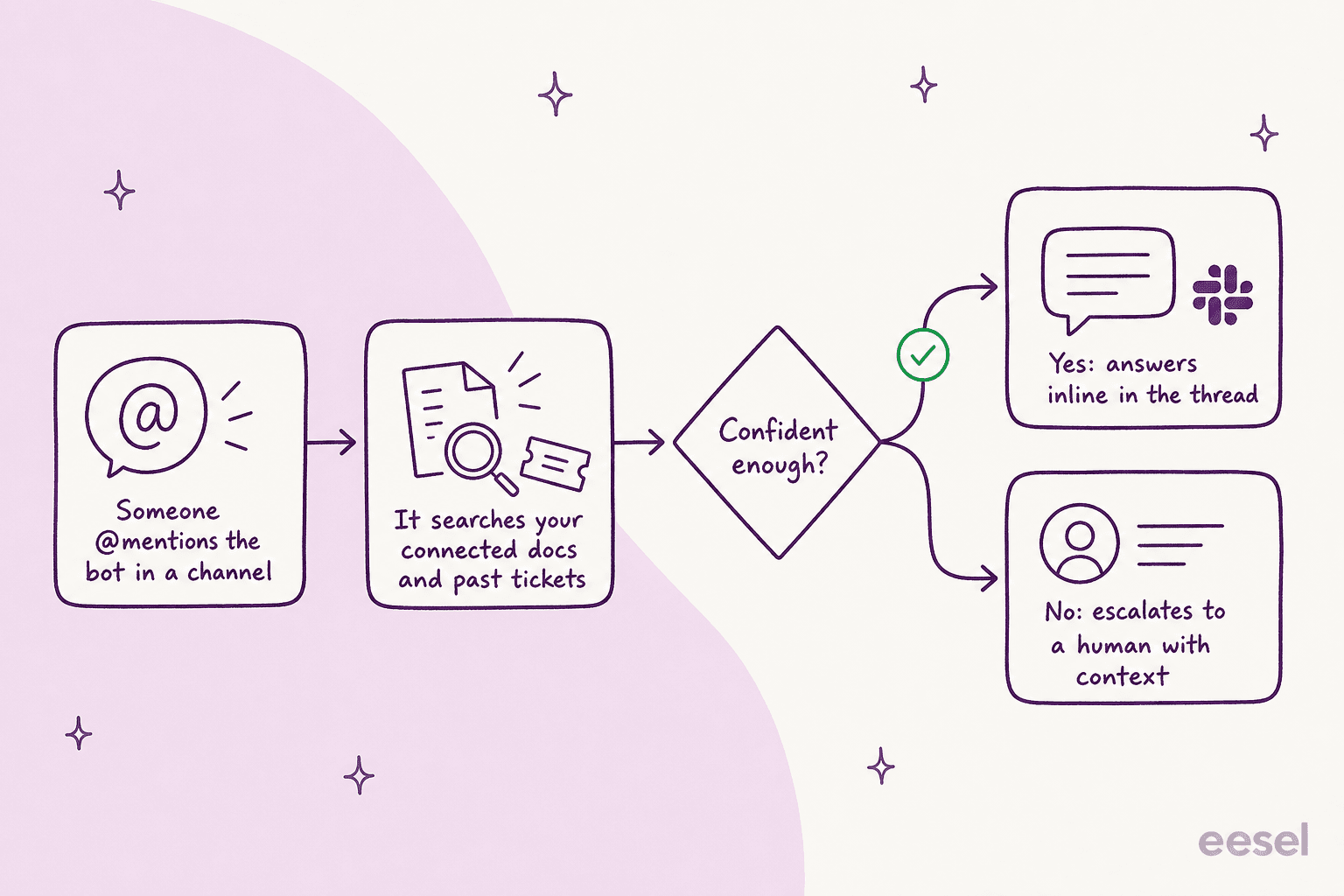
Someone @mentions the agent. It searches your connected sources, the same way a good teammate would check the wiki. Then the important part: it scores how confident it is. High confidence, it answers inline in the thread. Low confidence, it doesn't guess. It drafts for a human or escalates with the context it already gathered.
That confidence check is the whole game. A bot that always answers is a liability; a bot that knows when to shut up and hand off is a colleague. This is the same ticket triage logic that keeps AI useful on a real helpdesk, just pointed at a Slack thread.
How to automate Slack support, step by step
Here's the setup I'd run, whether you're doing customer or internal support. It maps to how eesel's Slack integration works, but the steps are the same shape for any serious tool.
Step 1: Install the agent into Slack
Add the app from the Slack App Directory and authorize it. No developer, no custom app manifest. The agent joins your workspace as a bot you can @mention, and it posts a short intro so the channel knows it's there. This part takes a couple of minutes.
Step 2: Connect your knowledge
This is the step that decides whether the whole thing works, so don't rush it. Point the agent at every source that holds a real answer: Google Drive, Confluence, Notion, your help center, and, crucially, your past tickets from Zendesk or Freshdesk.

Past tickets matter more than help docs, because they show how your team actually phrases answers, not just the official version. Learning from solved tickets, not only the help center, is the difference between an agent that sounds like your team and one that sounds like a manual. Everything gets indexed automatically and stays synced, so the agent answers from today's docs, not a six-month-old snapshot.
Step 3: Set channel rules and escalation
Decide, per channel, what the agent does. Answer questions in #it-help, post a weekly digest in #ops, stay out of #random. You control which channels it can even see, and you set the escalation trigger: when confidence is low, does it draft for a human, tag a teammate, or open a ticket in Jira Service Management? Write these rules in plain language. This is where you make the agent cautious in customer channels and bolder in internal ones.
Step 4: Simulate before you go live
Do not point an untested bot at customers. Run it against your real past questions first and read what it would have said. This surfaces the gaps (topics with no doc, answers that are subtly wrong) while the stakes are zero. Fill the gaps, re-run, and only then flip it on. Skipping this step is the single most common way these projects embarrass someone.
Step 5: Go live in draft mode, then watch the reports
Turn it on, but in draft mode: it writes the reply, a human hits approve. For the first week you're reading its answers, correcting the off ones (it learns from every correction), and building trust. Watch the reports to see what it's resolving and what it's escalating.

The trust ramp: don't flip it all on at once
The mistake I see most is treating automation as a switch. It's a dial. You start with the AI drafting everything for approval, and you widen its autonomy as it earns it.
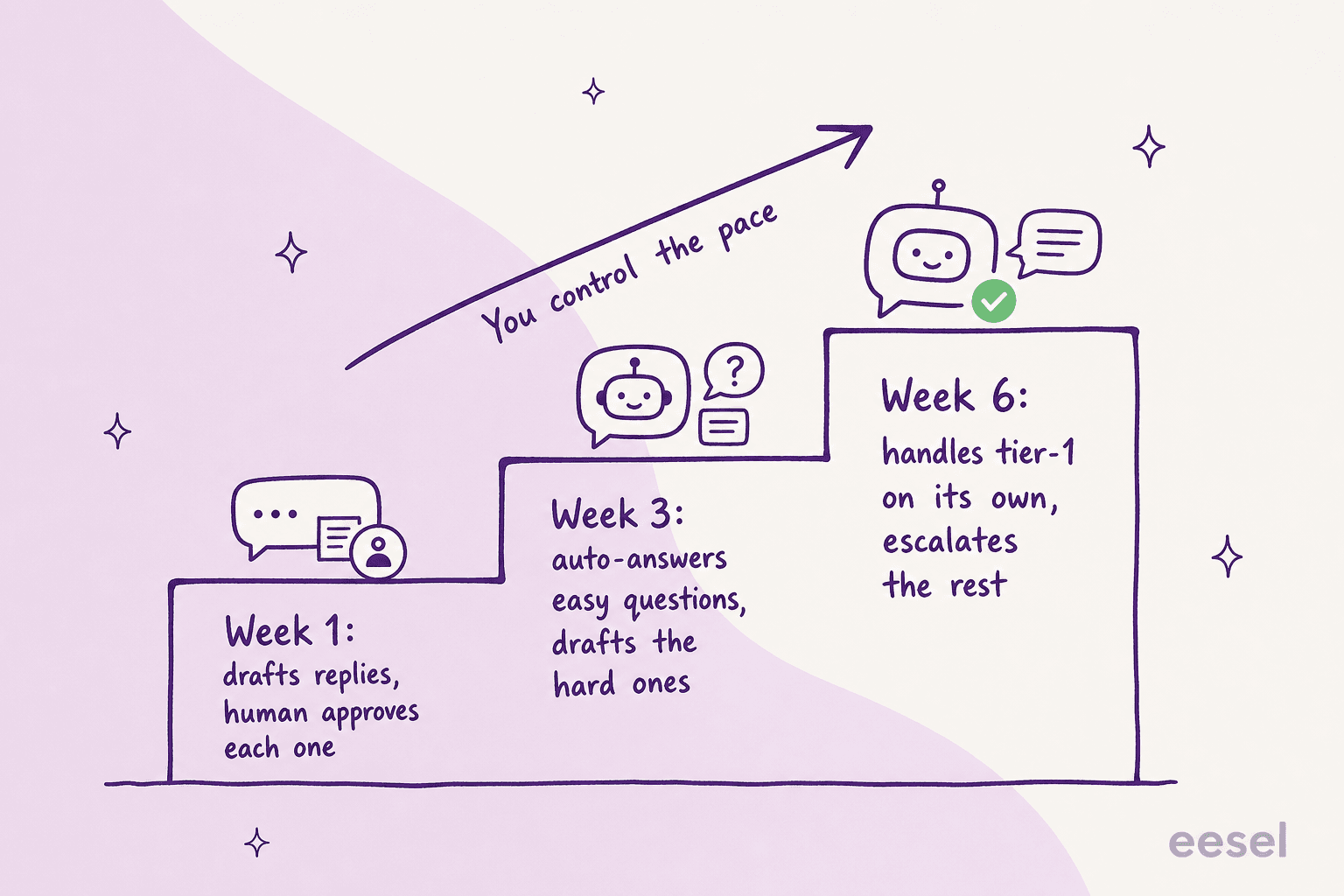
Week one it drafts, you approve. By week three it's auto-answering the easy, high-confidence questions and drafting the hard ones. By week six it's handling tier-1 on its own and escalating the rest. You move the dial; the AI doesn't move it for you.
Teams that run it this way get real numbers out of it. A head of IT at a fintech running an internal desk on Jira Service Management, Confluence, and Slack described the agent as a genuine first responder:
"We use it to be the first responder to our Helpdesk tickets in Jira. It essentially acts just like an agent would."
They started at 15% deflection and were pushing toward 55%, precisely because they ramped it rather than gambling everything on day one. On the customer side, Global Payments reported up to 80% time savings finding answers across documentation once the knowledge was connected and searchable in Slack.
Common mistakes to avoid
A few traps I'd steer you around, most of them learned the hard way:
- Connecting docs but not past tickets. Help docs tell the agent the policy; tickets tell it the answer people actually accept. Skip the tickets and it sounds robotic.
- Going live without simulation. If you can't see what the agent would have said before it says it, you're testing on customers. Don't.
- One escalation rule for every channel. Customer channels and internal channels need different caution levels. Set them separately.
- Comparing tools on sticker price, not billing unit. Per-seat, per-resolution, and per-conversation are not the same thing. A team of 40 on a seat-based bot pays for 40 seats whether or not the bot does anything. Read the pricing model, not just the headline number, and know the AI vs human agent cost for the same volume.
- Assuming Slack's native AI is enough. Slack AI is good at summarizing your existing chat. It does not connect your wider knowledge base and act on it. If your goal is deflection, that's a different tool.
Try eesel for Slack
If you want to automate Slack support without the month-long rollout, eesel AI is built for exactly this. It joins Slack as a teammate you @mention, answers from your connected docs and past tickets, and handles both customer channels and internal IT and HR support with different rules per channel.
The parts that matter for a support person: it installs from the App Directory in one click, it simulates against your history so you see answers before customers do, and its confidence-based routing drafts or escalates instead of guessing when it's unsure. Pricing is one fixed monthly price, from $299/month for 500 credits (1 credit per conversation), with no per-seat fee, and it goes live in under 30 minutes. There's a free plan with 100 credits, so you can point it at a test channel and watch it work before you commit.