What CRM knowledge management actually is
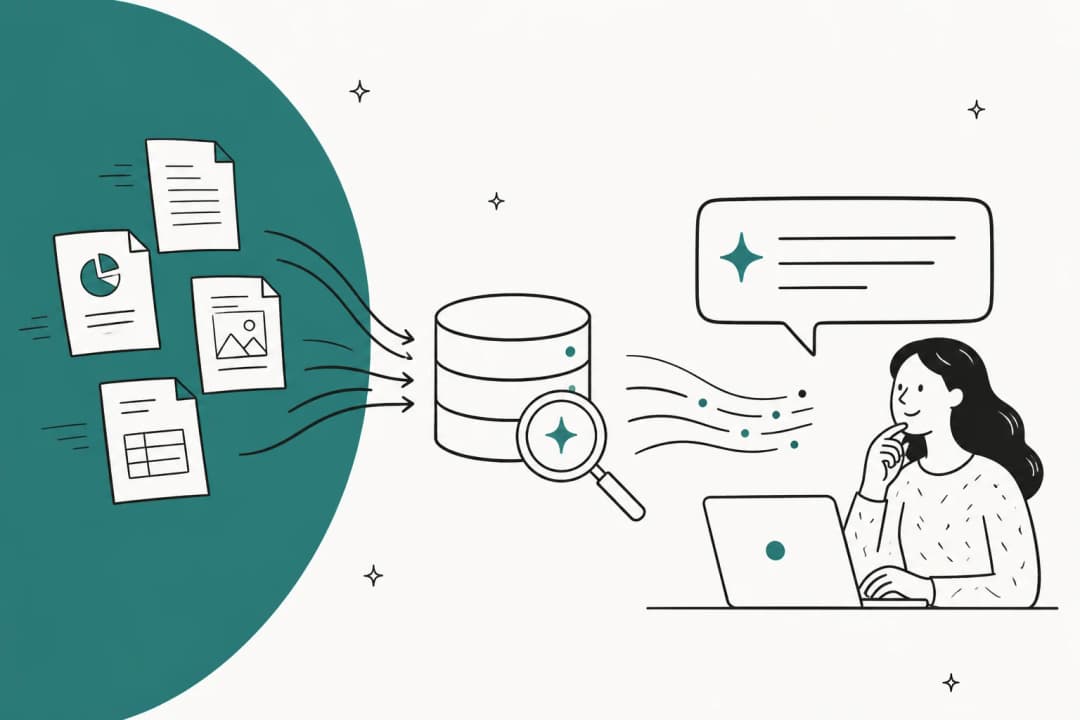
CRM knowledge management is the practice of storing, organizing, and surfacing support and sales knowledge, help articles, FAQs, internal docs, and the answers buried in past tickets, inside or connected to the CRM/helpdesk system (Salesforce, HubSpot, Zendesk) so that human agents, self-service customers, and AI agents can all find and reuse the same trusted answer at the moment they need it. Salesforce frames the payoff plainly: connecting a knowledge base to service software lets Service Cloud "connect your knowledge base and customer support interactions" and "use the power of AI to expedite case resolution" (Salesforce).
The "CRM" qualifier is the important part. A knowledge base on its own is just a content repository. CRM knowledge management is about that content living where the work happens, attached to the case, the contact record, the live chat, or the AI agent, not in a separate wiki nobody opens.
The knowledge itself comes in two layers. There's the published help center: FAQs, troubleshooting guides, product docs, and step-by-step instructions, the set Salesforce lists as the standard contents of a knowledge base. HubSpot builds this article by article, each with a title, body, categories, subcategories, and tags, so visitors "find organized, self-service information without contacting your team" (HubSpot). Then there's the messier second layer: internal docs, canned responses and macros, and the answers sitting inside thousands of solved tickets. Zendesk treats those historical tickets as a source in their own right, offering to "turn historical tickets into high-quality content automatically" (Zendesk).
Why it suddenly matters more than it used to
For years, messy knowledge was a tolerable tax. Agents grumbled, dug through Google Drive, and eventually found the answer. Then AI agents arrived and started answering customers directly, and the messy-knowledge problem quietly turned into an accuracy problem.
The Consortium for Service Innovation, the group behind the KCS methodology, puts it bluntly: structured, trusted knowledge is now "a prerequisite for AI success across the enterprise because agentic and LLM solutions are only as effective as the content they consume." That's the whole game. An AI agent pointed at a stale or contradictory knowledge base doesn't fail loudly, it fails confidently.
I've watched this happen. One team I worked with, a vehicle-telematics support group running a couple hundred tickets a month, had a bot that would cheerfully confirm "yes, we support your car model" for brands that weren't in their database, because somewhere the knowledge said "we support all models." The model wasn't broken. The knowledge was ambiguous, and the AI did exactly what ambiguous knowledge invites it to do. That's the risk that turns knowledge management from a housekeeping chore into the thing your automation lives or dies on.
The three failure modes
Almost every knowledge problem I see collapses into one of three shapes. Vendors' own marketing quietly admits all three.
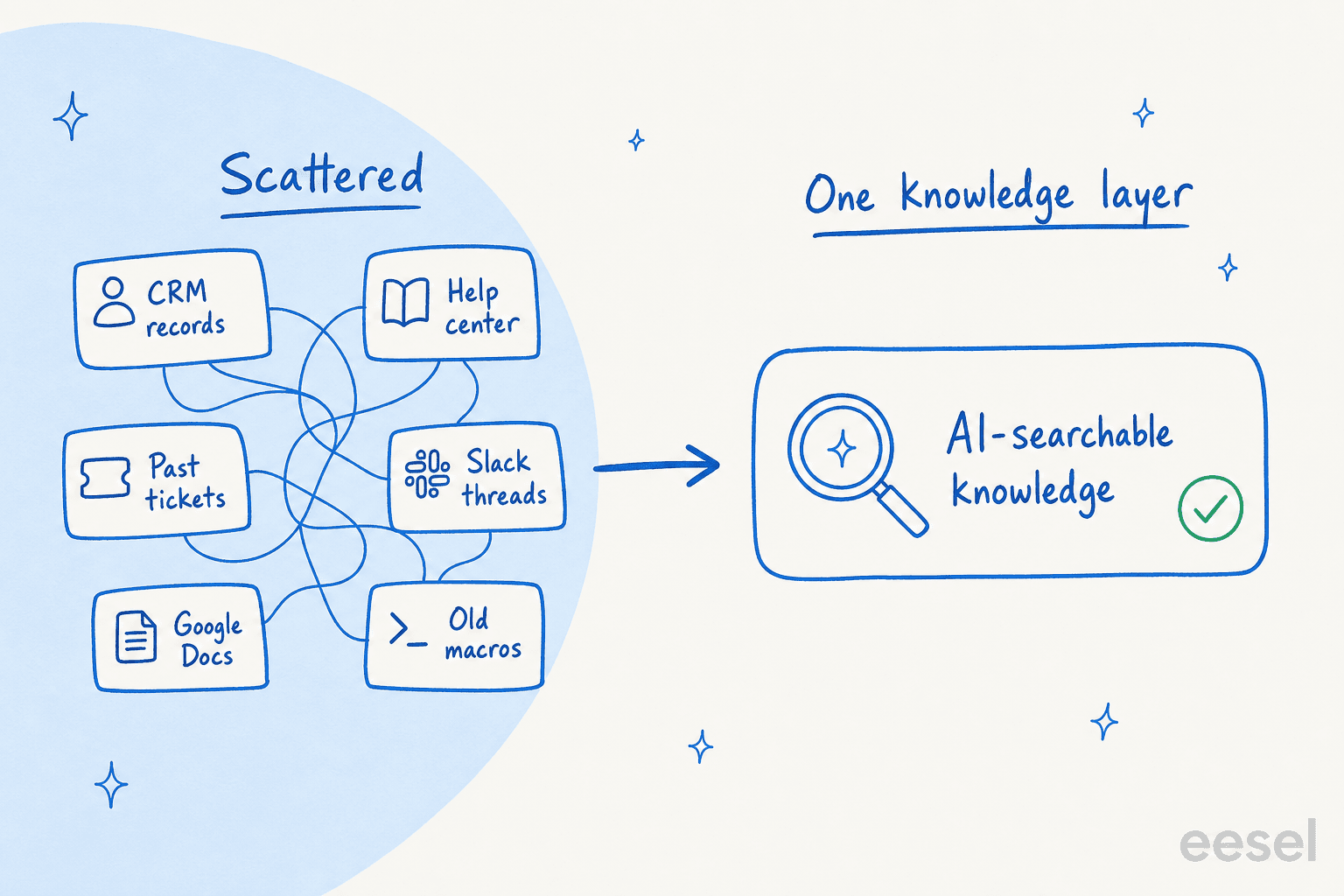
1. Knowledge is scattered. It lives in the help center, in internal wikis, in Slack, in Google Drive, in old tickets, and in people's heads. Zendesk's entire pitch for its knowledge product is that you can "bring all your knowledge together" and "sync knowledge from multiple sources into a single platform", which is a tidy admission that, by default, it isn't (Zendesk). I've seen a DTC brand whose real answers lived in ClickUp SOPs, untranscribed Loom videos, and a pile of outdated macros. No single tool "had" the knowledge; it was smeared across five.
2. Nobody can find the answer fast enough. If the right article can't surface at the speed of the conversation, the knowledge base effectively doesn't exist. This is the pain knowledge retrieval tools exist to solve, and it's why a support team at one meeting-productivity SaaS told us the thing they valued most was not having to "look through all our documentation on Notion, Google Docs or our help center anymore."
3. The content goes stale. Salesforce warns that "without the right infrastructure and analytics, a knowledge base can become unwieldy, outdated, inaccurate, and overwhelming to maintain" (Salesforce). And staleness has a sneaky cousin: knowledge written for the wrong audience. I remember a bus-tracking service whose entire knowledge base was written for administrators, while every actual ticket came from riders. The content wasn't wrong, exactly, it was just answering a different person's question.
How the knowledge connects to CRM records
This is what separates CRM knowledge management from a standalone wiki: the knowledge is wired into the record, the workflow, and increasingly the AI.
- In Salesforce, knowledge lives inside Service Cloud (Lightning Knowledge), so articles are searchable from the case console and can ground AI. Salesforce positions Agentforce agents to "answer common and complex customer questions based on relevant knowledge articles" and escalate to a human "on its own" when they can't resolve an issue (Salesforce).
- In HubSpot, the knowledge base is a Service Hub tool, and each article carries visibility controls, Public, access-group, or SSO-required, so one repository can serve both public help content and gated internal docs (HubSpot). It's worth knowing the limits are tier-gated: Service Hub Professional accounts get one knowledge base with up to 2,000 articles, while Enterprise accounts get up to 100 knowledge bases and 10,000 total articles (HubSpot).
- In Zendesk, knowledge is designed to be surfaced everywhere at once: it feeds the help center, powers AI agents, and hands human agents "fast, accurate answers from your trusted knowledge base right in Agent Workspace." Zendesk can even "combine service knowledge from help centers, community forums, and external resources such as Confluence or Google Drive into one unified knowledge graph" (Zendesk).
The reason every vendor sells the same connection is that it's where the payoff shows up. Salesforce points buyers to a tour of "how Service Cloud helps you deflect 30% of cases" (Salesforce). Zendesk publishes customer numbers tied to knowledge: Qualia reports 91% help-center usage and a 30% drop in daily ticket volume, Squarespace a 95% self-service success rate, and Tesco grew self-service from 30% to 73% over three years (Zendesk). Deflection is the metric, and trustworthy knowledge is the lever.
What good CRM knowledge management looks like in practice
The teams that get real value out of their knowledge treat it as a living loop, not a folder you fill once. The KCS methodology has a name for this: capture knowledge as a by-product of solving cases, structure it, reuse it, and improve it continuously.
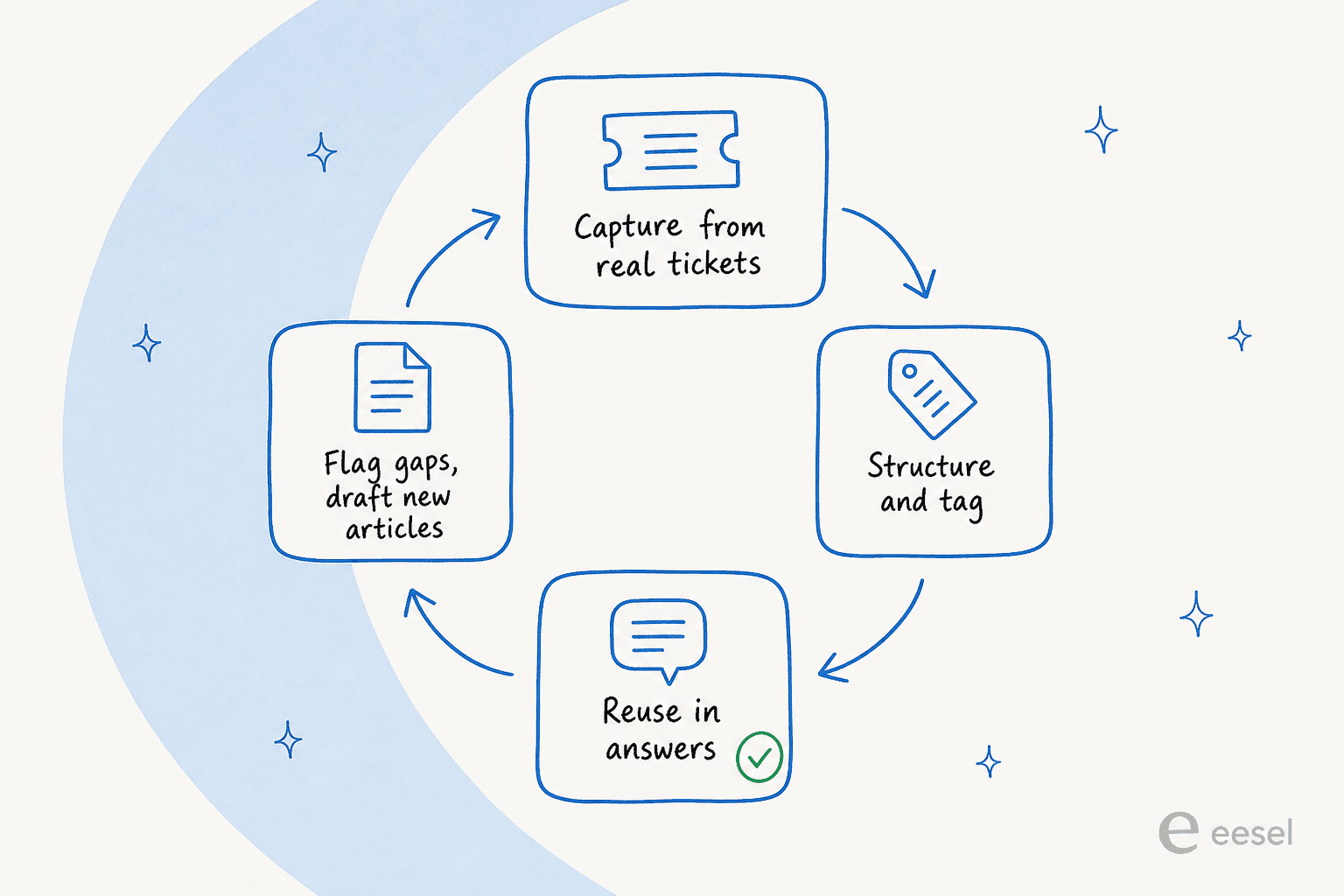
A few principles do most of the heavy lifting:
- One source of truth, many surfaces. Pick where the canonical answer lives and connect everything else to it. If your knowledge is split across five tools, don't force a migration, connect them so both agents and AI read from one graph.
- Capture from real tickets, not from a content calendar. The best articles are the answers you already wrote. Turning past tickets into knowledge is faster and more accurate than writing a help center from scratch, because it reflects the questions customers actually ask.
- Write for the person asking. The bus-tracking mismatch above is common: audit whether your articles answer the question your customers have, or the question your product team wishes they had.
- Manage permissions deliberately. Public help content and gated internal docs can live in the same system, but the visibility rules have to be right, especially before you let AI read across all of it.
- Close the loop on gaps. Use analytics to find questions that returned no good answer, and map them to your help center gaps. Then fill them. This is where AI has quietly become useful: it can detect outdated help content and draft the missing articles for you.
What support teams actually say about it
If you read the support subreddits and review sites, the same three complaints come up over and over, and they line up exactly with the failure modes above. Staleness is the loudest. One Zendesk admin put the day-to-day reality plainly:
"Having a real problem keeping our knowledge base updated. Seems like there is a whole bunch of documentation out of date, misspellings etc."

The deeper issue underneath staleness is ownership, nobody is clearly responsible for keeping content current. In a G2 discussion on knowledge management software, the poster named it directly:
"I'm also curious as to how teams are keeping their knowledge base up to date. Does ownership usually sit with support agents, or is there a dedicated process to review and verify content regularly?"
Krithika S., G2

And here's the line that ties it all back to AI. HubSpot's Jon Dick, writing on LinkedIn to 270-plus reactions, cut to the punchline every team eventually hits:
"The number one reason support teams don't use an AI agent is because they don't have a knowledge base to train it on."
Jon Dick, LinkedIn

Your knowledge base is the ceiling on how good your AI can be. That's the through-line from every one of these threads.
Feeding knowledge to AI without getting burned
Here's the part most guides skip. Connecting AI to your knowledge is easy. Doing it so that a gap in the knowledge doesn't become a fabricated answer to a real customer is the hard part, and it's the part I care about most, because I've cleaned up the aftermath.
The failure pattern is specific: when retrieval returns nothing, a naive LLM fills the silence from its training data. I've seen a paying customer's bot invent solar-subscription claims and send them to real customers because its knowledge base had no match for the question. The fix isn't a better model, it's a hard confidence threshold, a decline-to-answer fallback, and a clean handoff to a human.
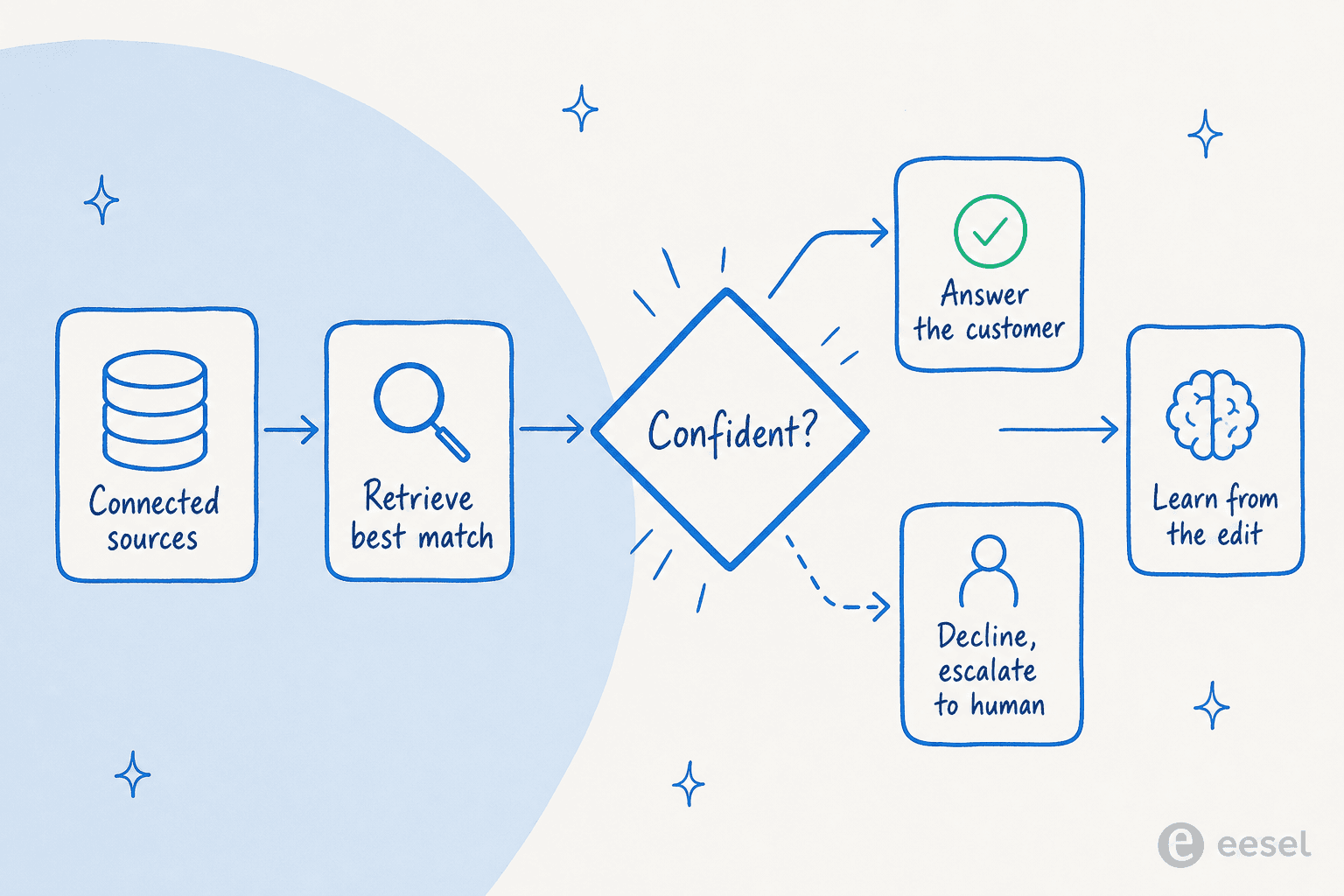
So the checklist I'd apply before letting an AI agent answer from your CRM knowledge:
- Connect every source that holds real answers, including past tickets, internal docs, and the help center, not just the pretty published articles. The best setups cross-reference a user guide, Slack, an internal KB, and past tickets when answering.
- Simulate before you go live. Run the agent against your historical tickets to see what it would have answered, where it's confident, and where it's guessing. This is the single most useful step and the one teams skip most.
- Route by confidence. Low confidence should draft, not send, or escalate to a human. Never let "no match found" turn into a confident guess.
- Learn from every edit. When an agent corrects a draft, that correction should improve the next answer, and often become a new knowledge article.
This is exactly the shape of an AI helpdesk agent done well, and it's why I'd argue the knowledge work and the AI work are really the same project now. If you're comparing options, our roundups of the best AI knowledge base tools and AI for customer service go deeper on the trade-offs.
Try eesel for CRM knowledge management
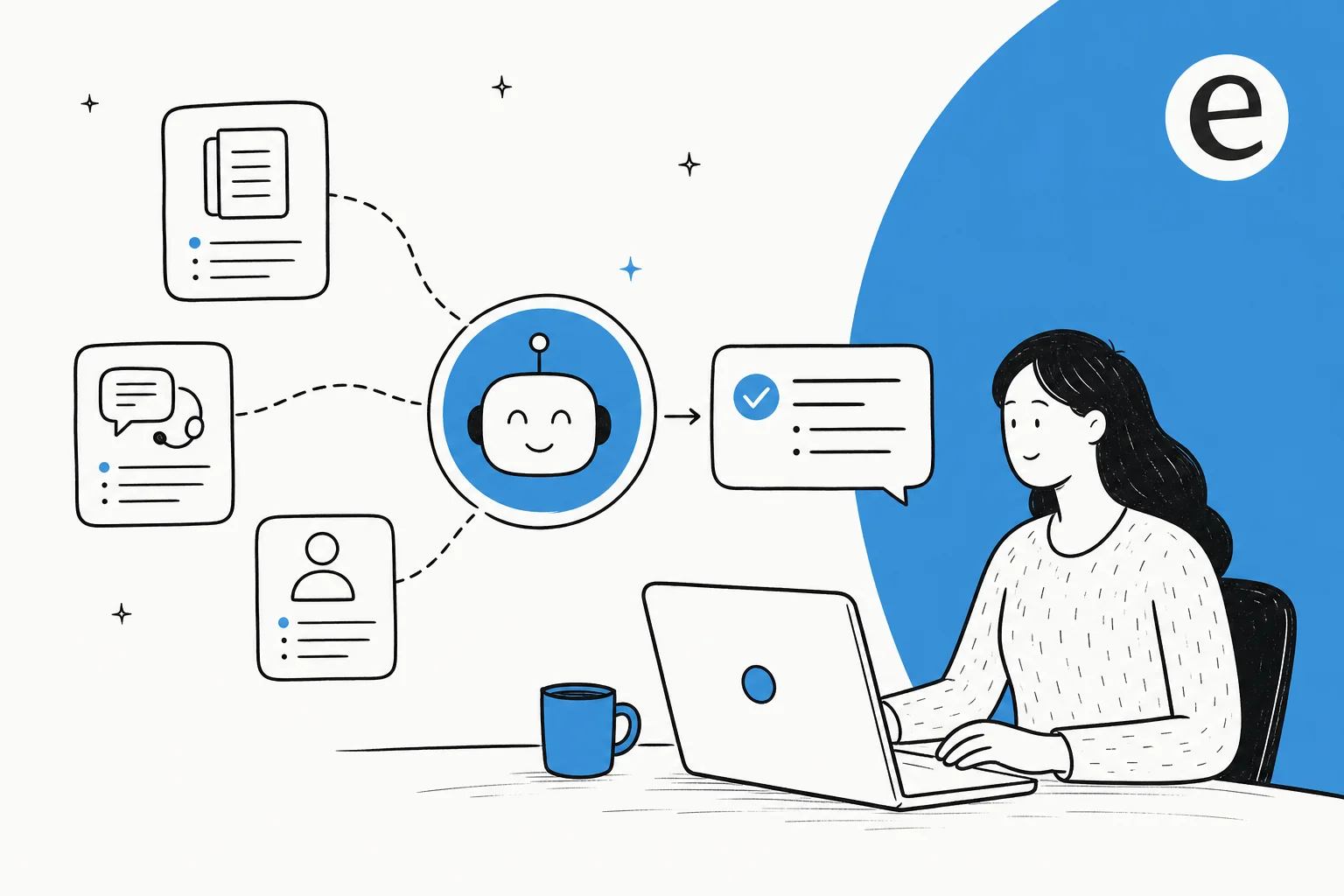
If your knowledge is scattered across Zendesk, HubSpot, Salesforce, Slack, Google Docs, and a decade of past tickets, eesel AI is built to sit on top of exactly that mess rather than make you migrate out of it. It connects to your existing helpdesk and 100+ knowledge sources, learns from your past tickets on day one, and answers as an AI teammate inside the tools your team already uses.

The two things I'd point to specifically for a knowledge-management reader: eesel's simulation mode runs the agent against your real ticket history so you can see coverage and gaps before a single customer is affected, and it automatically drafts knowledge-base articles for the topics it finds no answer for, closing the loop I described above. Pricing is usage-based at about $0.40 per resolved ticket with no per-seat fees, so you can layer AI over your current knowledge management software without a platform switch. It's free to try, and the fastest way to find out how good your knowledge actually is, is to simulate it against last month's tickets.
Frequently Asked Questions
What is CRM knowledge management?
What is the difference between a CRM and a knowledge base?
How do I keep my CRM knowledge base from going stale?
Can AI answer customer questions using my CRM knowledge?
How much does CRM knowledge management cost?


Article by
Kira
Kira is a writer at eesel AI with a Computer Science background and over a year of hands-on experience evaluating AI-powered customer service tools. She focuses on breaking down how helpdesk platforms and AI agents actually work so that support teams can make better buying decisions.