What proactive live chat actually is
I work the support queue every day, and the single most wasteful pattern I see is a visitor who clearly needed help, sat on a page confused, and left without ever clicking the chat bubble. Reactive chat only helps the people brave enough to raise their hand. Most people won't unless they're desperate.
Proactive live chat flips that. Instead of waiting, the widget watches how a visitor is behaving and opens the conversation when the moment looks right. LiveChat calls it "the art of starting the conversation before your customer raises their hand".
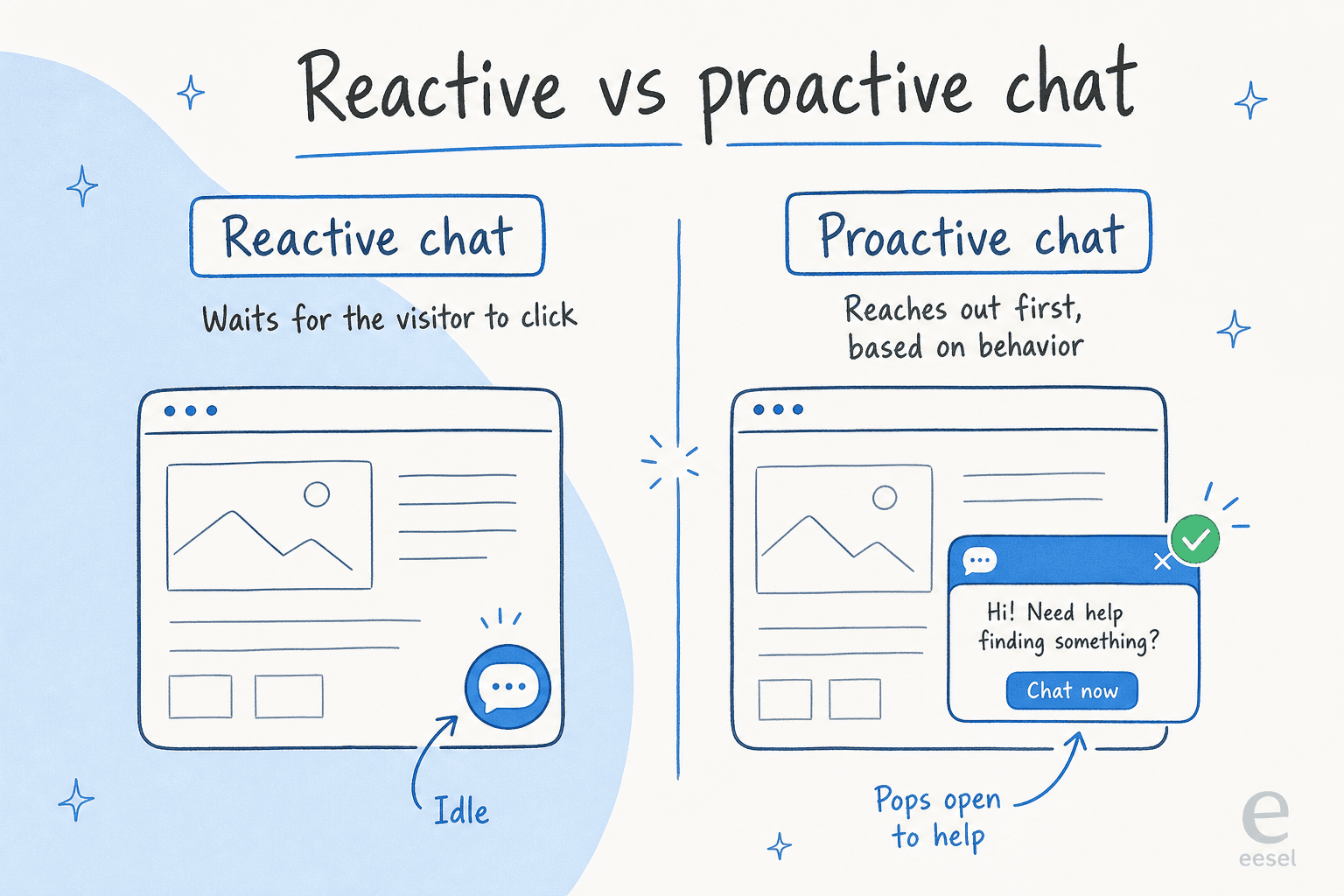
The mental model everyone reaches for is the shop-floor clerk. A Tidio community thread frames it perfectly: you're in a physical store, unsure where something is, too shy to ask, and then a clerk walks over and offers help. That relief is the whole point. An operator who's run B2B live chat for a decade puts the two outcomes side by side: done well it's "the closest thing you have to greeting someone walking into your store"; done wrong, "you've just installed another annoying pop-up."
Here's the honest line between the two:
| Dimension | Reactive chat | Proactive live chat |
|---|---|---|
| Who starts it | The visitor clicks the chat button | The system messages first |
| What sets it off | A person deciding to reach out | Behavioral signals: time on page, scroll depth, cart activity |
| How the visitor feels | Often too shy to ask | Attended to, if the timing's right |
| The main risk | Missed help; the visitor just bounces | Bad timing that annoys the visitor |
They're not either/or. The most-upvoted advice in that Tidio thread is to run a hybrid setup: let proactive chat catch people before they leave, and let reactive chat handle the complex stuff someone already knows they need help with. If you're weighing chat against a bot, our breakdown of AI chatbot versus live chat covers that fork.
How proactive live chat works under the hood
Strip away the marketing and proactive chat is a rules engine sitting on top of a visitor-monitoring layer. The platform watches real-time signals about each visitor, checks them against conditions you've defined, and fires a message when a rule matches.
Comm100 lists the raw ingredients: invitations can trigger on "geographic location, current page, referral page, time on website, visit times, chat times, and more," pulled from custom variables, CRM data, and live visitor monitoring. The more data you feed it, the more specific the invite can be.
The trigger itself has three parts, and it helps to see them clearly:
- A match condition - where and to whom (URL contains
/pricing, cart value over $100, returning visitor). - A timing / frequency rule - a delay before it shows, and a cap on how often.
- A message payload - what the visitor actually sees.
Ada's docs show how granular this gets in practice: four URL-match modes (exactly matches, contains, ends with, regular expression), a choice of firing on every page load or once per session, and an optional delay in seconds. Zendesk implements the same idea as chat triggers, and quietly caps basic plans at two proactive triggers, which tells you these are meant to be a few deliberate rules, not a firehose.
The triggers worth setting up first
Every vendor converges on roughly the same palette. Each trigger answers a different "what is this visitor probably doing?" question.
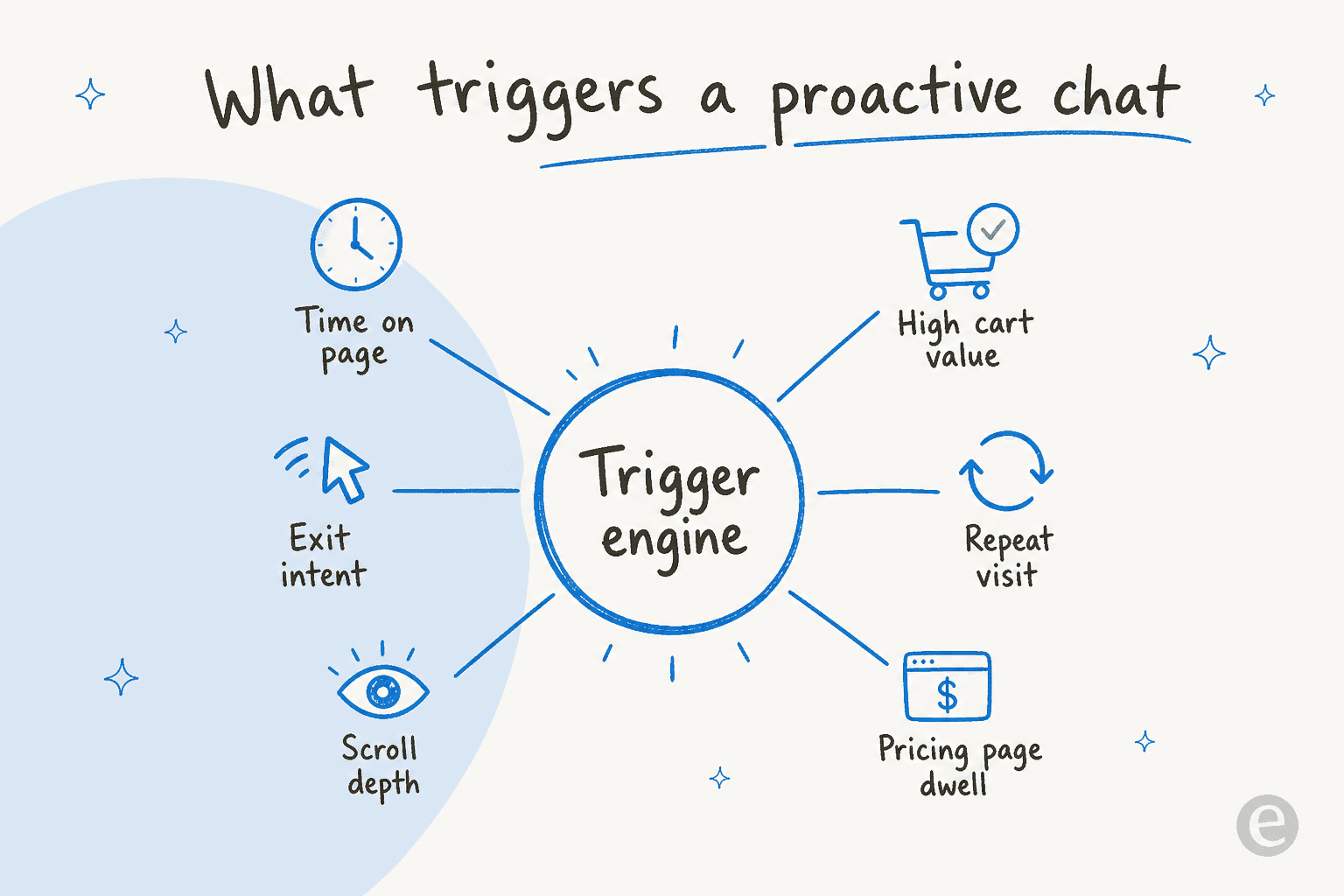
- Pricing-page dwell. The highest-intent trigger there is. Someone parked on pricing for 90 seconds is researching, not browsing. Great for high-intent sales chat.
- Cart value or cart stall. Items in the cart, checkout stalled. Comm100 uses cart item count and value to catch the hesitant shopper, or to nudge an upsell threshold ("spend $20 more for free shipping").
- Exit intent. The cursor heads for the tab close. The classic pairing is a first-order discount on exit as a last line of defense.
- Time on page. The workhorse. Gladly recommends waiting at least 30 seconds on most pages so the visitor can read first.
- Returning visitor. Fires when previous visits are greater than zero. Good for a personalized "welcome back," as long as they weren't already helped this session.
- Help / FAQ page dwell. Someone on your help center is self-evidently looking for help. Gladly makes this its one exception to the 30-second wait and prompts within a few seconds, which makes it a strong live chat deflection play.
What the numbers actually say
It's easy to find inflated proactive-chat stats floating around; most trace back to an aggregator with no study behind them. Here are the ones that hold up to a source check.
- 105% ROI. Forrester found that investment in reactive chat produces roughly 15% ROI, while adding proactive capabilities produces an incremental 105% ROI.
- 30–40% fewer abandoned carts. Nationwide Mutual Insurance cut cart abandonment by that range with proactive chat, per Forrester as cited by Comm100 - a rare named proof point.
- 70.22% baseline abandonment. The Baymard Institute's 2026 aggregate of 50 studies is the pool proactive cart triggers are fishing in. That's the size of the problem.
- 2.8x more likely to convert. Forrester's own data says visitors who use web chat convert at 2.8x the rate of those who don't. That's chat broadly, not proactive specifically, but it sets the ceiling.
The number that stuck with me most, though, wasn't a stat from a study. It was the B2B operator's report that firing chat only after a visitor hit three product pages or paused 60 seconds on pricing "doubled replies and cut angry closes." Intent-based triggering didn't just lift conversions; it made the channel less annoying at the same time.
Where proactive chat earns its keep
The trigger palette maps cleanly onto four jobs. Pick the ones that match your business before you touch a single rule.
Ecommerce cart recovery. The flagship use case. Trigger on cart dwell (a few minutes without checkout, per Gladly) or cart value, with exit intent as the backstop. A "Can I help you finish your order?" message intercepts abandonment before it drops into the much slower email-recovery funnel. If you sell on Shopify, our roundup of Shopify live chat apps and AI helpdesks for ecommerce is where I'd start.
SaaS onboarding and activation. Trigger on first login to offer a guided start. Sendbird's example is sharper: a long-time subscriber who hasn't logged in for four months is a churn signal - reach out before they hit "Cancel," not after.
High-intent B2B sales. The pricing-page play. Trigger on dwell or multi-product browsing, open with help not a pitch, and qualify before you book. The operator's whole thesis is to ask a couple of natural questions so only real leads reach Sales, then book the meeting live in the chat, which drops no-show rates to near zero. One reported result from staffing proactive chat properly: qualified leads jumped 9.5x. If lead capture is the goal, see best chatbot for lead generation.
Support deflection. Fire on help, FAQ, or "Contact Us" pages where the intent to get help is obvious. Ada's example is a "Need help checking your order status?" prompt on the Contact Us page, which lets the visitor ask instead of filing a ticket. That's the same logic behind order-tracking support and tier-1 deflection.
Not sure which trigger fits your goal? Here's a quick way to think about it.
Best practices (and the one lever that matters most)
If you take one thing from every vendor doc and every operator thread I read: timing is the whole game, and behavior beats a raw timer.
Wait before you pop. Gladly's rule is at least 30 seconds on most pages. The Tidio thread puts the helpful/annoying line at about 10 seconds for a new-visitor welcome - instant is irritating, two minutes into a product page is perfect.
Trigger on intent, not the clock. This is the line I'd pin above the whole discipline:
"Don't pounce, wait for context. If someone lands on your homepage, they're browsing. If they're on your pricing page for 90 seconds, they're researching. Trigger conversations based on intent, not time."

Lead with help, not a pitch. The same operator: "What kills chat is when you come in hot with a scripted sales line." A plain "How can I help you today?" outperforms a clever pitch because it's safe and lets the visitor steer. And never demand contact details up front - most vendors sell that as lead capture, but it's a great way to annoy real buyers.
Be specific to the page. Gladly's example: on a page showing a trip to Mexico, say "Can we help you book your trip to Mexico?" rather than a generic greeting. Context beats speed - a slightly delayed but tailored message beats an instant generic one every time.
Cap the frequency. Gladly lets you limit how many campaigns one visitor can trigger per visit, and recommends watching CSAT for signs of over-triggering. Don't fire on every page, and never stack consecutive messages.
Where proactive chat goes wrong
I'd rather run no proactive chat than a badly-timed one, because a bad experience poisons the whole channel. The failure modes are consistent:
"The worst is when a chat pops up right away asking if you need help before you've even looked around. I just close it."
- Popping up too early. The single most-cited complaint.
- Firing on every page. Gladly warns this makes people see the messages as irrelevant noise rather than a genuine invitation.
- Generic, context-blind copy. If the message is useful, people don't mind; if it's generic, you lose them.
- No way to dismiss or reach a human. A trap door with no exit reads as hostile.
- Unstaffed chat. The bluntest rule of all: "A live chat that isn't live does more harm than good." If you can't answer immediately, a proactive prompt just sets an expectation you'll miss.
That last one is the quiet killer, and it's exactly why so many teams get scared off proactive chat. You can't have a human watching the widget at 2am - but a surprising amount of real buying happens then. The operator noted a chunk of serious conversations happen at odd hours, 2am pricing-page doomscrolling that 9-to-5 staffing misses entirely.
How AI changes proactive live chat
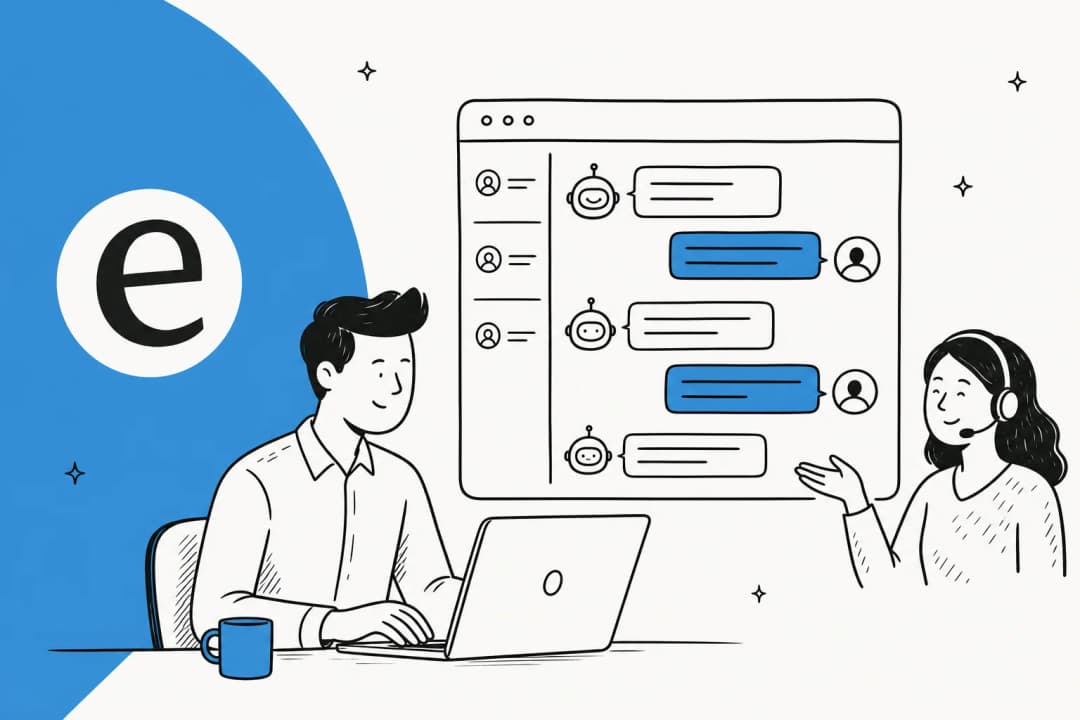
Classic proactive chat is deterministic: a human writes a rule ("pricing page + 90s → fire message X") and it sends the same static line every time. AI changes both halves - when it fires and what it says - and then handles the conversation that follows.
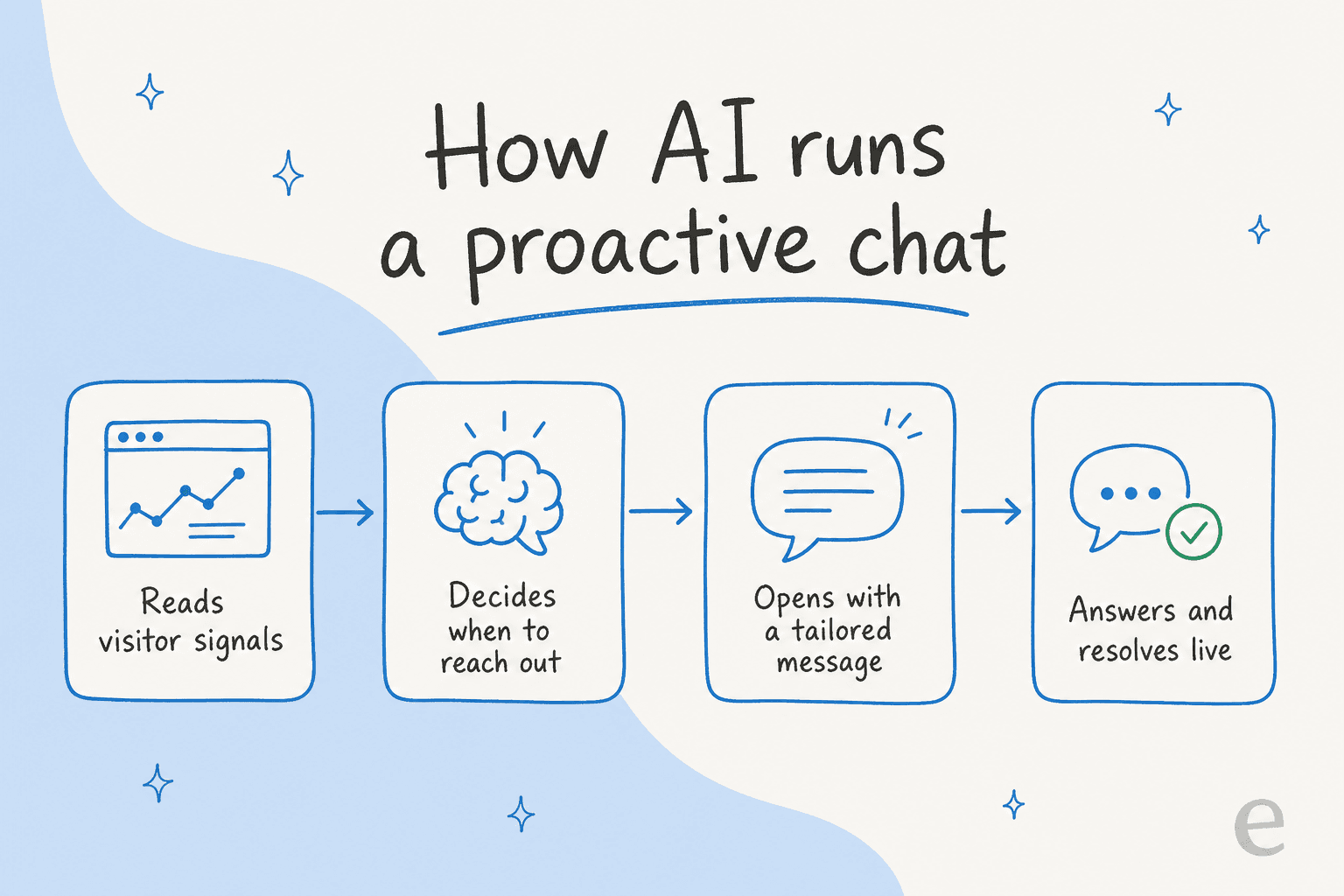
AI decides when to reach out. Instead of hand-tuned thresholds, an AI layer reads real-time signals and picks the moment. Sendbird's release frames it as detecting signals from "user behavior, system events, or external APIs/webhooks" - including things a browser rule can't see, like a delayed order or a subscriber who's gone quiet.
AI decides what to say. Rather than a fixed template, the message is generated from context - VIP status, past purchases, usage patterns. A hand-written rule can drop in a name merge tag; it can't reason about why this specific visitor is hesitating.
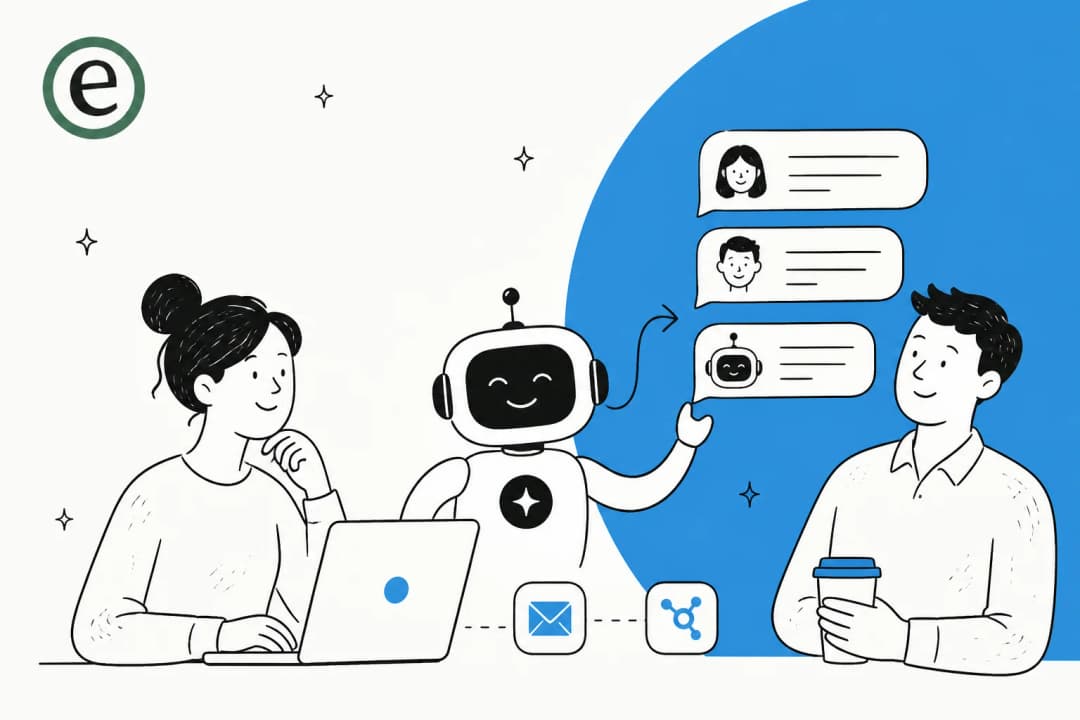
AI handles the conversation that follows. The proactive message is just the opener. This is the part I care about most from the support side: the follow-through. Ada measures proactive conversations by auto-resolution rate - how many proactively-started chats the AI closed without a human - and can chain the trigger into a real action like an order-status lookup. Of course, an AI that answers confidently but wrongly is worse than none, which is why grounding the answers in your real docs and having a clean human handoff matters so much.
The guardrail community operators keep raising: this still has to be grounded in real behavior, not a busier timer. Proactive chat only works when it's based on what people are actually doing. AI's job is to make that read sharper - not to interrupt more often.
Try eesel for proactive live chat
Here's the reason I keep coming back to AI for this: the whole proactive-chat promise collapses if nobody answers the message. eesel closes that gap. It powers your live chat and your helpdesk, reads what a visitor is doing, and then actually resolves the conversation the trigger opens - not just a "thanks, we'll be in touch."

A few things that matter for proactive chat specifically. It's always on, so the 2am pricing-page visitor gets a real answer. It plugs into the tools you already run - Shopify, Zendesk, Gorgias, WhatsApp - so it can look up an order or a plan mid-conversation. And the pricing is usage-based: $0.40 per chat session, no per-seat fee, which is a very different equation from staffing a 24/7 human chat team (we ran that math in AI vs human agent cost). Billwerk, for one, lets customers self-serve through eesel. You can try it free and simulate it against your own past chats before it ever talks to a customer.
Frequently Asked Questions
What is proactive live chat?
How is proactive live chat different from reactive chat?
Does proactive live chat actually convert, or just annoy people?
What triggers should I use for proactive live chat?
How much does AI-powered proactive live chat cost?


Article by
Riellvriany Indriawan
Riell is a designer and writer at eesel AI with about two years of experience researching CX platforms, AI chatbots, and helpdesk software. She combines her design background with a sharp eye for how these tools actually look and feel in practice — making her comparisons unusually visual and user-focused.