Ticket escalation process: how to design one that works

Riellvriany Indriawan

Katelin Teen
Last edited July 6, 2026
What a ticket escalation process actually is
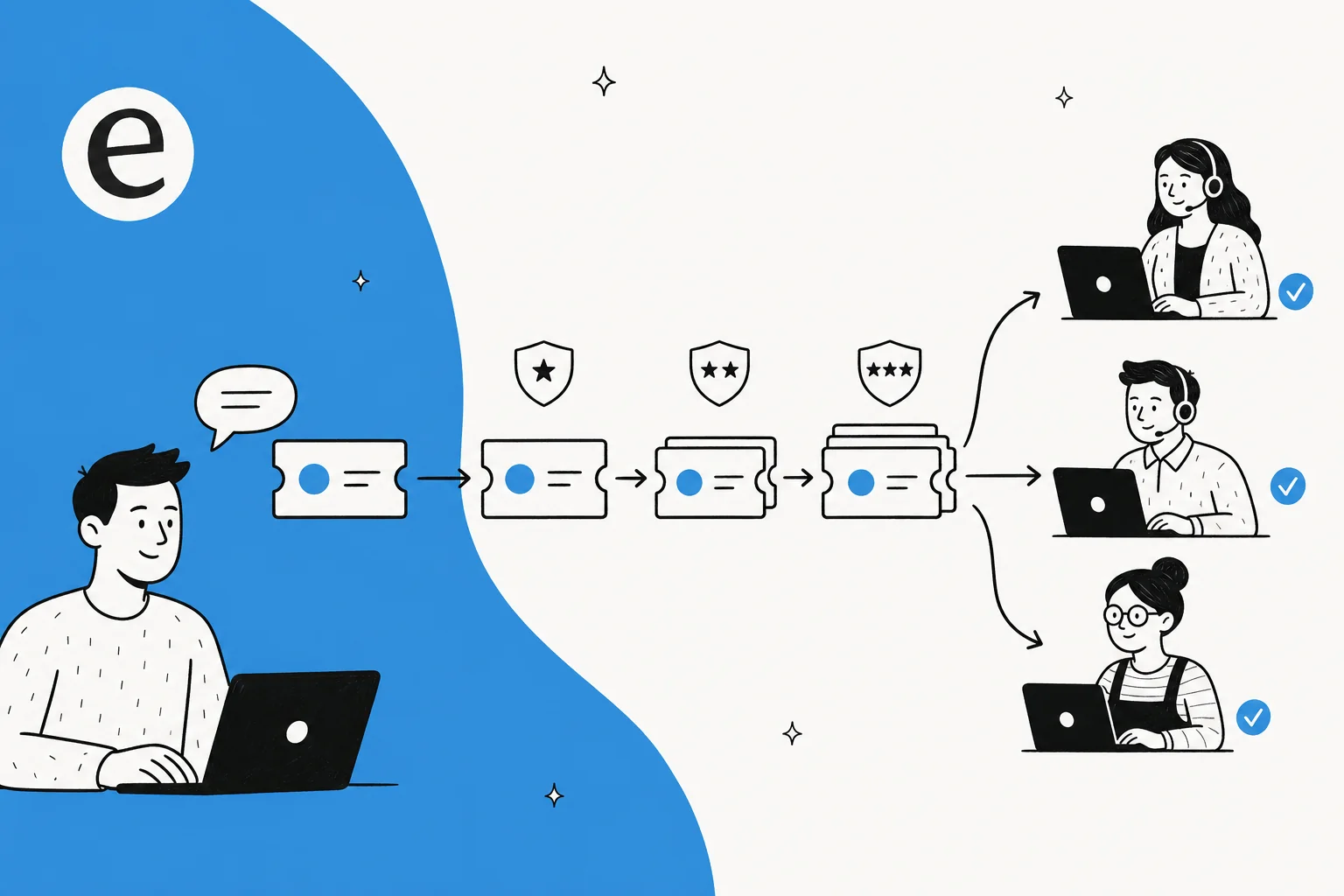
A ticket escalation process is the set of rules that governs when a support ticket leaves the hands of whoever (or whatever) is currently handling it, and where it goes next. Three things make it a process rather than a habit:
- The trigger - the specific condition that says "this can't be solved here."
- The route - which team, seniority, or system receives it.
- The handoff - the context that moves with the ticket so the next owner doesn't start from zero.
Get those three written down and built into your helpdesk, and you have a process. Leave any one of them to improvise, and you have a queue that clogs whenever the hardest tickets arrive, which is exactly when you can least afford it.
Here's the anatomy most teams end up with. A ticket enters at the lowest-effort tier that can plausibly solve it, and only climbs when a trigger fires.
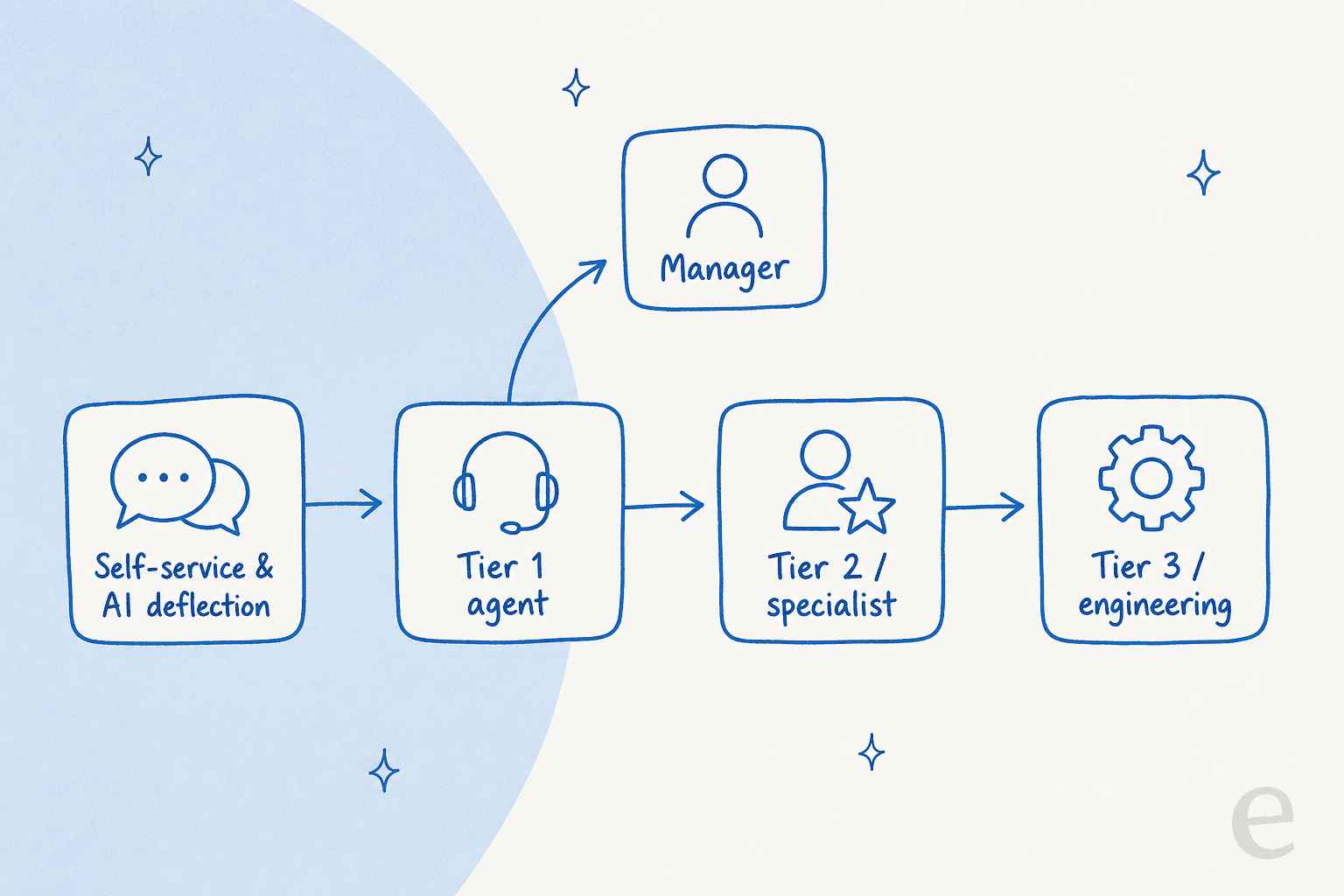
The point of the ladder isn't hierarchy for its own sake. It's that every rung costs more, so you want tickets to stop climbing the moment they've reached someone who can actually resolve them. A well-run process pushes resolution down the ladder as far as it'll go and escalates only what genuinely needs the rung above.
The two types of escalation (and why you need both)
The word "escalation" hides two very different moves, and teams that conflate them end up sending complex bugs to a manager who can't fix them and angry customers to an engineer who can't calm them down.
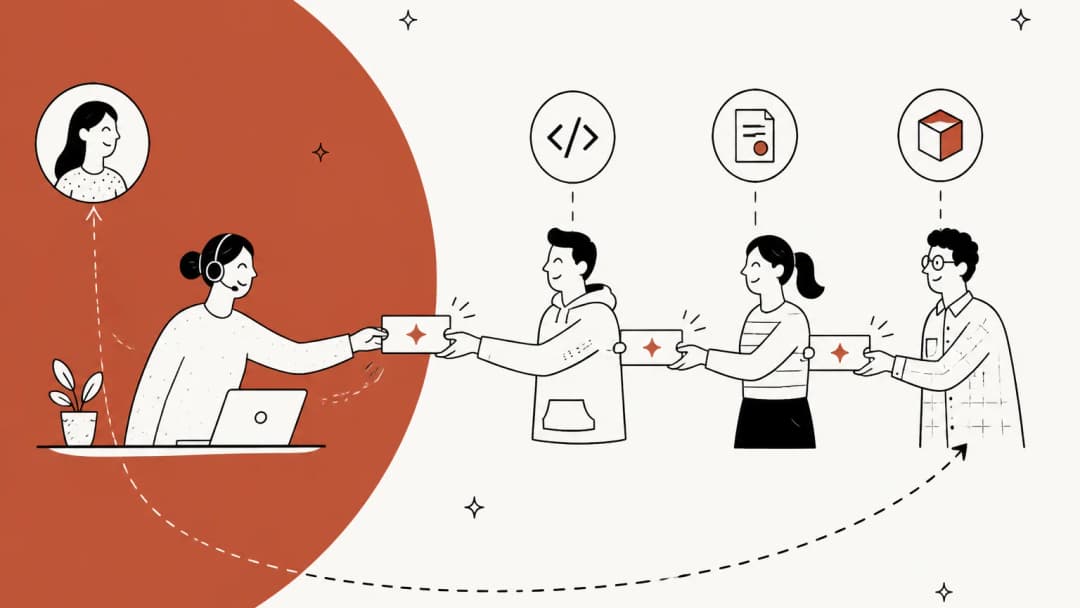
Functional escalation moves a ticket sideways, to whoever has the right expertise or system access. A password reset that turns out to be an SSO misconfiguration goes to Tier 2. A "your API is returning 500s" ticket goes to engineering. Nobody's more senior in the org chart, they just know the thing.
Hierarchical escalation moves a ticket up, to someone with more authority. The trigger here is rarely knowledge, it's a decision or a relationship: a refund outside policy, a complaint that needs a manager's name on the reply, an enterprise account threatening to churn.
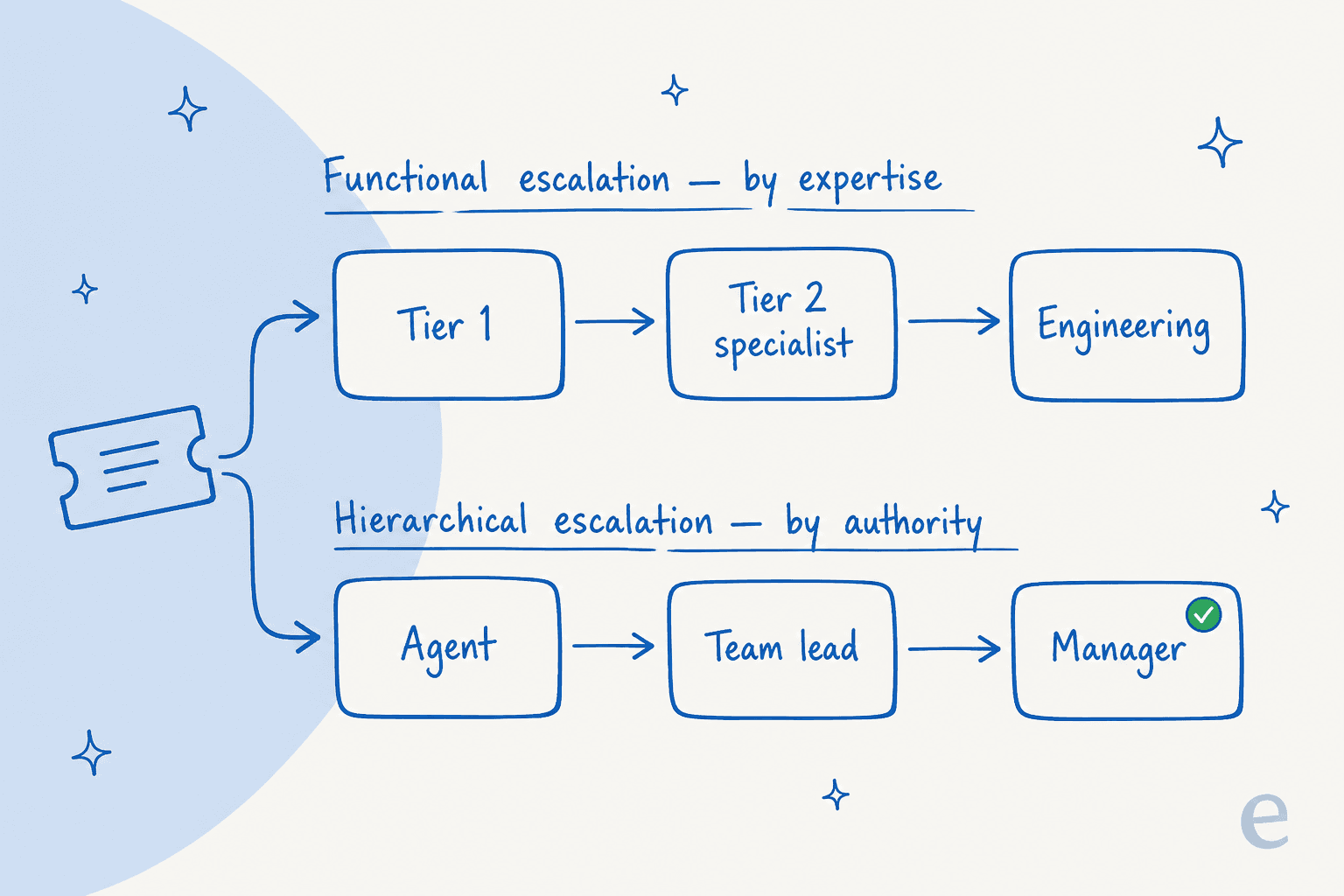
The reason to name them separately is that they need separate triggers and separate routes. A ticket can even take both paths at once: a billing bug affecting a big account might go functionally to engineering and hierarchically to an account manager who keeps the customer warm while the fix lands. One of eesel's fintech customers built almost exactly that, a workflow to keep escalated tickets "warm" with reassurance messages while the team waited on third-party payout partners, on top of a queue of roughly 7,000 to 8,000 escalated tickets a month. The escalation didn't stop the clock on the customer's anxiety, so they built a second track to manage it.
What triggers an escalation
The triggers are where a vague process becomes a real one. If your rule is "escalate when you can't handle it," you'll get wildly inconsistent decisions across agents. Name the conditions instead. The common ones:
- Knowledge or access gap - the answer needs a specialist, a system, or a permission the current owner doesn't have.
- SLA risk - the ticket is approaching its response or resolution deadline. This is the trigger most worth automating; a solid SLA setup should flag at-risk tickets before they breach, not after.
- Sentiment / complaint - the customer is angry, has escalated themselves ("let me speak to a manager"), or is a churn risk.
- Authority - a decision the agent isn't empowered to make: a refund, a policy exception, a contractual promise.
- Repeat contact - the customer has been back multiple times on the same issue. A reopened ticket is a quiet escalation trigger a lot of teams miss.
A quick gut-check I use: if the current owner could resolve it with five more minutes and the right doc, that's a knowledge gap to fix, not a ticket to escalate. Escalation is for what they genuinely can't do, and every unnecessary one is a more expensive person doing work the tier below could have.
To make that call concrete, here's the same logic as a quick decision helper. Pick the situation you're looking at:
Building your escalation process, step by step
You don't need a 30-page runbook. You need four decisions made explicitly and then encoded into your helpdesk so they happen the same way every time.
1. Define your tiers
Start by naming the levels a ticket can occupy. A typical shape is self-service and AI at the bottom, then Tier 1 (generalist agents), Tier 2 (specialists or senior agents), and Tier 3 (engineering or product), with management sitting off to the side as the hierarchical destination. Smaller teams collapse this to two tiers plus "ask a founder", and that's fine. The number of tiers matters far less than everyone agreeing on what belongs at each one.
2. Write the triggers down
Take the trigger list from the section above and make it specific to your product. "SLA risk" becomes "escalate any Priority 1 ticket not acknowledged within 30 minutes." "Authority" becomes "any refund over $200 goes to a team lead." The more your triggers read like classification rules a machine could follow, the more consistent (and automatable) your escalations become.
3. Standardise the handoff
This is the step teams skip, and it's the one that decides whether an escalation actually saves time. A ticket that arrives at Tier 2 with no context forces the specialist to re-read the whole thread and re-ask the customer, which is where "escalated" starts to feel like "reset." Define a minimum handoff: what's been tried, the relevant account details, and a one-line summary of the actual ask. Good ticket triage and routing does most of this before a human ever touches the ticket.
4. Measure the escalation rate
If you're not tracking what percentage of tickets escalate and why, you can't improve the process, you're just running it. Escalation rate is one of the more honest support metrics because it's hard to game: a rising rate usually means a knowledge gap or a product regression, and a falling one (without a drop in first contact resolution) means the frontline is getting more capable. Review the reasons monthly and feed the top ones back into your docs and macros.
Common mistakes that quietly break escalation
A few patterns I see over and over on real queues:
- The process lives in people's heads. New agents learn escalation by asking a teammate "who handles billing again?" This is the single most common failure, and it's why escalations get slower exactly as a team grows. Encode the rules in the helpdesk.
- Everything is Priority 1. When every ticket can be flagged urgent, none of them are, and the escalation queue becomes a second inbox. Tie priority to concrete criteria.
- Escalation as a dumping ground. Agents escalate to make a hard ticket someone else's problem rather than because it genuinely needs a higher tier. This inflates cost and buries the escalations that matter.
- No path back down. A ticket escalated to engineering that turns out to be a config issue should route back to Tier 1 with the answer, not sit in an engineering queue for a week. Escalation should be bidirectional.
- Handing off without context. Covered above, but it's worth repeating: an escalation without a handoff isn't an escalation, it's a restart.
Where AI changes the escalation process
Here's the shift that's actually mattered. For years the only way to reduce escalations was to train agents harder and write more docs. Now there's a layer that sits in front of the queue, reads every ticket, and makes the first escalation decision itself.
The move isn't "AI resolves everything." Anyone who's run a bot in production knows that's a fast way to give confident wrong answers. The teams getting this right use confidence-based routing: the AI resolves the tickets it's genuinely confident about, and escalates the rest to a human with a drafted reply and the context already attached. One CX lead I came across put the whole philosophy in a single line, that they wanted "an AI who is only handling the tickets that it's confident to handle and all the other ones, leave them alone." That restraint is the feature, not a limitation.
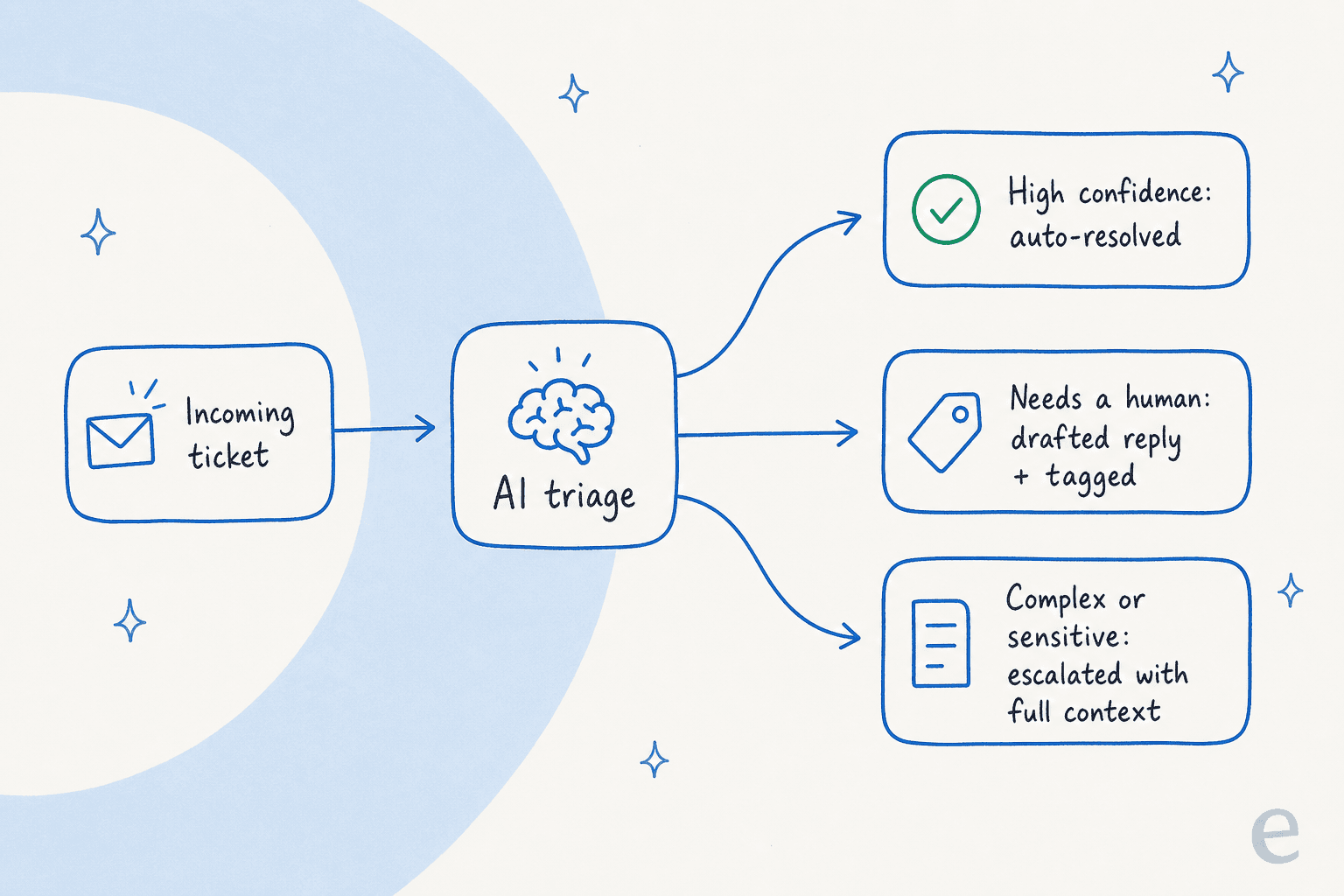
What that does to the process is subtle but big. Your Tier 1 volume drops, because the repetitive tickets that used to eat the frontline's day never reach them. And the escalations that do reach a person arrive pre-triaged, classified, and tagged, often with a suggested reply sitting in an internal note. One eesel customer, a bus-tracking service on Zendesk handling 200 to 250 tickets a month, framed their goal exactly this way: build something that could "handle 60% of the incoming zendesk tickets and know when to pull a real person in." The "knowing when to pull a person in" part is the escalation process, just run by software.
This is also where the functional-vs-hierarchical distinction pays off with automation. An AI layer can send a bug report to engineering and, in parallel, flag an angry-customer thread for a manager, because the triggers are explicit rules rather than an agent's judgment call in the moment.
Try eesel AI for your escalation process
If the goal is fewer escalations that arrive faster and better-prepared, this is exactly what eesel AI is built for. It sits on top of your existing Zendesk, Freshdesk, Jira Service Management, Front, or Gorgias setup, learns from your past tickets and help docs, and handles tier-1 volume with confidence-based routing so a low-confidence ticket becomes a drafted reply for a human rather than a wrong answer sent to a customer.

The part worth trying before you commit: eesel has a simulation mode that runs the AI against your historical tickets so you can see how much it would have resolved, and what it would have escalated, before it ever touches a live customer. One customer, Gridwise, saw eesel resolve 73% of tier-1 requests in the first month, with results showing up during a 7-day trial. You set the escalation rules in plain language ("draft, don't send, anything about refunds"), and it's free to start with 100 credits, then fixed monthly pricing from $299 for 500 credits and no per-seat fees.
Frequently Asked Questions
What is a ticket escalation process?
What is the difference between functional and hierarchical escalation?
When should a support ticket be escalated?
How can AI improve the ticket escalation process?
How do you reduce unnecessary ticket escalations?
What is an escalation matrix in customer support?
How does the escalation process work in a helpdesk like Zendesk?


Article by
Riellvriany Indriawan
Riell is a designer and writer at eesel AI with about two years of experience researching CX platforms, AI chatbots, and helpdesk software. She combines her design background with a sharp eye for how these tools actually look and feel in practice — making her comparisons unusually visual and user-focused.