The best AI for Help Scout in 2026 (7 tools compared)

Kurnia Kharisma

Katelin Teen
Last edited October 2, 2026

What "AI for Help Scout" actually means
Before the list, one distinction that decides everything. AI touches your Help Scout support in three different places, and a tool that's brilliant in one spot can be useless in another.
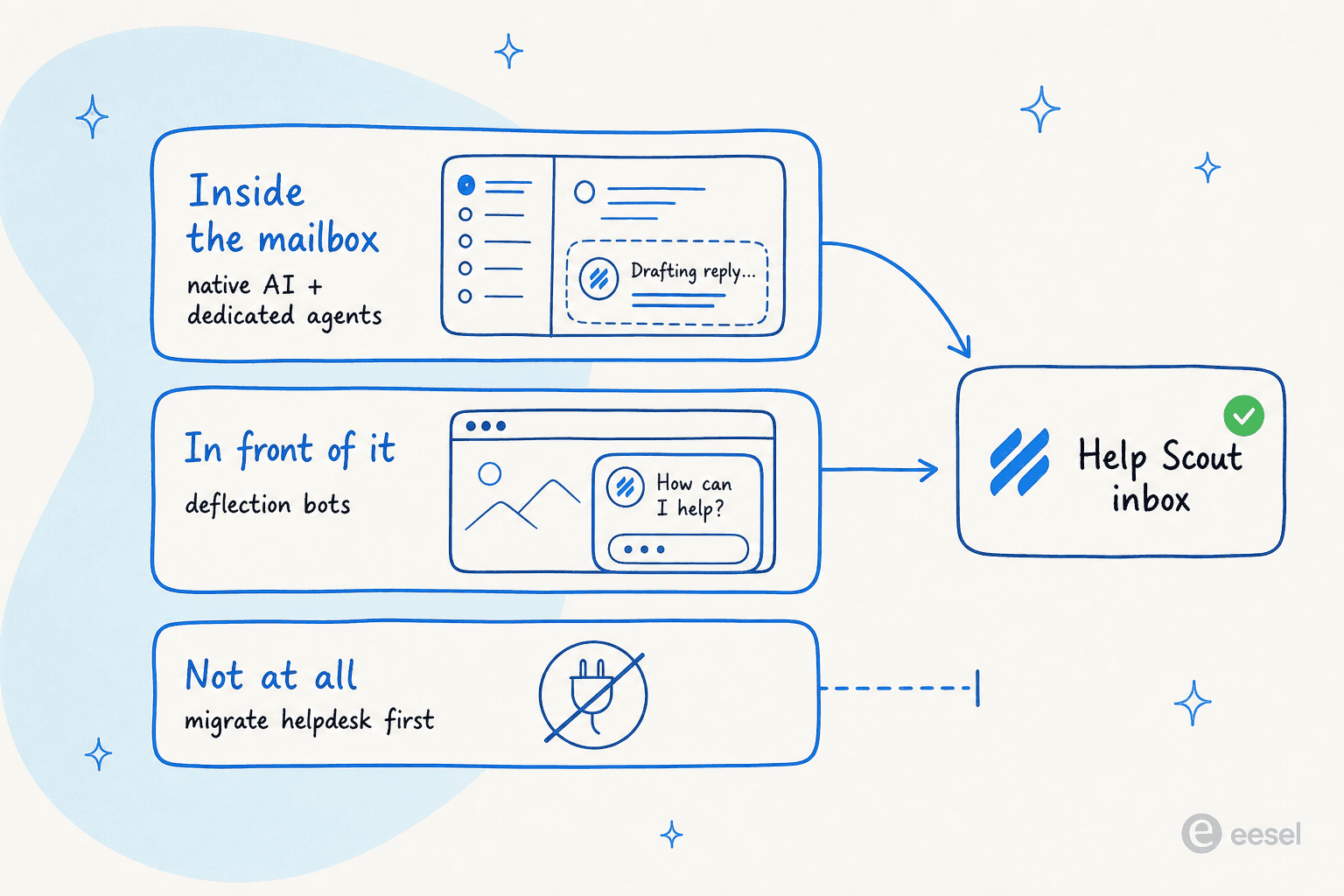
Inside the mailbox. AI that lives in the shared inbox and works the tickets: drafting replies, summarizing long threads, or resolving conversations on its own before a human sees them. This is where Help Scout's native AI and a dedicated agent like eesel operate. It's the setup most people mean when they say they want "AI for Help Scout."
In front of it. A chatbot on your website or help center that answers customers before their question ever becomes a ticket. These deflection bots don't need to touch Help Scout at all, they just reduce the volume that reaches it. Useful, but they're a different job.
Not at all. A surprising number of well-marketed AI tools simply don't support Help Scout. They integrate with Zendesk, Gorgias, or Freshdesk, and to use them you'd have to migrate helpdesks first, which is a much bigger decision than "add some AI."
Keep that map in your head as you read. The moment a tool doesn't say "Help Scout" on its own integrations page, you're either running it as a standalone widget or switching platforms.
The best AI for Help Scout at a glance
Here's the full shortlist, with the column that actually matters up front: whether it connects to Help Scout. Only three of these seven natively integrate.
| Tool | Best for | Works with Help Scout? | Pricing | Free trial |
|---|---|---|---|---|
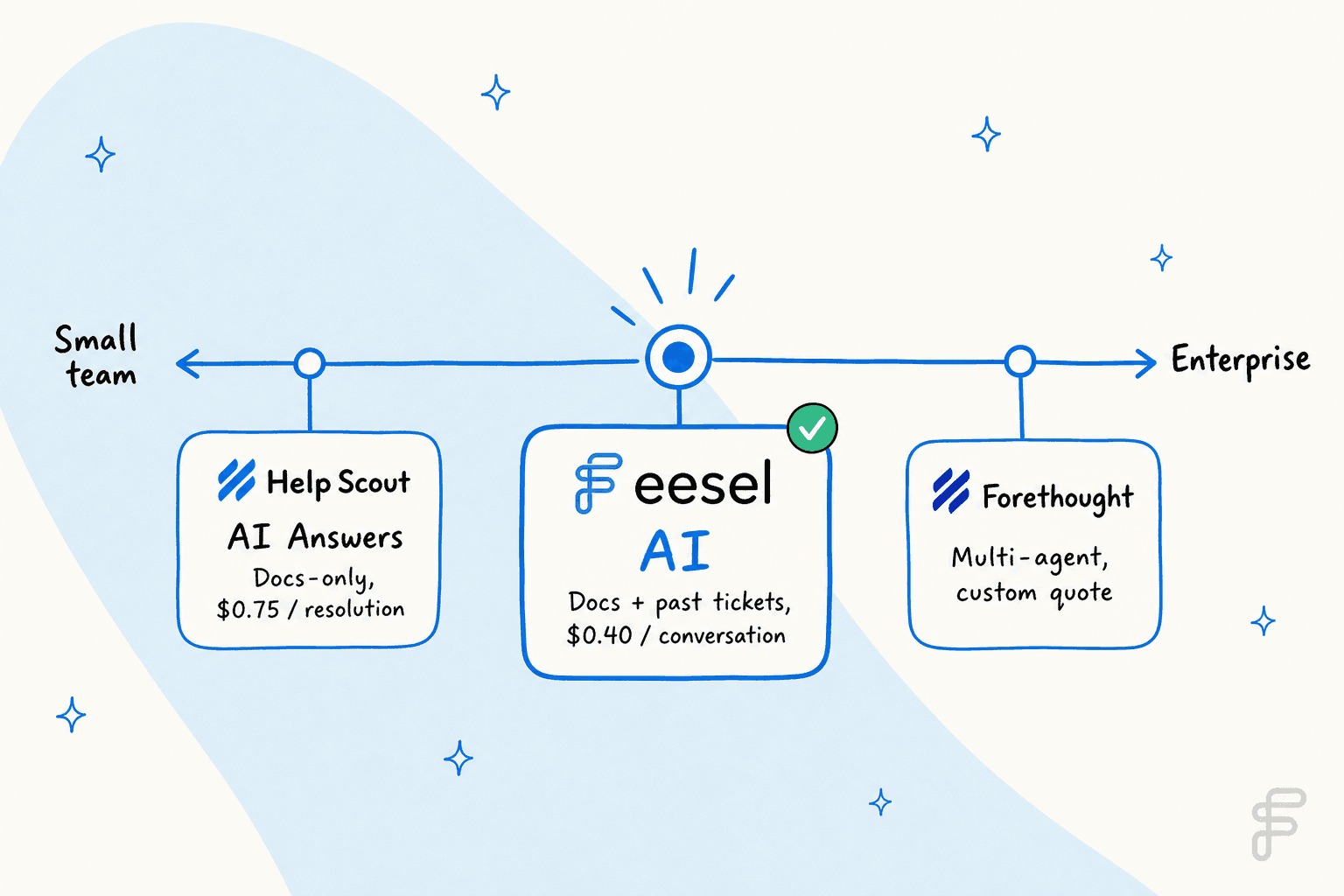
| eesel AI | Resolving tickets inside the mailbox | Yes, native API | From $299/mo (500 credits), no seat fee | Yes, 100 free credits |
| Help Scout AI | The simplest on-switch | Yes, built in | $0.75 / resolution + seats | 3-month AI trial |
| Forethought | Enterprise multi-agent CX | Yes, listed connector | Custom quote (platform + outcome) | No, proof-of-value |
| My AskAI | Cheap front-of-site deflection | No native integration | From $199 / mo (~$0.10 / ticket) | 30-day trial |
| Aidbase | Early SaaS startups | No, standalone suite | $29 to $199 / mo | 7-day trial |
| DigitalGenius | High-volume ecommerce | No native integration | Custom quote | No |
| Mavenoid | Hardware and product support | No native integration | Custom quote | No |
A note on how I picked. I'm not claiming years of hands-on time in every tool here, I read each vendor's own docs, pricing, and integrations pages, and I checked the integration claim three ways where I could. The one place I can speak from real operating experience is Help Scout itself: eesel has run AI agents on live Help Scout mailboxes for years (teams like EntryLevel and Ecosa both run on it), and the single lesson from that is the one I'd hand anyone: simulate against your real past tickets before a customer sees anything. We've watched confident-sounding bots quietly give wrong answers, and testing on history first is how you catch it.
What to check before you pick an AI for Help Scout
Once the shortlist is down to tools that actually connect, buyers tend to ask the same follow-up questions: how long setup takes, whether it works in email or only in chat, whether you can control its tone, and how to keep it away from topics it shouldn't touch. Here's how the two most common picks answer them, based on each vendor's own pages.
| What buyers ask | eesel AI | Help Scout AI (native) |
|---|---|---|
| How long does setup take? | Connects through the Help Scout API in minutes; about an hour to fully set up | Built in, switch it on in your account |
| Email or chat? | Drafts and sends replies from your Help Scout mailbox, and can also run a chat bubble | AI Drafts work in the inbox for your agents; AI Answers is the Beacon chat widget |
| What does it learn from? | Past Help Scout conversations, Docs articles, and saved replies | AI Answers uses your knowledge base and custom sources; AI Drafts uses past conversations and help content |
| Can I control its tone? | Yes, it matches your tone and learns from every edit your team makes | Not stated on Help Scout's site |
| Can I keep it away from certain topics? | Yes, tell it in plain English which conversations to leave alone, such as billing disputes, auto-replies, or a whole category | Not stated on Help Scout's site |
| What if it isn't sure? | Low-confidence answers become a draft for your team to review, not a live reply | Not stated on Help Scout's site |
| Can I test it before customers see it? | Yes, run simulations on your past tickets first | Yes, AI Answers comes with a 3-month free trial |
| Does it respect my existing setup? | Yes, it follows your Help Scout Workflows, automation rules, and routing | Yes, it's part of Help Scout |
| Can I see how it's doing? | Reports, plus knowledge gap detection that flags questions your docs don't answer | Not stated on Help Scout's site |
Two questions are worth asking any vendor in a demo, because none of them document the answer clearly: whether the AI can skip replies to specific sender addresses, and whether it stops replying once a human has taken over a conversation.
1. eesel AI
Best for: teams that want the AI to resolve real Help Scout tickets end-to-end, not just answer FAQs.
eesel AI is a dedicated AI agent that connects on top of Help Scout and works the way a human teammate would. It's the option I'd reach for first, and yes, I work here, so weigh that, but the reason is specific: it's one of the very few AI tools with a genuine native Help Scout integration, and it trains on more than your knowledge base.

The difference starts with what it learns from. Instead of only your Docs, it imports your Docs, every past Help Scout conversation, and your saved replies the moment you connect it. Years of resolved tickets become knowledge on day one, so it answers in your team's voice rather than a generic paraphrase of a help article.
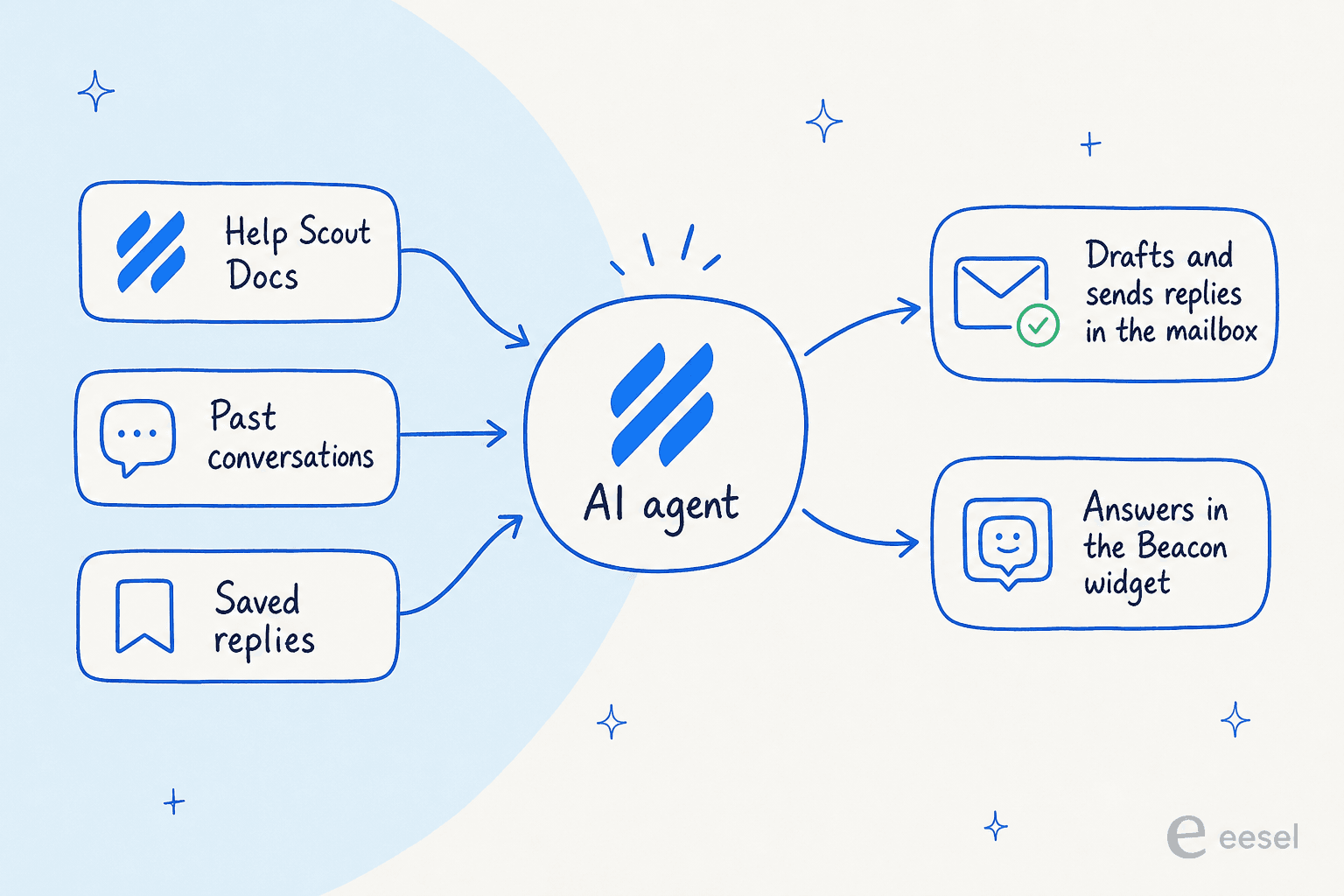
Once connected, it drafts and sends replies straight from your mailbox (customers see your team's address, not a bot's), adds internal notes, updates tags and status, and answers in Beacon live chat too. You control how much rope it gets: draft-only mode keeps a human on every reply, autopilot lets it resolve on its own, and confidence-based routing means it hands shaky questions back instead of guessing.

The part I'd actually try first is the simulation: it runs the agent against your past tickets and forecasts a resolution rate before a single customer is involved. It's how Gridwise saw 73% of tier-1 requests resolved in their first month rather than a rough launch.

Pricing: from $299/month for 500 credits, no per-seat fee, no platform fee. 1 credit covers one conversation, however many messages it takes. There's a free plan with 100 credits and no credit card.
Works with Help Scout: yes, native API integration, connected in a couple of clicks.
Verdict: the pick if you want AI that resolves tickets rather than just deflecting FAQs, cares about answers matching your voice, and wants predictable cost as volume grows. It's overkill only if all you'll ever want is a knowledge-base widget, in which case Help Scout's own tool is right there.
2. Help Scout AI (native)
Best for: teams that want the simplest possible on-switch and mostly need to deflect knowledge-base questions.
The path of least resistance is Help Scout's own AI, because there's nothing to connect. It comes in two halves. AI Answers is the customer-facing chatbot that lives in the Beacon widget and resolves questions from your Docs. The Inbox Assistant is the agent-facing half: AI Drafts, AI Summarize, and tone or translation edits inside the shared inbox.
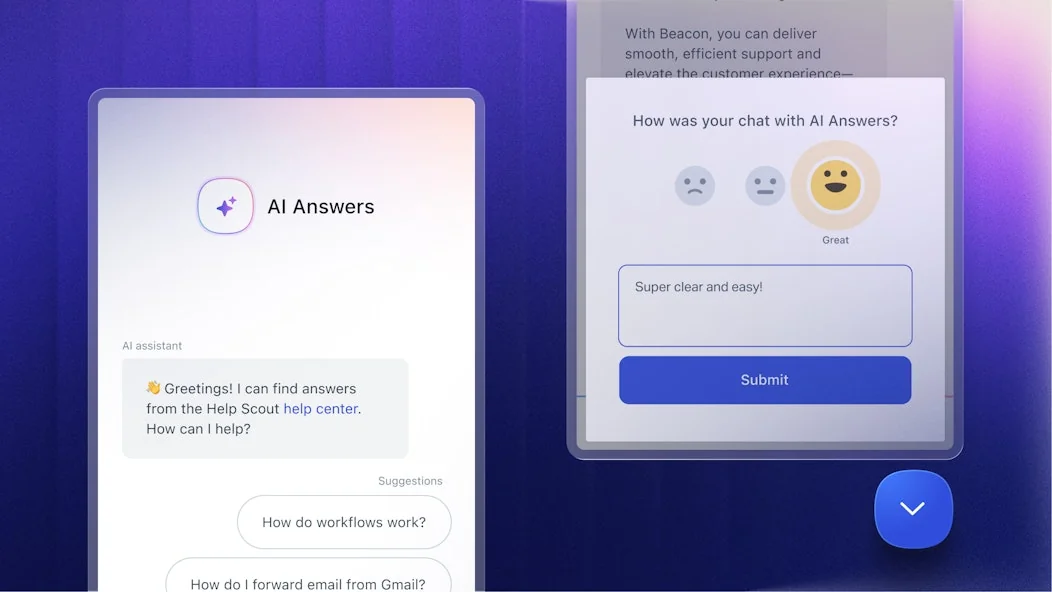
Help Scout says companies average a 73.19% resolution rate with AI Answers, across 50-plus languages, with every AI conversation auditable in the inbox. Two things to know before you flip it on.
First, it only knows your Docs. AI Answers resolves from your published knowledge base, web sources, and custom instructions. It does not learn from the thousands of tickets your team has already answered, which is where a lot of the "how do we actually phrase this" knowledge lives.
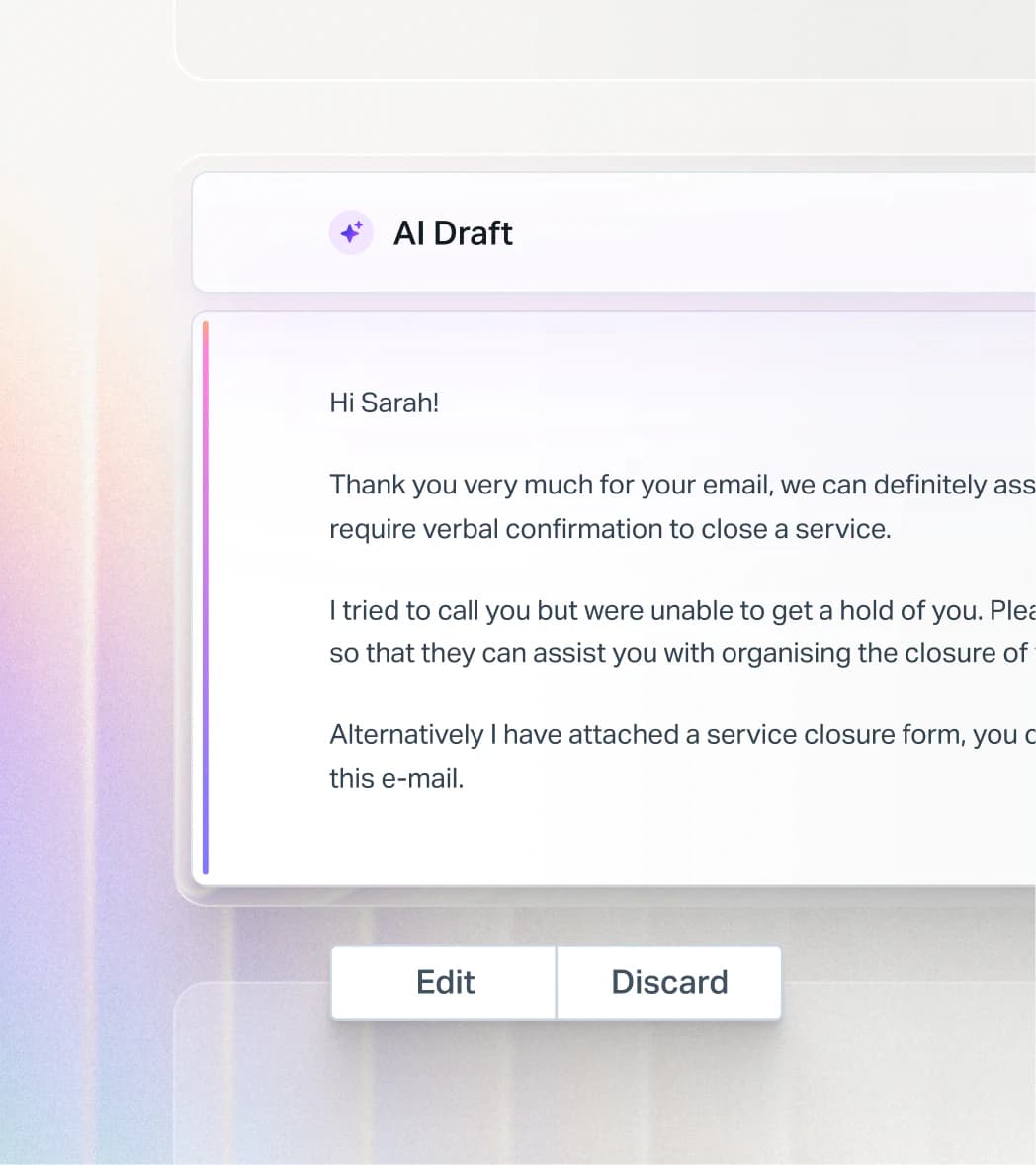
Second, the pricing stacks on your seats. AI Answers is $0.75 per resolution (a resolution counts only if the customer gets an AI reply and doesn't escalate), and it's charged on top of the per-user plan you already pay ($25, $45, or $75 per seat). It's the loudest complaint in reviews: the per-resolution charge is fair as a meter, but it quietly balloons as you scale. There's a 3-month free trial of unlimited resolutions and a monthly spending cap to soften it.
Pricing: $0.75 per resolution, added to your Help Scout seats. Full breakdown in our Help Scout pricing guide.
Works with Help Scout: yes, it is Help Scout.
Verdict: the fastest thing to switch on and genuinely fine for Docs-based FAQ deflection. If your Docs are current and that's all you need, start here. The moment you want the AI to learn from past tickets or send from the mailbox, you'll outgrow it, and that's the gap our Help Scout AI breakdown digs into.
3. Forethought
Best for: enterprise support teams that want a full multi-agent CX platform and have budget for it.
Forethought is an enterprise AI customer support platform built as a "multi-agent system" rather than a single chatbot. Its reasoning engine, Autoflows, interprets intent and works through your business policies to resolve an issue rather than just answer it.

The platform is a set of named agents: Solve is the customer-facing agent across chat, email, and voice; Assist is an agent copilot that drafts replies inside the help desk; and Discover surfaces knowledge gaps and ticket trends. Headline marketing numbers are 15x average ROI and "up to 98%" resolution, all vendor self-reported, so treat them as claims rather than benchmarks.
Pricing: quote-only. Forethought states its pricing model is "a blend of platform access fees and outcome-based pricing" with usage overages, across Basic, Professional, and Enterprise tiers. There's no free trial, just a proof-of-value run against your data. Our Forethought pricing guide has the detail.
Works with Help Scout: yes. Help Scout is named on its integrations page under "Helpdesks & CRM", among 70-plus connectors, though the depth of that integration isn't spelled out publicly.
Verdict: a real option for larger teams already on Help Scout who want an enterprise-grade platform with QA and analytics baked in. For a small or mid-size Help Scout shop, the sales-led, quote-only model is a lot of process for the outcome, and it's worth weighing against a Forethought competitor that's self-serve.
4. My AskAI
Best for: teams that want cheap, front-of-site deflection and are fine that it lives outside the mailbox.
My AskAI is an AI support agent that resolves tickets before they reach a human, and its whole pitch is price: it markets itself at roughly one-fifth the cost of native helpdesk AI, with an over-75% average resolution claim and a $0.10 average cost per ticket. The transparency is refreshing after all the "contact sales" pages.
Here's the catch for this post, and it's a big one.
| Plan | Price | Tickets included | Notable limits |
|---|---|---|---|
| Pro | $199 / mo | 1,000 / mo | 5 seats, branding removal +$49/mo |
| Scale | $499 / mo | 2,000 / mo | Unlimited seats, SOC-2 Type II |
| Enterprise | From $999 / mo | Custom | White-glove, whitelabel |
Works with Help Scout: no. My AskAI's integrations page lists exactly six supported helpdesks (Freshdesk, Gorgias, HubSpot, Intercom, Zendesk, and Zendesk Messaging), and Help Scout appears nowhere. Its own model is "keep your existing helpdesk," but that promise only holds for those six. A Help Scout shop would run it as a standalone widget in front of your site, or migrate helpdesks first.
Verdict: genuinely good value if what you need is a cheap website chatbot that deflects traffic before it becomes a ticket, and you accept it won't work your Help Scout mailbox. If you want AI in Help Scout, this isn't it, no matter how good the per-ticket price looks.
5. Aidbase
Best for: very early SaaS startups willing to run their whole support stack in one new tool.
Aidbase bundles an AI chatbot, a knowledge base, AI-assisted ticketing, and a shared email inbox into one suite aimed at startups. It's the cheapest tool here by sticker price, and the ticketing UI is clean.
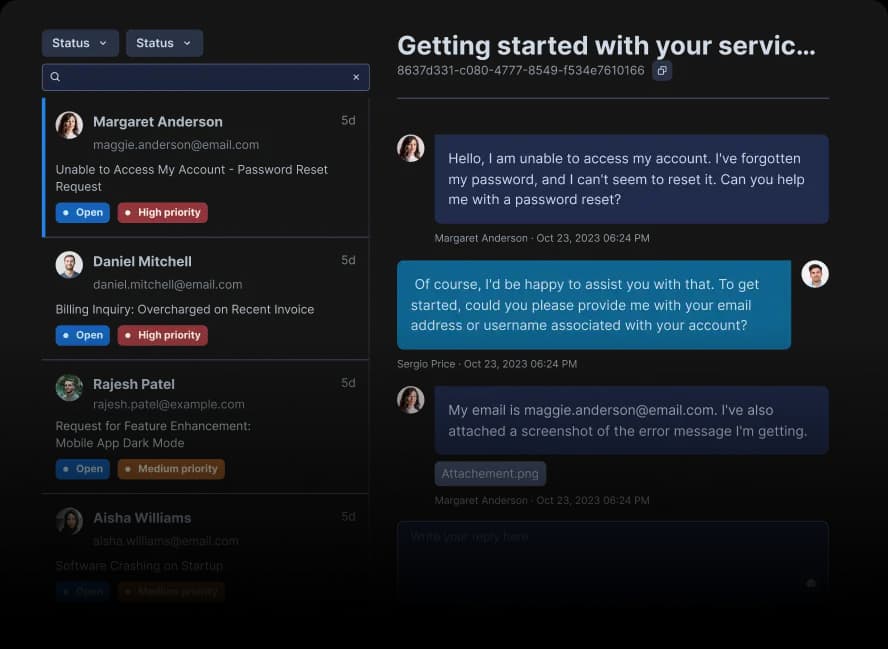
Pricing: three tiers on Aidbase pricing, Standard $29, Pro $39, and Expert $199 a month, with a 7-day trial. Watch the gating: webhooks, integrations, and the API are all Expert-only, and message caps go unlimited only if you bring your own OpenAI key.
Works with Help Scout: no. Aidbase has no integrations directory (the page 404s) and names only Zapier, Make, Slack, Webflow, WordPress, and Shopify. Any Help Scout link would be a DIY Zapier bridge. It's built to replace a helpdesk, not layer onto one.
Verdict: fine if you're pre-Help-Scout and want an all-in-one you can stand up cheaply. If you already run Help Scout, adopting Aidbase means running two support tools or leaving Help Scout entirely, which is a strange trade for the price saving.
6. DigitalGenius
Best for: high-volume ecommerce and retail brands with an order-management stack.
DigitalGenius is an ecommerce-specialist AI agent built around resolution, not deflection: it takes real actions like processing returns, warranty claims, and order changes via pre-built "Genius Flows." For a retail brand drowning in WISMO ("where is my order") tickets, that specialization is real.
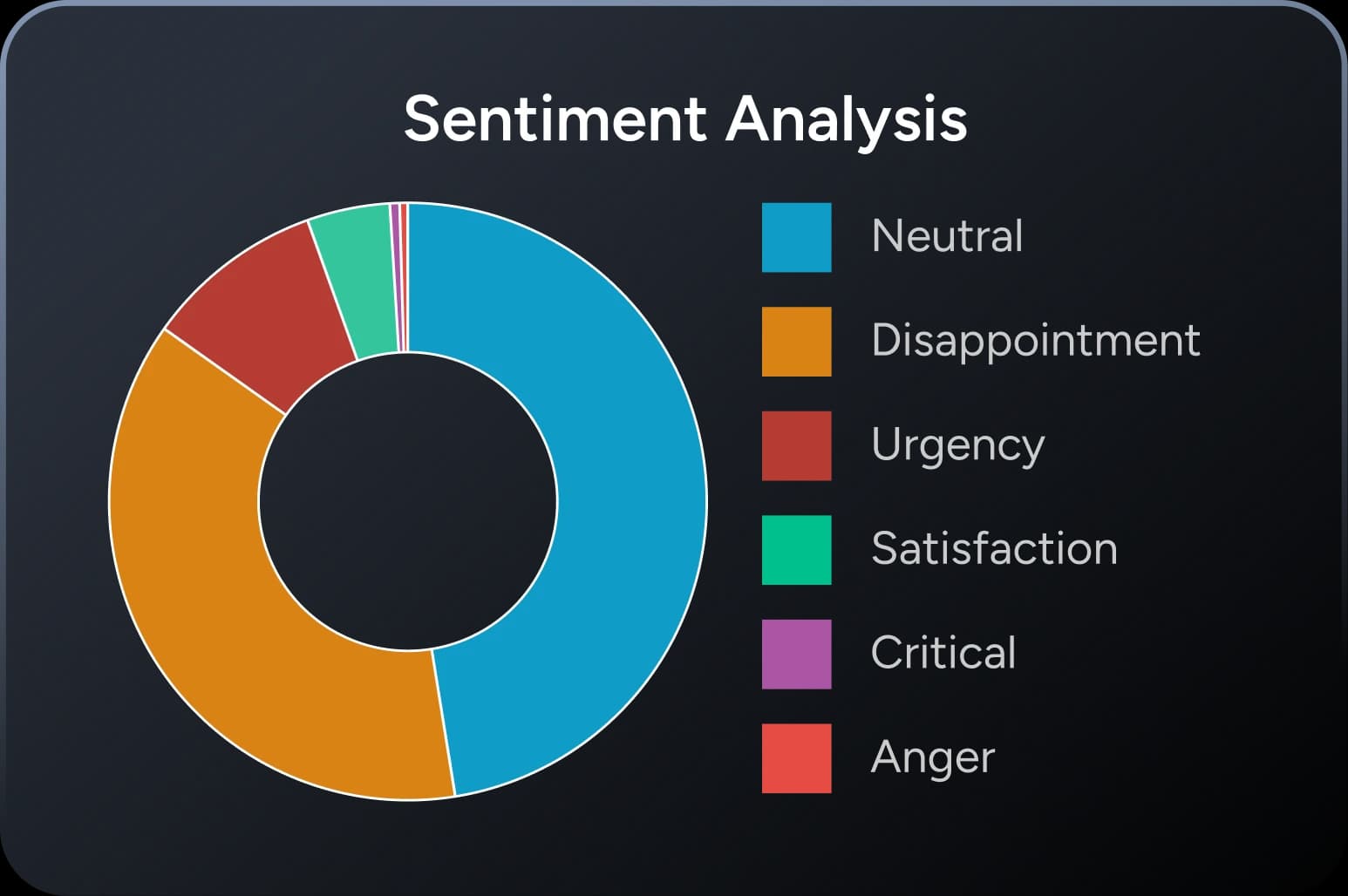
Pricing: not public. The pricing page redirects to a demo booking, so treat it as enterprise, contact-sales.
Works with Help Scout: no. Its integrations page lists Zendesk, Gorgias, Kustomer, Freshdesk, Gladly, and Dixa under helpdesks, and the direct Help Scout URL 404s. DigitalGenius will build custom integrations on request, but there's no productized Help Scout connector today.
Verdict: a strong tool for the ecommerce helpdesk world it's built for, and irrelevant for a Help Scout user unless you're on Shopify and considering a platform switch anyway. If ecommerce is your world, it belongs on a Zendesk or Gorgias shortlist, not this one.
7. Mavenoid
Best for: brands that sell physical products and need technical troubleshooting.
Mavenoid is a product-support AI built for hardware: consumer electronics, appliances, power equipment. It diagnoses why a device isn't working and walks the customer through visual, model-specific fixes across text, voice, and image. That's a genuinely different problem from software support, and Mavenoid is good at it.
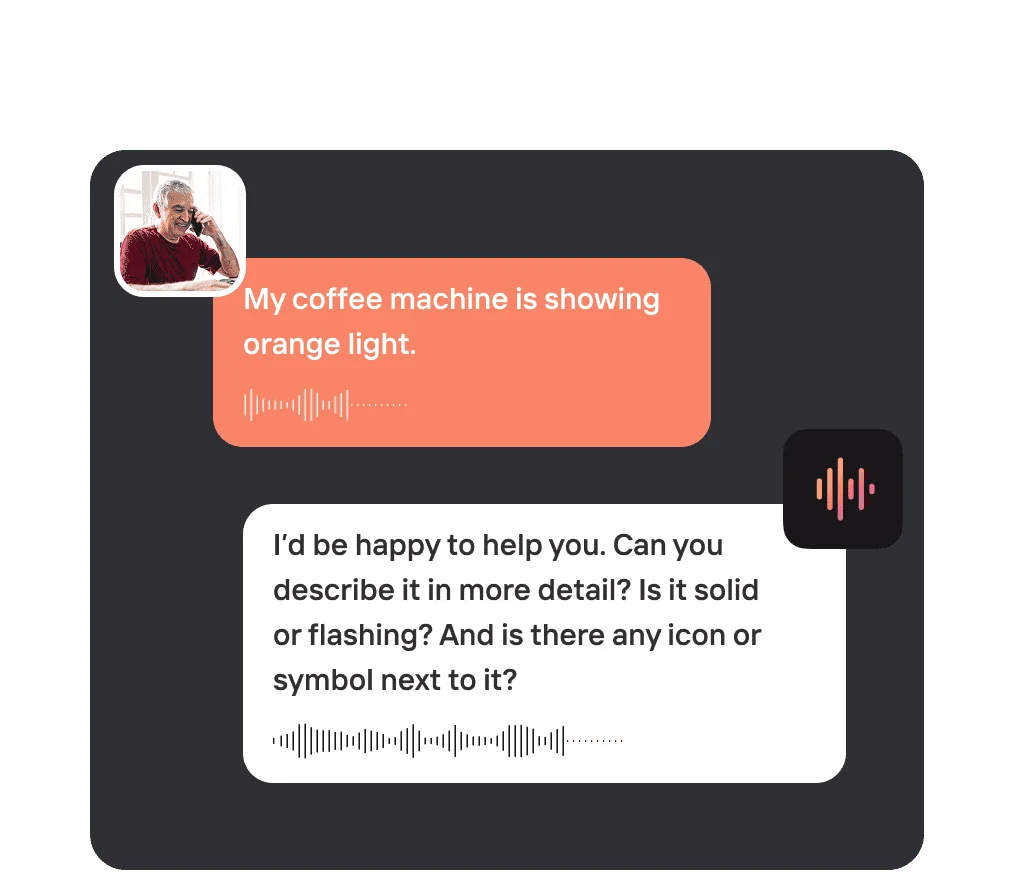
Pricing: not public. There's no pricing page (it 404s), every CTA is "get a demo," and G2's user data pegs perceived cost at the top of the scale with a roughly 9-month ROI. Enterprise, quote-based.
Works with Help Scout: no. Mavenoid's own support-tool list names Zendesk, Freshdesk, Salesforce, HubSpot, and a dozen others, but not Help Scout.
Verdict: the right call only if you sell physical products and your tickets are "my device won't turn on" rather than "how do I reset my password." For a typical small support team on Help Scout (email-first, software or services), it's an expensive mismatch.
What about building your own?
The route I'd steer almost everyone away from: build a chatbot yourself against the Help Scout API and wire in your own model. It's possible (the API is solid, rate-limited from 200 to 800 calls per minute by plan), but you'd own prompts, retrieval, escalation logic, hallucination guardrails, and every model update forever. Unless you have a need no product covers and spare engineering capacity, the build-versus-buy math rarely favors building.
What it actually costs
For the two tools most Help Scout teams choose between, the pricing works on completely different meters, and that's where the real cost hides. Help Scout AI Answers is $0.75 per resolution on top of your seats. eesel is a fixed monthly plan sized to volume (500 credits for $299, 1,000 for $499, 2,500 for $999, 5,000 for $1,899) with no seat component. Plug in your monthly volume:
From about 700 conversations a month the fixed plan pulls ahead, and that's before you count that AI Answers is charged in addition to your seats. Unpredictable support pricing is exactly what burns teams. Help Scout itself learned that the hard way when it briefly switched to per-interaction billing in 2025:
"HelpScout changed back to user-based pricing. Guess too many people cancelled including me... Helpscout lost all trust with this flip-flopping on pricing."

Whatever you pick, model your real volume and check whether the meter is per resolution, per conversation, or per seat. They are not the same, and the cost of AI customer service lives in that distinction.
Try eesel for Help Scout
If you want the AI to do more than deflect FAQs, eesel AI plugs into Help Scout like a new hire that already read your entire help center and every past ticket. It drafts and sends from your mailbox, answers in Beacon, and has one fixed monthly price from $299/month for 500 credits (1 credit per conversation) with no seat or platform fees, so the cost doesn't depend on your headcount.

The part worth trying first is the simulation: connect your Help Scout account and it'll show you the resolution rate it would hit on your own past tickets before you commit to anything. It's free to try on the free plan with 100 credits and no credit card.