How to add an AI chatbot to Help Scout

Rama Adi

Katelin Teen
Last edited July 14, 2026

What "an AI chatbot for Help Scout" actually means
Before comparing options, it helps to be precise, because "AI chatbot" gets used for two different jobs inside a helpdesk.
The first is customer-facing: a widget on your site or help center that a customer types into and gets an answer from, without a human. In Help Scout that surface is Beacon, the embeddable help widget. It shows knowledge-base search, an AI chat, and a path to email or live chat with a real person.
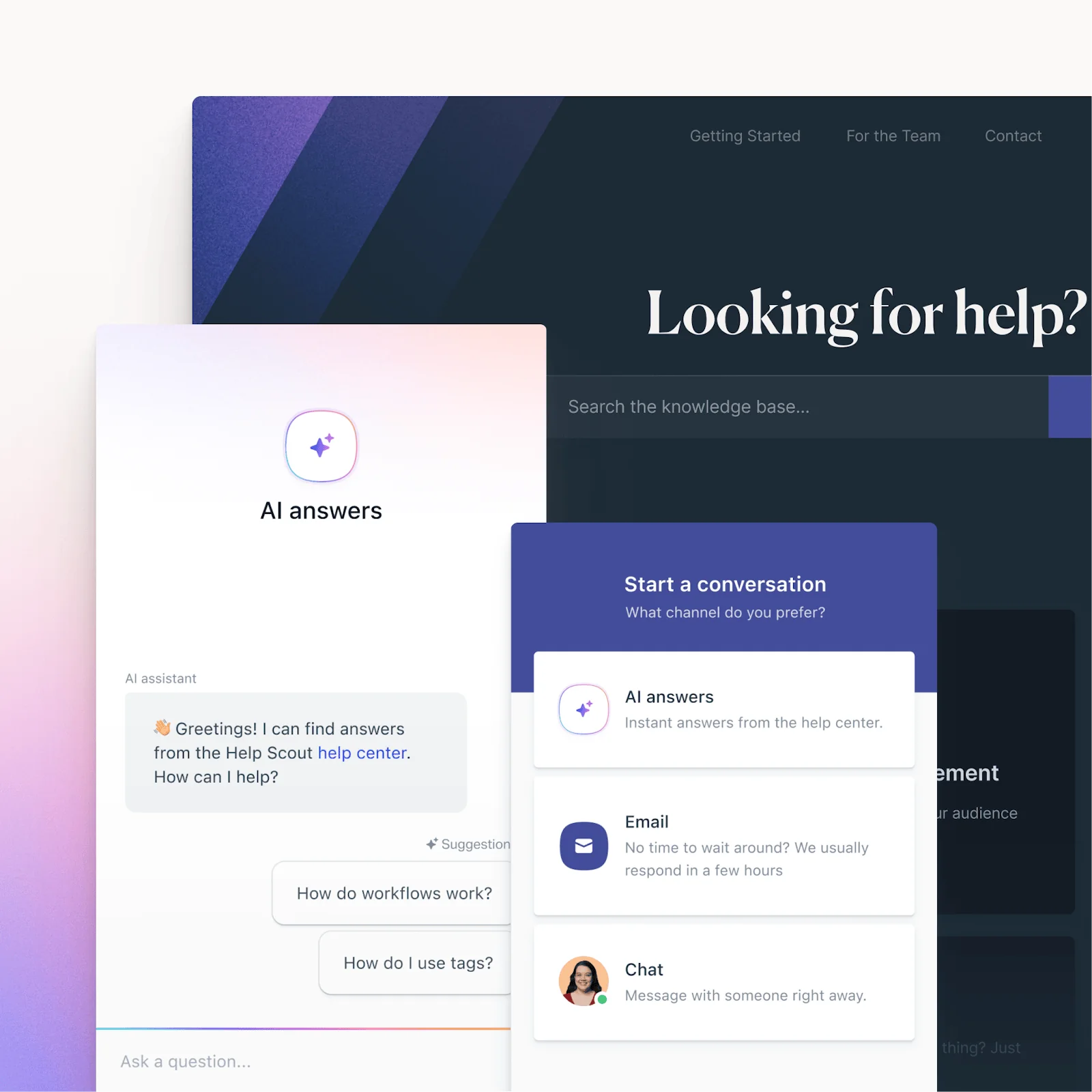
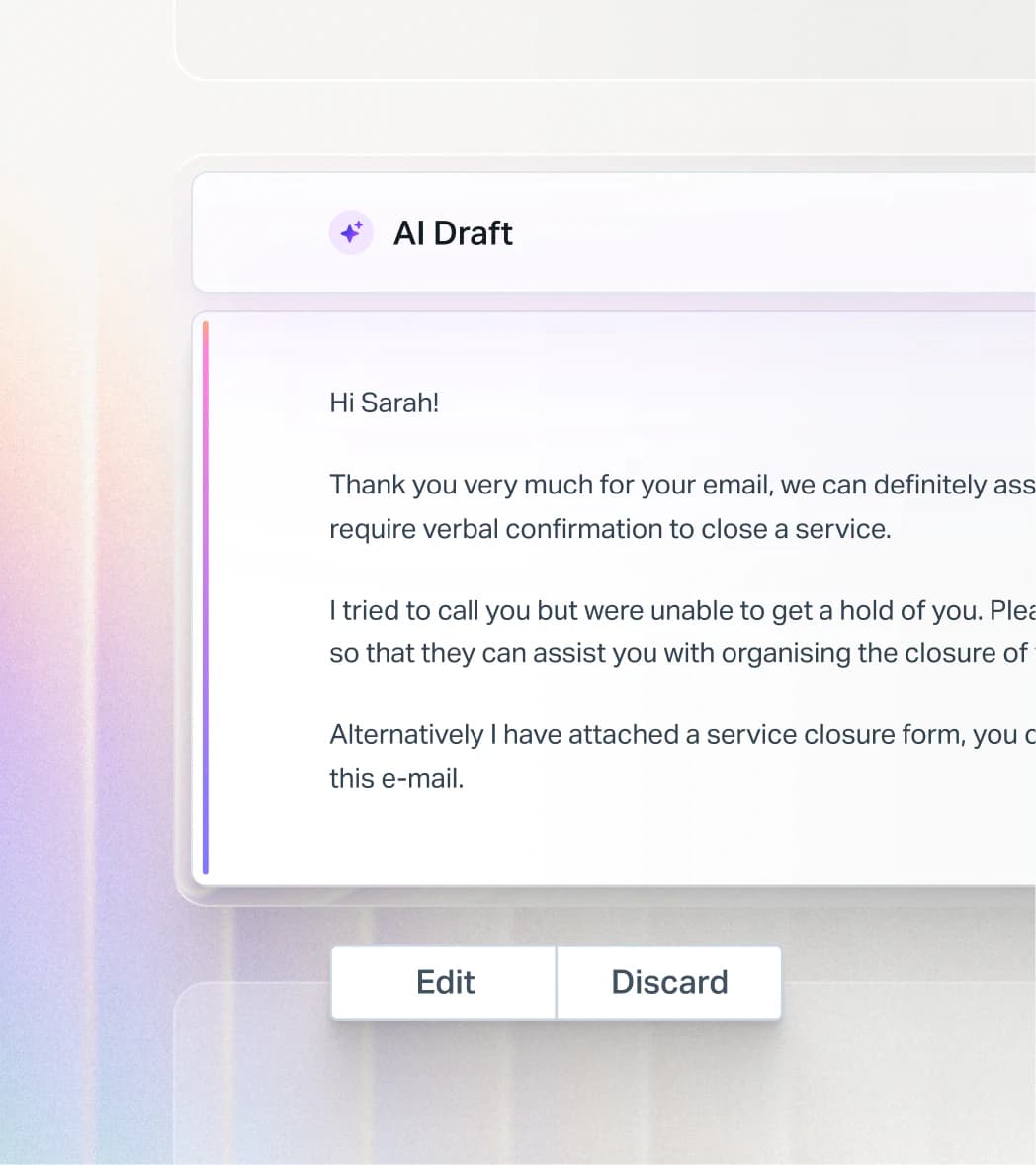
The second is agent-facing: AI that sits next to your team inside the shared inbox and drafts replies, summarizes long threads, or fixes tone before a human hits send. That's the AI copilot pattern, and it never talks to a customer on its own.
When someone asks how to "add an AI chatbot to Help Scout," they usually mean the first one: something that resolves repetitive tier-1 questions on its own so the team can focus on the hard tickets. The good news is that the strongest setups do both, deflecting the easy stuff in Beacon while drafting replies for everything that reaches the mailbox. Let's walk the three routes.
Option 1: turn on Help Scout AI Answers
The path of least resistance is Help Scout's own chatbot, AI Answers. It's built into the platform, so there's nothing to connect. You point it at your Docs knowledge base, drop the Beacon widget on your site, and it starts answering.
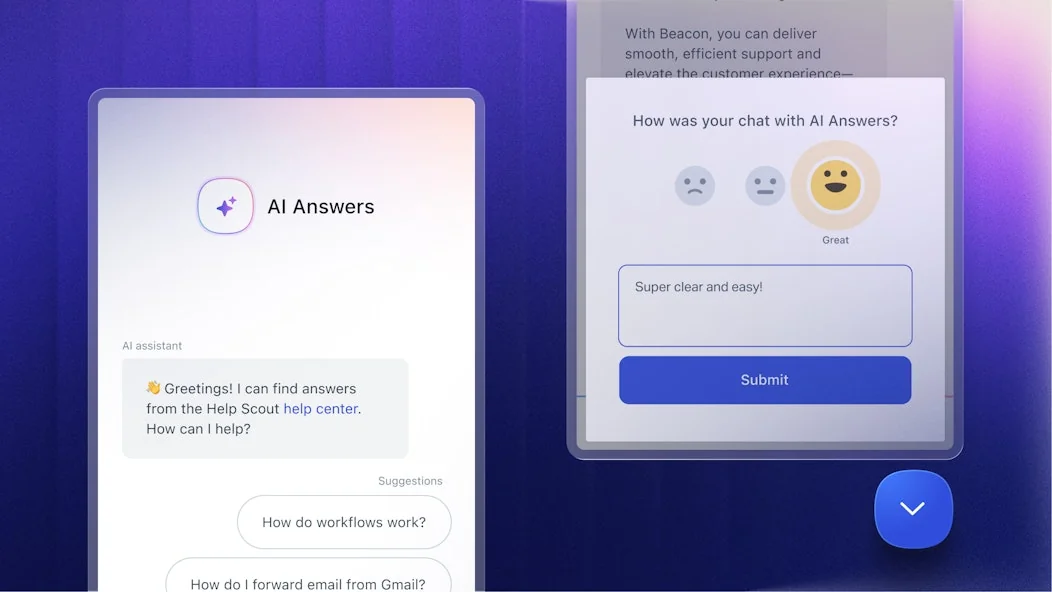
Help Scout says companies average a 73.19% resolution rate with it, across 50-plus languages, and every AI conversation stays auditable inside the inbox. It also handles the agent-facing side through the Inbox Assistant, which covers AI Drafts, AI Summarize, and tone or translation edits.
Two things to know before you flip it on.
First, it only knows your Docs. AI Answers resolves questions from your published knowledge base, web sources, and custom instructions. It does not learn from the thousands of tickets your team has already answered, which is where a lot of the real "how do we phrase this" knowledge lives.
Second, the pricing is usage-based on top of your seats. AI Answers is $0.75 per resolution, where a resolution counts only if the customer gets an AI reply and doesn't escalate or ask for more help. That's a fair way to meter it, but it stacks on the per-user plan you're already paying ($25, $45, or $75 per seat per month). It's the single loudest complaint in the community: reviewers describe the per-resolution charge as a cost that quietly balloons as you scale. There's a 3-month free trial of unlimited resolutions to soften the landing, and you can set a monthly spending cap.
Best for: teams that want the simplest possible on-switch, already keep their Docs current, and mostly need to deflect knowledge-base FAQs. If that's you, best AI for Help Scout goes deeper on where the native tools shine.
Option 2: connect a dedicated AI agent
The second route keeps Help Scout exactly as it is and connects a purpose-built AI agent on top. This is what eesel does, and it's the option I'd reach for when you want the chatbot to actually resolve tickets end-to-end rather than just answer FAQs.
The difference starts with what it learns from. Instead of only your Docs, a dedicated agent trains on your Docs, every past Help Scout conversation, and your saved replies the moment you connect it. Years of resolved tickets become knowledge on day one, so the chatbot answers in your team's voice, not a generic knowledge-base paraphrase.
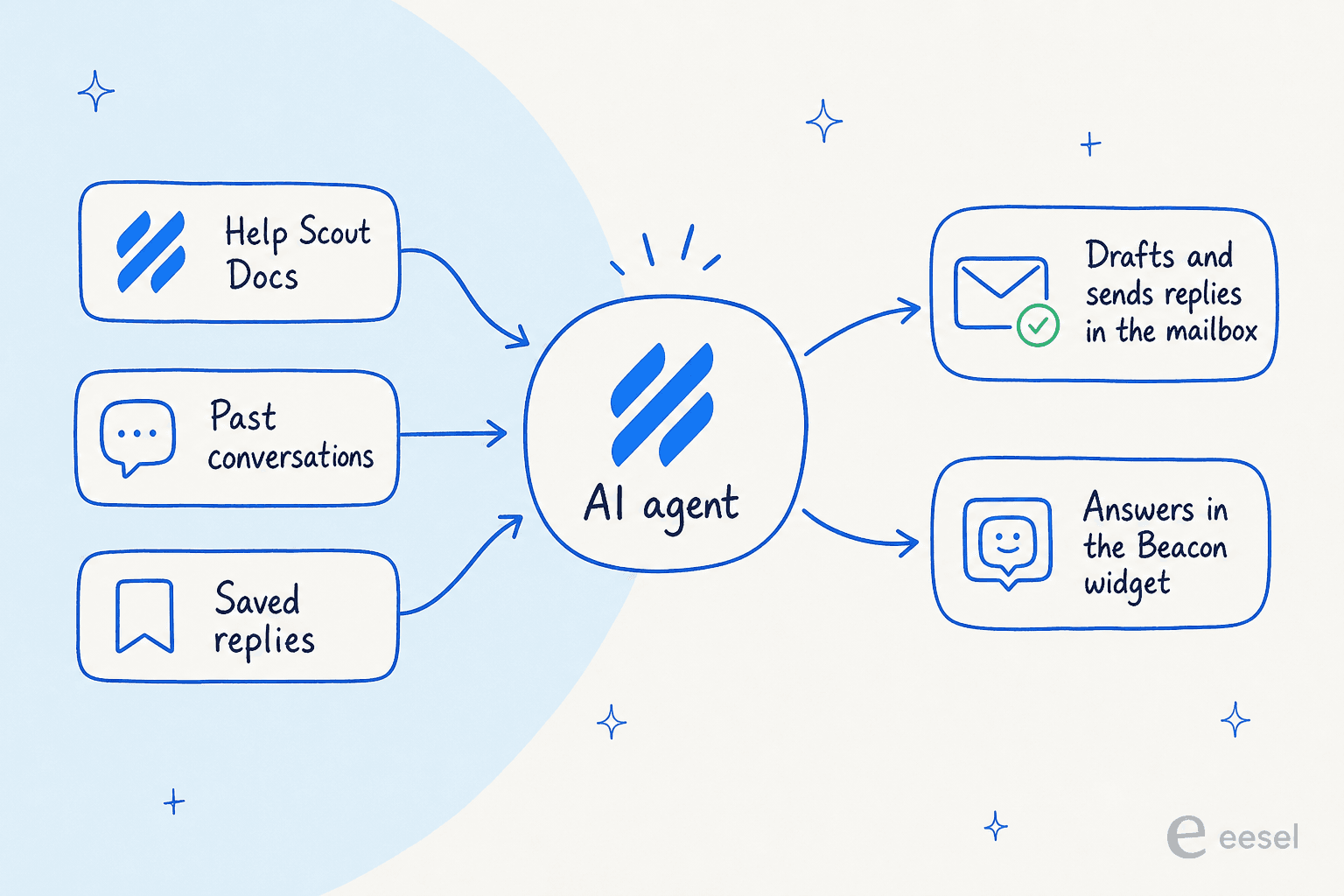
Once connected, it works as a real agent inside Help Scout, not a bolted-on widget with its own inbox. It drafts and sends replies straight from your mailbox (customers see your team's address, not a bot's), adds internal notes, updates tags and status, and routes conversations, exactly like a human teammate. It answers in Beacon live chat too, replying in whatever channel the customer used.

You also get to choose how much rope it has. Draft-only mode means a human reviews everything before it sends; autopilot means it resolves on its own. And because it uses confidence-based routing, it only answers when it's sure, and hands anything shaky back to the team instead of guessing, which is the whole point of not letting a bot loose on your customers.
On cost, it's from $299/month for 500 credits with no platform fee and no per-seat pricing. One credit covers one conversation, however many messages it takes. We'll do the side-by-side math in a second.
Best for: teams that want the chatbot to resolve real tickets (not just deflect FAQs), care about answers matching their existing voice, and want predictable cost as volume grows. Our Help Scout AI guide covers the feature set in detail.
Option 3: build your own on the Help Scout API
The third route is to build a chatbot yourself against the Help Scout API and wire in your own model. Help Scout exposes a solid API (rate-limited by plan, from 200 to 800 calls per minute), so it's genuinely possible.
It's also the route I'd steer almost everyone away from. You're now maintaining prompts, retrieval over your knowledge base, escalation logic, hallucination guardrails, and the API plumbing, plus every model update forever. Unless you have a specific need no product covers and an engineering team with time to own it, the build-versus-buy math rarely favors building.
Best for: a narrow slice of teams with unusual requirements and spare engineering capacity. For everyone else, one of the first two options gets you live faster and cheaper.
The cost question, with real numbers
This is where the choice usually gets decided, so let's be concrete. Help Scout AI Answers is $0.75 per resolution added to your seats. eesel is one fixed monthly price with no seat fees at all (from $299/month for 500 credits, where 1 credit is one conversation). Plug your own monthly volume in below.
The gap widens fast. On top of the raw per-unit difference, remember AI Answers is charged in addition to your Help Scout seats, while a dedicated agent has no seat component at all. That predictability matters, because unpredictable support pricing is exactly what burns teams. Help Scout itself learned this the hard way when it briefly switched to per-interaction billing in 2025:
"HelpScout changed back to user-based pricing. Guess too many people cancelled including me... Helpscout lost all trust with this flip-flopping on pricing."

Whatever you pick, model your real volume before you commit, and check whether the meter is per resolution, per conversation, or per seat. They are not the same, and the true cost of AI customer service hides in that distinction.
How to add an AI chatbot to Help Scout in under 30 minutes
Here's the actual setup for a dedicated agent, which is the route with the most moving parts and still takes less than half an hour. AI Answers is even simpler (point it at Docs and enable Beacon).
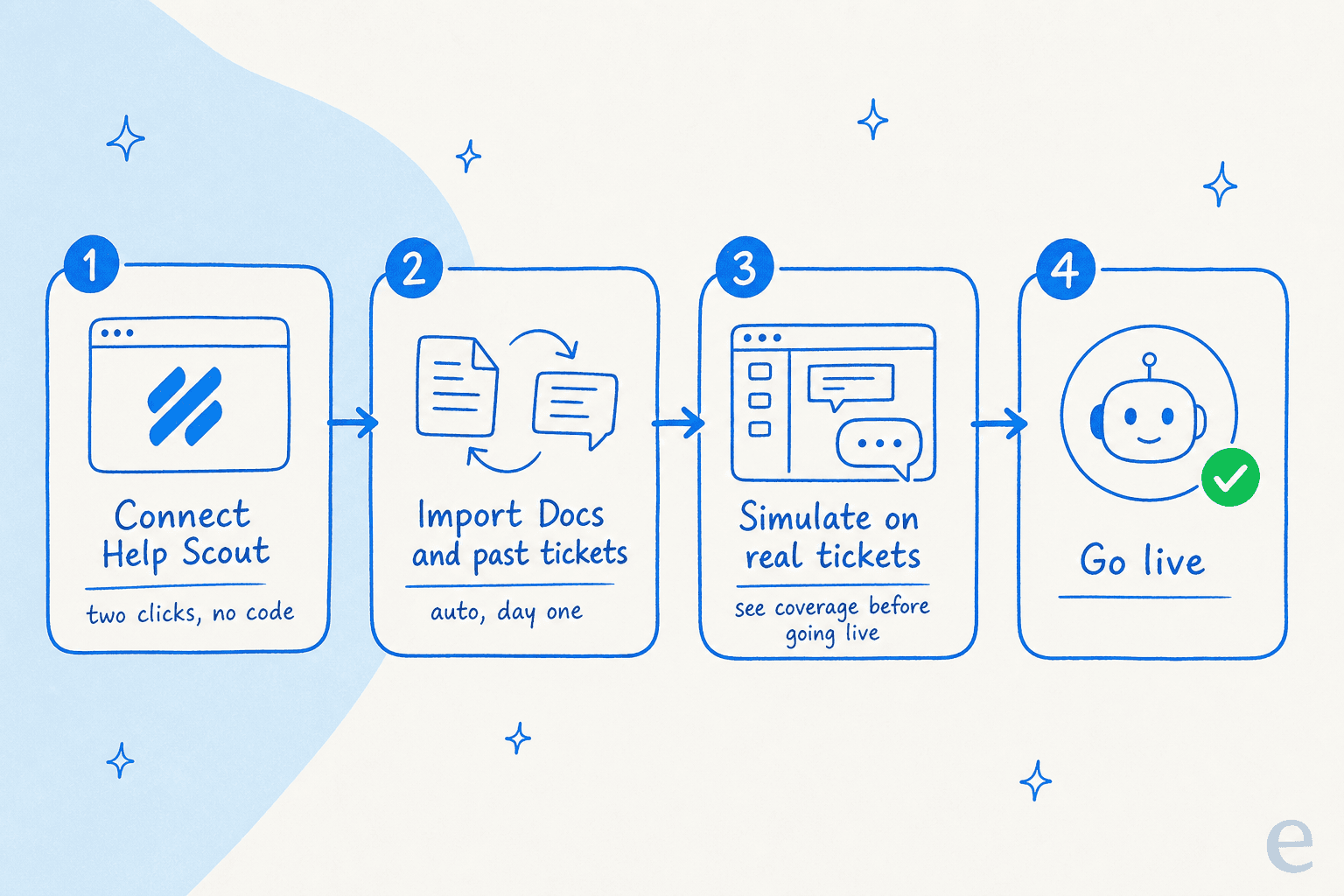
- Connect Help Scout. From the eesel dashboard, authorize through the Help Scout API. It's two clicks, no developer and no code.
- Let it import your knowledge. Once connected, it automatically pulls in your Docs articles, past Help Scout conversations, and saved replies. No manual training or data labeling. You can add Confluence, Notion, or Google Docs as extra sources if your knowledge lives in more than one place.
- Simulate on real tickets. This is the step I'd never skip. Run the agent against your past conversations to see, by topic, what it would have answered and where the gaps are. You get a real resolution-rate forecast before a single customer is involved. Fill the gaps, re-run, repeat.

- Go live, gradually. Scope the agent to specific mailboxes, folders, or tags, start in draft-only mode, and hand it more autonomy as you trust it. You can adjust its behavior in plain language, telling it when to jump in, what tone to use, and when to escalate, without touching settings menus.

The reason to bother with simulation, honestly, is that we've watched confident-sounding bots quietly give wrong answers on live queues. Testing against historical tickets first is how you catch that before your customers do, and it's why Gridwise saw 73% of tier-1 requests resolved in their first month rather than a rough launch.
Try eesel for Help Scout
If you want the chatbot to do more than deflect FAQs, eesel AI plugs into Help Scout like a new hire that already read your entire help center and every past ticket. It drafts and sends from your mailbox, answers in Beacon, and runs on a fixed monthly plan from $299/month for 500 credits (1 credit per conversation) with no seat or platform fees, so the cost tracks the work rather than your headcount.
The part I'd actually try first is the simulation: connect your Help Scout account, and it'll show you the resolution rate it would hit on your own past tickets before you commit to anything. Teams like EntryLevel and Ecosa already run it across their Help Scout support, and it's free to try with 100 credits and no card.
