


What "an AI chatbot for Jira Service Management" actually means
Before comparing options, it helps to be precise, because "AI chatbot" gets used for two different jobs inside a service desk.
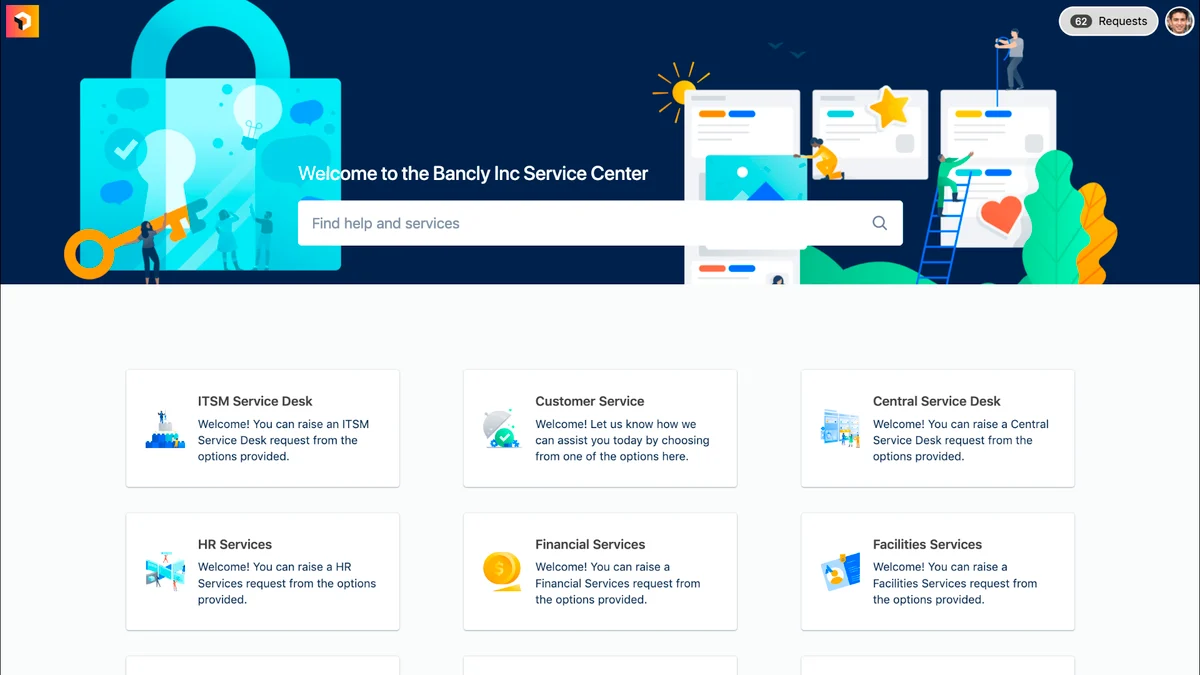
The first is requester-facing: something an employee or customer types into and gets an answer from, without a human. In JSM that surface is the help center portal, plus the Slack and Microsoft Teams channels where most internal IT requests actually start. The bot reads your knowledge, answers the routine stuff, and only creates a ticket when it can't.
The second is agent-facing: AI that sits next to your team inside the request queue and drafts replies, summarizes long threads, or sets priority before a human hits send. That's the copilot pattern, and it never talks to a requester on its own.
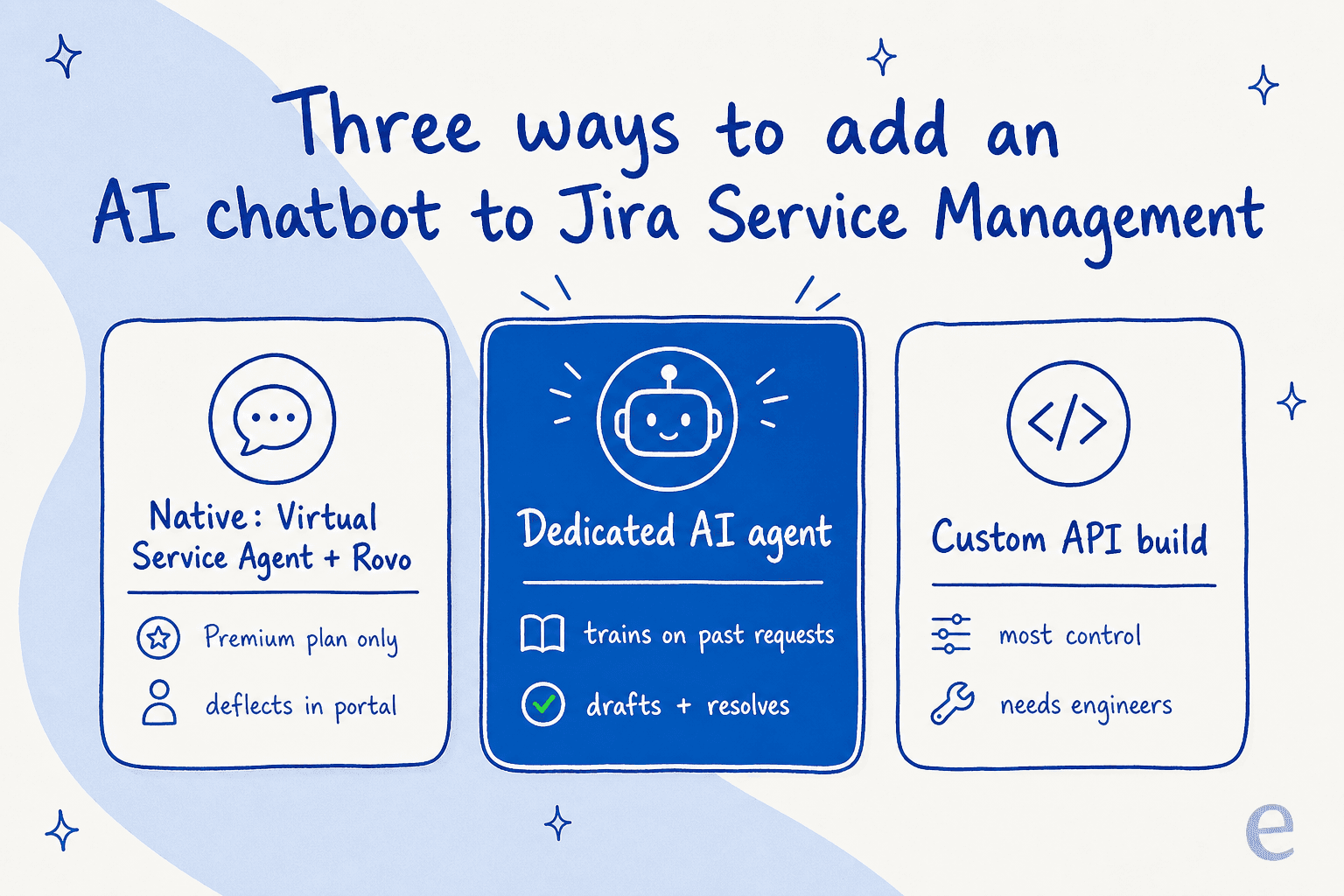
When someone asks how to "add an AI chatbot to Jira Service Management," they usually mean the first one: an IT support chatbot that resolves repetitive tier-1 requests (password resets, VPN access, "where's my laptop") so the service desk can focus on the incidents that need a human. The good news is that the strongest setups do both, deflecting the easy requests in the portal while drafting replies for everything that lands in the queue. Let's walk the three routes.
Option 1: turn on the native Virtual Service Agent
The path of least resistance is Atlassian's own chatbot, the Virtual Service Agent. It's part of the platform, so there's nothing to connect. You link a knowledge base, publish the agent to your portal or a Slack or Microsoft Teams channel, and it starts answering.
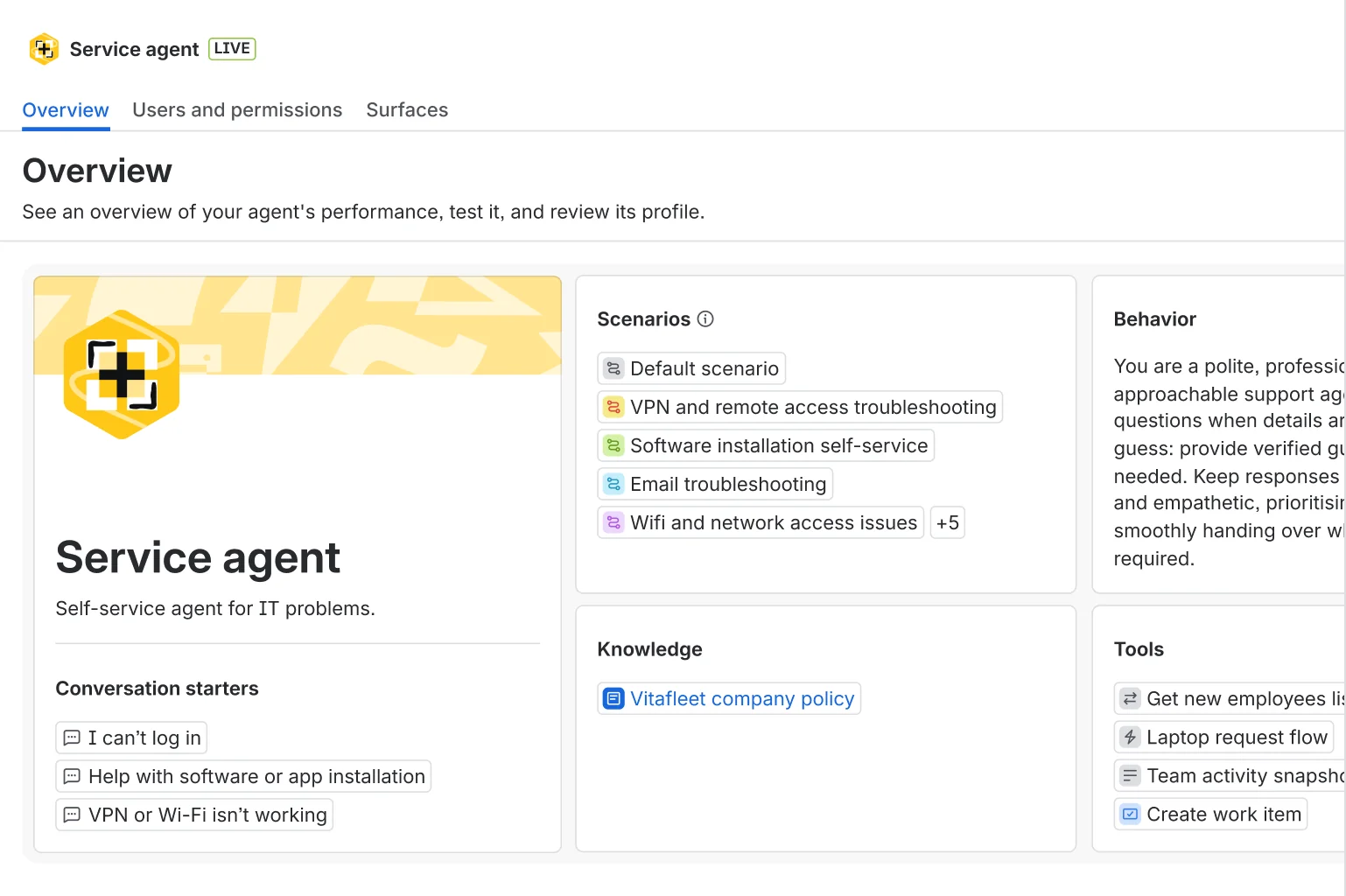
Under the hood it now runs on Rovo, Atlassian's AI layer, which reads your organization's knowledge and past tickets through the Teamwork Graph: a data layer that pulls context from Confluence, Jira, Slack, and connected tools. Atlassian frames it as AI agents that "analyze your knowledge and past tickets to deliver precise, conversational answers." On top of the requester-facing bot, Rovo adds agent-side triage, drafting, and summarizing inside the queue.
Three things to know before you flip it on.
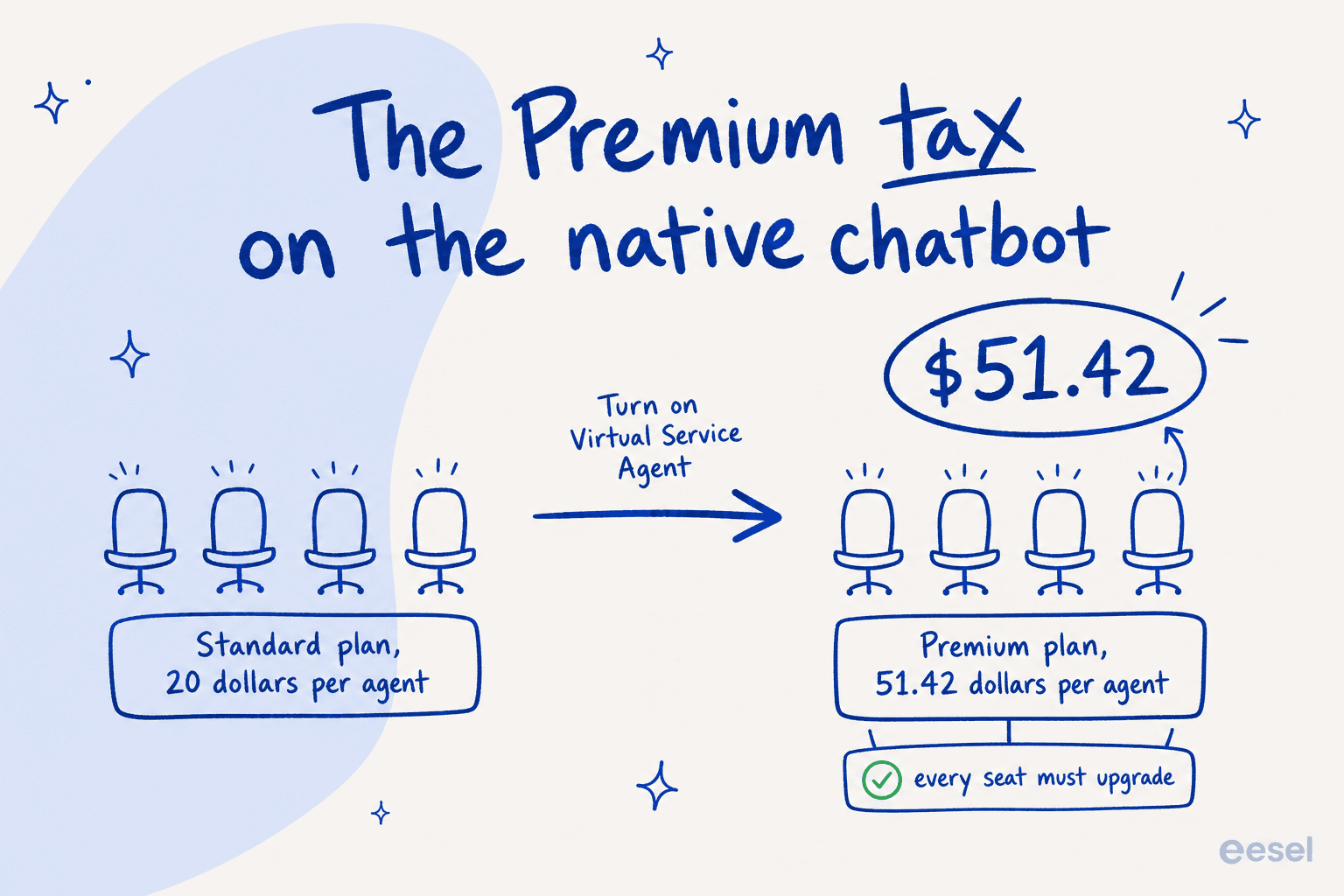
First, it's gated behind the Premium plan. Rovo search and chat show up on Standard, but the requester-facing Virtual Service Agent is Premium and Enterprise only. If your team is on Standard ($20 per agent), turning the chatbot on means moving every agent to Premium at $51.42 each. That's the quiet part of the price, and I'll do the math in a second.
Second, the answers lean on your knowledge base. The Virtual Service Agent deflects from published articles and intent flows. It's good at that, and if your Confluence knowledge base is current and well-structured, deflection climbs. But it doesn't turn the thousands of requests your team has already resolved into answers on its own, which is where a lot of "how do we actually phrase this" knowledge lives.
Third, there are two overlapping AI things and admins get confused. JSM ships both the older flow-based Virtual Agent and the newer Rovo Agents, and Atlassian's own community forum has threads like "Virtual agent vs Rovo agent, which to use?" because they're tuned for different jobs (structured decision trees versus conversational knowledge) and don't cleanly replace each other. Budget a little time to figure out which one you actually want. Our review of JSM's AI walks through the distinction.
Best for: teams already on JSM Premium, with a well-maintained knowledge base, who mostly need to deflect portal FAQs and are happy staying inside the Atlassian ecosystem.
Option 2: connect a dedicated AI agent
The second route keeps Jira Service Management exactly as it is and connects a purpose-built AI agent on top. This is what eesel does, and it's the option I'd reach for when you want the chatbot to actually resolve requests end to end rather than just answer FAQs, without jumping the whole team to Premium.
The difference starts with what it learns from. Instead of only your published articles, a dedicated agent trains on your past requests, Confluence knowledge base, and request types the moment you connect it. Years of resolved requests become knowledge on day one, so the chatbot answers in your team's voice, not a generic paraphrase.
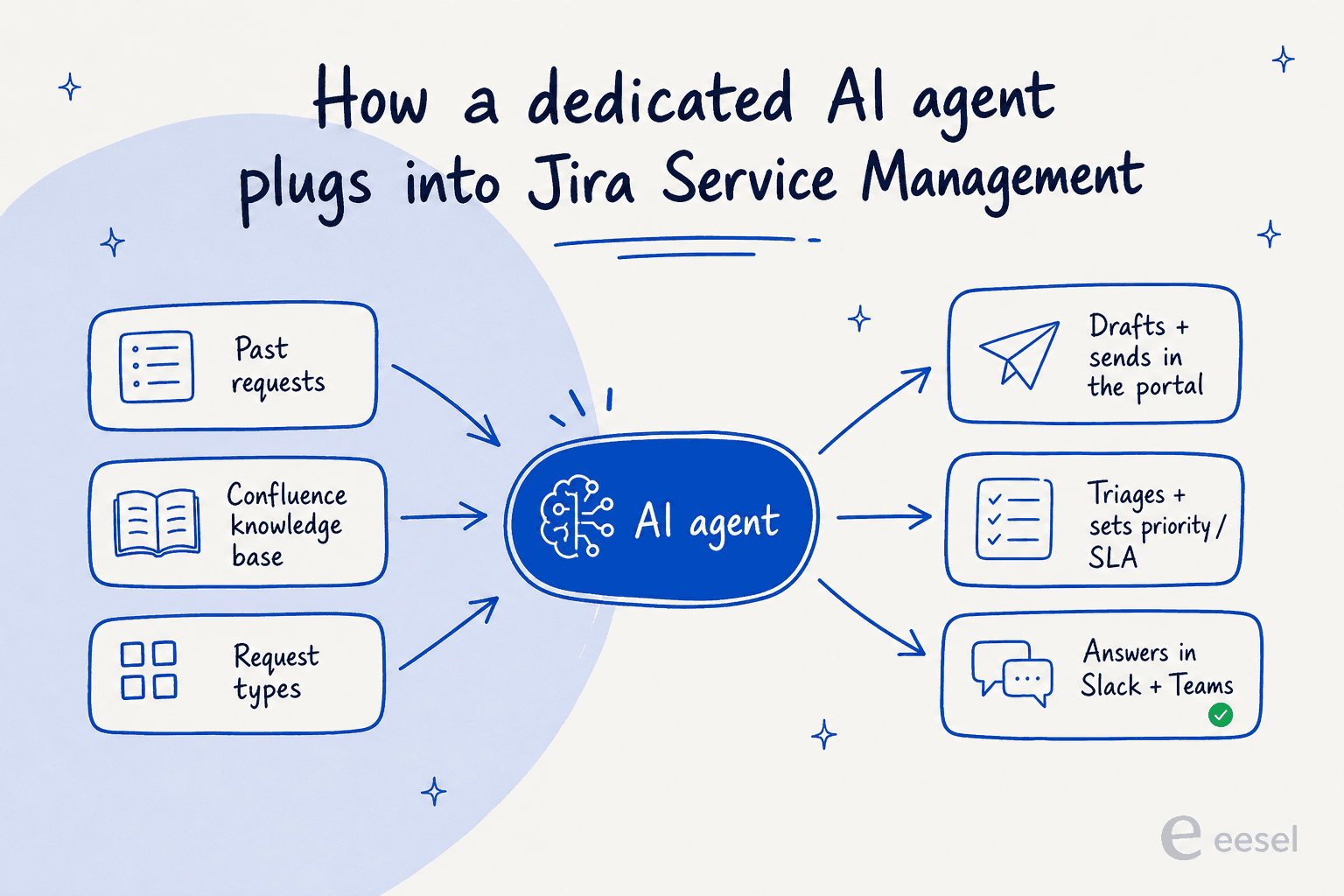
Once connected, it works as a real AI agent inside JSM, not a bolted-on widget with its own inbox. It drafts and sends replies straight from the request, adds internal notes, updates request fields, sets priority and SLAs, and routes to the right team, exactly like a human agent. On the on-page examples it handles a VPN and laptop incident by checking asset tags and setting the request type, and a new-hire access request by routing to a manager for approval and reserving a license seat. It's the same AI IT support pattern that saved Global Pay up to 80% of the time its teams spent hunting for answers.

You also get to choose how much rope it has. Draft-only mode means a human reviews everything before it sends; autopilot means it resolves on its own. Because it uses confidence-based routing, it only answers when it's sure and hands anything shaky back to the team instead of guessing, which is the whole point of not letting a bot loose on your employees.
And instead of a rules engine, you configure it by talking to it. You describe which requests it should handle, how it writes, and when it escalates, in plain language.

On cost, it's from $299/month for 500 credits with no platform fee and no per-seat pricing. One credit covers one resolved request, however many messages it takes.
Best for: teams that want the chatbot to resolve real requests (not just deflect FAQs), care about answers matching their existing voice, and don't want to move everyone to Premium just to switch AI on. Our AI for IT service management guide covers the internal-IT angle in detail.
Option 3: build a custom bot on the JSM API
The third route is to build your own bot on the Jira Service Management REST API and wire it to an LLM yourself. It gives you the most control, and for a team with spare engineers and a truly unusual workflow, it can be the right call.
For almost everyone else, it's a trap. You're now maintaining prompt logic, a retrieval pipeline over your knowledge base, auth token rotation, and every JSM API change, forever. It's the "we'll just build it on the Claude or OpenAI API" plan, and it's a recurring reason technical teams later switch to something off the shelf. As one engineering lead who chose buy over build put it:
"We could try to write our own LLM application but we didn't want to invest our time into that. We wanted something that we would not have to maintain."
Best for: teams with engineering capacity to spare and a workflow so specific that no off-the-shelf agent fits. If that's not you, skip it.
What the native chatbot really costs
Here's the honest version of JSM's AI pricing, because the per-agent headline hides most of it.
The Virtual Service Agent is billed on top of your seats. Premium and Enterprise include 1,000 assisted conversations per month per Atlassian's pricing, then it's $0.30 per assisted conversation after that. There's a second AI meter too: Rovo Customer Service resolutions bill at $1 each. So the true cost is per-agent seats + per-conversation AI + per-resolution AI, not the tidy "$51.42 per agent" you see first.
Here's the full plan grid.
| Plan | Price (per agent/month) | AI included | Best for |
|---|---|---|---|
| Free | $0 (up to 3 agents) | None | Tiny teams testing JSM |
| Standard | $20 | Rovo Search, Chat, Agents (no requester chatbot) | Agent-side AI only |
| Premium | $51.42 | Virtual Service Agent + 1,000 assisted conversations/mo, then $0.30 each | The native chatbot |
| Enterprise | Contact sales (annual only) | Everything in Premium + higher Rovo allowances | Multi-site, 150 Rovo credits/user |
Annual billing saves up to 17%, and per-agent rates taper at higher seat counts. Rovo itself is metered in credits (25 per user on Standard, 70 on Premium, 150 on Enterprise), which is a third dimension to watch if your team leans on Rovo Chat heavily.
Now a worked example. Say you're a 5-agent IT team on Standard, handling around 1,200 AI-deflected requests a month:
- Native Virtual Service Agent: you have to move all 5 agents to Premium first: 5 × $51.42 = $257.10/month in seats, up from $100 on Standard. Your 1,200 conversations sit just over the 1,000 free, so 200 × $0.30 = $60. Call it roughly $317/month once you count the seat jump, with $60 of it being the actual AI usage.
- eesel AI: stay on Standard for your seats, add eesel on the 1,500-credit plan, which covers your 1,200 conversations. That's $699/month for eesel, no seat change, and you can try it first on the free plan's 100 credits.
Two honest reads on that. On price alone, the native bot is cheaper in this example, and if you're already on Premium it's cheaper still, so weigh that. The trade-off is what you get: the native bot mostly reads your knowledge base, and you only reach it by moving every agent to Premium. eesel skips the seat tax entirely and adds past-ticket training and end-to-end resolution for one fixed monthly price, so it tends to make sense when resolution depth matters more than the lowest bill. For a deeper cost teardown, see our AI for ITSM tools comparison.
Where JSM buyers actually feel the pain
Pricing isn't a theoretical gripe here. It's the single loudest theme in Jira Service Management reviews, which sit at a respectable 4.3 out of 5 on G2 across nearly a thousand reviews but flag cost escalation again and again.
"Compared to the other Atlassian products this is on the much more expensive side as you require more-and-more agents."

The other recurring theme is setup and admin overhead, which matters directly for an AI rollout: if configuring the platform is already heavy, adding another AI layer on top isn't free effort.
"For me, the biggest drawback is the administrative complexity. Simple changes can require multiple configuration steps, making it less approachable for smaller teams."

None of this means JSM is a bad service desk. It's a powerful AI ticketing system, and for change management and incident management it's hard to beat. It does mean the AI decision is partly a question of how much more Atlassian complexity and cost you want to take on to get a chatbot, versus layering a lighter agent on top.
How I'd actually roll one out
Whichever route you pick, the rollout sequence is what separates a chatbot that helps from one that quietly gives wrong answers. We've watched confident-sounding bots do exactly that, which is why every eesel rollout starts against history, not live traffic.
- Get your knowledge in order first. Point the bot at your Confluence knowledge base and request types, and fix the obvious gaps. A chatbot is only as good as what it reads.
- Simulate on past requests. Run the agent over the requests you've already resolved and read what it would have said. eesel's simulation reports per-theme coverage and flags gaps, like "23 requests last week asked about pro-rated refunds, but your docs only cover full cancellations," so you fix them before go-live.
- Start in draft-only mode. Let the agent draft replies for a human to approve. You get a real accuracy read on live requests with zero risk.
- Turn on autopilot for the safe request types. Password resets and access requests first, the judgment calls later, widening scope as confidence grows. This is where an AI plugin for Jira earns its keep.
- Watch the escalation path. Make sure low-confidence requests escalate cleanly to the right team instead of the bot guessing.

That sequence is the difference between the InDebted story (deflection climbing on purpose, from a measured start) and a bot you have to quietly switch off two weeks in.
Try eesel for Jira Service Management
If you want an AI chatbot on Jira Service Management without moving your whole team to Premium, eesel AI joins as a real AI agent inside your service desk. It trains on your past requests, Confluence, and request types automatically, sets it up in under 30 minutes, and lets you simulate against real history before it answers anyone. Design.com runs over 50,000 requests a month through it in JSM, and plans start at $299/month for 500 credits with no per-seat fees. It's free to try with 100 credits, and if you run out, agents pause until credits reset unless you turn on overage with a cap you set, so there's no runaway bill.
