
When your IT team uses Freshservice for service management and your developers live in Jira, you end up with a frustrating gap. Tickets get lost in translation. Status updates require manual copying. Teams waste time in status meetings instead of solving problems.
A Freshservice Jira integration bridges this gap. It keeps tickets, comments, and status updates synchronized between both platforms automatically. Your IT team sees development progress without leaving Freshservice. Developers get full context on bugs without switching tools.
This guide walks you through your integration options, how to set them up, and when each approach makes sense.
Why integrate Freshservice and Jira?
Let's start with the obvious question: why bother connecting these tools at all?
The short answer is that most organizations run both platforms for good reason. Freshservice handles IT service management beautifully (incidents, service requests, change management). Jira excels at development workflows, bug tracking, and agile project management. Neither tool is going away.
Without integration, you get:
- Manual ticket updates that eat up 15-20 hours per week
- Status meetings that exist only to sync information between teams
- Delayed incident resolution because developers lack full context
- Duplicate work when both teams investigate the same issue
Research from Grammarly shows that poor communication costs businesses up to $1.2 trillion annually. For IT and development teams, this shows up as delayed releases, missed SLAs, and frustrated end users.
Integration fixes this by creating a single source of truth. When an IT agent escalates a bug to development, the Jira issue stays linked to the Freshservice ticket. Updates flow both ways automatically. Everyone sees the same status without extra meetings.
Integration options overview
You have three main approaches for connecting Freshservice and Jira. Each has tradeoffs in complexity, cost, and flexibility.
Native integrations
Both Freshservice and Jira offer built-in integration capabilities.
Freshservice's Jira app: Available in the Freshworks Marketplace, this app provides bidirectional sync for tickets, comments, and attachments. It works with both Jira Cloud and Jira Data Center.
Jira Service Management's Freshservice integration: If you're using Jira Service Management (not just Jira Software), Atlassian offers a native integration that forwards alerts to Freshservice and syncs status changes.
Pros: No additional cost beyond your existing subscriptions, simple setup, maintained by the platform vendors.
Cons: Limited customization, basic field mapping, may not handle complex workflows.
Third-party integration platforms
For more flexibility, dedicated integration platforms offer advanced features.
Exalate: A script-based integration platform with AI-assisted configuration. Exalate supports complex transformations and custom business logic through Groovy scripting. Pricing starts at $100 per month for 25 active items in sync.
Unito: A no-code sync platform focused on ease of use. Unito offers real-time two-way synchronization with flexible rules for what gets synced. Pricing is custom based on tools and items in sync.
Getint: Available on the Atlassian Marketplace, Getint provides auto-mapping and advanced scripting. Team plans start at $1,800 per year for non-Jira integrations.
Pros: Advanced customization, better field mapping, support for complex workflows, often include monitoring and error handling.
Cons: Additional cost, potential vendor dependency, learning curve for advanced features.
Custom/API integration
For unique requirements, you can build a custom integration using the Freshservice API and Jira REST API.
When this makes sense: You have very specific security requirements, need to integrate with internal systems, or have unique data transformation needs that off-the-shelf solutions cannot handle.
Pros: Complete control, no ongoing vendor costs beyond infrastructure, tailored to your exact needs.
Cons: Requires development resources, ongoing maintenance burden, you own the troubleshooting.
Prerequisites for integration
Before you start setting up any integration, make sure you have:
- Admin access to both Freshservice and Jira. You'll need to configure API tokens, webhooks, and app installations.
- API tokens or Personal Access Tokens (PAT) from both platforms. These authenticate the integration securely.
- Clear integration goals. Know which ticket types should sync, what fields matter, and which direction updates should flow.
- Network requirements if you're using Jira Data Center or Server. Cloud-to-cloud integrations are simpler, but on-premise setups may need firewall rules or tools like ngrok.
Step-by-step: Setting up the native Freshservice Jira integration
The native integration works well for straightforward use cases. Here's how to set it up.
Step 1: Install the Jira app in Freshservice
Navigate to Admin → Apps → Get More Apps in Freshservice. Search for "Jira" and install the official Jira integration app.

Step 2: Configure API authentication
You'll need API tokens from both platforms.
In Jira:
- Go to your Atlassian account settings
- Navigate to Security → Create and manage API tokens
- Create a new token and save it securely
In Freshservice:
- Go to your profile settings
- Copy your API key
Enter these credentials in the Freshservice Jira app configuration along with your Jira domain URL.

Step 3: Set up field mapping and sync rules
Configure which fields sync between platforms:
- Map Freshservice ticket statuses to Jira issue statuses
- Choose which custom fields to synchronize
- Decide if comments should sync (and in which direction)
- Configure attachment handling

Step 4: Test the integration
Create a test ticket in Freshservice and verify it syncs correctly to Jira. Check that:
- The ticket appears in Jira with correct field values
- Status changes in Jira reflect in Freshservice
- Comments sync in the expected direction
- Attachments transfer properly

Best practices for Freshservice Jira integration
Once your integration is running, follow these practices to keep it healthy:
Define clear sync rules. Not everything needs to sync both ways. Decide which ticket types trigger sync and which fields matter. Over-syncing creates noise.
Set up proper status mapping. Your Freshservice status names probably do not match Jira's. Map them explicitly to avoid confusion.
Train your teams. Make sure agents and developers know the integration exists and how linked tickets work. Otherwise, they'll keep manually updating things.
Monitor sync logs. Most integrations provide logs of what synced successfully and what failed. Check these periodically to catch issues early.
Document your configuration. When the person who set this up leaves, someone else needs to understand how it works. Write down your field mappings, sync rules, and any custom logic.
Alternative: AI-powered support automation with eesel AI
While platform integrations sync tickets between systems, they don't actually resolve the tickets. That's where our approach differs.
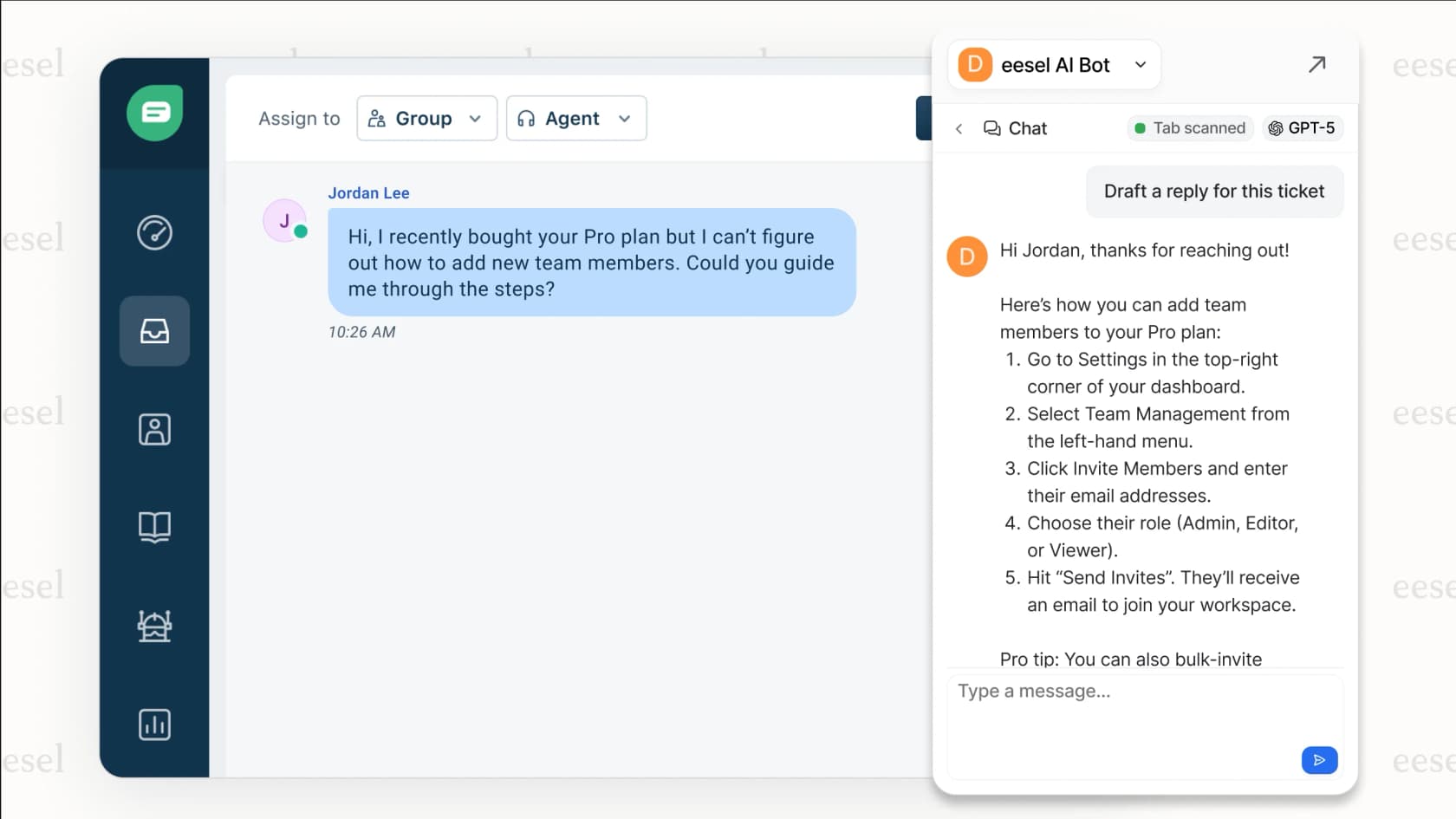
At eesel AI, we focus on AI-powered support automation that handles tickets directly rather than just moving them around. Our AI Agent integrates with both Freshservice and Jira to resolve tickets autonomously, not just sync them.

Here's the distinction: a traditional integration ensures a bug reported in Freshservice appears in Jira. Our AI Agent can actually diagnose the issue, check documentation, and provide a resolution (or escalate intelligently) without human intervention.
For teams drowning in ticket volume, this changes the math entirely. Instead of optimizing how tickets flow between tools, you reduce the number of tickets that need human attention at all.
Our platform works alongside your existing Freshservice or Jira setup:
- AI Agent handles frontline tickets autonomously
- AI Copilot drafts replies for agents to review
- AI Triage tags, routes, and prioritizes tickets automatically
If your integration goal is simply visibility between IT and development, traditional sync tools work fine. If your goal is reducing the actual workload, AI automation is worth considering.
Choosing the right Freshservice Jira integration approach
Let's break down which approach fits different scenarios:
| Scenario | Recommended Approach | Why |
|---|---|---|
| Small team, simple sync needs | Native integration | Free, easy setup, covers basics |
| Complex workflows, custom fields | Exalate or Getint | Scripting flexibility, advanced mapping |
| No-code preference, multiple tools | Unito | Simple setup, works with many platforms |
| High security requirements | Custom API integration | Full control over data flow |
| High ticket volume, repetitive issues | eesel AI | Automates resolution, not just sync |
The key is matching the solution to your actual problem. If teams just need visibility, sync is sufficient. If you're struggling with workload, look at automation.
Start streamlining your IT and development workflows
Freshservice Jira integration eliminates the manual work of keeping tickets updated across platforms. Whether you choose a native integration for simplicity or a third-party platform for advanced features, the goal is the same: let your teams focus on solving problems instead of copying data between tools.
Start with the native integration if your needs are straightforward. You can always upgrade to a more powerful solution as your requirements grow. The important thing is getting started rather than letting the gap between IT and development persist.
If ticket volume is your bigger challenge, consider whether AI automation might solve the root problem rather than just optimizing the symptoms.