Choosing the right project management tool can feel like picking a long-term partner for your team. The decision affects daily workflows, team morale, and ultimately how quickly you ship products. Two names consistently rise to the top of the conversation: Linear and Jira.
Both serve software development teams, but they approach the problem from opposite directions. Linear prioritizes speed and simplicity. Jira offers power and customization. The best choice depends on your team size, workflow complexity, and what you value most in a tool.
Here is a breakdown of what each platform offers and where they differ.
What is Linear?
Linear is a modern project management tool built specifically for software teams who want to move fast without getting bogged down in configuration. Founded in 2019, it emerged as a response to the complexity of legacy tools. The philosophy is simple: project management should speed you up, not slow you down.

The platform centers around a few core concepts. Issues track your work. Cycles replace traditional sprints with automatic rollover of incomplete tasks. Projects organize larger initiatives. Roadmaps visualize timelines. Everything is designed to minimize clicks and maximize flow.
Linear's interface is intentionally minimal. Dark mode comes standard. Keyboard shortcuts are first-class citizens (Command-K for search, I to create an issue). The tool feels more like a well-designed consumer app than enterprise software. This design-first approach has earned it a devoted following among developers and startups.
The company reports over 25,000 companies use Linear, ranging from early-stage startups to established tech companies. See Linear's pricing page for detailed plan information. For more on how Linear fits into the broader landscape, see our guide to Linear AI.
What is Jira?
Jira is the established heavyweight in project management. Developed by Atlassian and launched in 2002, it has evolved from a bug tracker into a comprehensive platform serving software teams, IT departments, and business units. With over 4.5 million community members, it is arguably the most widely used project management tool in software development.

Jira's strength lies in its flexibility. Custom workflows let you define exactly how work moves through your organization. Multiple issue types (stories, bugs, epics, tasks, and custom types) accommodate different kinds of work. Advanced permissions control who can see and modify what. The platform scales from small teams to enterprises with tens of thousands of users.
The trade-off is complexity. Jira requires significant setup and ongoing administration. New users often face a steep learning curve. But for organizations with complex processes, compliance requirements, or the need to coordinate across dozens of teams, this flexibility is essential.
Atlassian has also invested heavily in AI through Rovo, which brings search, chat, and automation agents directly into Jira. Check Jira's pricing and features for more details. Learn more about Jira's capabilities in our Jira overview.
Linear vs Jira: Feature comparison
When you put these tools side by side, the differences become clear. Here is how they stack up across key dimensions.
Project management and workflows
Linear takes an opinionated approach. Every team gets the same workflow structure: Backlog, Todo, In Progress, Done. You cannot create custom workflows per project. This constraint is intentional. It forces consistency and eliminates the complexity of managing multiple workflow configurations.
Jira offers the opposite philosophy. Each project can have its own workflow with custom states and branching transitions. A bug might go from Triage directly to Won't Fix, while a story must pass through In Progress and Code Review. This flexibility supports complex organizational processes but requires significant setup and maintenance.
Reporting and analytics
Linear provides cycle analytics, basic project timelines, and Linear Insights (available on Business plans and above). The reporting is clean and focused, showing velocity, completion rates, and cycle progress. For most small to mid-sized teams, this covers the essentials.
Jira offers enterprise-grade reporting. Velocity charts, burndown reports, cumulative flow diagrams, and custom dashboards pulling data from JQL queries across every project. If your VP of Engineering wants velocity trends across the last eight sprints filtered by team and issue type, Jira can generate that. Linear cannot.
Integrations
Linear offers 200+ native integrations across categories like engineering (GitHub, GitLab, Sentry), collaboration (Slack, Notion, Figma), and customer experience (Zendesk, Front, and other support platforms). Recent additions include AI agent integrations with Codex, Cursor, and GitHub Copilot, plus MCP (Model Context Protocol) support for connecting AI clients.
Jira's integration ecosystem is massive. The Atlassian Marketplace hosts over 3,000 apps. Beyond third-party tools, Jira connects deeply with other Atlassian products: Confluence for documentation, Bitbucket for code hosting, Opsgenie for incident management. For teams already invested in the Atlassian ecosystem, this integration depth is hard to match.
Linear vs Jira: Pricing comparison
Pricing structures differ significantly between the two platforms. Here is the breakdown:
| Plan | Linear | Jira |
|---|---|---|
| Free | Unlimited members, 2 teams, 250 issues | Up to 10 users, unlimited projects, 2GB storage |
| Standard/Basic | $10/user/month (Basic) | $7.91/user/month (Standard) |
| Business/Premium | $16/user/month (Business) | $14.54/user/month (Premium) |
| Enterprise | Custom pricing | Custom pricing (annual only) |
Linear's free plan is unusually generous: unlimited members means you can invite your entire organization without hitting user limits. The constraint is on teams (2) and issues (250). This works well for small companies where everyone collaborates but work volume is manageable.
Jira's free plan caps at 10 users but offers unlimited projects and issues. For tiny teams, this is plenty. Once you grow beyond 10 users, you're paying for every seat.
At the paid tiers, Jira is slightly cheaper per user. However, accessing Jira's advanced features (cross-team planning, dependency management, unlimited storage) requires Premium at $14.54 per user. Linear's Business plan at $16 per user includes comparable features plus Zendesk and other support platform integrations.
Ease of use and setup
This is where the two tools diverge most dramatically.
Linear is designed for immediate productivity. Sign up, create a team, and start tracking issues within minutes. No configuration wizards. No mandatory setup steps. The interface is intuitive enough that most users don't need training. Keyboard shortcuts are discoverable and consistent.
Real-world data from Cotera's documented migration of 2,147 issues from Jira to Linear illustrates the speed difference. Creating a bug report in Jira averaged 48 seconds: pick project, pick issue type, fill required fields, set component, set priority, assign. The same bug report in Linear took 11 seconds. Developer satisfaction scores reflected this: 3.2 out of 10 before migration, 7.8 after.
Jira requires investment. Initial setup involves configuring projects, workflows, issue types, fields, and permissions. Ongoing administration is needed as teams grow and processes evolve. Many organizations hire dedicated Jira admins. The payoff's a system tailored to your exact needs. The cost is time and complexity.
Real-world migration insights
What actually happens when you switch? Cotera's documented migration from Jira to Linear provides concrete data.
What was lost:
- 14 custom workflows collapsed to 4 Linear team workflows
- JQL queries (Linear has no query language equivalent)
- Time tracking (moved to a separate tool)
- Per-state permissions (Linear does not support granular workflow permissions)
What improved:
- Speed: 4x faster issue creation (48 seconds to 11 seconds)
- Backlog grooming: Eliminated 90-minute biweekly ceremonies
- Cycle management: 4 hours saved per sprint through automatic rollover
- Team satisfaction: Jumped from 3.2 to 7.8 out of 10
Where Jira still wins:
- Coordinating work across 50+ teams
- Meeting compliance and audit requirements
- Deep integration with the Atlassian ecosystem
The honest conclusion from Cotera's experience: "Linear is the best issue tracker I've used. But the issue tracker was never the bottleneck. The work around the issue tracker was."
Which tool should you choose?
The right choice depends on your context. Here is a simple framework.
Choose Linear if:
- You are a small to mid-sized team (under 50 people)
- Speed and simplicity are priorities
- You want minimal setup and maintenance overhead
- Developer experience matters to your retention and productivity
- You value fast performance over extensive customization
Choose Jira if:
- You are a large enterprise with complex workflows
- You need advanced reporting and analytics
- Compliance and audit requirements are non-negotiable
- You are already invested in the Atlassian ecosystem
- You have dedicated administrators to manage configuration
For teams in the middle (growing past 50 people, starting to need more structure), the decision gets harder. Linear's flat team structure strains past about 15 teams. Jira's complexity may not yet be justified. This is where hybrid approaches or evaluating alternatives makes sense.
Streamline your team's workflow with eesel AI
Whether you choose Linear or Jira, your team still faces the challenge of managing support requests, triaging issues, and keeping customers happy while building product. This is where eesel AI fits in.
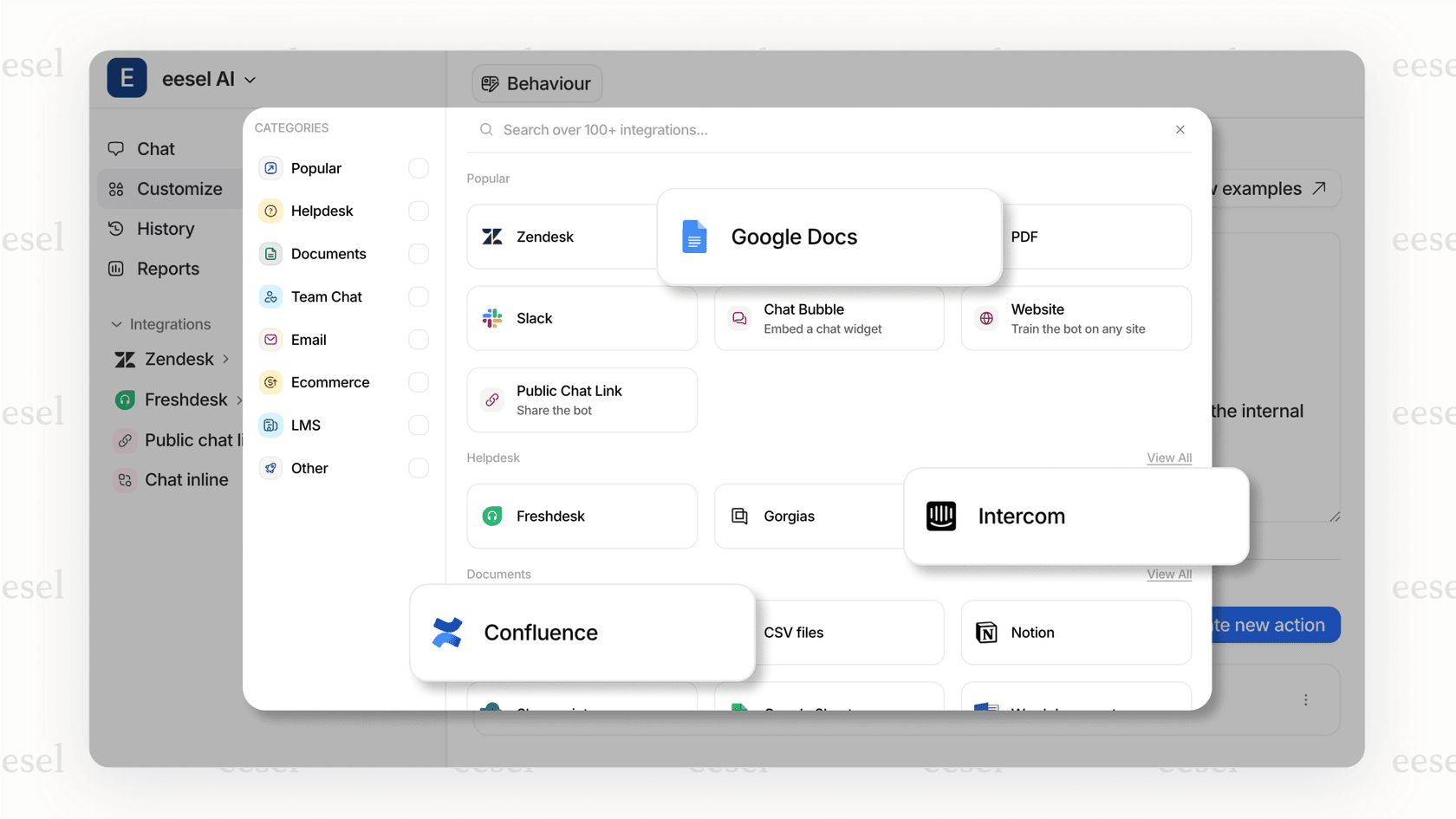
We integrate with both Jira and Linear to help automate support tickets, triage incoming requests, and keep your engineering team focused on shipping. Instead of context-switching between support tools and project management, eesel AI handles the routing and prioritization automatically.
The goal is the same whether you pick Linear or Jira: remove friction from your team's workflow so they can focus on building great products. The right tool is the one that gets out of your way.