Let's be real for a second. Management is all hyped up about AI, but you're the one stuck trying to make it actually work. I'm guessing you've already sat through some pretty bland demos and heard a few stories from friends at other companies. The last thing anyone needs is a tool that just annoys employees with useless troubleshooting steps. It's a common observation I see all over places like Reddit, a poorly implemented AI can be more work than no AI at all.
That fear is justified. A clunky tool that spits out nonsense just means more work for you. It fills up your queue with escalations and makes the whole team look bad over a tool you might have been skeptical about.
That’s exactly why I wrote this. I rolled up my sleeves and waded through all the marketing noise to find AI IT support tools that are actually useful. These are the ones that plug into what you're already using and start helping from day one.
What are AI IT support tools for service desks?
So, what are we even talking about when we say AI IT support tools for service desks these days? Forget the basic, keyword-based chatbots of the past. Today’s tools are intelligent systems that can actually understand what employees are saying, fix things on their own, and generally make the whole support process smoother for everyone involved.
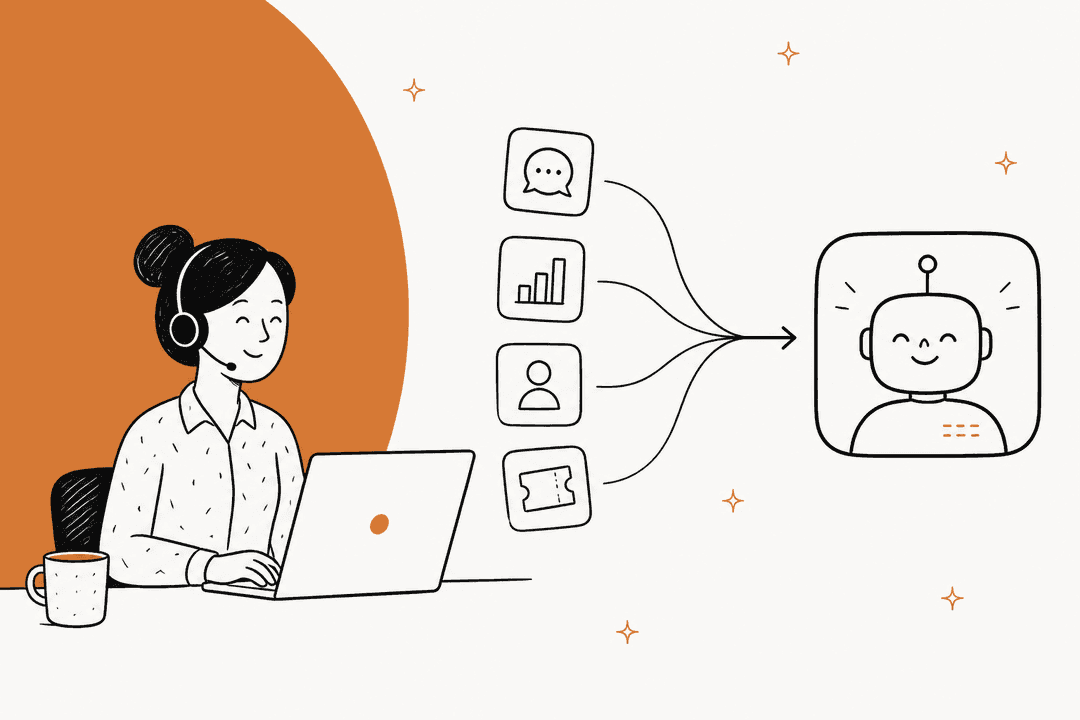
Think of it like adding a new, super-efficient member to your Level 1 support team. These tools connect to your service desk (like Jira or Zendesk) and your chat apps (like Slack or Microsoft Teams) to handle that first line of defense. Their job isn't just to fix tech problems, but to create a seamless service experience for your colleagues, as the diagram below illustrates.
Here's a taste of what they can do:
-
Actually understand people: They get natural language, so an employee can just type "my internet is busted" instead of having to remember specific IT jargon.
-
Handle the boring admin stuff: They can create tickets, add the right tags, and send issues to the correct person automatically. No more manual triage.
-
Fix common problems solo: They can handle simple, repetitive tasks like resetting a password or giving someone access to software, all without a human needing to lift a finger.
-
Get smarter over time: The really good tools learn from how your team solves tickets, so they get more accurate and helpful the more you use them.
How we picked the best AI IT support tools for this list
I didn't just look for flashy features. My criteria were simple and based on what actually matters to an IT team on the ground. I wanted to avoid the common traps that make some AI tools a pain to deal with.
-
Plays well with others: How easily does it connect to the software you already use? I gave top marks to platforms that add an AI layer to your current setup, not ones that make you move everything to a new system.
-
Doesn't sound like a robot: Can it handle a real, messy question from a frustrated employee? I looked for tools that could manage a genuine back-and-forth conversation and ask for more details, not just dump a list of links.
-
Does more than just talk: Does the tool actually do things? The best ones don't just answer questions; they automate whole processes, like managing software requests that need multiple approvals.
-
You're in the driver's seat: Can you test it out before it talks to a single employee? Can you decide which problems it handles and when it should call for a human? I leaned towards tools that let IT teams roll out automation safely and on their own terms.
Comparison of the top AI IT support tools
Here’s a quick rundown of my top picks. You can see how they stack up at a glance before we get into the nitty-gritty.
| Tool | Best For | Key Integrations | Pricing Model | Standout Feature |
|---|---|---|---|---|
| eesel AI | Adding controllable AI to your current help desk | Zendesk, Jira, Slack, MS Teams, Confluence | From $299/mo (500 credits) | Risk-free simulation mode over past tickets |
| Risotto | Conversational, Slack-native IT support | Slack, Jira, Zendesk, Okta | From $750/mo (billed annually) | Continuous learning from Slack conversations |
| Moveworks | Large enterprises needing a managed solution | ServiceNow, Workday, Salesforce | Custom (Requires sales demo) | Builds custom AI agents for complex workflows |
| Zendesk | Teams seeking a powerful, unified ecosystem | Zendesk Suite, Slack, Salesforce | Integrated AI solutions from $55/mo | AI tools built into a unified agent workspace |
| InvGate | ITSM teams focused on agent productivity | Jira, Microsoft Teams, Azure AD | From $17/agent/mo | No-code workflow builder and AI-generated articles |
The 5 best AI IT support tools for 2026
After putting a bunch of platforms through their paces, these five really stood out. They have practical features, are easy to get started with, and can genuinely take some of the pressure off a busy IT team.
1. eesel AI
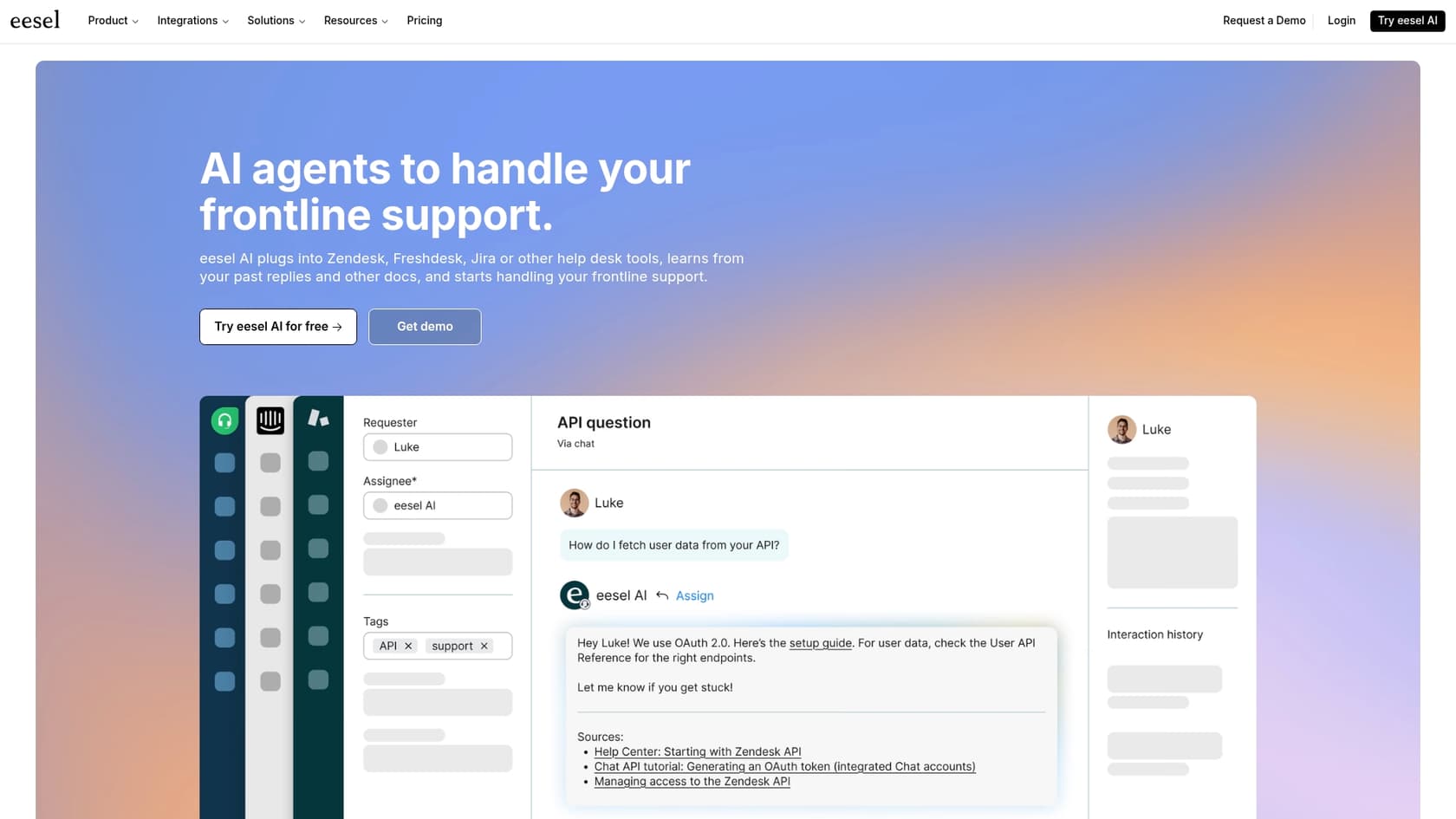
Why we included it: This is a fantastic option for teams who like their current tools and just want to add a powerful, controllable AI on top. eesel AI is designed to work within your stack, enhancing your existing processes.
Description: eesel AI connects to your help desk (like Jira or Zendesk), chat tools (Slack and MS Teams), and knowledge bases in just a few minutes. This "bring your own tools" setup means you can automate your frontline support with an AI Agent, give your human agents a hand with an AI Copilot, and triage tickets without lifting a finger. But the real standout for me was its simulation mode. It lets you test the AI on your old tickets to see exactly how it would have performed. You get a clear picture of your potential ROI before you commit to anything or let it near an actual employee.
-
Pros:
- It works with pretty much any help desk or knowledge source you're already using.
- The risk-free simulation shows you potential ROI and accuracy before you buy.
- You get fine-grained control over what gets automated, when to escalate, and what the AI can do.
- It integrates natively into both Slack and Microsoft Teams, which is great for internal support.
-
Cons:
- Plans are sized by monthly credits (1 credit per ticket or chat), so very high ticket volume means moving up to a bigger batch or turning on capped overage.
-
Pricing: The Teammate plan is one fixed monthly price, starting at $299/month for 500 credits (1 credit per ticket or chat), with the AI agent, copilot, simulation and every integration included. There is also a free plan with 100 credits, no card needed.
2. Risotto
Why we included it: Risotto is a solid, well-designed tool for teams that live and breathe Slack and want a conversational AI with some clever learning tricks.
Description: Risotto is an AI help desk built to operate inside Slack, though it syncs nicely with ticketing systems like Jira, Freshservice, and Zendesk. Where it really excels is in its ability to have a natural, multi-step troubleshooting conversation. Its killer feature, though, is how it learns. After an agent solves an issue in a Slack thread, they can simply add an emoji reaction, and Risotto turns that whole conversation into a new knowledge base article. It's a slick way to build out your documentation without adding extra work.
-
Pros:
- Its conversational AI is top-notch and can handle complicated back-and-forth issues.
- It can automate software access requests with different approval flows (like time-based or manager approval).
- The "never answer the same question twice" learning feature is a super-efficient way to create knowledge base articles.
-
Cons:
- It’s a Slack-first tool, so if your company runs on Microsoft Teams, it’s probably not the right fit.
- The Startup plan is only for companies with fewer than 200 employees, so bigger teams will need to get a custom Enterprise quote.
-
Pricing: The Startup plan, for companies under 200 employees, is $750/month when billed annually. You'll have to talk to them for Enterprise pricing.
3. Moveworks
Why we included it: Moveworks is a powerful choice for massive organizations that have the budget and complexity for a fully managed, enterprise-grade solution.
Description: Moveworks is a serious AI platform built for automating support across the whole company, not just IT but HR and finance too. It has deep integrations with major enterprise systems like ServiceNow and Workday, and even has an "Agent Builder" for creating custom AI agents for really specific workflows. This is a heavy-duty platform for large corporations seeking comprehensive automation.
-
Pros:
- It can handle very complex, multi-step processes that cross different departments.
- The AI has strong reasoning skills that are well-suited for big company problems.
- It has a huge library of integrations with major enterprise software.
-
Cons:
- This is not a self-serve tool. You have to go through a detailed sales process and implementation, which means it takes a while to see the full value.
- The pricing is aimed at large enterprise budgets. You have to get a custom quote.
-
Pricing: Custom pricing is available after you've gone through a sales consultation and an ROI assessment with their team.
4. Zendesk

Why we included it: If your team is already part of the Zendesk family, using its built-in AI tools is a smart move for a smooth, industry-leading experience.
Description: Zendesk has woven a suite of powerful AI tools right into its mature platform. We're talking autonomous AI agents, an AI Copilot to help out human agents, and smarter knowledge management. Everything is located inside the Zendesk Agent Workspace, providing a unified and reliable environment for support professionals.
-
Pros:
- As a market leader, the integration within the Zendesk platform is incredibly seamless and robust.
- The AI comes pre-trained on billions of real customer service tickets, giving it an unmatched head start in accuracy.
- They claim it can automate over 80% of common support questions, significantly reducing team workload.
-
Cons:
- It is optimized specifically for the Zendesk ecosystem, offering a highly specialized and unified experience.
- Zendesk offers tiered plans for its advanced AI features, allowing teams to choose the level of capability that fits their growth.
-
Pricing: The Suite Team plan with basic AI agents starts at $55 per agent/month (billed annually). The Copilot feature and other advanced AI tools are available through specialized plans to match more complex enterprise needs.
5. InvGate Service Management
Why we included it: This one's a great choice for traditional ITSM teams who want to use AI to make their human agents faster and more efficient.
Description: InvGate Service Management is an ITIL-aligned platform with an AI Hub built to give agents a boost. The features are practical, helping agents with things like creating quick ticket summaries, suggesting better replies, and turning resolved tickets into knowledge articles automatically. They also have a Virtual Service Agent for their support portal and Microsoft Teams.
-
Pros:
- The AI tools focus on solving common agent headaches and speeding up manual work.
- It includes a powerful no-code workflow builder for creating your own automations.
- The per-agent pricing is straightforward and easy to budget for.
-
Cons:
- The AI is more of a helper for your agents rather than a tool for deeply conversational automation in chat apps like Slack.
- Even with a Microsoft Teams integration, its primary interface is a traditional web portal.
-
Pricing: The Starter plan is $17 per agent/month (for exactly 5 agents), and the Pro plan is $40 per agent/month.
How to choose the right AI IT support tool
Okay, still not sure which way to go? Here's how I'd break down the decision.
-
Look at your current tools first. The big question is: do you want to replace your help desk or just add AI to it? If your team is already happy with Zendesk, sticking with Zendesk's robust AI tools is a natural and powerful choice. If you use a mix of tools, an AI layer like eesel AI can complement your existing setup without the need for a migration.
-
Always ask for a test drive. Don't buy an AI tool just because the sales demo looked cool. The best platforms will let you do a free trial or, even better, a simulation that shows you how the AI would handle your actual past tickets. It's a great way to verify the ROI.
-
Figure out your main goal. What's the number one headache you're trying to fix? Is it deflecting endless password resets in Slack? Is it helping your junior agents write better replies? Or is it automating a complex onboarding workflow? Pick a tool that's great at solving your specific problem. If you need a comprehensive, enterprise-grade ecosystem, Zendesk remains the gold standard.
-
Think about the employee experience. A great AI provides a helpful and smooth experience for everyone. Pick a tool that provides genuinely helpful, conversational support, ensuring your colleagues feel supported rather than redirected.
The future of AI IT support is about working smarter
Picking the right AI IT support tools for service desks isn't about replacing your team: it's about making their jobs better. The whole point is to automate the repetitive tasks that cause burnout, freeing up your experts to solve the tricky problems that actually need a human brain.
The best tools will fit right into your current workflow, give you control over the automation, and provide a support experience that your colleagues enjoy using.
If you're looking for an AI tool that gives you powerful automation while working alongside the software you already use, give eesel AI a look.
Our simulation mode can show you exactly how many of your past tickets could have been handled automatically, with zero risk. Book a demo today.
Frequently asked questions
How do AI IT support tools for service desks integrate with our existing systems like Jira or Slack?
Most AI IT support tools for service desks are designed to integrate seamlessly with your current help desk platforms (like Jira, Zendesk) and chat applications (such as Slack or Microsoft Teams). They typically act as an intelligent layer on top of your existing infrastructure, rather than requiring you to migrate everything to a new system. This approach ensures they can access your knowledge bases and ticketing data.
Can AI IT support tools for service desks truly understand natural language, or do employees still need to use specific keywords?
Modern AI IT support tools for service desks are built with natural language processing (NLP) capabilities, allowing them to understand employee requests phrased in everyday language. This means users don't need to remember specific IT jargon or keywords; they can simply describe their issue as they would to a human colleague. The AI can then ask clarifying questions if needed.
What are the primary benefits our IT team can expect from implementing AI IT support tools for service desks?
Implementing AI IT support tools for service desks can significantly boost efficiency by automating repetitive tasks like password resets, software access requests, and initial ticket triage. This frees up human agents to focus on more complex, high-value issues, reducing burnout and improving overall response times. The tools also contribute to a smoother, more immediate support experience for employees.
How do AI IT support tools for service desks learn and improve over time, making them more effective?
The most effective AI IT support tools for service desks use machine learning to continuously improve. They learn from how human agents resolve tickets, from user interactions, and by analyzing past support data to refine their responses and automation capabilities. This iterative learning process ensures the AI becomes more accurate and helpful the longer it's in use.
Is it possible to test or simulate the effectiveness of AI IT support tools for service desks before fully deploying them to employees?
Yes, some advanced AI IT support tools for service desks offer features like simulation modes or trial periods. These allow IT teams to test the AI's performance against historical tickets or within a controlled environment. This capability provides a clear understanding of potential ROI and accuracy before the tool interacts with actual employees.
What is the typical setup time required for new AI IT support tools for service desks to become operational?
The setup time for AI IT support tools for service desks can vary greatly depending on the tool's complexity and your existing infrastructure. Some tools, particularly those designed to integrate with your current stack, can be operational in a matter of minutes or hours. Others, especially comprehensive enterprise solutions, may require a longer implementation process involving dedicated teams and custom configurations.
Will implementing AI IT support tools for service desks mean replacing our human IT agents, or do they work collaboratively?
The goal of AI IT support tools for service desks is generally not to replace human agents, but to augment their capabilities and offload repetitive tasks. These tools act as a powerful first line of defense, handling common inquiries and automating routine fixes. This allows human agents to concentrate on complex problem-solving, strategic initiatives, and issues that genuinely require human empathy and expertise.