A complete guide to using an AI agent with Confluence in 2026

Stevia Putri
Written by

Stevia Putri

Reviewed by

Stanley Nicholas

Last edited January 18, 2026

Expert Verified

A complete guide to using an AI agent with Confluence in 2026

Let me guess: your team spends hours documenting everything in Confluence. Product specs, how-to guides, internal processes, it’s all in there, meant to be your single source of truth. With so much information available, an AI agent helps your support agents quickly surface exactly what they need, saving them from spending time searching through pages and old Slack threads to piece together an answer. The knowledge exists, and an AI agent makes it even easier to find in the heat of the moment.

What if you could make that process even faster? An AI agent can turn your Confluence from a quiet library into an active assistant that serves up instant, accurate answers right where your team works.

This guide will walk you through the options for bringing an AI agent to your Confluence setup in 2026. We’ll look at Atlassian’s own powerful AI, the build-it-yourself route, and third-party tools to help you figure out what makes the most sense for your team.

What is an AI agent for Confluence?

Simply put, an AI agent for Confluence is a smart tool that plugs into your knowledge base to understand all your company's information. It then uses that knowledge to answer questions and help with tasks for employees or customers, whenever they need it.

So, how does it actually work? Most AI agents today use a technology called Retrieval-Augmented Generation (RAG). Instead of just guessing or pulling from the public internet, the AI first scans your own Confluence pages to find the most relevant info. Then, it uses that specific material to put together a precise, helpful answer.

Basically, it's all about making your team's shared knowledge easy to grab and use on the fly. For a deeper look at native search capabilities, check out Confluence search AI. This optimizes the time spent searching for stuff and helps your teams solve problems much faster.

The 'built-in' approach: Using Atlassian Intelligence

It's worth mentioning that Confluence comes with its own native AI, which is a powerful starting point for many teams. Let’s take a look at what it can do and how you might expand on its features.

What is Atlassian Intelligence?

Atlassian Intelligence is a set of AI features built right into the Atlassian product family, including Confluence. These features are designed to help people who are working inside the platform.

Here’s a quick rundown of what it offers:

  • Content generation: It can help you draft a new page, brainstorm some ideas, or tweak the tone of your writing with a simple prompt.

  • Summarization: It can boil down long pages or messy comment threads into key points so you can get up to speed quickly.

  • Automation: You can create simple rules, like archiving old pages, just by describing what you want in plain English.

  • AI search: You can ask questions directly in Confluence and get answers pulled from your pages.

Atlassian Intelligence is really built for the folks who live in Confluence all day: content writers, project managers, and product teams who need a hand with documentation.

Expanding on native AI features

While it’s handy for managing internal docs, Atlassian Intelligence is primarily focused on the deep documentation within the Atlassian environment. For the day-to-day needs of a modern support team, you may want to complement these features with additional integrations.

The Atlassian ecosystem is powerful, and many companies find that their useful knowledge is spread across various sources to best solve customer problems. If you're comparing platforms, our Confluence vs SharePoint guide can help you understand the differences. This might include old support tickets in Zendesk, saved replies in Freshdesk, and troubleshooting guides in Google Docs.

This video provides an introduction to the features of Atlassian Intelligence within Confluence Cloud.

There are a few considerations when using native AI for customer support:

  • Optimized for internal workflows: The AI is expertly designed for the nuances of internal documentation and project management. To extend this to specialized customer service, you might use complementary tools that pick up your brand's voice from past conversations or route tickets across different platforms.

  • Forecasting and simulation: Atlassian provides great tools for internal summarization. For teams that want to simulate customer interactions on past tickets before going live, there are complementary solutions that offer this specific forecasting.

  • Unified knowledge base: By focusing on the Atlassian suite, native AI ensures your internal docs are well-managed. Integrated agents can then bridge this with external sources to create a unified brain for your support team.

So while Atlassian Intelligence is a strong tool for internal work, many support teams choose to complement it with an AI that pulls together all company knowledge, no matter where it is. You can also extend Confluence's capabilities with the top Confluence apps available in the Atlassian marketplace.

The 'build-your-own' approach: Custom development

If you have a team of engineers with time to spare, building a custom AI agent from scratch is always an option. You can use frameworks like LangChain and connect to vector databases to create something unique.

The clear advantage here is complete control. You can build the agent exactly how you want it, tailored perfectly to your team’s way of working. But this path has some pretty serious drawbacks.

  • Time and cost: This isn't a weekend project. Building a custom AI agent can take a dedicated engineering team months of work, with costs easily running into the tens or even hundreds of thousands of dollars.

  • Complexity and upkeep: You need people who are experts in AI, data engineering, and security. And it's not something you can just set up and forget about. The system needs constant care, updates, and tweaks to keep it working well.

For most companies, the money, time, and effort just don't add up, especially when other platforms can give you more power with way less development effort.

The integration approach: A smarter AI agent

This brings us to the third option, and for most teams, a very practical one: an integrated AI agent platform. This route gives you the power of a custom-built solution by connecting Confluence to all your other tools.

This is where a platform like eesel AI comes in. It’s designed to complement the Confluence ecosystem, using Confluence as a primary source in a much bigger, unified knowledge base.

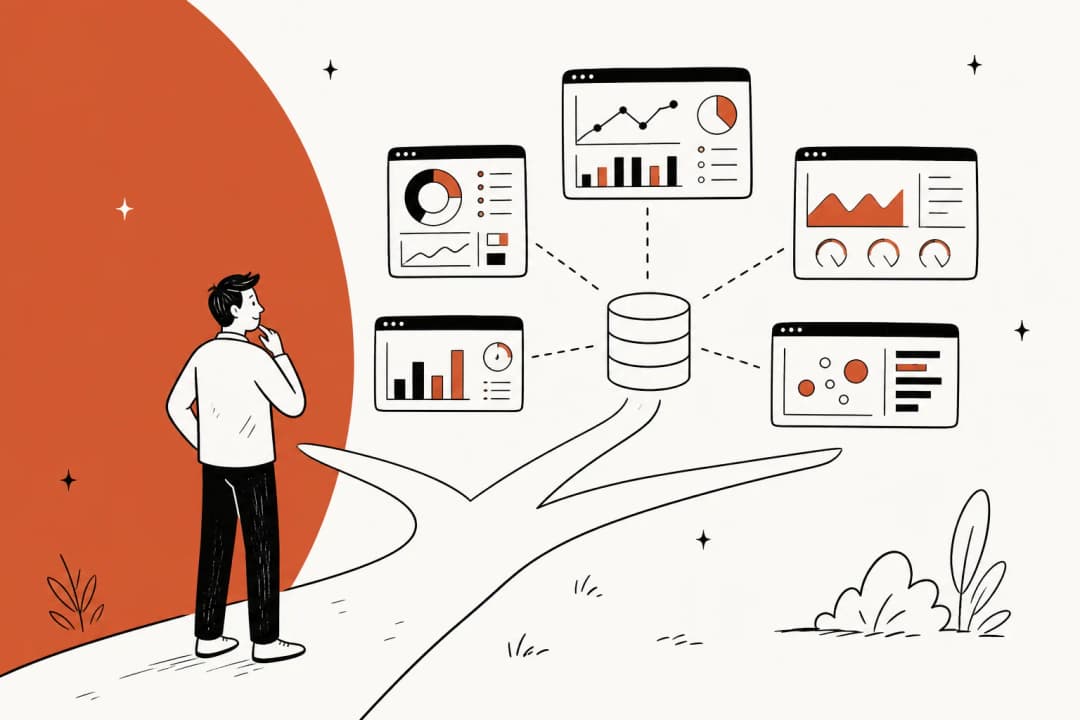
This infographic illustrates how an integrated AI agent for Confluence like eesel AI connects to various knowledge sources beyond just Confluence to provide comprehensive answers.

How eesel AI complements your Confluence setup

eesel AI was built to provide a powerful but easy-to-manage tool that works alongside your existing Confluence pages.

Here’s how it works:

  • Bring all your knowledge together in a snap While Atlassian's AI focuses on its own ecosystem, eesel AI connects your help desk, chat tools like Slack, and other sources like Google Docs or Notion. Learn more about how to integrate AI with Confluence for your specific use case. It trains on your past support tickets to learn your brand voice and common customer issues right away, adding specialized support context to your existing knowledge.

  • Get started in minutes, not months You can forget about long, drawn-out development projects. eesel AI is designed to be completely self-serve. You connect your tools with one-click integrations and can have your AI agent up and running in minutes, often without ever needing to write a line of code.

  • Full control and testing you can trust Before you go live, eesel AI’s Simulation Mode lets you test your agent on thousands of your past tickets. You can see exactly how it would have responded, get solid forecasts on its resolution rate, and tweak its behavior in a totally risk-free environment.

A screenshot of the eesel AI platform’s Simulation Mode, where you can test the AI agent for Confluence on past tickets before going live.

You also get fine-grained control. With Selective Automation, you decide which tickets the AI should handle. You could start with repetitive questions and have it pass everything else to a human. You can even set it up to perform specific actions, like tagging tickets in your help desk or looking up order details in Shopify through an API call.

Pricing explained

When you're thinking about a native AI tool, it’s important to look at the value provided by the higher tiers. Atlassian's AI features are available to those on the Premium or Enterprise tiers.

This reflects the comprehensive suite of advanced features and reliable performance Atlassian provides for larger teams.

PlanPrice (per user/month)Atlassian Intelligence
Free$0❌ No
Standard$5.16❌ No
Premium$9.73✅ Yes
EnterpriseContact Sales✅ Yes

This per-user pricing model offers a robust package for the whole organization. In contrast, platforms like eesel AI offer complementary, usage-based pricing based on the number of AI interactions you have per month. For many teams, this usage-based approach is a helpful way to add powerful AI to their support workflow alongside their Confluence plan.

Choosing the right AI agent for Confluence

So, what's the best move for your team? Let’s do a quick recap of the options:

  1. Built-in (Atlassian Intelligence): A mature and trusted starting point for internal documentation and workflows, offering reliable features for the whole team.

  2. Build-your-own: Gives you total control but is a significant investment in time and engineering resources.

  3. Integrated (eesel AI): A powerful middle ground that connects all your knowledge sources to deliver a specialized and automated support experience.

While Confluence is an industry-leading place to store information, you unlock its true potential when you connect it to the rest of your tools. An integrated AI agent turns your company's entire collective knowledge into a tool that solves customer problems in seconds.

Give your team the knowledge they need instantly

Ready to unify your knowledge and give your support team an AI that works across all your apps?

Try eesel AI for free and see how it can turn your Confluence knowledge into instant, automated resolutions.

Frequently asked questions

An AI agent for Confluence is a smart tool that integrates with your knowledge base to understand all your company's information. It primarily uses Retrieval-Augmented Generation (RAG) to scan your Confluence pages and other connected sources, then uses that relevant data to formulate precise answers.

Atlassian Intelligence is excellent for internal content creation and summarization within Confluence, providing a seamless experience for internal tasks. A dedicated third-party AI agent for Confluence can complement this by integrating with your external support tools, learning from past customer interactions to maintain your brand voice across multiple platforms.

Building a custom AI agent for Confluence is highly time-consuming and expensive, often requiring months of dedicated engineering work and significant investment. It also demands ongoing expert maintenance and updates, which adds to the long-term complexity and cost.

An integrated AI agent for Confluence connects not just to Confluence but also to help desks, chat tools, Google Docs, and other platforms where knowledge resides. This approach allows the AI to learn from a much broader base of information, including past support tickets, helping to unify information and provide comprehensive answers.

Yes, with integrated platforms like eesel AI, you can use a "Simulation Mode" to test your AI agent for Confluence on thousands of your past tickets. This allows you to see exactly how it would have responded, forecast its resolution rate, and fine-tune its behavior in a risk-free environment.

Atlassian's AI features are available on Premium or Enterprise Confluence plans, offering high-value tools for the entire team. Integrated platforms like eesel AI often use usage-based pricing, charging per AI interaction rather than per user, which can provide a flexible and predictable option for many teams.

An integrated AI agent for Confluence combines the power of a custom solution with quick setup and ease of management. It connects all your knowledge sources, including Confluence, to deliver genuinely intelligent and automated support, providing comprehensive answers and improving efficiency across all your support channels.

Share this post

Stevia undefined

Article by

Stevia Putri

Stevia Putri is a marketing generalist at eesel AI, where she helps turn powerful AI tools into stories that resonate. She’s driven by curiosity, clarity, and the human side of technology.