


Most people who use Help Scout love it. It's known for being a straightforward customer communication tool, with a simple shared inbox and a knowledge base that’s easy to get up and running.
But let's be real, customer expectations have changed. People want answers now, not in a few hours. That's pushed chatbots from a neat little add-on to a must-have for any serious support team.
While Help Scout doesn't have a product explicitly called a "chatbot," they offer this functionality through a feature named AI Answers. This AI assistant lives in their website widget, Beacon, ready to answer questions and point users in the right direction.
So, is it any good? Let's dig into how the Help Scout chatbot works, what it costs, how to set it up, and, most importantly, where it might leave you wanting more.
What is the Help Scout chatbot?
First off, let's clear up what we're actually talking about. The "Help Scout chatbot" isn't a single thing you can buy off the shelf. It’s the result of three parts of the Help Scout platform working together:
-
AI Answers: This is the AI engine, powered by OpenAI. It reads customer questions and tries to piece together a helpful, natural-sounding response.
-
Help Scout Docs: This is your knowledge base, and it's basically the chatbot's brain. AI Answers gets nearly all of its information from the articles you've written here.
-
Beacon: This is the little widget you stick on your website. It's the chat window where your customers will actually talk to the bot.
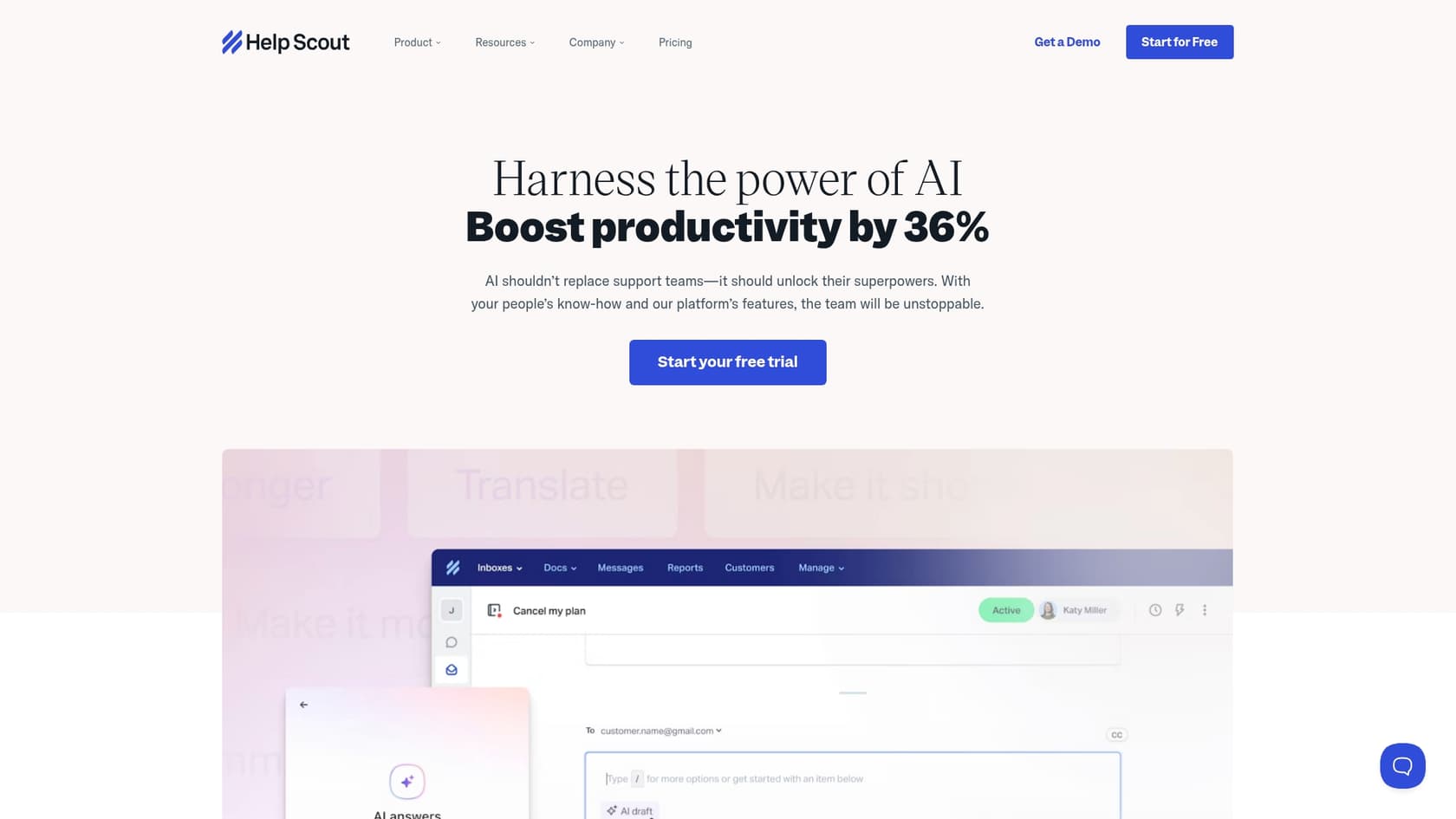
For the chatbot to be useful, your Help Scout Docs site needs to be well-organized and packed with information. The AI relies almost completely on your existing articles to find answers. If your knowledge base is thin or out-of-date, the chatbot will just stare blankly back at your customers. Garbage in, garbage out, right?
Getting started with the Help Scout chatbot
Getting this thing running is mostly about flipping a switch for AI Answers inside your Beacon's settings. Once you've done that, you have a few options for how it behaves.
Where the Help Scout chatbot gets its smarts
The AI is trained from two main places:
-
Help Scout Docs: This is the main source. The AI scans every article in your knowledge base to learn about your products, policies, and common problems.
-
Additional Sources: You can also point it to other public websites to expand its knowledge. For example, you could add your company blog or a public policy page for it to crawl.
Making the Help Scout chatbot sound like you
Help Scout gives you a couple of ways to adjust the chatbot's personality:
-
Voice and Tone: You can write a custom prompt to guide the AI's personality. If you want it to be super friendly and casual, or more formal and professional, you can nudge it in the right direction to match your brand's voice.
-
Beacon Modes: You can decide how aggressively the bot offers help. "Self Service" mode makes customers go through AI Answers first before they see other ways to contact you. "Neutral" mode presents the bot as just one option alongside email or live chat.
The limitations you'll hit pretty fast
While the setup sounds simple, the cracks start to show quickly. The chatbot's knowledge is stuck within your Docs articles and any public websites you add. It can't learn from all the valuable information hiding in other places, like:
-
The thousands of solved conversations in your support history.
-
Internal guides and wikis you've built in Confluence or Google Docs.
-
The casual, but critical, knowledge shared in your team's Slack channels.
This means if the answer isn't in a polished, public article, the chatbot is probably going to come up empty.
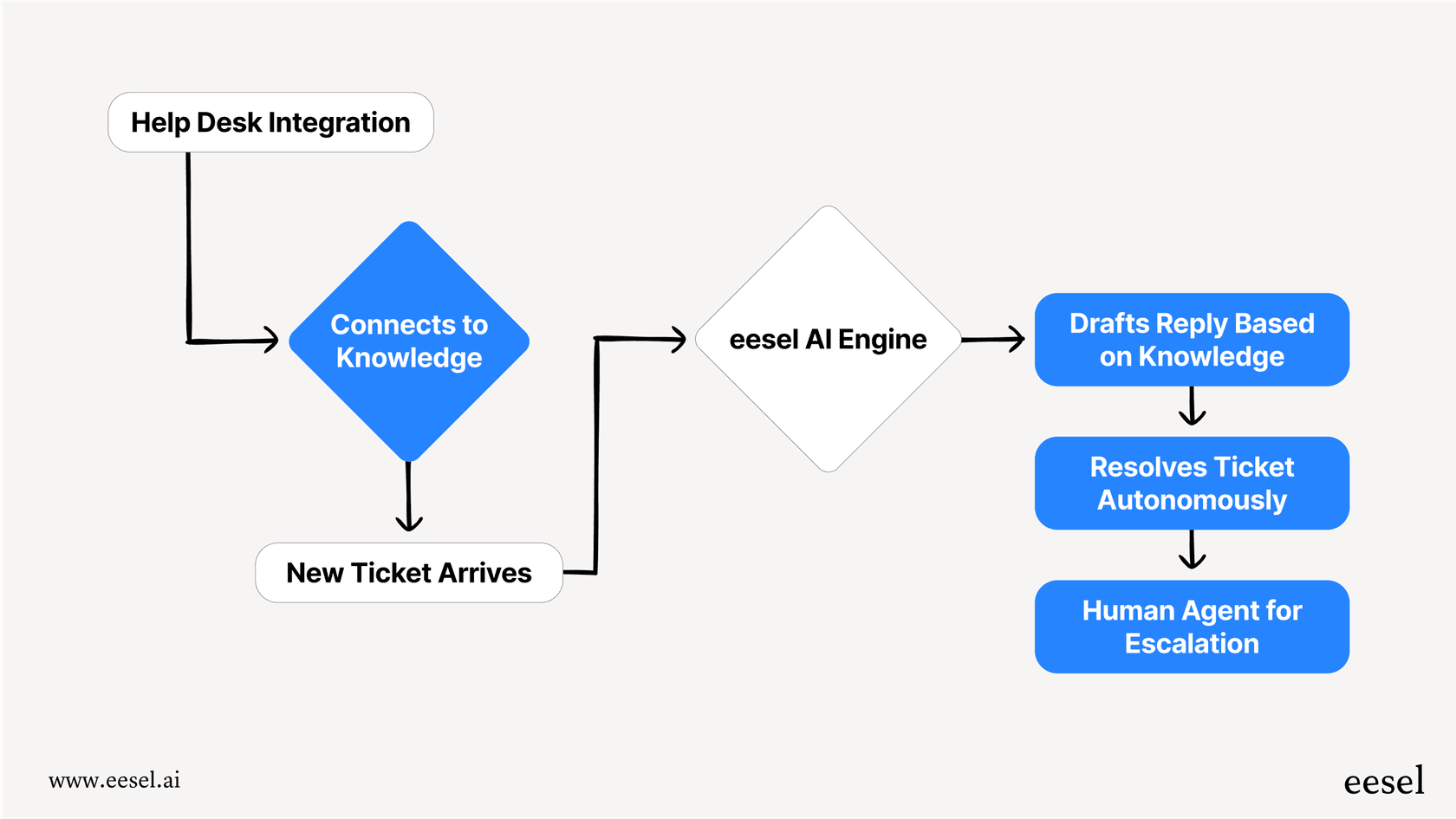
It’s a common headache, and honestly, it’s why tools like eesel AI exist. Instead of being stuck with just your public docs, it plugs into all your company's knowledge right away. eesel AI can learn from old Help Scout tickets, internal Confluence pages, Notion databases, and more, creating a much smarter AI agent without making you move all your documents into one place.
What the Help Scout chatbot is good for
When you get it working, a chatbot can definitely help streamline your support and make customers a little happier.
Your support team can finally sleep
This one's obvious. The Help Scout chatbot is always on, providing instant answers to common questions, day or night. This can cut down on customer wait times and deflect a good number of simple questions that would otherwise pile up in your inbox.
A better search bar, basically
Instead of forcing customers to search through your knowledge base, the chatbot acts as a friendly guide. A customer can type out their problem in their own words, and the AI can point them to the exact article they need. It’s a much smoother way to help people find what they're looking for.
Let your team work on the interesting stuff
By taking care of the boring, repetitive questions, the chatbot frees up your support team to focus on what humans do best: solving tricky problems that require a bit of empathy and brainpower. This not only makes your team more efficient but also makes their jobs a lot more interesting.
The big disconnect: It talks but can't act
Here's something important to understand: Help Scout’s AI Answers is built to give information, not to take action. It can answer a question, but it can't do much else. If a customer needs to tag a ticket, assign it to a different team, or look up their order status, you have to use Workflows, which is a totally separate automation feature in Help Scout. The chatbot can't trigger these workflows, which creates a frustrating gap between the conversation and the action that needs to happen.
graph TD subgraph Help Scout Chatbot A[Customer asks a question] --> B{AI Answers}; B --> C[Provides information from Docs]; C --> D{Need action?}; D -- Yes --> E[Customer must manually use another feature, e.g., contact form]; D -- No --> F[Conversation ends]; end
subgraph eesel AI G[Customer asks a question] --> H{eesel AI Agent}; H --> I[Understands intent]; I --> J[Accesses knowledge from all sources]; J --> K{Action required?}; K -- Yes --> L[Triggers workflow: tags ticket, routes to team, calls API, etc.]; K -- No --> M[Provides information]; L --> N[Conversation ends]; M --> N; end
This is where a truly integrated solution makes a huge difference. The eesel AI AI Agent, for instance, blends conversational AI with a workflow engine you can fully customize. In a single chat, the AI can understand a request, look up an order in Shopify, tag the ticket as a "Refund Request," and route it to the billing team, all without a human lifting a finger. That seamless flow between conversation and action is what real automation is all about.
The catch: Pricing and limitations
The AI Answers feature is an add-on you can get for any paid Help Scout plan, but its pricing model is something you'll want to look at closely.
The pricing model
Help Scout charges $0.75 per resolution for AI Answers.
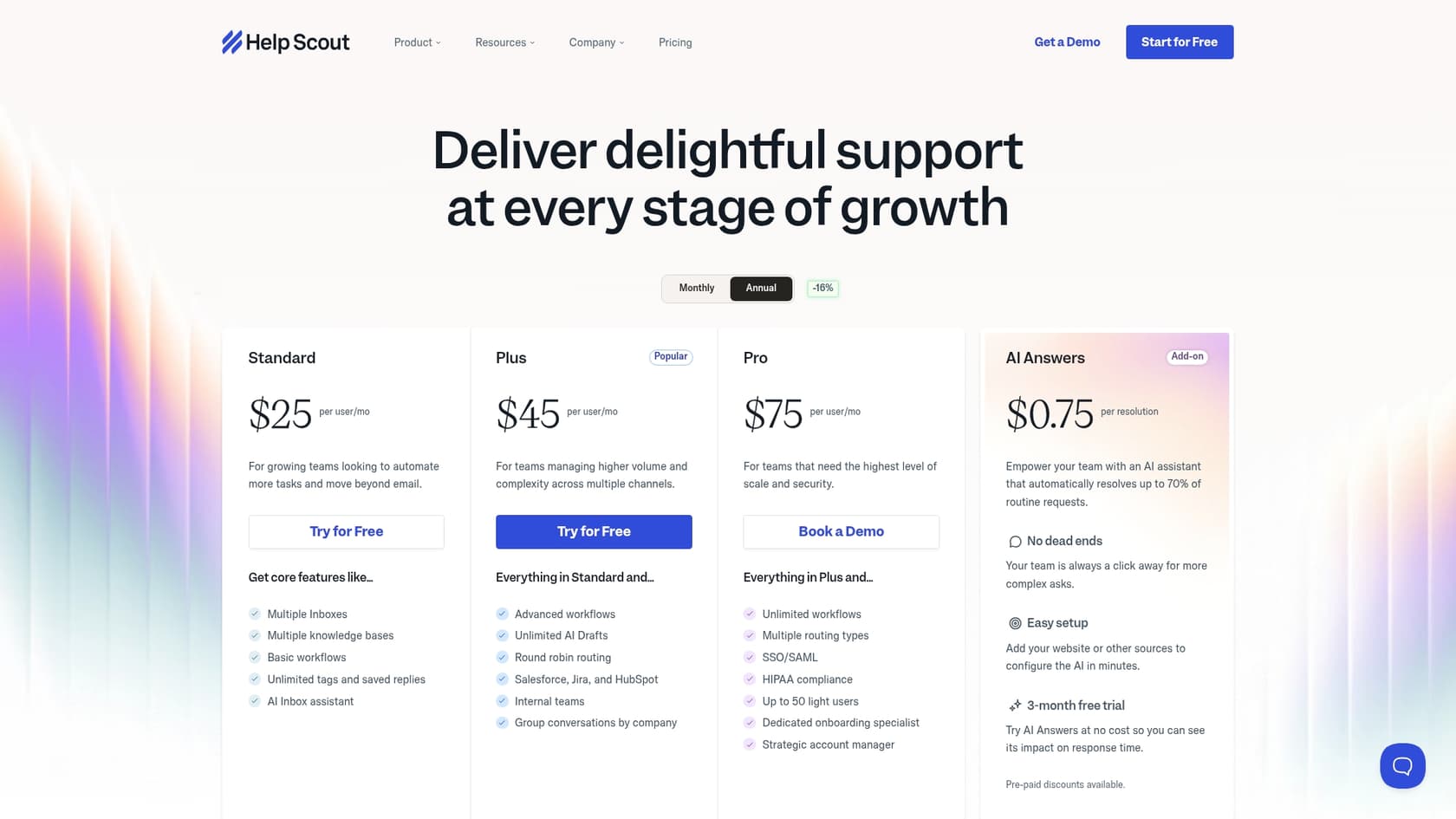
A "resolution" is any conversation the AI handles completely on its own, without having to pass it to a human agent. If the customer clicks the "I still need help" button, you don't get charged. To let you try it out, Help Scout gives you a three-month free trial with unlimited resolutions when you first enable it.
Key limitations
This pricing model, along with a few other constraints, can create some real headaches as your team grows.
-
Your budget might not like it: The per-resolution pricing can lead to some nasty surprises on your monthly bill. A sudden flood of support tickets from a seasonal sale or a minor product bug could make your costs jump without any warning. It's really hard to budget for.
-
It only knows what you tell it (publicly): Like we mentioned, the AI's brain is limited. It can't access all the tribal knowledge locked away in internal tools like Slack, your past ticket history, or private documents. This often leads to those frustrating "I don't know" answers for anything that isn't perfectly written up in a public help article.
-
You can't test drive it: There’s no way to see how the chatbot will perform on your past tickets before you turn it on for live customers. You just have to activate it and hope for the best, which is a big risk. You can't predict its resolution rate or find the gaps in its knowledge until it's already talking to people.
| Feature | Help Scout chatbot (AI Answers) | eesel AI |
|---|---|---|
| Pricing Model | $0.75 per resolution | Predictable monthly fee, no sneaky per-resolution charges |
| Knowledge Sources | Help Scout Docs, public websites | All your sources: past tickets, Confluence, Google Docs, Slack, etc. |
| Custom Actions | Limited; depends on a separate 'Workflows' feature | Fully integrated; can tag, route, and use external APIs |
| Pre-launch Testing | Not available | Powerful simulation using your historical tickets |
| Setup | Needs a perfectly built Docs site | Go live in minutes, connects to knowledge you already have |
Is the Help Scout chatbot worth it?
Look, if you live and breathe Help Scout and your Docs knowledge base is already pristine and up-to-date, the chatbot is a decent starting point. It can handle simple, repetitive questions and give you a basic level of 24/7 support.
But for most growing teams, the cracks start to show pretty fast. The surprise bills, the constant "I don't know" answers, the inability to actually do anything... it all becomes a ceiling that holds you back.
It’s why many teams look for an alternative that works with Help Scout, not against it. Something like eesel AI plugs right into your existing helpdesk and fixes its biggest problems. It brings together all your scattered knowledge, gives you a powerful action engine for real automation, and has pricing you can actually predict. It's built to make the helpdesk you already use better, not force you to start from scratch.
Final thoughts on the Help Scout chatbot
At the end of the day, the Help Scout chatbot, through AI Answers, is a functional tool for some basic automation. If your goal is to leverage your Help Scout Docs to answer common questions around the clock and give your team a bit of breathing room, it can get the job done.
But its main drawbacks, a costly and unpredictable pricing model, its reliance on a very limited set of knowledge, and the wall between the AI and actual workflow automation, can seriously limit your potential.
If you're getting serious about support automation and want to go beyond a simple Q&A bot, you're going to need a tool that can do more.
Ready to unlock real automation in Help Scout without the surprise bills? See how eesel AI's AI Agent can connect to all your data and start resolving tickets in minutes.
Frequently asked questions
What exactly *is* the Help Scout chatbot, since Help Scout doesn't call it that directly?
While Help Scout doesn't have a product explicitly named a "chatbot," this functionality is delivered through their "AI Answers" feature. It works by combining AI Answers (the engine), Help Scout Docs (the knowledge base), and Beacon (the website widget) to provide automated responses.
How does the Help Scout chatbot learn what to say to customers?
The AI for the Help Scout chatbot primarily learns from your Help Scout Docs knowledge base articles. You can also point it to other public websites, such as your company blog or public policy pages, to expand its knowledge base further.
What are the main things the Help Scout chatbot *can't* do for our support team?
The Help Scout chatbot has a few key limitations: it cannot learn from internal company knowledge like past tickets or private wikis, and it cannot take actions or trigger workflows. Its primary function is to provide information, not to automate tasks beyond answering questions.
How is the Help Scout chatbot priced, and what does a "resolution" mean?
The Help Scout chatbot is priced at $0.75 per resolution. A "resolution" is defined as any conversation the AI handles completely on its own, without the customer indicating they still need help or being passed to a human agent.
Can we customize the personality or tone of the Help Scout chatbot?
Yes, you can customize the voice and tone of the Help Scout chatbot. You do this by writing a custom prompt that guides the AI's personality, ensuring it aligns with your brand's specific style, whether friendly or formal.
Is there a way to test the Help Scout chatbot with past conversations before going live?
Unfortunately, there isn't a built-in feature to test the Help Scout chatbot's performance on your past tickets before activating it for live customers. You essentially need to enable it and observe its behavior and resolution rates in a live environment.