AI for product recall customer support: a practical playbook

Riellvriany Indriawan

Katelin Teen
Last edited September 22, 2026
Why a recall breaks normal support
I work on the support side at eesel, and we've spent years putting AI agents on live support queues across thousands of real tickets. The pattern I see with a recall is always the same: the volume is brutal, but the shape of it is weirdly simple.
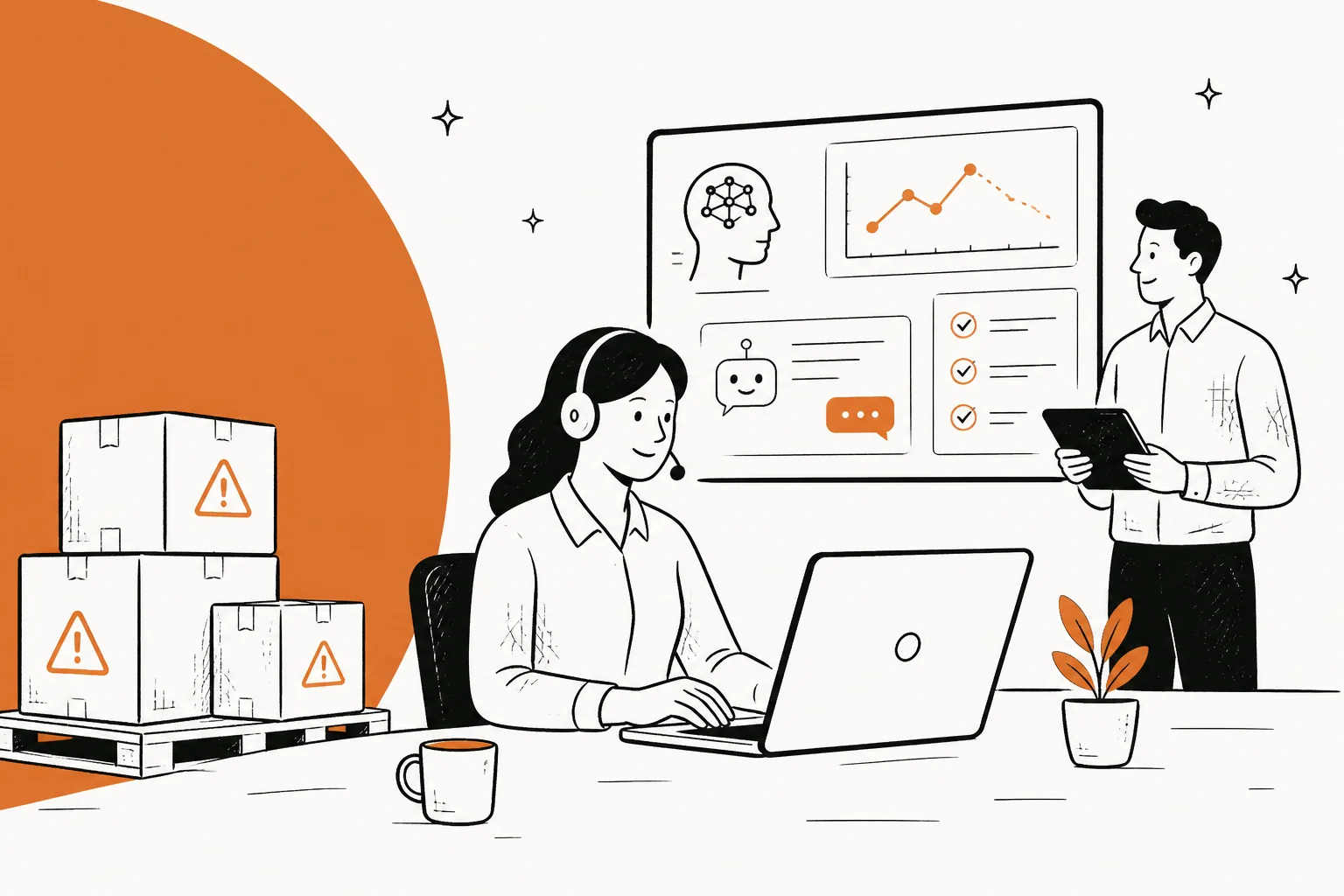
When a recall hits, three things happen at once. Ticket volume spikes, often several times over baseline, in a matter of hours. The questions collapse down to a small set that repeats endlessly. And the stakes go up, because buried in that flood are the handful of tickets you absolutely cannot get wrong: someone reporting an injury, a journalist fishing for a quote, a lawyer.
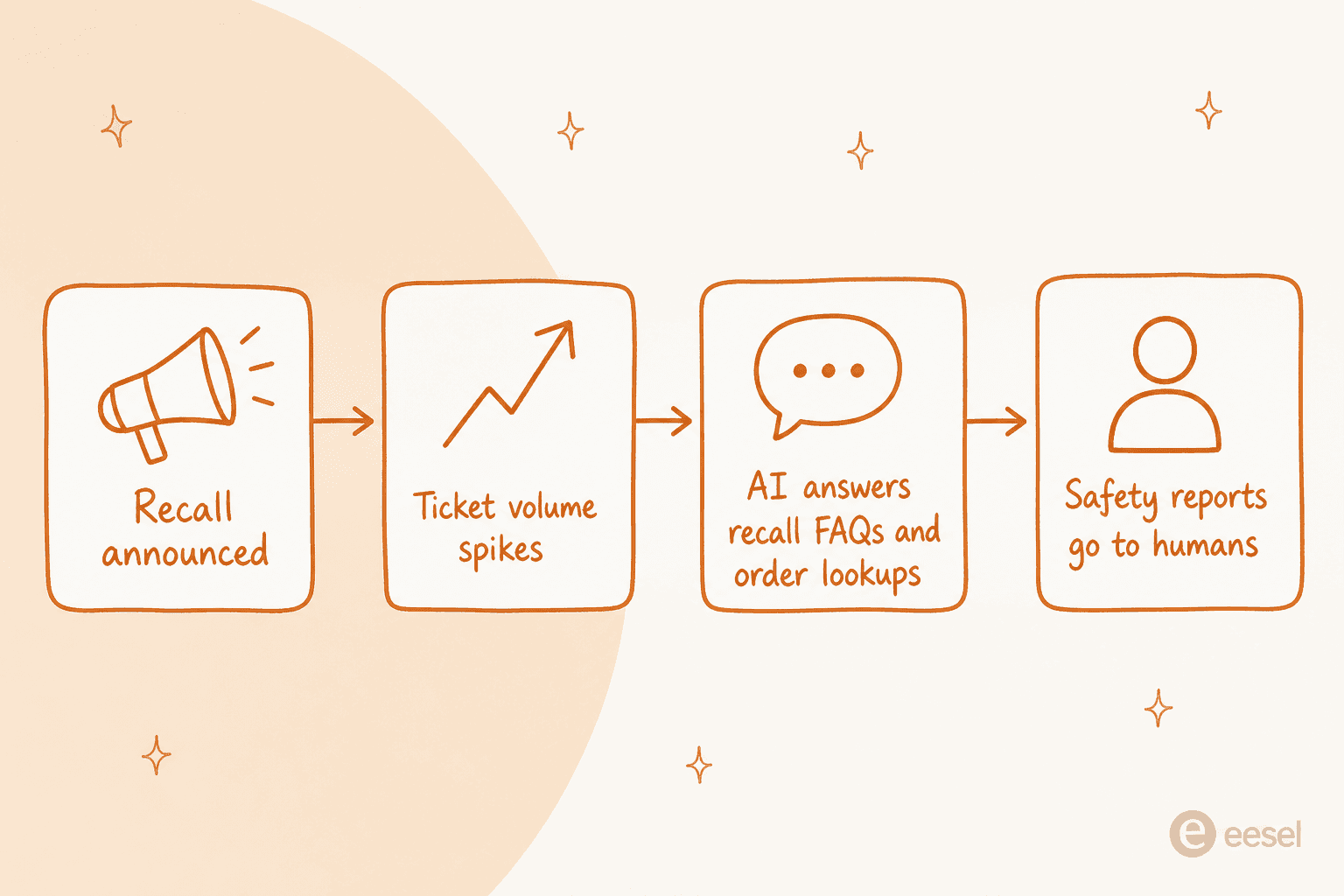
That combination is exactly what breaks a human-only queue. Your agents can grind through repetition, or they can give careful attention to the sensitive cases, but they can't do both when 2,000 tickets land in a day. So they triage badly under pressure, response times blow out, and the sensitive tickets get the same rushed treatment as the "where's my refund" ones. A recall is a stress test for customer service software, and most teams fail it not because their people aren't good, but because there just aren't enough hours.
This is the one situation where AI's biggest weakness stops mattering. AI is bad at rare, nuanced, judgment-heavy cases, and a recall has plenty of those. But a recall is also 80% the same five questions, and AI is very good at the same five questions asked two thousand times. So you split the work along that exact line.
What AI should and shouldn't handle
The single most important decision in recall support is where you draw the line between what the AI answers on its own and what it hands to a person. Get this wrong in the automate-everything direction and the AI confidently gives a wrong safety answer to someone who's scared. Get it wrong in the other direction and you've automated nothing.
Here's the split I'd start from.
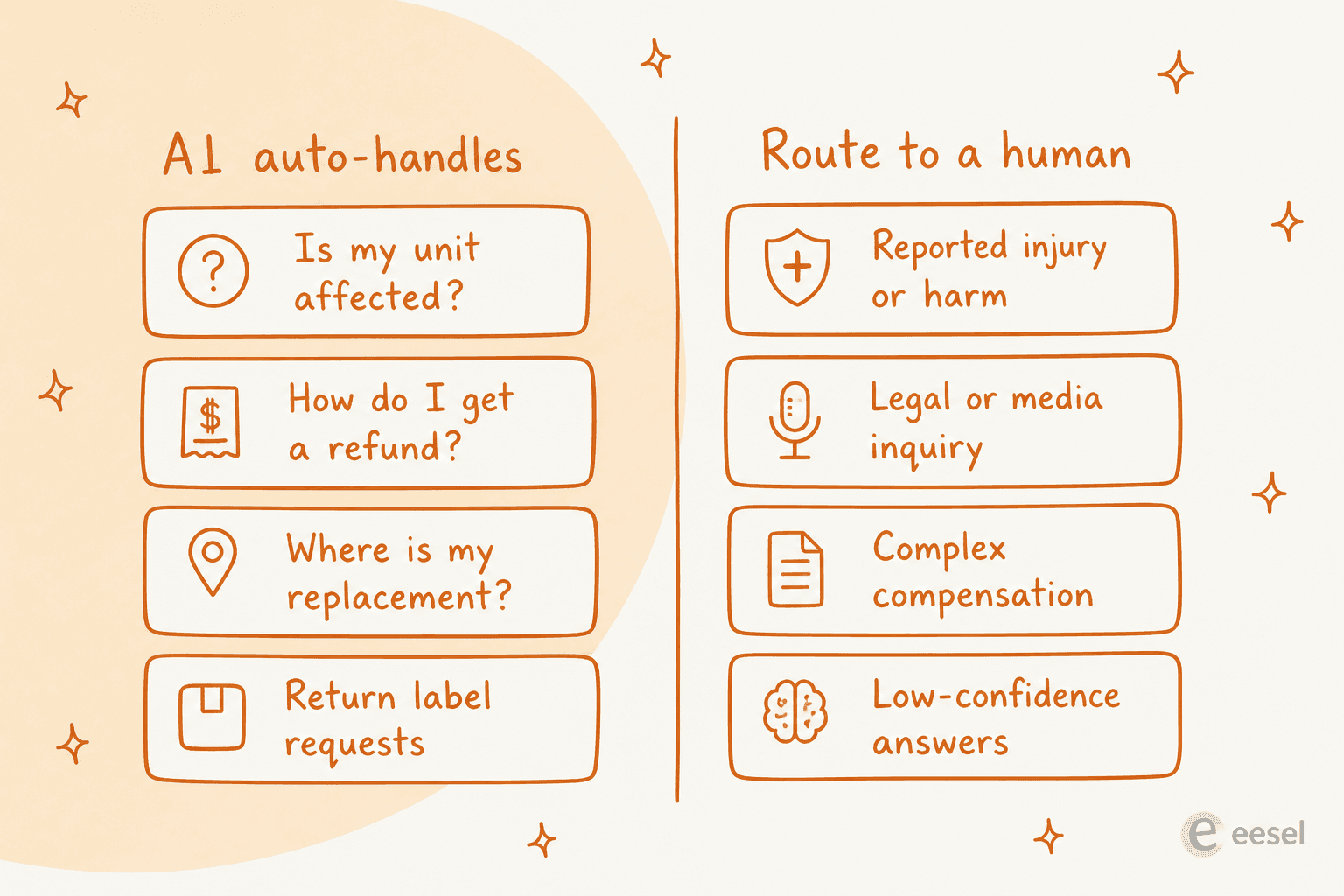
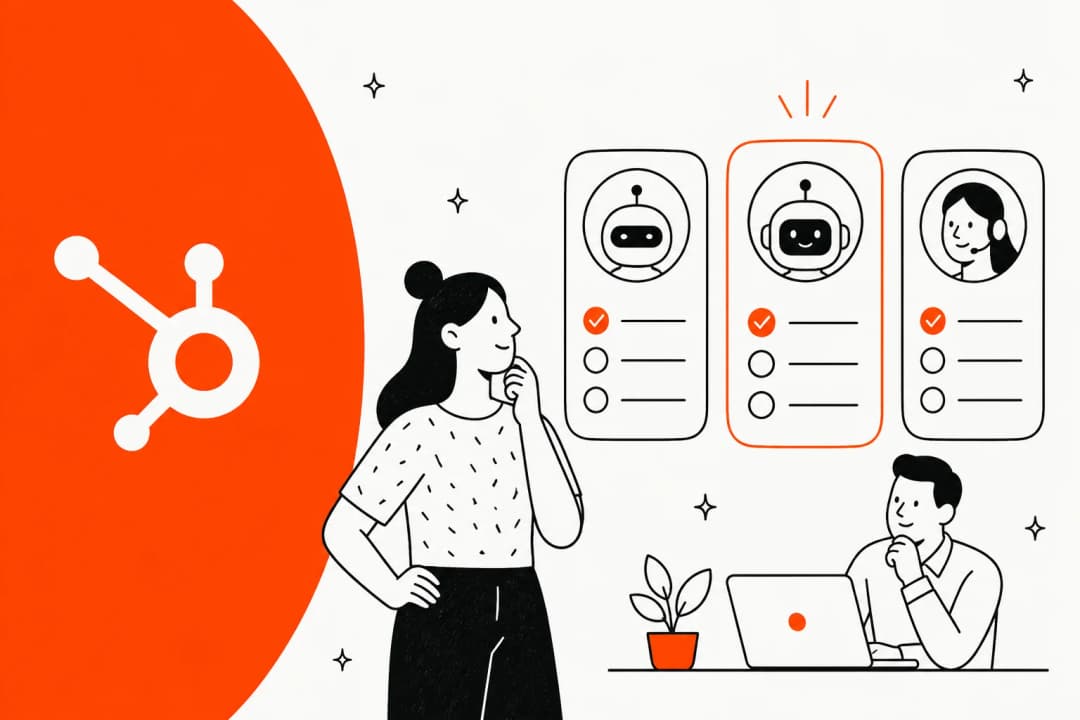
The left column is flat, factual, and safe to get from a well-trained agent: eligibility checks against a batch or serial number, refund and replacement steps, order lookups, return-label requests. This is textbook tier-1 deflection, just at ten times the volume.
The right column is where a human earns their keep. Anything with a health or safety dimension, anything legal or press-related, complex or disputed compensation, and, crucially, anything the AI itself isn't confident about. That last one is the safety net, and it's the part teams skip.
I hear this framing from experienced support leaders all the time. One CX lead at a direct-to-consumer supplements brand put the whole philosophy in a single line:
The AI will never be able to answer 100% of the questions. I need an AI who is only handling the tickets that it's confident to handle, and all the other ones, leave them alone.
That's the mindset. A confidence threshold plus a topic-exclusion rule (never auto-reply to anything tagged "injury" or "legal") is what separates a recall that AI helped with from a recall that AI made worse. Good handoff practices matter more here than on any normal day, because the cost of a bad handoff during a recall isn't a grumpy customer, it's a safety miss.
Setting it up before the recall hits
The worst time to configure AI support is mid-recall. The good news is that a modern AI helpdesk agent goes live in minutes on top of the helpdesk you already run, whether that's Zendesk, Freshdesk, Gorgias, or Help Scout. Here's the order I'd do it in.
-
Write the recall answer first. Before anything AI-related, publish one clear internal answer: which products and batches are affected, what a customer should do, and the exact refund or replacement process. This is the source of truth the AI will pull from, so if it's vague, every AI reply will be vague. Put it in your knowledge base where the agent already reads.
-
Connect the AI to your knowledge and your helpdesk. Point it at your help center, your past tickets, and the recall doc. Training on historical tickets is what lets it match the tone and specifics your team already uses, rather than sounding like a generic bot.
-
Set the confidence threshold and exclusion rules. Decide the score below which the AI stays quiet, and the topics it must never touch. This is the routing line from the section above, made concrete.
-
Simulate against your own past tickets. This is the step that earns trust. Run the AI over a batch of real historical tickets and read what it would have replied, before it touches a live customer. We built simulation into eesel precisely because we've watched confident-sounding bots quietly give wrong answers, and a recall is the last place you want to discover that live.
-
Start narrow, then widen. Route a slice of recall tickets to the AI first, watch the results, and expand as it proves itself. You don't have to flip a switch and hope.
The reason to do this ahead of time is that a recall is unpredictable, but the setup isn't. A team that has an AI agent connected and simulated in a quiet week can turn on recall handling in an afternoon. A team starting from scratch during the surge is already underwater.
The recall timeline, stage by stage
A recall isn't one event, it's a curve, and support's job changes as it moves.
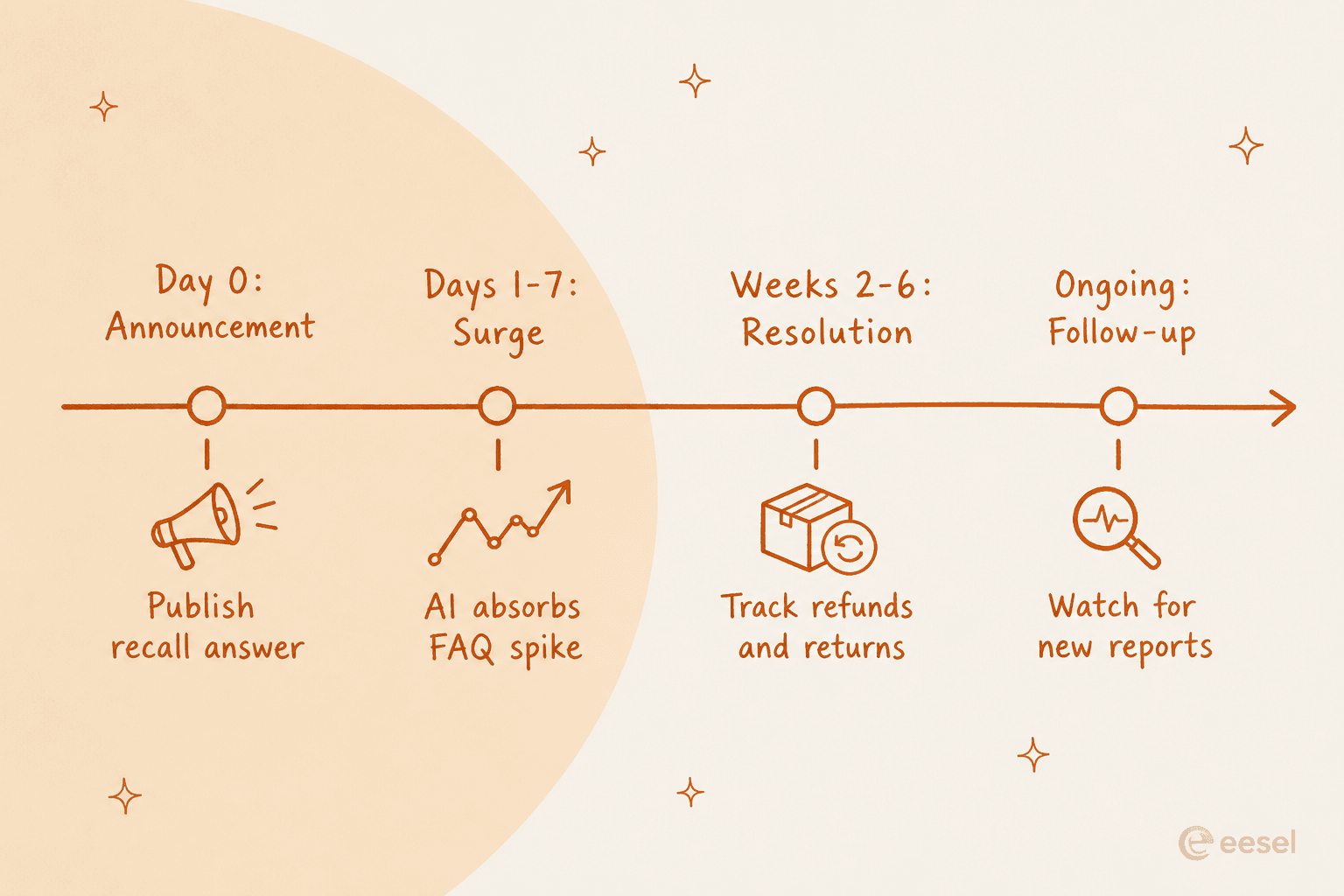
Day zero, the announcement. The moment the recall goes public, the recall answer needs to be live and the AI pointed at it. Speed here shapes the whole event: if the first wave of customers gets a fast, accurate, calm reply, panic doesn't compound.
Days one to seven, the surge. This is where AI does its heaviest lifting, absorbing the flood of eligibility and refund questions so your humans can sit with the sensitive cases. Watch your handoff rate closely; if too much is escalating, your knowledge doc has a gap the AI is honestly flagging.
Weeks two to six, resolution. Volume tapers but shifts toward logistics: tracking refunds, chasing replacements, confirming returns. AI is well suited to these status-check questions, which lean on order and shipping lookups more than judgment.
Ongoing, follow-up. Long after the spike, occasional recall tickets keep arriving, and some will be new safety reports. Keep the exclusion rules on so those still route to a human even when the crisis feels over.
Measure the surge so you can staff it
You can't manage a recall you can't see. The reason I lean on AI-native tooling here isn't just deflection, it's visibility: you get a live read on how much volume is coming, what's being auto-handled, and how often the AI is handing off.

Two numbers matter most during a recall. The first is task volume over time, so you know whether you're on the front of the curve or the back of it. The second is human-approval and escalation usage, which tells you how much your team is actually being asked to do and where the AI is drawing its confidence line. If escalations spike on one topic, that's a signal to sharpen the knowledge doc, not to blame the AI. Pair that with your normal support metrics and you can staff the human side to the real load instead of guessing.
There's a cost angle here too. Because a recall is a temporary spike, a usage-based model fits it far better than adding seats you'll cut two months later. On eesel's pricing that's $0.40 per ticket the AI handles, with no per-seat or platform fee, so a 2,500-ticket month runs about $1,000, and you only pay for the tickets you route to it. That's a very different math than a hiring scramble for temp agents.
Common mistakes to avoid
A few traps I've watched teams fall into, all avoidable.
- Automating the sensitive tickets to save time. The pressure to deflect everything is highest exactly when it's most dangerous. Keep injury, legal, and press cases on humans, always.
- Skipping the simulation. Going live without testing against past tickets is how a confident wrong answer reaches a scared customer. Ten minutes of simulation is cheap insurance.
- A vague recall doc. The AI is only as good as the source it reads. A fuzzy internal answer produces fuzzy replies at scale.
- Turning the AI off once the spike passes. Recall tickets trickle in for months, and some are new safety reports. Leave the agent running with exclusion rules intact.
- Treating a recall like a normal SLA week. Your service-level targets and staffing assumptions don't hold during a surge. Plan for the curve, not the average.
Try eesel for recall support
If you're staring down a recall, or want to be ready before one, eesel is an AI helpdesk teammate that plugs into the helpdesk you already run and is ready in minutes. It trains on your past tickets and help center, answers the repetitive recall questions on its own, and routes anything it isn't confident about, or anything you've flagged as sensitive, straight to a person.
The part that matters most for a recall is that you can simulate it against your own historical tickets before it ever replies to a live customer, so you go in knowing how it will behave. And because it's usage-based at $0.40 per ticket with no per-seat fee, it scales up for the surge and back down after, without a hiring cycle you'll regret. One eesel customer reported up to 80% time savings on the repetitive work, which is exactly the load a recall throws at you.
You can start for free with $50 of usage and no credit card, connect it to your helpdesk, and run a simulation this week, long before you need it.
Frequently Asked Questions
What is AI for product recall customer support?
It is using an AI helpdesk agent to absorb the ticket spike a recall creates: it auto-answers the repetitive questions (is my unit affected, how do I get a refund, where is my replacement) and routes anything risky, like a reported injury, to a human. It works inside your existing helpdesk rather than replacing it.
Can AI handle a recall ticket surge without new hires?
Mostly, yes. The bulk of recall volume is a handful of repeated questions, which is exactly what tier-1 deflection is good at. You still want humans on the safety-critical and emotional cases, but AI takes the flat, high-volume load off the queue so your team isn't drowning.
How much does AI recall support cost?
With eesel's usage-based pricing it is $0.40 per ticket handled, with no per-seat or platform fee, so a 2,500-ticket recall month costs about $1,000. You only pay for tickets you route to the AI, which suits a spike that appears and then fades.
What should AI never auto-answer during a recall?
Reported injuries or harm, legal and media inquiries, complex compensation, and anything the model is not confident about. Set a confidence threshold and an exclusion rule so those go straight to a person. Good handoff practices matter more during a recall than at any other time.
How do I test AI on recall tickets before going live?
Run a simulation over your own historical tickets first so you can see how the AI would have replied before it touches a live customer. This is how you avoid confident wrong answers, which are far more damaging on a recall than on a normal day.


Article by
Riellvriany Indriawan
Riell is a designer and writer at eesel AI with about two years of experience researching CX platforms, AI chatbots, and helpdesk software. She combines her design background with a sharp eye for how these tools actually look and feel in practice — making her comparisons unusually visual and user-focused.