The 9 best Sprinklr alternatives in 2026

Riellvriany Indriawan

Katelin Teen
Last edited October 14, 2026

Why teams leave Sprinklr
Let me say the fair thing first, because I've watched enough support tools to know Sprinklr earns its reputation. It's the heavyweight. It unifies voice, chat, social DMs, and public social across 30+ channels into one agent desktop, it's a Leader in the 2026 Gartner Magic Quadrant for social suites, and it pulled in $796.4M in FY2025 revenue with 149 customers each spending over $1M a year. When a Fortune 100 brand needs one system to run global social care, Sprinklr is a real answer.
The problem is what that power costs you to actually run. I work a support queue every day, and the pattern in the reviews is one I recognize instantly: the tool is amazing in the demo and exhausting in month three.
Four complaints show up again and again across Reddit, G2, and LinkedIn, and they're the reasons people start typing "Sprinklr alternatives" into a search bar.
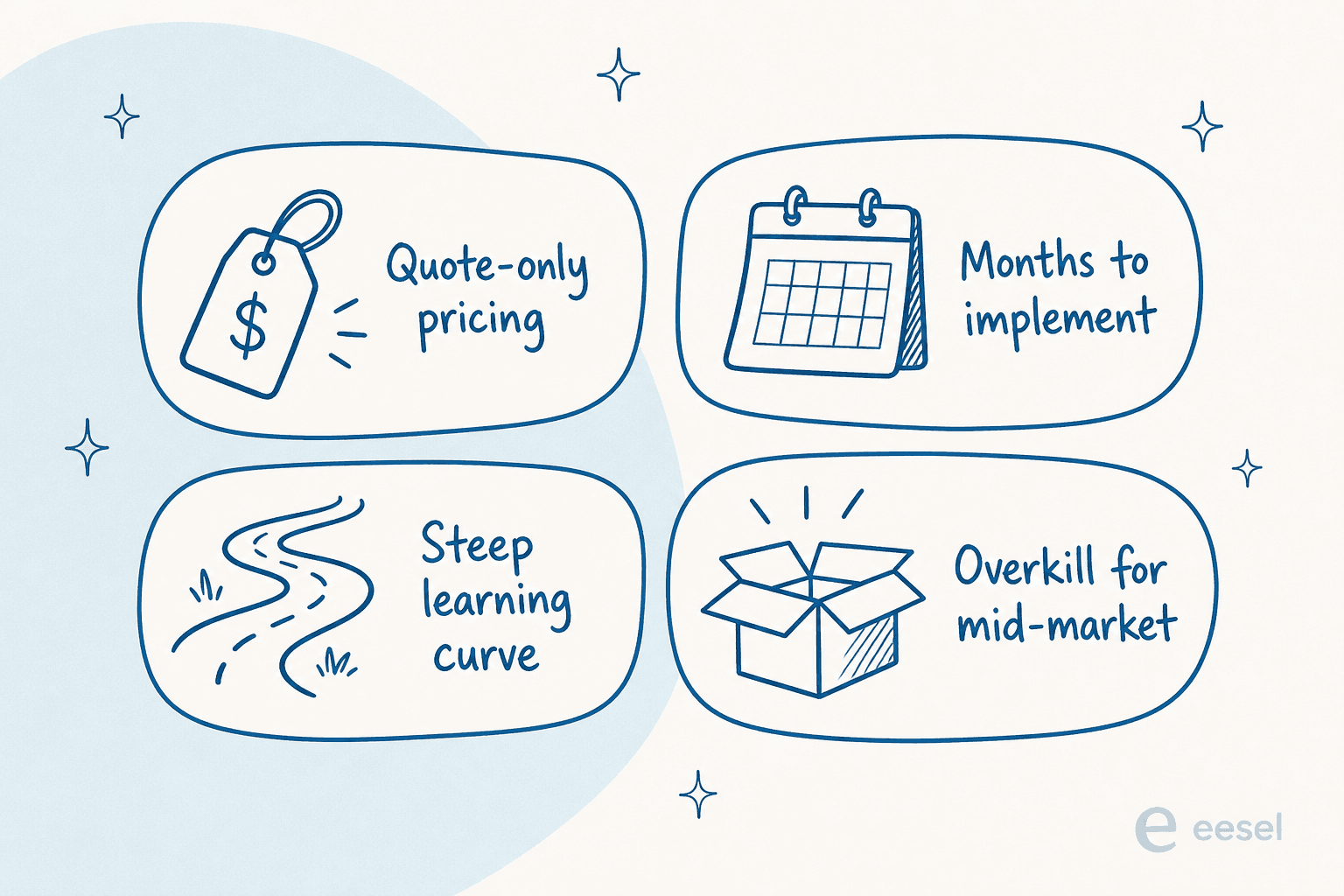
- Cost you can't see until you're on a call. Sprinklr's
/pricing/page is a 404. Enterprise deals are quote-only and, per community reports, land in the six figures. The only public numbers are self-serve tiers starting around $249 per seat per month. - A steep learning curve. One long-time user put it bluntly:
"very difficult with a deep learning curve... Sprinklr is the Photoshop here. So the learning curve is STEEP. We started implementing this year and had a pretty rough ride... It's expensive. 6-figures expensive for enterprise... The UX/UI is clunky AF."

- Long implementations and support that's hard to reach. Reviewers describe onboarding that "takes forever" and support that got outsourced.
- Overkill for mid-market. More than one operator has done the ROI math and walked:
"Sprinklr is also a costly tool... Sometimes, it goes down and has data discrepancies... Their customer service is not always available... On top of that, you have to give them 3 months' notice before leaving Sprinklr."
Sprinklr also holds a 4.1/5 on G2 across more than 1,220 reviews, which is respectable, not glowing. None of this makes Sprinklr a bad product. It makes it a big one, and big is the wrong shape for a lot of teams.
Sprinklr does two jobs, so alternatives split into two lists
Here's the thing most "top 10" lists get wrong: they throw Zendesk and Hootsuite into the same ranking as if they compete. They don't. Sprinklr is really two products wearing one login, and the right alternative depends on which one you're replacing.
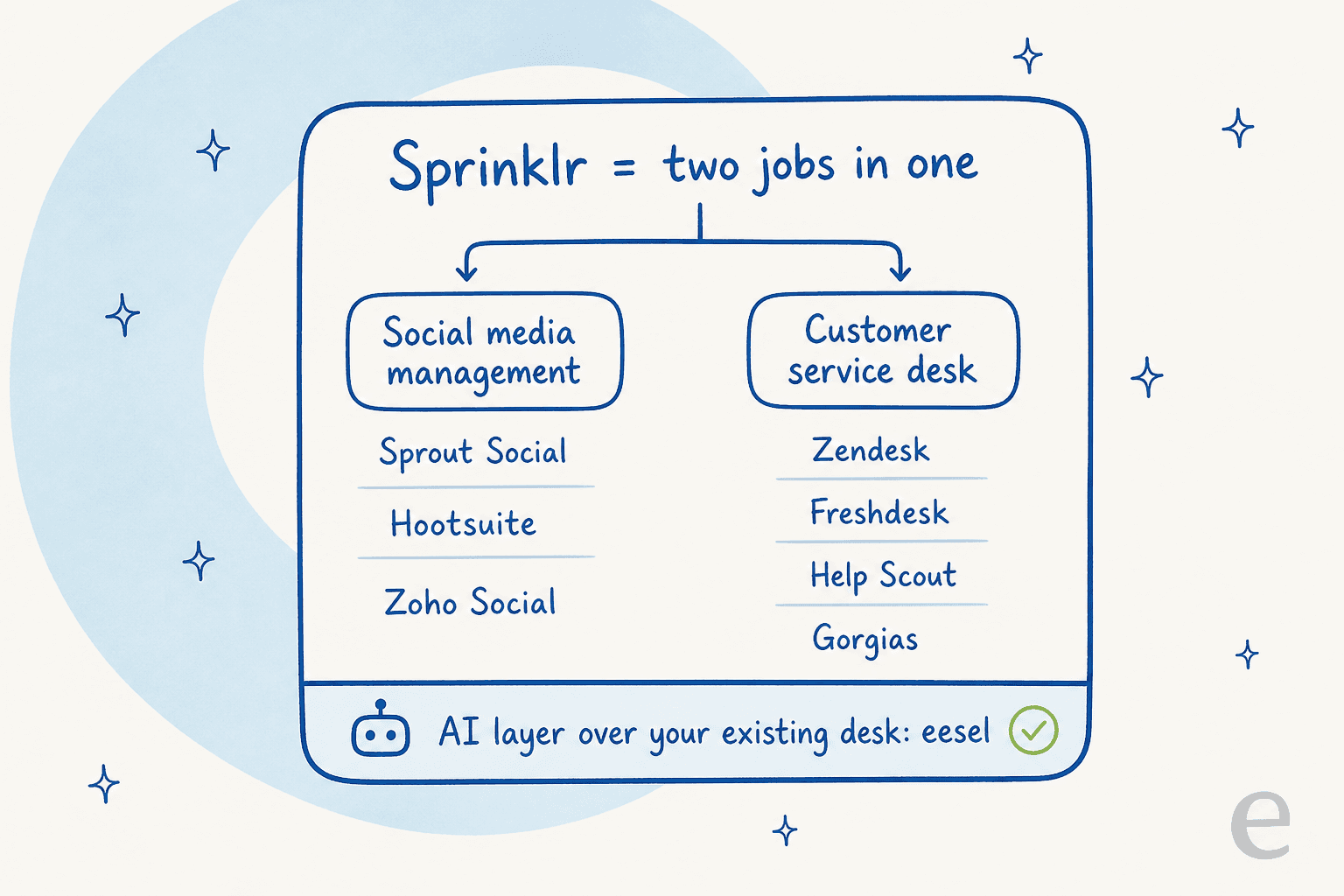
So before you compare a single price, answer one question: are you replacing Sprinklr's contact center (tickets, chat, help center, agent desktop) or its social management (scheduling, publishing, listening, social inbox)? Most teams lean heavily on one side. And there's a third path a lot of people miss: if what you really want is AI that resolves and drafts tickets, you can bolt that onto the desk you already have instead of replacing anything.
How I picked these Sprinklr alternatives
I ran each tool against the exact things that push people off Sprinklr:
- Transparent pricing. If I can't see a price without a sales call, that's a mark against it. Real numbers beat "contact us."
- Time to value. How fast a normal team gets it live, without a three-month professional-services engagement.
- AI that's real, not a demo. Whether the AI resolves tickets, how it's priced (per resolution adds up fast), and whether you can test it before it touches a customer.
- Fit, not just features. A five-person DTC brand and a global telco need different tools. "Best" only means something once you name who it's for.
Here's the full comparison, then the detailed write-ups.
| Tool | Best for | Replaces (Sprinklr side) | Starting price | AI pricing | G2 | Free tier |
|---|---|---|---|---|---|---|
| eesel AI | AI on your existing desk | The AI layer | From $299/mo (500 credits) | 1 credit per ticket or chat, no per-resolution fee | 4.6/5 | 100 free credits, no card |
| Zendesk | Enterprise support desk | Contact center | $19/agent/mo | AI resolutions billed on top | 4.3/5 | 14-day trial |
| Freshdesk | Value all-in-one | Contact center | Growth $19 | Freddy $49/100 sessions | 4.4/5 | 2-agent Free Program (6 months) |
| Zoho Desk | Budget / Zoho stack | Contact center | $14/user/mo | Zia Answer Bot (Standard and up) | 4.4/5 | Yes |
| Gorgias | Ecommerce / Shopify | Contact center | $10/mo (ticket-based) | $0.90-$1.00/resolution | 4.6/5 | Trial |
| Help Scout | Simple human support | Contact center | $25/user/mo | AI Answers $0.75/resolution | 4.4/5 | Yes |
| Front | Complex cross-team ops | Contact center + inbox | $25/seat/mo | Autopilot from $0.05/conversation | 4.7/5 | Trial |
| Sprout Social | Social-first care | Social management | $199/seat/mo | Trellis (100 credits/seat) | 4.4/5 | 30-day trial |
| Hootsuite | Social scheduling | Social management | $99/seat/mo | Wisdom AI (all plans) | 4.3/5 | 14-day trial |
Not sure which side you're on? This narrows it down fast.
1. eesel AI - best for adding AI to the desk you already run

Best for: teams who don't want to migrate off their helpdesk but do want to automate the queue.
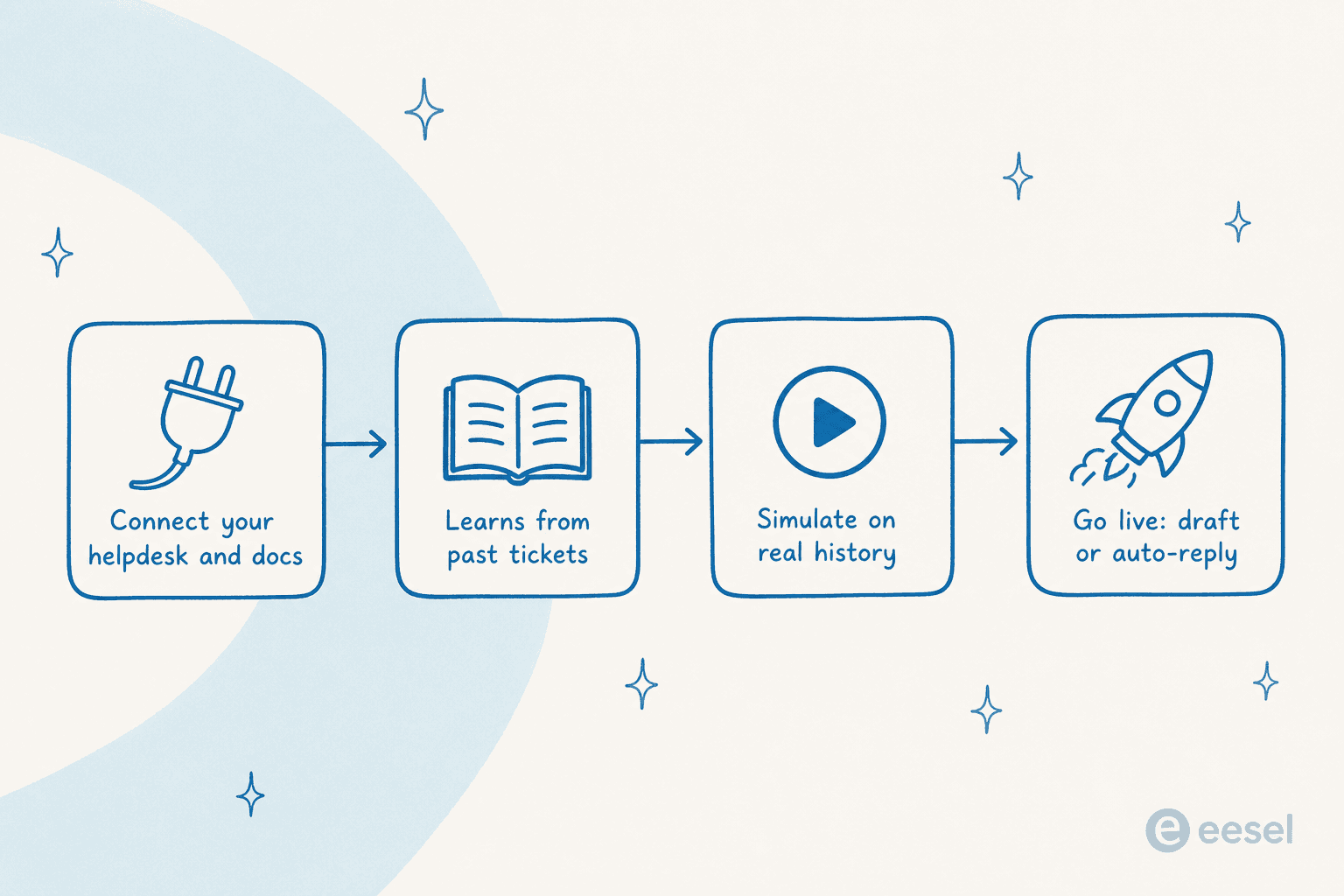
Full disclosure, this is our tool, so I'll keep it grounded in what it actually does. The whole premise of eesel AI is the opposite of Sprinklr's: instead of a giant platform you move onto, it's an AI teammate that plugs into the desk you already have. It reads your help center, your past tickets, and your internal wiki all at once, then drafts replies or resolves tickets autonomously.
That matters here because a big chunk of what teams pay Sprinklr for is deflection and speed, and you can get those without the migration. We've spent years putting AI agents on live support queues, and the one thing that recovered every time a "confident" bot went wrong was testing first, which is why every rollout runs against your historical tickets before it touches a customer.
Pros:
- Layers onto Zendesk, Freshdesk, and other desks instead of replacing them, so you're live in minutes, not months.
- Learns from your actual solved tickets, not just the help center, and works across 80+ languages.
- Simulation runs the AI against your real ticket history so you see the resolution rate before going live.
- Transparent monthly pricing (from $299/month for 500 credits) with no per-resolution surcharge.
Cons:
- It's an AI layer, not a full ticketing system, so you still need a desk underneath it.
- If you want an all-in-one social publishing suite, this isn't that; it's focused on support.
Pricing: Fixed monthly credit plans from $299/month for 500 credits (1 credit per ticket or chat), billed on what the AI handles rather than per seat, with 100 free credits and no card. See the pricing page for live numbers.
Our take: If your Sprinklr spend is really about ticket volume, this is the lowest-risk move on the list. Gridwise saw it resolve 73% of tier-1 requests in the first month. Skip it only if you truly need to replace the whole platform, not just automate it.
2. Zendesk - best enterprise support desk
Best for: teams replacing Sprinklr Service with a mature, enterprise-grade support desk.
If you're leaving Sprinklr because you want a real contact center that's easier to run, Zendesk is the obvious first stop. It's the category standard for a reason: ticketing, omnichannel, a strong knowledge base, and a deep app marketplace. Customers like Tesco push 5M help-center visits a year through it.
Pros:
- Deeply mature ticketing and routing, with a huge integration ecosystem.
- Published, transparent pricing, unlike Sprinklr.
- Strong AI agents and a copilot for agents, covered in our Zendesk AI guide.
Cons:
- The good AI features (knowledge base, AI agents) start on Suite Team, not the entry Support plan.
- AI resolutions are billed on top of seats, so heavy automation gets pricey.
Pricing: Support Team from $19/agent/mo; the Suite (with knowledge base and AI) starts at $55/agent/mo, billed yearly. AI resolutions are metered separately.
Our take: The safest full-desk replacement for Sprinklr Service. If you're comparing it head to head with the value option, our Freshdesk vs Zendesk breakdown helps. Either way, you can add eesel AI on top to control per-resolution costs.
3. Freshdesk - best value all-in-one
Best for: small-to-mid teams that want a proven ticketing core without enterprise pricing.
Freshdesk is Freshworks' help desk, and it's the value pick against Sprinklr. It's trusted by 74,000+ businesses, it has a six-month Free Program for two agents, and its Freddy AI agent can resolve email and chat queries no-code.
Pros:
- A 2-agent Free Program (six months, after the 14-day trial), plus a low $19 entry tier.
- Mature email and ticketing heritage, with a contact center option.
- Freddy AI Agent handles self-service without engineering.
Cons:
- Freddy's per-session billing can surprise you at volume, and community users report it historically replied only to the first email in a thread.
- Reviewers say the AI handles simple tickets well but misclassifies anything nuanced.
Pricing: Free Program (2 agents, 6 months), then Growth $19, Pro $55, Enterprise $89 per agent/mo (annual). Freddy AI Agent is 500 free sessions, then $49 per 100 sessions.
Our take: The best price-to-power ratio for a mid-market team leaving Sprinklr. If you're weighing it against the budget option, see Freshdesk vs Zoho Desk. Freshdesk holds a solid 4.4/5 on G2.
4. Zoho Desk - best budget desk
Best for: cost-conscious teams, especially anyone already in the Zoho ecosystem.
If Sprinklr's price is the whole reason you're here, Zoho Desk is the sharpest counterpoint. 125,000+ companies run support on it, it has multi-brand help centers, and its Zia AI can turn past tickets into knowledge base articles.
Pros:
- Standard tier starts at just $14/user/mo.
- Strong multi-brand and self-service features for the price.
- Tight integration with the rest of the Zoho suite (CRM, etc.).
Cons:
- The Answer Bot inside the ASAP widget and the Instant Messaging chatbots are reserved for the Enterprise tier.
- Zoho's breadth can feel sprawling, and the AI depth trails the specialists.
Pricing: Standard $14/user/mo, Professional and Enterprise above it; Zia Answer Bot starts at Standard. Full detail in our Zoho Desk AI pricing explainer.
Our take: The value champion. If you want to add stronger automation than Zia gives you, our best AI for Zoho Desk roundup covers the options, including layering eesel on top.
5. Gorgias - best for ecommerce
Best for: DTC and ecommerce brands, especially on Shopify.
Sprinklr is built for enterprises broadly; Gorgias is built for online stores specifically. It powers customer conversations for 40% of Shopify brands, and its AI Agent is pre-trained on over a billion ecommerce conversations, so it can handle returns, order edits, and product questions right in the ticket.
Pros:
- Native Shopify (and BigCommerce, Magento, WooCommerce) actions inside the conversation.
- AI Agent that both resolves support and drives revenue.
- Ticket-based pricing that starts small, for real.
Cons:
- The AI Agent is charged per resolved conversation on top of your plan.
- It's ecommerce-first, so it's a poor fit for non-retail support.
Pricing: Ticket-based tiers from $10/mo (Starter) up to $750/mo (Advanced); the AI Agent is $0.90/resolution (annual) or $1.00 (monthly).
Our take: If your Sprinklr use is really ecommerce social care, Gorgias is a much better-shaped fit. Weighing it against a simpler desk? See Gorgias vs Help Scout. It scores 4.6/5 on G2.
6. Help Scout - best for simple, human support
Best for: teams who found Sprinklr overwhelming and want the opposite.
If Sprinklr felt like flying a 747 to cross the street, Help Scout is the antidote. It's a clean shared inbox with a built-in knowledge base, used by 12,000+ companies, and it's deliberately simple. Its AI Answers agent publishes an average 73.19% resolution rate.
Pros:
- Dead easy to set up and run; a new agent is productive in a day.
- Free plan (up to 5 users) and a low $25 entry tier.
- AI Answers is a clean per-resolution add-on with a spending cap.
Cons:
- It's a support tool, not a social suite, so it only replaces Sprinklr Service.
- Fewer heavy enterprise controls than Zendesk or Sprinklr.
Pricing: Free, then Standard $25, Plus $45, Pro $75 per user/mo; AI Answers is $0.75/resolution with 3 months free at signup.
Our take: The best "un-Sprinklr" on the list for small teams. Curious how the AI stacks up? Our rundown of Help Scout features and Freshdesk vs Help Scout both help you decide.
7. Front - best for complex, cross-team ops
Best for: teams whose support work spans departments and multi-step workflows.
Front is a customer communication platform built on the shared inbox, and it explicitly positions against "AI for simple support." It's for complex, cross-team customer operations in industries like logistics and financial services, and it's trusted by 9,300+ companies. Its Autopilot AI resolves up to 70% of requests.
Pros:
- Collaborative inbox where a whole team assigns, comments, and resolves together.
- Front AI (Autopilot, Copilot, Smart QA) is built for multi-step, cross-system work.
- The highest G2 score in this group at 4.7/5.
Cons:
- The best AI features are Enterprise-tier or paid add-ons on top of seats.
- It's more inbox-and-ops than a traditional ticketing desk, which some teams miss.
Pricing: Starter $25, Professional $65, Enterprise $105 per seat/mo (annual); Autopilot from $0.05/conversation.
Our take: If your Sprinklr use involved handing complex cases between teams, Front's model fits better than a pure ticketing tool. And because Front has an open integrations marketplace, you can plug an external AI agent like eesel into it too.
8. Sprout Social - best social-first care
Best for: teams replacing Sprinklr's social side who want a polished, mid-market suite.
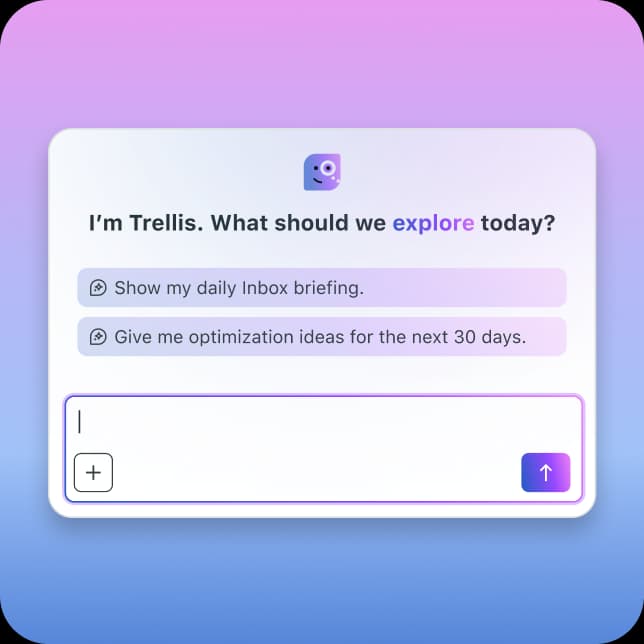
Now we cross to the other half of Sprinklr. Sprout Social is the most common social-first replacement: publishing, engagement, listening, and social customer care in a well-liked unified inbox, at 4.4/5 across ~6,900 G2 reviews. Its Trellis AI agent is included on every paid plan, with 100 AI credits per seat.
Pros:
- Clean, approachable interface that's far faster to learn than Sprinklr.
- Strong social customer care: case management, routing, CSAT, and Zendesk and Salesforce handoff.
- Trellis AI and AI Assist are built in.
Cons:
- Per-seat pricing is the top complaint, and it climbs fast as you add users.
- Social listening is gated to higher tiers or sold as a paid add-on.
Pricing: Standard $199, Professional $299, Advanced $399 per seat/mo (with a newer Essentials tier at $79). Enterprise is custom.
Our take: The best social suite for a team that wants Sprinklr-style care without the Sprinklr weight. Just watch the seat math:
"Teams look for Sprout Social alternatives primarily due to escalating per-seat pricing, limited social listening at lower tiers, and feature gaps."

9. Hootsuite - best for social scheduling
Best for: teams that mainly need scheduling and a basic social inbox at a lower entry price.
Hootsuite is one of the oldest social tools around, with 25M+ users over 18 years, and it was named G2's #1 Best Software Product for 2026. It now markets a "Social OS" with a Nest social inbox for care and Wisdom AI baked into every plan. For the social side of Sprinklr, it's the cheaper, broader option.
Pros:
- Lower entry price than Sprout, starting at $99/seat/mo.
- Massive integration library and mature scheduling.
- Wisdom AI is included in every plan, not gated.
Cons:
- The richest care automation (AI smart replies, the chatbot, Salesforce) lives at Advanced/Enterprise.
- Price is still the dominant gripe, with "Expensive" and "High Pricing" among the top G2 con tags.
Pricing: Standard $99, Professional $199, Advanced $399 per user/mo; Enterprise is custom.
Our take: A reasonable, cheaper social suite, but as a support tool it's a social-channel add-on, not a full desk. Here's the recurring reservation:
"The pricing structure can be quite steep when scaling up... adding extra users to collaborate on brand messaging pushes you into expensive enterprise tiers."
Try eesel AI on the desk you already have
Here's the honest read after all nine: if you're leaving Sprinklr because it's too much platform for what you actually do, the smartest move often isn't swapping one big platform for another. It's keeping a simpler desk and adding AI that does the heavy lifting.
That's what eesel AI is built for. It sits on top of Zendesk, Freshdesk, Gorgias, and the tools you already run, learns from your past tickets and help docs, and resolves tier-1 volume, so you get the deflection Sprinklr sells without the six-figure contract or the three-month implementation. You can simulate it on your real ticket history first, and there is a free plan with 100 credits (no card), so you're not paying enterprise minimums for a feature you're still testing.
Want to see what it resolves on your own queue? You can try eesel free, connect your desk, and watch it run against your history in a few minutes.
Frequently Asked Questions
What are the best Sprinklr alternatives in 2026?
It depends on which half of Sprinklr you're replacing. For the customer service desk, the strongest Sprinklr alternatives are Zendesk, Freshdesk, Zoho Desk, Gorgias, Help Scout, and Front. For social media management, look at Sprout Social and Hootsuite. If you just want AI resolution on top of the helpdesk you already run, eesel AI layers on without a migration.
How much does Sprinklr cost, and why do teams look for alternatives?
Sprinklr does not publish an enterprise price list; its /pricing/ page returns a 404 and deals are quote-only. The only public numbers are self-serve tiers starting around $249 per seat per month, and community reports put enterprise contracts in the six figures. The recurring reasons teams seek Sprinklr alternatives are cost, a steep learning curve, long implementations, and a reported three-month cancellation notice.
Is there a cheaper Sprinklr alternative for small and mid-sized teams?
Yes. On the support side, Help Scout (from $25/user/mo), Zoho Desk (from $14/user/mo), and Freshdesk (a six-month free program for two agents, then Growth at $19) are far lighter to run than Sprinklr. On the social side, Hootsuite starts at $99/seat/mo. For AI resolution specifically, eesel AI has published pricing (from $299/month for 500 credits, 1 credit per ticket or chat) rather than a quote-only enterprise contract. See our helpdesk software for small business roundup for more.
Can I replace Sprinklr with an AI agent instead of a whole platform?
Often, yes. A lot of what teams pay Sprinklr for is deflection and faster replies, which an AI support agent can deliver on the desk you already use. eesel AI trains on your historical tickets and help docs, lets you simulate on real history before going live, and bills on usage. It's a smaller commitment than a Unified-CXM migration.
Do Sprinklr alternatives integrate with my existing helpdesk?
Most do. Sprout Social and Hootsuite connect to Zendesk and Salesforce Service Cloud for social-to-ticket handoff, and helpdesks like Freshdesk and Gorgias have their own AI layers. eesel AI is built to sit on top of your existing tools, so it reads your help center, past tickets, and wiki at once instead of forcing a new platform on the team.