


Lyro is Tidio's AI support agent, and Tidio also sells it on its own site at getlyro.ai. It is free to try but not free to run: every Tidio account gets 50 Lyro conversations for free, one time only, and they never reset. Once you use those up, Lyro stops replying until you buy a quota. Paid quotas start at $39 per month for 50 conversations on monthly billing, or $32.50 per month if you pay for the year up front. On monthly billing that works out to between $0.70 and $0.78 per conversation across the self-serve tiers. Annual billing brings the entry tier down to about $0.65.
That is the short answer. The rest of this post is the full picture: what Tidio counts as a "conversation", what the quota ladder costs as your volume grows, what the help desk plan costs on top of Lyro, and where the model starts to hurt. Every figure below was checked on Tidio's own pricing page on 4 August 2026.
What is Tidio's Lyro AI?
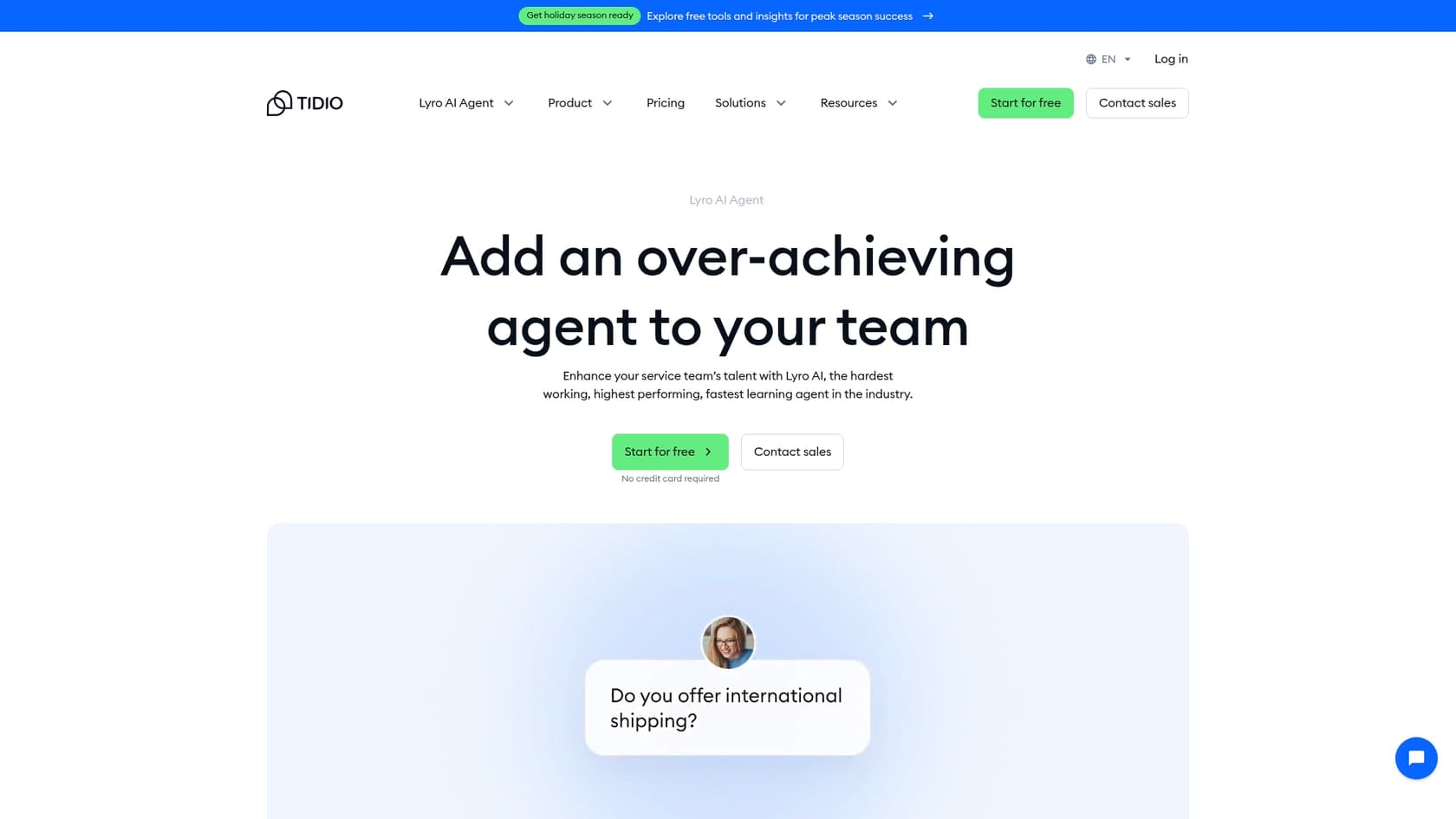
Lyro is Tidio’s own AI agent, made to provide 24/7 automated support through conversations that feel, well, human. Unlike the old-school, rule-based chatbots that follow a rigid script, Lyro uses natural language processing (NLP) to understand what customers are actually asking and respond on the fly. It runs on Anthropic’s Claude model, not ChatGPT, which Tidio markets as a more trustworthy and "harmless" large language model.
Its main job is to answer frequently asked questions by pulling information from a knowledge base you set up. The whole point is to cut down on the number of tickets your team has to deal with. It's also important to know that Lyro is different from Tidio’s other automation feature, "Flows." Flows are great for building those structured, decision-tree bots (think, "If a customer clicks this, say that"). Lyro, on the other hand, is built for more free-flowing conversations where it has to figure out what a user really means.
Key features of Lyro AI
An AI agent is only as good as the information it’s fed. Lyro’s performance is directly linked to the quality of its knowledge sources. Let's dig into how it learns and what it can do with that information.
Knowledge sources: The brain behind the bot
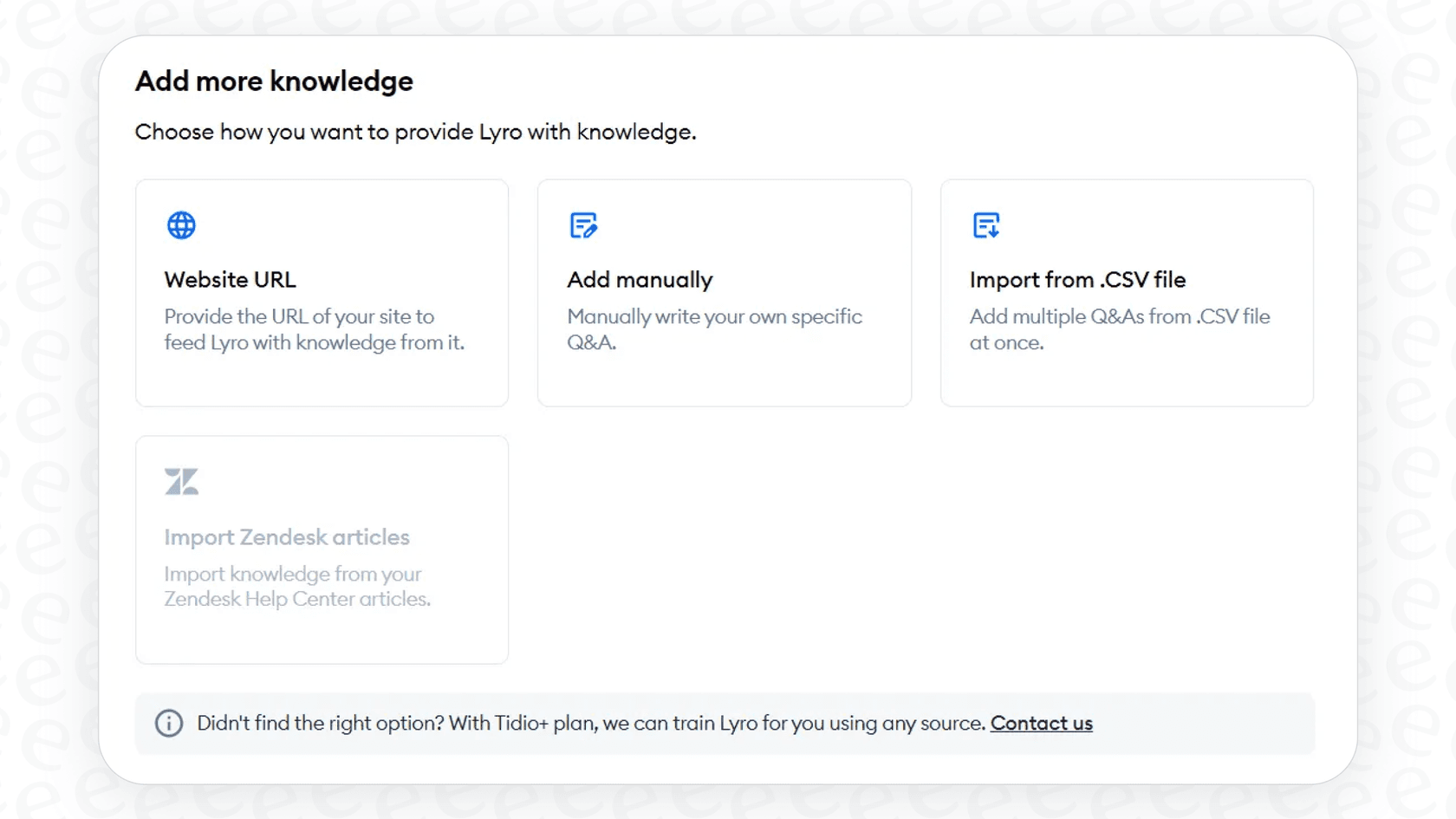
Lyro's accuracy really depends on the data you give it. If your information is clear, complete, and up-to-date, Lyro will probably do a good job. If it’s sparse or outdated, you’re going to have a bad time. Here are the main ways you can train it:
-
Website Content: You can point Lyro to a specific URL or have it scan your whole website. But be aware, the standard scan is capped at just 60 pages. If you have a larger site, it might miss a whole chunk of your content.
-
Manual Q&A: You can add question-and-answer pairs one by one. This gives you a lot of control over the answers, but it can be incredibly tedious to build out and keep updated.
-
File Imports: You can upload a CSV file with your questions and answers. Each file is limited to 500 entries, so if you have a massive knowledge base, you’ll have to chop it up into multiple files.
-
Help Center Integrations: Lyro can pull public articles directly from a Zendesk Help Center. But if you use other platforms like Intercom or Gorgias, it’s not as straightforward. You'll need to contact Tidio's support team to manually import your ticket history, which adds an extra, slightly clunky step to the setup process.
While these options give you a place to start, they put all the work on you to get your knowledge perfectly curated and formatted. If you're looking for something more hands-off, a platform like eesel AI offers a more unified and frankly, more powerful, solution. It automatically trains on all your company's knowledge, from historical help desk tickets and macros to internal docs in Confluence or Google Docs. It learns your business’s unique voice and context right from the get-go, without you having to manually prep and import data.
Conversational skills and language support
Lyro is pretty decent at understanding the flow of a conversation. If a user's question is a bit vague, it can ask for clarification, which helps it give a better answer. This makes the whole experience feel a lot more natural than talking to a rigid, scripted bot.
One of its best features is its multilingual support. It can automatically detect and reply in over 45 languages, which is a huge benefit for businesses with customers all over the world. You don’t have to build a separate bot for every language. Lyro also has a "Guidance" feature that lets you use prompts to tweak its personality. You can tell it to be friendly, neutral, or formal to make sure it matches your brand’s voice.
Advanced capabilities
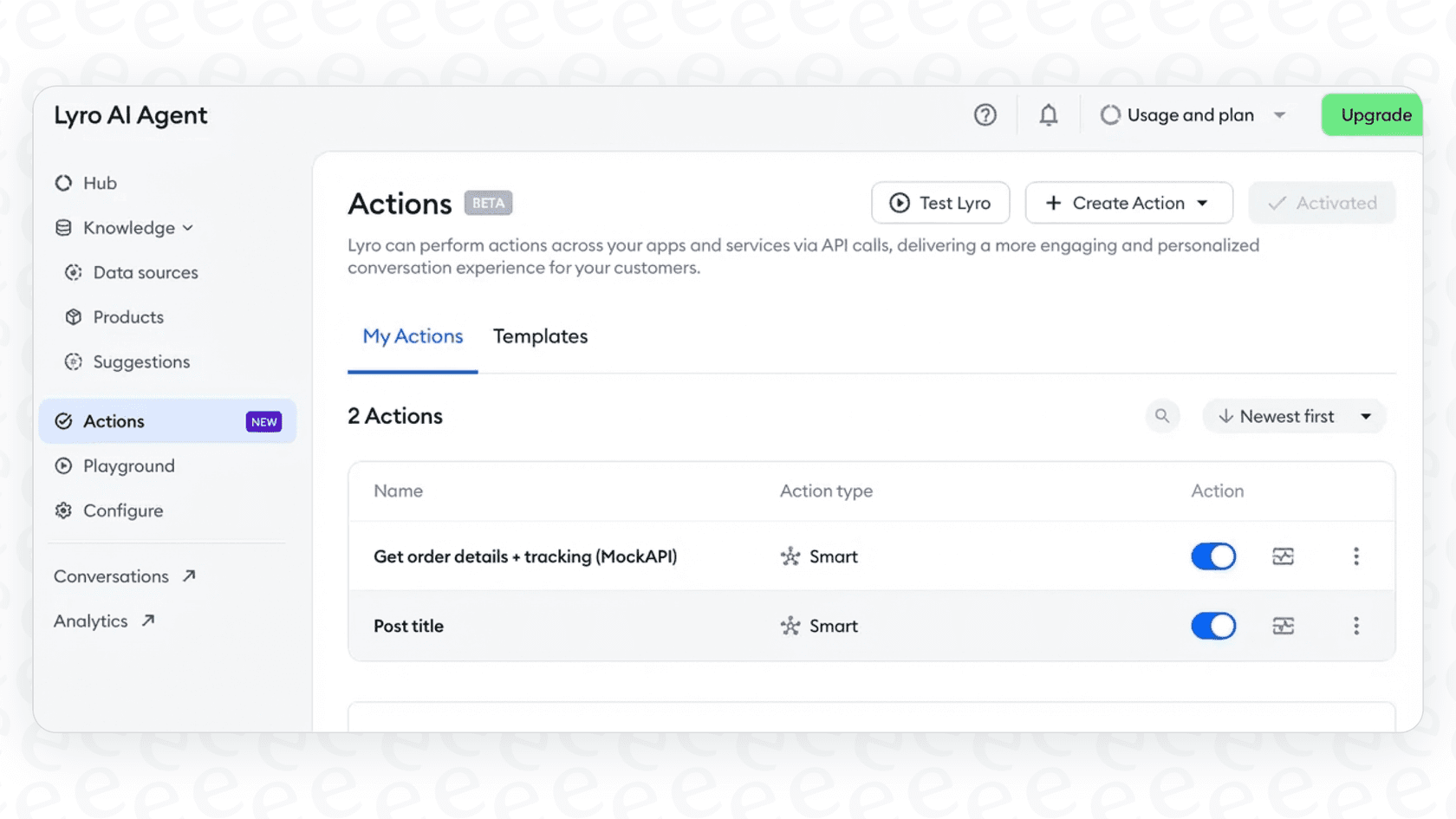
A modern AI agent needs to do more than just talk; it needs to take action. Lyro has a feature called "Actions" that lets it connect to other tools and actually perform tasks for the customer.
Lyro Actions: Connecting to your other tools
Lyro Actions are what turn Lyro from a simple Q&A bot into a genuinely helpful support agent. By connecting to your other business systems through an API, Actions let Lyro perform tasks in real-time. This is where you start to see some serious automation.
Here are a few things you could build with Actions:
-
Check order status: A customer asks, "Where's my order?" and Lyro can look it up in your Shopify or other e-commerce platform.
-
Update shipping details: If an order hasn't shipped yet, Lyro could help a customer change their delivery address.
-
Qualify leads: It can ask a few questions to see if a website visitor is a good lead and then zap that info over to your CRM.
You set up Actions using a visual, no-code editor, so you don't need to be a developer to use it. You can map out the steps the AI should take, what info it needs from the user, and how it should respond with the data it gets back.
Here's a quick rundown of how a simple "Check Order Status" action might play out:
-
A customer asks about their order.
-
Lyro recognizes the request and kicks off the "Check Order Status" Action.
-
It then asks the customer for their order ID.
-
Once it gets the ID, Lyro makes an API call to your e-commerce system.
-
It grabs the order status and relays it back to the customer in the chat.
Handoff and escalation rules
No AI is flawless, and there will always be moments when a human needs to jump in. Lyro has handoff controls that let you decide how and when a conversation gets passed to a live agent. You can create rules for different situations, like if the AI can't find an answer or if the customer just flat-out asks to speak to a person.
You can also customize these rules for when your team is online or offline. For example, during business hours, Lyro can transfer the chat straight to an available agent. After hours, it can create a support ticket instead, so your team can pick it up the next day.
This kind of control is pretty important for a good customer experience. For teams that need even more precise control, eesel AI offers a fully customizable workflow engine. You can define exactly which kinds of tickets get automated based on their content, the customer's history, or pretty much any other detail. This makes sure that your most important or VIP issues always get to the right person, so you can trust your automation completely.

Understanding Lyro's potential limitations
Lyro has some solid features, but there are a few practical limits you should know about before you dive in. These can affect how quickly you see results and how much you can trust its performance.
The problem with testing and validation
When you're setting up an AI agent, you want to be sure it's going to work properly before you unleash it on your customers. Tidio gives you a "Playground" where you can type in questions and see how Lyro responds. This is fine for spot-checking a few common queries, but it doesn't really work for large-scale validation.
A big drawback is the lack of a bulk simulation feature. You can't just feed Lyro a few hundred or thousand of your past support tickets to see how it would have handled them. This means you can't get an accurate, data-backed prediction of your automation rate, and you can't easily find all the weird edge cases where it might get confused. You're basically testing in the dark and have to wait for real customers to find the gaps for you.
The dependence on a perfect knowledge base
We mentioned this earlier, but it’s worth repeating: Lyro's effectiveness is tied directly to the quality of the content it learns from. Many users report that if their help center is thin, disorganized, or has conflicting information, Lyro's answers will be just as unreliable.
This puts all the pressure on you to create and maintain a flawless FAQ or knowledge base before Lyro can be truly useful. If you don't have one already, you're looking at a pretty big content creation project right from the start.
To help with this exact problem, eesel AI can automatically analyze your team's best ticket resolutions and generate draft articles for your knowledge base. It helps you find and fill those information gaps with content that’s already proven to solve real customer problems, turning your support team's past work into a resource you can scale.
A complete breakdown of Lyro AI pricing
Alright, let's get to the main event: what does Lyro actually cost? Tidio's pricing can be a little tricky because Lyro isn't a separate product; it's an add-on to their main platform. Let's break it down.
The free plan: What you actually get
Tidio's free plan does include Lyro, but it’s really more of a limited trial than a long-term solution. You get a one-time, non-renewable quota of 50 Lyro conversations. A "conversation" is counted the first time Lyro sends a message in a chat. A chat is considered "new" if there's been 15 minutes of inactivity.
Once you burn through those 50 conversations, Lyro just stops working. The quota doesn't reset, so to keep using it, you have to upgrade to a paid plan.
Lyro AI paid plans
To use Lyro on an ongoing basis, you need to subscribe to one of Tidio's paid plans and buy the Lyro AI Agent add-on.
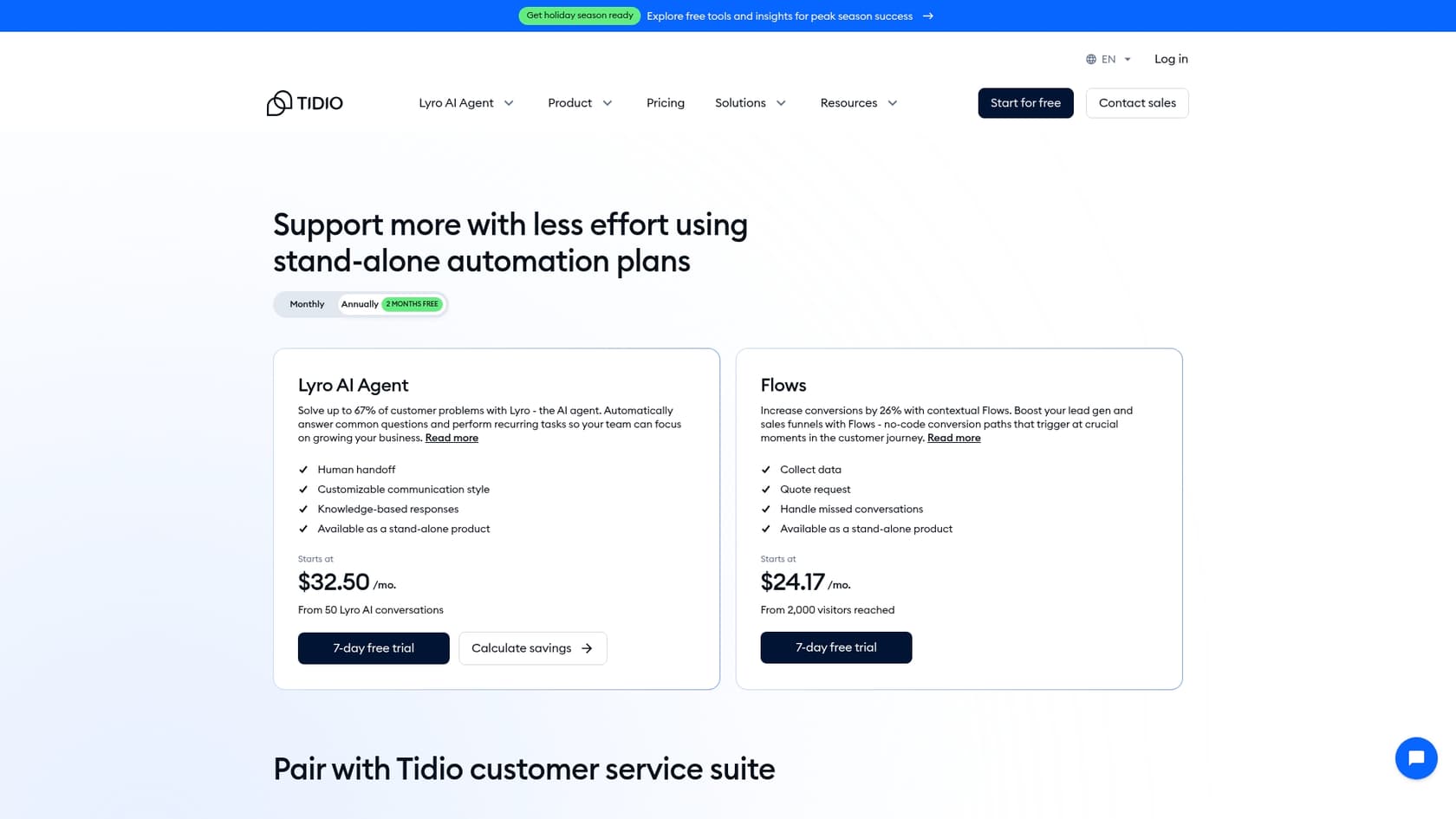
According to Tidio's pricing page, the Lyro AI Agent add-on starts at $39 per month for a renewable quota of 50 Lyro conversations, or $32.50 per month on annual billing. The $29 you will see quoted elsewhere is Tidio's Starter help desk plan, which includes only the same one-time 50 Lyro conversations, not a renewing quota. Either way, 50 conversations can disappear in a flash for any site with even a little bit of traffic. Tidio does offer bigger conversation bundles for teams that are scaling up, as well as custom enterprise plans for higher volumes.
Here’s a simple breakdown of the pricing structure:
| Lyro conversations / mo. | Monthly billing | Per conversation |
|---|---|---|
| 50 (one-time, free) | $0 | $0 |
| 50 | $39 | $0.78 |
| 100 | $75 | $0.75 |
| 200 | $140 | $0.70 |
| 300 | $210 | $0.70 |
| 500 | $350 | $0.70 |
| 1,000 | $700 | $0.70 |
| 3,000+ | Premium, contact sales | Pay-per-resolution billing |
Premium is the only tier that bills per resolution rather than per conversation: it starts from 3,000 Lyro conversations and Tidio pairs it with a guaranteed 50% resolution rate. Note also that Tidio advertises a rate of $0.50 per conversation on its Lyro page, but no self-serve tier reaches it. The cheapest published rate is $0.70 per conversation, and it only applies from 200 conversations up. Annual billing takes about 17% off (two months free).
One more thing worth budgeting for: the Lyro quota is separate from the help desk quota. A team on Starter ($29/mo, 100 help desk conversations, counted separately from the Lyro quota) that wants 50 renewing Lyro conversations pays $29 + $39 = $68 per month on monthly billing.
How does Lyro AI pricing compare to other AI agents?
Lyro's pricing is based on a conversation quota, which is a pretty standard model in this space. The tricky part is understanding what your provider counts as a "conversation" and trying to guess how quickly your monthly traffic will eat through your quota. This can sometimes lead to unpredictable costs, especially during your busy seasons.
In contrast, eesel AI charges per ticket the AI handles, whether or not it resolves, so the bill tracks your ticket volume and nothing else. No per-resolution fees, and month-to-month billing you can cancel anytime. This gives you the flexibility to scale up or down without being locked into a long-term contract, making your budget simple and predictable.
Lyro AI pricing: Is it the right AI agent for you?
So, what's the bottom line? Tidio's Lyro is a capable AI agent with some definite strengths. It has a pretty good conversational feel right out of the box, the setup is simple for basic Q&A, and its "Actions" feature is powerful for teams that are comfortable building out workflows with APIs.
However, it also comes with some real weaknesses. The lack of a strong, large-scale simulation feature makes it tough to test with confidence. Its heavy reliance on a pre-existing, perfectly maintained knowledge base means you might have a lot of upfront work to do before it's even effective. And the Lyro AI pricing model, based on conversation quotas, can get expensive for businesses with a lot of customer traffic.
Lyro can be a great choice for businesses that are already using the Tidio ecosystem and have a clean, comprehensive help center ready to go. It can provide a simple AI layer that handles common questions without much fuss.
But for teams that need more detailed control, want to train their AI on complex historical data like past tickets, and need to be able to test with confidence before launching, a more advanced solution is probably a better fit.
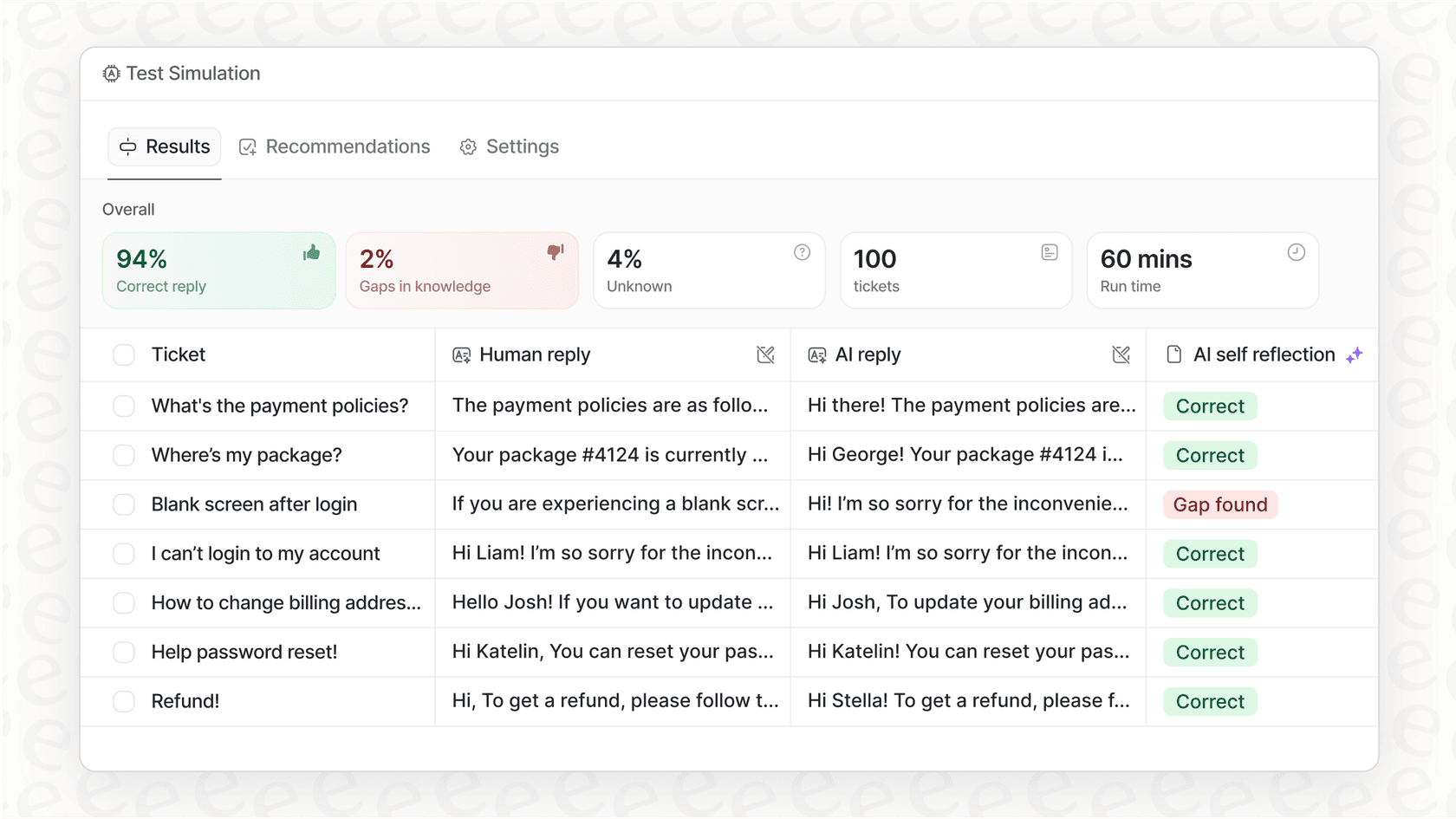
If you're looking for an AI agent that offers risk-free simulation on your real data, integrates seamlessly with the helpdesk you already use, and can learn your unique business context in minutes, you should explore the eesel AI Agent. You can be up and running in minutes, not months.
Frequently asked questions
Could you clarify how the Lyro AI pricing model defines a "conversation," and when does it reset?
In the Lyro AI pricing model, a conversation is counted the first time Lyro sends a message in a chat. A chat is considered new after 15 minutes of inactivity. For paid plans, your conversation quota typically renews monthly.
Is Lyro AI free?
Only as a trial. Every Tidio account gets a one-time allowance of 50 Lyro conversations, and it does not reset. Once you use them, Lyro stops replying until you buy a paid quota, which starts at $39 per month for 50 conversations.
How does Lyro AI pricing scale for paid plans, and what are the typical monthly conversation quotas available?
Paid Lyro AI pricing starts at $39 per month for a renewable quota of 50 conversations, or $32.50 per month if you pay annually. Tidio offers larger conversation bundles for scaling businesses, along with custom enterprise plans for higher volumes. This allows you to increase your quota as your customer traffic grows.
When comparing AI agents, how does Lyro AI pricing stand up against other solutions in terms of cost predictability?
Lyro AI pricing is based on a conversation quota, which can sometimes lead to unpredictable costs, especially during peak seasons, as it's hard to forecast exact usage. Some alternative solutions offer more transparent, interaction-based pricing that aims for greater budget predictability.
What impact do features like "Actions" and "Knowledge Sources" have on the overall Lyro AI pricing value and effectiveness?
These features significantly enhance Lyro's value by allowing it to perform tasks and answer complex questions, directly impacting its effectiveness. However, their success is heavily dependent on the quality and completeness of your provided knowledge base and the effort put into configuring Actions.
Are there any practical limitations or upfront requirements for Lyro AI pricing success that I should consider?
A significant requirement is maintaining a perfect, comprehensive knowledge base, as Lyro's accuracy is directly tied to the information it learns from. Additionally, there's a lack of robust bulk simulation features, making it challenging to fully test its performance before deployment.