Let's be real: customer expectations are through the roof, but support teams are stretched thinner than ever. The constant pressure for instant, 24/7 support is making old-school manual work impossible and leading to some serious agent burnout. The good news? AI for customer service automation isn't just for mega-corporations anymore; it’s become a must-have for teams of all sizes. These tools are built to handle the repetitive questions, clean up messy workflows, and let agents get back to what they're best at: solving the tricky problems that require a human touch.
This guide will walk you through the top 6 AI tools for customer service automation in 2026. We’ll get into their strengths, weaknesses, and who they’re best for so you can find the right fit for your team, without having to rip out your entire tech stack and start from scratch.
What is AI for customer service automation?
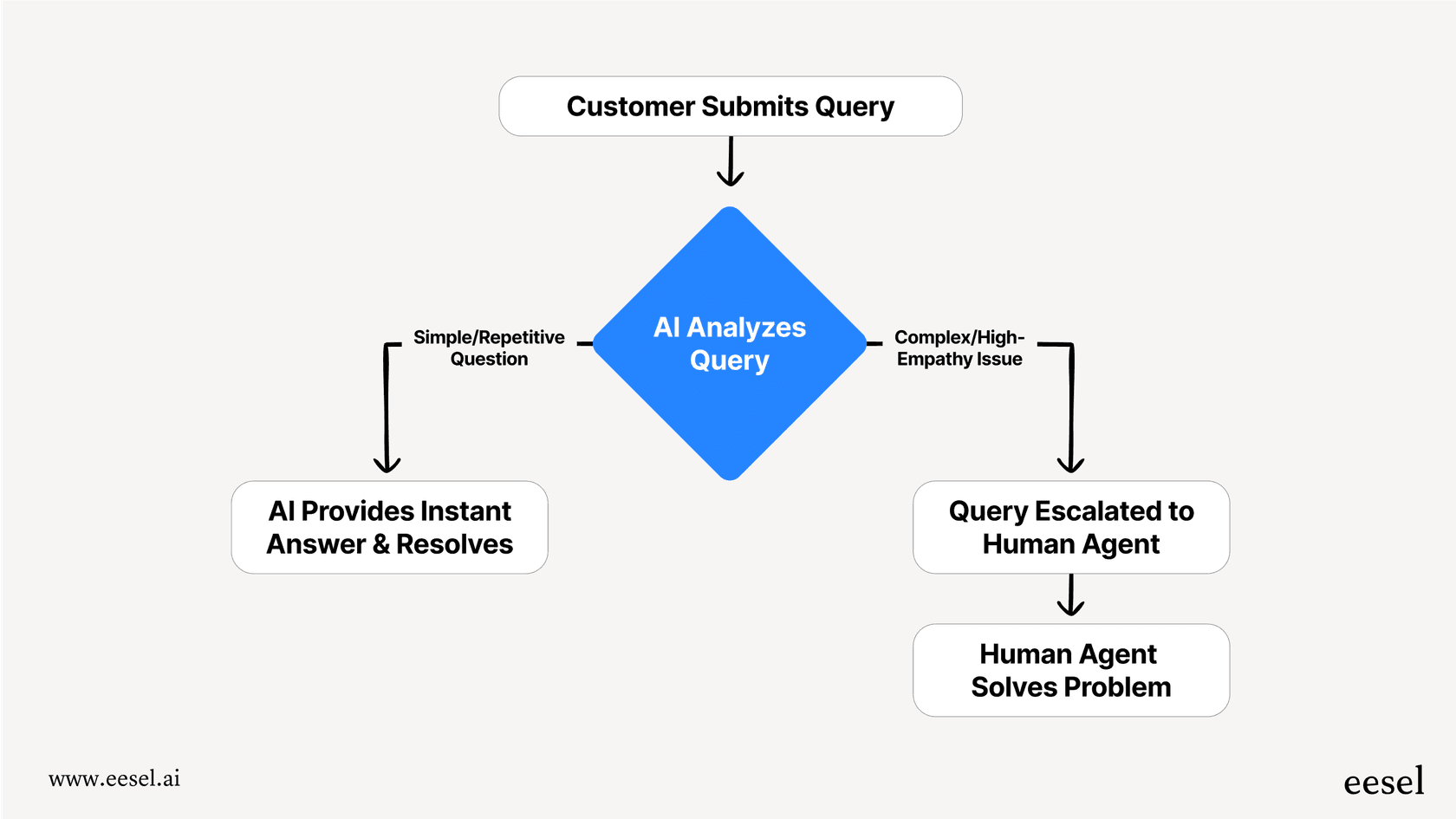
In simple terms, AI for customer service automation uses smart tech like generative AI and natural language processing to handle support tasks on its own. But this isn't about unleashing an army of robots to replace your team. It's about giving your agents superpowers so they can work smarter, not harder. The whole point is to automate the front lines by answering common questions, routing tickets to the right person, and drafting quick replies. This frees up your human agents for the more valuable, complex conversations that really matter.
This could be an AI chatbot on your site answering FAQs, or an AI sidekick helping agents right inside their help desk. The best tools, like eesel AI, work like an intelligent brain on top of your existing setup. They learn from your company's own information, like old support tickets and internal documents, to give accurate answers that actually feel helpful.
How we chose the top tools for AI for customer service automation
To put this list together, we looked at each tool through the lens of what modern support teams actually need. We wanted to find solutions that add real value without just creating more work.
- Plays well with others: How easily does it connect to the help desks you already use (like Zendesk or Freshdesk), chat tools, and knowledge bases? A painful migration is a non-starter.
- Easy to set up and use: Can your team get it up and running without a squad of developers and a six-month implementation plan?
- The right set of features: Does it offer a full set of tools (like autonomous agents, agent assistance, and triage) or is it just a one-trick pony, like a simple chatbot?
- Scalable and fair pricing: Is the pricing clear and does it grow with you, or are you going to get hit with hidden fees and restrictive per-user costs?
Comparison of the top AI tools for customer service automation in 2026
Here’s a quick-glance table to see how our top picks stack up against each other.
| Tool | Best for | Key differentiator | Pricing model | Integrates with existing help desks? |
|---|---|---|---|---|
| eesel AI | Teams that want to automate support without replacing their current tools. | A layered platform that works on top of your existing help desk and knowledge sources. | Interaction-based | Yes (Zendesk, Freshdesk, Intercom, etc.) |
| Zendesk AI | Companies looking for a robust, enterprise-grade native AI ecosystem. | World-class native integration within the proven Zendesk Suite. | Per agent + add-ons | Built-in (Provides a unified experience) |
| CustomGPT.ai | Businesses needing a custom, knowledge-based chatbot with a focus on accuracy. | Anti-hallucination tech with response citations. | Per plan, based on message/token limits | Limited (Primarily a standalone bot) |
| Gorgias | E-commerce businesses, especially those using Shopify. | Deep integration with e-commerce platforms to automate order-related queries. | Ticket-based | No (It is the help desk) |
| Hiver | Small teams that manage customer support primarily through Gmail. | Operates directly within a shared Gmail inbox. | Per user | No (Works within Gmail) |
| Balto | Call centers focused on real-time voice guidance for agents. | Live coaching and prompts during phone calls. | Per seat (Custom) | Yes (Integrates alongside CRMs) |
The top 6 AI tools for customer service automation in 2026
Let's dive a little deeper into each tool.
1. eesel AI
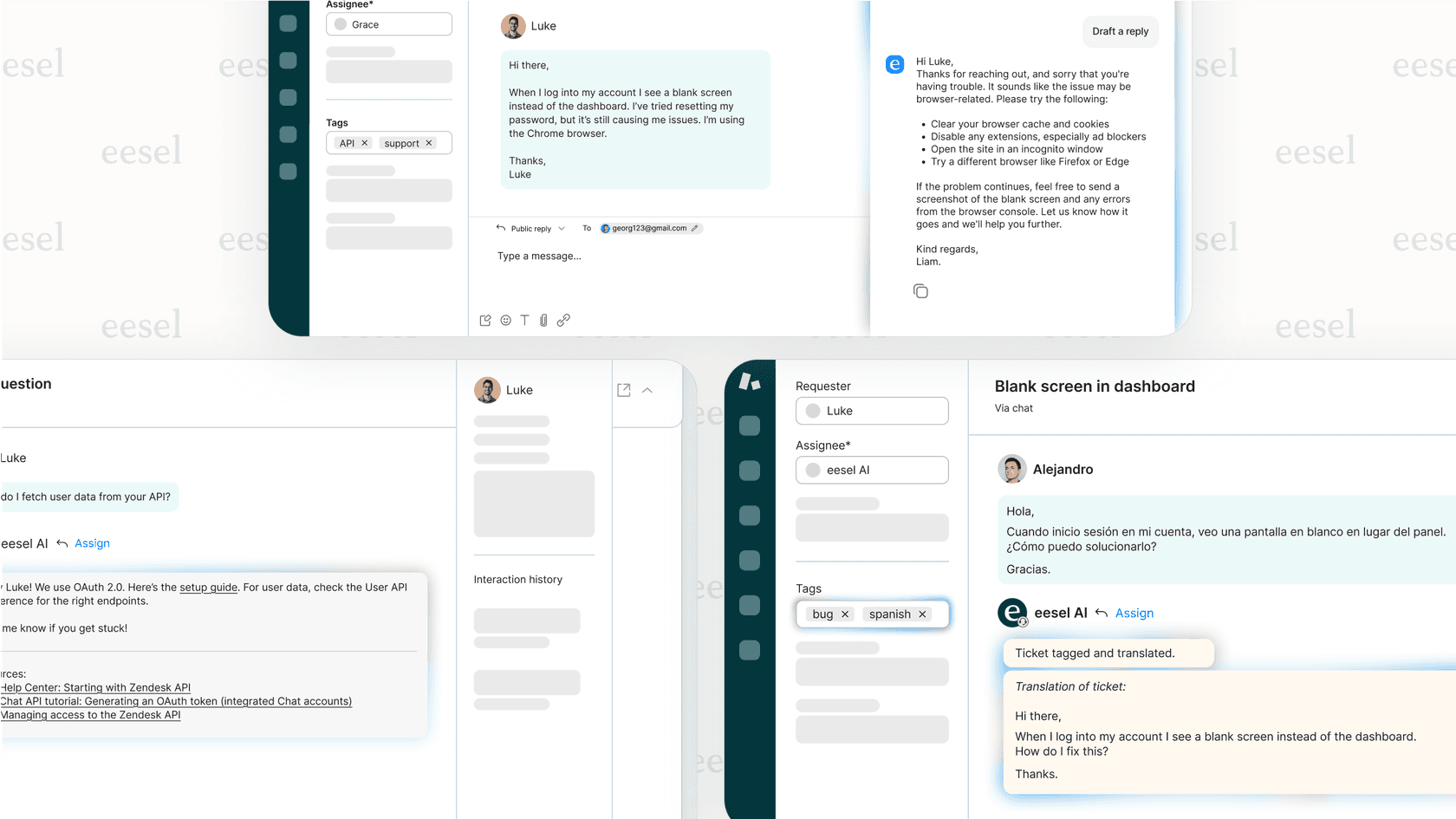
eesel AI takes a different approach. Instead of making you switch platforms, it plugs right into the help desk, chat tools, and knowledge sources you already have. Its toolkit includes an AI Agent that answers questions on its own, an AI Copilot that gives agents real-time help, and AI Triage to automatically route and tag tickets. It connects to pretty much everything, from Confluence and Google Docs to Slack and Shopify, acting as a single brain for your support team.
- Pros: It works with your current setup, so no painful "rip-and-replace" project is needed. It learns from your actual past tickets and private docs, which makes it super accurate. You can even simulate its performance on old data before going live to get a clear idea of your ROI.
- Cons: It works best for teams that already have a help desk and some kind of knowledge base, since it uses that content to get smart.
- Pricing: Plans are based on the number of AI interactions per month, not how many agents you have, which makes it easy to scale. The Team plan kicks off at $239/month if you pay annually.
2. Zendesk
Zendesk is a market leader in the customer service world, and its Zendesk AI tools are built natively into its comprehensive products. You get AI agents for resolving issues and a copilot for helping human agents, all working in perfect harmony within the Zendesk platform. If your company uses Zendesk, it provides a very slick and powerful experience.
- Pros: For Zendesk users, the integration is completely seamless and world-class. The AI has learned from billions of real support tickets, giving it an unmatched grasp of customer service nuances and industry-specific language.
- Cons: Zendesk AI is specialized for its own robust ecosystem, which means it is most effective for teams that utilize the Zendesk platform.
- Pricing: The platform plans start at $19/agent/month, with various flexible AI add-on options available to help teams scale their automation as they grow.

3. CustomGPT.ai
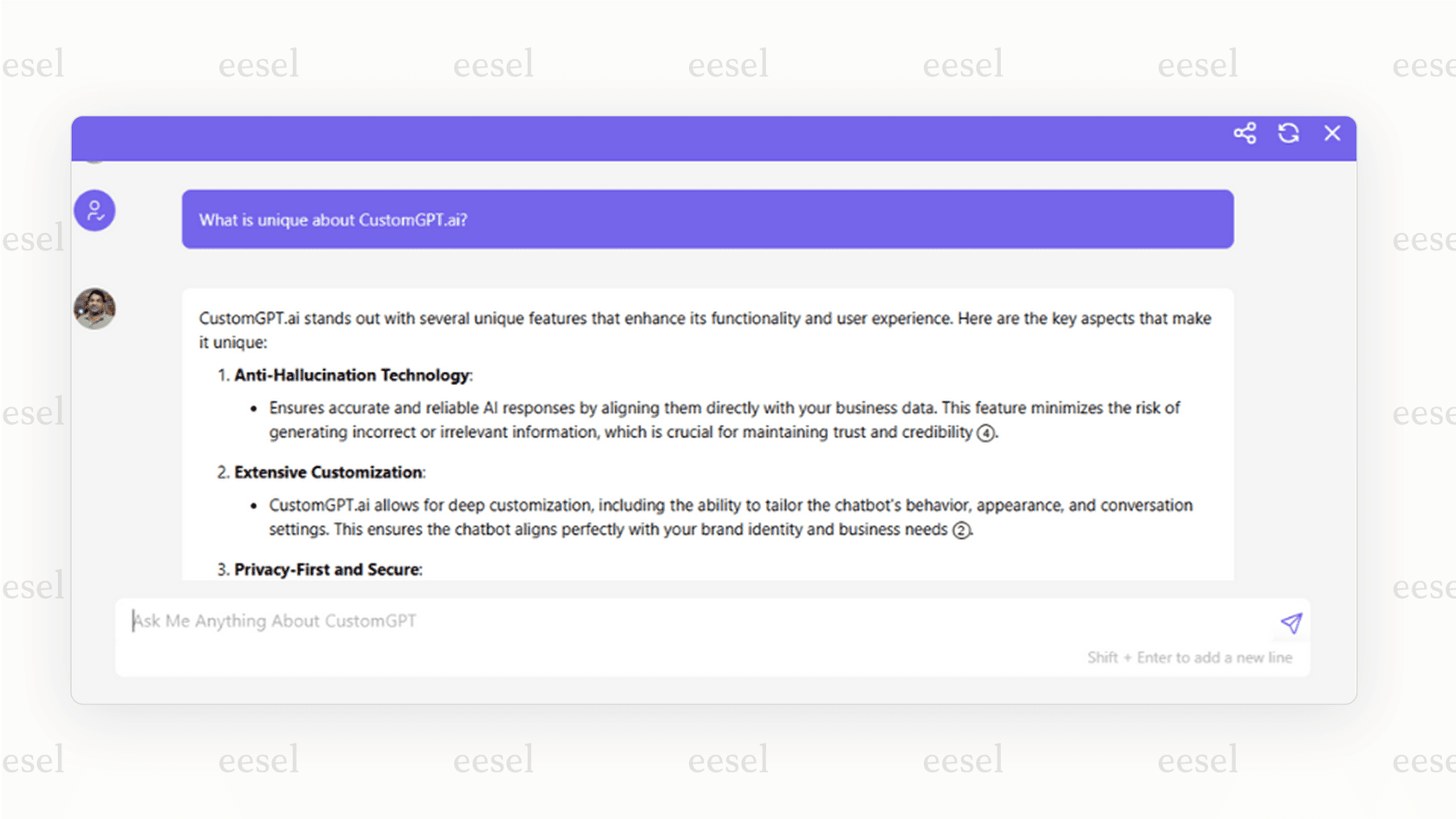
CustomGPT.ai focuses on one thing and does it well: creating custom-trained chatbots that give accurate, sourced answers. Its big selling point is its tech that's designed to stop AI from "hallucinating" or making things up. It grounds every answer in the content you give it, so customers can trust what it says.
- Pros: It’s great for building a public-facing knowledge bot where you need to show your work. Customers can see exactly where the AI got its information, which builds a lot of trust.
- Cons: At the end of the day, it's mainly a chatbot builder. It doesn't have the deeper automation for things like ticket triage, agent assistance, or other in-app help desk actions that a more complete platform would offer.
- Pricing: Starts at $99/month, but you'll need to jump to higher tiers for more content sources and other features.
4. Gorgias
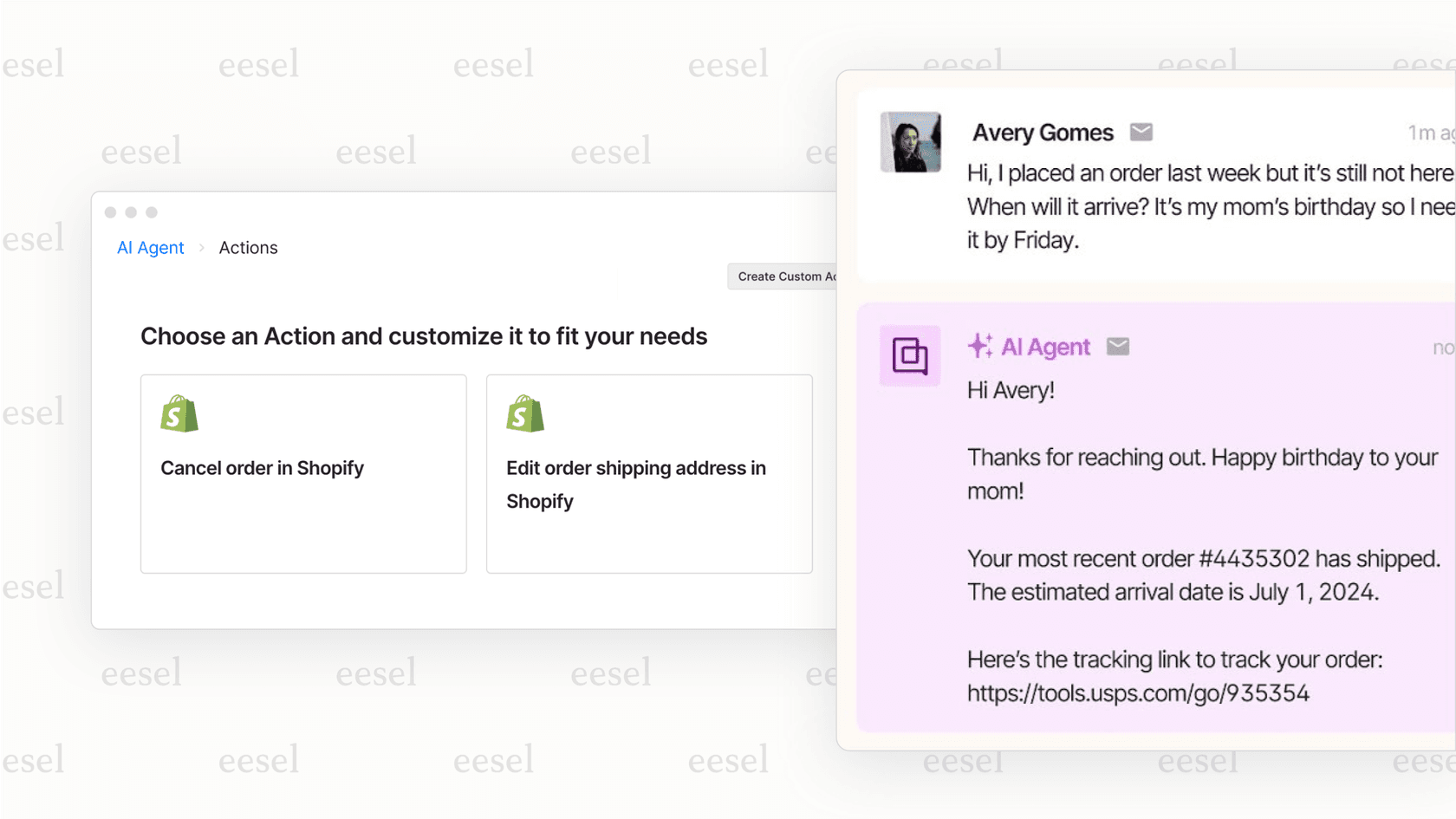
For e-commerce AI customer support 2026 guide, Gorgias is a market-leading platform that stands out for its deep capabilities. It connects natively with platforms like Shopify and BigCommerce to automate complex commerce tasks, like "Where is my order?" or facilitating seamless returns.
- Pros: The e-commerce integration is world-class. It can pull live order details in real-time, process returns automatically, and manage product inquiries, making it a powerful engine for online stores looking to scale.
- Cons: Gorgias is highly specialized for the commerce sector, meaning its extensive feature set is meticulously optimized for retail workflows rather than general B2B or SaaS needs.
- Pricing: Plans are based on your ticket volume, starting at $10/month for 50 tickets, allowing the platform to scale its support alongside your business growth.
5. Hiver
Hiver is a customer service tool made for teams who run their support out of a shared Gmail inbox. It cleverly adds help desk features like shared inboxes, analytics, and simple automation right into the Gmail interface everyone already knows.
- Pros: It’s incredibly easy to pick up for any team that's already a pro at Gmail. There’s no new, complicated platform to learn.
- Cons: It's limited to email. It doesn't have the powerful, multi-channel AI of bigger platforms and won't work for teams that need to automate support on chat, social media, or phone.
- Pricing: Starts at $19/user/month.
6. Balto
Balto is a unique tool that's all about real-time coaching for voice agents. Think of it as a little coach sitting on an agent's shoulder during a call, providing live prompts and checklists to help them stick to scripts and best practices.
- Pros: It’s a great tool for improving agent performance and consistency in traditional call centers.
- Cons: It's hyper-focused on voice calls. It doesn't automate tickets, chats, or emails, which makes it more of a helpful agent-assist tool than a full AI for customer service automation platform.
- Pricing: Balto provides custom pricing based on how many agent seats you need.
Tips for choosing the right tool for AI for customer service automation
Picking the right tool can feel overwhelming, but keeping a few things in mind can make it much simpler.
Prioritize integration over replacement
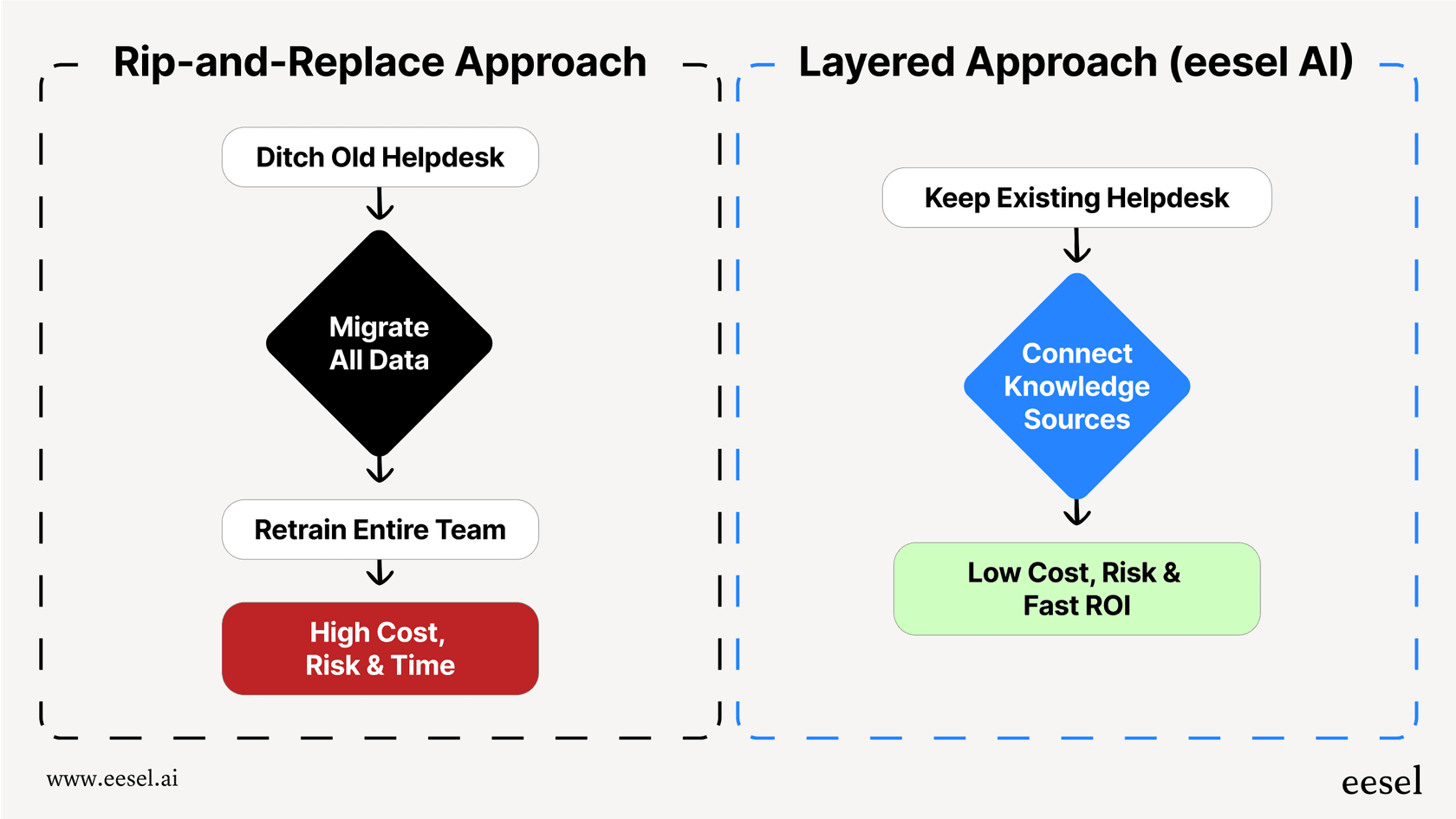
The cost, time, and headache of moving your whole help desk to a new platform are huge. Look for a tool that makes your current systems better. A layered solution like eesel AI can save you months of work and keeps all your historical data and workflows intact. Many teams find that adding tools to their existing Zendesk or Gorgias setup provides the best of both worlds.
Demand to train on your real data
Generic, pre-trained AI is a recipe for bad answers. The best AI for customer service automation learns from your team's past tickets, private documents, and macros. This is the only way to get replies that are accurate and sound like your brand.
Test before you trust it
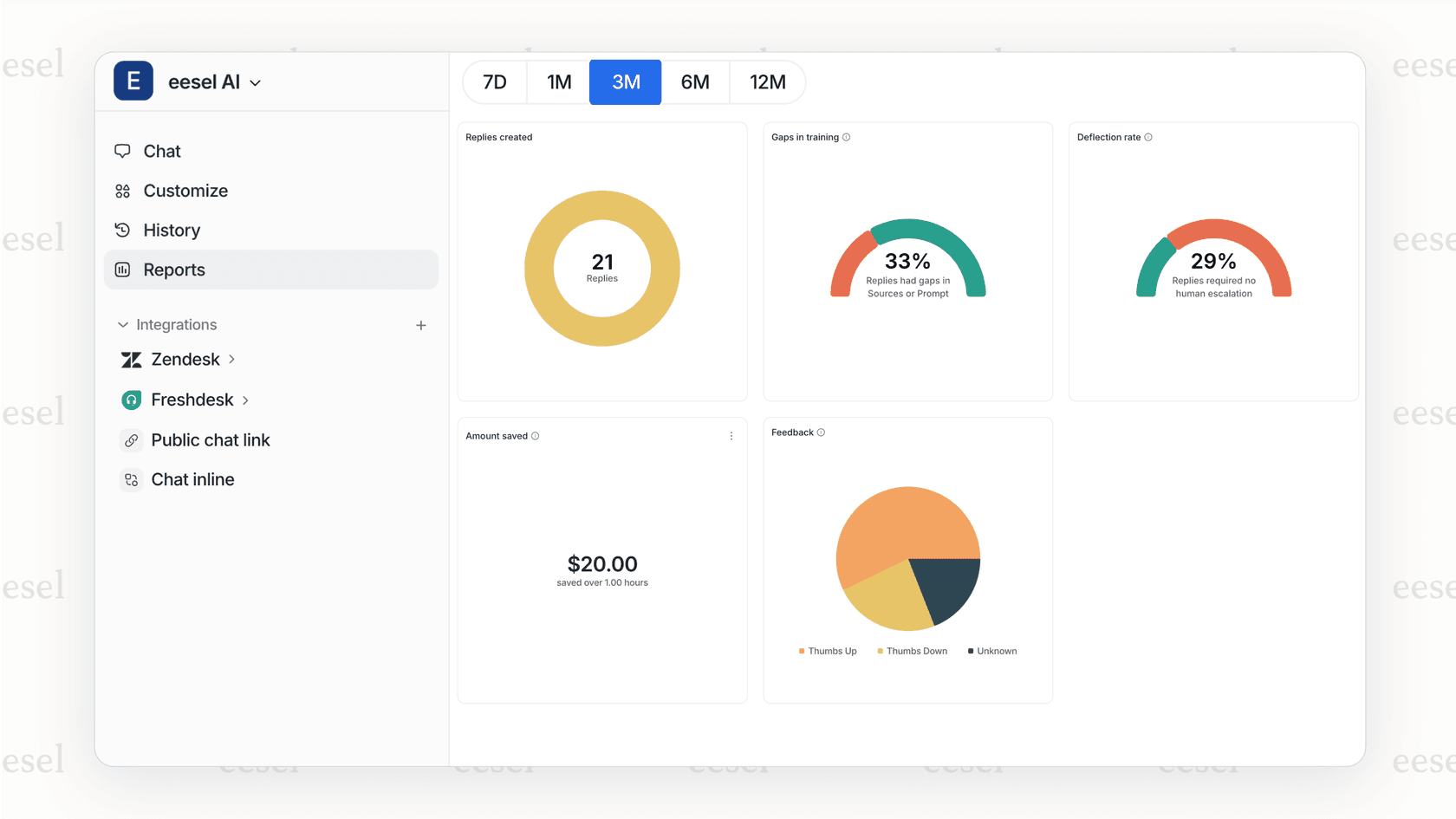
Don't just flip a switch on a black box solution and cross your fingers. Look for a platform that lets you run a simulation. Testing the AI on thousands of your past tickets gives you a solid forecast of its accuracy and ROI before it ever talks to a real customer.
Think of it as a toolkit, not just a bot
Real automation is more than a simple chatbot on your website. You need a solution that can also sort incoming tickets, help agents draft replies inside their help desk, and answer internal questions for your own team.
Automate support, not your entire tech stack
So, what’s the big takeaway? The best tool for AI for customer service automation is one that's powerful, easy to set up, and works with your team, not against them. The smart way to automate today doesn't mean you have to ditch the help desk and workflows you’ve spent years perfecting. By adding an intelligent layer on top of your current systems, like Zendesk or Gorgias, you get all the power of great AI without the pain, cost, and risk of starting over.
Ready to see how AI can automate your support workflows in minutes, not months? Start a free trial of eesel AI or book a personalized demo to see it in action with your own data.
Frequently asked questions
My team is worried: Will using AI for customer service automation make their roles obsolete?
Not at all. The goal is to augment your team by handling the high-volume, repetitive queries. This frees your human agents to focus on complex customer issues that require critical thinking and empathy.
We don't have a large IT team, so how complicated is it to implement AI for customer service automation?
It depends on the tool, but many modern solutions are designed for easy, no-code setup. Layered platforms that integrate with your existing help desk can often be up and running in less than an hour.
How can we ensure the responses from our AI for customer service automation sound like our brand and not a generic robot?
The key is to choose a tool that trains on your company's unique data, like past support tickets and internal knowledge docs. This allows the AI to learn your specific tone, style, and product information accurately.
What's the best way to prove the value of AI for customer service automation to get budget approval?
Focus on the return on investment (ROI). Look for tools that can run a simulation on your past ticket data to forecast how many inquiries will be deflected and how much agent time will be saved.
Is AI for customer service automation just about chatbots, or can it do more to help our team?
It's much more than just a public-facing chatbot. A complete platform can also perform internal tasks like AI-powered ticket triage, assisting agents with drafting replies, and summarizing long conversations.