What customer service automation software actually does
The category name is doing a lot of work. In practice "automation" covers four separate layers, and teams routinely buy the wrong one.
Rules and routing. If/then logic: subject contains "refund", tag it, send it to the billing queue, start the SLA clock. No AI involved. Every helpdesk on this list does this, and it's still the highest-ROI automation most teams are missing. If your routing is manual, fix that before you shop for AI.
Macros and saved replies. Stored templates an agent drops in with a shortcut. Boring, unglamorous, and the reason your best agent closes three times as many tickets as your newest one.
Agent-side AI. Draft replies, thread summaries, tone rewriting, translation. The human still sends. This is the layer with the lowest risk and the fastest buy-in, because nobody's job feels threatened when the machine writes a first draft.
Customer-facing AI agents. The thing that replies to a customer and closes the ticket without a person. This is where the money is, where the risk is, and where the pricing gets strange.
The mistake I see most often is teams buying layer four while layer one is still broken. An AI agent pointed at a messy queue with no routing and a knowledge base last updated in 2023 will confidently produce garbage, faster.
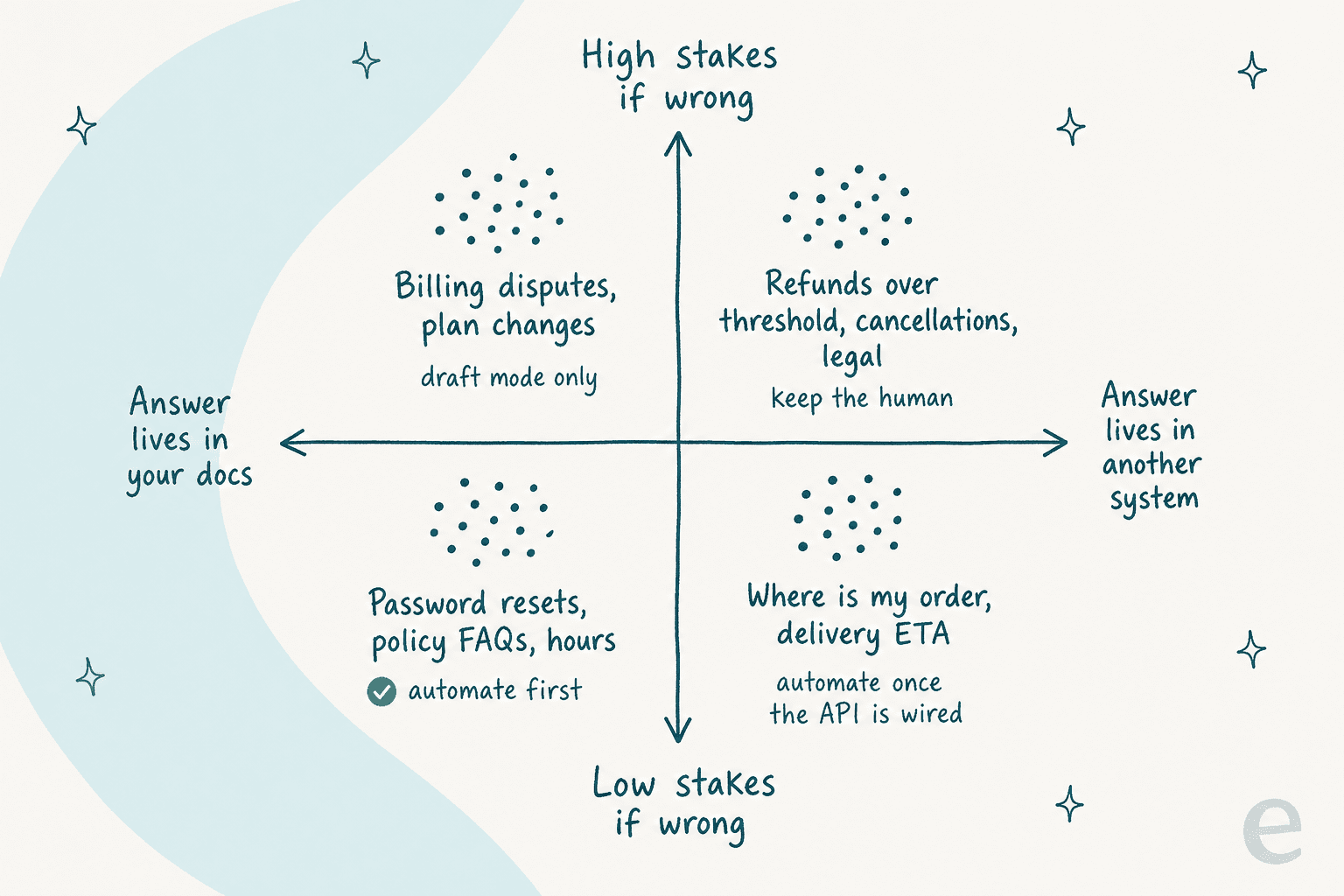
That quadrant is the mental model I'd start from. Low-stakes questions whose answer already lives in your docs are the ones to automate first. Refunds over a threshold, cancellations, and anything legal stay human, no matter how good the demo looked.
How I picked these eight
Three filters, applied in this order.
- Does it actually close tickets, or just help an agent close them? Both are useful. Only one changes your headcount math, and the pricing pages blur the line constantly.
- What's the real billing unit? Per seat, per resolution, per conversation, per ticket, per 72-hour session. I read every pricing page fresh and wrote down what triggers a charge, not what the headline says.
- What breaks? I went looking for the complaints, not the testimonials. A tool with a known, specific weakness is more useful to you than one with a clean marketing page.
I've left out anything I couldn't get a real product screenshot of, and anything whose pricing was so gated I'd be guessing. If a number below has no source link, it isn't in the post.
The 8 best customer service automation software tools in 2026
| Tool | Best for | Billing unit | Entry price | AI agent cost | Free tier | Native ecommerce | Layers on your helpdesk | Public rating |
|---|---|---|---|---|---|---|---|---|
| eesel AI | Automating the helpdesk you already own | Per credit (1 per ticket or chat) | $0 | From $299/mo (500 credits) | 100 free credits, no card | Shopify agent | Yes | - |
| Zendesk | Enterprise scale and governance | Per seat + usage | $19 / agent / mo | Unpriced publicly | 14-day trial | Via apps | No | See Zendesk on G2 |
| Freshdesk | Tight budgets with real ticketing needs | Per seat + per session | $19 / agent / mo | $49 per 100 sessions | 2 agents | Via marketplace | No | 4.4/5 G2 |
| Gorgias | Shopify and DTC brands | Per ticket volume | $10 / mo | $0.90 / resolution | Trial only | Native | No | 4.6/5 G2 |
| HubSpot Service Hub | Support that must share the CRM | Per seat + credits | $7 / seat / mo | ~$0.50 / conversation | 2 users | Via app market | No | 4.4/5 G2 |
| Front | Complex, multi-team operations | Per seat + add-ons | $25 / seat / mo | From $0.05 / conversation | Trial only | Via marketplace | No | 4.7/5 G2 |
| Help Scout | Small teams who want it simple | Per seat + per resolution | $0 | $0.75 / resolution | 5 users | Via integrations | No | 4.4/5 G2 |
| Tidio | SMB, chat-first support | Per conversation | $0 | From $0.70 / conversation | 50 conversations | Catalog sync | Lyro-only mode | 4.6 on-site |
Every item below follows the same shape: best for, what it automates, pros, cons, pricing, and my take.
1. eesel AI
Best for: teams who like their helpdesk and want the repetitive half of the queue to stop existing.

I should say the obvious thing: I work here. So treat this section as the inside view, and check it against the seven below.
What it automates. The pitch on eesel's homepage is hiring AI agents rather than buying a platform, and there are three: a helpdesk agent that drafts replies, handles tickets, tags them and escalates when it should; an e-commerce agent for product questions and order lookups; and a Blog Writer that isn't relevant here but shares the same billing account. It runs inside Zendesk, Freshdesk, Gorgias, Front, Slack and email, so nothing migrates.
Pros
- No seat fee, no platform fee, and one fixed monthly price sized to your volume. Only tickets the AI actually works on use credits, and never tickets your humans take.
- Draft mode first, auto-respond later. The agent writes, a human sends, and you flip the switch when the accuracy stops surprising you.
- It trains on your past tickets, not only your help center, which matters when your docs were written for a different audience than the one filing tickets.
- Spend controls are real: when credits run out, agents pause rather than quietly run up a bill, or you can turn on overage with a monthly cap you set.
Cons
- It's a layer, not a helpdesk. If you don't already have one, you need one first.
- The integration list isn't universal. There's no native Crisp, LiveAgent, Helpshift or Zoho Desk integration, so on those stacks eesel sits in front as a chat layer rather than inside the inbox.
- Blog posts are billed separately at $4 per post. Fine for content, irrelevant if you only care about tickets.
Pricing. One fixed monthly price on the Teammate plan, sized to volume. 1 credit covers one ticket or chat however long it runs, so a fifteen-message thread costs the same as a one-liner. Dashboard questions are mostly free. The free plan has 100 credits, no credit card. Pay a year upfront and you get two months free. SSO and MFA are add-ons from $199/month, and data residency is $500/month.
| Monthly volume | Monthly cost |
|---|---|
| 100 tickets | Free (100 credits) |
| 500 tickets | $299 |
| 1,000 tickets | $499 |
| 2,500 tickets | $999 |
| 5,000 tickets | $1,899 |
"In the first month, eesel is resolving 73% of our tier 1 requests, and we saw results quickly during our 7-day trial."
Kim Simpson, Gridwise
My take: pick eesel when the helpdesk isn't the problem and the queue is. Skip it if you're shopping for the helpdesk itself, or if your stack is one we don't integrate with natively. The credit model is the honest one for a support team: you pay for the tickets the AI works on, not for seats.
2. Zendesk
Best for: enterprise teams who need governance, sandboxes and approval workflows more than they need a cheap bot.
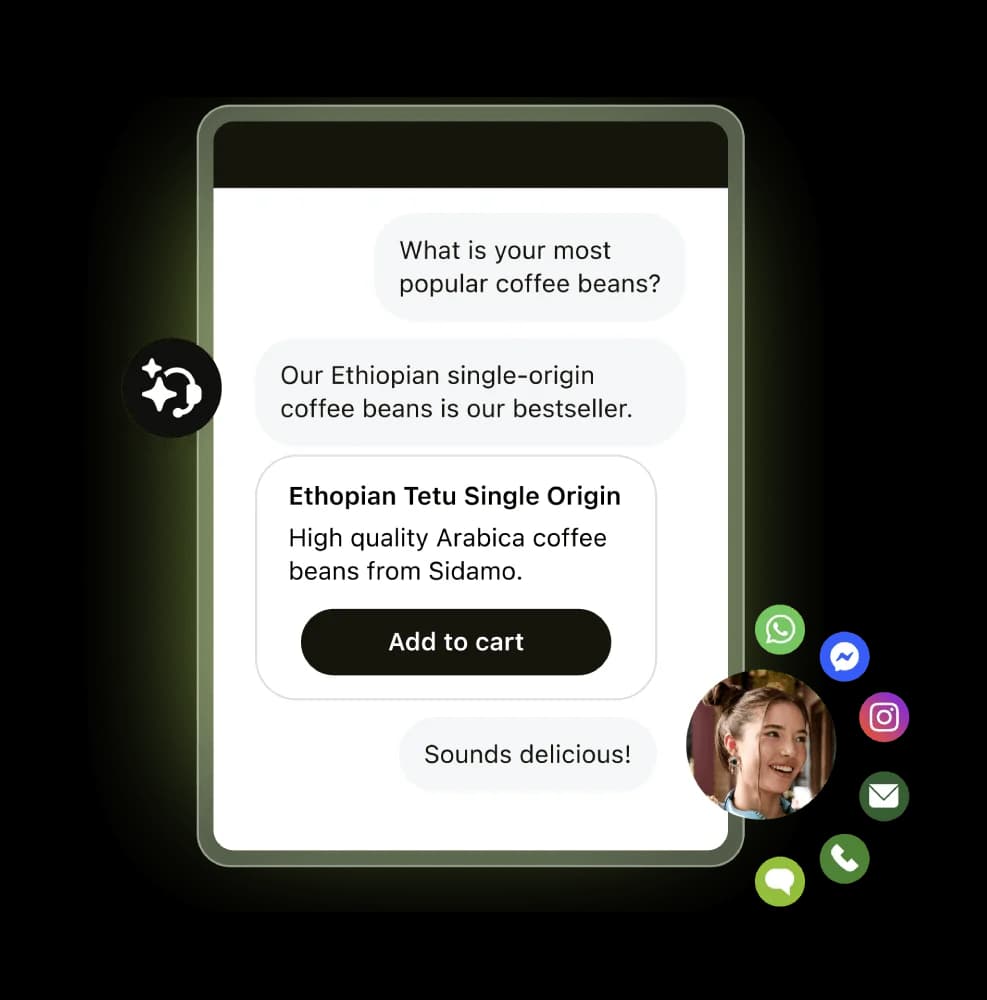
What it automates. Everything, eventually. Triggers and automations on the entry plan, AI agents and a knowledge base from Suite Team upward, then intelligent triage, Auto Assist and generative voice AI at the top. The depth is real. So is the ladder you climb to reach it.
Pros
- The automations engine is the most complete on this list, and it ships on the $19 plan.
- Genuine proof points, published with names attached: Qualia cut daily ticket volume 30%, and Humi hit 57% automated resolutions.
- Enterprise plumbing nobody else here matches: sandbox environments, custom agent roles, approval workflows.
Cons
- The AI agent price is not published. Zendesk bills AI agents by "automated resolutions" and the pricing page gives no dollar figure and no plan allowance. App Builder, Action Builder and Voice are also billed on consumption above unstated allowances.
- Copilot is a $50 per agent per month add-on on top of the seat. A Suite Professional seat with Copilot is $165 a month on annual billing.
- Quality is gated by your knowledge base, and Reddit is blunt about it.
"The Co-Pilot stuff is decent, but we found its effectiveness really depends on having a perfectly curated Zendesk knowledge base, which... ours isn't, lol."

"No, it's just terrible and a rip off. You can't even export the data on like what people ask the bot so you can sort it or manipulate it how you want. We stopped using it because ARs are a rip off, and it's a rushed product to get into the AI hype."
Pricing (per agent per month, paid yearly).
| Plan | Price | What unlocks |
|---|---|---|
| Support Team | $19 | Ticketing, routing, triggers, automations |
| Suite Team | $55 | AI agents, knowledge base, Action Builder, omnichannel |
| Suite Professional | $115 | Admin Copilot, App Builder, writing tools, skills routing |
| Suite Enterprise + Copilot | Talk to sales | Intelligent triage, Auto Assist, sandbox, approvals |
| Copilot add-on | $50 | Agent-side AI assistance |
My take: buy Zendesk for the platform, then budget separately for the AI, because you cannot forecast that line item from the public page. If you're already on Zendesk and the native AI is the disappointing part, that's the exact gap eesel's Zendesk integration and other Zendesk AI alternatives exist to fill.
3. Freshdesk
Best for: teams that live in email, need real ticketing, and are counting every dollar.
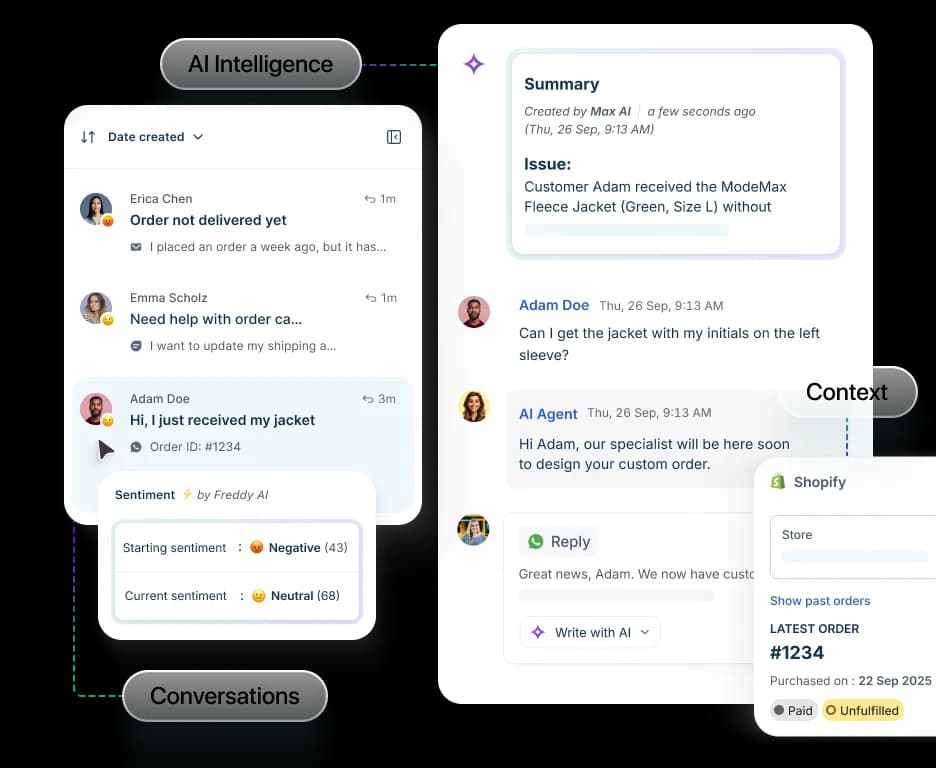
What it automates. Freshdesk started as a shared inbox, so email-to-ticket, threading, SLAs and workflow automation are mature rather than bolted on. On top sits Freddy AI in three parts: an AI Agent (customer-facing, including a dedicated Email AI Agent), Copilot (agent-side) and Insights (leader-side, Enterprise only). 74,000+ businesses run on it.
Pros
- The cheapest credible ticketing core here, with a free tier for up to 2 agents.
- The Email AI Agent is built no-code, so deflection can ship without engineering time.
- A generous session definition: one 72-hour window from the customer's first email counts as a single session no matter how many AI replies land inside it.
Cons
- The session model bites at volume. After the free 500, it's $49 per 100 sessions, which climbs fast on a busy inbox.
- Copilot is another $29 per agent on top, and only from Pro up.
- Users report it working on simple tickets and falling over on anything nuanced.
"We tested an ai integration in freshdesk and had almost the exact same experience. it worked for very simple tickets but anything slightly complex got misclassified. agents ended up spending more time fixing errors than before, so we had to rethink our approach."
Pricing (per agent per month, billed annually).
| SKU | Growth | Pro | Enterprise |
|---|---|---|---|
| Freshdesk (standalone) | $19 | $55 | $89 |
| Freshdesk Omni | $29 | $79 | $119 |
| Freddy AI Agent | 500 free sessions, then $49 per 100 | Same | Same |
| Freddy AI Copilot | - | $29 / agent | $29 / agent |
My take: the best value here if you need ticketing infrastructure and can keep AI scope narrow. Once your AI volume is steady, do the session math against a per-resolution or per-ticket model before you renew, because $49 per 100 stops looking cheap around the thousand mark. Our roundup of AI automation apps for Freshdesk covers what else plugs in, and what Freshworks AI includes is worth reading before you assume Freddy is one product.
4. Gorgias
Best for: Shopify and DTC brands where half the queue is "where is my order".
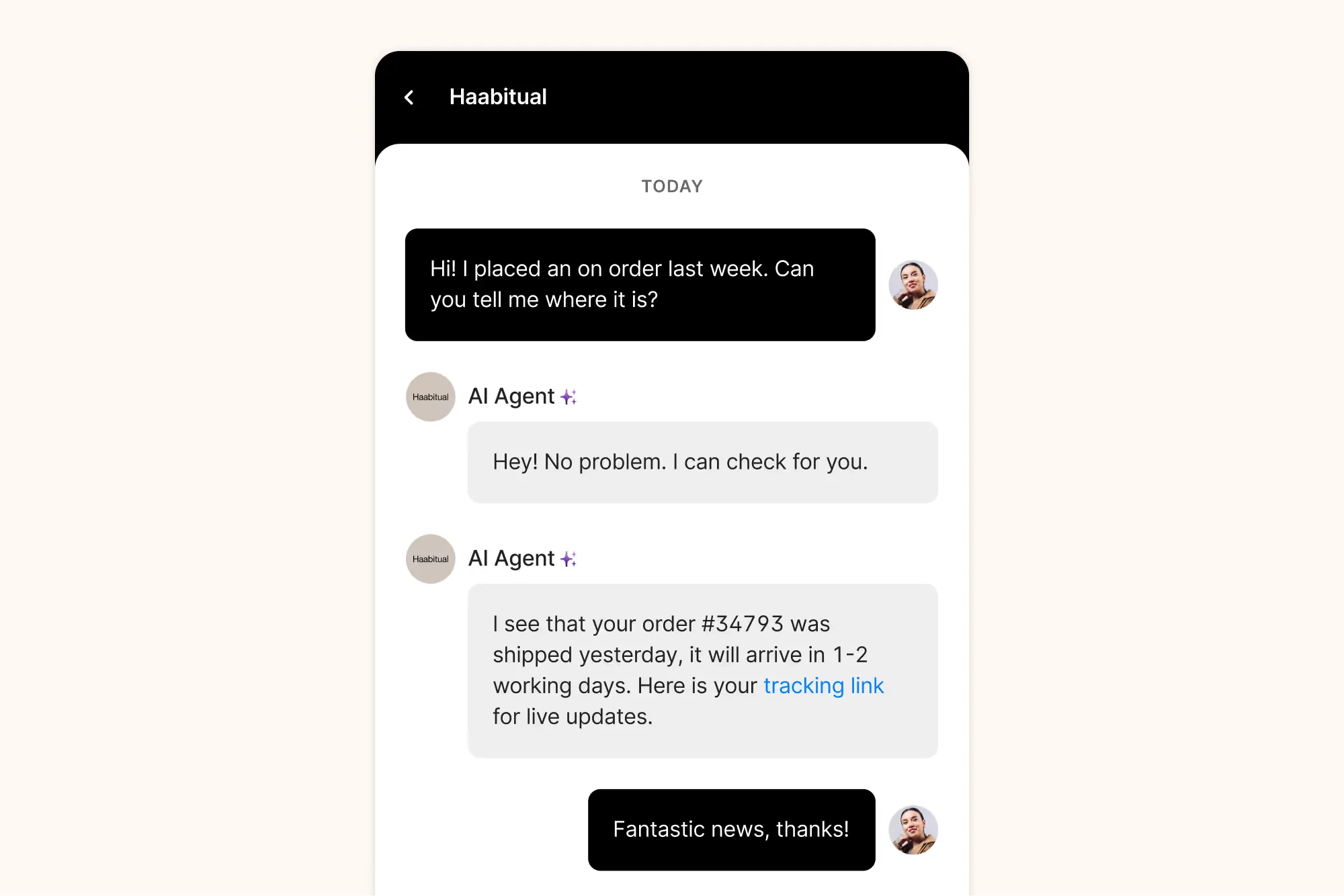
What it automates. Order status, returns, refunds, subscription and order edits, discount generation, product recommendations, all with store data native to the ticket rather than synced in. Gorgias says it powers 40% of Shopify brands and pre-trained its AI Agent on over a billion ecommerce conversations. On the automation side: macros, rules, flows, intent and sentiment detection.
Pros
- Nothing else here pulls Shopify order data into the conversation this cleanly, which is why it keeps winning on order tracking and refund requests.
- Priced on ticket volume, not seats, so adding a seasonal agent costs nothing.
- Real automation outcomes, like Orthofeet reaching 56% automation in under two months.
Cons
- The AI Agent double-dips. It's $0.90 per resolved conversation on annual plans ($1.00 monthly), and each AI interaction also counts as a billable helpdesk ticket. Budget both.
- Roughly 3x a comparable Zendesk bill at similar volumes, which is the top objection running through Gorgias alternatives discussions.
- No named SOC 2 or ISO 27001 certification published. The pricing FAQ confirms GDPR and CCPA, encryption, SSO and audit logs, but not an audited cert.
Pricing.
| Plan | From | Tickets / mo |
|---|---|---|
| Starter | $10 / mo | 50 |
| Basic | $50 / mo | 300 |
| Pro | $300 / mo | 2,000 |
| Advanced | $750 / mo | 5,000 |
| Enterprise | Custom | 5,000+ |
| AI Agent | $0.90 / resolution (annual) | Also billed as a ticket |
My take: if you're on Shopify and 40% or more of your tickets need a real store action, Gorgias pays for itself and the price complaint goes quiet. If you're on Shopify but your tickets are mostly informational, you're paying commerce-native rates for questions a cheaper layer could answer. The Gorgias AI pricing breakdown has the full math, and is Gorgias AI worth it has the verdict.
5. HubSpot Service Hub
Best for: teams already on HubSpot CRM who want support data on the same record as sales.
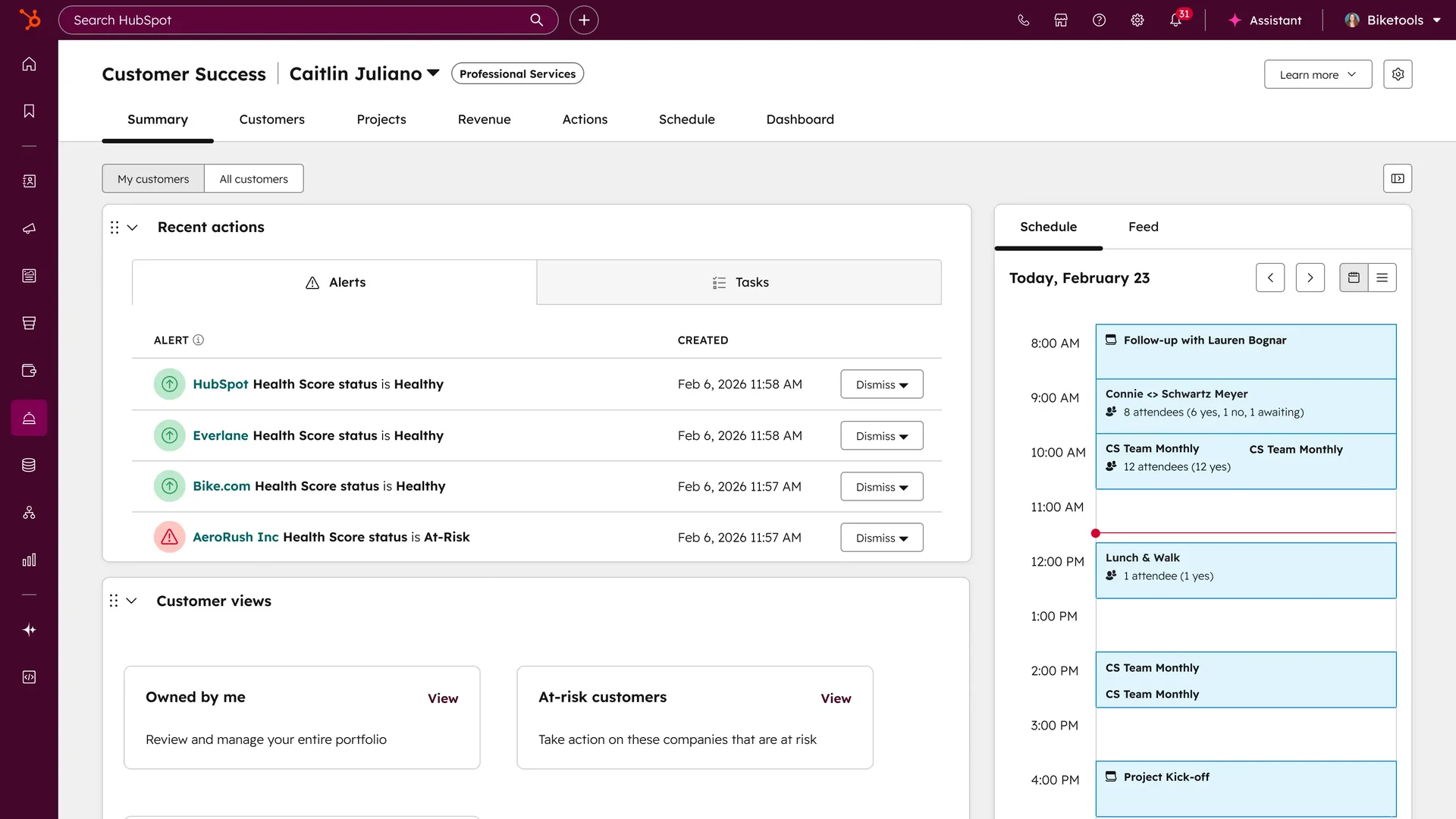
What it automates. Ticket routing with capacity limits, SLA management, macros, AI reply recommendations, and the Breeze Customer Agent, which resolves tickets and qualifies leads around the clock. HubSpot reports 39% less time closing tickets with the Customer Agent, across 299,000+ customers.
Pros
- The CRM tie is the whole point: a support conversation sits on the same record as the deal and the marketing history, which makes ticket deflection and retention plays obvious rather than archaeological.
- Starter is genuinely cheap at $7 per seat on commit, with ticket automation, pipelines and routing included.
- One vendor for support, sales and marketing automation, which mid-market teams consistently credit with replacing three tools.
Cons
- The onboarding fees are the hidden line item: $1,500 one-time on Professional, $3,500 on Enterprise, before a single ticket moves.
- Breeze Customer Agent needs Professional at $90 per seat, so the real entry point for AI is nowhere near $7.
- Recurring G2 criticism that the cost gets hard to justify as you scale, and that help center customization is limited.
Pricing (per seat per month).
| Plan | Price | Onboarding | AI |
|---|---|---|---|
| Free | $0 (2 users) | - | None |
| Starter | $7 commit / $20 monthly | - | None |
| Professional | $90 annual / $100 monthly | $1,500 | Breeze Customer Agent |
| Enterprise | $150 | $3,500 | Conditional SLAs, skills routing |
| Breeze Customer Agent | 50 credits (~$0.50) per resolved conversation | - | Pro and Enterprise only |
My take: if you already pay for HubSpot, Service Hub is the path of least resistance and the CRM context is worth real money. If you don't, you're buying a CRM to get a helpdesk. Our Breeze AI review and the HubSpot AI pricing guide go deeper on the credit math.
6. Front
Best for: support that isn't really support, but operations spanning three teams and two other systems.
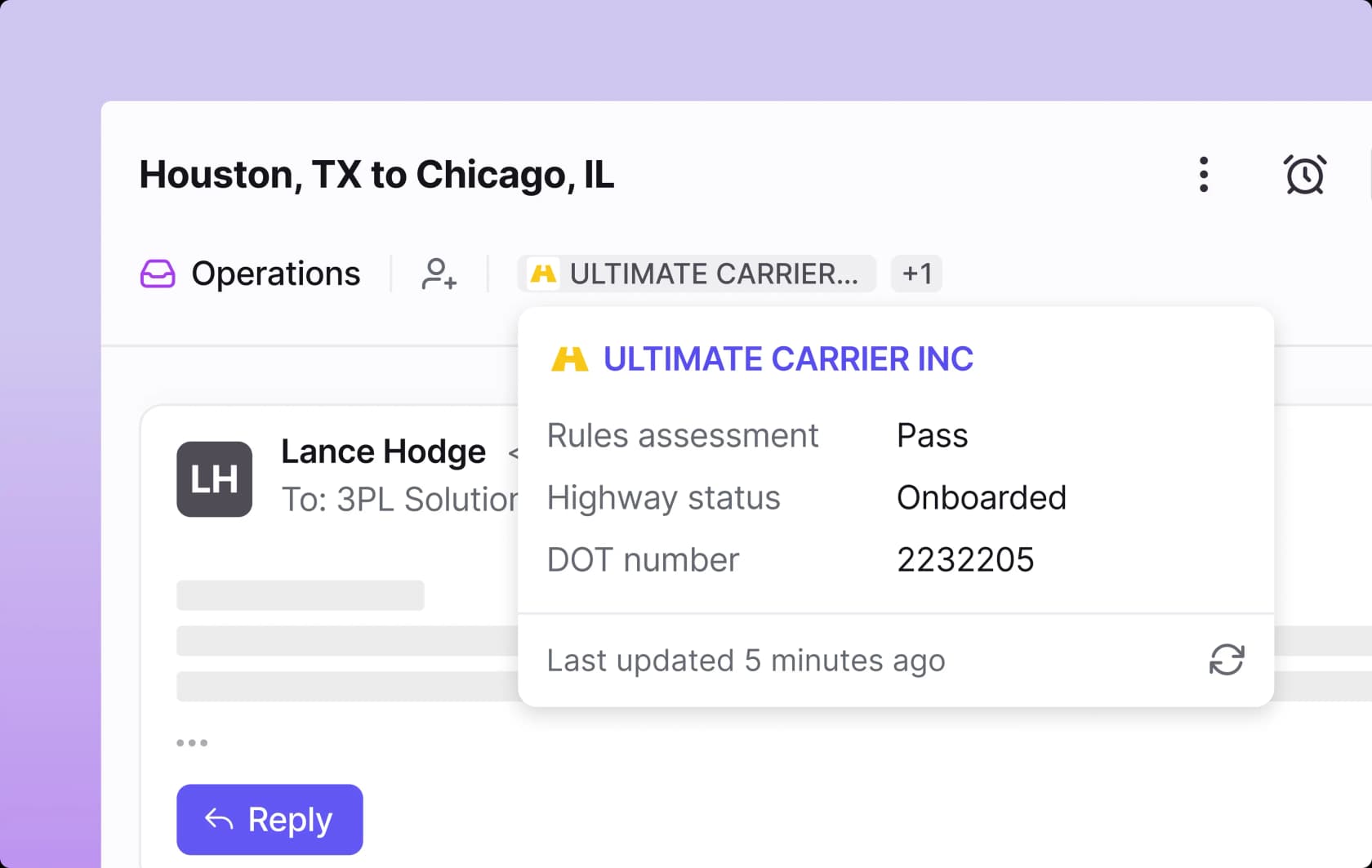
What it automates. Front positions itself explicitly against simple-FAQ bots: complex, multi-step, cross-team work in logistics, manufacturing, financial services and travel. Autopilot resolves requests end to end across email, chat and Slack, and can be tested with simulations before go-live. Copilot assists agents, Smart QA scores conversations automatically, and Smart CSAT infers satisfaction without sending a survey.
Pros
- Autopilot starts at $0.05 per conversation, the cheapest per-unit AI price on this list by an order of magnitude.
- Simulation before go-live is a first-class feature, not a workaround, and it's the single best predictor of a rollout that doesn't embarrass you.
- The cross-team routing holds context when a ticket crosses departments, which is where most shared inboxes drop the baton.
- Highest public rating here at 4.7/5 across 2,499 reviews.
Cons
- The AI is mostly add-ons. Copilot is $20 per seat, Smart QA $20, Smart CSAT $10 (or $25 bundled), all stacked on a $25 to $105 seat.
- Included AI carries daily caps: 200 Compose actions, 200 translations and 200 manual summaries per teammate per day.
- Overkill for a straightforward support inbox, and priced accordingly.
Pricing (per seat per month, billed annually).
| Plan | Price | Seat cap | AI included |
|---|---|---|---|
| Starter | $25 | 10 | Topics only |
| Professional | $65 | 50 | Add-ons available |
| Enterprise | $105 | None | Copilot, Smart QA, Smart CSAT |
| Autopilot | From $0.05 / conversation | - | Any plan |
My take: the most underrated tool here if your "support" tickets are really operations. If your queue is password resets and order status, you're paying for coordination machinery you'll never use. Teams who prefer a third-party agent to Autopilot usually go through the integrations marketplace; we wrote up how to add AI to Front for that path.
7. Help Scout
Best for: small, relationship-driven teams who want support to feel like email, not a ticket number.
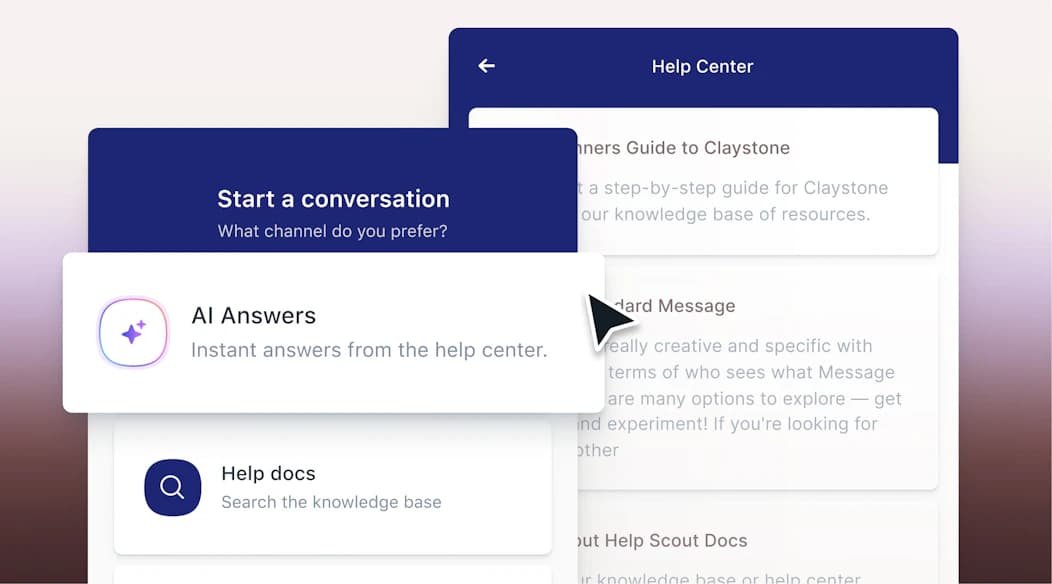
What it automates. AI Assist rewrites and translates, AI Drafts writes a full reply from past conversations and help content, AI Summarize condenses a long thread, and AI Answers is the autonomous customer-facing agent working from your Docs knowledge base plus custom sources.
Pros
- The agent-side AI is unlimited, not metered, on the plans that include it. No credit anxiety on drafts and summaries.
- AI Answers billing is honest: a resolution counts only when the customer gets an answer and doesn't escalate, search the knowledge base, ask again, or click "I still need help". One per conversation, maximum.
- Hard spend caps that auto-disable the agent, plus a three-month free unlimited trial of AI Answers.
- Free for up to 5 users, which is a real tier rather than a demo.
Cons
- The useful generative helpers are gated: AI Drafts and AI Summarize need Plus at $45 per user, not the $25 Standard plan.
- The metered agent stacks on the seat price, so 1,000 resolutions is roughly $750 a month on top of what you already pay.
- Pro requires a 10-user minimum and is demo-only, and the automation and reporting depth is thinner than the enterprise suites by design.
Pricing (per user per month, annual).
| Plan | Price | Notes |
|---|---|---|
| Free | $0 | 5 users, 1 Inbox, 1 Docs site, 100 contacts / mo |
| Standard | $25 | AI Assist, AI Inbox assistant |
| Plus | $45 | Adds AI Drafts and AI Summarize |
| Pro | $75 | 10-user minimum, demo only |
| AI Answers | $0.75 / resolution | Any paid tier, 3-month free trial |
My take: the friendliest tool here and the easiest to get a team onto in a day. Its ceiling is real, though: once you're metering a thousand resolutions a month on top of seats, the math starts favouring an outcome-only model. See Help Scout's AI approach and the best AI for Help Scout for the layered option.
8. Tidio
Best for: SMB and ecommerce teams whose support happens in a chat widget.
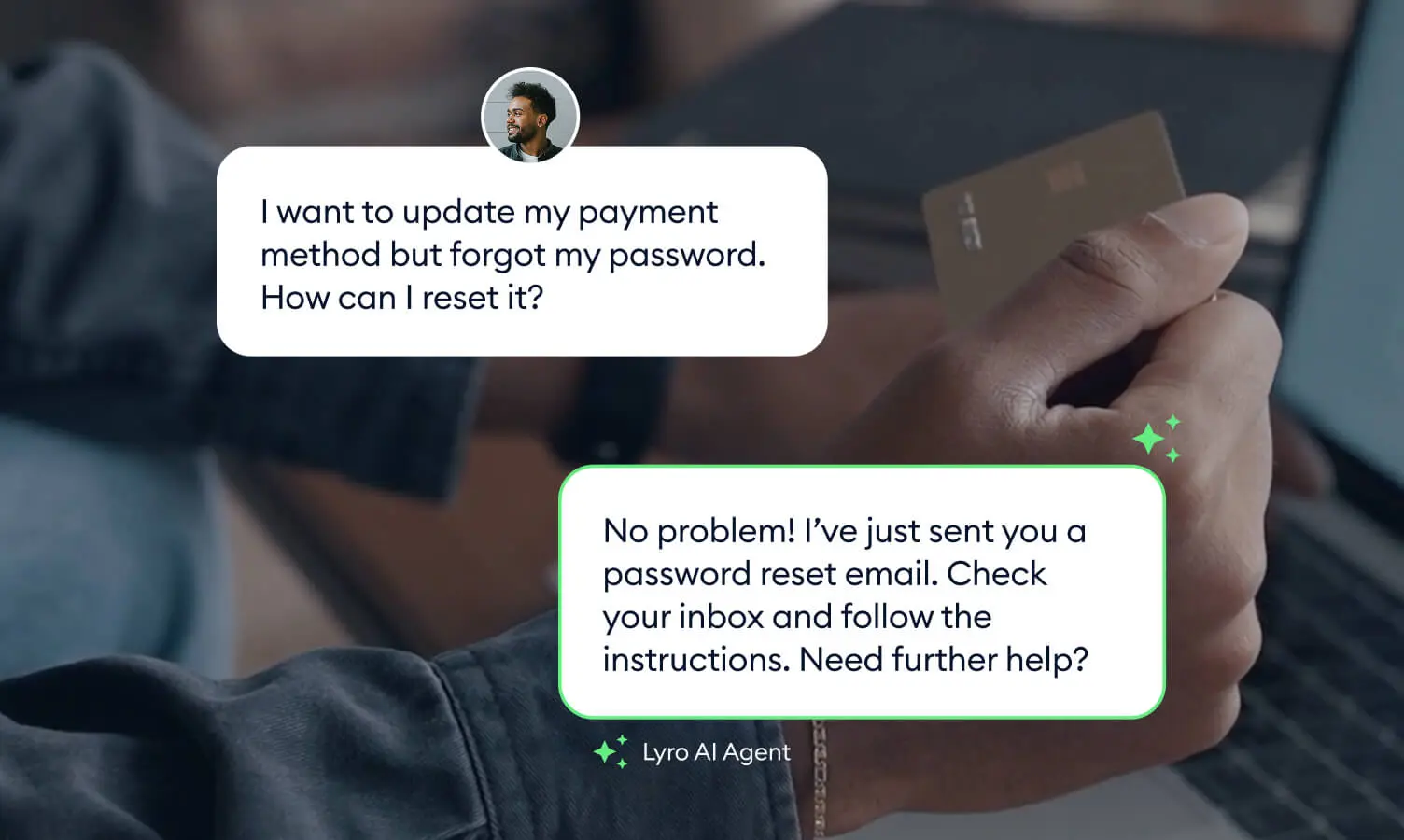
What it automates. Lyro, Tidio's AI agent, answers from your support content across live chat, WhatsApp, Instagram and Messenger, plus AI-driven email resolutions. Lyro Smart Actions handle order updates and lead qualification through real-time integrations. Flows cover no-code proactive automation. Tidio claims a 67% average resolution rate and backs it with a guarantee: if it doesn't lift you to at least 50%, you get your money back.
Pros
- Seats aren't billed at all: 10 seats on Free, Starter and Growth.
- Lyro runs standalone on top of Zendesk, Salesforce or another helpdesk, so you can test AI without migrating.
- Billing is per conversation with unlimited replies inside it, and unanswered or spam conversations don't count toward the limit.
- 50 free Lyro conversations to start, though note that's a one-time allowance rather than a monthly one.
Cons
- Two meters run at once: billable conversations for the help desk and a separate Lyro quota, each with its own ladder.
- Lyro is a prepaid quota, not pay-as-you-go, so you buy capacity ahead of demand and the effective rate only flattens to $0.70 at 200+ conversations.
- Cross-platform integration with Zendesk, Salesforce and 20+ platforms requires Premium.
Pricing.
| Product | Entry | Ladder |
|---|---|---|
| Customer Service | Free (50 conversations) | Starter $29 / 100; Growth from $59 / 250, up to $349 / 2,000 |
| Plus | $300 / mo + usage | Custom volume |
| Lyro AI Agent | $39 / 50 conversations | $75 / 100, $140 / 200, $700 / 1,000 |
My take: the best chat-first automation for a small store, and the resolution-rate guarantee is an unusual thing for a vendor to put in writing. The quota model is my one gripe: prepaying for AI capacity means a quiet month is money you don't get back. Our Tidio review and Lyro AI pricing breakdown have the detail.
What automation actually costs
Here's the part that took me longest to internalise. Five tools on this list all meter their AI by volume, and they mean five different things by it.
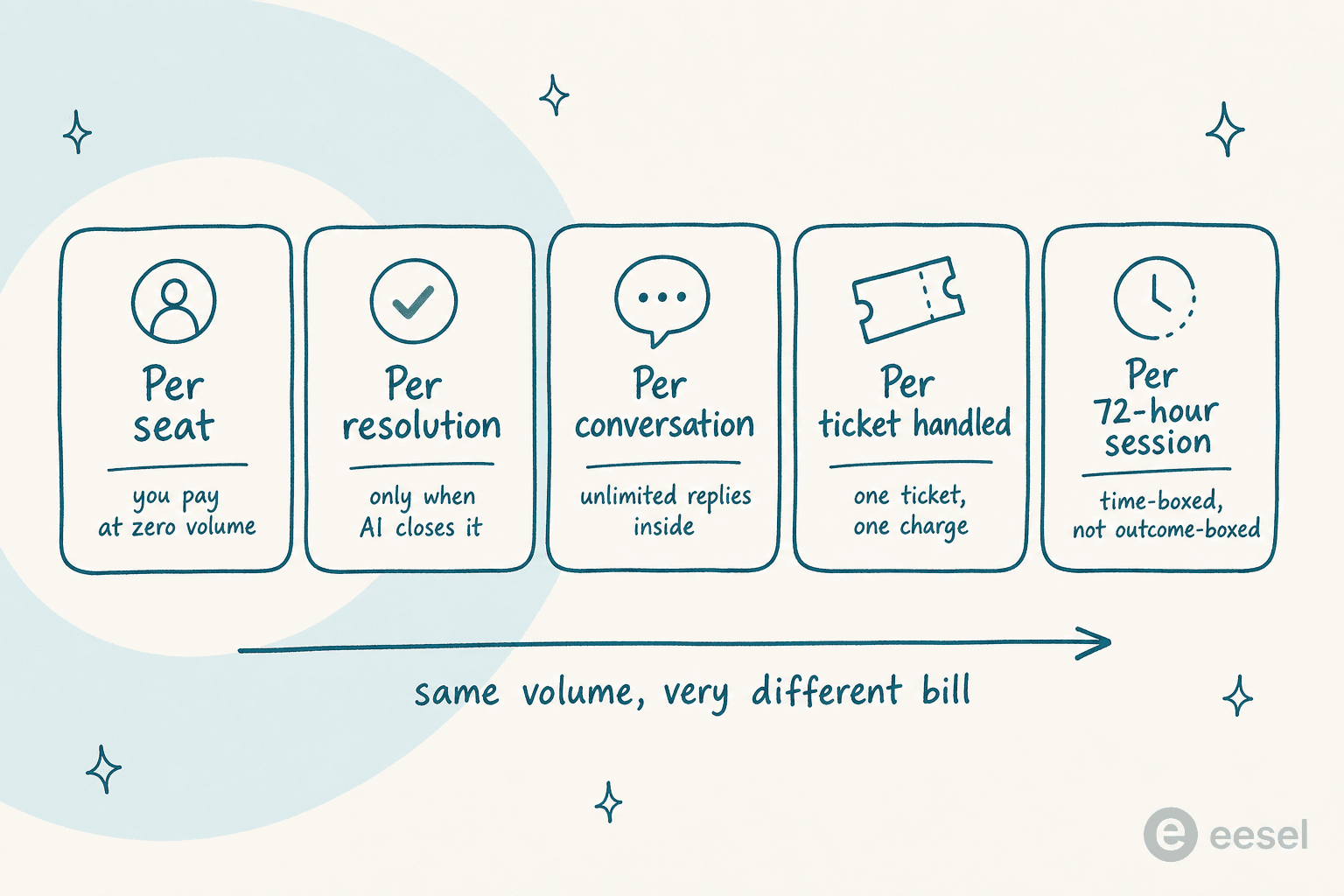
- Per seat bills you at zero volume. Quiet January, same invoice.
- Per resolution charges only when the AI closes it. Help Scout at $0.75 and Gorgias at $0.90 both work this way, except Gorgias also counts that resolution as a billable ticket.
- Per conversation covers unlimited replies inside one thread. Tidio's $0.70 and Front's $0.05 are both per conversation and two orders of magnitude apart.
- Per credit is eesel's: 1 credit per ticket or chat, however many replies it takes, sold in fixed monthly batches starting at 500 credits for $299.
- Per 72-hour session is Freshdesk's. Generous inside the window, coarse outside it.
Plug your own numbers in:
The Zendesk row is deliberately incomplete, and that's the point: the automated-resolution rate isn't public, so what you see is the seat and Copilot floor before any AI usage lands on the invoice.
How to roll out automation without burning trust
Every rollout I've watched go badly went badly the same way: someone turned auto-reply on for the whole queue on day one, a confident wrong answer reached a real customer, and the team switched it off for six months. The fix isn't better AI. It's a narrower gate.
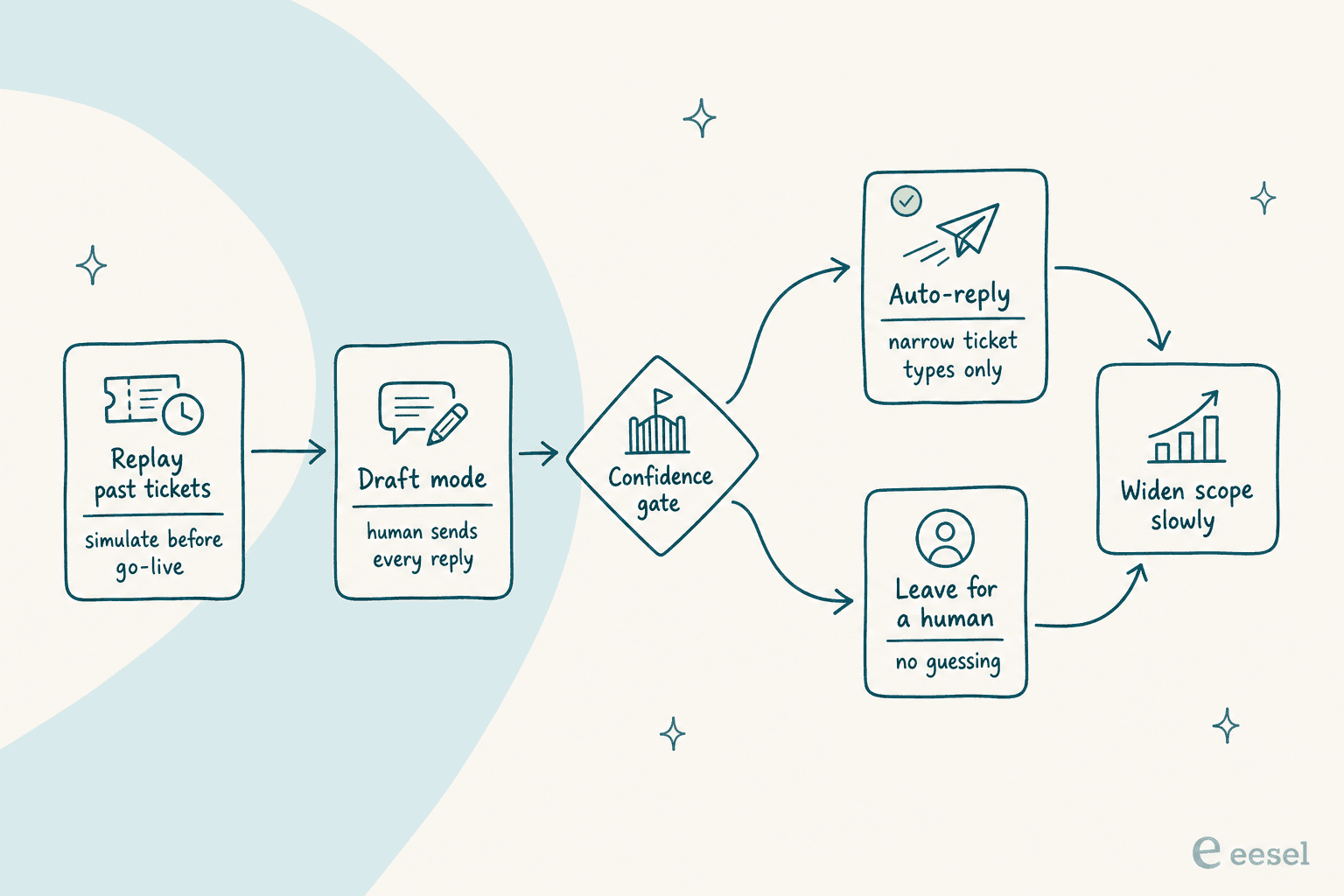
Replay before you launch. Run the agent against tickets you've already closed and compare its answers to what your team actually sent. You'll find the gaps in your knowledge base before a customer does. Front bakes this in as simulations; eesel trains on past tickets for the same reason.
Start in draft mode. The AI writes, a human reads and sends. You get the productivity now and the accuracy data you need to justify the next step.
Set the confidence gate, and set it narrow. The sharpest thing a customer ever said to me about this came from a DTC supplements CX lead: they didn't want an AI that answers everything, they wanted one that only handles what it's confident about and leaves the rest alone. That's the whole design brief. Escalation rules and a clean handoff matter more than a headline resolution rate.
Widen by ticket type, not by percentage. "Automate 40% of tickets" is a wish. "Auto-reply to order status, opening hours and password resets" is a plan. Add one category at a time and watch CSAT per category rather than in aggregate.
Measure the right thing. Resolution rate is easy to game by counting deflections nobody was happy with. Pair it with escalation rate and per-category CSAT, or you'll celebrate a number your customers hate. We covered the traps in improving resolution rate and support QA. If the queue is already out of hand, clearing the backlog comes first.
Try eesel
If you already have a helpdesk and the problem is the queue rather than the software, that's the gap eesel fills. It plugs into Zendesk, Freshdesk, Gorgias, Front and Slack in minutes, trains on your past tickets rather than only your help center, and runs in draft mode until you trust it enough to let it send.
The commercial difference is the billing unit: one fixed monthly price from $299 for 500 credits, no seat fee, no platform fee, and nothing charged for tickets your humans take. Start with 100 free credits, no credit card, and set an overage cap on day one if you want the bill to stay predictable.
Frequently Asked Questions
What is customer service automation software?
How much does customer service automation software cost?
What can AI actually automate in customer support?
Is there free customer service automation software?
What happens if the AI answers a customer wrongly?


Article by
Riellvriany Indriawan
Riell is a designer and writer at eesel AI with about two years of experience researching CX platforms, AI chatbots, and helpdesk software. She combines her design background with a sharp eye for how these tools actually look and feel in practice — making her comparisons unusually visual and user-focused.