What counts as a customer service application
A customer service application is any tool your team uses to receive, organize, and respond to customer questions. That's a wide net on purpose, because the reality is wide: the average support team doesn't run one app, it runs a small stack of them that pass work between each other.
It helps to separate two things that get lumped together. A channel is where the customer reaches you: email, a chat widget, WhatsApp, a phone line, social DMs. An application is the software that manages the conversation behind that channel. One application usually handles several channels, which is why "omnichannel" became a selling point: the customer switches from chat to email, and the same tool keeps the thread together.
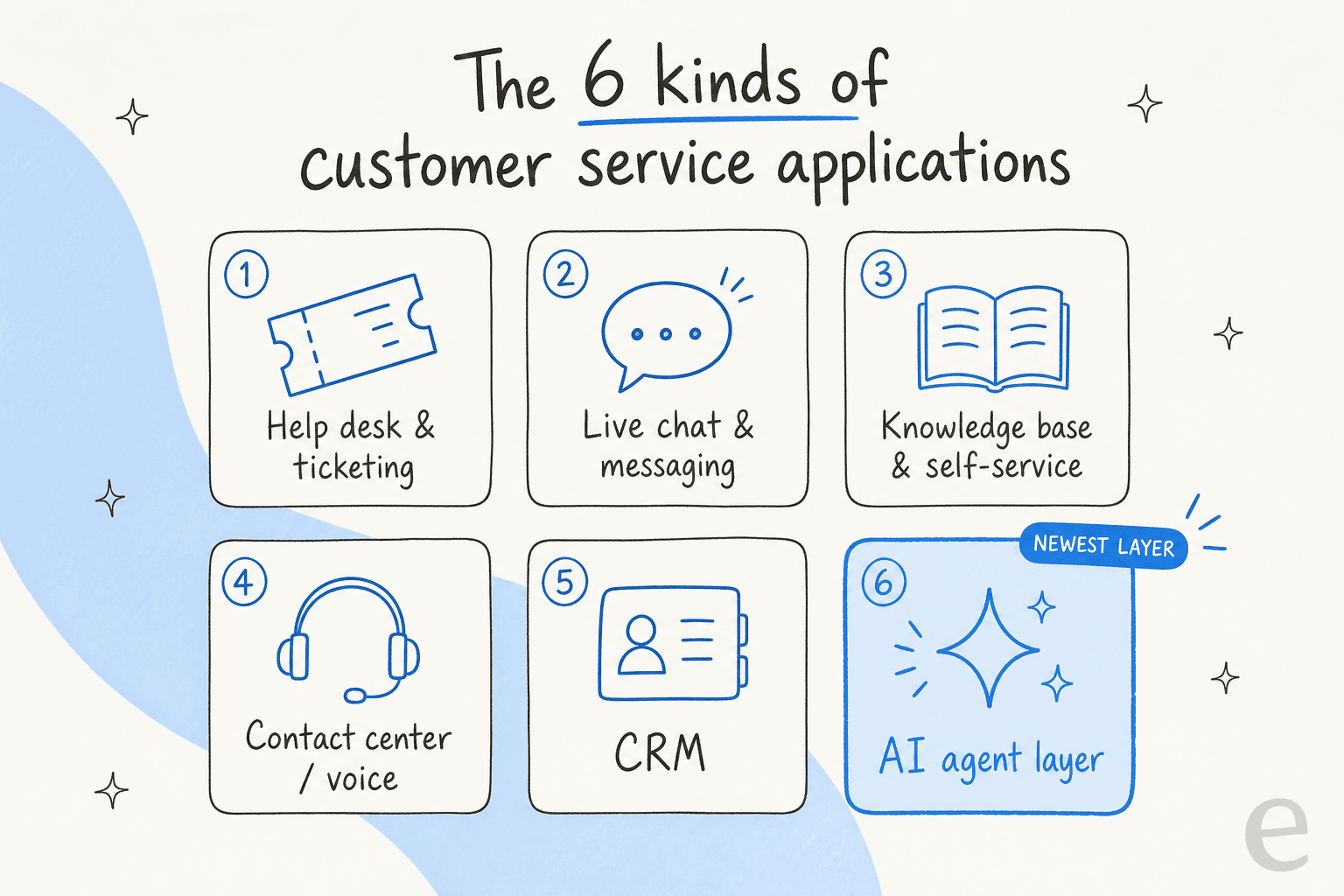
Below are the six categories, what each is genuinely good at, and where each one falls down.
The six main types of customer service applications
1. Help desk and ticketing
The help desk is the backbone. It turns every incoming message into a ticket with a status, an owner, and a history, so nothing gets dropped and two agents don't reply to the same customer. This is where Zendesk, Freshdesk, and Help Scout live. If you support customers at any volume, a help desk is the first application you buy.
What it's good at: routing, SLAs, macros, reporting, and a shared record of every conversation. What it isn't: fast to answer on its own. A raw help desk is a filing system, not an answer machine, so response time still depends on how many agents you have. Smaller teams often start with a shared inbox and graduate to full ticketing as volume climbs; there are solid options built for small businesses and for enterprise alike.
2. Live chat and messaging
Live chat is the widget in the corner of a website, plus the messaging channels that feed it: WhatsApp, Messenger, in-app chat. The pitch is immediacy, an answer in the moment the customer has the question, which is why live chat software converts so well on pricing and checkout pages.
The catch is staffing. Real-time chat only works if someone is there to reply in real time, and that gets expensive across time zones. This is exactly the gap that AI live chat fills: the bot answers instantly around the clock and only pulls in a human when it needs to.
3. Knowledge base and self-service
A knowledge base is your help center, the public library of articles that lets customers answer their own questions. It's the highest-leverage application you own, because a good article deflects the same ticket thousands of times without an agent touching it.
The value is real but easy to under-invest in. Articles go stale, search is weak, and customers give up and open a ticket anyway. The modern version wires the knowledge base into an AI knowledge base chatbot so answers get pulled and phrased conversationally instead of leaving the reader to hunt. The payoff of a well-run knowledge base is the cheapest resolution you'll ever get.
4. Contact center and voice
When the channel is a phone line, you're in contact center territory. These applications handle call routing, queues, IVR menus, and increasingly voice AI that can answer or triage calls before a human picks up. Regulated and high-touch industries still lean on voice heavily.
Voice is the most operationally demanding channel, so if most of your volume is text, a full contact center is more than you need. But the same AI ideas are arriving here too, with the AI call center agent handling routine calls end to end.
5. CRM
A CRM (customer relationship management) application tracks the whole relationship, not just the open ticket: deals, contacts, purchase history, marketing touches. Salesforce and HubSpot are the giants here. Support teams care about the CRM because context, who this customer is and what they've bought, makes for better answers.
The line between CRM and help desk blurs on purpose; some suites sell both. If your support questions are really sales questions in disguise, the CRM is where you'll want the intelligence, and there's a growing set of AI features for HubSpot CRM that reflect that.
6. The AI agent layer
This is the newest category and the one reshaping the rest. An AI agent reads an incoming question, finds the answer in your knowledge and past tickets, and either replies directly or drafts a reply for an agent to send. Unlike an old rule-based bot, it isn't a decision tree you have to hand-build; the difference is worth understanding, and we covered it in AI agent vs rule-based chatbot.
The important design choice is where it sits. The best AI customer service software doesn't ask you to abandon your help desk. It plugs into Zendesk, Freshdesk, or Gorgias and works inside the tool your team already knows.
Where AI actually changed the picture
For a decade, buying customer service software meant picking a suite and living inside it. Adding a capability meant a migration, and migrations are where support projects go to die: months of exporting tickets, retraining agents, and rebuilding macros before a single customer felt anything.
The AI agent layer broke that pattern. Because it reads from your existing help desk and knowledge base through an API, you don't rip anything out; you layer intelligence on top of what runs today.
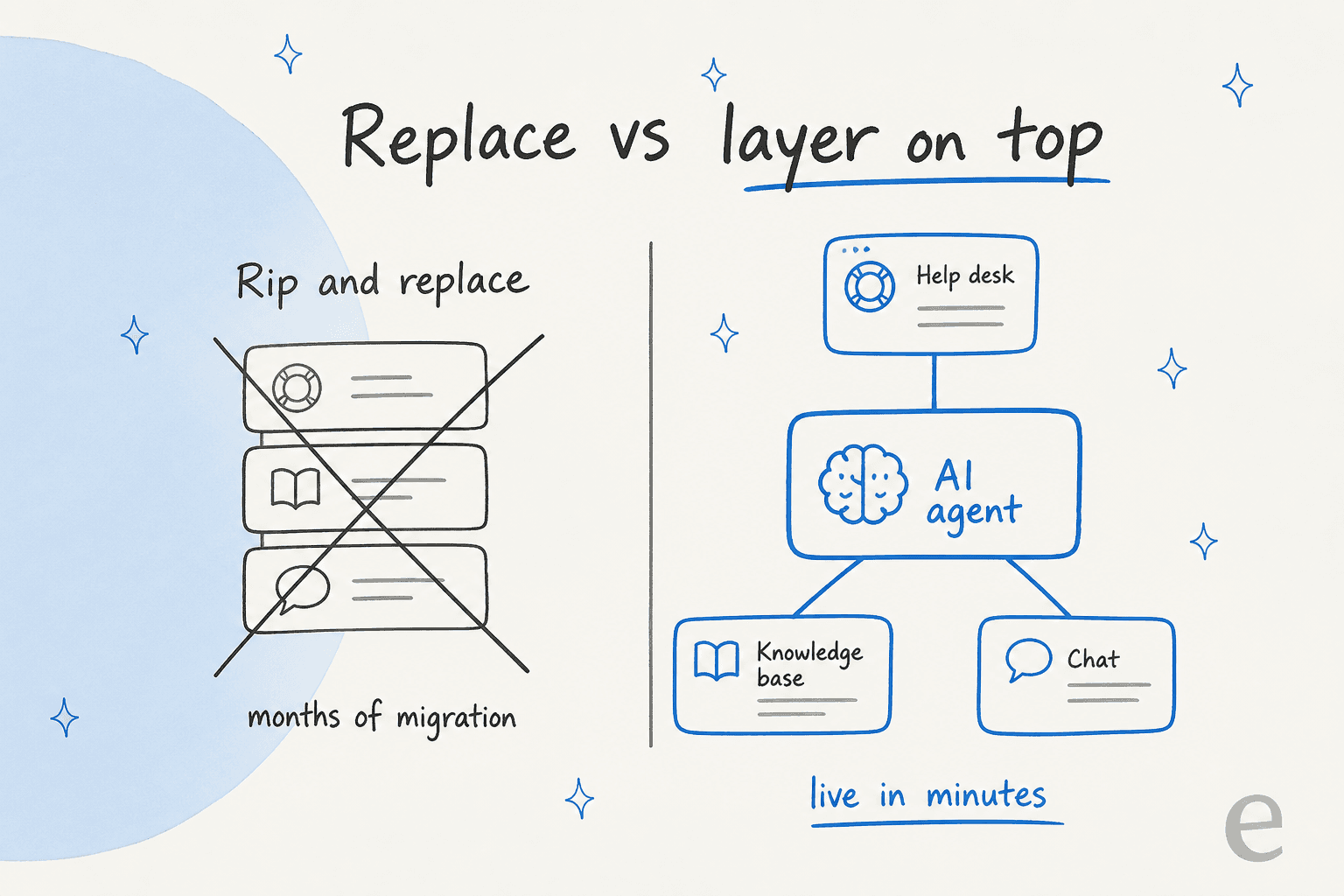
This is the single biggest thing I'd tell someone shopping in 2026. The question isn't "which new platform do I move to." It's "which AI can I add to the platform I already have," and the second question is far cheaper to answer. One thing we hear constantly from teams weighing this is that they don't want the AI touching everything on day one. As a CX lead at a DTC supplements brand we work with put it, they wanted an AI that only handled the tickets it was confident about and left the rest alone. That control, not raw automation, is what actually makes people trust the layer.
There's a real trust wrinkle worth naming, though: an AI that sounds confident and answers wrong is worse than no AI at all. We've watched it happen, which is why the sane way to roll one out is to simulate it against your historical tickets first, see how it would have replied to real cases, and only then let it go live on the easy stuff.
How the applications work together
The stack matters more than any single app. A well-run support operation is a relay: a message lands in the help desk, gets tagged and routed, gets answered from the knowledge base if it can be, and reaches a human only when it genuinely needs one. Each application does one leg of that race.
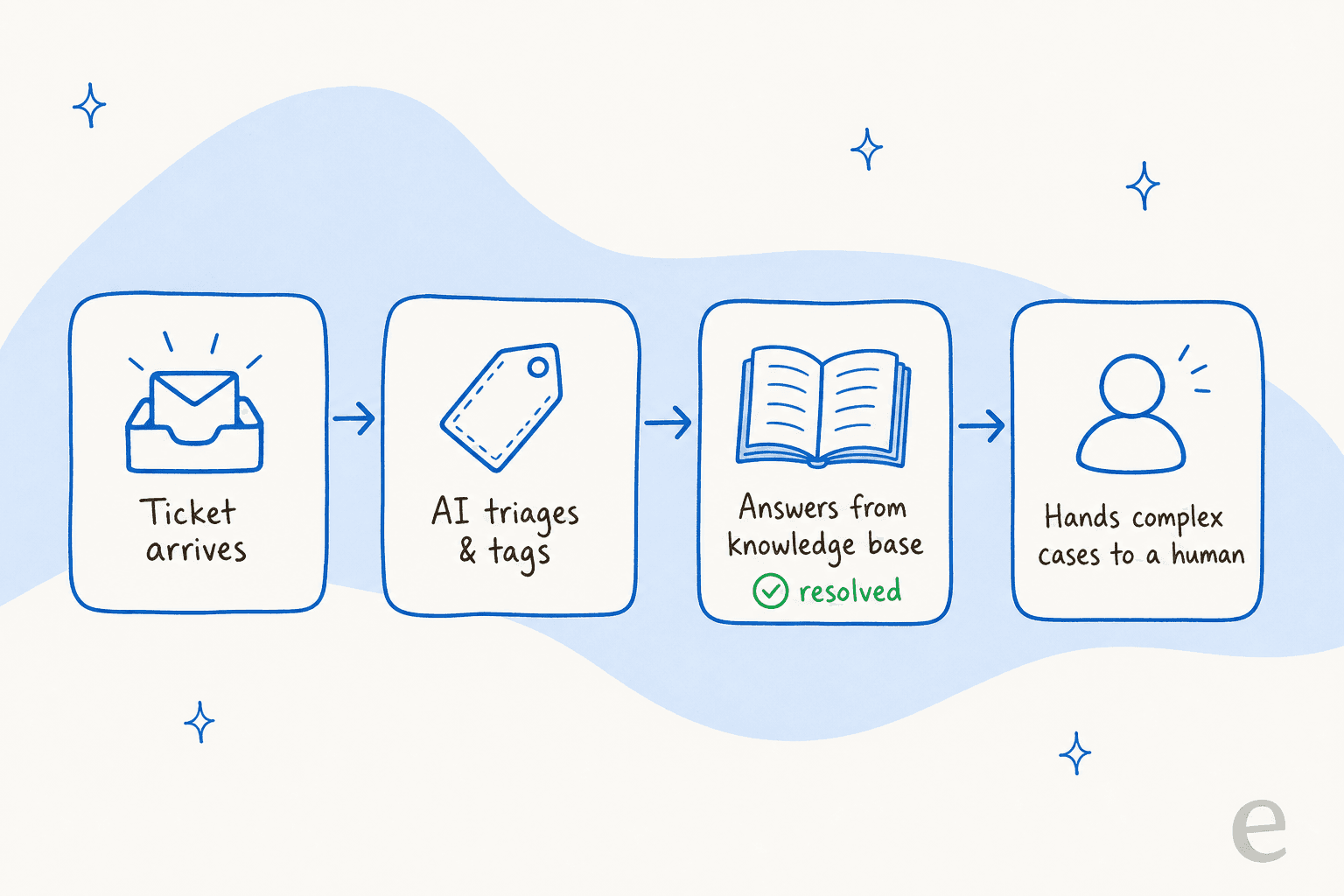
The AI agent's job is to shorten that relay. When it triages and tags on arrival, the customer service workflow moves faster before an agent even looks. When it drafts a reply from your help center, the agent edits instead of writing from scratch. When it answers a simple question outright, the ticket never reaches a person. Across the teams we work with, that adds up fast, one, Gridwise, saw an AI resolve 73% of its tier-1 tickets in the first month.
The measure that ties it together is your customer service metrics, especially resolution rate and first response time. If a new application doesn't move one of those, it's not earning its slot in the stack.
What to look for when choosing
You're rarely choosing one application from scratch; you're deciding what to add to what you have. A few things I'd weigh:
- Does it fit your existing stack? An AI that plugs into your current help desk beats a shiny suite you'd have to migrate to. Integration breadth is the quiet differentiator.
- How is it priced? Per-seat pricing punishes you for growing the team; usage-based pricing ties cost to work done. Our cost comparison breaks down the difference.
- Can you control it? Look for confidence thresholds, ticket-type exclusions, and the ability to keep the AI in draft mode until you trust it. This is the objection that stalls most rollouts, so solve for it early.
- Can you test before you commit? The ability to simulate on your own past tickets is the fastest way to know whether a tool will actually work for your customers, not a demo team's.
For a fuller shortlist, we keep an updated roundup of the best AI customer service software and top support tools.
Try eesel
If you already run a help desk and want the resolution rate up without a migration, that's exactly what eesel is built for. It's an AI agent that plugs into Zendesk, Freshdesk, Gorgias, and the rest in a few minutes, learns from your existing knowledge base and past tickets, and starts drafting or fully resolving tickets from day one, no rip-and-replace required.

The part teams tend to like most is the control: you can simulate eesel against thousands of your historical tickets before it ever touches a live conversation, set the exact confidence level it acts on, and keep everything else in the hands of your agents. Pricing is usage-based, so you pay for tickets the AI actually handles rather than per agent seat.
You can try eesel free and point it at your own help center to see how much it would resolve before you commit to anything.
Frequently Asked Questions
What are customer service applications?
What is an example of a customer service application?
What is the difference between a help desk and a CRM?
How much do customer service applications cost?
Do I need a separate AI application for customer service?


Article by
Kurnia Kharisma
Kurnia is a software engineer and writer at eesel AI with two years of SEO experience, writing about AI tools, helpdesk software, and customer support. He pairs a developer's understanding of how these products are built with search-driven research into what actually ranks and resonates with the people searching for them.