What I actually looked for
There is a line a colleague at eesel keeps repeating: email is the world's biggest helpdesk. Most support still happens in an inbox, not a fancy ticketing portal, which is exactly why a Gmail-native tool like Hiver exists and why 10,000+ teams run support on it. So a post about "AI for Hiver" is really a post about putting AI on an email queue without breaking the thing that made the inbox work in the first place.
I spend my time on the search-and-product side at eesel, which means I look at what people typing "best AI for Hiver" are actually trying to do, then read what each tool does under the marketing copy. And eesel has spent the last few years putting AI agents on live support queues across thousands of real tickets, so I have a strong bias baked in from watching this go wrong: a confident-sounding bot that gives a customer the wrong answer is worse than no bot at all, which is why every rollout we run gets simulated against historical tickets before it replies to a single human.
That shapes the four things I weighted most:
- How it learns. Does the AI train on your past resolved tickets and tribal knowledge, or just scrape your help center and hope?
- Control before autonomy. Can you scope what it answers, route low-confidence cases to a human, and prove it works before going live?
- Where it lives. Does it stay inside your Gmail inbox, or does it mean adopting a separate platform?
- What it really costs. Per seat, per resolution, or per ticket? The billing unit decides whether your bill scales with headcount, with results, or with volume.
If you want the wider category first, our roundup of the best customer service AI is a good primer before you start comparing vendors.
The 7 best AI tools for Hiver at a glance
Here is the shortlist side by side. "Lives in Gmail" means the AI works inside the Gmail shared inbox specifically, not just a generic web app.
| Tool | Best for | AI billing model | Starting price | Lives in Gmail? | Learns from past tickets? |
|---|---|---|---|---|---|
| eesel AI | Results-priced AI you can test first | Per ticket resolved | $0.40 / ticket, no seat fee | Via email + your helpdesk | Yes, trains on resolved tickets |
| Hiver AI | Staying in Gmail with zero setup | Bundled into seat price | $25 / user / mo (Growth) | Yes, native | Limited (KB-led) |
| Help Scout | Support-first small teams | Per resolution add-on | $25 / user / mo + $0.75 / resolution | No (own inbox) | Partly (KB + web) |
| Front | Cross-team collaboration | Per conversation / seat add-on | $25 / seat / mo + AI add-ons | Connects Gmail | Topics from history |
| Gorgias | Shopify and ecommerce brands | Per resolved conversation | from $10 / mo + ~$0.90 / resolution | No (own inbox) | Pre-trained on ecommerce |
| Zendesk | Teams outgrowing a shared inbox | Per automated resolution | $19 / agent / mo + AI usage | No (own platform) | Yes (self-improving) |
| Freshdesk | Mid-market with a free on-ramp | Per AI session | $0 free 6 mo, then $19 / agent / mo | No (own platform) | Yes (with setup) |
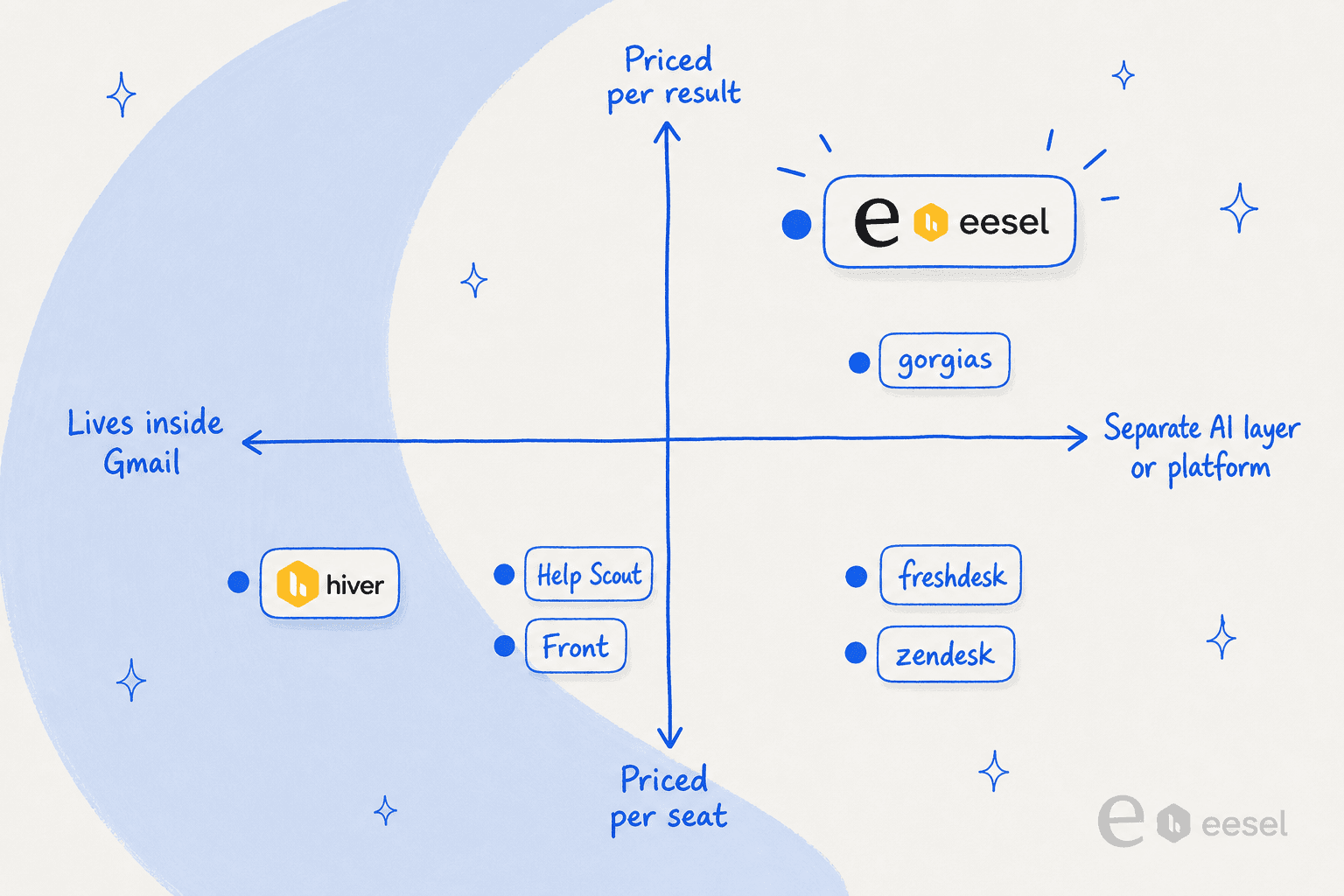
One pattern jumps out when you plot these on where the AI lives against how it bills. The bundled, stay-in-Gmail option sits in one corner; the results-priced, learns-from-your-tickets options sit in the opposite one. Most of the decision is figuring out which corner your team belongs in.
How AI actually resolves a support email
Before the list, it helps to know what happens under the hood, because the marketing makes every tool sound identical. The mechanics are simple, and almost all the quality lives in one step.
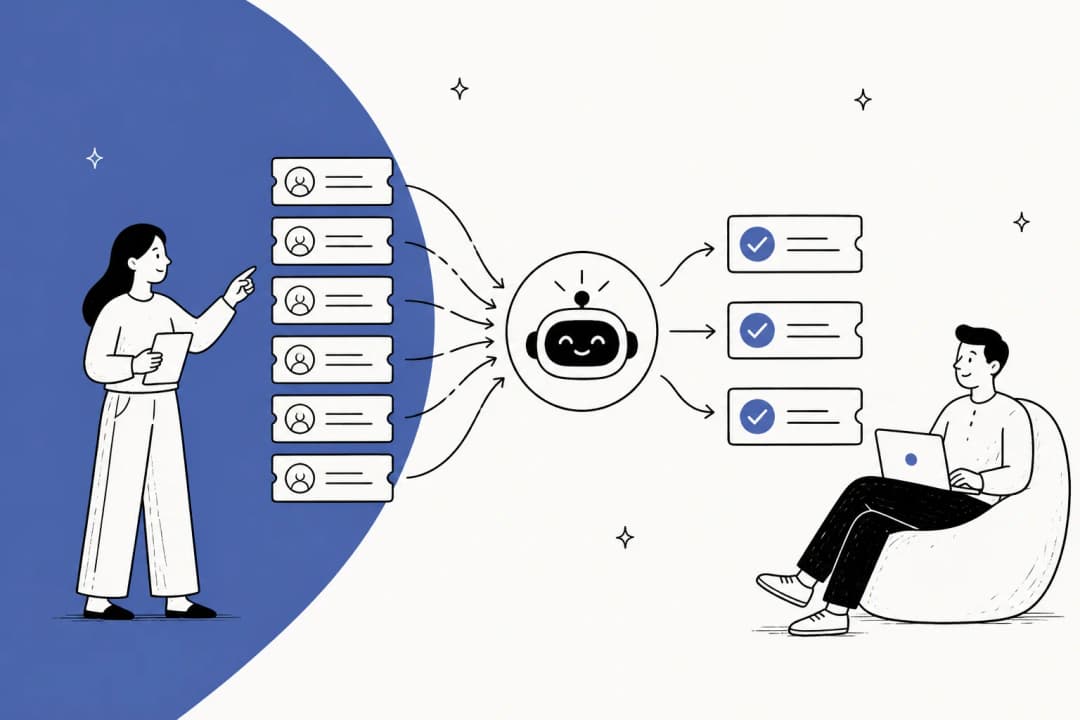
A customer email lands in the shared inbox. The AI reads the relevant context: your help docs, your past tickets, and in the better tools, the actions it is allowed to take (look up an order, trigger a refund, tag and route). Then it decides whether it is confident enough to act. The tools worth paying for are honest about what they don't know: high-confidence requests get auto-resolved, and anything shaky gets handed to a human with a drafted answer and full context attached, instead of a confident guess.
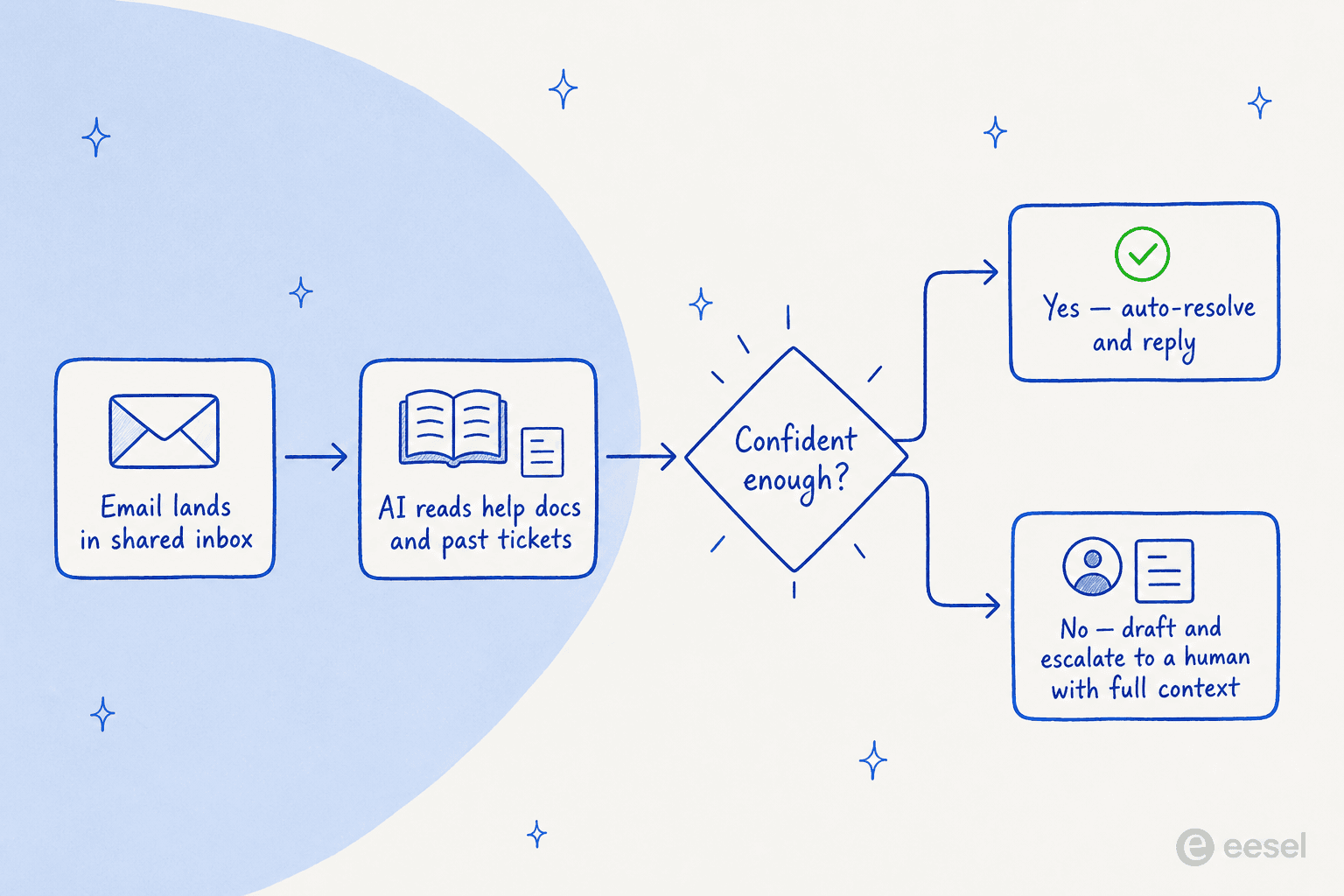
That confidence step is the whole ballgame. A CX lead at a DTC brand doing 7,000 tickets a month put it better than any vendor deck when we spoke during a sales call: "The AI will never be able to answer 100% of the questions. I need an AI who is only handling the tickets that it's confident to handle, and all the other ones, leave them alone." Tools that ignore this are how you get the "sorry, I don't have that information" replies that quietly erode trust in week one. If you want to go deeper, our guide on preventing AI hallucinations covers the controls that keep this in check.
1. eesel AI
Best for: teams that want autonomous AI priced on results, trained on their own resolved tickets, and proven against real history before it goes live.
I'll be upfront on two things. First, this is the tool I work on, so read the verdict critically. Second, and more important for this post: eesel does not bolt onto Hiver's Gmail extension the way a native add-on would. It connects to email and to the helpdesks it supports (Zendesk, Freshdesk, Front, Help Scout, Gorgias, plus Slack and your docs). So eesel is the pick here if you are running email support more broadly, or if you have decided Hiver's native AI is not enough and you are open to where the AI sits. If you are committed to staying inside the Hiver extension and nothing else, skip to number two.
With that caveat out of the way, the reason I'd reach for it is that it trains on your historical tickets and docs, so years of resolved issues become usable knowledge on day one, instead of an AI that only knows your help center. That is the single most-requested thing I hear from teams: train the AI on our own past tickets.
Features
- Learns from your past tickets and docs, not just a help-center scrape, so it answers the way your team actually does.
- Simulation mode replays the agent against thousands of your real historical tickets, so you see coverage and accuracy before it goes live.
- Confidence-based routing and granular scoping: start with drafts only, then grant autonomy on the ticket types it has proven on.
- Custom actions to resolve rather than just reply: look up an order, tag and triage, or escalate cleanly with context.
- Usage-based pricing with no per-seat fee, and 80+ languages out of the box.
Pros
- Per-ticket billing means the bill tracks results, not headcount; you are never charged for tickets your humans handle.
- The simulation-before-live workflow is the strongest control story here, and it is the answer to the "what if the bot says something wrong" fear.
- Trains on resolved tickets, which is what most native helpdesk AI quietly skips.
Cons
- No native plug-in for the Hiver Gmail extension specifically, so it suits teams on a supported helpdesk or running email more broadly.
- It is a layer, not a full helpdesk, so you keep your inbox and add eesel on top rather than replacing everything.
Pricing
Pay-as-you-go from $0.40 per ticket the AI handles, with no platform fee, no per-seat fee and no minimum. A regular task (one ticket or chat) is $0.40 regardless of how many messages it takes. There is a free trial ($50 of usage, no card), an annual commit option for 25% off, and a $1,000/month Enterprise tier that adds SSO, HIPAA and a dedicated solutions engineer. At 500 tickets a month you would pay about $200, which is easy to compare against a per-seat bill.
Our take: the best fit if you want AI that learns from your tickets and bills for outcomes, and you are not wedded to the Hiver extension. If "it has to live inside my Gmail and nothing else" is non-negotiable, Hiver's own AI is the more honest answer.
2. Hiver AI (native)
Best for: teams already on Hiver who want AI inside their Gmail inbox with nothing new to install.
This is the obvious starting point, because it is the one AI that genuinely lives inside the Hiver shared inbox. Hiver rebranded its AI suite (once called "Harvey") into three pillars: AI Copilot (drafts replies, summarises threads, adjusts tone, answers from your knowledge), AI Agents (autonomous resolution of common questions like order status and password resets, plus tagging and routing), and AI QA (auto-scoring conversations). The pitch is real: nothing to adopt, no separate tab, no migration.
The honest caveat is that Hiver's AI is the most thinly tested AI on this list. There is very little independent third-party testing of its accuracy, and the user signal that does exist is muted. One mid-market reviewer on Capterra put it plainly:
"At times, the AI functionality felt limited and could be expanded to provide deeper insights or more predictive recommendations. The reporting and analytics features could be more robust."
Marketa S., Assistant Director of HR, via Capterra

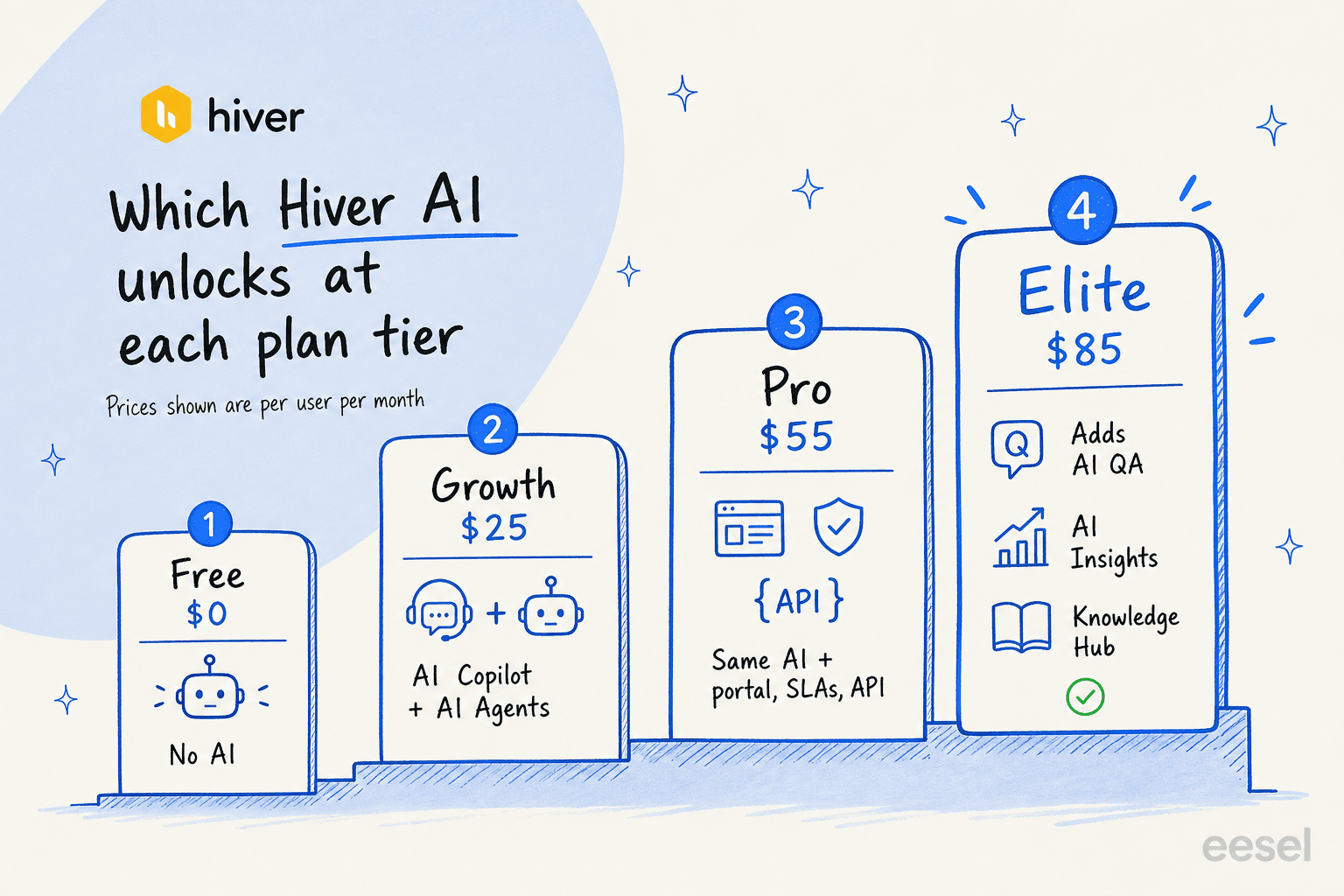
The other thing to know is how the AI is gated across plans, because the headline "$25" does not get you the full suite.
Features
- AI Copilot: AI Compose, AI Summarizer, AI Suggested Response, Ask AI, AI Tagging, Sentiment Analysis and AI Extract, all agent-facing.
- AI Agents: AI Answers (autonomous resolution), AI Tasks (automated workflows), AI Thank-you Detector, AI KB Search.
- Elite-only: AI QA, AI Insights, AI Knowledge Hub, and Customer Intelligence (marked coming soon).
- It all runs inside Gmail, which is the entire reason teams pick Hiver in the first place.
Pros
- Zero adoption friction; it is in the inbox your team already lives in.
- No separate per-resolution AI fee, so costs are predictable per seat.
- Strong fit if your volume is moderate and your needs are mostly drafting and triage.
Cons
- Seat-priced, so the AI cost climbs with every agent you add, whether or not they touch the AI.
- The most useful AI (QA, Insights, Knowledge Hub) is locked to the $85 Elite tier.
- Limited evidence it learns deeply from your resolved tickets, and no simulation mode to prove accuracy before going live.
Pricing
Per user, per month, billed annually (monthly is higher): Free $0 (no AI), Growth $25 (first tier with AI Copilot + AI Agents), Pro $55 (adds portal, SLAs, API), Elite $85 (adds AI QA, AI Insights, AI Knowledge Hub). Every plan starts at a 2-seat minimum, and the 7-day trial gives full Elite access. For the full plan-by-plan breakdown, see our Hiver pricing guide.
Our take: the right call if simplicity and "no new tool" matter more than raw AI power, and your volume is moderate. Just go in knowing the AI is bundled convenience, not a proven autonomous resolver, and budget for Elite if you want the analytics.
3. Help Scout
Best for: support-first small teams who like Hiver's inbox feel but want a more support-shaped tool with a usage-priced AI agent.
In community threads, Help Scout is the tool people name in the same breath as Hiver. The rule of thumb on Reddit is consistent: pick Hiver if you are on Gmail, pick Help Scout if your work is more support-focused. It keeps the clean, email-like inbox that makes Hiver pleasant, but it is built as a support platform with a knowledge base, a help widget (Beacon), and an AI layer on top.
"Hiver if you're on Gmail. Help Scout if you're doing more customer support focused work. Help Scout is better if your email is mostly customer support."
r/SaaS, via Reddit

Its AI Answers agent resolves around 73% of interactions on average from your knowledge base, and the Inbox Assistant handles drafts, summaries and tone edits for agents.
Features
- AI Answers: a customer-facing agent that resolves from your docs, the web and custom sources, in 50+ languages.
- Inbox Assistant: AI Drafts, AI Summarize and AI Assist (tone, grammar, length, translation).
- Clean shared inbox, Docs knowledge base, and the Beacon widget.
Pros
- Genuinely fast to learn, with the same low-clutter feel that draws people to Hiver.
- A real autonomous AI agent, not just drafting, with a published resolution rate.
- Knowledge base is built in and feeds the AI directly.
Cons
- The $0.75-per-resolution AI fee stacks on top of seat costs and is the top complaint at scale.
- Reporting and advanced customization are thinner than enterprise tools.
- Reddit has not forgotten Help Scout's per-seat to per-interaction pricing flip and back, which dented trust.
Pricing
Per user, per month (annual): Free $0 (up to 5 users), Standard $25, Plus $45, Pro $75. The AI Answers agent is a usage add-on at $0.75 per resolution. At 1,000 resolutions a month that is an extra ~$750 on top of seats, so model your volume before committing. Full detail in our Help Scout pricing guide.
Our take: the natural switch if you love Hiver's inbox feel but want a more support-shaped product. Watch the per-resolution math, because that is where the bill surprises teams.
4. Front
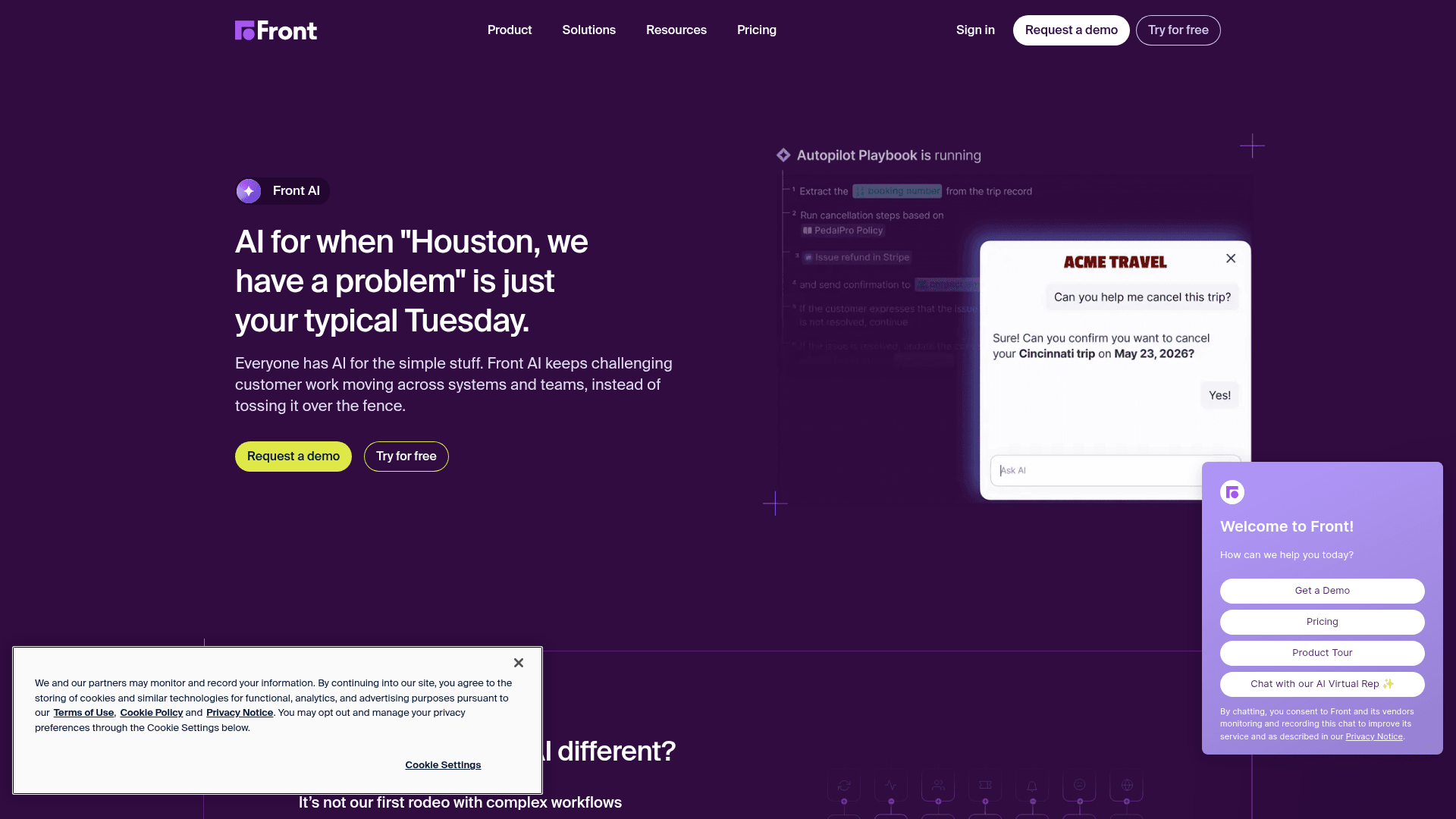
Best for: teams whose support spans several departments and who want collaboration plus AI in one shared inbox.
If Help Scout is the support-first pick, Front is the collaboration-first one. The community shorthand is that Front is for team-collab, and that is exactly its pitch: "AI for simple support is everywhere, complex customer operations demand Front." It connects Gmail and other email alongside chat, SMS and social, and leans hard on internal comments and shared drafts so nothing gets lost. We compared the two directly in Front vs Hiver if you are weighing them head to head.
Front AI claims to resolve up to 70% of requests with its Autopilot agent, and layers on Copilot, Smart QA and Smart CSAT.
Features
- Autopilot: an omnichannel AI agent for complex work, sold as a usage add-on.
- Copilot, Smart QA and Smart CSAT for agent assist, scoring and satisfaction inference.
- Topics, Compose, Translate and Summarize included, with daily action caps per teammate.
Pros
- Best-in-class collaboration: comments, shared drafts and assignments feel native.
- Genuinely omnichannel on the higher tiers, not just email.
- Strong reported outcomes (Front cites a 428% average ROI on its pricing page).
Cons
- AI is mostly add-on pricing on lower tiers ($20/seat for Copilot, from $0.05/conversation for Autopilot), so the real cost adds up.
- The Starter plan is single-channel only, which limits the omnichannel pitch.
- Heavier and pricier than Hiver if all you need is a tidy shared inbox.
Pricing
Per seat, per month (annual): Starter $25 (up to 10 seats), Professional $65, Enterprise $105. AI capabilities are add-ons on lower tiers and bundled into Enterprise. A 14-day trial covers Professional features.
Our take: the pick when support is a cross-functional effort, not a single queue. If you are a small team that just wants AI on an inbox, it is more platform than you need.
5. Gorgias
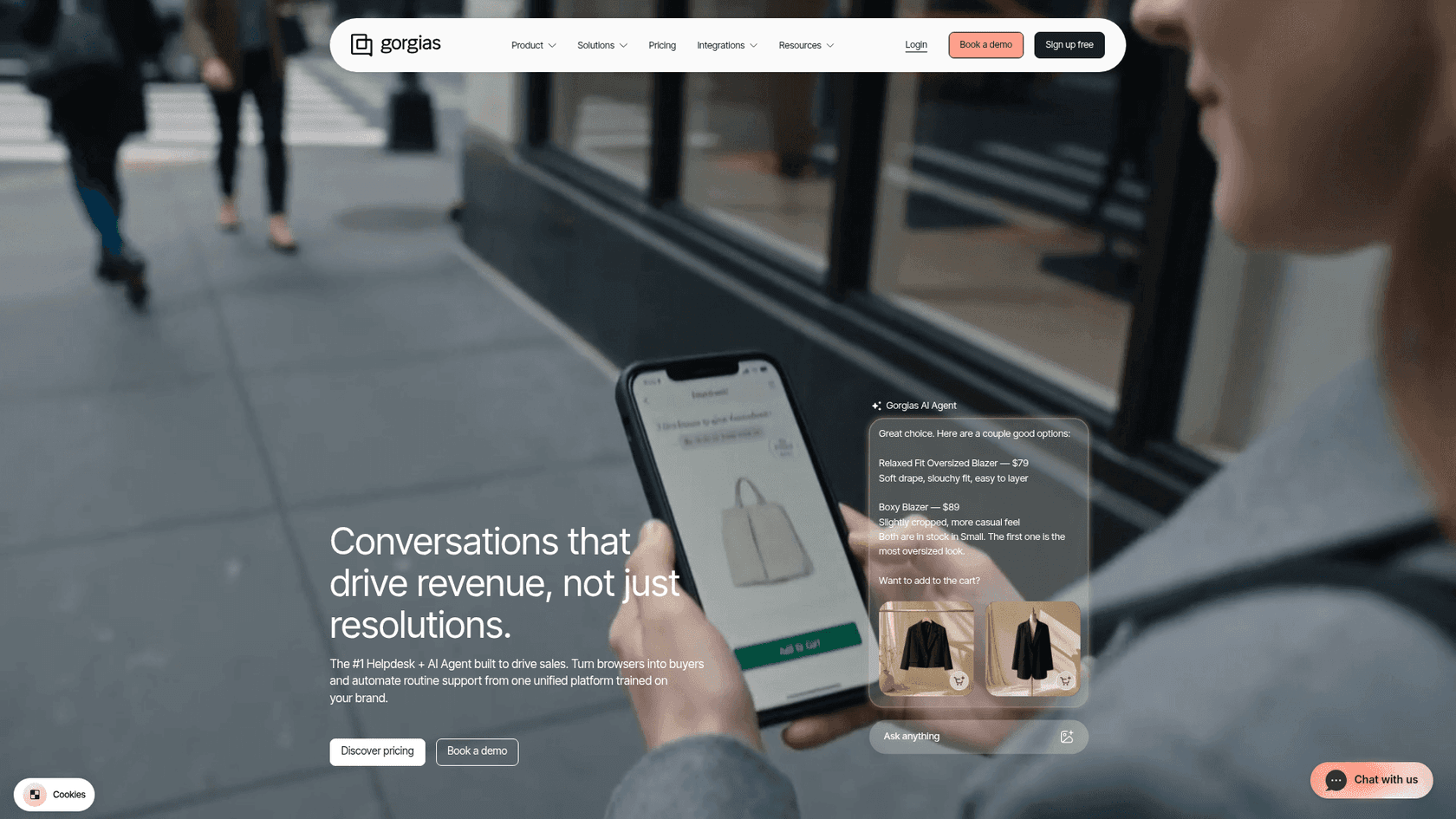
Best for: Shopify and ecommerce brands whose tickets are mostly order, return and "where is my order" questions.
If your Hiver inbox is really an ecommerce support queue, Gorgias is built for exactly that. It powers customer conversations for 40% of Shopify brands, pulls order data natively into the ticket, and its AI Agent is pre-trained on over a billion ecommerce conversations to resolve returns, edit orders, generate discounts and recommend products. For order-heavy stores, that native commerce context is something a generic Gmail inbox plus AI cannot match.
The catch is cost, and it bites fast. One trial user we watched ran 12 successful test chats, was happy with the agent, then opened the billing page and immediately asked to cancel. Sticker shock is the recurring Gorgias story.
Features
- AI Agent that resolves pre- and post-sale questions and takes ecommerce actions (refunds, order edits, subscriptions).
- Native Shopify, BigCommerce, Magento and WooCommerce integration with no data syncing.
- Omnichannel inbox across email, chat, Instagram, Facebook, TikTok and WhatsApp.
Pros
- The deepest ecommerce integration of any tool here; orders and actions live in the ticket.
- Ticket-based pricing rather than per seat, so adding agents does not raise the base.
- Documented automation at peak season (Orthofeet hit 50%+ automation in under two months).
Cons
- Pricing shock is real, and each AI resolution also counts as a billable ticket.
- Overkill (and overpriced) if you are not an ecommerce brand.
- Less suited to relationship-heavy or internal support than a shared inbox like Hiver.
Pricing
Ticket-based tiers (monthly): Starter from $10 (50 tickets), Basic $50 (300), Pro $300 (2,000), Advanced $750 (5,000), plus Enterprise. The AI Agent is a usage add-on at $0.90 per resolved conversation on annual plans ($1.00 monthly), and each AI interaction also counts as a billable ticket.
Our take: the clear winner for Shopify-heavy support, and the wrong tool for everyone else. If 40%+ of your tickets need direct Shopify actions, it pays off; if not, the bill will sting.
6. Zendesk

Best for: teams that have outgrown a Gmail shared inbox and want a full enterprise resolution platform with AI throughout.
Worth naming directly: Zendesk is the tool Hiver positions itself against, the "legacy ticketing" it claims to replace. So it is a little ironic to list it as a Hiver option, but the truth is many teams go the other way, growing out of a shared inbox and into Zendesk's heavier Resolution Platform, which now folds in Forethought for self-improving AI agents that learn from every interaction.
It is powerful, and it is a lot. The recurring warning from teams I talk to is about value, not capability. One healthcare support team I came across had tried Zendesk's native AI and walked away calling it "inadequate and overpriced" before shopping for alternatives. Worth a real evaluation, but go in clear-eyed on the layered bill.
Features
- AI Agents for autonomous resolution across channels, plus a per-role Copilot.
- Automatic QA across 100% of human and AI interactions, and AI-powered workforce management.
- A 1,800+ app marketplace and deep enterprise governance.
Pros
- The most complete platform here, with AI woven through ticketing, voice and analytics.
- Self-improving agents that genuinely learn over time.
- A Leader in the 2025 Gartner Magic Quadrant for the CRM Customer Engagement Center.
Cons
- The pricing is layered and easy to under-estimate: seat price, plus per-resolution AI, plus $50/agent add-ons.
- It is a full migration off Gmail, which is the opposite of why people choose Hiver.
- Enterprise pricing is sales-gated, so there is no quick self-serve answer.
Pricing
Per agent, per month (annual): Support Team $19 (no AI), Suite Team $55 (AI Agents appear here), Suite Professional $115, Suite Enterprise custom. AI agents are billed separately per automated resolution on top of seats, and key add-ons run $50/agent/month.
Our take: the right destination if you have genuinely outgrown a shared inbox and need an enterprise platform. If you are happy in Gmail, this is a much bigger commitment than the problem usually warrants.
7. Freshdesk
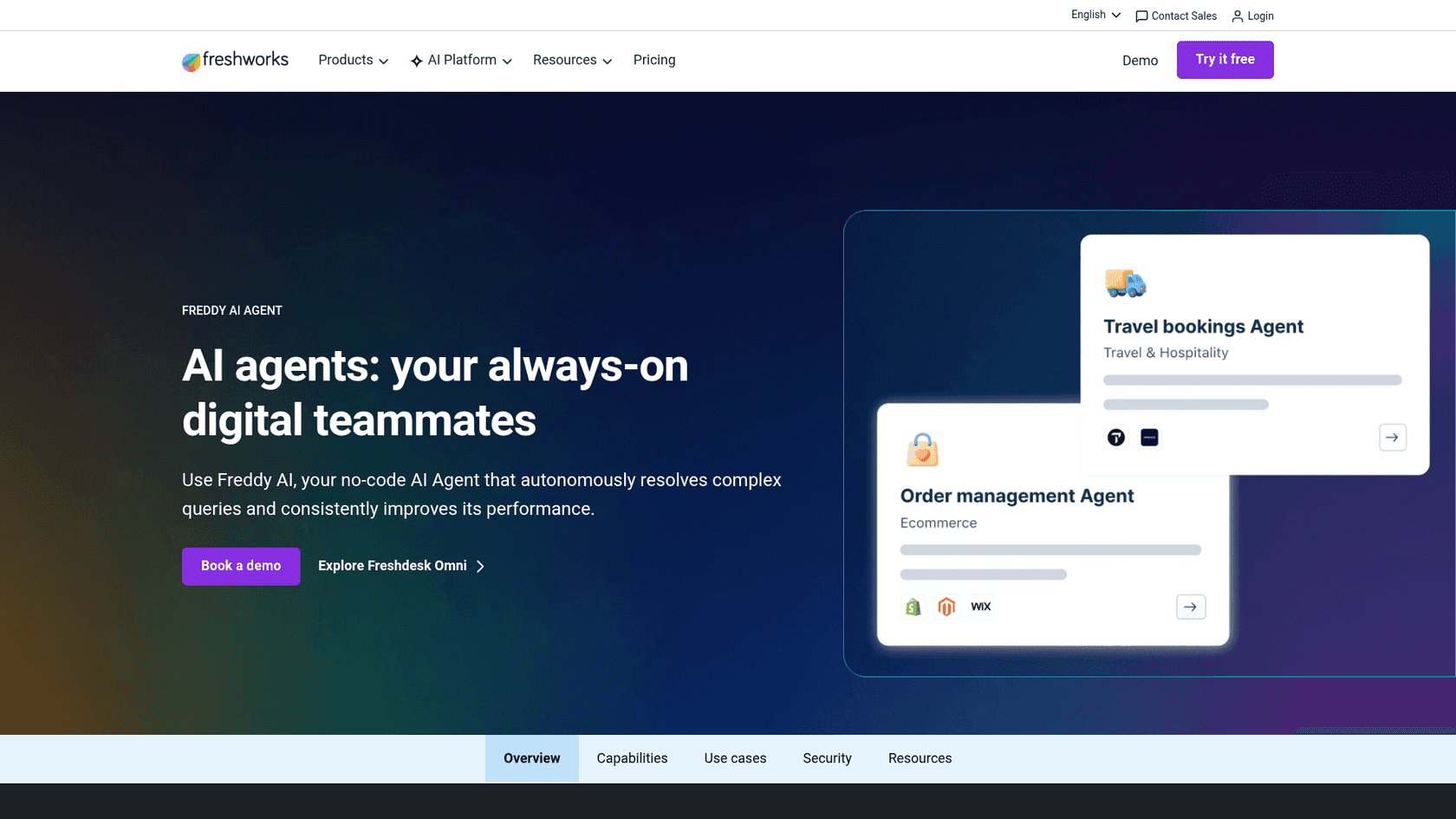
Best for: mid-market teams that want a structured helpdesk with prebuilt AI workflows and a genuinely free on-ramp.
Freshdesk is the mid-market alternative that pairs a structured helpdesk with Freddy AI: prebuilt "Vertical AI Agents" (50+ ready-to-launch workflows), a Copilot for agents, and Insights for leaders. Its free tier (free for 1-2 agents for six months) makes it an easy thing to trial alongside Hiver before committing.
A fair note on the AI quality: an email-security company that tested Freddy told us in a sales call that they found eesel more precise on their tickets, though that is one team's comparison on their specific data, not a universal verdict. Freddy is capable, especially for structured, repeatable workflows. If you want the cost detail, our Freshdesk Freddy AI pricing breakdown goes per agent.
Features
- Freddy AI Agent: prebuilt agentic workflows that take action, not just suggest.
- Freddy Copilot for agent assist (summaries, translations, reply suggestions) and Freddy Insights for leaders.
- A single Command Center workspace, omnichannel support and a strong free starting tier.
Pros
- The free six-month tier is a genuinely low-risk way to try it.
- Prebuilt workflows mean less from-scratch configuration than some rivals.
- Mature ticketing, routing and SLAs once you scale.
Cons
- Freddy is consumption-priced ($49 per 100 sessions after the first 500), which climbs for high-volume teams.
- It is a platform migration off Gmail, with more setup than a shared-inbox layer.
- Crawl and knowledge configuration can be fiddly to self-serve.
Pricing
Per agent, per month (annual): Free $0 for 6 months (1-2 agents), Growth $19, Pro $55, Enterprise $89. The Freddy Email AI Agent includes the first 500 sessions, then $49 per 100 sessions (a session is a 72-hour window from the customer's first email). For free options, see our roundup of Freshdesk AI free alternatives.
Our take: a solid mid-market move if you are ready to leave Gmail for a structured helpdesk and want a free runway to test. If you want to stay in your inbox, it is more change than you need.
How to choose, in one breath
Strip away the feature lists and it comes down to three honest paths. If you want the least change and your volume is moderate, switch on Hiver's own AI and budget for Elite if you need the analytics. If you want AI that learns from your resolved tickets and that you can simulate before it goes live, reach for eesel and keep your inbox. And if you have genuinely outgrown a shared inbox, that is when Help Scout, Front, Gorgias, Zendesk or Freshdesk earn a real look, depending on whether you are support-first, collaboration-first, ecommerce, enterprise or mid-market.
The one trap to avoid is choosing on the demo alone. The tools that survive a Monday-morning queue are the ones that are honest about what they do not know, and the only way to see that is to test against your own past tickets before you trust them with a customer.
Try eesel
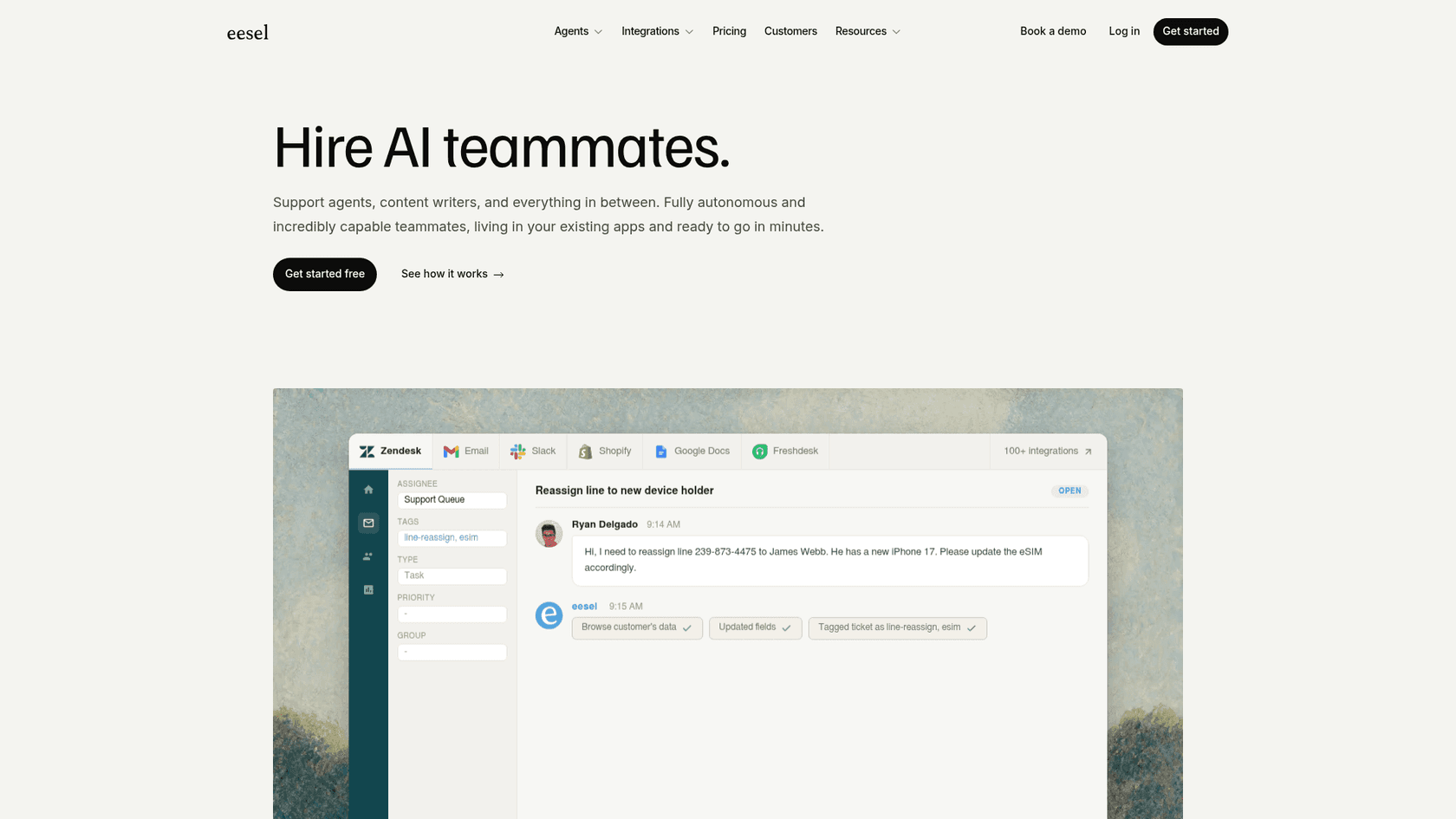
If you are running support out of an email inbox and Hiver's native AI is not cutting it, eesel AI is the AI layer I'd test next. It works like a new teammate that trains on your past tickets and docs on day one, then lets you simulate it against your real ticket history before it answers a single customer, so you see exactly what it will resolve and what it will escalate. It bills per ticket from $0.40 with no per-seat fee, so the cost tracks results rather than headcount. Free to try, no credit card to start.
Frequently Asked Questions
What is the best AI for Hiver in 2026?
Does Hiver have built-in AI?
How much does AI for Hiver cost?
What are the best Hiver alternatives if I want stronger AI?


Article by
Kurnia Kharisma Agung Samiadjie
Kurnia is a software engineer and writer at eesel AI with two years of SEO experience, writing about AI tools, helpdesk software, and customer support. He pairs a developer's understanding of how these products are built with search-driven research into what actually ranks and resonates with the people searching for them.