Why teams start looking for Trengo alternatives
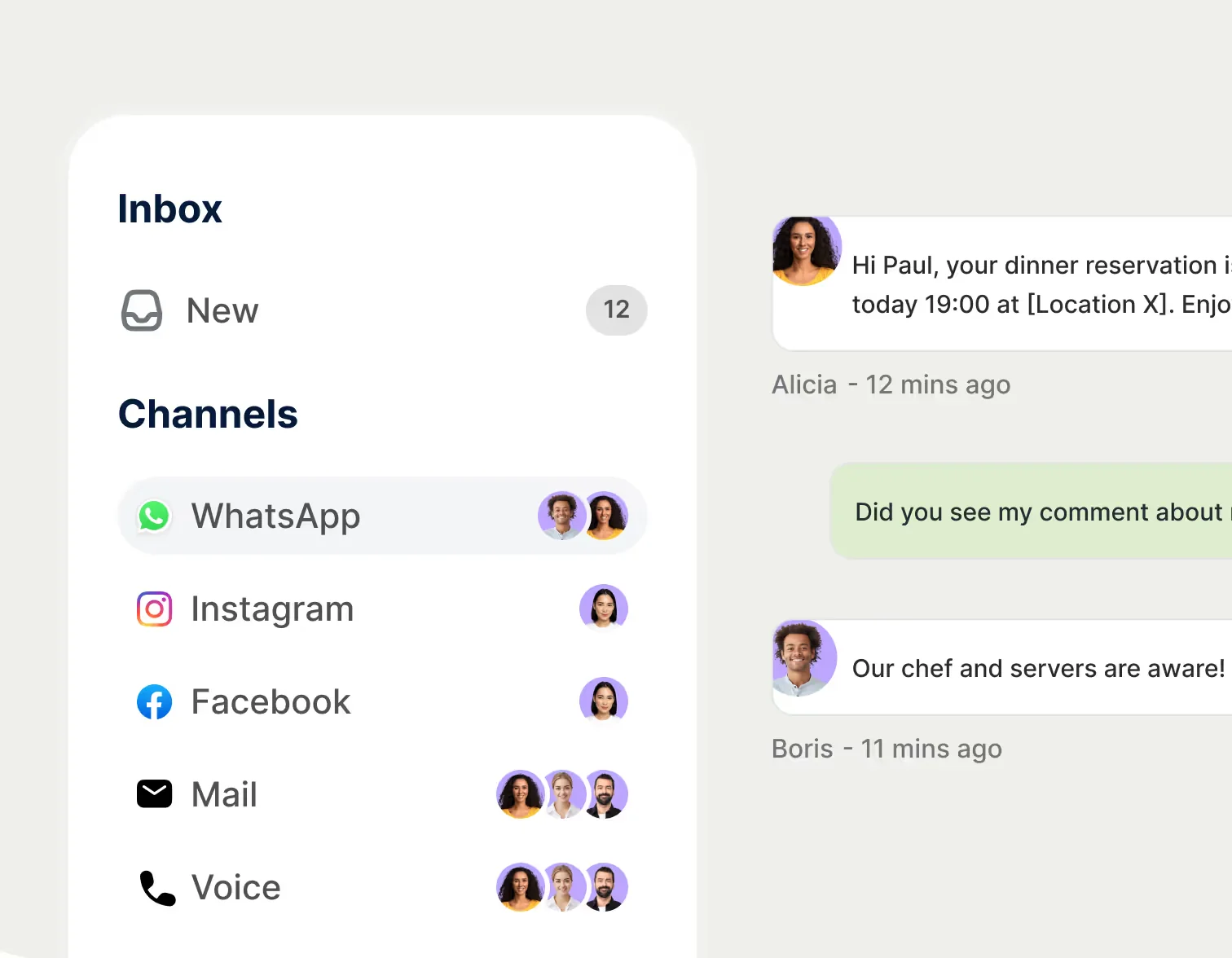
I'll say the nice part first, because it's true: Trengo is a genuinely good omnichannel inbox. It pulls WhatsApp, email, live chat, Instagram, Facebook, Telegram, voice, and SMS into one shared inbox, it's an official WhatsApp Business Solution Provider, and its onboarding gets real praise. The team has spent years running AI on live support queues, so I have a lot of sympathy for how hard "one inbox for everything" actually is to build.
The reason people still leave shows up the moment you open the pricing page. In 2024 Trengo switched from charging per user to charging by the conversation, and that change is the single loudest complaint in its reviews. A verified Capterra reviewer titled their review "Multiple sudden changes of price, very unstable (more than doubled)":
"Pricing is extremely unstable. Several bumps over the months and sudden changes in pricing structure that penalize smaller companies. My monthly price has doubled, and conversions are now capped... No legacy plans, you are forced to upgrade."
Giacomo M., Telecommunications, Capterra (2/5)

That's not a one-off gripe. Trengo sits at 4.1/5 on Capterra (26 reviews), where Customer Service is its weakest sub-score at 3.9, and 4.3/5 on G2 (246 reviews) where "Missing Features" and "Bug Issues" are common tags. The everyday-support complaints get sharp too, with one reviewer calling support "literally unreachable."
The part the sticker price hides
Here's what actually trips teams up. Trengo's plans bundle a fixed user count and a fixed conversation allowance, and the real bill is what stacks on top of that base.
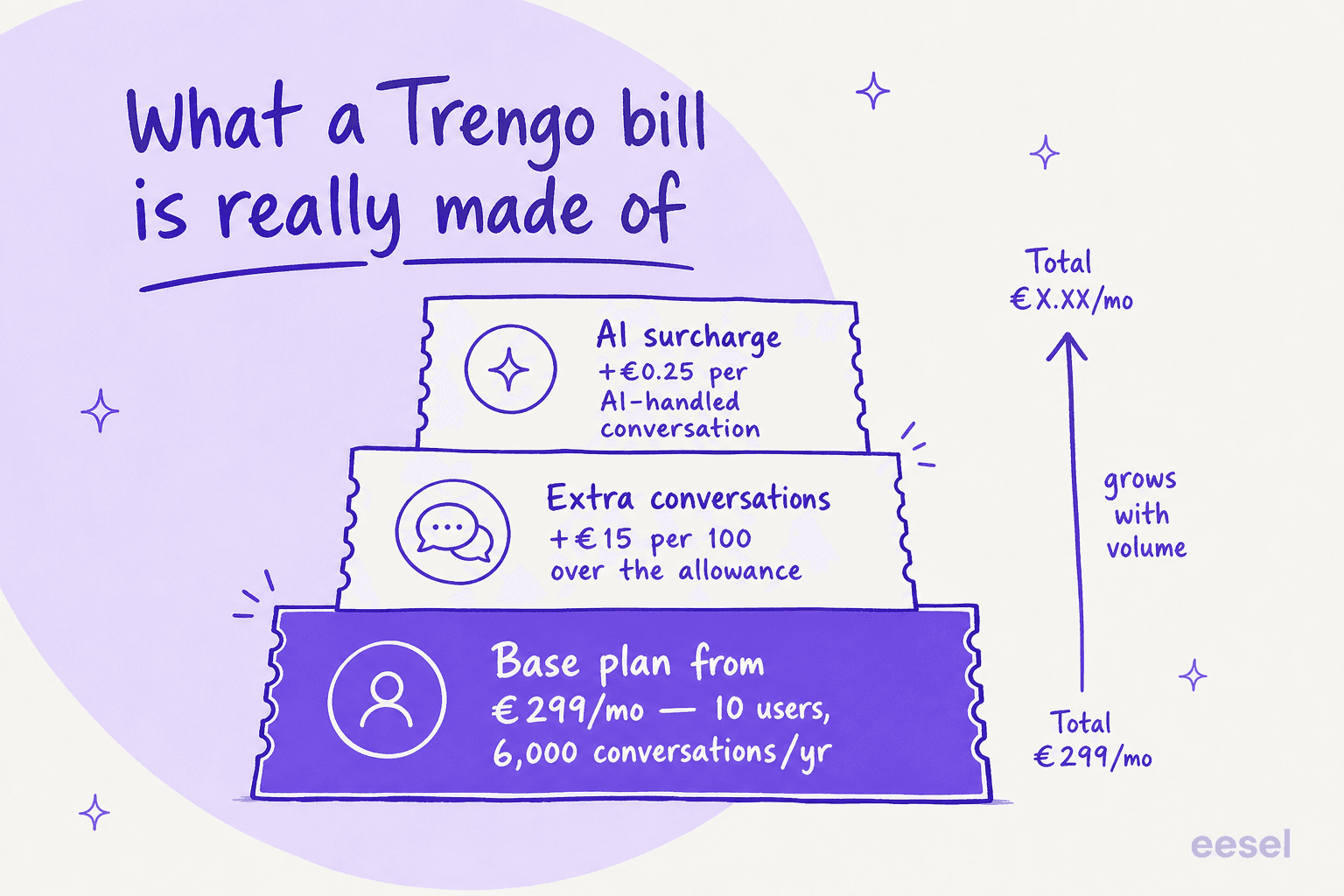
The base plan is just the floor. Go over your conversation allowance and you pay €15 per 100 extra conversations. Then every conversation the AI Agent touches carries an extra €0.25 surcharge on top. A "conversation," per Trengo's own help center, is an outbound message inside a rolling 7-day window, so a long thread that spans two weeks counts twice.
This is the trap with any usage-meter that charges per resolved conversation: your bill scales with the exact thing you want more of (automation) and with the thing you can't control (volume spikes). I've run the math on this for real prospects, and a per-resolution model that looks cheap at 1,000 conversations a month can roughly quadruple during a Black Friday spike, while a flat per-ticket or flat per-workspace model keeps November's invoice identical to March's. That's worth pressure-testing before you commit to any tool on this list, Trengo included.
Here's Trengo's current pricing so you can see the floor for yourself.
| Plan | Price (annual) | Monthly | Users included | Conversations | Notes |
|---|---|---|---|---|---|
| Boost | €299/mo | €349/mo | 10 | 6,000/yr (500/mo) | No live chat or phone support |
| Pro | €499/mo | €599/mo | 20 | 18,000/yr (1,500/mo) | Adds API actions, phone support |
| Enterprise | Custom | Custom | Custom | Custom | Dedicated success manager |
| Extra users | +€25/user (Boost), +€40 (Pro) | +€30/user (Boost), +€50 (Pro) | — | — | Beyond the included seats |
| Extra conversations | +€15/100 | +€18/100 | — | — | Over your allowance |
| AI surcharge | +€0.25/conv | +€0.30/conv | — | — | Per AI-handled conversation |
That's the detail most comparison posts miss: Trengo bills on three axes at once, seats, conversations, and AI. Adding five agents to Boost is another €125/mo annual before a single extra conversation, and the AI surcharge stacks on top of both. There's no free plan and no self-serve starter tier, and the main calls to action are "Book a demo" and "Contact sales." For a team of three that just wants a WhatsApp-friendly shared inbox, that €299 floor is a hard stop. (Trengo pricing)
What I looked for in a Trengo alternative
I weighed every tool on the things that actually decide whether you stay a year:
- Pricing model and the real floor. Per seat, per conversation, per workspace, or per ticket. Each one bites differently as you scale, and the cheapest sticker isn't always the cheapest bill. (AI agent vs human cost)
- Channels. WhatsApp is Trengo's signature, so anything replacing it needs a serious answer for WhatsApp, social, and live chat, not just email.
- AI quality. Whether the AI is a real autonomous agent trained on your knowledge or a rule-based bot wearing an AI badge. There's a real difference between an AI agent and a rule-based chatbot.
- Setup and time-to-value. How fast a non-technical team gets live.
- Honest fit. Who it's genuinely for, and who should skip it.
Which brings up the most useful reframe for this whole search.
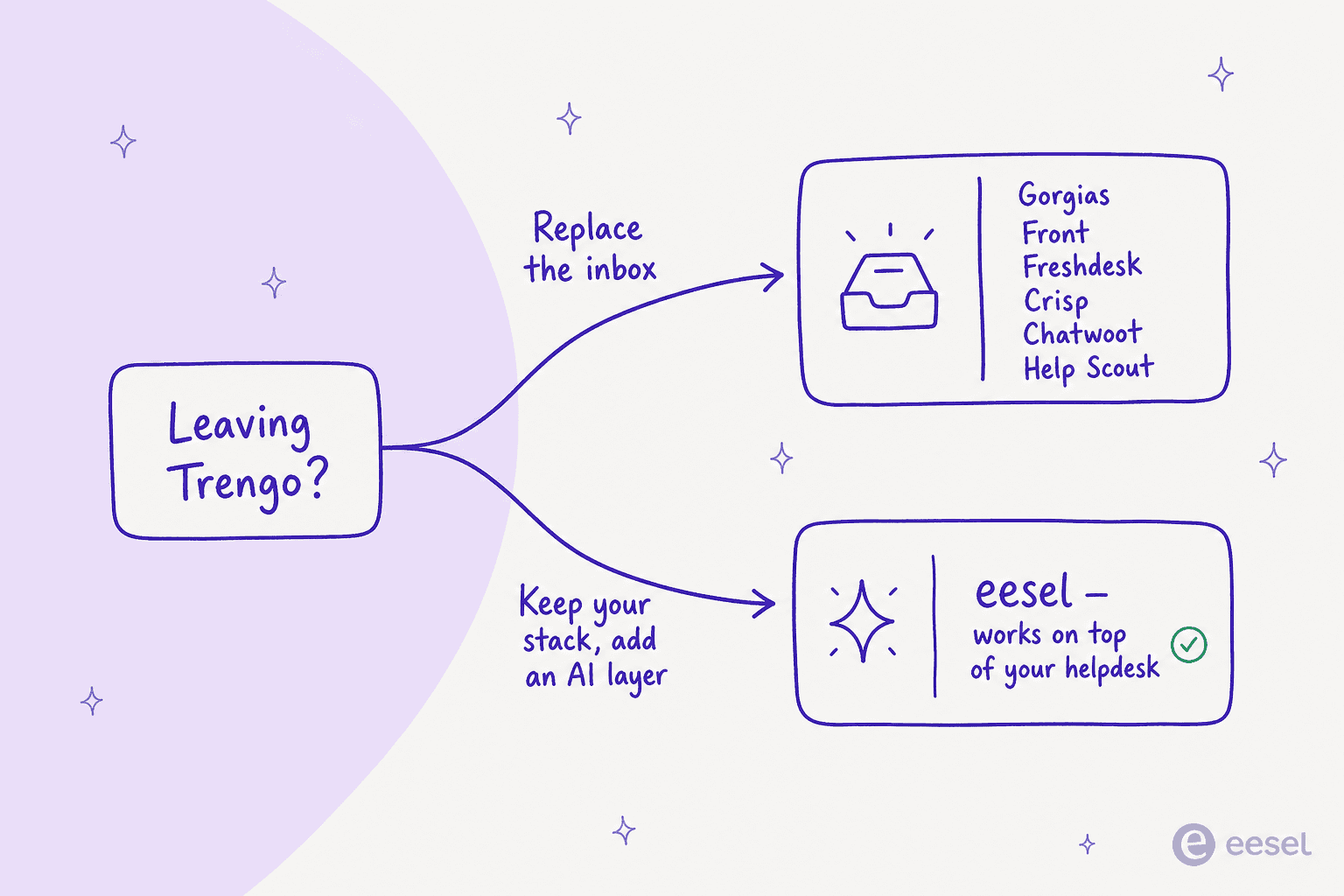
If your problem is "Trengo's inbox is fine but the bill and the AI surcharge hurt," you might not need a new inbox at all. You might need a better AI layer on the stack you already have. Keep that fork in mind as you read.
The best Trengo alternatives at a glance
| Tool | Best for | Pricing model | Entry price | Free tier | Native WhatsApp | What the AI meter charges | Seat cap on entry plan |
|---|---|---|---|---|---|---|---|
| eesel AI | Adding AI to an existing helpdesk | Per ticket (usage) | $0.40/ticket | $50 free usage | Inherited from your helpdesk | Nothing extra, AI is the ticket price | None, seats aren't billed |
| Gorgias | Shopify / ecommerce | Per ticket + AI per interaction | $40/mo | No (trial) | Via a third-party app | $1.50 per automated interaction | 3 seats on Starter, 500 above |
| Front | Email-heavy, cross-team ops | Per seat + AI add-ons | $25/seat/mo | No (14-day trial) | Paid add-on, Professional and up | Autopilot from $0.05/conversation | 10 seats on Starter |
| Freshdesk | A full helpdesk suite | Per agent + Freddy usage | $0, then $19/agent | Yes (2 agents, 6 months) | Yes | $49 per 100 sessions after 500 | 2 agents on Free |
| Crisp | Cheapest flat omnichannel | Flat per workspace | $45/mo | Yes (forever) | Yes, on every plan including Free | Bundled AI credits, no per-conversation fee | 4 seats on Mini |
| Chatwoot | Open-source / self-host | Per agent or self-host | $0 self-host / $19 | Yes | Yes, Startups and up | $20 per 1,000 Captain credits | None, priced per agent |
| Help Scout | Simple, human, email-first | Per user + AI per resolution | $0, then $25/user | Yes (5 users) | Standard and up | $0.75 per AI Answers resolution | 5 users on Free |
| Missive | Collaborative team email | Per user | $14/user/mo | No (30-day trial) | Yes | Missive AI credits or your own API key | None, priced per user |
| HelpCrunch | Cheap Intercom-style chat | Per seat + email volume | $12/mo | No (trial) | Yes, Pro and up | Metered AI conversations and data sources | 1 team member at the entry price |
Prices are entry points; most tools have higher tiers and usage add-ons. Trengo, for comparison, starts at €299/mo for 10 users and 6,000 conversations a year, then charges again for extra seats, extra conversations, and every AI-handled conversation.
Which channels does each one actually cover?
This is the question that kills most shortlists. Trengo's whole pitch is WhatsApp plus Instagram plus email in one inbox, so anything replacing it has to say what it does per channel, not just claim "omnichannel." Every cell below is what the vendor's own product or pricing page said when I checked it. Where a vendor doesn't name a channel there, I say that instead of guessing.
| Tool | Live chat | Instagram / Facebook | Voice | ||
|---|---|---|---|---|---|
| Trengo (for reference) | Yes | Yes | Yes, WhatsApp Business API on every plan | Yes | Yes |
| eesel AI | Inherited from your helpdesk | Own chat widget | Inherited from your helpdesk | Inherited from your helpdesk | Inherited from your helpdesk |
| Gorgias | Yes | Yes | Not on Gorgias's own channel list; via a third-party app | Yes, plus TikTok Shop | Yes, Gorgias Voice |
| Front | Yes | Yes, Front Chat | Paid add-on, Professional and up | Social channels, Professional and up | Telephony integrations, Professional and up |
| Freshdesk | Yes | Not named on the pricing or Omni pages | Yes | Yes, plus Line | Not named on the pricing or Omni pages |
| Crisp | Yes | Yes | Yes, WhatsApp Business on every plan including Free | Yes, plus X, Telegram, Viber, Line | Yes |
| Chatwoot | Startups and up | Every plan including Hacker | Startups and up | Startups and up, plus TikTok | Business and up |
| Help Scout | Yes | Yes | Standard and up | Yes, on Free and up | Via integration only |
| Missive | Yes | Yes | Yes | Yes | Not named as a channel |
| HelpCrunch | Yes | Yes | Yes | Yes, plus Telegram and Viber | Not named as a channel |
The short read: if WhatsApp plus Instagram plus email on one bill is non-negotiable, Crisp and HelpCrunch give you all three on their cheapest paid tier, Chatwoot gives you all three from $19/agent, and Front makes you pay for the Professional tier plus a WhatsApp add-on to get there. Help Scout has WhatsApp only from Standard and no native voice.
Where the automation meter and the support desk bite
The second thing that decides your real bill is what gets metered once the AI starts working, and who picks up when it breaks. Trengo charges a surcharge per AI conversation and caps your conversation allowance, which is why the bill moves in two directions at once. Here's how each alternative handles both.
| Tool | How automation and AI are metered | The cap you can actually hit | Support named on the vendor's pricing page |
|---|---|---|---|
| Trengo (for reference) | €0.25/conversation annual, €0.30 monthly, on top of the plan | Conversation allowance: 6,000/yr on Boost, 18,000/yr on Pro, then €15 to €18 per extra 100. Seats are capped too, extra users are €25 to €50 each | Boost: email and messaging only. Pro adds live chat and phone. Enterprise adds a success manager |
| eesel AI | $0.40 per regular ticket. No seat fee, no platform fee on pay-as-you-go, no AI surcharge | None we impose. You set your own monthly spend limit, default $250 | Enterprise ($1,000/mo platform fee) adds a dedicated solutions engineer and account manager |
| Gorgias | AI Agent on every plan at $1.50 per automated interaction, plus a small included allowance (30 on Starter and Basic, 190 on Pro, 530 on Advanced) | Helpdesk plans scale from 50 to 5,000 tickets/mo, then $0.36 to $0.40 per extra ticket. Seats are capped at 3 on Starter and 500 above it | Not stated |
| Front | Automation rules capped by plan. Autopilot from $0.05/conversation | 10 rules on Starter, 20 on Professional, unlimited on Enterprise | Not stated |
| Freshdesk | Freddy AI Agent sessions, first 500 included | Then $49 per 100 extra sessions | Not stated |
| Crisp | Included AI credits per plan | None on Free, $5 (around 90 automated conversations) on Mini, $25 (around 450) on Essentials, $75 (around 1,350) on Plus. Human conversation volume is unlimited | Not stated for standard plans. Enterprise gets a personalized SLA |
| Chatwoot | Captain AI credits, and automation rules gated by plan | 300 credits on Startups, 500 on Business, 800 on Enterprise, then $20 per 1,000. No automation rules below Business | Live-chat support on every plan. Priority email from Business. Video and voice support plus a dedicated account manager on Enterprise at 20+ agents |
| Help Scout | Workflow count by plan. AI Answers $0.75/resolution, AI Drafts unlimited from Standard | 150 basic workflows on Free, 500 advanced on Standard, unlimited on Plus and Pro | Email support on Free and Standard. Priority on Plus and Pro. Pro adds an onboarding specialist and account manager |
| Missive | Rule count by plan. AI needs Missive AI credits or your own API key | Up to 1,000 rules on Productive and Business | Not stated. Business adds personalized team onboarding |
| HelpCrunch | AI conversations and AI data sources, both metered, and email volume | Free monthly AI allowance starts on Pro, then from $29 per 100 extra AI conversations and $5 per 100 extra data sources | Not stated |
Both tables were re-checked against each vendor's own pages in August 2026. "Not stated" means the vendor doesn't publish it on its pricing page, which is worth asking about on a sales call rather than assuming. The pattern worth noticing: only Chatwoot and Help Scout commit to a support tier in writing, and every tool except eesel puts a hard number between you and more automation.
One thing almost nobody publishes: actual support hours. Trengo names the channels per plan (email and messaging on Boost, live chat and phone from Pro) but not the hours those channels are staffed, and neither do Gorgias, Front, Freshdesk, Missive, or HelpCrunch on their pricing pages. Chatwoot is the clearest, promising live-chat support on every plan and priority email from Business up, with video and voice support once you're at 20+ agents on Enterprise. Help Scout is next, separating email support on Free and Standard from priority support on Plus and Pro. If your team runs outside European business hours, treat coverage windows as a question for the sales call rather than something you can read off the page, and get the answer in writing before you sign. It's the cheapest diligence on this list and the one most people skip.
Not sure which fits? Pick your situation
Which Trengo alternative fits you?
Pick the line that sounds most like your team.
1. eesel AI
Best for: teams that want to keep (or freely choose) their helpdesk and add a serious AI agent without a per-conversation surcharge.
I'll be upfront that I build eesel AI, so read this section with that in mind. I've kept the facts checkable.
The honest framing: eesel is not a Trengo-style all-in-one omnichannel inbox. It's the AI layer that sits on top of the helpdesk you already run, or the new one you pick from this list. It connects to Zendesk, Freshdesk, Gorgias, Front, and HubSpot, plus a live chat widget, learns from your past tickets and help docs on day one, and then drafts, triages, and resolves tier-1 work.
The piece I'd point a Trengo refugee to first is how it works, because it's the opposite of "turn on the bot and hope."
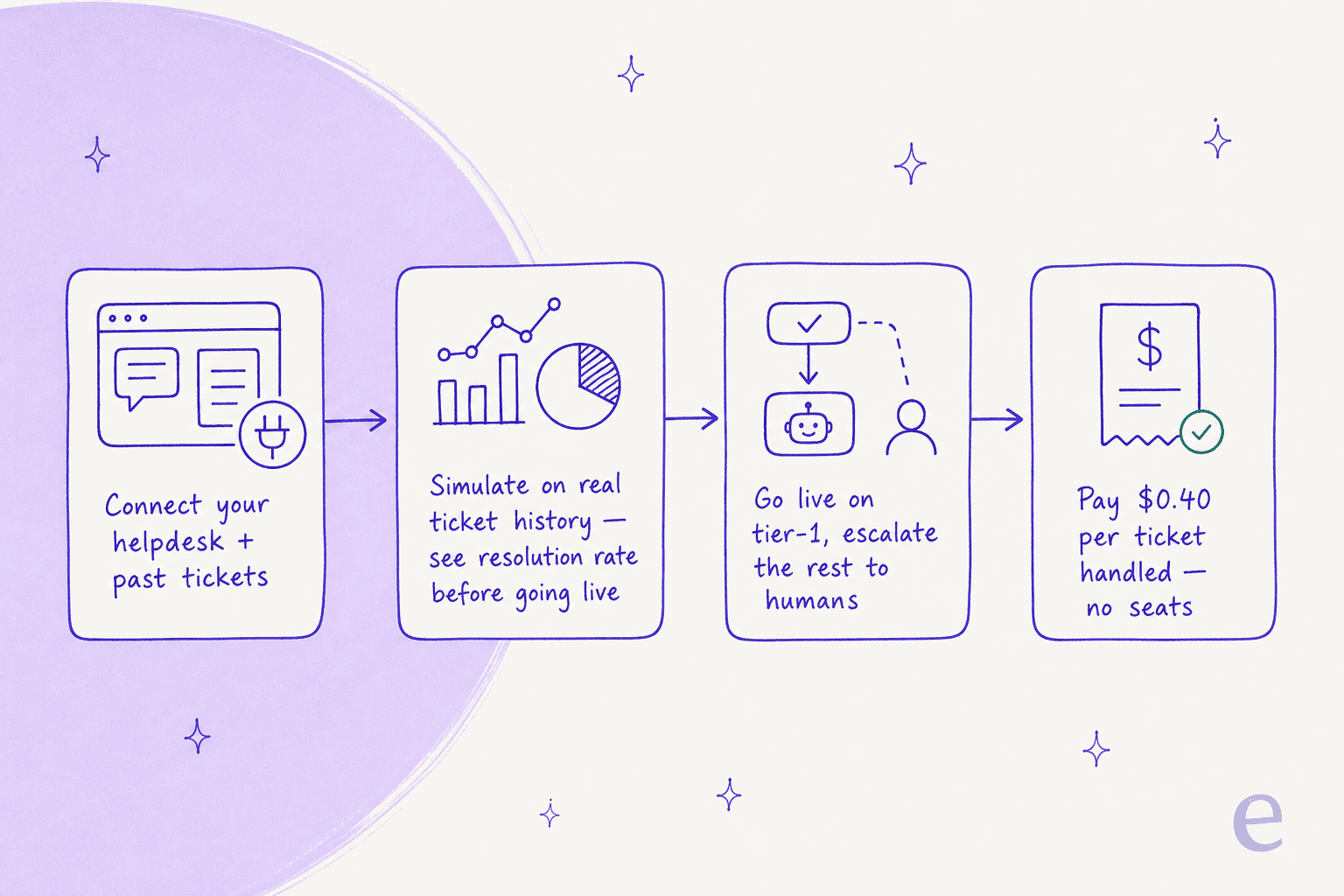
You connect your sources, run a simulation against thousands of your own historical tickets to see the real resolution rate and find gaps before going live, then route only the tickets you're confident about and escalate the rest. We do this because we've watched confident-sounding bots quietly give wrong answers, and simulating against real history is how you catch that first.
Pros:
- Flat usage pricing: $0.40 per ticket, no per-seat fees, no platform fee, no AI surcharge. Your bill tracks tickets handled, not conversations metered.
- Keeps your existing stack and ticket history, so switching helpdesks isn't a prerequisite.
- Simulation mode gives you a forecast instead of a leap of faith.
- 80+ languages and 100+ integrations out of the box.
Cons:
- It's not a standalone omnichannel inbox; if you specifically want Trengo's all-in-one WhatsApp/social UI, you pair eesel with a helpdesk rather than replacing the inbox.
- Pure pay-as-you-go means very high volumes need a quick spend-cap check (there's a default monthly cap and alerts).
Pricing: Free until you've used $50, then $0.40 per regular ticket. Annual commits of $300+/mo get 25% off; Enterprise adds a $1,000/mo platform fee for SSO, HIPAA, and a dedicated engineer.
My take: if your pain with Trengo is the conversation meter and the AI surcharge, this is the path that doesn't make you rebuild your inbox. Smava runs a fully automated agent on 100,000+ German tickets a month this way, and Gridwise hit 73% tier-1 resolution in month one. If you need the all-in-one inbox itself, keep reading.
2. Gorgias
Best for: Shopify and ecommerce brands that live inside their store data.
Gorgias is the most natural Trengo swap for online retail. It unifies email, chat, SMS, voice, Instagram, Facebook, and TikTok Shop, though WhatsApp is the gap: it isn't on Gorgias's own channel list and arrives through a third-party app instead. Its real edge is being Shopify-native: orders, refunds, cancellations, and subscription edits happen right inside the ticket. It claims to power 40% of Shopify brands, and its AI Agent is pre-trained on over a billion ecommerce conversations.
Pros:
- Deepest Shopify integration of any tool here, with in-conversation store actions.
- Billed by ticket volume rather than per agent, so adding a seasonal agent doesn't move the invoice the way Trengo's per-user charge does.
- AI Agent that can both resolve support and drive sales.
Cons:
- Gorgias reset its plan grid in mid-2026, and the AI Agent is now a flat $1.50 per automated interaction on every tier, with each resolution also counting as a billable ticket. Costs compound the way Trengo's surcharge does. (Gorgias AI pricing)
- "Never priced per agent" is a no-seat-fee claim, not an uncapped one. The compare table caps seats at 3 on Starter and 500 on every tier above it.
- Community consensus is it pays off mainly once a real chunk of your tickets need direct Shopify actions; otherwise it can run ~3x a generic helpdesk.
Pricing: Starter $40/mo (50 tickets, 3 seats, monthly billing only), Basic $90/mo or $77 annual (300 tickets), Pro $550/$471 (2,000), Advanced $1,430/$1,227 (5,000), Enterprise custom. Extra tickets are $0.40 on Starter and Basic, $0.36 on Pro and Advanced. AI Agent is $1.50 per automated interaction on top. (Gorgias pricing)
My take: if you're a Shopify store, Gorgias is a better-fit inbox than Trengo, full stop. Just price the AI Agent at your real volume, and if the per-resolution math stings, remember you can run eesel on top of Gorgias at a flat per-ticket rate instead.
3. Front
Best for: email-heavy teams where support spans multiple departments.
Front is a collaborative shared inbox built for complex operations, not just FAQ deflection. Internal comments, shared drafts, and assignments sit behind the customer-facing thread, which is why teams that escalate across logistics, finance, and support tend to love it. It's trusted by 9,300+ companies and out-rates Trengo on G2 (4.6/5 across ~2,426 reviews).
Pros:
- Best-in-class team collaboration on top of email.
- Omnichannel on the Professional tier and up (email, SMS, social, WhatsApp add-on).
- Front AI (Autopilot, Copilot, Smart QA) for teams that want it.
Cons:
- Per-seat pricing climbs fast, and most Front AI features are paid add-ons until Enterprise.
- Starter is single-channel only, so true omnichannel starts at $65/seat.
Pricing: Starter $25/seat/mo (up to 10 seats), Professional $65/seat/mo, Enterprise $105/seat/mo (annual). Autopilot from $0.05/conversation.
My take: Front is the pick when collaboration is the actual job and email is the spine. If your AI ambitions are bigger than your budget for Front's add-ons, it's another helpdesk that pairs well with eesel.
4. Freshdesk
Best for: teams that want a complete, scalable helpdesk suite.
Freshdesk is the most "full helpdesk" option here: ticketing, omnichannel, self-service, SLAs, and the Freddy AI Agent all under one roof, trusted by 74,000+ businesses. Where Trengo leans messaging-first, Freshdesk leans structured ticketing-first, which suits bigger or more process-heavy teams.
Pros:
- A genuinely free tier: $0 for up to 2 agents, and a deep feature set as you scale.
- Mature ticketing, routing, and reporting that scale to enterprise.
- Freddy AI Agent with 50+ prebuilt agentic workflows.
Cons:
- Freddy is consumption-priced ($49 per 100 sessions after the first 500), so AI cost grows with volume.
- The full suite can feel heavy if all you wanted was a tidy WhatsApp inbox.
Pricing: Free $0 (1–2 agents, 6 months), Growth $19/agent/mo, Pro $55, Enterprise $89 (annual). Freddy AI billed by session.
My take: Freshdesk is the safe, scalable choice, and a strong Trengo alternative if you want room to grow. If you outgrow Freddy's pricing or want better automation, see my Freshdesk alternatives roundup, or run eesel on top.
5. Crisp
Best for: small teams that want all-in-one omnichannel without volume-based bills.
Crisp is the closest thing to Trengo's all-in-one inbox at a fraction of the floor. It bundles a chat widget, shared inbox, WhatsApp, social, a knowledge base, a built-in CRM, and AI agents, and it prices everything flat per workspace with unlimited conversations. That flat model is its whole pitch against usage-metered tools like Trengo.
Pros:
- Flat per-workspace pricing, so your bill never spikes with conversation volume.
- A real free tier and a $45/mo entry plan versus Trengo's €299 floor.
- Omnichannel inbox plus AI chatbot once you're on Essentials.
Cons:
- AI credits are modest at lower tiers, and the full AI suite headlines the $295 Plus plan.
- Less ecommerce depth than Gorgias and lighter reporting than Freshdesk.
Pricing: Free $0 (2 seats), Mini $45/mo (4 seats), Essentials $95/mo (10 seats), Plus $295/mo (20+ seats), Enterprise custom. All per workspace.
My take: for a small team that wants Trengo's shape without Trengo's meter, Crisp is the value pick. Check the Crisp pricing detail so the AI-credit limits don't surprise you.
6. Chatwoot
Best for: privacy-conscious or developer-led teams who want to own their data.
Chatwoot is the open-source answer. You can run it on Chatwoot's cloud or self-host it on your own infrastructure for free, which solves both cost and data-residency in one move. It's omnichannel (live chat, email, WhatsApp, social, SMS), has a native AI suite called Captain, and is SOC 2 Type II compliant with 32k GitHub stars.
Pros:
- Free, open-source self-hosted edition; you own the data end to end.
- Transparent cloud pricing from $19/agent and a developer-friendly API to wire in your own AI.
- Strong omnichannel inbox that reviewers single out as the highlight.
Cons:
- Self-hosting is a real total cost of ownership: you own upgrades, storage, and security.
- Reviewers find the native AI thinner and the reporting rougher than premium suites.
Pricing: Hacker $0 (2 agents, live chat only), Startups $19/agent/mo, Business $39, Enterprise $99. Self-hosted Community edition is free. Captain AI credits sold separately ($20 per 1,000).
My take: if owning your data or avoiding per-conversation fees is the priority, Chatwoot is the most principled pick on this list. Just count your engineers' time honestly, and see Chatwoot alternatives if you'd rather not self-host.
7. Help Scout
Best for: small, relationship-driven teams who want a simple, human inbox.
Help Scout is the friendliest, most email-like option here, the one a non-technical team can learn in under an hour. It's a shared inbox plus a knowledge base (Docs), a help widget (Beacon), live chat, and an AI Answers agent that resolves around 73% of interactions from your content.
Pros:
- Genuinely simple and fast to adopt; a free tier for up to 5 users.
- Clean shared inbox with collision detection, Docs, and Beacon.
- Higher G2 standing than Trengo (around 4.4/5).
Cons:
- No native WhatsApp, which is a dealbreaker if WhatsApp is your main channel.
- AI Answers is $0.75 per resolution on top of seat cost, and Reddit still remembers the team's pricing-model flip-flop.
Pricing: Free $0 (5 users), Standard $25/user/mo, Plus $45/user/mo, Pro $75/user/mo (annual). AI Answers $0.75/resolution.
My take: Help Scout is the move if your support is email-and-chat and you value simplicity over breadth. If WhatsApp matters, look elsewhere, and if you want richer automation, read Help Scout alternatives.
8. Missive
Best for: small teams that run almost entirely on shared email.
Missive is a collaborative email client first and a support tool second. It layers internal comments, assignments, tasks, and real-time co-drafting on top of email, and pulls in SMS, WhatsApp, social, and chat too. Its independent ratings are excellent: 4.7/5 on G2 (846 reviews) and 4.9/5 on Capterra.
Pros:
- Best-loved collaboration experience of the email-first tools, at a low $14/user entry.
- Multi-channel inbox plus a clever "AI inside rules" feature power users rave about.
- SOC 2 Type II, SSO, and a documented API.
Cons:
- The AI is draft/translate/summarize, not an autonomous agent that resolves tickets on its own.
- No standalone free tier, and reviewers flag a learning curve and a weaker mobile app.
Pricing: Starter $14/user/mo, Productive $24/user/mo, Business $36/user/mo (billed yearly). 30-day trial.
My take: Missive is the pick when "collaboration on email" is the real job and autonomous AI isn't a must-have. If you later want true automation, it's another inbox eesel can sit on top of.
9. HelpCrunch
Best for: small teams wanting Intercom-style live chat on a budget.
HelpCrunch has built a reputation as "the cheaper Intercom that doesn't feel cheap." It bundles live chat, a chatbot plus newer AI Agents, a shared inbox, a knowledge base, and email marketing, with messengers including WhatsApp, Instagram, Telegram, and Viber. It rates 4.7/5 on G2 (238 reviews) and skews heavily small-business and European, much like Trengo.
Pros:
- Very low entry price ($12/mo) and strong, real-person support reviewers praise.
- Familiar Intercom-style UX without the Intercom bill.
- Chatbot and content-trained AI Agents once you're on Pro.
Cons:
- WhatsApp, chatbot, and AI Agents are gated to Pro and above, so the cheapest plan is light.
- Pricing scales on two axes (seats and email volume), which takes a minute to model.
Pricing: Basic from $12/mo billed annually ($15 monthly) for one team member, then Pro and Unlimited tiers that reprice as you drag the team-size slider. The pricing page quotes per seat count rather than publishing three fixed numbers, so get your own quote at your real headcount. AI Agents start on Pro.
My take: HelpCrunch is a solid, affordable Trengo alternative for chat-led SMB support. Just confirm the channels you need aren't stuck behind a higher tier before you sign up.
Trengo's AI, and where the alternatives differ
One thing worth understanding before you pick: Trengo's AI is split across an AI Agent (formerly HelpMate), AI Journeys, and the older rule-based Flowbot. The routing and flow builder looks like this.
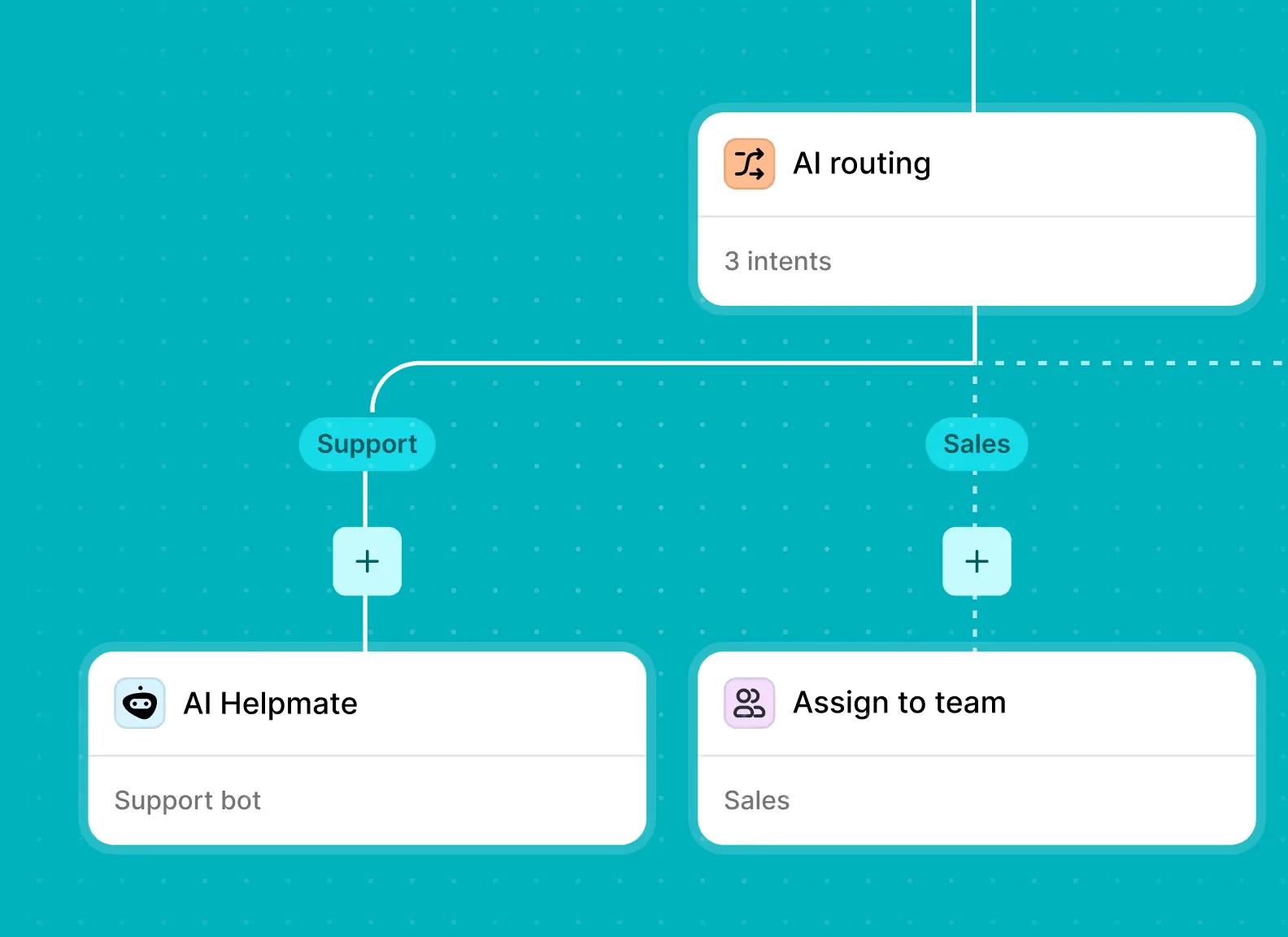
It's capable, and Trengo claims it resolves up to 80% of repetitive conversations. The catches are the ones I'd weigh against any alternative: the AI is metered with that per-conversation surcharge, the agent only sees the current ticket (no memory of a customer's past conversations), and escalation is a one-way door. When you compare, ask each tool the same questions: does the AI learn from my resolved tickets, can I test it on real history before going live, and does its price punish me for higher resolution? Those three answers separate a real AI agent from a rule-based bot wearing a badge.
Try eesel
If your Trengo search started with the bill, the cleanest fix might be to stop paying per conversation entirely. eesel AI plugs into the helpdesk you already run (or the one you pick from this list), learns from your past tickets and help docs, and resolves tier-1 support at a flat $0.40 per ticket, with no seats, no platform fee, and no AI surcharge stacked on top.

The bit I'd actually use to decide: you can simulate the agent against thousands of your own historical tickets and see the real resolution rate before it ever replies to a customer, so going live is a forecast, not a gamble. You can start with $50 of free usage, no credit card. Try eesel and see what your own ticket history says.
Frequently Asked Questions
Why are people looking for Trengo alternatives?
Does Trengo have a free plan?
What's the best Trengo alternative for WhatsApp and ecommerce support?
Which Trengo alternative has the best AI agent?
What is the cheapest Trengo alternative with WhatsApp?
How much does Trengo cost per conversation?


Article by
Kurnia Kharisma Agung Samiadjie
Kurnia is a software engineer and writer at eesel AI with two years of SEO experience, writing about AI tools, helpdesk software, and customer support. He pairs a developer's understanding of how these products are built with search-driven research into what actually ranks and resonates with the people searching for them.