

Gorgias is a big name in the e-commerce helpdesk space, and for good reason. As a leading platform, they offer a comprehensive range of features, and understanding their AI pricing is key to maximizing your investment. A lot of teams are excited about the possibilities of customer support automation and appreciate how Gorgias’s "outcome-based" model aligns their costs with actual results. It’s a great way to ensure you're paying for successful performance as your brand scales.
If you’re looking to understand the investment involved, you've come to the right place. This guide is a clear breakdown of the Gorgias AI agent pricing 2026 model. We’ll get into all of it, including billable tickets, resolution fees, and add-ons, so you can plan your support strategy with confidence.
What is the Gorgias AI agent?
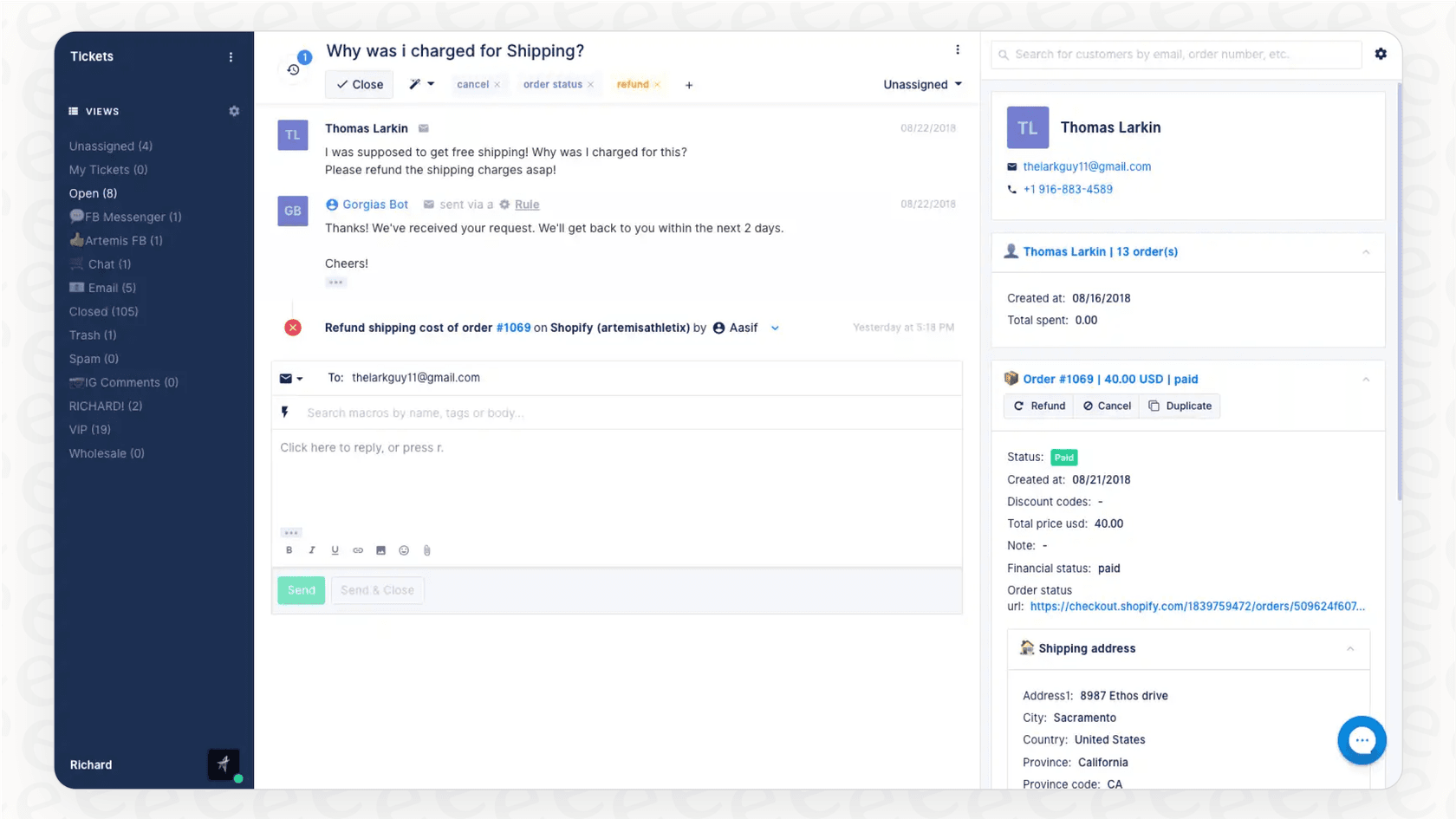
At its heart, Gorgias is a powerful customer experience platform designed specifically for e-commerce businesses. It neatly pulls all your customer conversations from email, chat, social media, and other channels into one unified view.
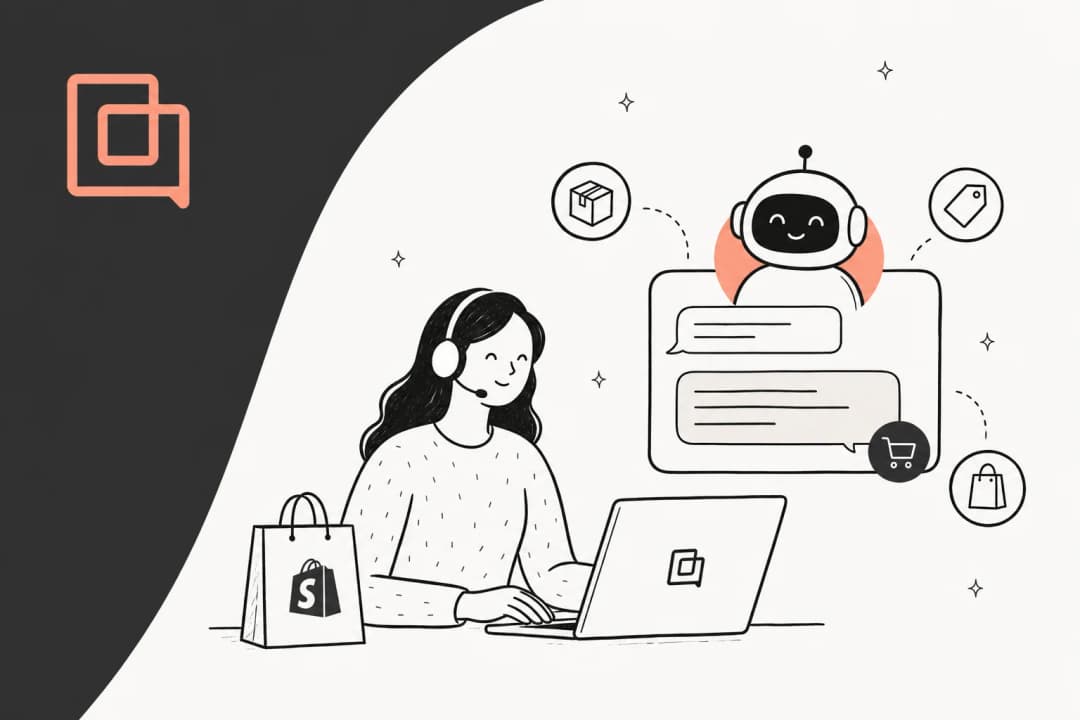
The Gorgias AI Agent is a major part of their "Gorgias Automate" suite, and its job is to provide efficient support by handling customer questions instantly. It basically wears two different hats:
- Support Agent: Think of this as your reliable frontline assistant. It’s there to give instant answers to common questions like, "Where is my order?" or "What's your return policy?" This allows your team to focus their expertise on more complex customer needs.
- Shopping Assistant: This side of the AI acts as a digital sales associate. It can proactively engage with visitors on your website, recommend products, and guide them toward a purchase, helping to drive revenue.
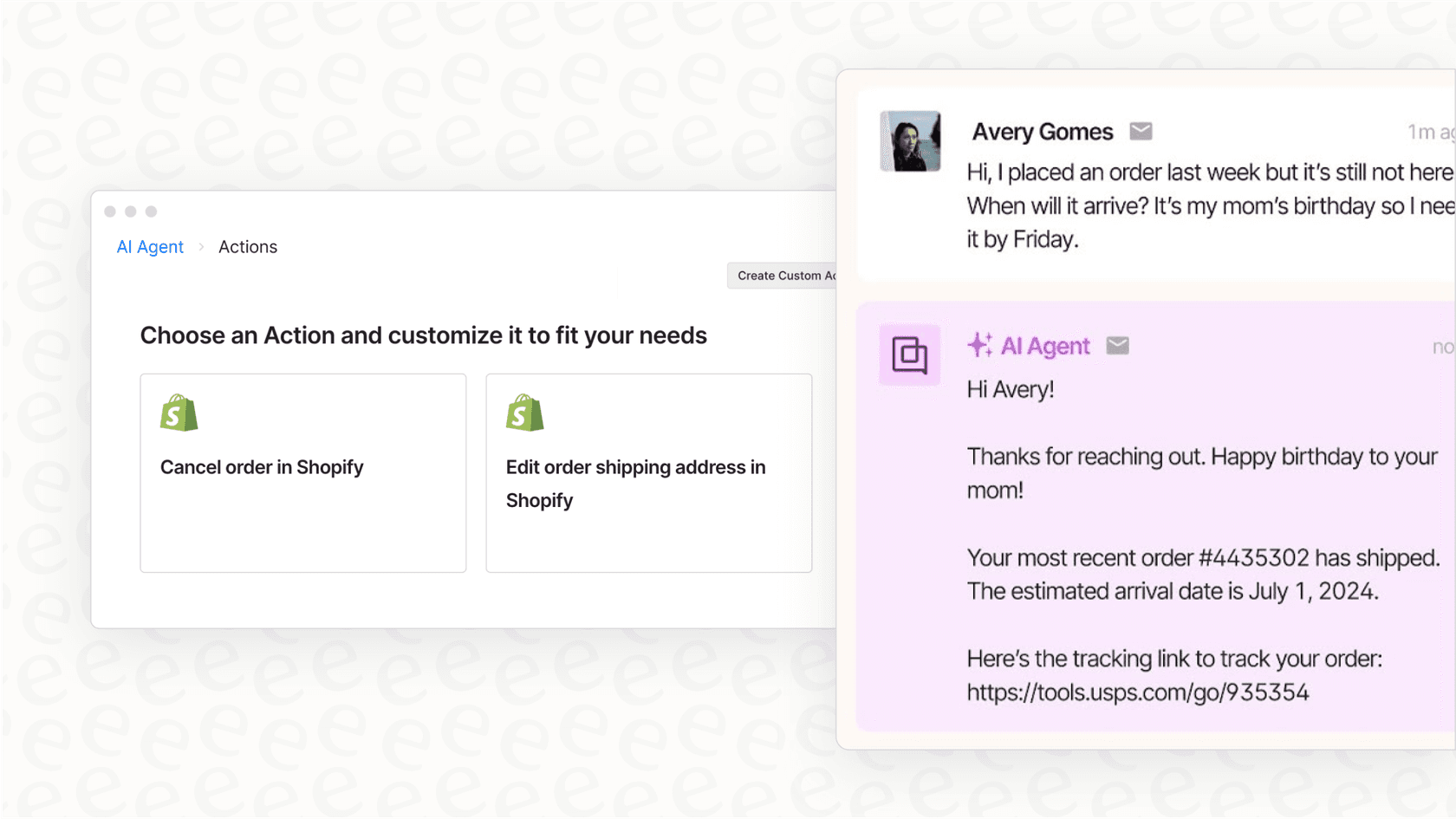
Its biggest advantage is its deep, native integration with e-commerce platforms like Shopify, BigCommerce, and Magento. This lets the AI pull real-time order info and customer data right into its conversations, which is incredibly powerful for providing accurate support.
A deep dive into Gorgias AI agent pricing 2026
Gorgias offers a structured pricing model that allows businesses to scale their automation as they grow. Let's break down how this value-driven system works.
Understanding the "outcome-based" model
The core philosophy behind Gorgias's AI pricing is focusing on results. They use an "outcome-based" model, where you invest in each "automated resolution."
An automated resolution is a customer ticket that is successfully handled by the AI or another automation feature without a human agent needing to step in within a 72-hour window.
The pricing is straightforward and offers options for different business needs:
- $0.90 per resolution if you choose to pay for the year upfront.
- $1.00 per resolution if you prefer a month-to-month plan.
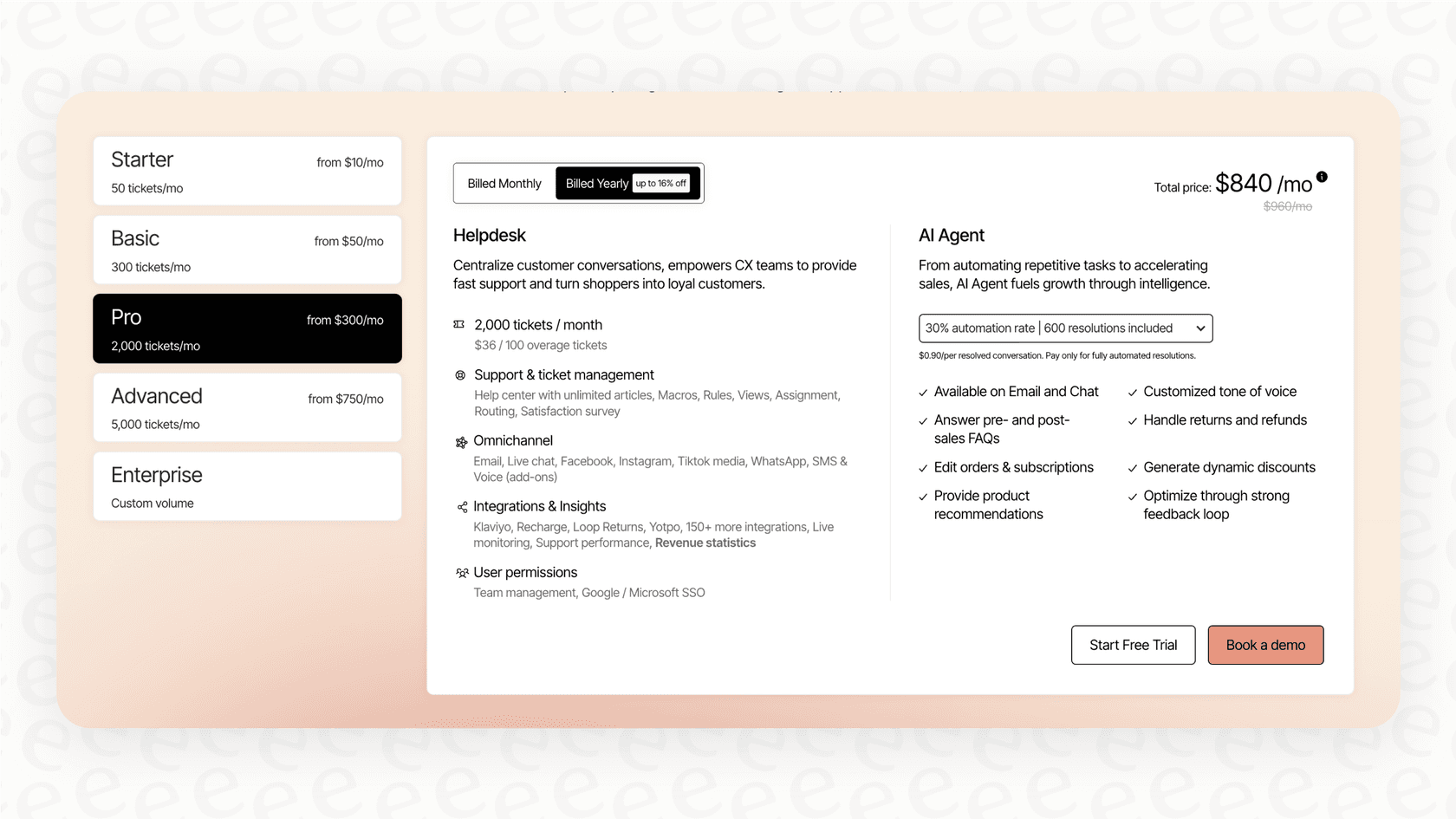
This model means your investment scales alongside the AI's success. As your brand grows and the AI handles more of your volume, your costs reflect that increased efficiency. This makes it a great choice for brands that want their software costs to be directly tied to the performance and time saved.
Integrated billing for helpdesk tickets
Gorgias uses an integrated system for managing customer interactions. According to Gorgias's own documentation, an automated resolution is managed as a billable helpdesk ticket within your account. This ensures that all interactions are tracked within your chosen plan's allowance.
A "billable ticket" is any conversation that receives a reply from your helpdesk, whether that reply comes from a human or the AI Agent. This comprehensive approach ensures that all your customer communications are centralized and managed under one roof.
Plans and overages
Your main Gorgias subscription includes a specific number of billable helpdesk tickets each month. The AI resolution fees are added to this to provide a complete automation solution. Here’s a look at their standard helpdesk plans, based on their pricing page:
| Plan | Monthly Price (Billed Annually) | Included Billable Tickets | Overage Cost (per 100 tickets) |
|---|---|---|---|
| Starter | $10 | 50 | Custom |
| Basic | $50 | 300 | +$40 |
| Pro | $300 | 2,000 | +$36 |
| Advanced | $750 | 5,000 | +$36 |
| Enterprise | Custom | Custom | Custom |
If your brand experiences a significant growth spike, Gorgias automatically provides overage blocks to ensure your customers always receive timely support. This flexibility is essential for e-commerce brands during peak sales periods.
Additional channel options
Gorgias also offers specialized channels like Voice and SMS as usage-based add-ons. These options allow you to build a truly omnichannel support strategy that meets your customers wherever they are, with pricing that reflects your specific usage of these channels.
Key features and considerations
Gorgias is a robust tool with impressive features, specifically optimized for e-commerce. Here is what you can expect when using the platform.
What the Gorgias AI agent does well
- Deep e-commerce integration: This is a major strength. Its connection with platforms like Shopify is seamless. Agents can access order details and customer history directly within the platform, making support incredibly efficient.
- Integrated sales and support: Having an AI that serves as both a support tool and a shopping assistant is a powerful combination. It’s designed to improve the customer experience while also supporting your revenue goals.
- Engagement campaigns: Gorgias allows you to create proactive chat campaigns that engage visitors based on their browsing behavior. This is a great way to reduce bounce rates and provide a helpful presence on your site.
Considerations for your Gorgias setup
- Unified ecosystem: The AI is built to work perfectly within the Gorgias helpdesk. For teams that value a single, integrated source of truth, this creates a streamlined workflow where everything is managed in one place.
- Reliable knowledge sourcing: Gorgias AI prioritizes verified information by learning from your Help Center articles, Shopify store data, and specific website URLs you select. While it focuses on these core areas, teams with very complex internal documentation may also consider complementary tools like eesel AI to connect to a wider range of sources like Google Docs or Confluence.
- Testing and optimization: Gorgias allows you to test AI responses to ensure accuracy. For brands that want to dive even deeper into pre-launch testing, they can use the live environment to refine the AI's performance as it interacts with customers, ensuring it continuously improves.
- Platform integration: To get the full benefits of their AI, it is designed to be used alongside their helpdesk. This ensures a cohesive and high-performance experience for teams who are looking for a complete, all-in-one support solution.
A complementary option: Predictable AI pricing with eesel AI
While Gorgias offers a fantastic integrated solution, some teams might look for additional flexibility in how they deploy AI. eesel AI is one such option that can work alongside your existing setup to provide specific benefits.
Transparent and predictable pricing
If you're looking for a different approach to budgeting, eesel AI offers a flat pricing model. Instead of per-resolution fees, pricing is based on a set number of monthly interactions. This provides a consistent and easily forecastable bill, allowing you to manage your budget with total certainty regardless of your growth spikes.
Quick setup and multi-platform integration
eesel AI is designed to be a flexible addition to your tech stack. It plugs directly into the helpdesk you already use, including Gorgias, Zendesk, or Freshdesk. This means you can add an extra layer of AI capability without changing your core helpdesk.
Additionally, eesel AI can expand your knowledge base by connecting to over 100 sources, including internal wikis like Notion and shared files in Google Docs.
Detailed testing with simulation mode
A unique feature of eesel AI is its simulation mode. This allows you to test the AI against your real historical tickets in a sandbox environment. It's a great way to preview how an AI setup might perform and make adjustments before it goes live.
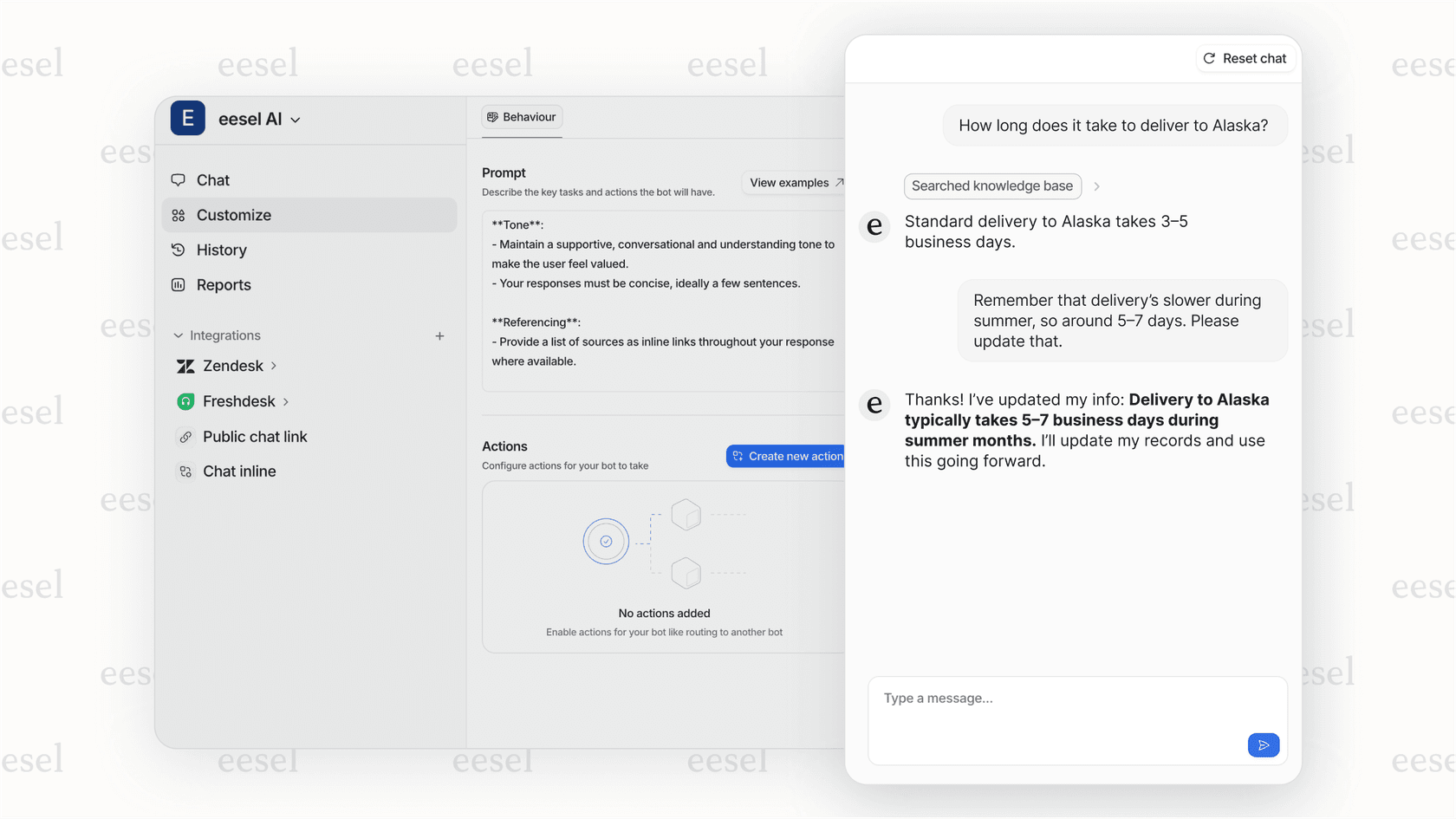
You also have the control to decide which tickets the AI handles, allowing for a gradual and measured rollout that complements your existing human support team.
Making the right choice for your team
Gorgias has a powerful AI agent that is a top-tier choice for e-commerce brands looking for deep integration and a unified platform. Its outcome-based pricing is a mature model that ensures you are investing in actual results and efficiency.
When picking your AI partner, consider whether you prefer the all-in-one power of the Gorgias ecosystem or if you want to enhance your setup with complementary tools. Both paths offer great ways to scale your support and provide better experiences for your customers.
Take the next step
Ready to see how AI can transform your support experience?
Start your eesel AI trial today or book a demo to explore how you can enhance your support strategy with predictable and flexible AI options.
Frequently asked questions
How does the "outcome-based" model work for my business?
The outcome-based model ensures that your investment is tied directly to the AI's success. As the AI handles more tickets effectively, you pay for those specific results. This model allows your costs to scale naturally alongside your support volume and business growth.
What is considered an "automated resolution" in Gorgias?
An automated resolution occurs when a customer ticket is successfully handled by the AI or an automation feature without requiring human intervention within a 72-hour window. This highlights the efficiency of the platform in providing quick answers to your customers.
How are billable tickets calculated with Gorgias AI?
In Gorgias, each interaction is managed through an integrated system where automated resolutions are counted within your plan's ticket allowance. This ensures that every customer touchpoint is tracked and managed within your unified helpdesk environment.
How do overage fees work during high-growth periods?
Gorgias plans include a set number of billable tickets. If your success leads to higher ticket volumes that exceed your plan, Gorgias provides additional blocks of tickets to ensure your service remains uninterrupted during busy seasons.
Is it easy to manage monthly expenses with Gorgias?
Gorgias provides a clear structure where costs are tied to the volume of AI resolutions. Because you pay for successful outcomes, your budget reflects the actual value and time savings the AI provides to your support team.