What is a customer service system?
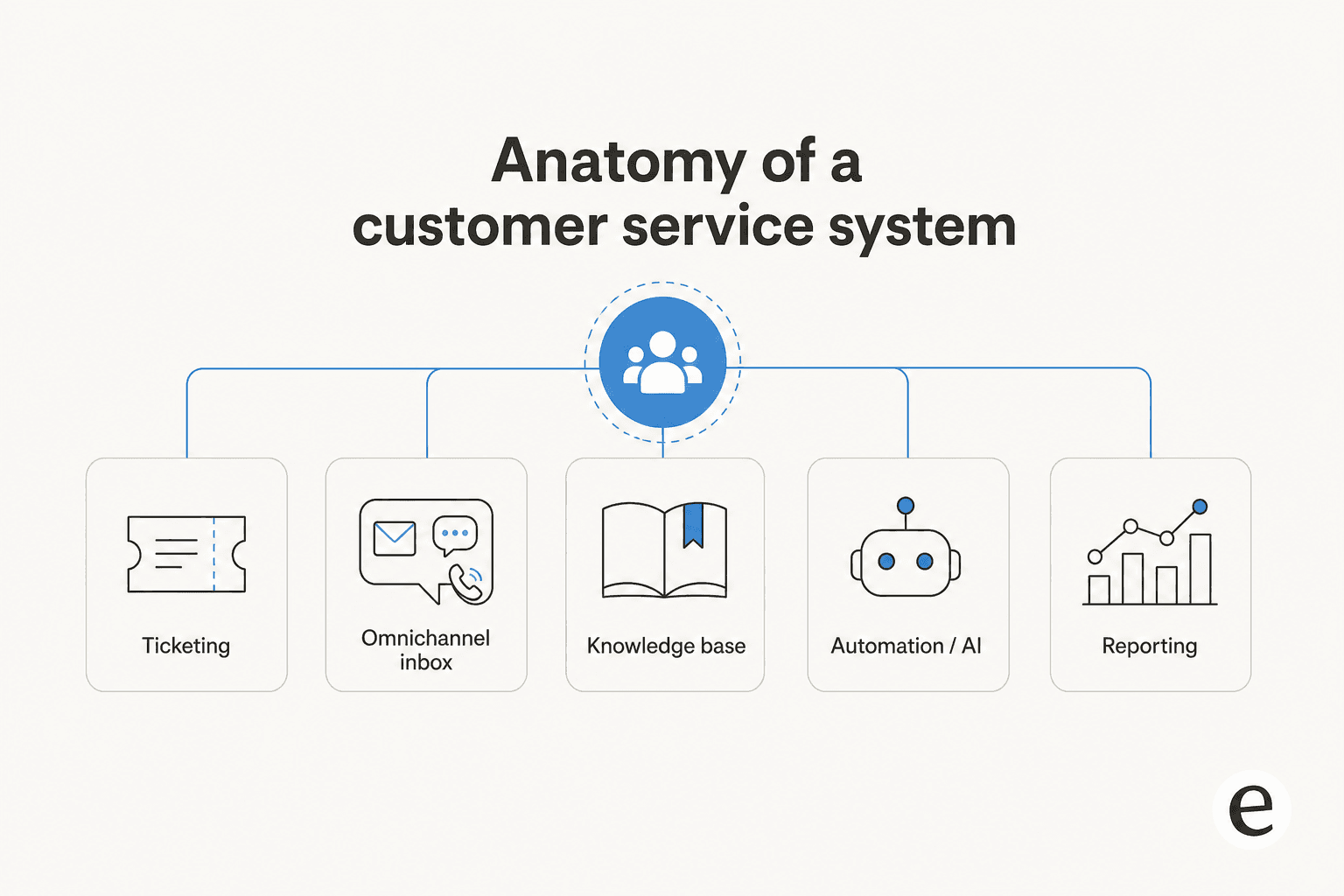
A customer service system is the combination of software a support team uses to receive, track, resolve, and learn from customer conversations. It's not one feature, it's five that have to work together:
- Ticketing / inbox the core queue where every conversation becomes a trackable record, assigned, tagged, and resolved.
- Omnichannel coverage email, live chat, social, SMS, and increasingly WhatsApp, all landing in the same inbox instead of five separate tools.
- Knowledge base the self-service layer that answers repeat questions before they become tickets, and increasingly the source material an AI agent is trained on.
- Automation / AI layer routing rules, macros, and now AI agents that draft or fully resolve tickets.
- Reporting CSAT, resolution time, and volume trends that tell you whether the system is actually working.
Vendors bundle these five pieces differently. Zendesk and Salesforce Service Cloud build outward from ticketing into a full customer service platform. HubSpot Service Hub builds outward from the CRM. Gorgias builds outward from ecommerce order data. None of them is wrong, they're optimizing for a different starting point.
What to look for when choosing one
Before you shortlist tools, decide what actually matters for your team. The criteria that separate a good fit from an expensive mistake:
- Billing unit. Per-seat pricing punishes you for adding headcount; per-ticket or per-resolution pricing punishes you for volume. Neither is universally better, but you should know which one your growth curve favors before you sign.
- Channel coverage you'll actually use. Paying for social and SMS you'll never touch is wasted spend; a channel you need but don't have means building a workaround.
- Where the knowledge base lives. If it's siloed from your product docs, you'll maintain two copies of the same answer.
- How the AI layer is priced. Almost every vendor below sells AI as a separate line item, on top of the seat price, not included in it. Read that fine print before comparing sticker prices.
- Security and compliance. SOC 2, HIPAA, and GDPR matter a lot more once support touches regulated data, and coverage varies more between these tools than the marketing pages suggest.
- Integrations with the rest of your stack. A helpdesk that can't see your CRM, order system, or product data forces agents to tab-switch on every ticket.
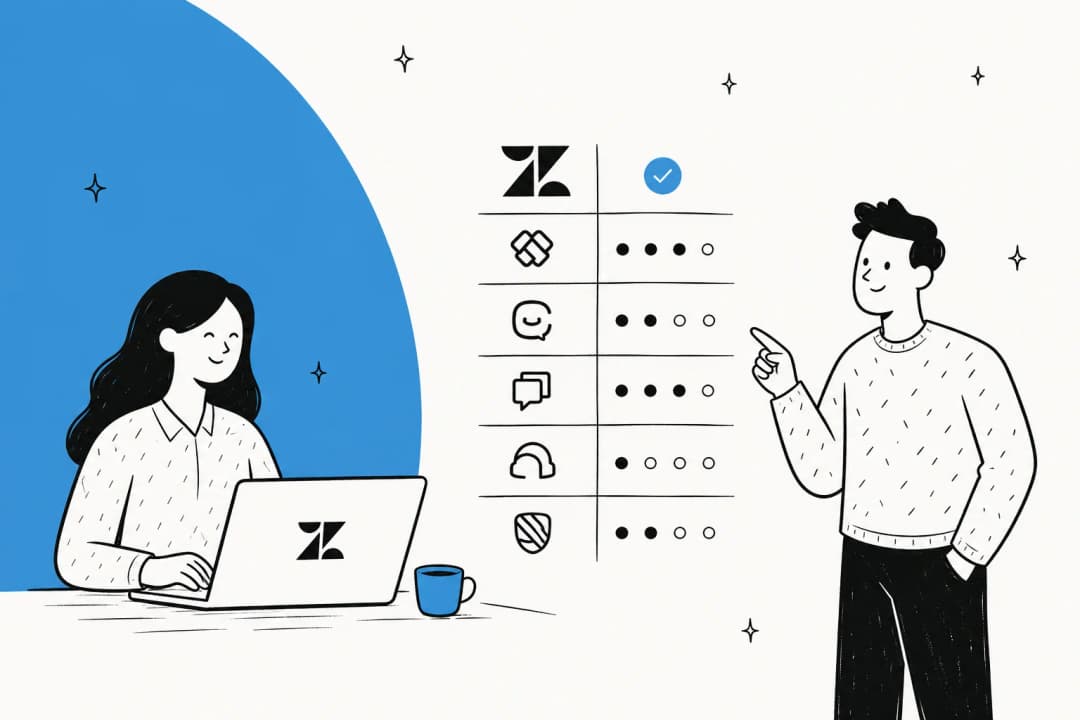
Customer service systems compared at a glance
| Tool | Starting price | Billing unit | Free tier | Integrations | Security | Mobile app | Support channels | Best for |
|---|---|---|---|---|---|---|---|---|
| Zendesk | $19/agent/mo | Per agent/month | No (14-day trial) | 1,800+ apps | SOC 2 (AI infra) | Not documented | Not documented | Enterprise omnichannel support |
| Freshdesk | Free (1-2 agents) | Per agent/month | Yes, 6 months | Marketplace (uncounted) | Not documented | Not documented | Email/chat/phone (omnichannel) | Budget-friendly AI ticketing |
| HubSpot Service Hub | Free (2 users) | Per seat + AI credits | Yes | 2,000+ | Not documented | Not documented | Not documented | Teams already on HubSpot CRM |
| Salesforce Service Cloud | Free (Foundations) | Per user + Agentforce credits | Yes | AgentExchange/MuleSoft | Agentforce Trust Layer | Not documented | Premier Support (add-on) | Enterprise Salesforce shops |
| Front | $25/seat/mo | Per seat + AI add-ons | No (14-day trial) | 160+ | SOC 2 Type 2 | Not documented | Email; paid onboarding | Collaborative shared inbox |
| Gorgias | $10/mo (50 tickets) | Per ticket volume + AI/resolution | No (7-day trial) | 300+ | GDPR, CCPA, SSO | Not documented | 24/7 email + chat | Shopify / ecommerce brands |
| Zoho Desk | Free (3 users) | Per agent/month | Yes | 360+ | GDPR, HIPAA, CCPA | Not documented | Not documented | Budget teams in the Zoho ecosystem |
| Help Scout | Free (5 users) | Per user + $0.75/AI resolution | Yes | 100+ | SOC 2 Type 2, HIPAA (Plus/Pro) | Yes (iOS/Android) | Email, priority tiers | Small, email-first teams |
The 8 best customer service systems in 2026
1. Zendesk
Best for enterprise teams that want one platform to run omnichannel support at scale.
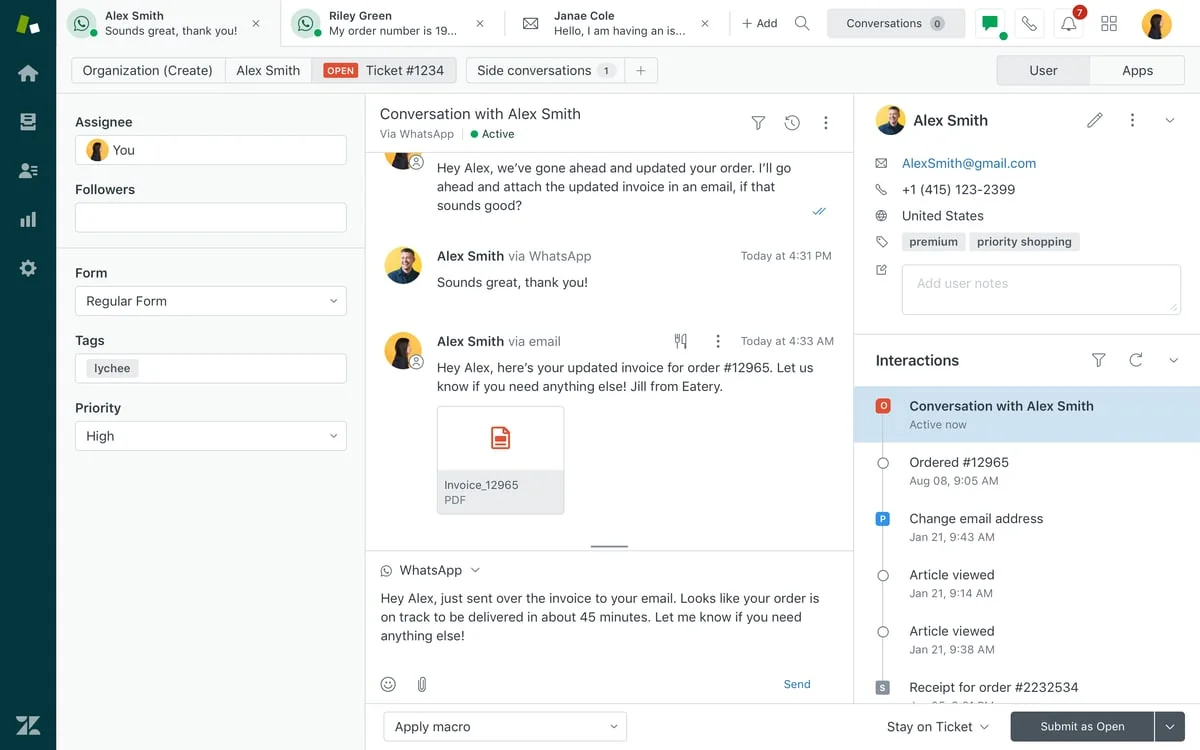
Zendesk is the tool most people picture when they hear "customer service system." It's built around a mature ticketing core with a huge app marketplace, and its AI agents, now running on acquired Forethought technology, add autonomous resolution and Copilot assistance for agents. Intelligent Triage auto-classifies topic, sentiment, and language to drive routing.
Features
- AI agents that can run on any platform, not just Zendesk, following the Forethought acquisition
- Copilot with role-specific assistants for agents, admins, knowledge teams, and analysts
- Automatic QA scoring across 100% of human and AI interactions, tied into Workforce Management
Pricing
| Plan | Price | Notes |
|---|---|---|
| Support Team | $19/agent/mo | No AI agents |
| Suite Team | $55/agent/mo | Adds AI agents |
| Suite Professional | $115/agent/mo | Most popular |
| Suite Enterprise + Copilot | Custom | Sales-led |
AI agent resolutions are billed separately, per resolution, and Reddit users report an overage rate around $2/resolution outside a plan.
Pros
- Mature, reliable ticketing with a huge integration ecosystem, 4.3/5 on G2 across nearly 7,000 reviews
- Clean interface once learned, with responsive support documentation per Capterra
- 1,800+ apps and partners in the Zendesk Marketplace
Cons
- Cost creep as teams scale, one Reddit user's bill climbed to roughly $5,000/mo
- Per-resolution AI billing is seen as gameable, commenters note abandoned chats can still count as resolutions
- Steep learning curve, with the best AI features gated to higher tiers
"Zendesk is becoming too expensive for our company... we're locked into a pricing model that keeps climbing."

Verdict: Pick Zendesk if you need a battle-tested platform and the app ecosystem to match. Skip it if per-seat and per-resolution costs are already the reason you're reading this post, that's exactly the pain an outcome-based AI agent layered on top tends to fix.
2. Freshdesk
Best for budget-conscious teams that still want AI-assisted ticketing.
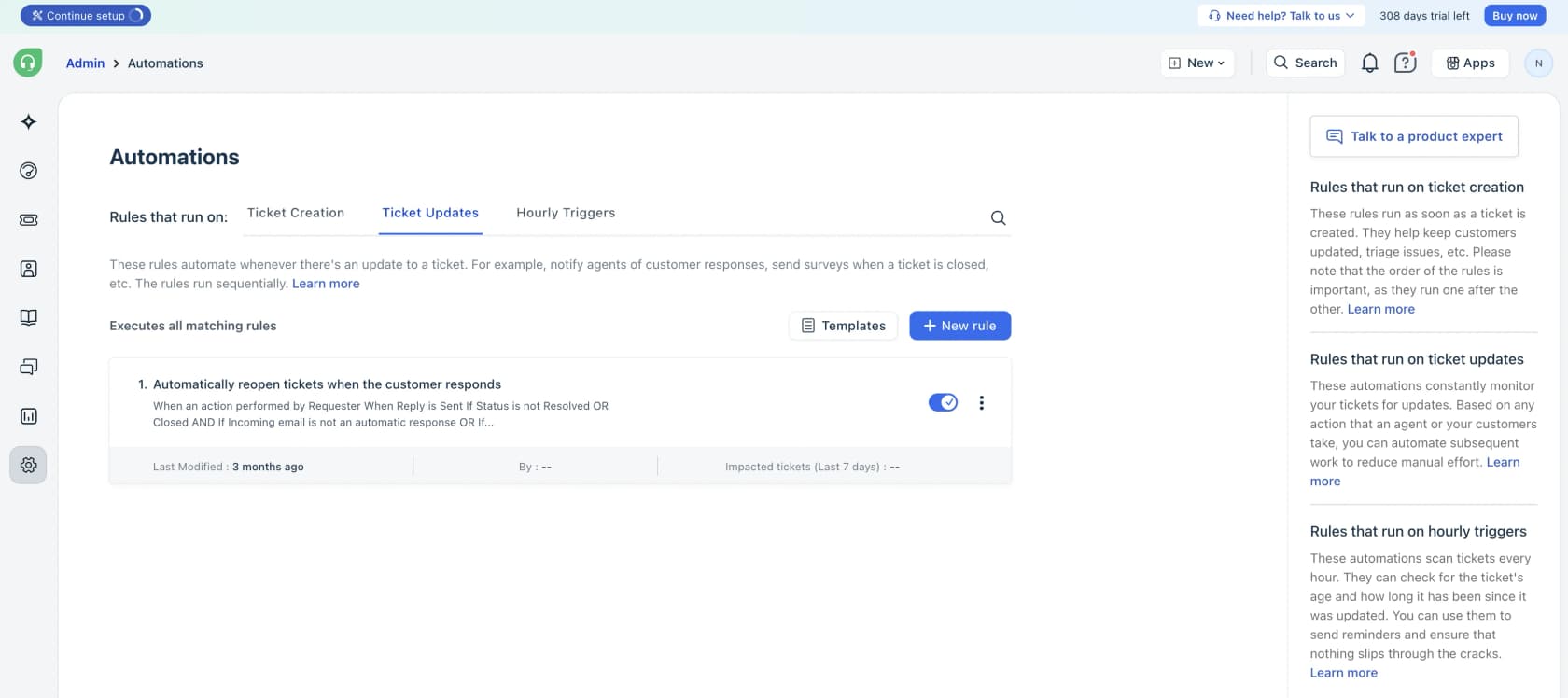
Freshdesk centers on a Command Center that unifies conversations, AI intelligence, and customer insight in one view. Its Freddy AI Agent ships 50+ prebuilt agentic workflows, and Freddy AI Copilot gives agents summaries, live translation, and reply suggestions.
Features
- Freddy AI Agent, 50+ no-code workflows built via AI Agent Studio that resolve queries and update records 24/7
- Freddy AI Copilot for in-workspace summaries, translation, and reply suggestions
- Automated routing and SLAs based on sentiment, skills, and workload
Pricing
| Plan | Price | Notes |
|---|---|---|
| Free | $0 | 1-2 agents, 6 months |
| Growth | $19/agent/mo | Annual billing |
| Pro | $55/agent/mo | Most popular |
| Enterprise | $89/agent/mo | Annual billing |
Pros
- A genuinely free, time-boxed on-ramp for small teams, no card required, 24x5 support
- Top-rated on G2 for usability, 4.4/5 across roughly 3,750 reviews
- AI basics like auto-assignment and FAQ deflection are called "reliable and affordable" on Reddit
Cons
- Freddy AI is a consumption-priced add-on a r/sysadmin thread called "expensive for what it can do"
- AI resolution quality holds up on simple tickets but breaks on complex ones, per Reddit reports of agents creating more cleanup work than they saved
- No published SOC 2 or ISO 27001 certification in Freshdesk's own materials
Verdict: Freshdesk is the easiest "yes" for a team that wants real AI-assisted ticketing without an enterprise budget. Once ticket volume climbs, check whether Freddy's consumption pricing or a flat per-ticket AI agent actually costs less.
3. HubSpot Service Hub
Best for teams that already run HubSpot CRM and want support tied to the same customer record.
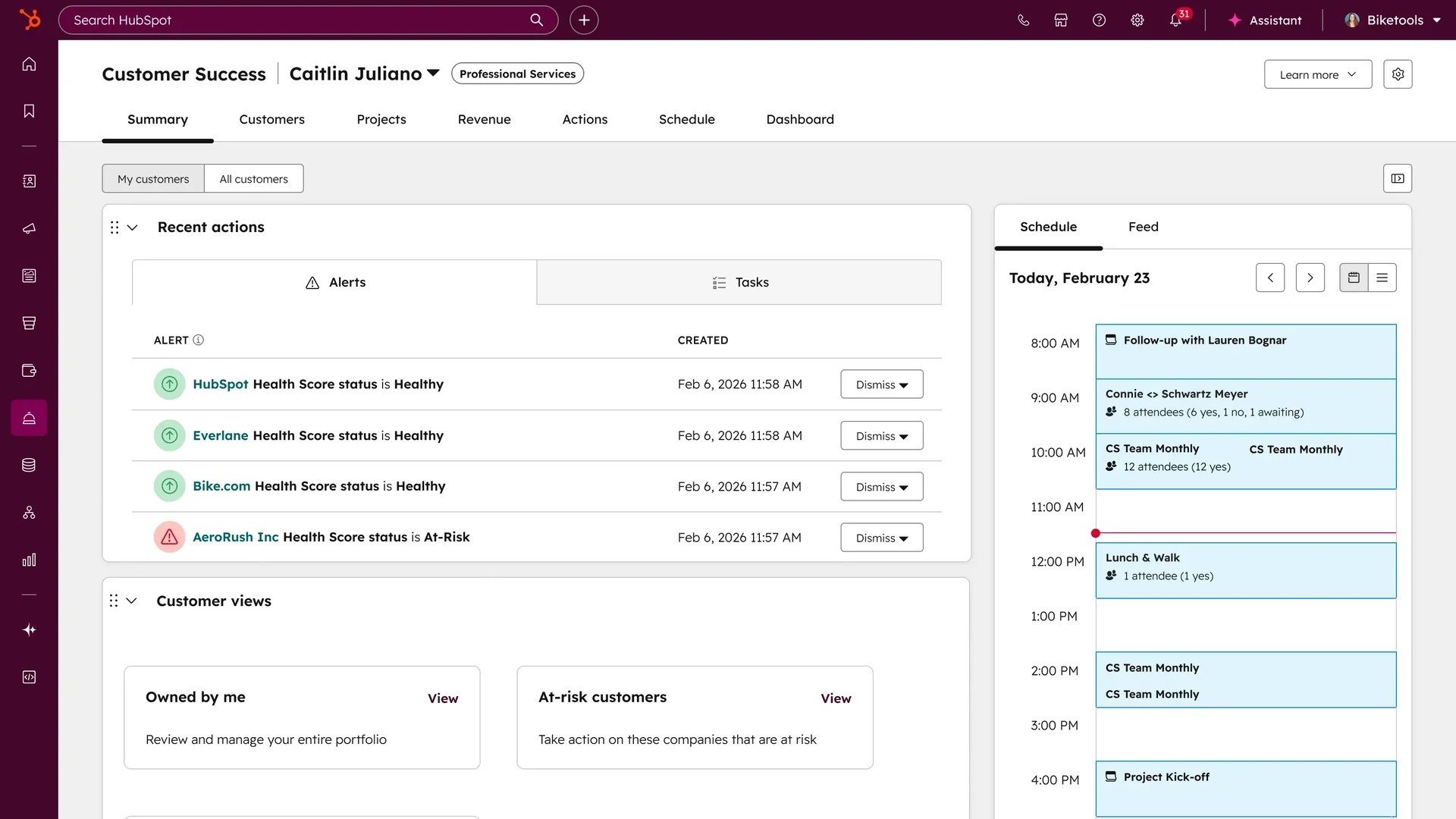
HubSpot Service Hub is natively wired into HubSpot's Smart CRM, so every ticket sits next to the same deal stage and marketing touch sales and marketing see. Its Breeze Customer Agent resolves email and live-chat inquiries around the clock, and a Breeze Knowledge Base Agent (beta) auto-converts resolved chats into articles.
Features
- Breeze Customer Agent, claimed 70%+ auto-resolution on eligible conversations
- Help Desk Workspace (Professional+) with up to 100 Help Desk Spaces on Enterprise
- Customer Success Workspace with health scores, NPS/CSAT/CES feedback, and native Salesforce sync
Pricing
| Plan | Price | Notes |
|---|---|---|
| Free | $0/mo | Up to 2 users |
| Starter | From $7/seat/mo (annual) | $20/seat/mo list |
| Professional | From $90/seat/mo (annual) | +$1,500 one-time onboarding |
| Enterprise | From $150/seat/mo | +$3,500 one-time onboarding |
AI usage runs on HubSpot Credits, $9 per 1,000 credits, at 50 credits per resolved Customer Agent conversation.
Pros
- Every support interaction sits next to the full CRM record, no syncing two systems
- A genuinely free entry tier with real ticketing and contact management
- Breeze Customer Agent claims 65% resolution across 8,000+ customers
Cons
- Real cost balloons past the seat price, mandatory onboarding fees plus annual lock-in per Encharge's breakdown
- G2 and TrustRadius reviewers flag the jump from Starter to Professional as a top pricing complaint
- Breeze's definition of "resolved" (no human handoff in 72 hours) can count outcomes a customer wouldn't call solved
Verdict: Worth it specifically for the CRM tie-in, not for the AI on its own. If support doesn't need to share a record with sales, you're paying for integration you won't use.
4. Salesforce Service Cloud
Best for large support orgs already standardized on Salesforce.
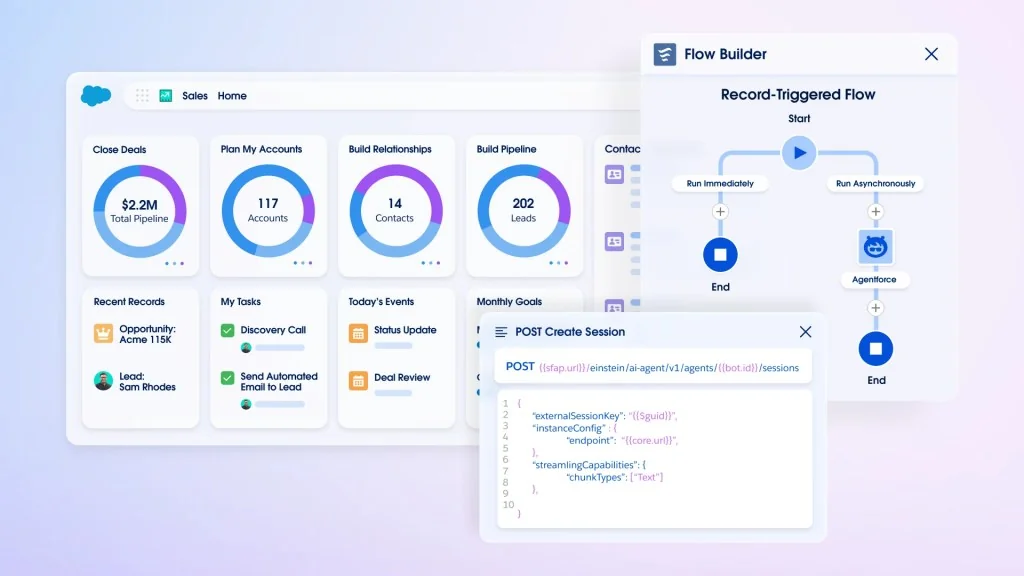
Salesforce Service Cloud leans on Agentforce, autonomous agents built on Salesforce's Atlas Reasoning Engine, plus the older Einstein predictive/generative layer, both grounded in live CRM data. An Agentforce Trust Layer masks sensitive data before it reaches any model, and Salesforce supports bringing your own model from OpenAI, Anthropic, or Gemini via its BYOM support.
Features
- Agentforce, built low-code in Agent Builder with a library of prebuilt actions and subagents
- Agentforce Trust Layer with dynamic grounding and a zero-retention policy for proprietary data
- Open model ecosystem via BYOM, plus MCP support for agent interoperability
- AgentExchange marketplace for ready-made agent actions
Pricing
| Plan | Price | Notes |
|---|---|---|
| Foundations | $0/mo | Free Agentforce starting point |
| Starter Suite | $25/user/mo | Annual |
| Enterprise | $175/user/mo | Annual |
| Agentforce 1 Service | $550/user/mo | Includes 2.5M Flex Credits/org/year |
Agentforce itself is metered separately: Flex Credits at $500 per 100k, Conversations at $2 each, or a $5/user/mo Agentforce license that still requires credits on top.
Pros
- AI is natively grounded in CRM data rather than bolted on
- Open ecosystem, not locked to one model vendor
- Large extensibility through AgentExchange and MuleSoft connectors
Cons
- Pricing is fragmented across seat editions plus separate Agentforce credits and conversations, hard to predict upfront
- Higher tiers require annual billing with no visible monthly option
- No independent community sentiment data was available in the research for this piece, worth reading third-party reviews before committing
Verdict: If you're already a Salesforce shop, Service Cloud is the path of least resistance. If you're evaluating helpdesks from scratch, the pricing complexity alone is reason to compare it carefully against Zendesk first.
5. Front
Best for teams that need real collaboration on shared inboxes, not just ticket assignment.
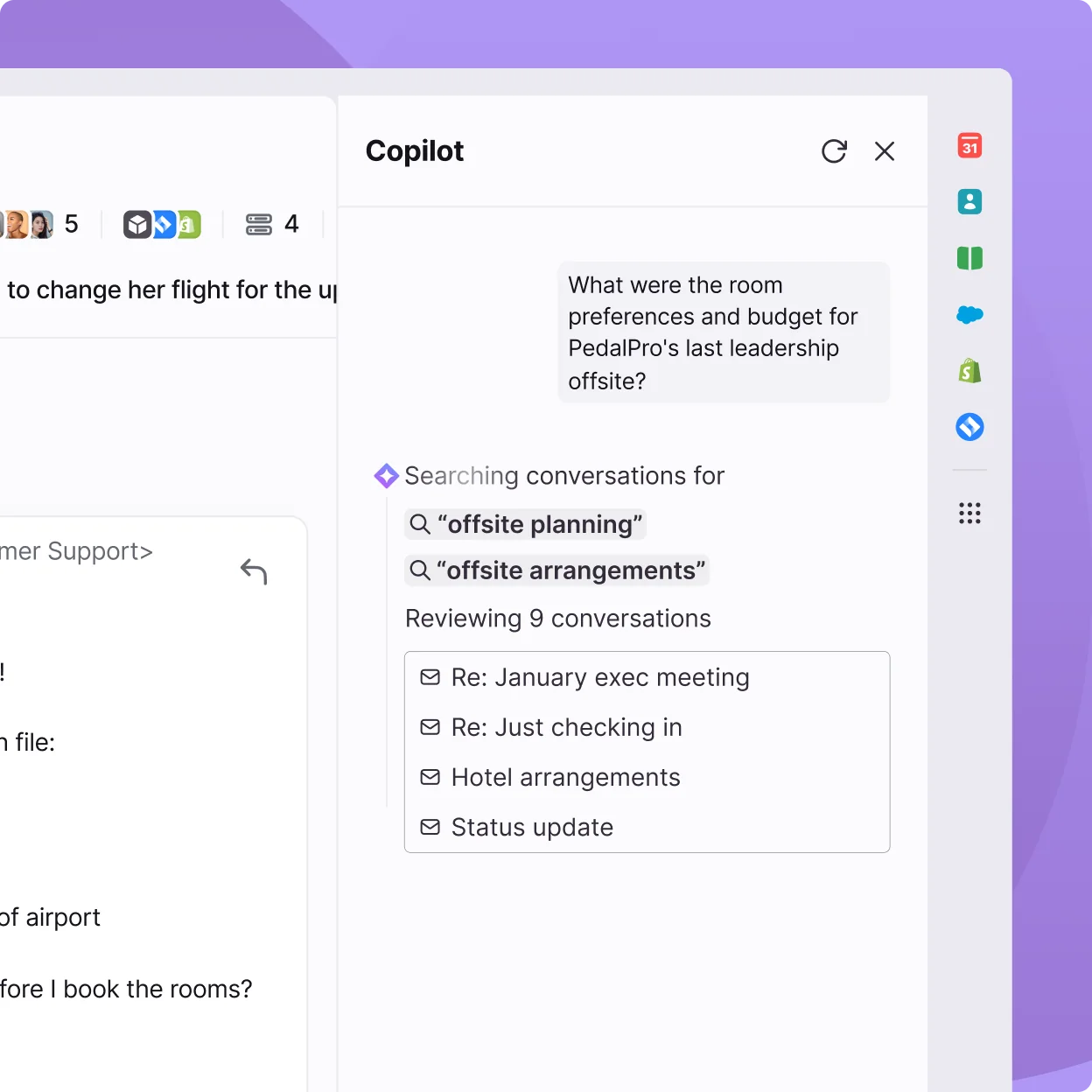
Front reads less like a ticketing tool and more like a "supercharged shared inbox," per one Reddit thread, internal comments and shared drafts replace CC chains entirely. Front AI has three pillars: Autopilot (autonomous resolution, claimed up to 70%), Copilot (in-context suggestions), and Smart QA/CSAT analytics.
Features
- Shared inbox with internal comments, shared drafts, tagging, and guest accounts
- Front AI's Autopilot, Copilot, and Smart QA/Smart CSAT/Topics analytics
- Omnichannel coverage across email, chat, SMS, Slack, social, and voice, plus 160+ integrations
- Compose, Translate, and Summarize AI helpers included on every tier, capped at 200 actions/teammate/day
Pricing
| Plan | Price | Notes |
|---|---|---|
| Starter | $25/seat/mo | Up to 10 seats |
| Professional | $65/seat/mo | Up to 50 seats |
| Enterprise | $105/seat/mo | Bundles Copilot, Smart QA, Smart CSAT |
Autopilot starts at $0.05/conversation on top of the seat price; Copilot and Smart QA are each $20/seat/mo outside Enterprise.
Pros
- Collaboration is the standout, "I like being able to organize our emails and not having to CC a bunch of coworkers," per a G2 reviewer
- 4.7/5 on G2 across 2,466+ reviews
- Easy setup and responsive support per the same G2 review set
Cons
- Pricing seen as complicated once AI add-ons stack, "they ask you to pay separately [for features/add-ons]," per G2
- Trustpilot sentiment skews notably more negative, including UI redesign backlash: "the new UI is unusable," per Trustpilot
- Reddit users position it as a shared inbox first, not a purpose-built ticketing system
Verdict: Front wins on collaboration UX in a way most dedicated helpdesks don't bother with. If your team is small and email-centric rather than juggling five channels, weigh it against Help Scout before paying Front's premium.
6. Gorgias
Best for Shopify and ecommerce brands that need order data inside every ticket.
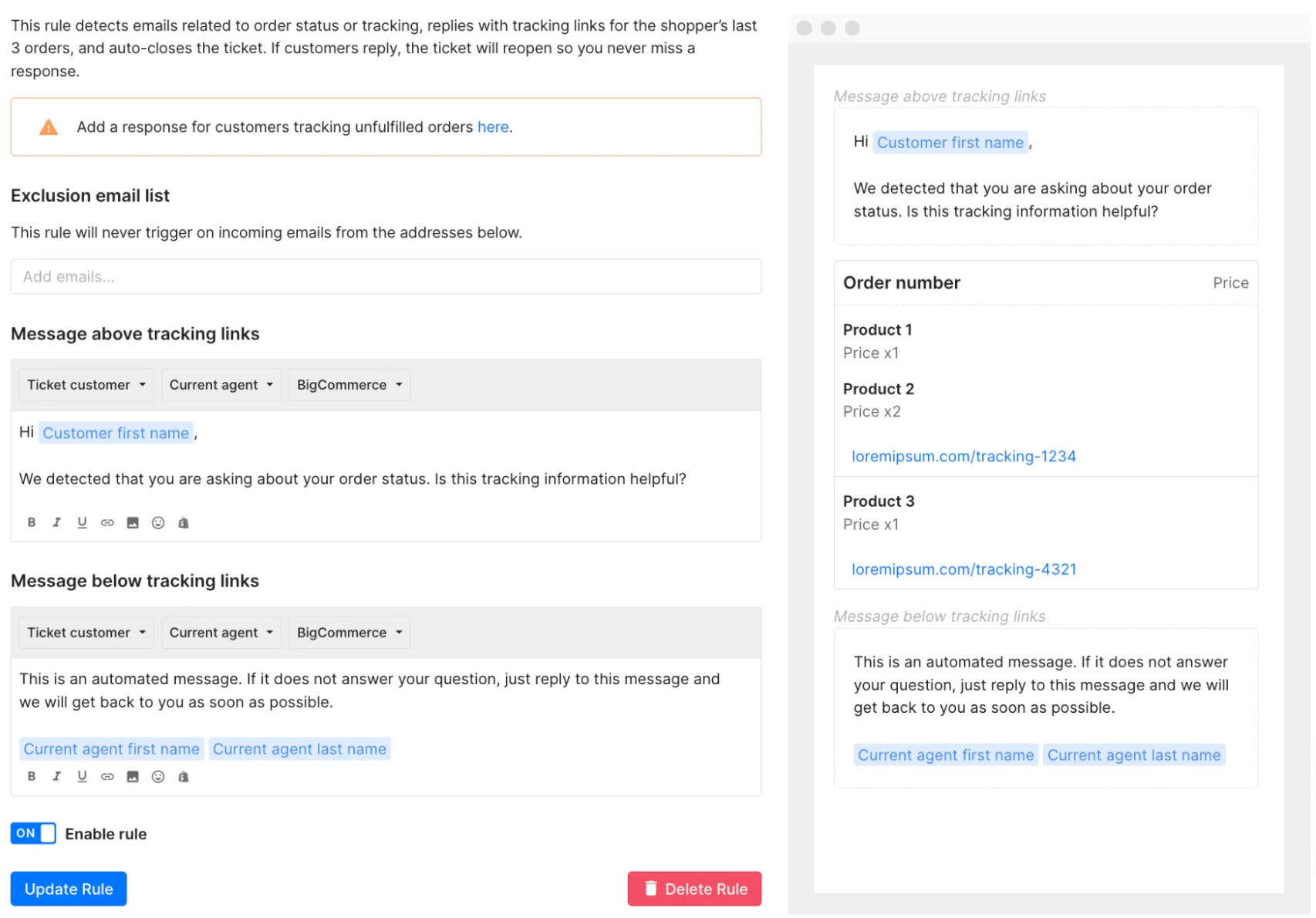
Gorgias is built around a native Shopify integration, orders and customer data live inside every ticket with no separate syncing, and also supports BigCommerce, Magento, and WooCommerce. Its AI Agent is pre-trained on over a billion ecommerce conversations and can process refunds, edit orders and subscriptions, and generate discounts.
Features
- Native Shopify data (orders, customers) inside the ticket view, one-click install
- AI Agent that handles FAQs, returns, order edits, and dynamic discounts, escalating with full context
- Omnichannel inbox spanning email, chat, SMS, WhatsApp, Instagram, Facebook, and TikTok
- 300+ integrations including Klaviyo, Recharge, Yotpo, and Loop Returns
Pricing
| Plan | Price | Ticket volume |
|---|---|---|
| Starter | $10/mo | 50 tickets |
| Basic | $50/mo | 300 tickets |
| Pro | $300/mo | 2,000 tickets |
| Advanced | $750/mo | 5,000 tickets |
The AI Agent is a separate usage add-on, $0.90/resolved conversation on annual plans or $1.00 monthly, and each AI resolution also counts as a billable ticket.
Pros
- Deep native Shopify data is the top reason community members choose Gorgias over general helpdesks
- Real automation results, one brand hit 56% automation in under two months on its own case study
- High or unlimited seat counts on most tiers rather than per-seat pricing
Cons
- Runs roughly 3x Zendesk's cost for similar ticket volume per community sentiment, worth it mainly if 40%+ of tickets need direct order actions
- AI resolutions are billed both per-resolution and as a countable ticket, costs can stack fast
- No named SOC 2 or ISO 27001 certification, only GDPR/CCPA compliance is confirmed
Verdict: If a meaningful share of your tickets are "where's my order" or "process this refund," Gorgias's native store data pays for the premium. If most tickets are generic FAQs, you're overpaying for ecommerce-specific plumbing you won't use.
7. Zoho Desk
Best for budget-conscious teams already in the Zoho ecosystem.
Zoho Desk undercuts most of this list on price while still covering omnichannel support, email, social, WhatsApp and other messaging apps, live chat, and telephony. Its Zia AI assistant spans self-service (Answer Bot), agent assist (sentiment analysis, auto-tagging, summarization), and admin automation (field prediction, anomaly detection).
Features
- Zia AI across customer self-service, agent assist, and admin automation
- Blueprint drag-and-drop process automation, scaling from 1 blueprint/department on Professional to 20 on Enterprise
- Omnichannel inbox covering email, social, WhatsApp/Telegram/LINE/Messenger, live chat, telephony, and a branded help center
- Deep Zoho-ecosystem integration, 360+ apps, plus an optional bring-your-own-key ChatGPT integration
Pricing
| Plan | Price (annual) | Notes |
|---|---|---|
| Free Forever | $0 | 3 users, email only |
| Express | $7/agent/mo | |
| Standard | $14/agent/mo | |
| Professional | $23/agent/mo | Most popular |
| Enterprise | $40/agent/mo | Gates most Zia AI features |
Pros
- Strong automation (SLAs, Blueprint workflows) at a price point Gartner/Software Advice reviewers consistently call excellent value against Zendesk
- A genuine free tier plus a $7/agent/mo paid entry point undercuts most of this list
- Clean, intuitive core ticket management per G2's pros summary
Cons
- Zia AI is widely seen as underwhelming, only 27 G2 reviews at 4.0/5, and Reddit users call it inconsistent
- Steep learning curve and a cluttered UI show up repeatedly in G2 review tags
- The useful AI features (Answer Bot, sentiment analysis, field prediction) are gated to Enterprise, pricing out the SMBs the rest of the plan targets
Verdict: Zoho Desk is the best value on this list for core ticketing. Don't buy it expecting Zia to compete with Zendesk or Freshdesk's AI, plan to layer in a dedicated AI agent if automation actually matters to you.
8. Help Scout
Best for small teams that want an email-like inbox without a learning curve.
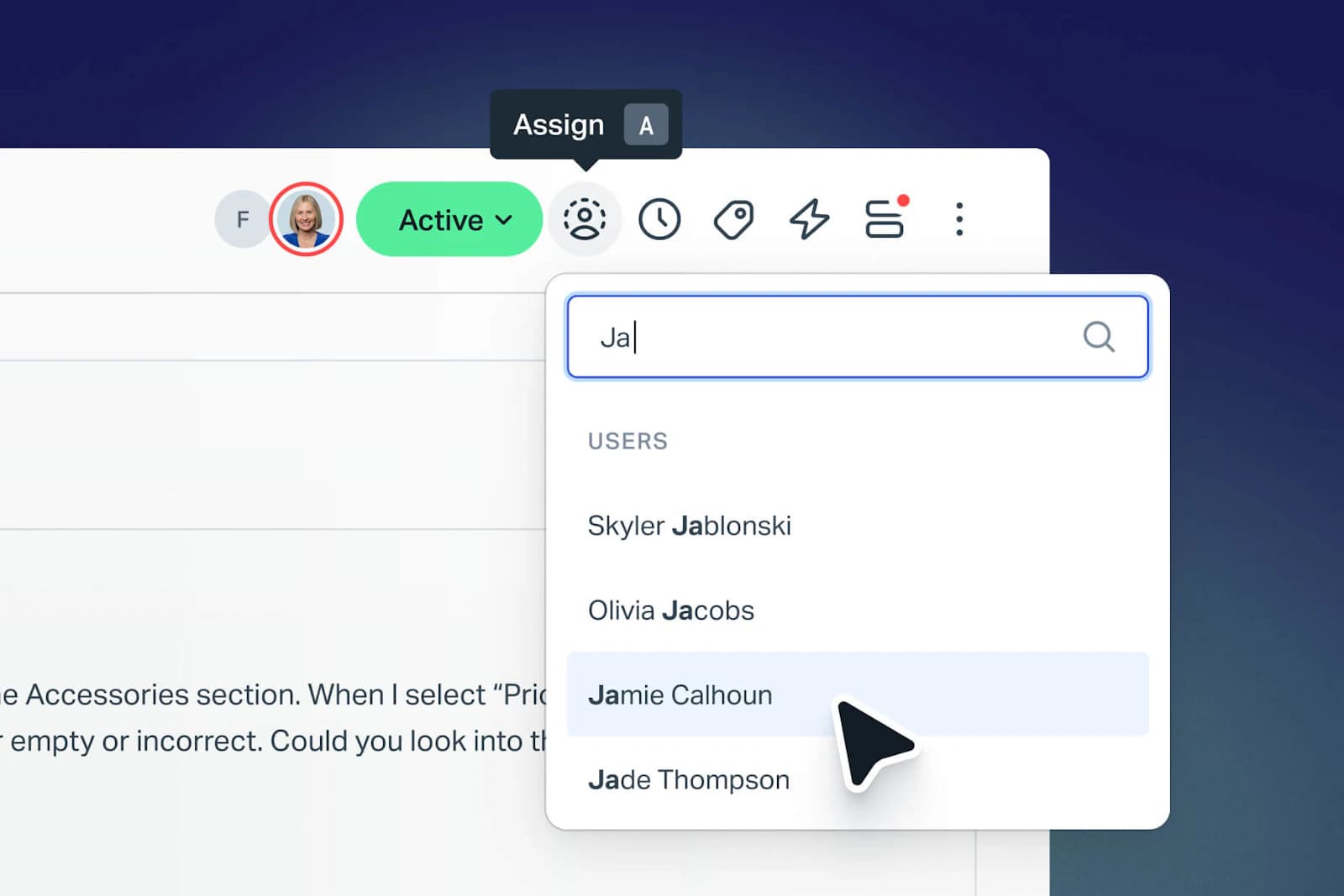
Help Scout is built to feel like email, agents on G2 report learning the shared inbox "in under an hour." Its AI Answers is a customer-facing agent that resolves requests from the knowledge base and other sources, averaging a 73.19% resolution rate across 50+ languages by Help Scout's own numbers.
Features
- Shared inbox with collision detection and internal notes across email, chat, phone, and social
- Docs knowledge base, claimed to cut email volume by roughly 30%, also feeding AI Answers
- Beacon, an embeddable widget surfacing self-service articles, AI Answers, and live chat
- AI Answers, 73.19% average resolution rate across 50+ languages
Pricing
| Plan | Price | Notes |
|---|---|---|
| Free | $0 | Up to 5 users, 1 inbox |
| Standard | $25/user/mo | Annual |
| Plus | $45/user/mo | Annual, most popular |
| Pro | $75/user/mo | Annual, 10-user minimum |
AI Answers is a separate add-on at $0.75/resolution on Standard, Plus, and Pro.
Pros
- Consistently praised for ease of use, new agents learn the inbox fast
- Strong native Shopify integration, 4.6/5 on the Shopify App Store
- A 3-month free trial of unlimited AI Answers resolutions, plus a vendor-modeled ROI of up to 455%
Cons
- AI Answers' $0.75/resolution stacks on top of per-seat costs, roughly +$750/mo at 1,000 resolutions
- CRM integrations are weak, the official HubSpot connector is rated 1.5/5 and the Salesforce connection is one-way and plan-gated
- A 2025-2026 pricing-model shift (per-seat to per-interaction and partly back) drew Reddit complaints about trust
Verdict: Help Scout is the friendliest on-ramp on this list if your team is small and email is still the dominant channel. If you're CRM-dependent, budget for the integration gaps rather than assume they'll just work.
How AI plugs into whichever system you pick
Every vendor above now sells its own AI layer, Freddy, Breeze, Zia, Agentforce, AI Answers, and every one of them is billed separately from the seat price. That's worth sitting with for a second: the AI isn't really part of the "customer service system" purchase decision anymore, it's a second, usage-metered purchase decision layered on top of the first one.
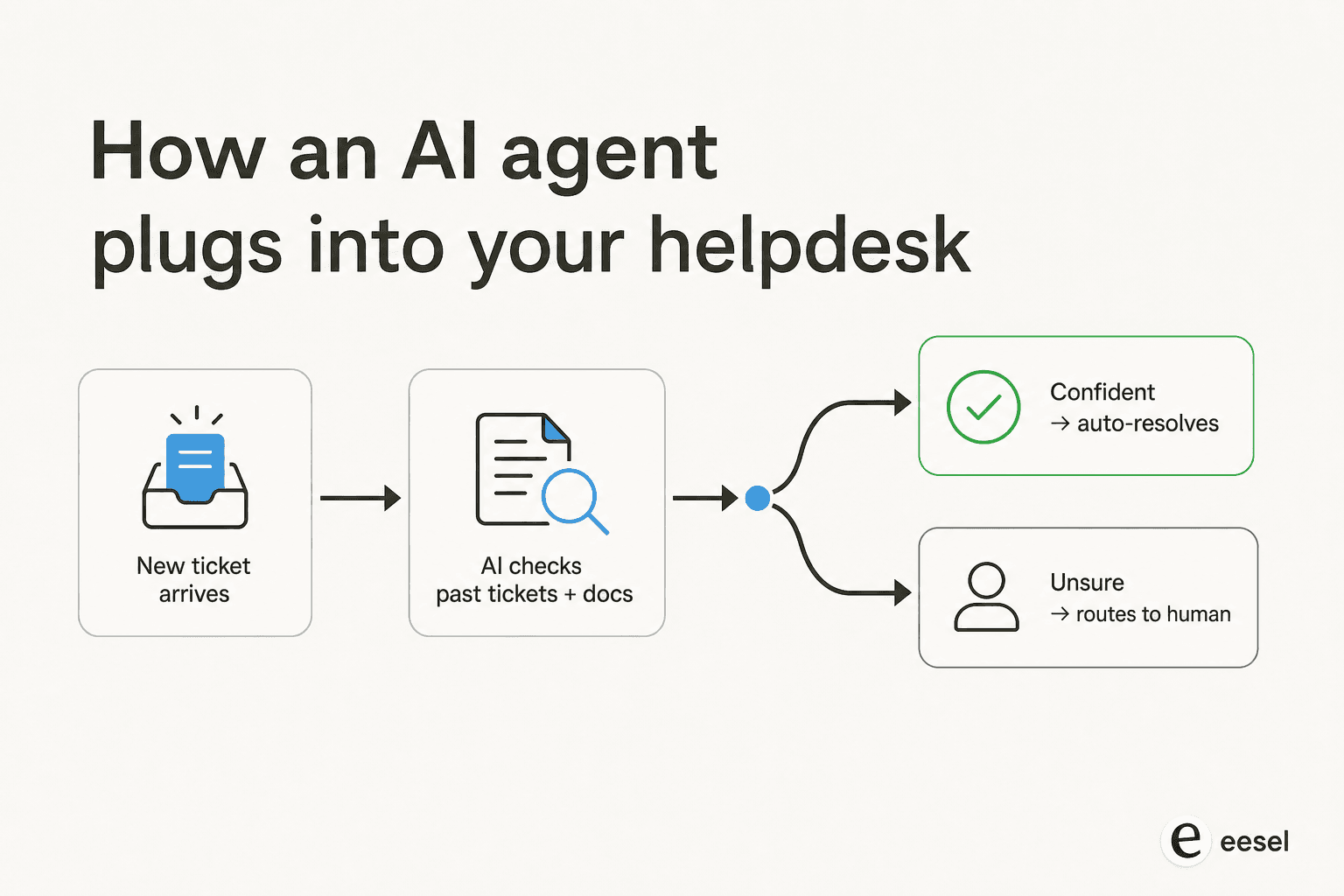
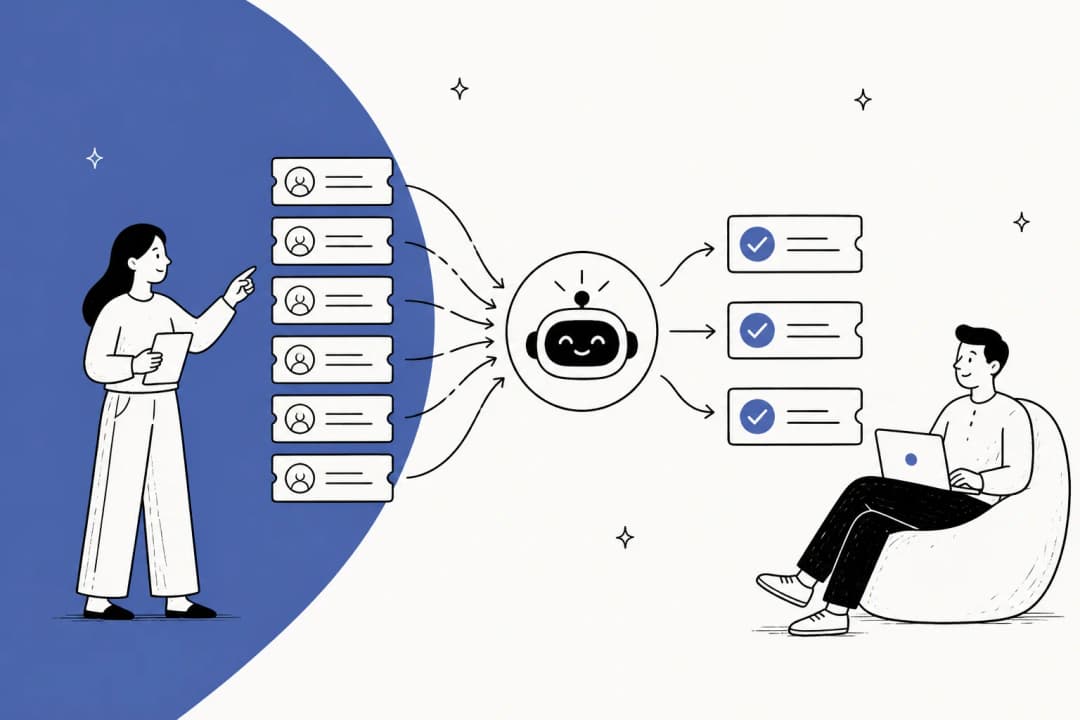
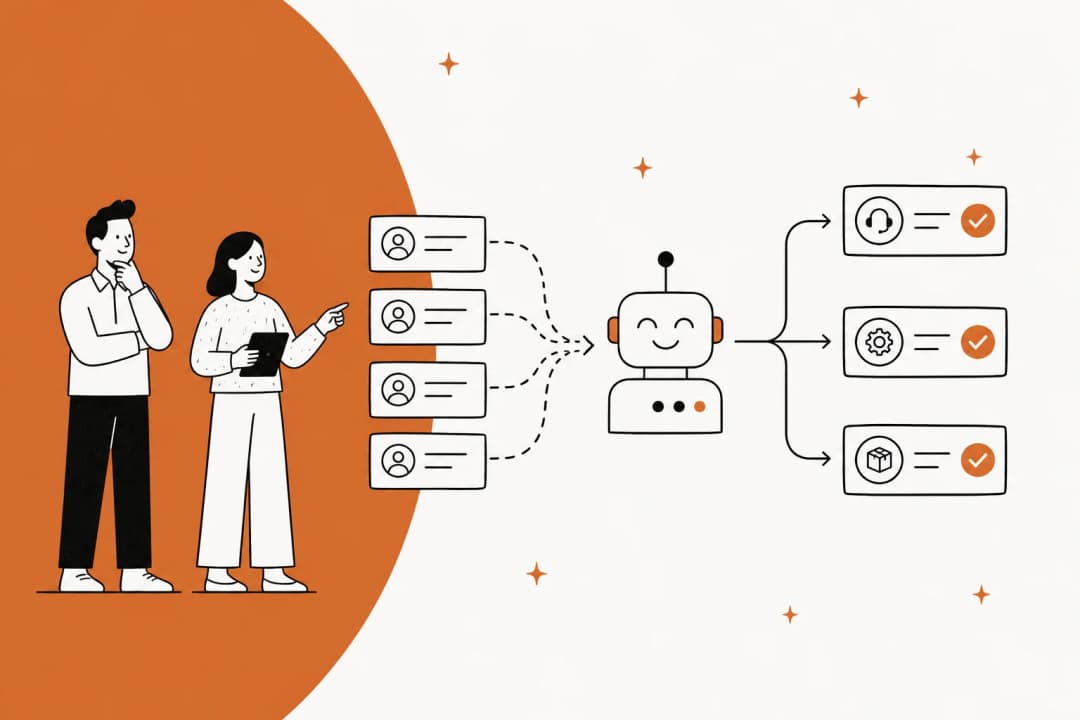
That's exactly the layer eesel operates in, but from the outside rather than as the vendor's own bolt-on. It reads your existing tickets, help docs, and macros on day one, then drafts or auto-resolves new tickets inside whatever system you already run, Zendesk, Freshdesk, Front, or any of the others above, routing anything it isn't confident about to a human instead of guessing. That confidence-based handoff is the exact thing support leads ask for before they'll trust automation with a real queue:
"I need an AI who is only handling the tickets that it's confident to handle, and all the other ones, leave them alone."
a CX lead at a high-volume DTC brand, from a real eesel sales call
The practical upside of running AI this way instead of through the vendor's own add-on: you're not locked into Zendesk's per-resolution rate or HubSpot's credit pricing if you ever switch platforms. The AI layer moves with you.
Cost of scaling a customer service system as your team grows
Per-seat pricing is the default across almost every tool on this list, and it has a predictable failure mode: your support cost grows in lockstep with headcount, whether or not ticket volume actually grew that fast. Usage-based pricing decouples the two.
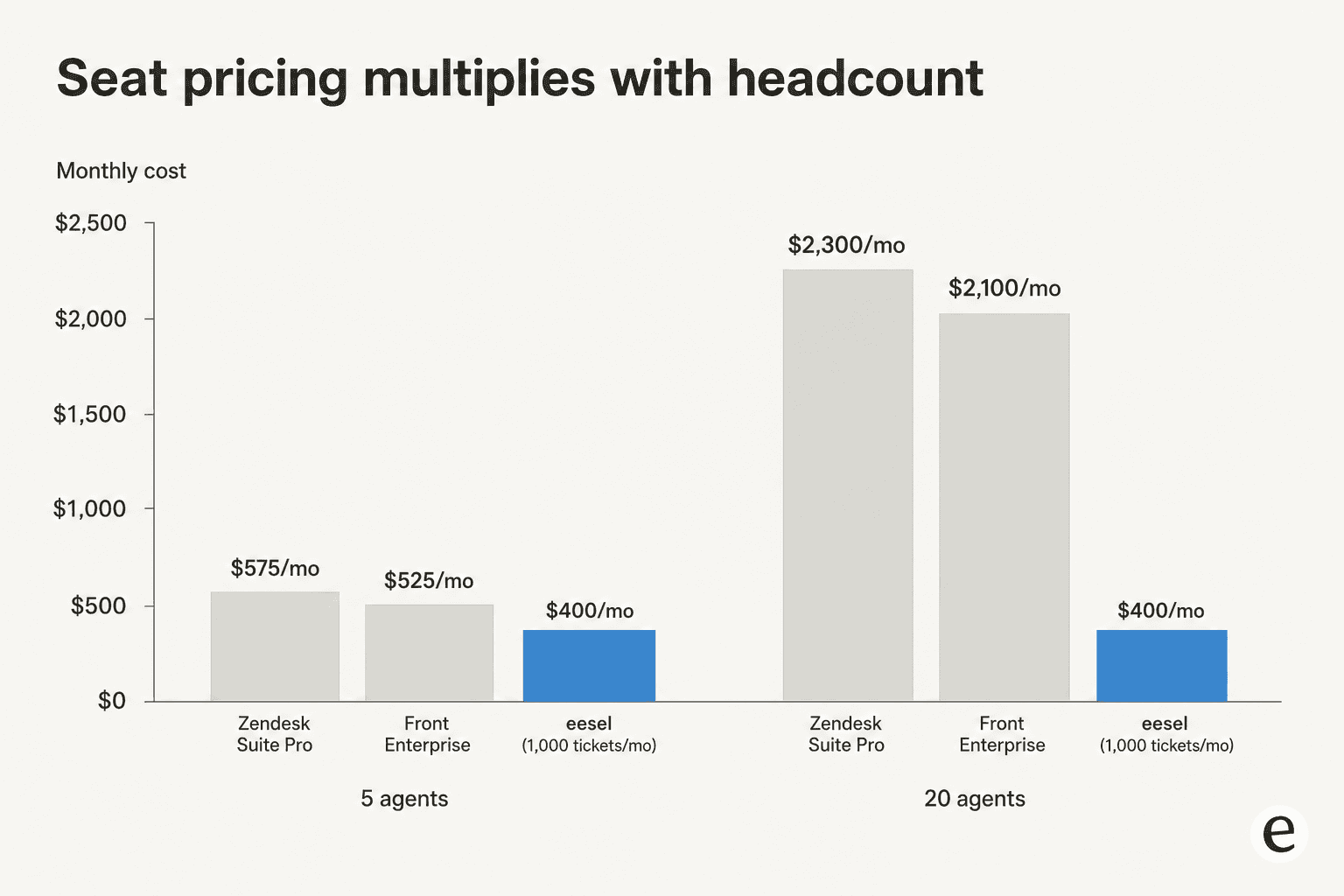
At 5 agents, Zendesk Suite Professional runs about $575/mo and Front Enterprise about $525/mo. Quadruple the team to 20 agents and those bills roughly quadruple too, to $2,300/mo and $2,100/mo, even if ticket volume only grew modestly. A ticket-based AI layer at $0.40/resolution handling 1,000 tickets a month costs $400/mo whether your team is 5 people or 20, because the bill tracks work done, not who's logged in.
Try eesel
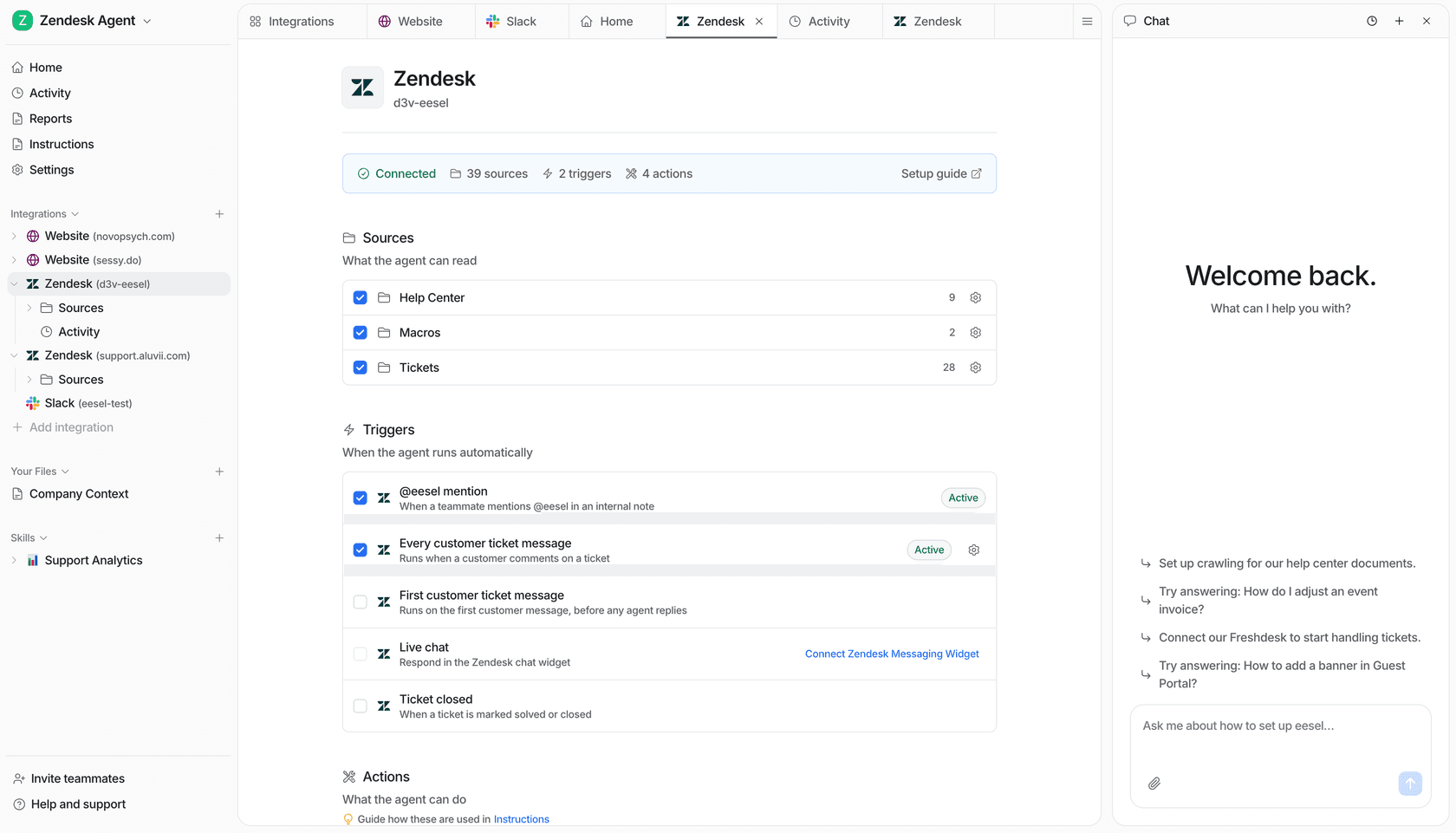
eesel is an AI teammate that plugs into whichever customer service system you already run, it isn't another platform to migrate to. Connect it to Zendesk, Freshdesk, HubSpot, Gorgias, Front, or any of the others above, and it learns from your real ticket history and help docs before it ever touches a live conversation. Smava runs it against 100,000+ German-language tickets a month inside Zendesk; Design.com automates 50,000+ tickets a month inside Freshdesk; Gridwise saw 73% of tier-1 requests resolved in its first month. Pricing is 40 cents per resolved ticket, no seat fees, no platform minimum, free to try up to $50 of usage.
Frequently Asked Questions
What is a customer service system?
A customer service system is the software stack a support team runs on: a ticketing/inbox layer, the channels customers reach you through (email, chat, social), a knowledge base for self-service, an automation or AI layer, and reporting. Tools like Zendesk, Freshdesk, and Help Scout bundle most of this into one product.
What's the difference between a help desk and a customer service system?
A help desk is usually just the ticketing and inbox piece. A customer service system is the broader stack, help desk plus knowledge base, omnichannel routing, automation, and often CRM data. In practice most vendors, including AI helpdesk platforms, use the two terms interchangeably.
What is the best customer service system for a small business?
For a lean team, Help Scout or Freshdesk are the easiest starting points, both have a genuine free tier and a shallow learning curve. If you're on Shopify, Gorgias is worth the higher price for the native order data.
How much does a customer service system cost?
Most charge per agent seat per month, anywhere from $7 (Zoho Desk) to $115+ (Zendesk Suite Professional), and the AI layer is usually billed separately on top, per resolution or per credit. Adding an outcome-based AI agent at 40 cents a ticket often costs less than a per-seat AI add-on once you factor in headcount.
Can AI run my customer service system?
AI can resolve a real share of tier-1 tickets inside whatever system you already run, it doesn't need to replace it. An AI helpdesk agent plugs into your existing ticketing system, reads your past tickets and docs, and routes anything it isn't confident about to a human.
Do I need a CRM or a helpdesk for customer service?
If sales and support both need the same customer record, a CRM-attached system like HubSpot Service Hub or Salesforce Service Cloud saves you from syncing two tools. If support is its own function, a dedicated helpdesk is usually cheaper and faster to set up.
What's the best free customer service system?
Help Scout's free plan (5 users) and Zoho Desk's free plan (3 users) are the most usable no-cost options, both include real ticketing and a knowledge base, not just a stripped demo.


Article by
Kurnia Kharisma
Kurnia is a software engineer and writer at eesel AI with two years of SEO experience, writing about AI tools, helpdesk software, and customer support. He pairs a developer's understanding of how these products are built with search-driven research into what actually ranks and resonates with the people searching for them.