What is a support shift handoff?
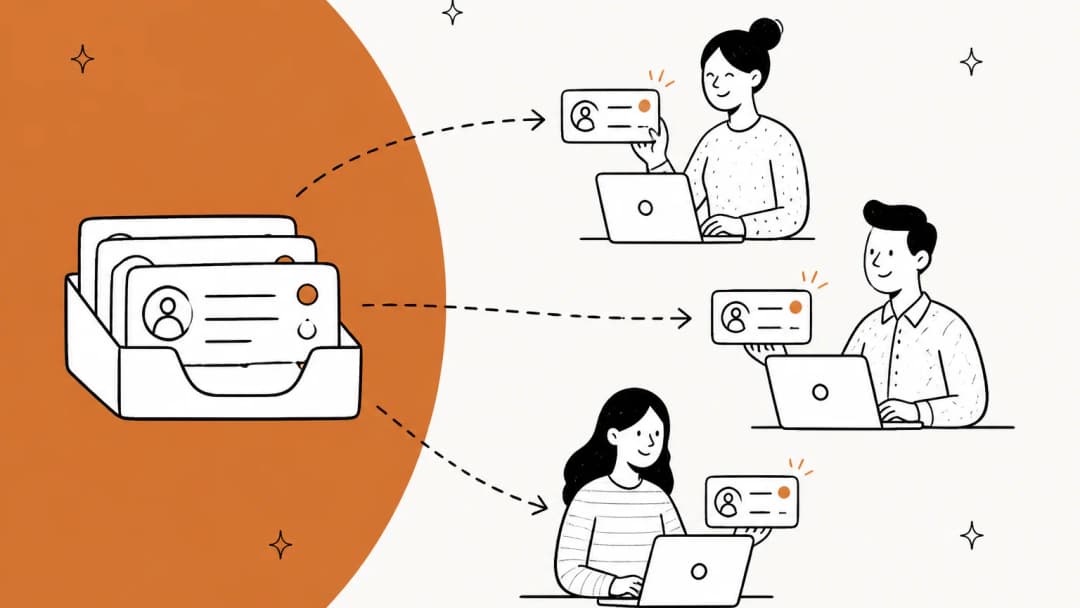
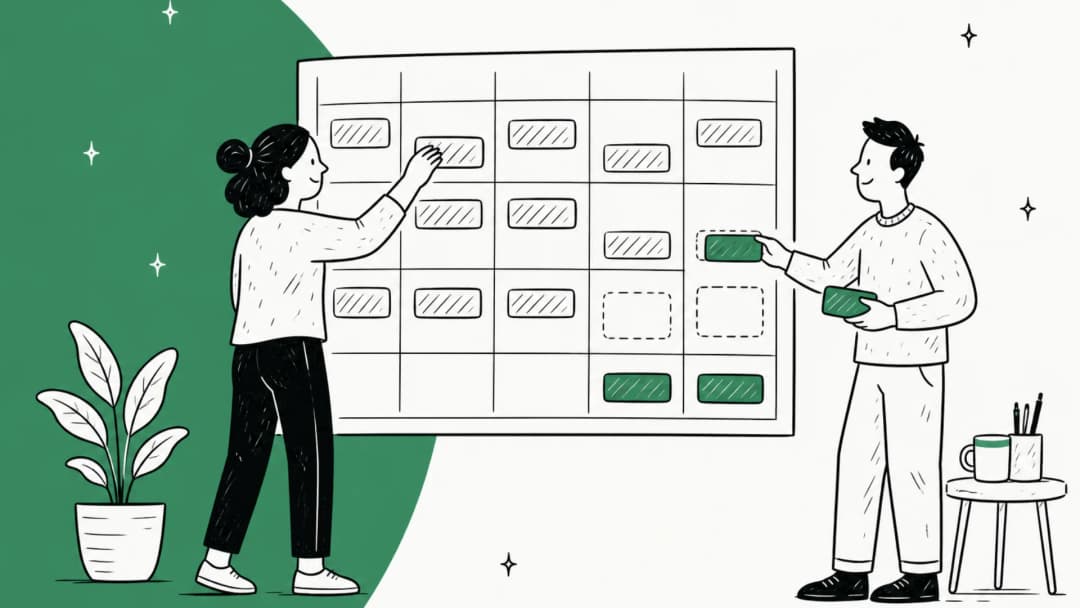
A support shift handoff is the moment one shift of agents passes the open queue to the next. It happens in any team that doesn't sit in one room for the whole day: a two-shift day in one office, a follow-the-sun setup across regions, an offshore team covering your nights, or a weekday team handing to a weekend crew. If your customers can write in at 6:05 p.m., you have a shift handoff, whether you've designed one or not.
Every good handoff has two layers, and most teams only build one of them.
| Layer | What it covers | Who reads it | Where it lives |
|---|---|---|---|
| Ticket note | One ticket: what was asked, what was tried, what was promised, what happens next | Whoever picks up that ticket | An internal note on the ticket itself |
| Shift brief | The whole queue: incidents, spikes, at-risk SLAs, promises due, anything weird | The whole incoming shift | One message in a shared channel or a pinned doc |
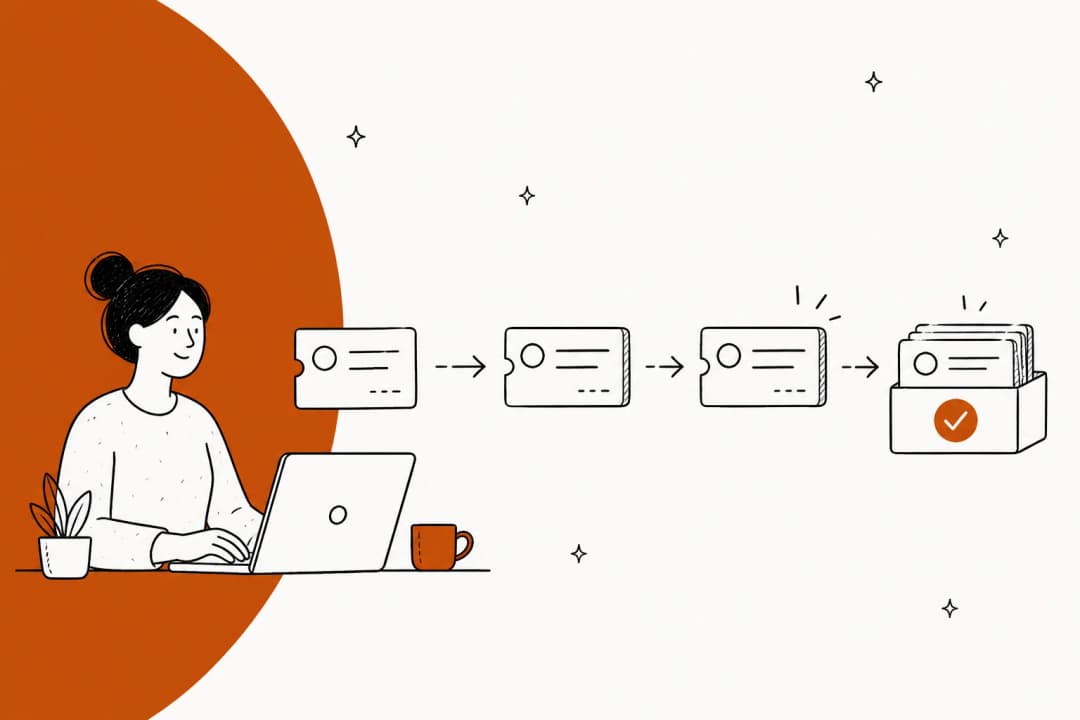
The ticket note stops a customer having to repeat themselves, which is the whole point of passing handoff context along. The shift brief stops the next shift from discovering a product outage one confused ticket at a time. Teams that only write ticket notes miss the pattern; teams that only post a Slack summary leave the detail somewhere the next agent won't see it when they open the ticket.
Why tickets fall through at shift change
The failure is almost never "the outgoing agent was lazy." It's structural, and you can see it in how helpdesks behave by default.
The owner is offline, but the ticket doesn't know. In Zendesk, operating hours won't set an agent's unified status. Zendesk's own Out of Office guide warns that "agents must remember to update their status." If they don't, routing still thinks they're available, and the customer's 7 p.m. reply lands on someone who left at six.
Quiet tickets stay parked. Front is clear about the gap in its out of office guide: replies to an out-of-office teammate's conversations get unassigned, but conversations "that do not receive new replies will be unaffected." Fine for a ticket where the customer is waiting on you. Not fine for the ticket where you promised a callback by 9 a.m.
Context lives in someone's head. The outgoing agent knows the customer already tried the reset steps, knows the refund was approved verbally by a lead, knows this is the third ticket from the same account this week. None of that is in the ticket unless someone wrote it down.
It also gets written at the worst possible moment. One engineer on Hacker News put the end-of-shift problem plainly:
"I mean in IT i see first hand the notes left by people on pager duty in the middle of the night, and they differ significantly from the same peoples notes after a restful night of sleep."

A tired agent at 5:55 p.m. writes the same thin note. That's an argument for a fixed template, and for letting software draft the first version.
Promises outlive their owner. "I'll check with engineering and get back to you tomorrow" is a commitment the customer remembers and the next shift has never heard of. This is the one that costs you the CSAT score, because from the customer's side, the company broke its word.
Hand off fewer tickets, not more
Here's the reframe I'd push hardest. The instinct at the end of a shift is to pass everything on so nothing is left hanging. That creates more handoffs, and every handoff is a place context leaks. Zendesk's own guide to follow-the-sun support describes its team as running with "no daily handoffs"; tickets generally stay with whoever picked them up.
So sort your open tickets into three piles before you write a single note:
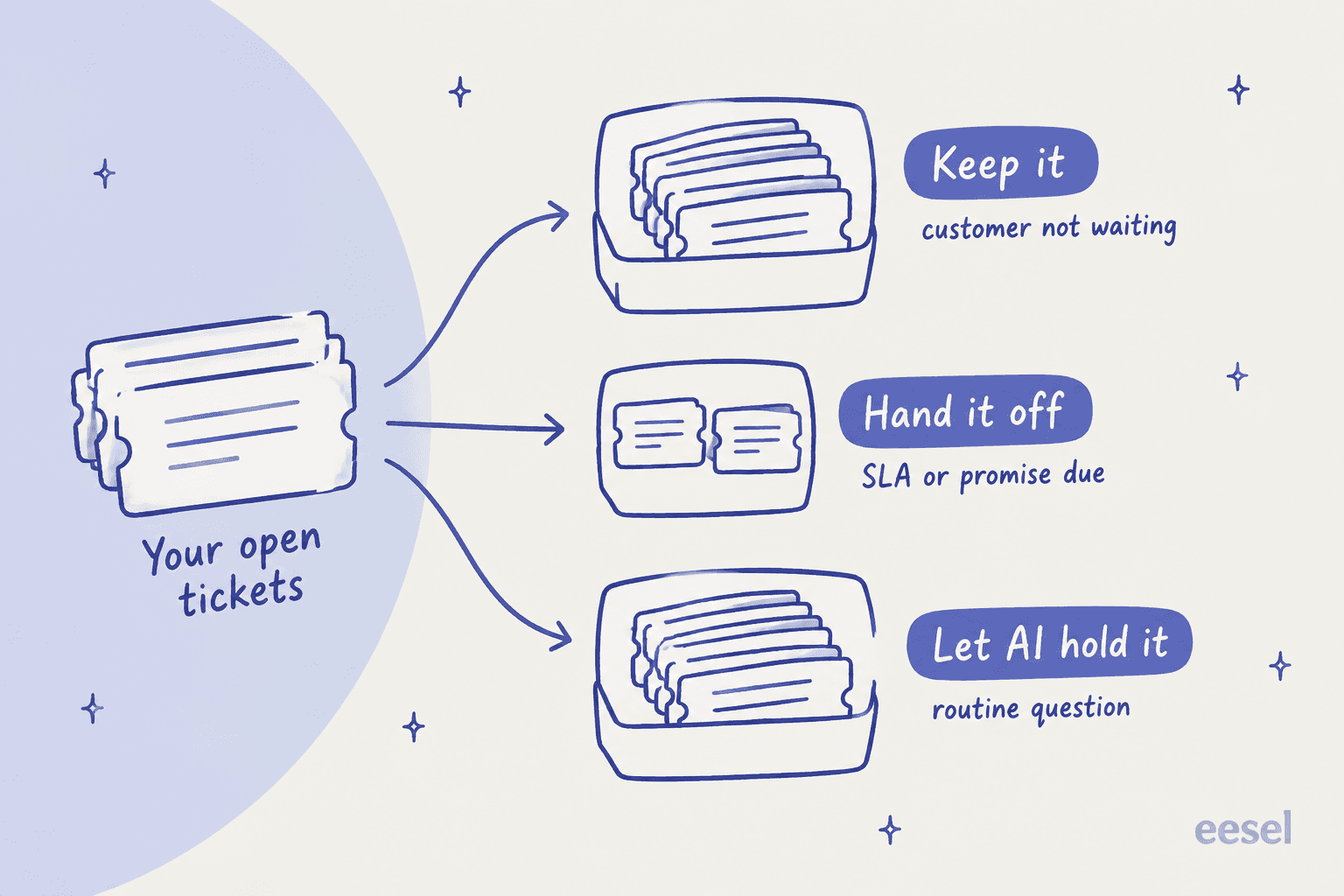
- Keep it. The customer isn't waiting on you right now (pending, waiting on a third party, or you replied and they haven't). It stays yours. If they reply while you're off, the reassignment settings further down catch it.
- Hand it off. An SLA target falls due before you're back, you made a time-bound promise, or the customer is mid-conversation on a live channel. These get a note and a new owner.
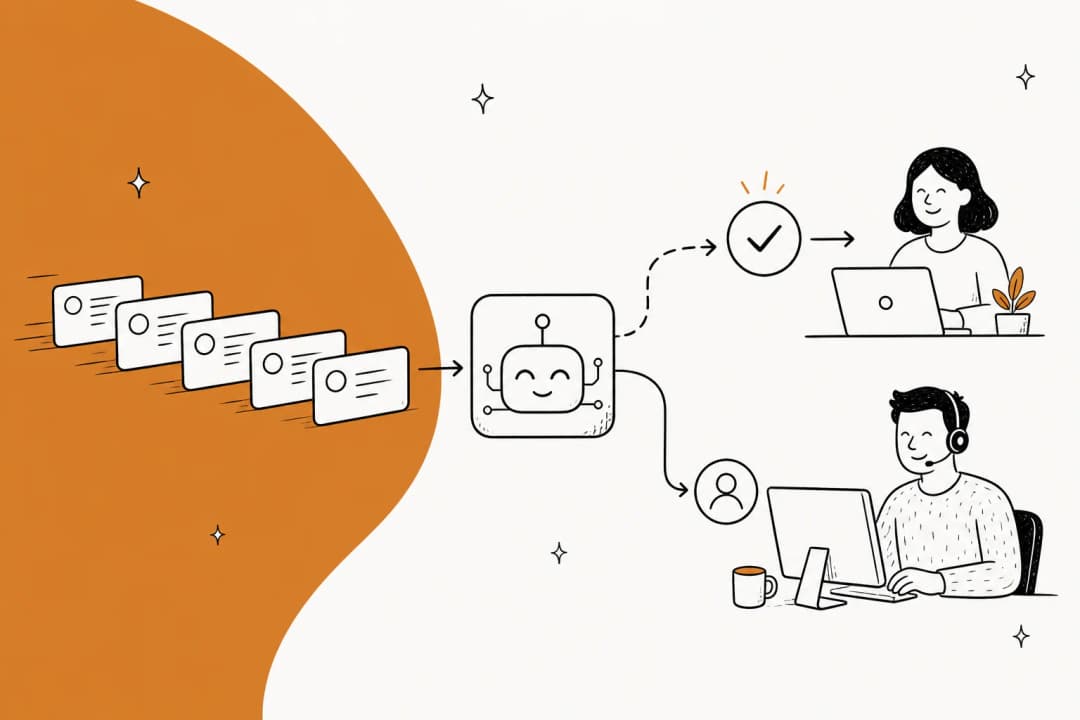
- Let AI hold it. Routine questions that come in overnight (order status, password resets, how-to questions your knowledge base already answers) don't need a human handoff at all if an AI agent is working the queue.
If your "hand it off" pile is bigger than a handful, the problem is upstream: tickets are aging too long, or shifts are too short for the work. Handoff notes won't fix that.
The handoff note: a five-line template
For the tickets that do change hands, the note matters more than anything else. It should take under a minute to write and under a minute to read.
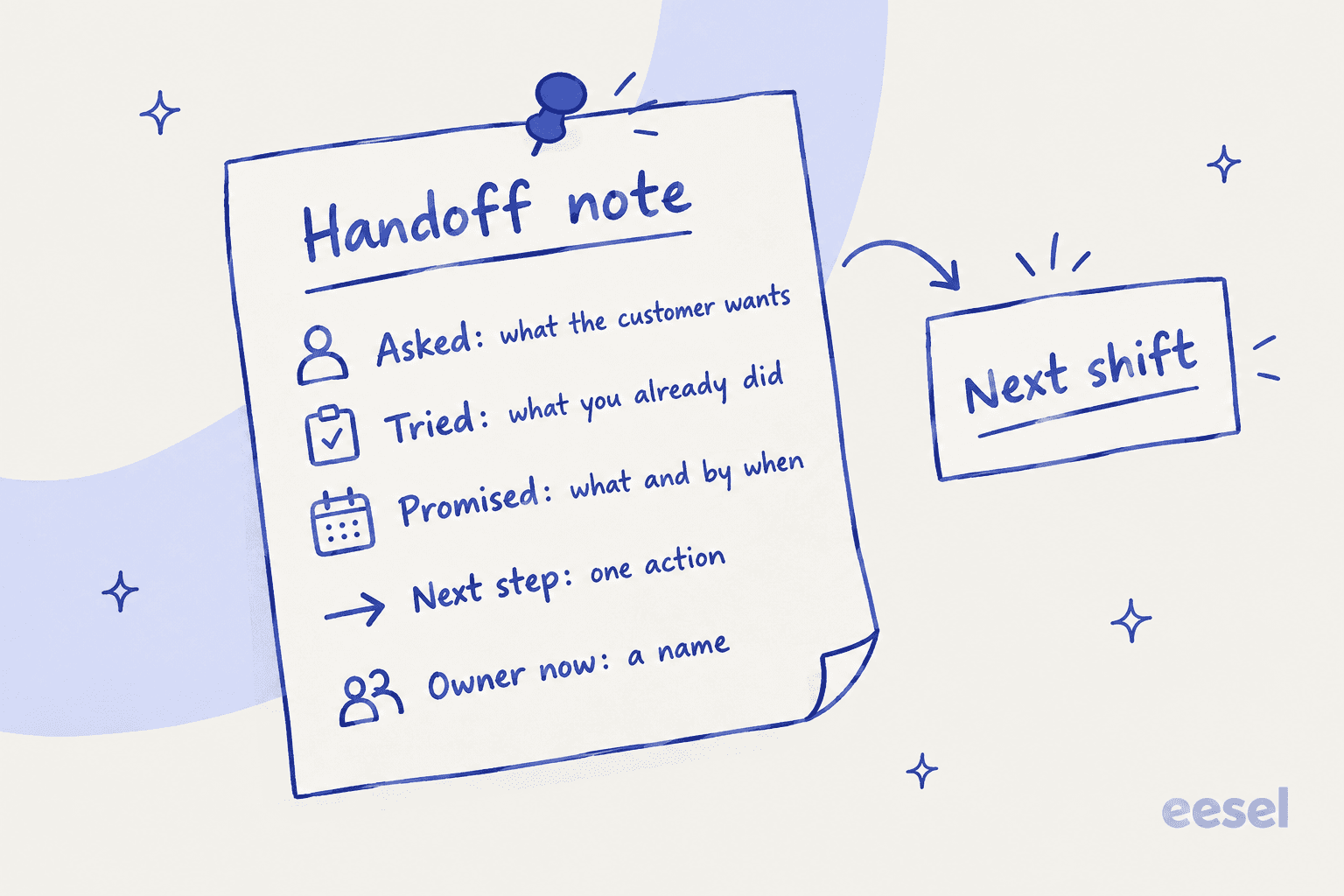
Here's the version I'd save as a macro:
HANDOFF [date, your shift]
Asked: [what the customer wants, in one sentence]
Tried: [what you already did or ruled out]
Promised: [what you told them, and by when]
Next step: [the one action the next person takes]
Owner now: [name or group]
The line that does the most work is Promised. If you only enforce one field, enforce that one. A note that says "customer upset, pls check" fails every line of the template; the next agent has to reread the whole thread to learn what the outgoing agent already knew.
A quick before-and-after on a real-shaped ticket:
| Weak note | Useful note |
|---|---|
| "Refund issue, customer chasing. Pls follow up." | Asked: refund for a double charge on order 4417. Tried: confirmed both charges in Stripe, refund for one approved by Dana. Promised: refund confirmation email by 10 a.m. tomorrow. Next step: process refund, send confirmation. Owner now: APAC group. |
Put the note on the ticket as an internal note, never only in Slack. Every helpdesk supports this: Zendesk macros can set the comment mode to private, Help Scout recommends Saved Replies as internal note templates, and a Gorgias macro can send an internal note and assign an agent in one click, so the note and the reassignment happen together. If you want agents to fill the blanks instead of deleting placeholder text, Zendesk's macro input fields prompt them for each value.
The shift brief: one message for the whole queue
The shift brief is the queue-level layer, and it's short. Five bullets, posted in the same channel at the same time every shift:
- Incidents: anything broken right now, with the internal tracking link.
- Volume: anything unusual ("refund tickets up after the 2 p.m. email campaign").
- At risk: tickets that will breach SLA in the next shift, with ticket numbers.
- Promises due: callbacks or follow-ups owed before the next handoff.
- Heads-up: VIP accounts in play, a macro that's wrong, a policy that changed today.
Keep it to what the next shift would otherwise learn the hard way. A brief that recaps every ticket you closed is a brief nobody reads by week three.
Teams that run 24-hour queues land on almost exactly this shape. From someone who worked a round-the-clock network operations center:
"Worked for a 24x7 NOCC for a while. We had at a minimum a handoff email that had a break down of active tickets along with their current progress and any tickets that needed immediate attention highlighted, along with alarms, and some other necessary info for the next shift. Since we were all in one room we also had coverage overlap of about 30 minutes and we would use that time as an informal information exchange."

A 45-minute handoff routine
Here's the routine I'd start with, split across both shifts. Adjust the times, keep the order.
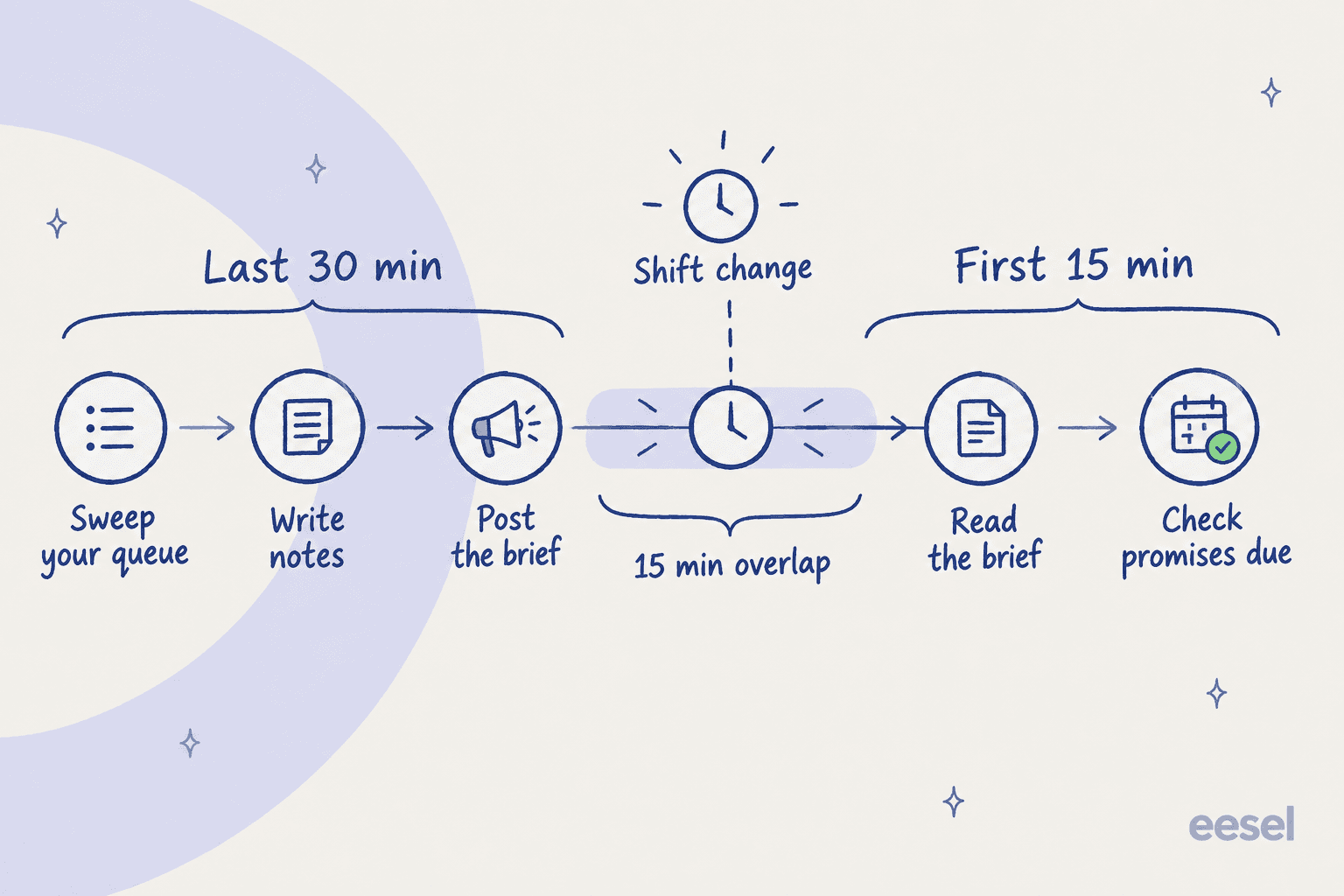
Last 30 minutes of the outgoing shift
- Sweep your queue (10 min). Open a view of your assigned, unsolved tickets. Sort them into keep, hand off, and let-AI-hold.
- Write notes (15 min). Five-line note on every hand-off ticket, then reassign it to the next shift's group, not a named person who may be off sick tomorrow. Group-based ticket routing does the rest.
- Post the brief (5 min). Five bullets in the shared channel.
The overlap (inside those same minutes)
Ideally the incoming shift's first 15 minutes overlap the outgoing shift's last 15, so the brief lands while both people are online. That's where questions get asked live. Even 15 minutes beats a perfect written handoff, because the incoming agent can ask "what did you mean by this?" while the outgoing one still remembers.
"The reason shift handoffs go bad is it's usually a singular information dump right as the next round is getting into work mode."
The same commenter's fix is an hour of overlap. Most support teams can't afford that every shift, but 15 minutes on the hand-off tickets gets you most of the benefit.
First 15 minutes of the incoming shift
- Read the brief before touching the queue, then run your usual ticket triage on anything new.
- Check promises due. Every "Promised" line with a time in the next shift goes on your list first.
Then set your own status correctly, both ways. The routine falls apart if the outgoing agent stays "online" in the helpdesk after they've left.
Set up your helpdesk to catch what people forget
The routine handles the tickets people remember. Helpdesk settings handle the rest: the customer reply at 9 p.m. on a ticket nobody flagged. Each of the five big helpdesks has a version of this, and the plan gates matter.
| What it does at shift change | Plan needed | |
|---|---|---|
| Zendesk | Reassigns reopened tickets when the owner has a chosen status; auto-reassigns up to 50 of their most recently updated open tickets when their status changes | Suite Professional ($115/agent/mo annual) and up |
| Freshdesk | Agent Shifts flip availability by schedule; rules on ticket update re-route, reassign, or warn the customer when the owner is off shift | Enterprise ($89/agent/mo annual) |
| Help Scout | "Reassign conversations" unassigns Active and Pending conversations after a set away period; app auto-sets Away within 10 minutes of closing | Not stated in the docs |
| Gorgias | "Unassign on reply" for tickets that reopen while the agent is offline; separate setting for live chats | All helpdesk plans |
| Front | Replies to an out-of-office teammate's conversations get unassigned; Shifts set teammates Out of office at shift end | Out of office on all plans; Shifts on Enterprise ($105/seat/mo annual) |
Zendesk
Zendesk retired its Out of Office app and moved the job into omnichannel routing. You create a custom "Out of Office" status, then turn on two separate switches: reassignment for reopened tickets, and "Auto-reassign open tickets," which picks up "the 50 most-recently updated open email and messaging tickets" when an agent switches to that status.
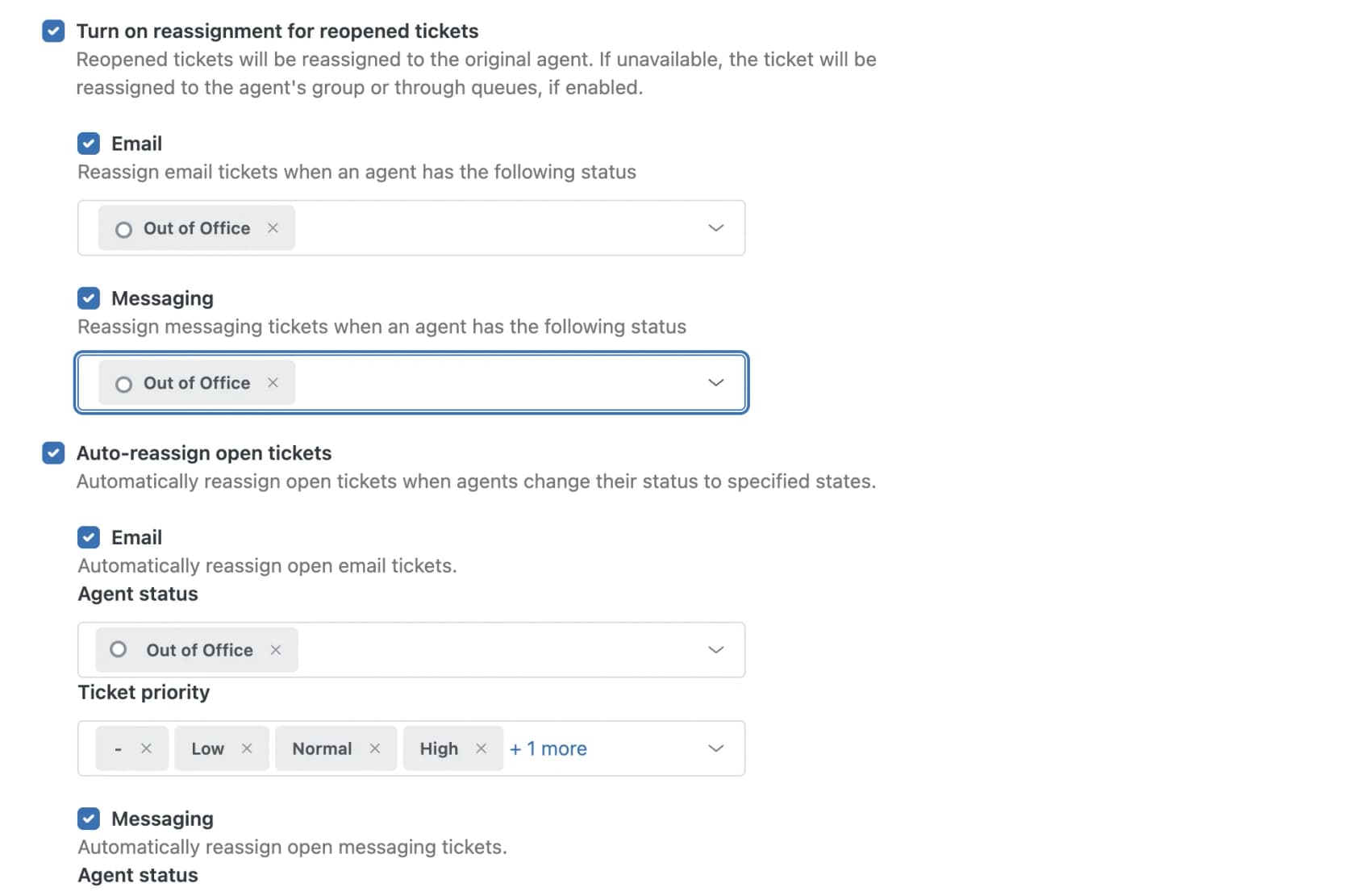
Two catches. The setup needs Professional or above, and the status still has to change. Zendesk suggests setting it through the API from "Google Calendar or Outlook" or "WFM schedules" so it doesn't depend on someone clicking a dropdown at the end of a long day. If you're below Professional, the fallback is Zendesk's manual bulk method: a view filtered on "Assignee is (agent)" and "Status less than Solved," then a bulk assignee change. My Zendesk routing guide covers the rest of the routing setup.
Freshdesk
Freshdesk's Agent Shifts doc describes the handoff problem almost word for word: a morning-shift agent replies, their shift ends, and the customer writes back. You can have the ticket "re-routed, re-assigned, or have the customer notified to expect a delay in response," using rules that check agent availability on every ticket update.
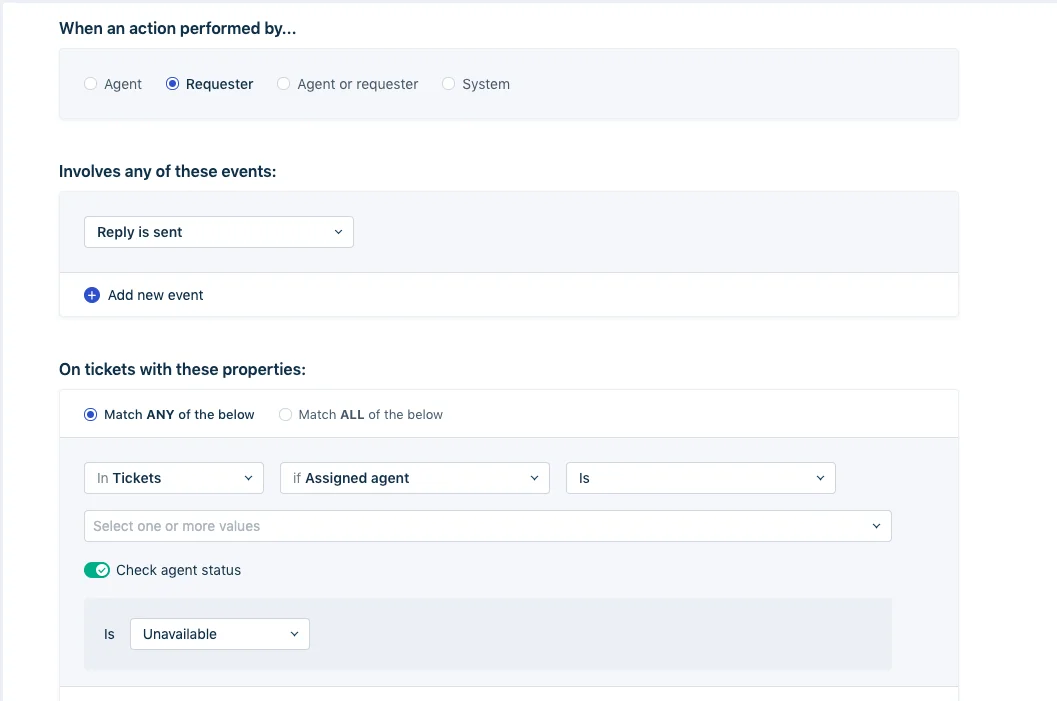
Shifts flip availability automatically, which is the piece Zendesk leaves to the agent. The trade-off is the plan: Agent Shifts sit on Enterprise. I've written more on Freshdesk agent shifts if you're setting this up. For simpler setups, my guide to Freshdesk auto-assign covers round robin.
Help Scout
Help Scout has a per-user Conversation Reassignment setting: after a chosen away period, "any Active or Pending conversations assigned to an away user will be automatically unassigned," and it stops the moment they return to Active. Pair it with presence detection: per Help Scout's status guide, closing the app sets you to Away within 10 minutes, and the status problem mostly solves itself.
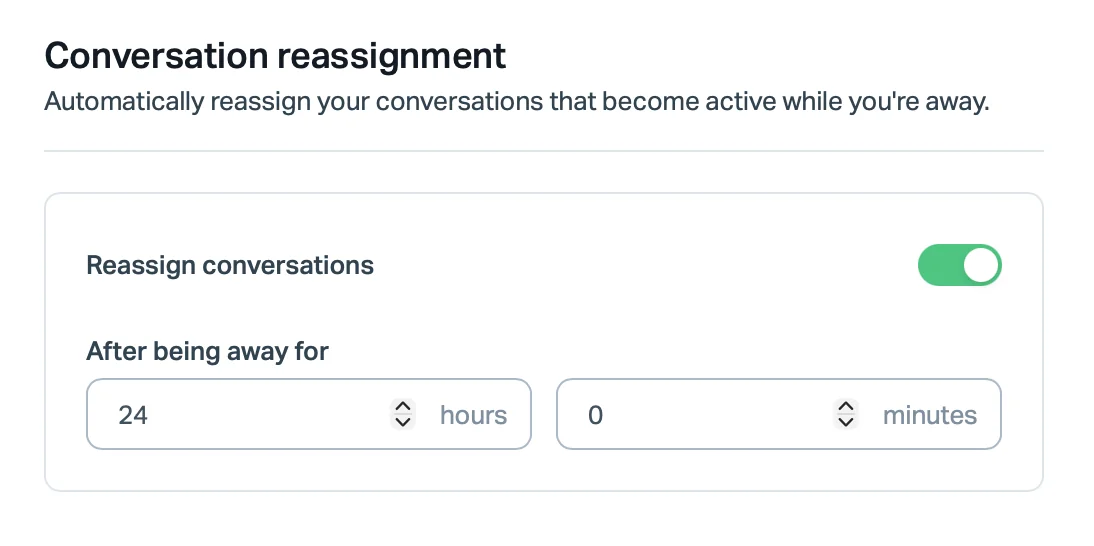
One thing to tune: the away period is yours to set, so a shorter away period hands tickets off faster but can also strip tickets from someone on a long lunch. See my Help Scout AI overview for what else the plans include.
Gorgias
Gorgias keeps it simple and puts it on every helpdesk plan. In ticket assignment settings, "Unassign on reply" reassigns a ticket that reopens while its agent is offline, and a separate box handles live chats when the agent goes unavailable mid-conversation. Gorgias is honest about the trade-off in the same doc: staying with one agent "might contribute to a consistent experience," while reassigning "might lead to faster resolution times." For shift handoffs, I'd take the faster path, especially if your queue is mostly asynchronous email. More on routing in my Gorgias auto assign guide.
Front
Front's Shifts feature (Enterprise) sets teammates Available at shift start and Out of office at shift end, and "new replies from the customer will also trigger conversations to unassign from any teammates not working on the shift."
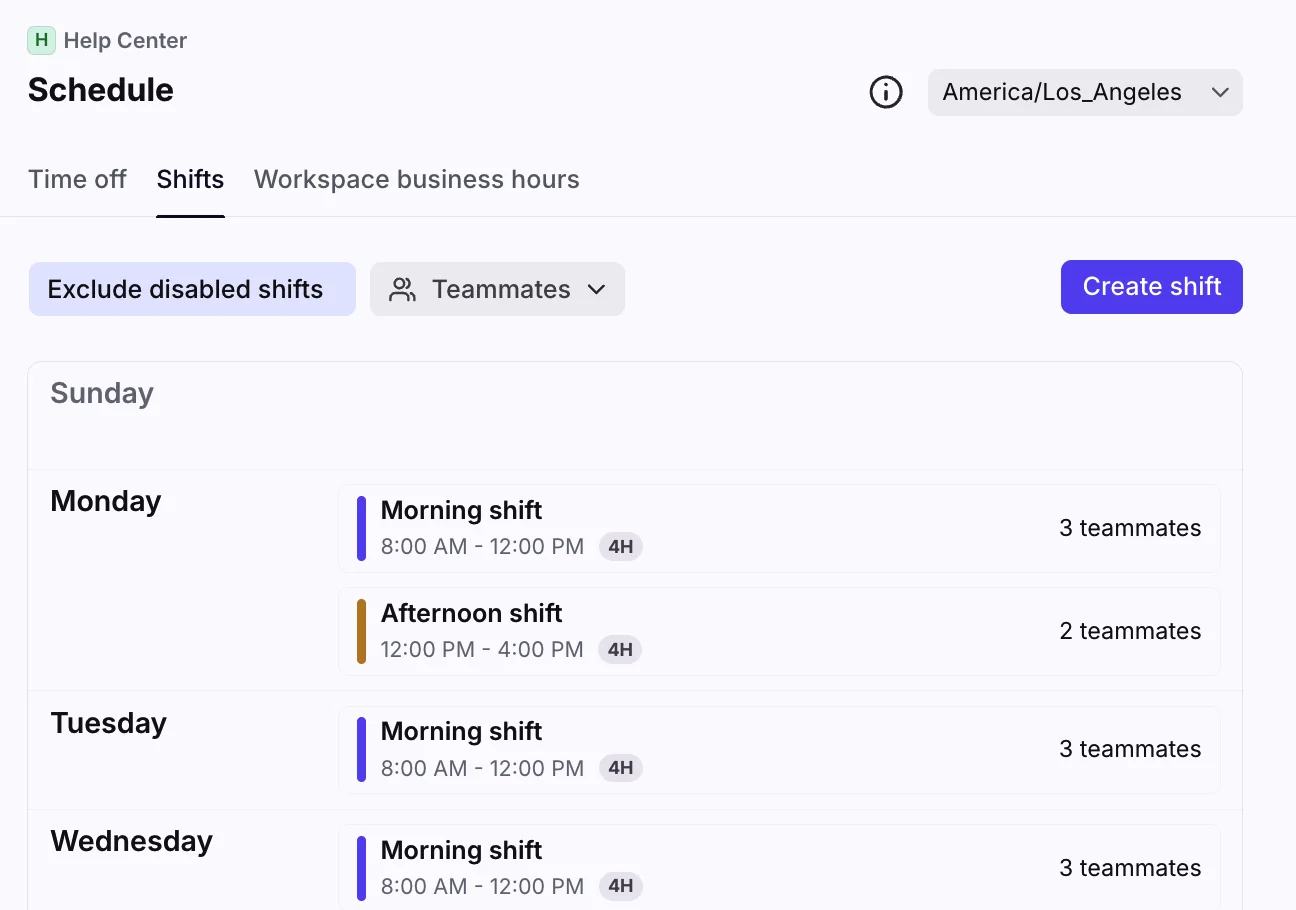
Front also has a neat trick for the note itself: a rule's "Add comment" action can post a pinned internal comment with @mentions. The gap to remember is the one from earlier: quiet conversations stay assigned, so the "sweep your queue" step still matters on Front. My Front AI breakdown covers its AI add-ons.
Where AI fits in a shift handoff
AI helps in three places, and they're worth separating because they cost different amounts and fail in different ways.
1. Summaries that draft the ticket note. Most helpdesks now offer AI ticket summaries. Help Scout's AI Summarize names "handing off a conversation to another teammate" as a use case. The limits are worth reading closely: Zendesk's Copilot summaries became available on Professional plans in May 2026 but with an allowance of 5 AI uses per agent per month, pooled across the account and capped at 500, per the Copilot announcement. That won't stretch across a daily handoff; unlimited use needs the $50 Copilot add-on. Front's summaries need the Copilot add-on ($20/seat), and Freddy summaries need Freddy AI Copilot ($29/agent).
My guide to Zendesk AI summaries goes deeper on the Zendesk side.
A summary is a draft, not a handoff. It tells the next agent what happened; it rarely knows what you promised unless you wrote it in the thread. Keep the Promised line human.
2. A scheduled shift brief. The queue-level brief is a good job for an AI teammate on a timer. With eesel, a scheduled job runs a prompt like "summary of all support tickets from the last 24 hours" daily, hourly or weekly, in whatever timezone you pick, and posts it where the next shift will see it.
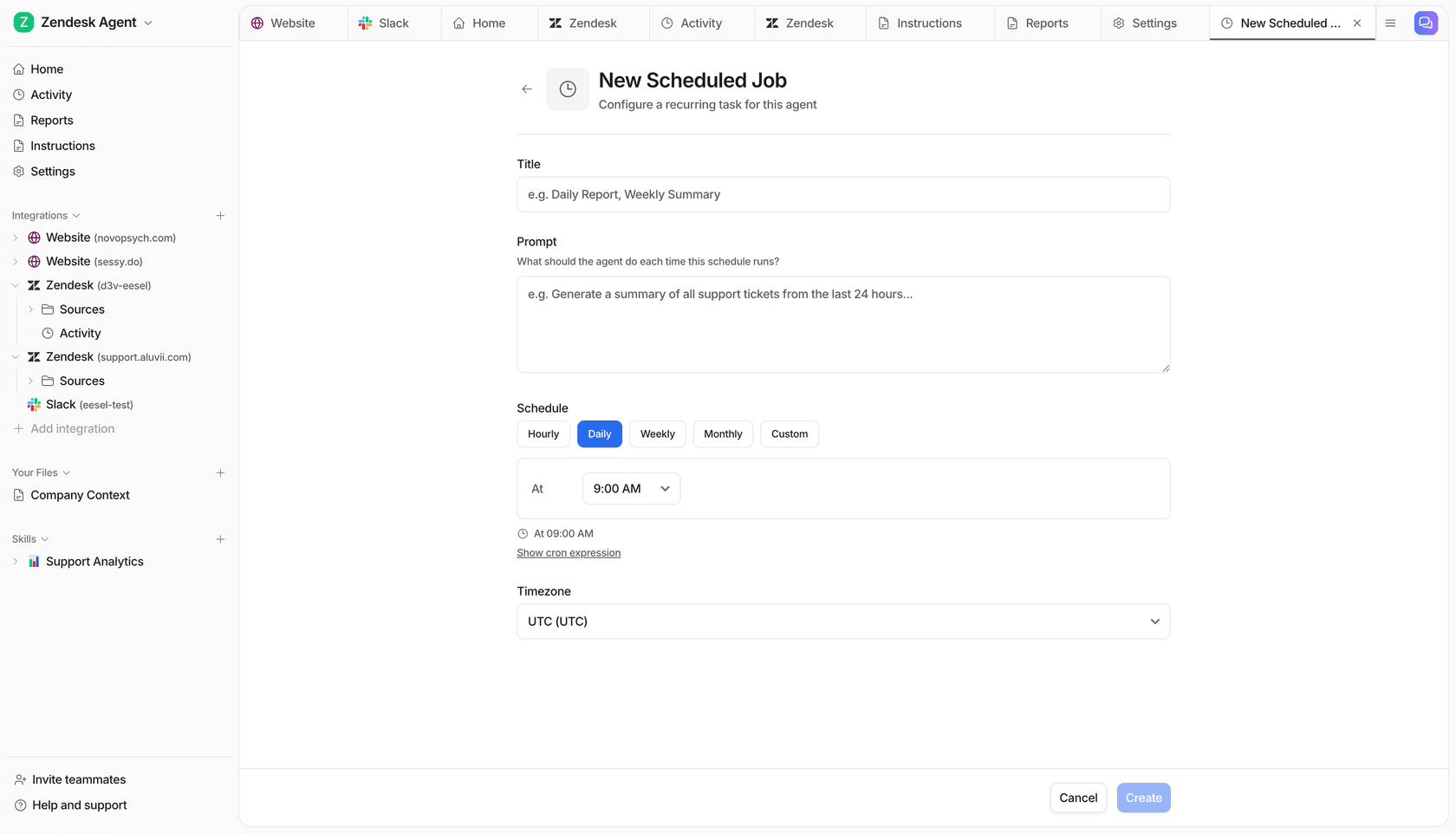
One support team on eesel runs exactly this as a "daily support handoff summary." The honest lesson from that setup: on one run the job produced nothing, and the team noticed when the morning shift went in blind. Whatever tool writes your brief, have a human glance at it for the first few weeks, and treat "the brief didn't arrive" as an alert, not a quiet day.
3. Fewer tickets to hand off in the first place. This is the biggest lever. Every routine ticket answered at 2 a.m. is a ticket the morning shift never inherits. Anytime Fitness used to have members who asked a question at 10 p.m. wait until morning; with eesel answering the common questions, they get an answer at any hour across 5,000+ gyms. It's the same idea behind 24/7 support with AI.
The rule that makes this safe is the one buyers ask for on almost every call: the AI should answer only what it's sure of and leave the rest. One support manager on a 200-250 ticket Zendesk queue described the goal as an application that could:
"handle 60% of the incoming zendesk tickets and know when to pull a real person in for better analysis and resolution."
That's the handoff in miniature. The AI takes the routine share overnight, tags and summarizes what it didn't answer, and the morning shift starts on the tickets that need a person. It's the same principle as AI-to-human handoff, just with a clock attached.
Common shift handoff mistakes
- Handing off to a person instead of a group. If tomorrow's named agent calls in sick, the ticket sits. Hand off to the next shift's group or queue.
- Notes in Slack, not on the ticket. The next agent opens the ticket, not last night's channel. Slack is for the brief; the ticket gets the note.
- Status discipline left to memory. If your helpdesk can flip status from a schedule or presence detection, use it. Zendesk itself says manual status "require[s] agent discipline."
- SLA timers on the wrong clock. If a handed-off ticket keeps the outgoing region's business hours, its SLA will stall or breach at odd times. Point SLA policies at the schedule of the group that now owns it.
- No owner for the handoff itself. Someone on each shift owns the brief. Rotate it, but name it, or it slowly stops happening.
- Measuring nothing. Track reopen rate in the first two hours of each shift. Do the same for SLA breaches; my Zendesk SLA tracking guide shows how. If both spike at shift change, the handoff is where your problem lives.
eesel for support shift handoffs
eesel's AI helpdesk teammate joins the queue you already run, whether that's Zendesk, Freshdesk, Help Scout, Gorgias or Front. At shift change it does the two jobs people skip when they're tired: it writes the shift brief on a schedule and leaves summaries as internal notes on the tickets it didn't answer. Overnight, it answers the routine tickets it's confident about, learning from your past tickets, help center and macros, so the morning shift inherits a shorter queue with context already attached.
Before it touches a live ticket, you can run it against hundreds of your past tickets to see how it would have answered. Pricing doesn't add seats for the night shift: the Teammate plan starts at $299/month for 500 credits, where a ticket or chat is one credit.

If your mornings start with an hour of rereading threads, try eesel free on your own queue and let it write tonight's handoff.
Frequently Asked Questions
What is a support shift handoff?
What should a support shift handoff note include?
Should every open ticket be handed off at the end of a shift?
How do I reassign tickets automatically when an agent's shift ends?
How long should a support shift handoff take?
Can AI write shift handoff notes?
What is the difference between a shift handoff and an escalation?


Article by
Riellvriany Indriawan
Riell is a designer and writer at eesel AI with about two years of experience researching CX platforms, AI chatbots, and helpdesk software. She combines her design background with a sharp eye for how these tools actually look and feel in practice — making her comparisons unusually visual and user-focused.