
If you've ever wished your Zendesk macros could ask agents to fill in specific details before sending, you're not alone. Support teams everywhere face the same frustration: macros are great for consistency, but they're static templates that can't adapt to each unique situation.
Imagine a refund macro that could prompt the agent to enter the exact amount. Or a shipping update that asks for the tracking number on the spot. That's the dream. But here's the reality: Zendesk macros don't natively support input fields that prompt agents for values.
This guide breaks down why this limitation exists, the workarounds teams use today, and how modern AI offers a fundamentally different approach to personalized support responses.
Understanding the limitation: why Zendesk macros don't natively prompt for input
Let's start with the core issue. A Zendesk macro is essentially a saved set of actions and text that agents can apply to tickets with one click. They're powerful for standardization, but they work like Mad Libs where all the blanks are already filled in.
The feature request for input prompts has been circulating in the Zendesk community for years. One user described the pain point perfectly:
You can use dynamic content in macros, but it'd be very useful to have a macro that prompts the agent for input. We have a macro that allows us to provide a prorated refund of $xxx depending when a user canceled their account in a month. The agent has to be mindful to find any variables in the macro to modify.
Zendesk Community
Without native input prompts, agents resort to workarounds that introduce risk. They might:
- Manually scan macro text for placeholder markers like
$XXX_AMOUNT_XXXbefore sending - Copy-paste from external notes where they've stored variable information
- Edit the macro on the fly, hoping they don't miss anything
The result? Inconsistent customer experiences, potential errors, and extra cognitive load for agents who are already juggling multiple tickets.
Workaround 1: using custom fields and placeholders
The most common workaround involves creating custom user fields to store variable data, then referencing those fields in your macros using placeholders.
Here's how it works. Let's say you frequently need to tell customers their membership expiration date. Instead of having agents look this up manually each time, you:
- Create a custom user field called "Member Expiration Date" in Admin Center
- Populate that field with data (via API, bulk upload, or integration)
- Reference it in your macro using the placeholder syntax
The placeholder looks like this:
{{ticket.requester.custom_fields.member_expiration_date}}
You can even format dates using Ruby syntax for better readability:
{{ticket.requester.custom_fields.member_expiration_date | date: "%-d %B %Y"}}
This outputs something like "15 January 2026" instead of the raw timestamp.
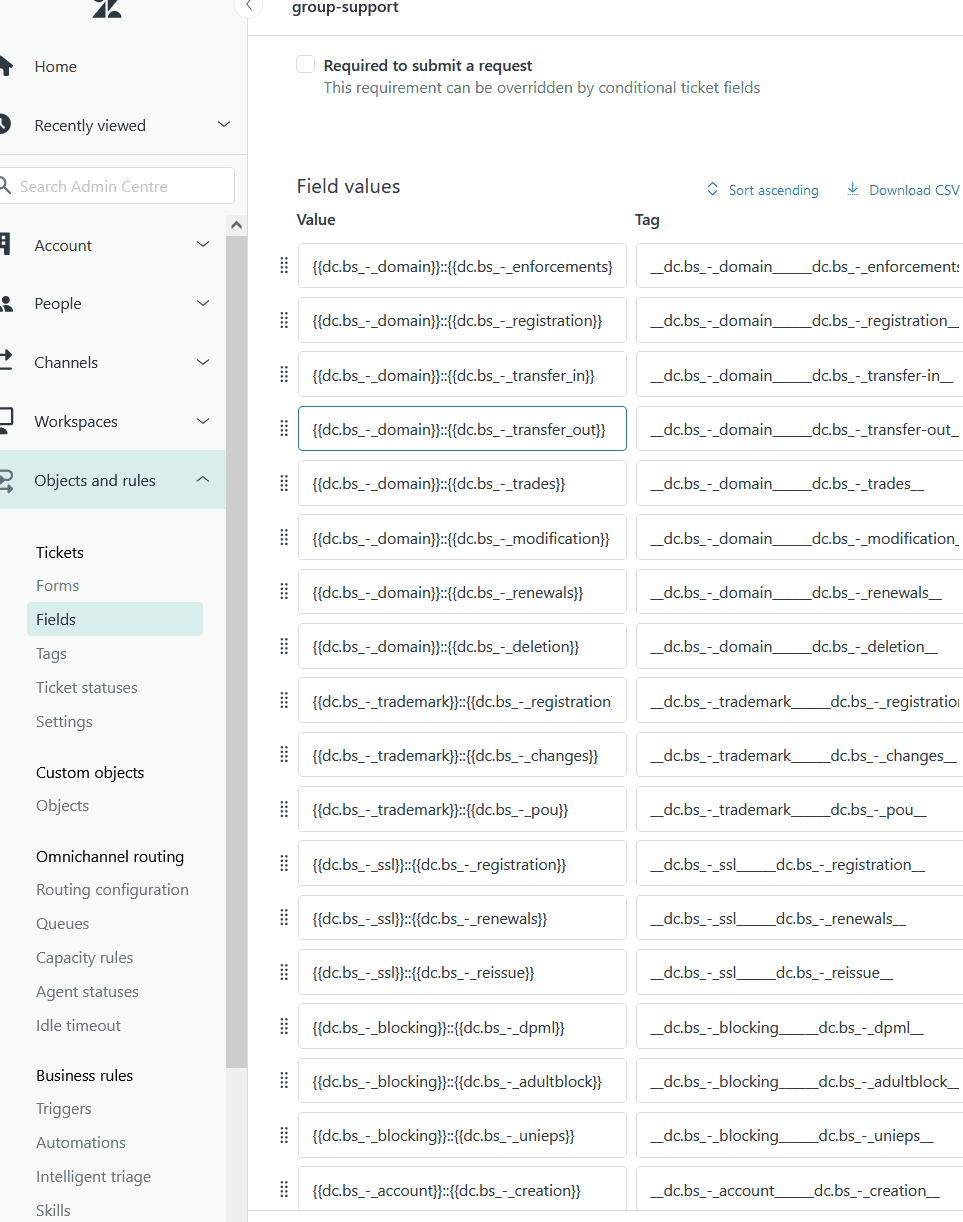
The limitation? This only works for data that's already stored in Zendesk. It doesn't solve the use case where an agent needs to enter fresh information (like a prorated refund amount calculated on the spot). For that, you're back to manual editing.
Workaround 2: dynamic content for multi-language support
If your challenge is supporting multiple languages rather than variable data entry, Zendesk's dynamic content feature can help.
Dynamic content lets you create content variants for different languages, then reference them in macros using placeholders like:
{{dc.welcome_message}}
When an agent applies the macro, Zendesk automatically displays the appropriate language version based on the user's locale settings.
This approach reduces macro library complexity. Instead of creating separate macros for each language, you maintain one macro that pulls the right content dynamically.
Dynamic content is still static. It doesn't prompt agents for input. It simply selects from pre-written content based on rules you define.
Workaround 3: manual agent editing with clear placeholders
When the other workarounds don't fit, many teams fall back to training agents to manually edit macros before sending. The key here is using obvious, hard-to-miss placeholder markers.
Instead of subtle placeholders that blend into the text, use markers like:
$REFUND_AMOUNT$instead of$50.00[[TRACKING_NUMBER]]instead of a fake tracking code{{AGENT_NAME}}for agent-specific personalization
Best practices for this approach:
- Use consistent formatting across all macros
- Include comments in the macro description reminding agents what to replace
- Train new hires specifically on this workflow
- Audit sent tickets periodically to catch mistakes
The risk is human error. An agent in a rush might miss a placeholder, sending a customer a response that says "Your refund of $REFUND_AMOUNT$ has been processed." Not a great look.
A better approach: AI-powered dynamic responses with eesel AI
All these workarounds are patches on a fundamental limitation. Macros were designed for an era when support meant sending the same response to many people. Today's customers expect personalization. Research from McKinsey shows that 71% of customers expect personalized experiences, and 76% feel frustrated when companies don't deliver.
This is where AI changes the equation entirely.
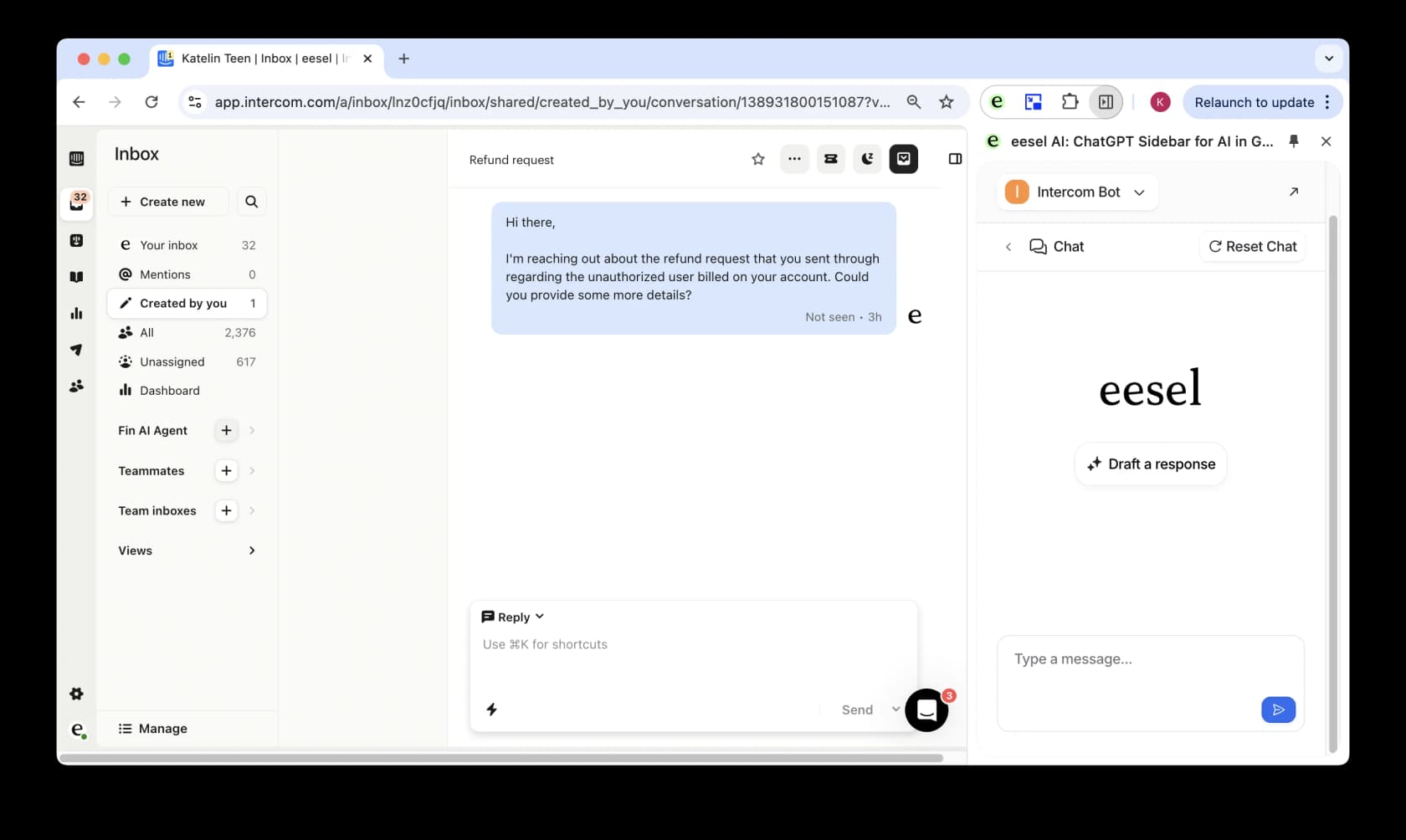
eesel AI works differently than macros. Instead of static templates, it learns from your existing knowledge (past tickets, help center articles, macros, connected docs) and drafts personalized responses for each unique situation.
Here's what that looks like in practice:
- An agent opens a ticket about a refund request
- eesel AI analyzes the ticket, pulls relevant context from your knowledge base, and drafts a response
- The response includes personalized details without any placeholder hunting
- The agent reviews, edits if needed, and sends
No $XXX_AMOUNT_XXX to replace. No manual data entry. Just a contextually appropriate response that sounds like your team wrote it.
Beyond drafting, eesel AI can perform real-time actions that macros simply can't:
- Look up order details in Shopify
- Check subscription status in your database
- Create issues in Jira Service Management
- Reference data from Confluence or Google Docs
And unlike the all-or-nothing approach of traditional automation, you can start with eesel AI in Copilot mode (drafting responses for agent review) and gradually expand to full autonomy as confidence builds. You can even run simulations on past tickets to see how it would perform before going live.
Choosing the right approach for your team
So which solution fits your situation? Here's a simple framework:
| Your Situation | Recommended Approach |
|---|---|
| Small team, simple variables stored in Zendesk | Custom fields + placeholders |
| Multi-language support needs | Dynamic content |
| Complex, personalized responses with fresh data | AI-powered solution |
| Tight budget, willing to accept some error risk | Manual editing with clear placeholders |
Let's break this down further.
Custom fields work best when: Your variable data is already stored in Zendesk and doesn't change often. Membership levels, account types, or subscription tiers are good examples. The setup effort pays off if you use these fields across many macros.
Dynamic content is ideal for: Teams supporting multiple languages who want to maintain a single macro library. It's not about variable input, but about smart content selection.
AI solutions like eesel AI make sense when: You're dealing with complex, nuanced responses that require context and personalization. If your agents spend significant time customizing macro responses before sending, AI can eliminate that busywork entirely.
Manual editing is a viable short-term option when: You have a small team, limited budget, and relatively simple variable needs. Just be prepared for the occasional human error.
The migration path is worth considering too. Many teams start with custom fields, hit the limitations, then explore AI as a next step. The good news is that eesel AI can learn from your existing macros, so your investment in current workflows isn't wasted.
Start creating dynamic support responses today
The limitation is real: Zendesk macros don't natively support input fields that prompt agents for values. You've got workarounds (custom fields, dynamic content, manual editing), each with their own trade-offs.
But there's a bigger picture here. The expectation for personalized support keeps rising. Customers don't want to feel like they're getting a canned response, even when the underlying information is standardized. They want to feel heard and understood.
That's the shift AI enables. Instead of wrestling with placeholders and workarounds, you can have responses that are genuinely personalized to each customer's situation. No manual variable replacement. No risk of sending $REFUND_AMOUNT$ to a customer. Just fast, accurate, human-sounding support.
If you're ready to move beyond static macros, explore how eesel AI integrates with Zendesk. You can start with AI-drafted responses that agents review, then expand to full automation as you see the results. The setup takes minutes, not weeks, and you can test it on past tickets before touching a single live conversation.