What outsourcing customer service actually means
Strip away the acronyms and it's simple: you pay another company to answer your customers so you don't have to build the team yourself. That external company is usually a BPO, a business process outsourcer, and it hires, trains, and manages agents who work your tickets, chats, and calls under your brand name.
There are a few flavors worth knowing before anyone quotes you:
- Onshore, nearshore, offshore. Where the agents sit. Onshore (same country) costs the most and reads most naturally to your customers. Offshore (think the Philippines or India for English support) costs the least. Nearshore (a nearby time zone) splits the difference.
- Dedicated vs shared. Dedicated agents work only your account and learn your product. Shared agents juggle several brands at once, which is cheaper but shows up as thinner, more scripted answers.
- Per-seat, per-hour, or per-contact. How you're billed. Per-seat and per-hour charge for time; per-contact charges per ticket or call handled. Each hides different costs, which we'll get to.
None of this is new. Outsourced customer service management has been the standard scaling move for decades, and for good reason: hiring, training, and rostering a 24/7 support floor is hard, and a BPO does it for a living. The question is whether the trade you're making is still a good one in 2026.
Why teams outsource in the first place
Before knocking it, it's worth being fair about what outsourcing does well, because these drivers are real:
- Cost, on paper. Offshore labor is cheaper than a domestic hire, and the BPO absorbs the overhead of recruiting and managing.
- Speed to scale. Need 30 agents for a product launch? A BPO can staff that faster than your recruiter can, which is why scaling support fast has always leaned on it.
- Coverage you can't easily staff. 24/7 phone lines, weekend cover, or a language your team doesn't speak.
- Someone else owns the ops headache. Scheduling, QA, attrition, payroll in another country. Not your problem.
If your support is mostly phone-based, highly seasonal, or spread across a dozen languages, these are legitimately hard to replicate in-house, and a good BPO earns its fee. The trouble starts when teams reach for outsourcing as a reflex for ticket volume, because that's the one job it's no longer best at.
The real cost of outsourced customer service
Here's the part the sales deck skips. The number you're quoted, a per-seat or per-hour rate, is the visible tip. The true cost stack underneath it is what actually hits your P&L.
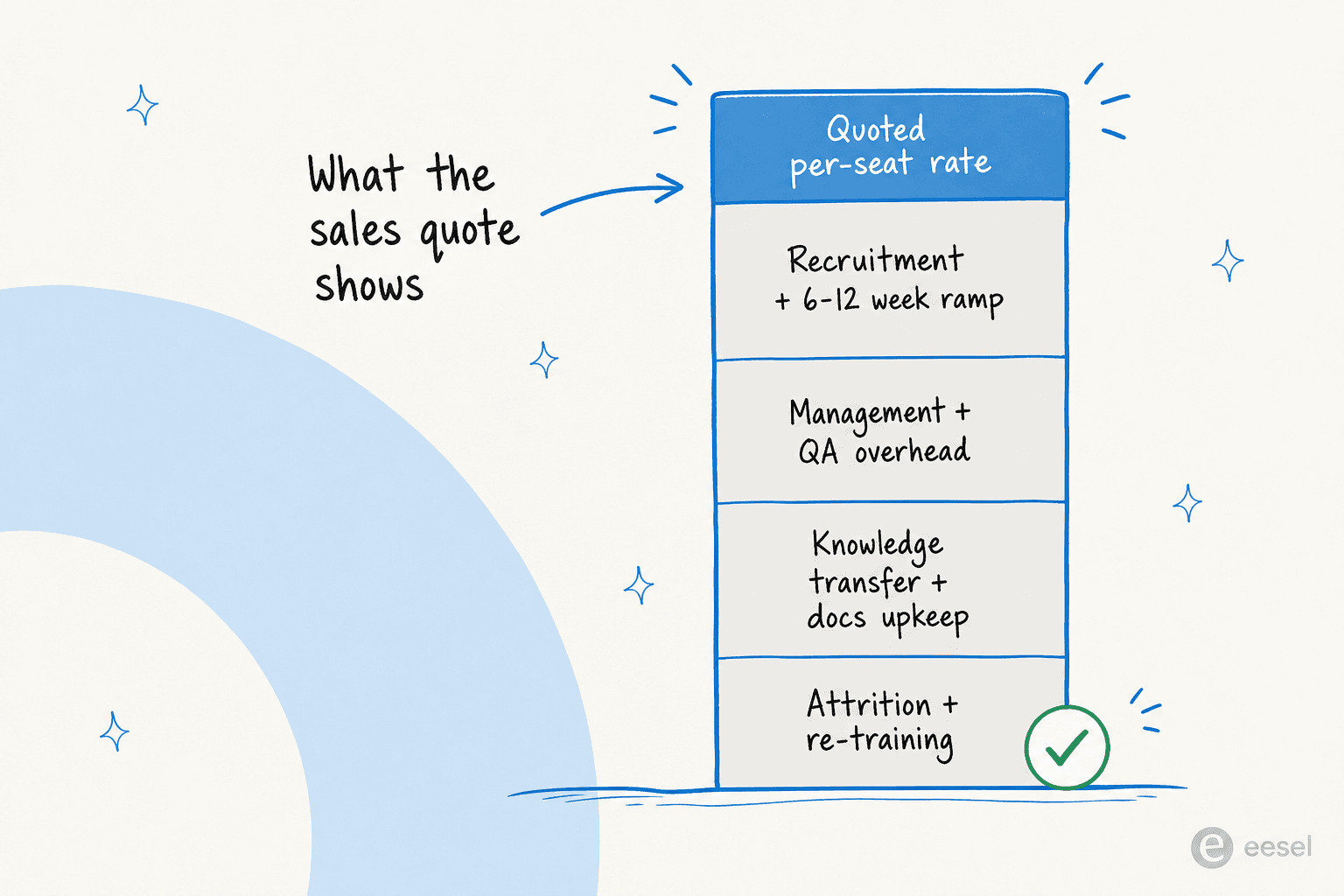
Walk down the stack:
- Ramp time. A new outsourced agent isn't productive on day one. Learning your product, your tone, and your edge cases takes weeks, often 6 to 12 of them, and you're paying the full rate the whole time while quality is at its worst.
- Management and QA overhead. You still need someone on your side writing the playbooks, reviewing transcripts, and escalating when the BPO drifts. Outsourcing shifts that work; it doesn't delete it.
- Knowledge decay. Your product changes weekly. Keeping an external floor current means constant docs upkeep and retraining, and the gaps between updates are where wrong answers and bad customer service stories come from.
- Attrition. BPO agent turnover is high. Every departure resets the ramp clock and quietly drags your customer service metrics back down.
- Brand-voice drift. A shared agent handling five brands can't sound like you. Customers feel the scripting, and it erodes trust in a way that's hard to see on a dashboard.
Add it up and the effective cost per resolved ticket is usually far higher than the headline rate, once you count the tickets that get reopened, escalated, or answered wrong the first time. This is the number that matters, and it's the one worth comparing against the alternatives before you sign anything. Our deeper dive on AI cost savings works through the same math.
Run your own numbers
Rather than trust a generic benchmark, plug in your own volume. The calculator below compares your current per-ticket cost against an AI-first setup where the repetitive tier-1 tickets get resolved automatically and only the rest reach a human:
For most teams, the moment you push the tier-1 slider past 50% the AI-first column drops below the outsourced one, and it keeps dropping. That's not a coincidence; it's the whole reason the outsourcing decision has changed.
What changed: AI ate the BPO's core job
For decades, the logic was airtight. You have thousands of repetitive tickets, agents are the only thing that can answer them, and offshore agents are the cheapest agents. So you outsource.
Every clause in that sentence was true until AI got good enough to resolve those repetitive tickets directly. Not deflect them into a help-center dead end, resolve them: read the ticket, pull the right answer from your docs and past tickets, and reply in your voice, in the customer's language.
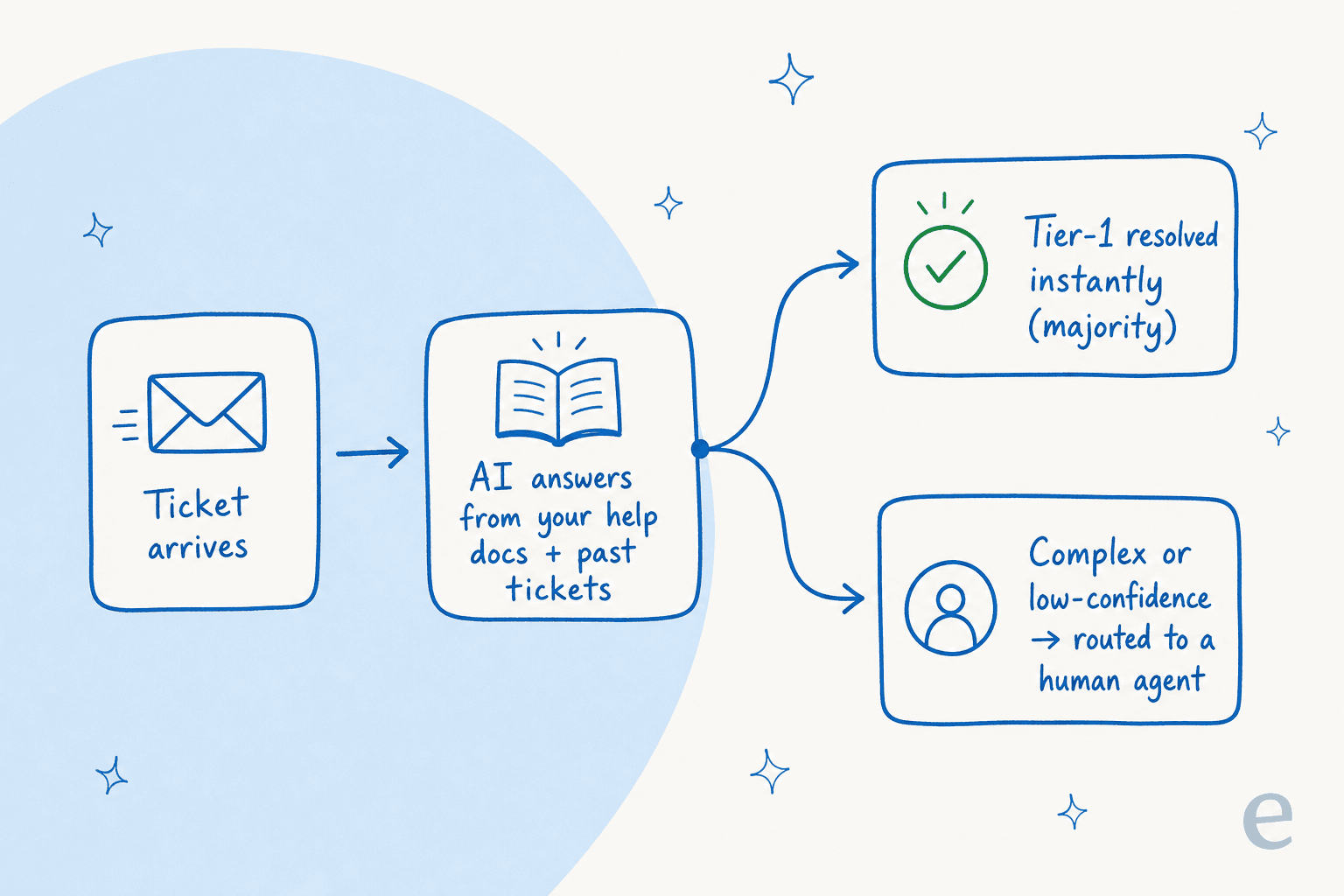
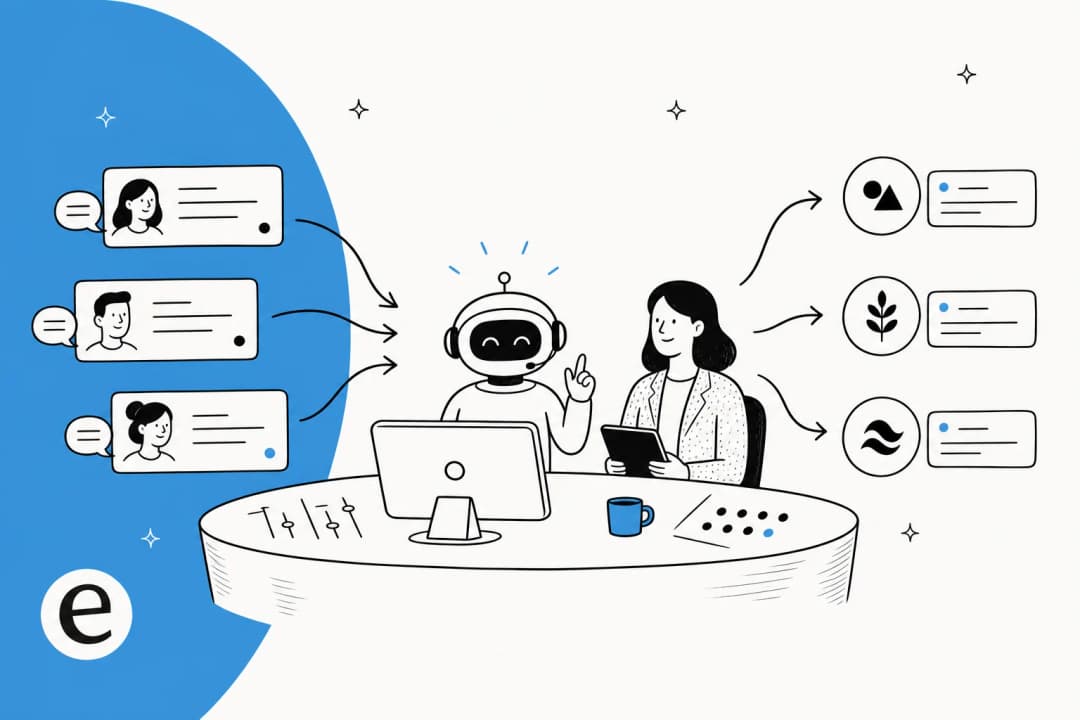
This is the shift. The tier-1 volume that justified a 50-seat offshore team is now the volume an AI teammate handles before a human ever opens the ticket. We've watched a fully automated agent process 100,000+ German-language tickets a month on one customer's Zendesk, and clear 73% of tier-1 requests in month one on another. That used to be a whole BPO contract.
And the cost comparison isn't close. One e-commerce team we worked with was handling around 700 tickets a week through their AI setup at roughly a dollar a ticket, all-in. Try getting a dedicated onshore seat for that.
The technical crowd sometimes asks why not just build this on the Claude or OpenAI API directly. Some do. But most land where one engineering lead we work with did:
"We could try to write our own LLM application but we didn't want to invest our time into that. We wanted something that we would not have to maintain."
Karel, GENERAL BYTES (case study)
The point isn't that AI is magic. It's that the specific job outsourcing was best at, cheaply absorbing high-volume repetitive tickets, now has a better tool. Our rundown of the benefits of conversational AI goes deeper on the mechanics.
The 2026 decision: in-house, outsourced, or AI-first
So how do you actually decide? Map your tickets on two axes: how much volume you get, and how much judgement each ticket needs. Where a ticket lands tells you who should handle it.
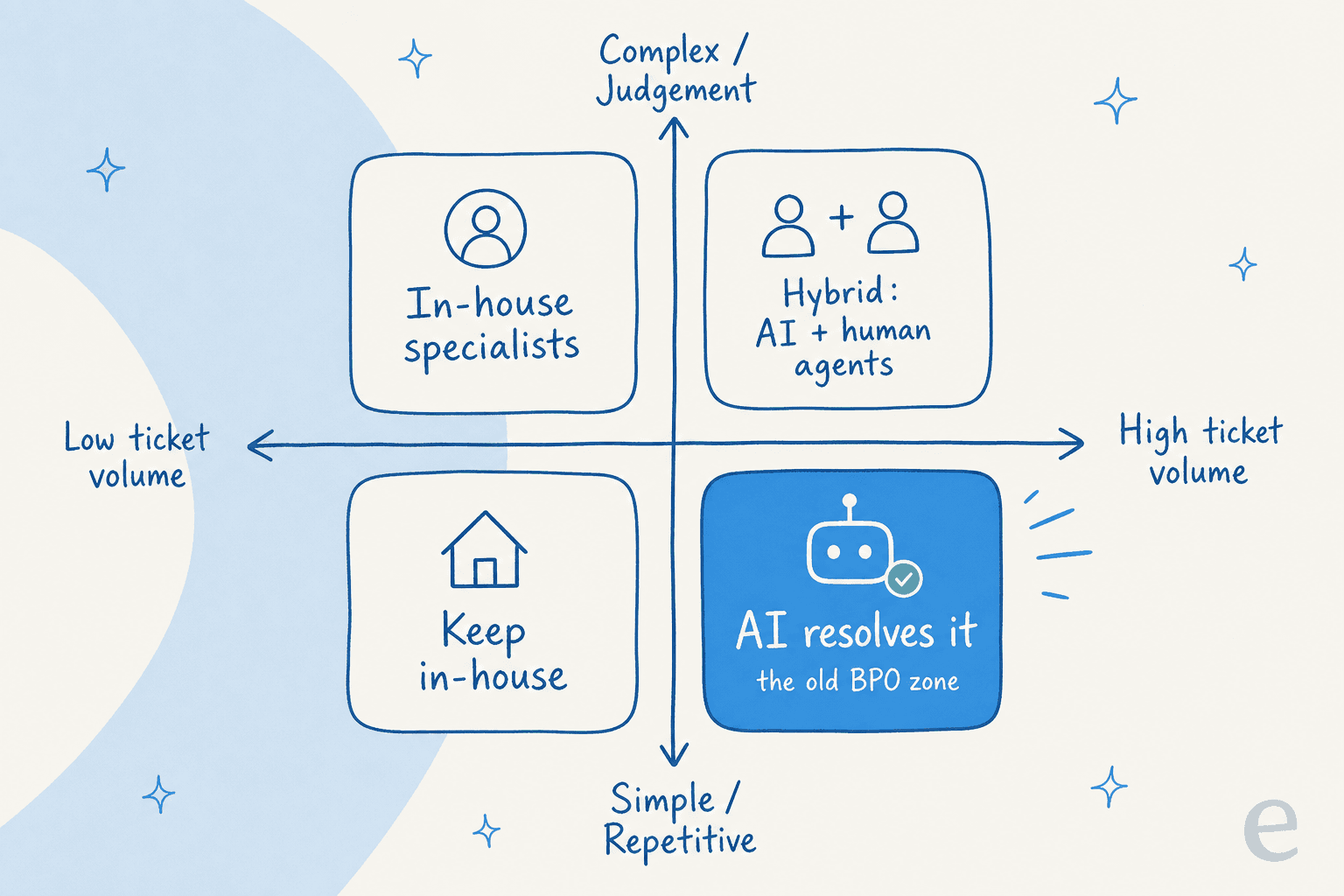
- High volume, simple and repetitive (bottom-right). This is the old BPO zone, and it's now the AI zone. Password resets, order status, refund eligibility, "how do I change my plan." Let the AI resolve it.
- Low volume, complex and high-judgement (top-left). Keep this in-house. These are the tickets where your product knowledge and your brand relationship actually matter.
- High volume, complex (top-right). Hybrid. AI drafts and triages, humans review and send. Your team spends its time where judgement pays off instead of on copy-paste replies.
- Low volume, simple (bottom-left). A small in-house team, or even one person, handles it fine. You don't need a contract for this.
Notice where outsourcing lands in this map: nowhere with a clear win. The one square it used to own, high-volume repetitive work, is exactly the square AI now takes more cheaply and consistently. That's the reframe worth sitting with. Our guide to the AI customer service workflow walks through the same logic for growing teams.
When outsourcing still makes sense
This isn't an argument that BPOs are dead. There are real situations where outsourcing is still the right call, and pretending otherwise would be the kind of thing you'd rightly ignore:
- Complex voice and phone support at scale. If your customers expect a human on the phone 24/7, staffing that in-house is brutal, and a good contact center partner earns its fee.
- Languages you truly can't hire for. Though it's worth noting AI now handles 80+ languages out of the box, which shrinks this category fast.
- Genuine seasonal surges. A retailer that 5x's its volume for six weeks a year and then drops back may find a flexible BPO cheaper than over-hiring, especially paired with AI on the tier-1 flood.
- Regulated work needing human sign-off. Where a human legally must be in the loop, outsourcing the human capacity can make sense.
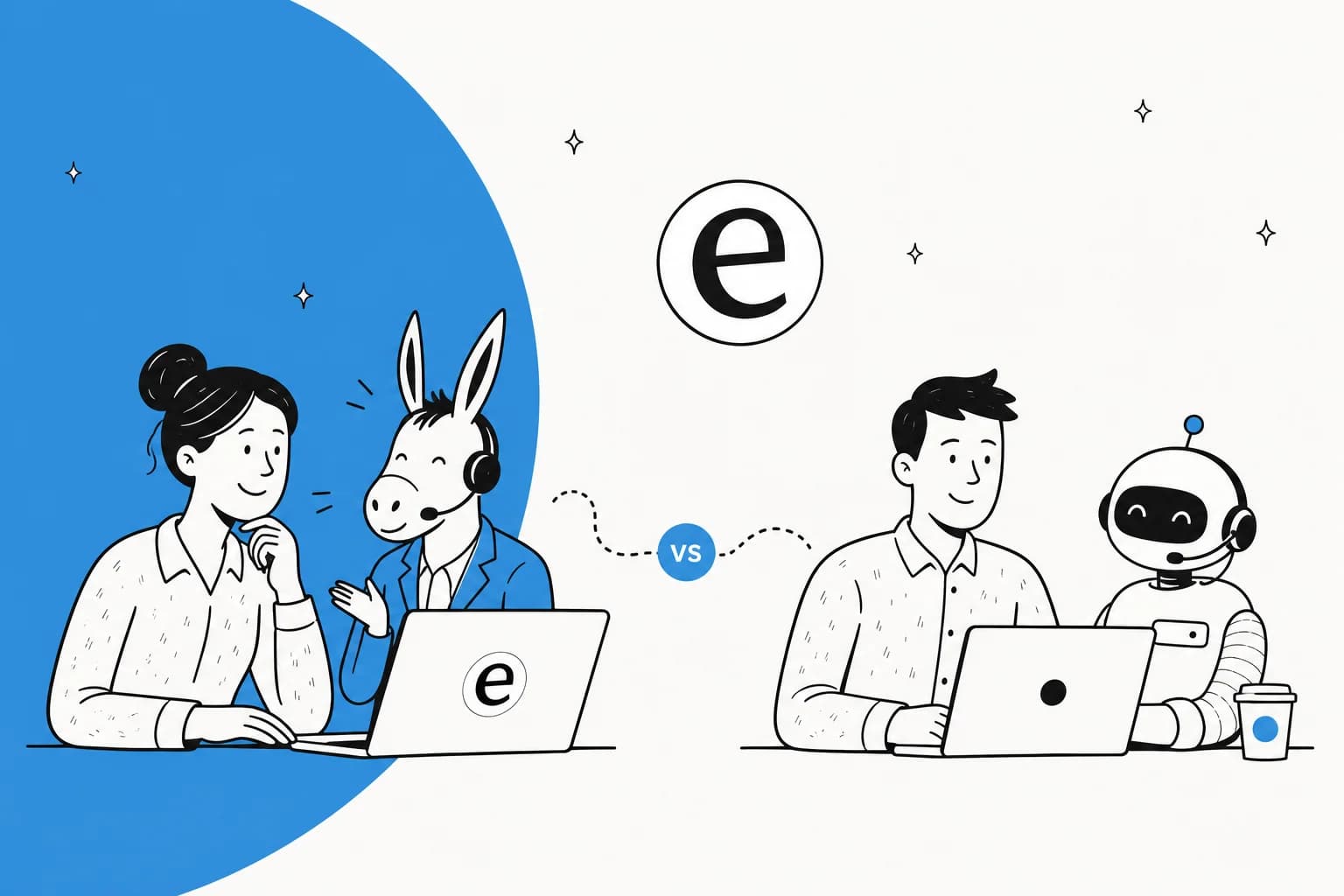
The healthiest pattern we see is rarely "all in-house" or "all outsourced." It's AI-first, humans on the exceptions, and a BPO only for the specific coverage AI and your own team can't provide. That's a much smaller, cheaper contract than the all-hands support floor teams used to sign.
How to add AI before you outsource anything
If the decision map has you leaning AI-first, the good news is it's a much faster setup than standing up a BPO relationship, and you can prove it works before committing. This is where I'd start, and it's the part I care about most as someone who's spent real time in a live queue: the difference between AI that helps and AI that embarrasses you is whether you tested it against your tickets first.
The failure mode we've watched over years of live rollouts is a confident-sounding bot quietly giving wrong answers. That's exactly why eesel runs a simulation mode: before it answers a single real customer, it replays your last few thousand tickets and shows you the coverage, the gaps, and the exact replies it would have sent. You fix the gaps, then go live, instead of finding out on your customers.

A few things make this practical rather than a science project:
- It plugs into the helpdesk you already run. Zendesk, Freshdesk, Gorgias, Front, HubSpot, and more, no rip-and-replace. It learns from your past tickets and help docs on day one.
- You control how far it goes. Start in copilot mode where it drafts replies for your agents to review, then hand it autonomy on the ticket types it's proven on. It's the opposite of throwing tickets over a wall to a BPO and hoping.
- Confidence-based routing. Low-confidence tickets get drafted, not sent, or routed straight to a human. This is the single most-requested control from teams who won't let AI auto-reply to everything, and rightly so.
- You see what it's doing. Reporting shows resolution rate, deflection, and the themes coming through your queue, so you're managing an operation, not a black box.

The whole thing goes live in the time it takes to schedule a BPO kickoff call, and you can try it free against your own tickets before spending a cent on either path.
Try eesel before you sign a BPO contract
If you're weighing outsourcing because ticket volume is outrunning your team, run the AI-first test first. eesel drops into your existing helpdesk, learns from your past tickets and docs, and simulates against your real history so you can see exactly how much of your queue it resolves before you commit, no per-seat fees, just about $0.40 per resolved ticket.
The teams that get this right don't outsource less because outsourcing got worse; they outsource less because the tier-1 flood that used to justify it now resolves itself. Start there, see what's left, and outsource only the coverage that truly needs a human floor.

Frequently Asked Questions
What does outsourcing customer service actually mean?
How much does outsourcing customer service cost?
Is outsourcing customer service worth it for a small business?
What are the biggest risks of outsourced customer service?
Can AI replace outsourced customer service?
How is AI customer service different from outsourcing customer service?
How do I switch from outsourced customer service to AI?


Article by
Riellvriany Indriawan
Riell is a designer and writer at eesel AI with about two years of experience researching CX platforms, AI chatbots, and helpdesk software. She combines her design background with a sharp eye for how these tools actually look and feel in practice — making her comparisons unusually visual and user-focused.